
DietrichGebert/ponytailPlugins
Makes your AI agent think like the laziest senior dev in the room. The best code is the code you never wrote.
138k
1 add
This repo distributes the client-side plugin for Zapier's hosted MCP server. It lets supported agents connect to Zapier, then layers onboarding, a demo, and role-specific skills onto that connection.
Builders who want their agent to connect to thousands of apps through Zapier.
You can let your agent send messages, pull data, and trigger workflows across Zapier-connected apps without building the integration yourself.
Packages the Zapier MCP plugin that you install in supported AI clients.
Helps the assistant start using Zapier MCP with a setup flow inside the client.
Shows a demo the first time you connect so the assistant knows what Zapier can do.
Adds skills tuned to the user's role on top of the base MCP connection.
Connects to Zapier's hosted MCP endpoint at `https://mcp.zapier.com/api/v1/connect`.
Includes `gemini-extension.json` for Gemini CLI extension installation.





Zapier MCP gives any MCP-compatible AI client governed access to 9,000+ apps — send messages, pull data, trigger workflows, all in plain English. No code, no infrastructure, SOC 2 Type II certified. ⚡
This repo distributes the Zapier MCP plugin — the part that lives in your AI client. Install it from your client's marketplace and your assistant arrives knowing how to use Zapier well, with guided onboarding, a quick demo, and skills tailored to your role.
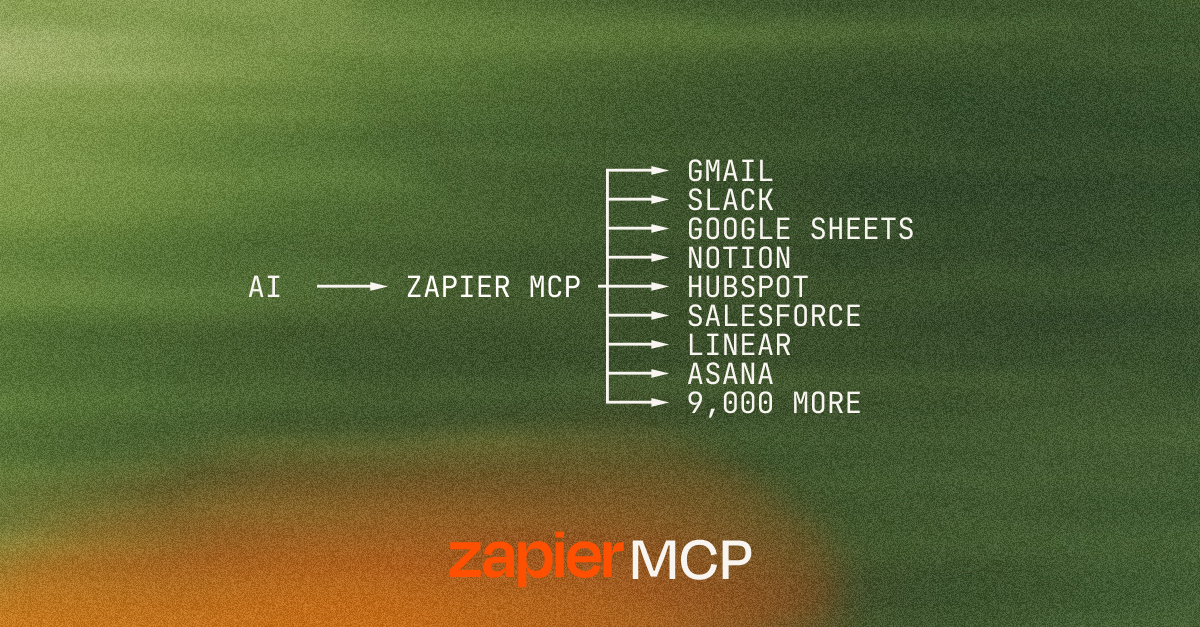
plugins/zapier/: the plugin that onboards you to Zapier MCP and supercharges your experienceConnecting Zapier MCP to your AI client only takes a server URL — see docs.zapier.com/mcp/clients for step-by-step instructions for every supported client.
A few clients also install the plugin distributed from this repo, which layers guided onboarding, a first-use demo, and role-tailored skills on top of that base connection:
zapier/marketplace or anthropics/claude-plugins-officialcursor/mcp-serverszapier/marketplaceanthropics/knowledge-work-pluginsgemini extensions install https://github.com/zapier/zapier-mcp, then /mcp auth zapier — see gemini-extension.jsonVS Code connects directly to the hosted MCP server rather than through a plugin — use the badge above, or add https://mcp.zapier.com/api/v1/connect (type: http) manually.
Zapier MCP is also listed on:
Sign in to join the discussion.
No comments yet. Be the first to say what this is good for.
Makes your AI agent think like the laziest senior dev in the room. The best code is the code you never wrote.

Graphs that teach > graphs that impress. Turn any code into an interactive knowledge graph you can explore, search, and ask questions about. Works with Claude Code, Codex, Cursor, Copilot, Gemini CLI, and more.

OmO: Just type "mass ulw" keyword with your prompt. Now you are the master of graph engineering.
Persistent Context Across Sessions for Every Agent – Captures everything your agent does during sessions, compresses it with AI, and injects relevant context back into future sessions. Works with Claude Code, OpenClaw, Codex, Gemini, Hermes, Copilot, OpenCode + More
Opinionated Oxlint rules for rejecting low-evidence TypeScript and JavaScript patterns
Teams-first Multi-agent orchestration for Claude Code