

JuliusBrussee/
caveman

🪨 why use many token when few token do trick — Claude Code skill that cuts 65% of tokens by talking like caveman
105k
1 add
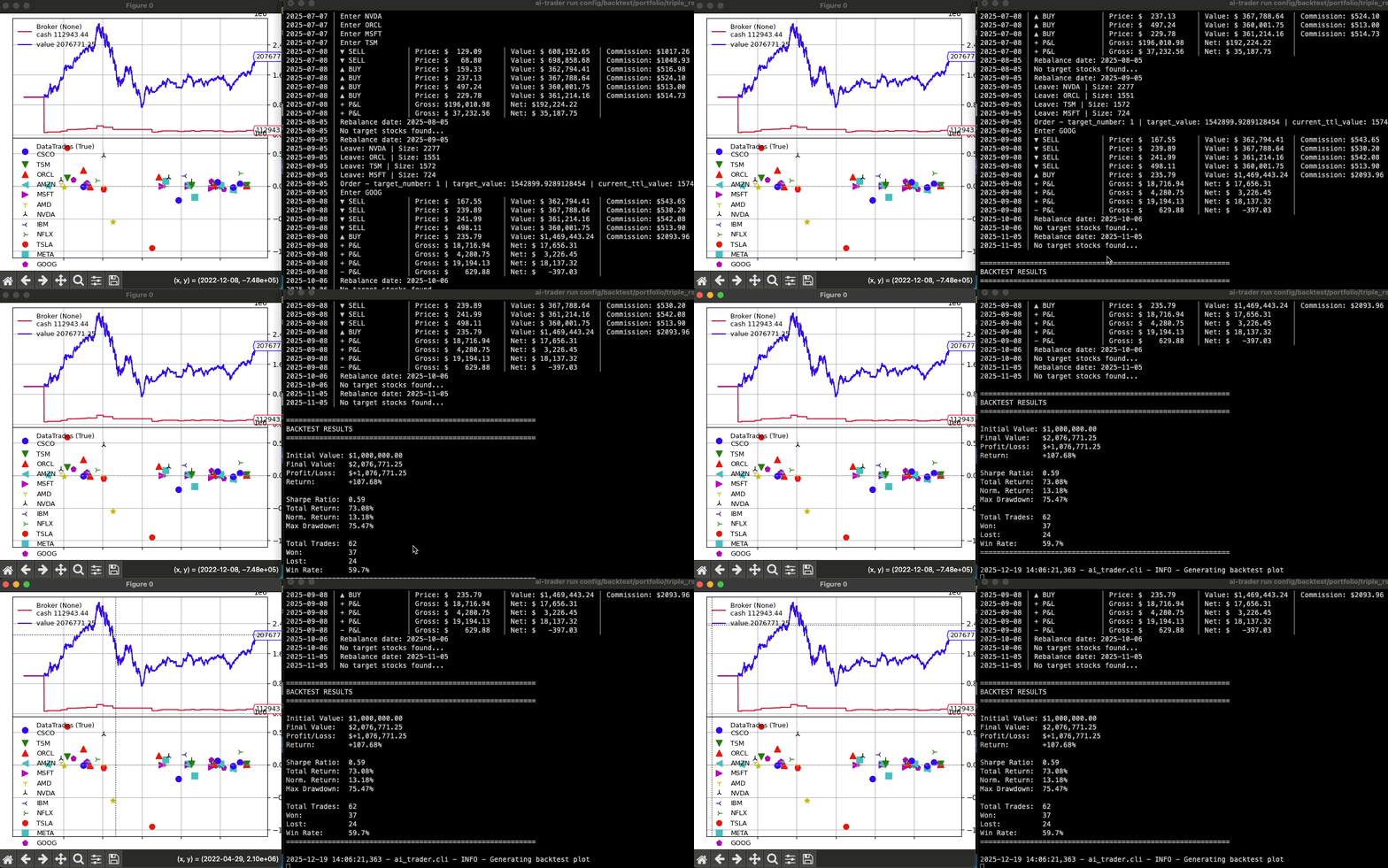
AI-Trader gives you a config-driven way to backtest trading strategies across stocks, crypto, and forex. You can run it from the CLI, call it from Python, or expose it through MCP so an agent can fetch data, list strategies, and run tests for you.
Builders who want an agent or CLI to backtest trading ideas and work with market data.
You can test trading strategies from repeatable config files or agent commands instead of wiring each backtest by hand.
Run backtests from YAML files in `config/backtest/` so settings stay versioned and repeatable.
Use `ai-trader run`, `ai-trader quick`, `ai-trader fetch`, and data commands to run tests and manage market data.
Start `python -m ai_trader.mcp` so Claude or another MCP client can run backtests and fetch data.
Works with US stocks, Taiwan stocks, crypto, and forex data.
Includes 20+ built-in strategies and a structure for adding your own.
The `skills/add-strategy` flow helps Claude Code create and register a new strategy.
pip install ai-trader
git clone https://github.com/whchien/ai-trader.git
cd ai-trader

# Install dependencies (choose one method)
uv sync        # Recommended (fastest, modern tool)
# poetry install   # Or use Poetry
# pip install -e .  # Or traditional pip with editable install
# Run a backtest from a config file (requires source installation)
ai-trader run config/backtest/classic/sma_example.yaml
# Quick backtest on your own data file
ai-trader quick CrossSMAStrategy your_data.csv --cash 100000

A professional, config-driven backtesting framework for algorithmic trading, built on Backtrader. Seamlessly test, optimize, and integrate trading strategies with Large Language Models (LLMs) across stocks, crypto, and forex markets.
1. Installation
Option A: Install from PyPI (Recommended for using the CLI)
pip install ai-trader
Use this if you want to:
ai-trader run, ai-trader fetch, ai-trader quickOption B: Install from Source (Recommended for examples and config templates)
git clone https://github.com/whchien/ai-trader.git
cd ai-trader

# Install dependencies (choose one method)
uv sync        # Recommended (fastest, modern tool)
# poetry install   # Or use Poetry
# pip install -e .  # Or traditional pip with editable install
Use this if you want to:
config/backtest/data/scripts/examples/2. Run a Backtest via CLI
If you cloned from source, run a predefined backtest using a configuration file:
# Run a backtest from a config file (requires source installation)
ai-trader run config/backtest/classic/sma_example.yaml
Or, run a quick backtest on any data file (works with both pip and source installation):
# Quick backtest on your own data file
ai-trader quick CrossSMAStrategy your_data.csv --cash 100000
3. Fetch Market Data
Download historical data for any supported market:
# US Stock (default: saves to CSV)
ai-trader fetch TSM --market us_stock --start-date 2020-01-01

# Taiwan Stock (台灣股票)
ai-trader fetch 2330 --market tw_stock --start-date 2020-01-01

# Cryptocurrency
ai-trader fetch BTC-USD --market crypto --start-date 2020-01-01

# With SQLite persistent caching (NEW!)
ai-trader fetch AAPL --market us_stock --start-date 2024-01-01 --storage sqlite

# Save to both CSV and SQLite
ai-trader fetch AAPL --market us_stock --start-date 2024-01-01 --storage both
Persistent Data Storage with SQLite
By default, ai-trader fetch saves data to CSV. For faster repeated backtests, use SQLite:
# First fetch: Downloads from API and caches in SQLite (~2-3 seconds)
ai-trader fetch AAPL --market us_stock --start-date 2024-01-01 --storage sqlite

# Repeated fetch: Loads from cache (~50ms, no API call)
ai-trader fetch AAPL --market us_stock --start-date 2024-01-01 --storage sqlite

# Check cached data
ai-trader data list
ai-trader data info

# Clean old data
ai-trader data clean --market us_stock --before 2020-01-01
Learn more about SQLite Storage →
The most robust way to run backtests is with a YAML config file.
my_backtest.yaml:
broker:
  cash: 1000000
  commission: 0.001425

data:
  file: "data/us_stock/TSM.csv"
  start_date: "2020-01-01"
  end_date: "2023-12-31"

strategy:
  class: "CrossSMAStrategy"
  params:
    fast: 10
    slow: 30

sizer:
  type: "percent"
  params:
    percents: 95
Run it:
ai-trader run my_backtest.yaml
See config/backtest/ for more examples.
For more granular control or integration into other Python scripts.
Simple approach:
from ai_trader import run_backtest
from ai_trader.backtesting.strategies.classic.sma import CrossSMAStrategy

# Run backtest with example data
results = run_backtest(
    strategy=CrossSMAStrategy,
    data_source=None,  # Uses built-in example data
    cash=1000000,
    strategy_params={"fast": 10, "slow": 30}
)
Step-by-step control:
See scripts/examples/02_step_by_step.py for a detailed example.
Run ai-trader as a server to let AI assistants interact with your backtesting engine.
Start the Server (for testing):
python -m ai_trader.mcp
Configure with Claude Desktop (Recommended):
Locate your Claude Desktop configuration file:
~/.config/Claude/claude_desktop_config.json%APPDATA%\Claude\claude_desktop_config.jsonAdd the ai-trader MCP server to the mcpServers section:
{
  "mcpServers": {
    "ai-trader": {
      "command": "python3",
      "args": ["-m", "ai_trader.mcp"],
      "cwd": "/path/to/ai-trader"
    }
  }
}
Configuration Notes:
/path/to/ai-trader with your actual ai-trader project directory/path/to/.venv/bin/python3Once configured, you can use Claude to interact with your backtesting engine with natural language commands like:
The fastest way to create a new strategy is with the /add-strategy skill in Claude Code. The skill guides you through the process interactively:
/add-strategy classic
This will prompt you for:
The skill automatically handles:
__init__.pyLearn more about Claude Code skills: https://code.claude.com/docs/en/skills
Create a new file in ai_trader/backtesting/strategies/classic/ and inherit from BaseStrategy.
# ai_trader/backtesting/strategies/classic/my_strategy.py
import backtrader as bt
from ai_trader.backtesting.strategies.base import BaseStrategy

class MyCustomStrategy(BaseStrategy):
    params = dict(period=20)

    def __init__(self):
        self.sma = bt.indicators.SMA(self.data.close, period=self.p.period)

    def next(self):
        if not self.position and self.data.close[0] > self.sma[0]:
            self.buy()
        elif self.position and self.data.close[0] < self.sma[0]:
            self.close()
The new strategy is automatically available to the CLI and run_backtest function.
Contributions are welcome! Feel free to report bugs, suggest features, or submit pull requests.
If you find this project helpful, please give it a star !
This project is licensed under the GNU General Public License v3 (GPL-3.0). See the LICENSE file for details.
Sign in to join the discussion.
No comments yet. Be the first to say what this is good for.
🪨 why use many token when few token do trick — Claude Code skill that cuts 65% of tokens by talking like caveman

The best-benchmarked open-source AI memory system. And it's free.

Orca is the ADE for working with a fleet of parallel agents. Run any coding agent with your own subscription. Available on desktop, mobile and remote runtime.

A cross-platform desktop All-in-One assistant for Claude Code, Codex, OpenCode, OpenClaw, Grok Build & Hermes Agent. Only official website: ccswitch.io

Never stop coding. Free MIT AI gateway: one endpoint, 352 providers (150+ free), 1200+ models Kimi, Claude, GPT, Gemini, GLM, DeepSeek, MiniMax. Works with Claude Code, Codex, Cursor, OpenCode, Cline & Copilot. Quota-aware auto-fallback, RTK+Caveman compression saves 15-95% tokens, MCP/A2A, Desktop/PWA. Built by 550+ contributors

Compress tool outputs, logs, files, and RAG chunks before they reach the LLM. 20% fewer tokens for coding agents, 60-95% fewer tokens for JSON, same answers. Library, proxy, MCP server.