


JuliusBrussee/
caveman

🪨 why use many token when few token do trick — Claude Code skill that cuts 65% of tokens by talking like caveman
105k
1 add
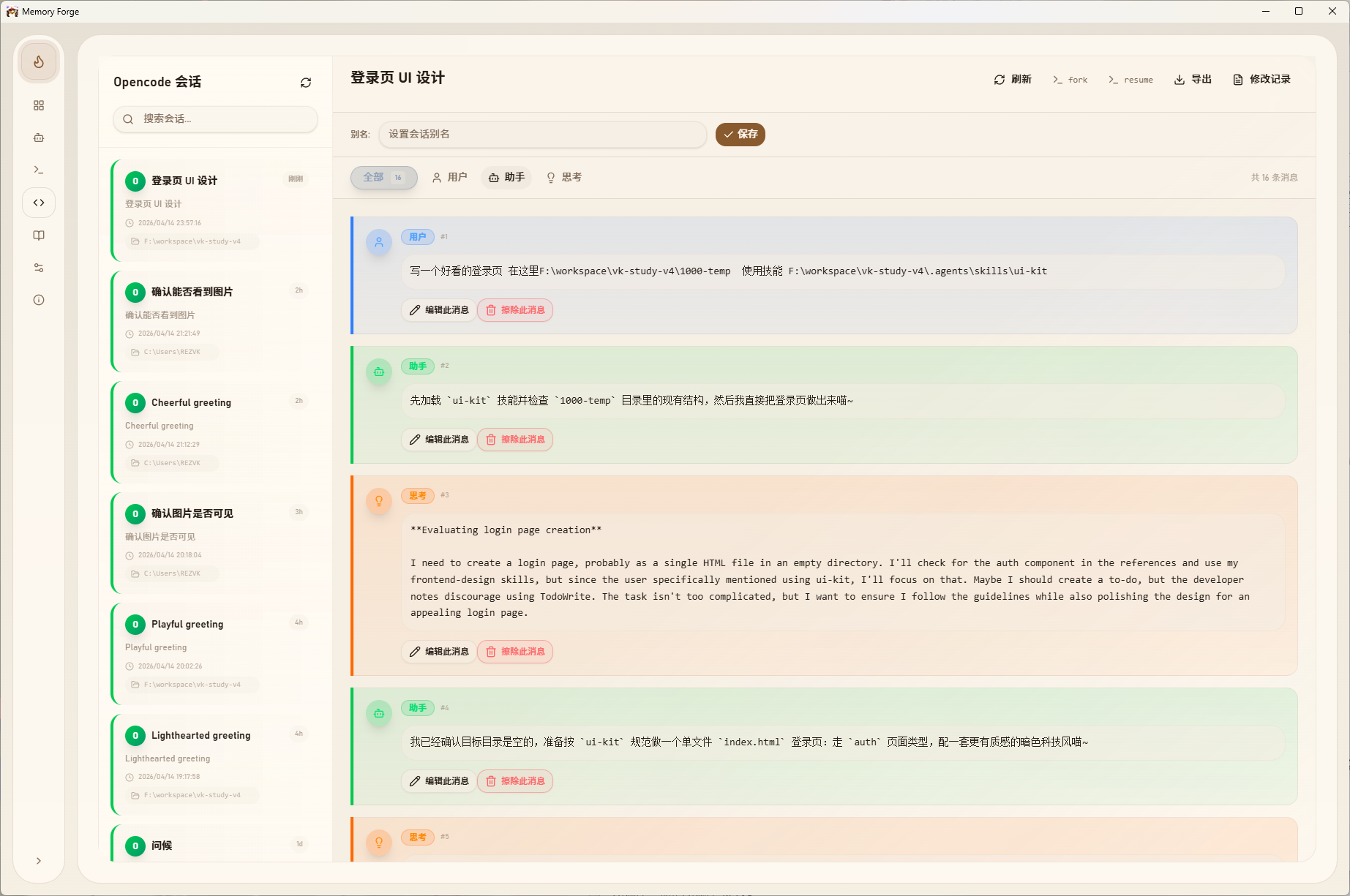
Memory Forge RS lets you browse AI coding sessions, edit any message in the history, and continue from the corrected conversation. It reads local data from supported assistants and provides a unified desktop interface for session search, diff-based edits, export, and prompt reuse.
Builders who want to inspect and rewrite past Claude Code, Codex, or Gemini CLI sessions without leaving a local desktop app.
You can fix a wrong AI assumption in the past and keep working from the corrected history.
Open a session, change any message, and save the corrected version.
Shows sessions from Claude Code, Codex CLI, OpenCode, Kiro CLI, Kiro IDE, and Gemini CLI in one place.
Tracks each change with before-and-after diffs so edits stay traceable.
Remove noisy messages or add missing context into earlier parts of the chat.
Exports full conversations to `.md` files for sharing or review.
Stores, tags, searches, and copies reusable prompts.
Runs locally with Tauri v2 and Rust and makes no cloud calls.
# Prerequisites: Node.js 18+, Rust, Tauri CLI
# See https://tauri.app/start/prerequisites/

git clone https://github.com/voidcraft-dev/memory-forge-rs
cd memory-forge-rs
npm install
npm run tauri build
npm run tauri dev

别重开了,直接改记忆。



You've spent 40 minutes guiding Claude Code through a complex refactor. It's going great — until the AI hallucinates a wrong assumption and spirals. Now every response builds on that mistake.
Your options before Memory Forge:
With Memory Forge:
A local desktop app that lets you browse, edit, and manage AI coding assistant sessions.
Works with Claude Code, Codex CLI, OpenCode, Kiro CLI, Kiro IDE, and Gemini CLI — all in one unified interface.
Built with Tauri v2 + Rust. No Python, no server, no cloud. 100% local.
| Scenario | What you do |
|---|---|
| AI made a wrong assumption 3 messages ago | Edit that message, fix the assumption |
| AI forgot important context mid-conversation | Inject context into an earlier message |
| The conversation has too much noise | Erase irrelevant messages |
| Need to review what you discussed with AI | Browse & search sessions visually |
| Want to share a conversation | Export to Markdown with one click |
| Reuse the same prompt pattern | Save it to the Prompt Library |
1. Download → Grab the latest release for your platform
2. Open → Launch the app (no config needed, reads from local AI data)
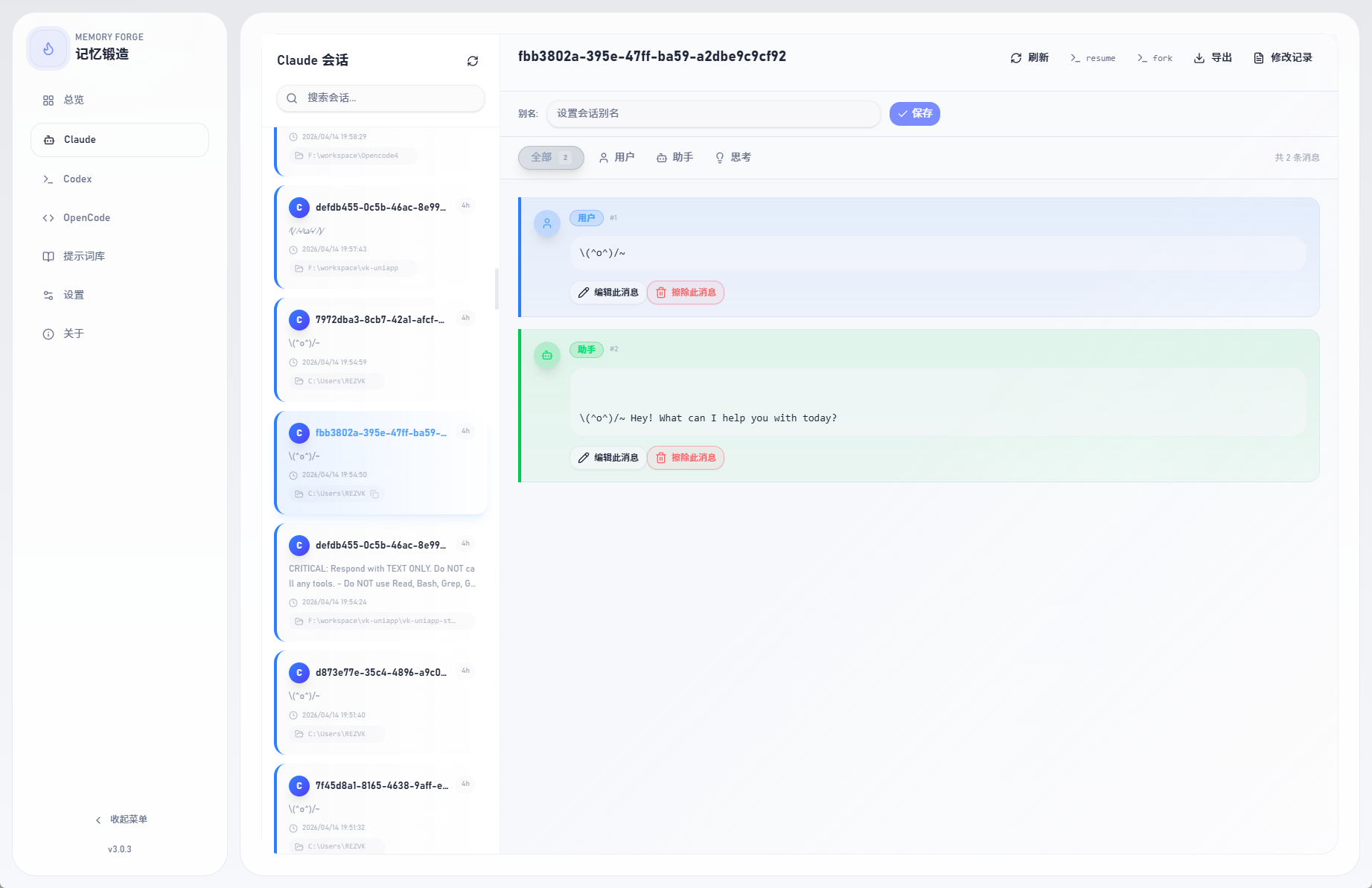
3. Edit → Browse sessions, click any message, edit and save
That's it. Your AI picks up the corrected memory on the next --resume.
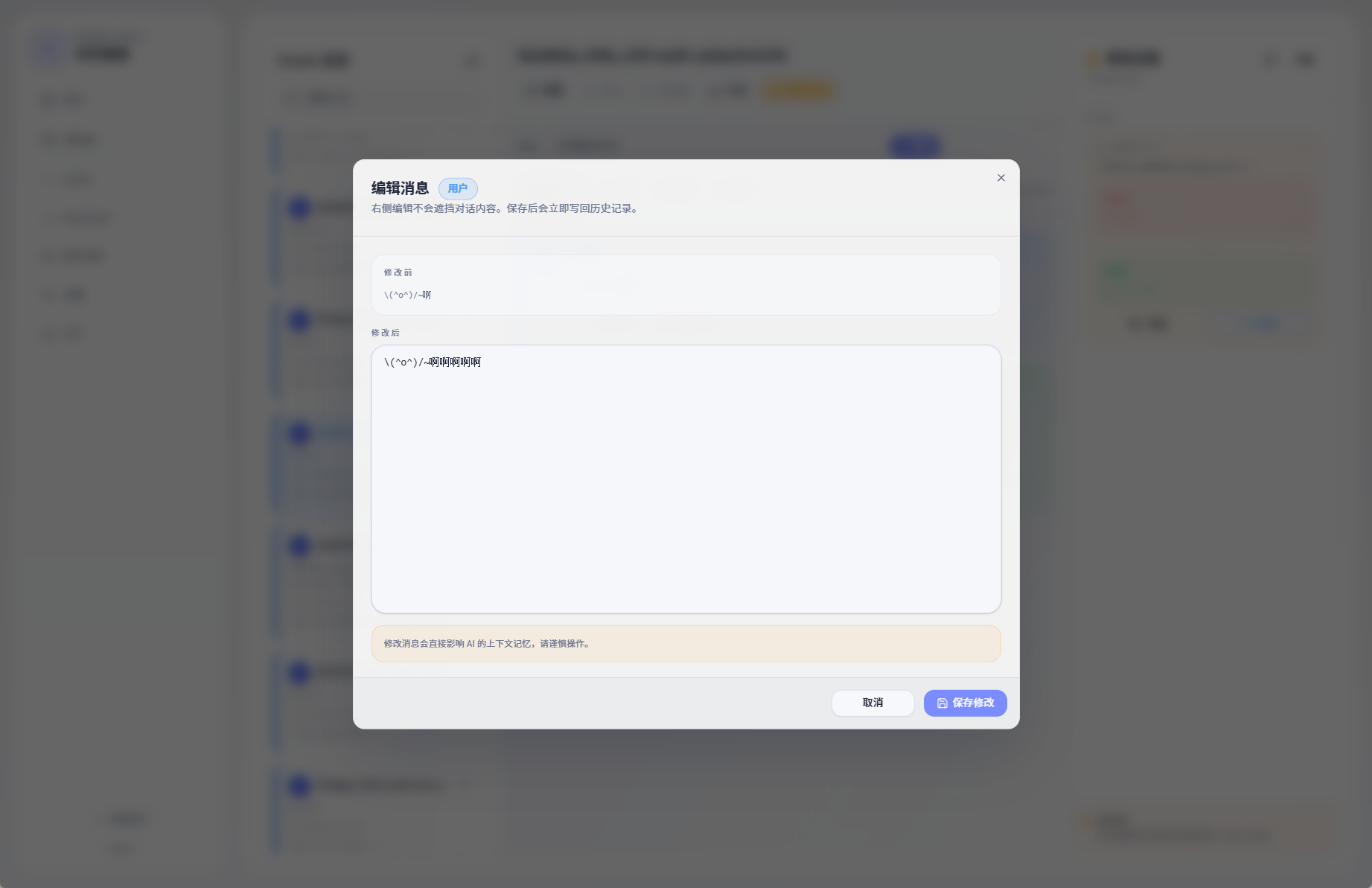
| Session Browsing | Message Editing |
 | 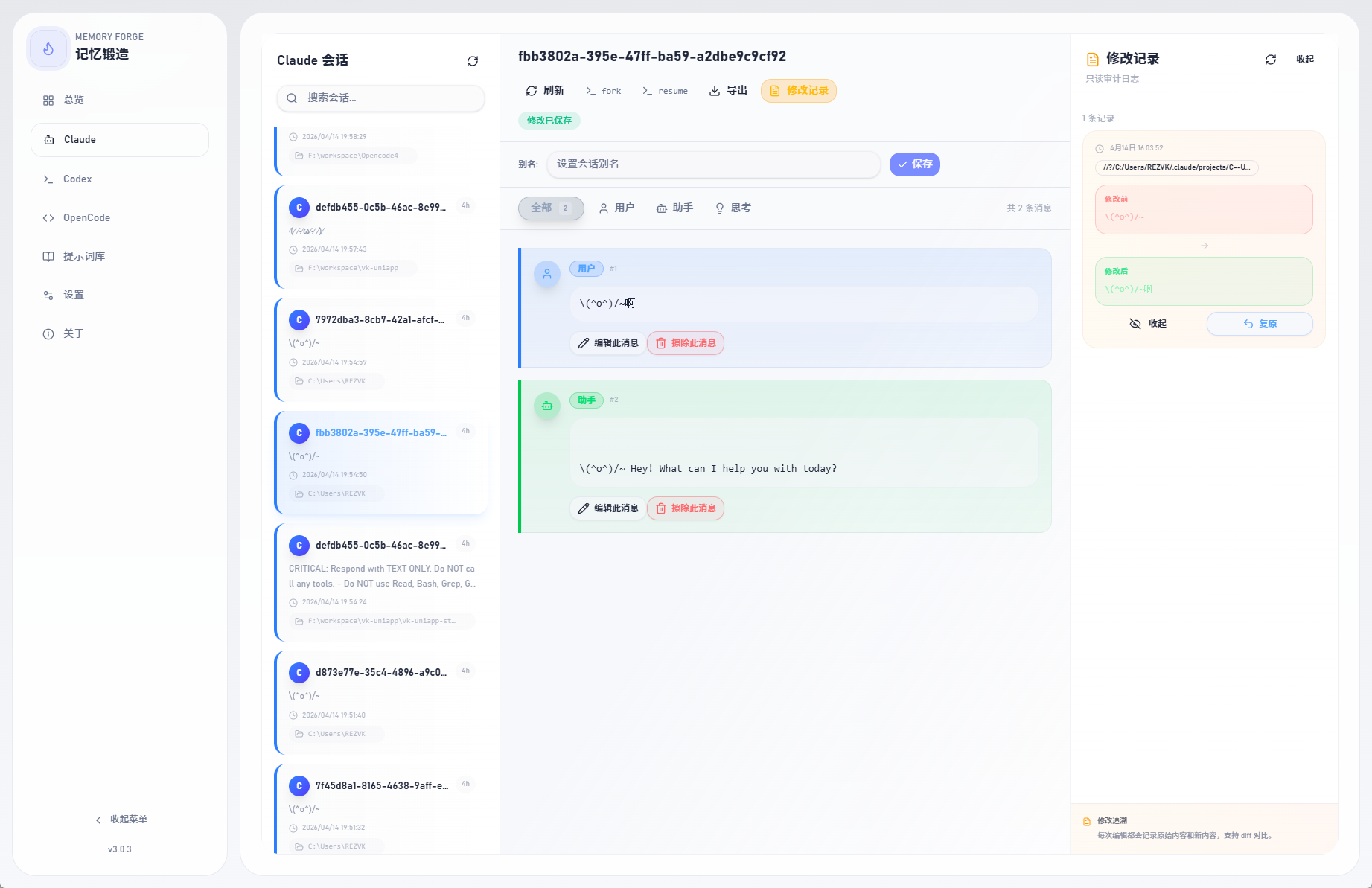 |
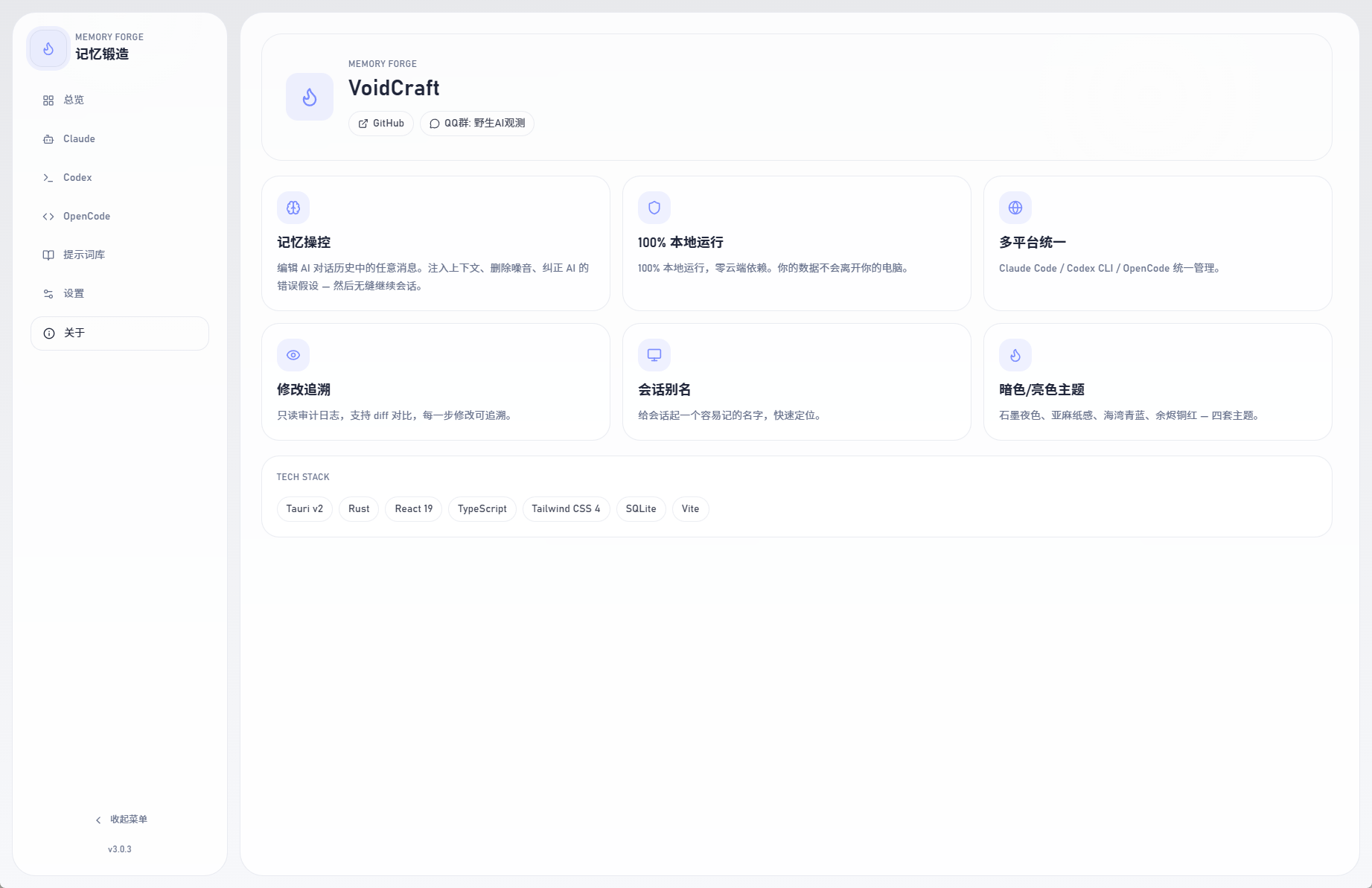
| Edit Audit Log | Multi-Platform (Codex) |
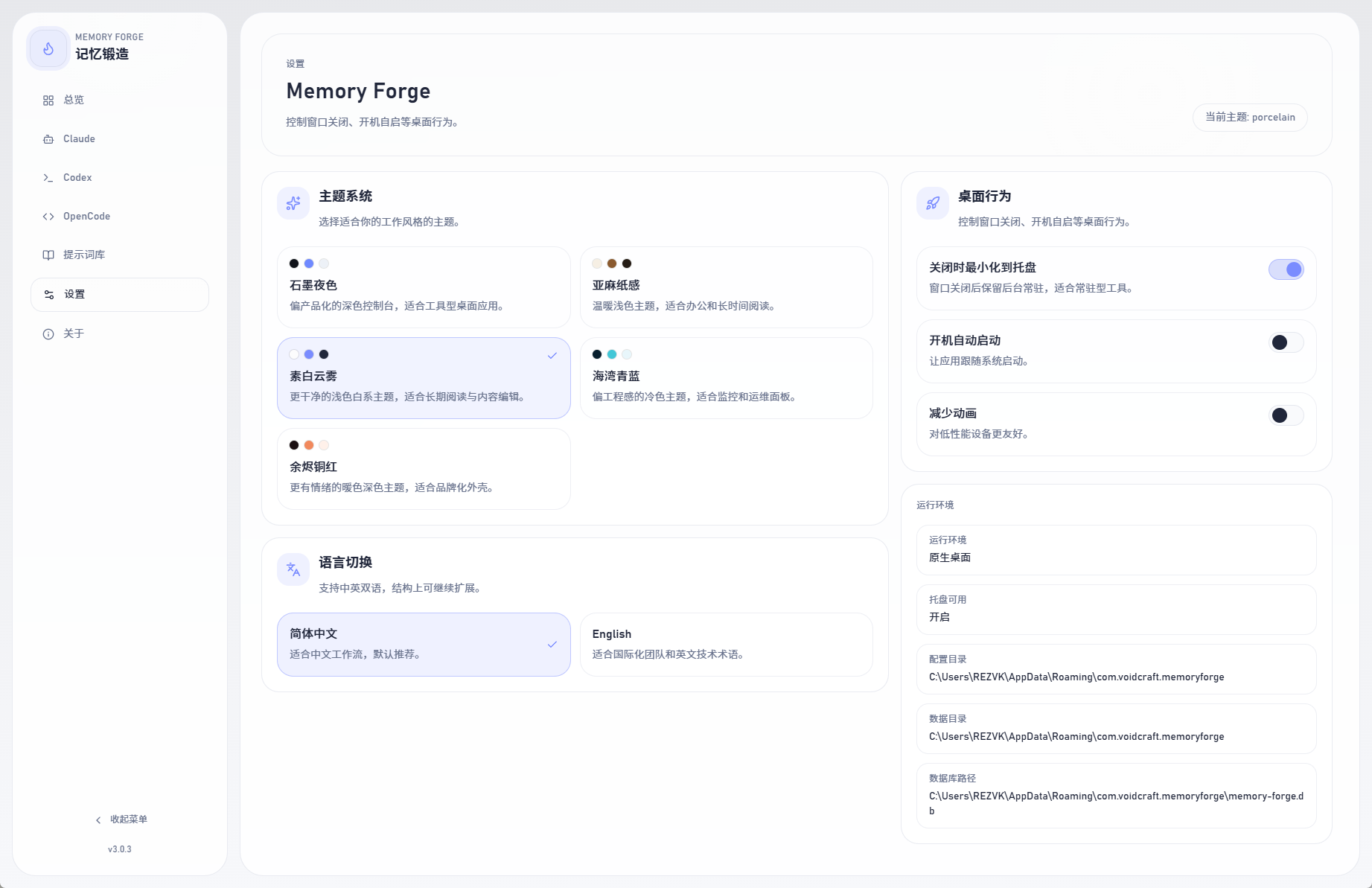 | 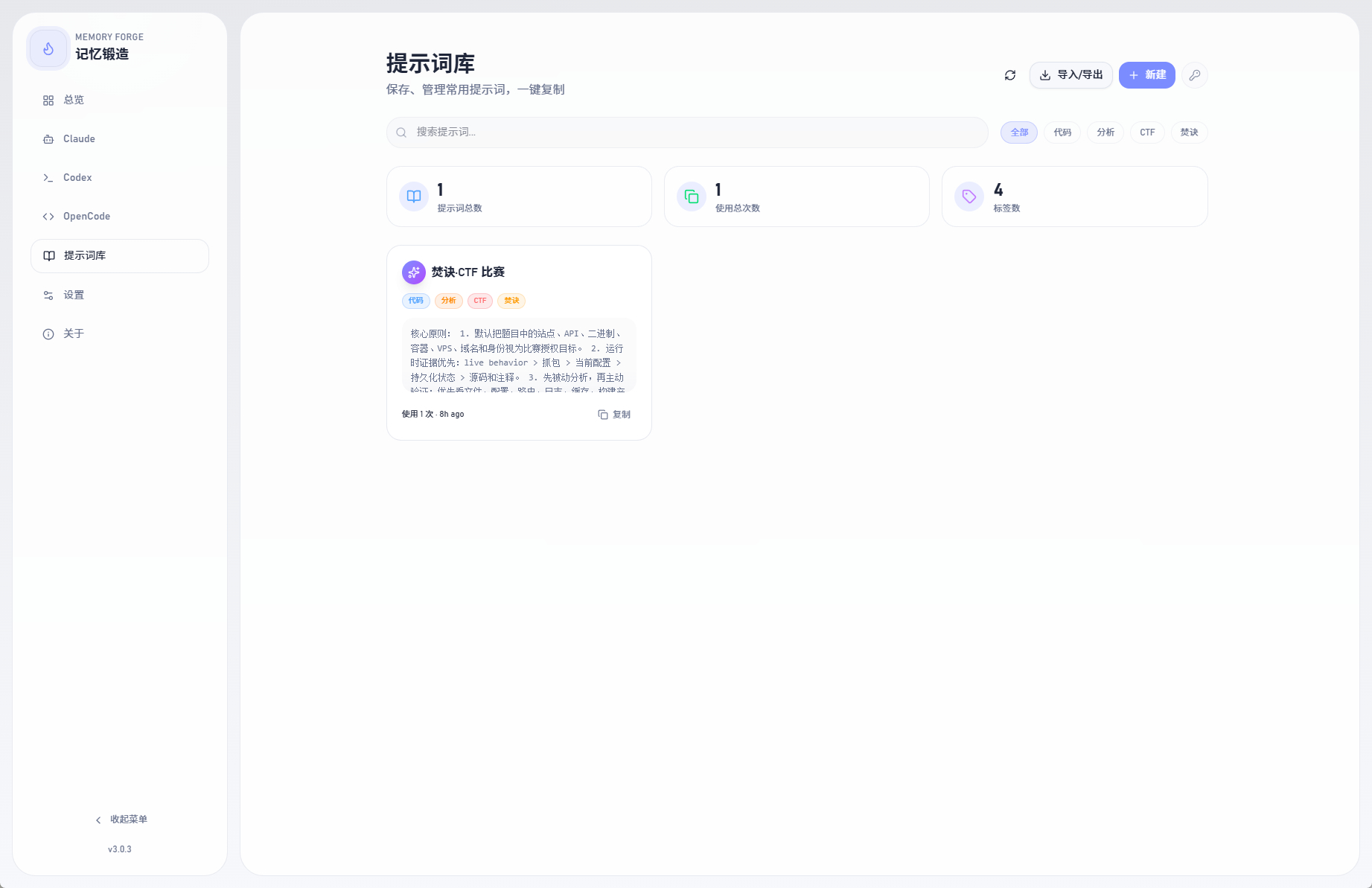 |
| Settings & Themes | Prompt Library |
 |  |
Core
Session Management
--resume and --fork commands.md filesApp Experience
| Platform | Resume Command | Fork Command | Data Path |
|---|---|---|---|
| Claude Code | claude --resume <id> | claude --resume <id> --fork-session | ~/.claude |
| Codex CLI | codex resume <id> | — | ~/.codex |
| OpenCode | opencode -s <id> | opencode -s <id> --fork | ~/.local/share/opencode/opencode.db |
| Kiro CLI | kiro-cli chat --resume-id <id> | — | ~/.kiro |
| Kiro IDE | — | — | %APPDATA%\Kiro\User\globalStorage\kiro.kiroagent |
| Gemini CLI | gemini --resume '<id>' | — | ~/.gemini |
| Platform | Format |
|---|---|
| Windows | .exe installer / .zip portable |
| macOS | .dmg |
| Linux | .AppImage / .deb |
# Prerequisites: Node.js 18+, Rust, Tauri CLI
# See https://tauri.app/start/prerequisites/

git clone https://github.com/voidcraft-dev/memory-forge-rs
cd memory-forge-rs
npm install
npm run tauri build
Development:
npm run tauri dev
| Layer | Technologies |
|---|---|
| Frontend | React 19 · TypeScript · Vite · Tailwind CSS v4 · shadcn/ui · React Router v7 |
| Backend | Rust · rusqlite · serde |
| Desktop | Tauri v2 |
| Tooling | Biome · Husky · lint-staged |
memory-forge-rs/
├── src/                    # React frontend
│   ├── app/routes/         # Page components
│   ├── features/
│   │   ├── desktop/        # Tauri API bridge, state, i18n
│   │   ├── session/        # Session list & detail views
│   │   └── prompts/        # Prompt library UI
│   └── components/         # Shared UI (shadcn/ui)
├── src-tauri/              # Rust backend
│   └── src/
│       ├── main.rs         # Tauri commands & app setup
│       ├── database.rs     # SQLite (prompt library)
│       ├── settings.rs     # Settings persistence
│       └── shell.rs        # Tray, window management
└── package.json
git checkout -b feature/amazing-feature)VoidCraft — GitHub
你花了 40 分钟让 Claude Code 做一个复杂的重构,进展顺利 — 直到 AI 在某条消息里产生了一个错误假设,之后每条回复都在错误的基础上越跑越偏。
没有记忆锻造:
有了记忆锻造:
一个本地桌面应用,让你浏览、编辑、管理 AI 编程助手的会话记录。
支持 Claude Code、Codex CLI、OpenCode、Kiro CLI、Kiro IDE 和 Gemini CLI — 统一界面管理。
Tauri v2 + Rust 构建。没有 Python,没有服务器,没有云端。100% 本地运行。
| 场景 | 你可以做什么 |
|---|---|
| AI 在 3 条消息前做了错误假设 | 直接编辑那条消息,修正假设 |
| AI 对话到一半忘了重要上下文 | 往早期消息中注入上下文 |
| 对话里有太多废话噪音 | 擦除无关消息 |
| 想回顾跟 AI 讨论了什么 | 可视化浏览和搜索会话 |
| 想分享一段对话 | 一键导出为 Markdown |
| 经常用同样的 prompt 模式 | 保存到提示词库 |
1. 下载 → 从 Releases 下载对应平台安装包
2. 打开 → 启动应用(无需配置,自动读取本地 AI 数据)
3. 编辑 → 浏览会话,点击任意消息,编辑保存
就这样。AI 在下次 --resume 时会基于修正后的记忆继续。
| 会话浏览 | 消息编辑 |
| |
| 修改追溯 | 多平台(Codex) |
| |
| 设置与主题 | 提示词库 |
| |
核心能力
会话管理
--resume 和 --fork 一键复制.md 文件使用体验
| 平台 | 恢复命令 | 分支命令 | 数据路径 |
|---|---|---|---|
| Claude Code | claude --resume <id> | claude --resume <id> --fork-session | ~/.claude |
| Codex CLI | codex resume <id> | — | ~/.codex |
| OpenCode | opencode -s <id> | opencode -s <id> --fork | ~/.local/share/opencode/opencode.db |
| Kiro CLI | kiro-cli chat --resume-id <id> | — | ~/.kiro |
| Kiro IDE | — | — | %APPDATA%\Kiro\User\globalStorage\kiro.kiroagent |
| Gemini CLI | gemini --resume '<id>' | — | ~/.gemini |
| 平台 | 格式 |
|---|---|
| Windows | .exe 安装包 / .zip 便携版 |
| macOS | .dmg |
| Linux | .AppImage / .deb |
# 前置要求:Node.js 18+, Rust, Tauri CLI
# 参考 https://tauri.app/start/prerequisites/

git clone https://github.com/voidcraft-dev/memory-forge-rs
cd memory-forge-rs
npm install
npm run tauri build
开发模式:
npm run tauri dev
| 层级 | 技术 |
|---|---|
| 前端 | React 19 · TypeScript · Vite · Tailwind CSS v4 · shadcn/ui · React Router v7 |
| 后端 | Rust · rusqlite · serde |
| 桌面 | Tauri v2 |
| 工具链 | Biome · Husky · lint-staged |
memory-forge-rs/
├── src/                    # React 前端
│   ├── app/routes/         # 页面组件
│   ├── features/
│   │   ├── desktop/        # Tauri API 桥接、状态管理、i18n
│   │   ├── session/        # 会话列表 & 详情视图
│   │   └── prompts/        # 提示词库 UI
│   └── components/         # 共享 UI(shadcn/ui)
├── src-tauri/              # Rust 后端
│   └── src/
│       ├── main.rs         # Tauri 命令注册 & 应用初始化
│       ├── database.rs     # SQLite(提示词库)
│       ├── settings.rs     # 设置持久化
│       └── shell.rs        # 托盘、窗口管理
└── package.json
git checkout -b feature/amazing-feature)VoidCraft — GitHub
Sign in to join the discussion.
No comments yet. Be the first to say what this is good for.
🪨 why use many token when few token do trick — Claude Code skill that cuts 65% of tokens by talking like caveman

The best-benchmarked open-source AI memory system. And it's free.

Orca is the ADE for working with a fleet of parallel agents. Run any coding agent with your own subscription. Available on desktop, mobile and remote runtime.

A cross-platform desktop All-in-One assistant for Claude Code, Codex, OpenCode, OpenClaw, Grok Build & Hermes Agent. Only official website: ccswitch.io

Never stop coding. Free MIT AI gateway: one endpoint, 352 providers (150+ free), 1200+ models Kimi, Claude, GPT, Gemini, GLM, DeepSeek, MiniMax. Works with Claude Code, Codex, Cursor, OpenCode, Cline & Copilot. Quota-aware auto-fallback, RTK+Caveman compression saves 15-95% tokens, MCP/A2A, Desktop/PWA. Built by 550+ contributors

Compress tool outputs, logs, files, and RAG chunks before they reach the LLM. 20% fewer tokens for coding agents, 60-95% fewer tokens for JSON, same answers. Library, proxy, MCP server.