





JuliusBrussee/
caveman

🪨 why use many token when few token do trick — Claude Code skill that cuts 65% of tokens by talking like caveman
105k
1 add
CC-Beeper is a native macOS companion for Claude Code that listens to local hooks, tracks session state, and shows it in a floating widget and menu bar item. It can approve or deny permissions, record dictation, and read Claude’s responses aloud, all on the Mac.
Builders who run Claude Code and want a desktop companion for permissions, status, and voice input.
You can keep working while seeing Claude’s status, answering prompts, and handling permissions without switching back to the terminal.
Shows eight session states, including working, done, error, allow, input, listening, and recap, with priority across active sessions.
Lets you approve or deny Claude Code permission requests from global hotkeys or the widget.
Uses WhisperKit or Apple Speech for dictation, and Kokoro or Apple Speech to read Claude’s responses aloud.
Provides remappable shortcuts for approve, deny, voice recording, focusing the terminal, and stopping or replaying speech.
Registers Claude Code hooks through `~/.claude/settings.json` and talks to a local HTTP server on `127.0.0.1`.
Offers shell color themes, multiple widget sizes, sound, haptics, and menu bar state indicators.
You kick off a task in Claude Code. Then life happens. Claude finishes, or hits an error, or needs a permission — but your terminal is buried under three windows.
CC-Beeper fixes that. It's a small widget that sits on your desktop, shows what Claude is doing, and lets you respond without switching apps. Never miss an update. Respond without breaking your flow.
https://github.com/user-attachments/assets/9df11591-ec91-4ddb-8cbe-a6c4b2a41c9a
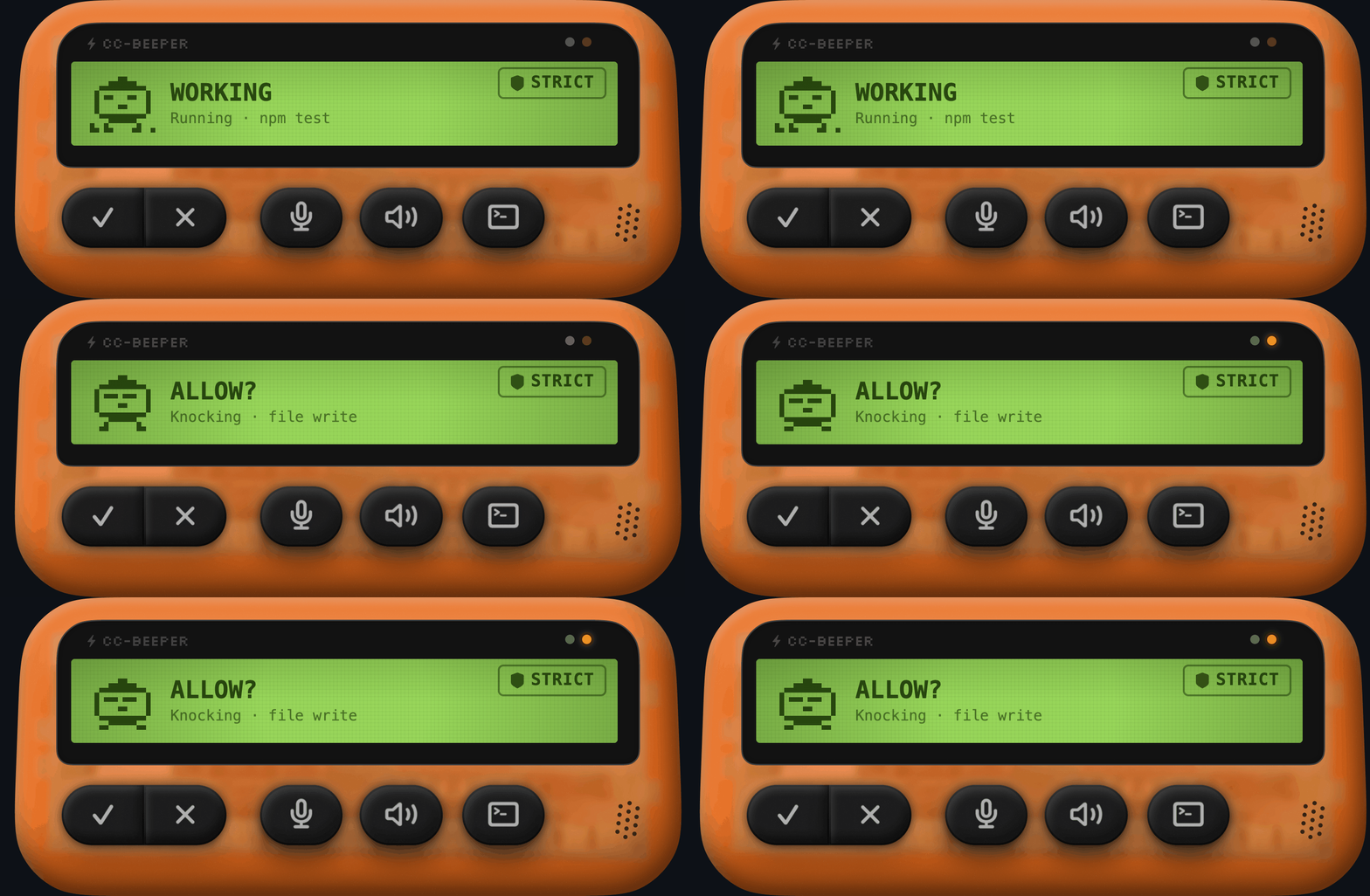
At a glance, know exactly what Claude is up to. CC-Beeper tracks 8 states, each with its own pixel-art animation. Higher-urgency events always take priority.
| State | What it means | |
|---|---|---|
| SNOOZING |  | No active session. Claude is idle. |
| WORKING |  | Claude is running a tool — Busy with bash, Tinkering with write... |
| DONE! |  | Task completed successfully. |
| ERROR |  | Something went wrong. |
| ALLOW? |  | Claude needs permission. Approve (⌥A) or deny (⌥D). |
| INPUT? |  | Claude asked a question. Waiting for your response. |
| LISTENING |  | Recording your voice for dictation. |
| RECAP |  | Reading Claude's last response aloud. |
When Claude Code needs to use a tool, CC-Beeper can auto-approve it or ask you first. Four presets let you dial the automation while keeping control. Switchable anytime from the menu bar.
| Mode | What happens |
|---|---|
| Strict | Ask me every time. Nothing runs without your approval. |
| Relaxed | Reads are fine. Asks before writes and commands. |
| Trusted | File operations are fine. Asks before shell commands. |
| YOLO | Don't ask. Just do it. Auto-approves everything — including file writes, deletes, and shell commands. |
Prompt Claude, or answer its questions, just by talking. Toggle with ⌥R from anywhere, or double clap to go fully hands-free.
Claude finished? Hear the summary out loud.
Use them from any app, in any keyboard layout (AZERTY, QWERTZ, Dvorak). All remappable in Settings.
| Hotkey | Action |
|---|---|
| ⌥A | Approve pending permission |
| ⌥D | Deny pending permission |
| ⌥R | Toggle voice recording |
| ⌥T | Focus the active terminal |
| ⌥M | Stop TTS / replay last response |
Requirements: macOS 14 Sonoma+ · Claude Code CLI
CC-Beeper.app to /ApplicationsEverything is optional and can be changed later in Settings.
All local. No API keys. Nothing leaves your Mac.
127.0.0.1 — plain curl hooks to a local HTTP server~/.claude/settings.json anytimeCC-Beeper binds to a local port (19222-19230) on launch and registers 7 hook scripts in ~/.claude/settings.json: UserPromptSubmit, PreToolUse, PostToolUse, Stop, StopFailure (all async), plus Notification and PermissionRequest (blocking — CC-Beeper holds the TCP connection open until the user responds).
Hooks are identified by cc-beeper/port in the command string for safe update/removal without touching user hooks.
CC-Beeper tracks multiple concurrent Claude Code sessions. The displayed state resolves by priority across all active sessions. Sessions auto-prune after 2 hours of inactivity.
On launch, CC-Beeper pings ports 19222-19230 via HTTP to detect if another instance is already running, preventing conflicts.
The menu bar icon reflects the current state: normal (outline), attention (orange), YOLO (purple), recording (red circle), speaking (green speaker), or hidden (dimmed).
The menu contains: session count, state label, Mute/Unmute, Sleep/Wake, Clap Dictation toggle, Fix Permissions (when needed), auto-accept preset picker, size picker, hotkey reference, Settings, and Quit.
| Tab | What's inside |
|---|---|
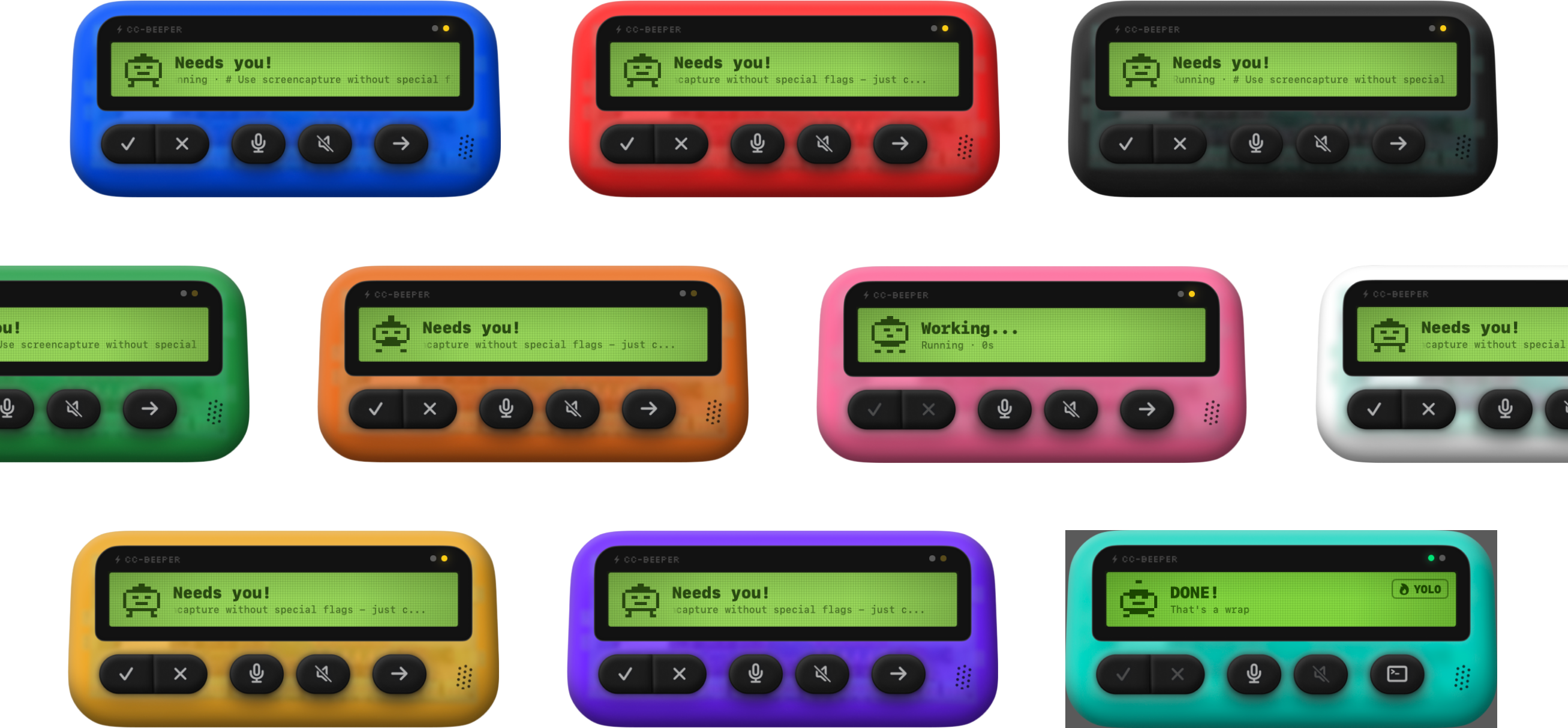
| Theme | 10 shell colors |
| Dictation | Double Clap Dictation toggle, Whisper model size (small/medium), download |
| Read Over | Auto-speak toggle, Kokoro/Apple picker, language & voice |
| Feedback | Sound + vibration toggles |
| Hotkeys | 5 remappable hotkey fields |
| Permissions | 4 preset radio buttons |
| Setup | Reinstall hooks, reopen onboarding |
| About | Version, credits, links |
CC-Beeper is an independent, community-built project. It is not affiliated with, endorsed by, or sponsored by Anthropic.
CC-Beeper was designed and fully vibe-coded with Claude Code. Use it at your own risk.
Auto-accept modes approve Claude Code tool requests on your behalf — including file modifications, shell commands, and network requests. YOLO mode approves everything without prompting. You are responsible for reviewing what you approve.
The authors are not liable for any damage, data loss, or unintended consequences.
Feature suggestions and code improvements are welcome.
git checkout -b feature/your-idea)GPL-3.0 — see LICENSE for details.
Built by Victor Cartier
Free · Open Source · Native macOS
If CC-Beeper saves you from one missed permission prompt, give it a ⭐
Sign in to join the discussion.
No comments yet. Be the first to say what this is good for.
🪨 why use many token when few token do trick — Claude Code skill that cuts 65% of tokens by talking like caveman

The best-benchmarked open-source AI memory system. And it's free.

Orca is the ADE for working with a fleet of parallel agents. Run any coding agent with your own subscription. Available on desktop, mobile and remote runtime.

A cross-platform desktop All-in-One assistant for Claude Code, Codex, OpenCode, OpenClaw, Grok Build & Hermes Agent. Only official website: ccswitch.io

Never stop coding. Free MIT AI gateway: one endpoint, 352 providers (150+ free), 1200+ models Kimi, Claude, GPT, Gemini, GLM, DeepSeek, MiniMax. Works with Claude Code, Codex, Cursor, OpenCode, Cline & Copilot. Quota-aware auto-fallback, RTK+Caveman compression saves 15-95% tokens, MCP/A2A, Desktop/PWA. Built by 550+ contributors

Compress tool outputs, logs, files, and RAG chunks before they reach the LLM. 20% fewer tokens for coding agents, 60-95% fewer tokens for JSON, same answers. Library, proxy, MCP server.