🧠 What it does
anydesign runs in Claude — its output is universal. Plain Markdown + W3C DTCG
JSON that v0, Lovable, Cursor, Bolt, Claude Code, or a human designer can consume.
No lock-in. It's not a description generator — it's a design diagnostics tool:
every inference carries a confidence marker (✅ ⚠️ ❓), every color is a real hex,
and inventing tokens is treated as worse than saying "not enough info".
Two modes, picked automatically from what you ask:
| You say | Mode | You get |
|---|
| "Extract the design system from this site" | Full analysis | design.md (7-section spec) + design-tokens.json (DTCG) + optional WCAG report |
| "Copy this navbar" / "Recreate this 3D graphic" | Element mode | A focused element.md: code spec + rebuild prompt, or a token-grounded image prompt |
🎬 See it work
Every image below is a real, reproducible run — sources and commands live in
examples/.
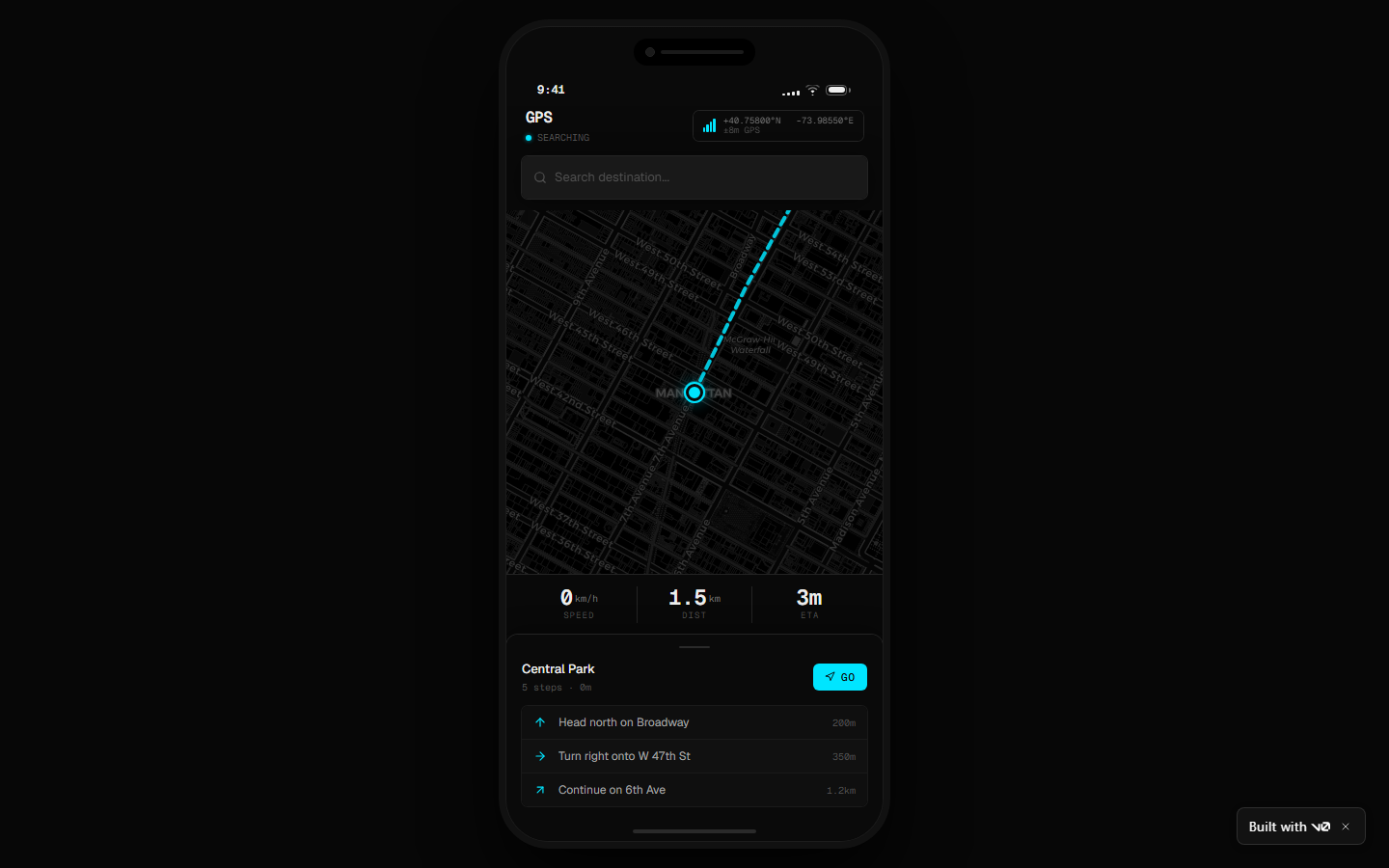
Act 1 — A full design system becomes a running app
The skill analyzed vercel.com (808 CSS custom properties
extracted, nothing invented), produced a design.md, and v0 built this from it:
Act 2 — One element, rebuilt
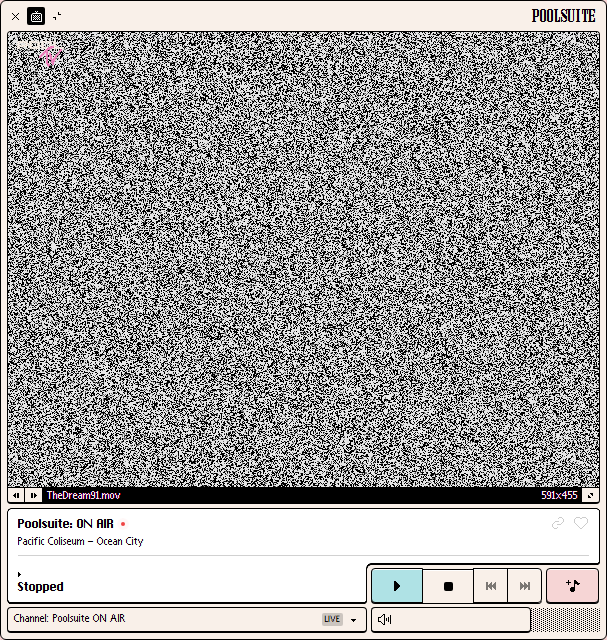
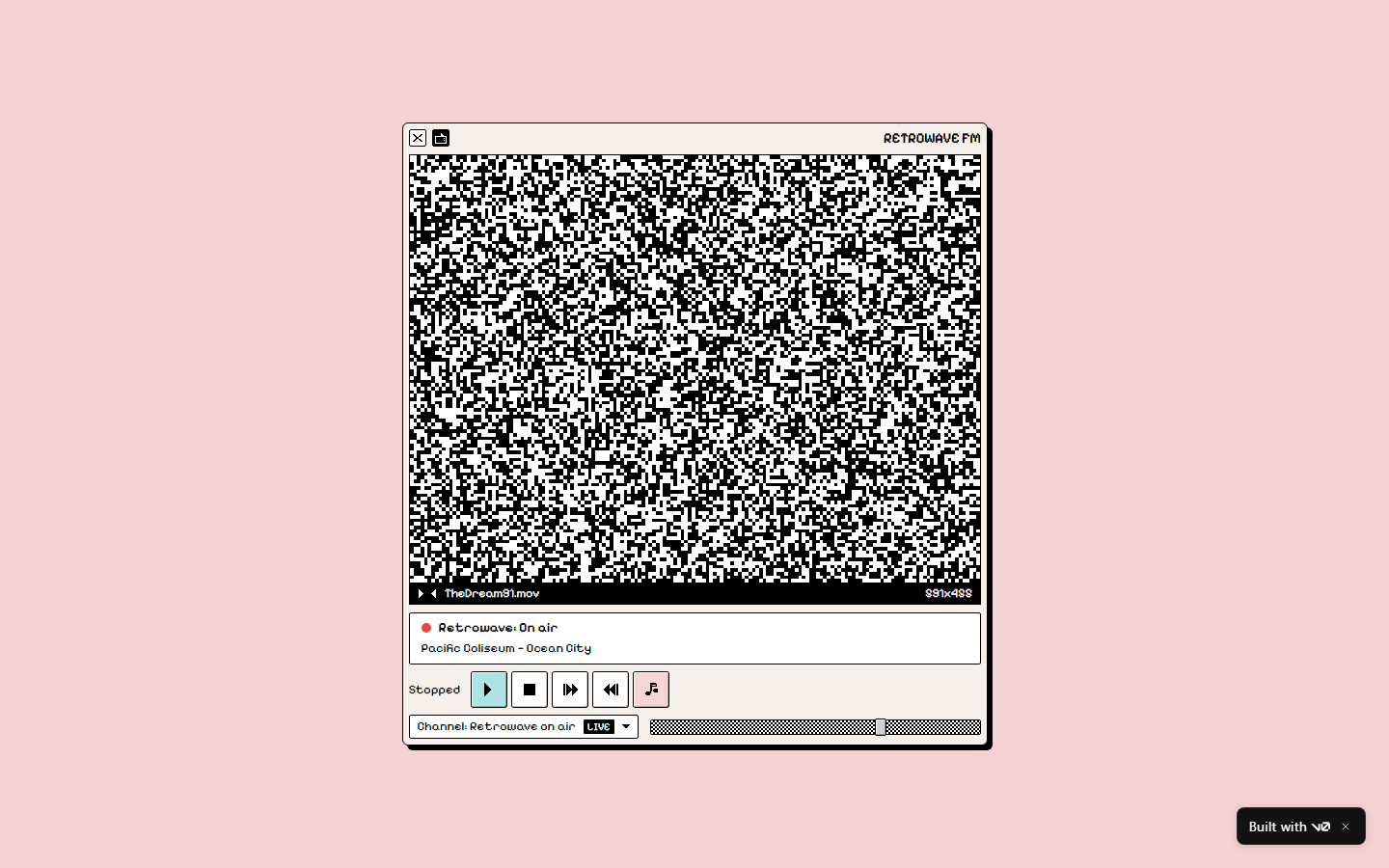
Element mode pointed at the retro Mac OS player of
poolsuite.net: DOM-precise capture, pixel-sampled palette,
the verbatim bevel-shadow system — and a rebuild prompt that v0 turned into a
working app.
| Captured element | Rebuilt by v0 from the element.md |
|---|
 |  |
Act 3 — Art becomes a prompt that holds
When the element is art, you get a generative image prompt grounded in the
extracted palette — hex by hex. Discord's 3D hero scene, regenerated on the
first pass: indigo world locked, every accent on its exact extracted hex, original
characters (no brand mascots — there's an IP guardrail).
| Captured element | Generated from the token-grounded prompt |
|---|
 |  |
And the same extraction as an isolated, web-ready cutout — single subject,
real alpha, no scenery. Drop it straight into your site:

Act 4 — Game asset packs that stay consistent
The #1 pain of AI game art is consistency between assets. Element mode extracts a
game's art direction once — palette, lighting recipe, color-allocation rules —
and emits a prompt pack where every asset shares that base. One key art in, a
coherent sprite set out:
| Captured key art | Original character generated from the pack |
|---|
 | 
|
🚀 Install
git clone https://github.com/uxKero/anydesign.git

# Personal skills (all projects)
cp -r anydesign ~/.claude/skills/

# OR for a single project
cp -r anydesign /path/to/project/.claude/skills/
Optional extras:
# Python deps for the companion scripts
pip install -r requirements.txt
playwright install chromium   # only for capture_site.py (~300MB first time)
To analyze Figma files, connect the Figma MCP in the Claude app
(Settings → Connectors).
That's it — the skill activates automatically when Claude detects design-analysis
intent ("extract the design system from X", "copy this navbar", "what palette does
this site use"). No command to remember.
📦 What you get
| File | What it is |
|---|
design.md | 7-section spec: TL;DR → visual identity (incl. brand voice + the "ONE brand thing") → tokens → components → layout → reconstruction notes → Do's/Don'ts → open questions. YAML frontmatter + {token.refs} make it machine-parseable and refactor-safe. |
design-tokens.json | W3C DTCG format ($value/$type) — drops into Style Dictionary, Figma Variables, Tokens Studio. |
design-a11y.md (optional) | WCAG 2.1 contrast report with AA/AAA pass-fail. |
element.md (element mode) | Scoped spec + rebuild prompt (code), token-grounded image prompt (asset), or both (hybrid). |
🪄 Element mode — "copy just that"
Sometimes you don't want the whole system — you want that navbar, that pricing
card, that 3D illustration. Say so and the skill captures just the element
(capture_site.py --selector grabs its exact bounding box + outerHTML on URLs)
and classifies it:
| Kind | Example | Output |
|---|
code | Navbar, card, button, hero | Scoped token spec + paste-ready rebuild prompt (v0 / Claude Code / Lovable) |
asset | 3D illustration, mascot, photo art | Token-grounded prompt for image models (gpt-image, Midjourney, SD/Flux) |
hybrid | A card containing an illustration | Code spec + nested asset prompt |
The image prompts are the differentiator: instead of an impressionistic description,
the prompt embeds the exact extracted palette, observed lighting, and the parent
brand's mood — so the regenerated asset belongs to the source design. Two delivery
formats: scene (composition with background) or isolated (single subject,
transparent PNG with alpha, ready for the web).
🔌 Works with any AI builder
The deliverable is plain text. Anything that reads Markdown can use it.
| Tool | How |
|---|
| v0 / Bolt / Lovable | Paste design.md as the brief — see both live demos |
| Claude Code / Cursor / Windsurf | Drop design.md + design-tokens.json into context, ask for the build |
| Style Dictionary / Tokens Studio / Figma Variables | Import design-tokens.json directly (DTCG) |
| gpt-image / Midjourney / SD | Paste the element.md image prompt |
| Notion / Linear / a human | design.md reads as a designer brief |
🧰 Standalone CLI scripts
Seven pure-Python tools in scripts/ that work without Claude:
| Script | What it does | Deps |
|---|
extract_css_vars.py | Pull every --* custom property from a URL's stylesheets, grouped by category | stdlib |
capture_site.py | Playwright captures: multi-viewport, cookie-banner dismiss, scroll-capture, single-element (--selector) | playwright |
extract_colors.py | Dominant colors from an image, with area % | Pillow |
check_contrast.py | WCAG 2.1 contrast table for color pairs | stdlib |
lint_design_md.py | Validate a design.md against the spec | stdlib |
verify_design.py | Drift audit: compare a design-tokens.json against the live URL — is your spec still true? | stdlib |
export_for_claude_design.py | Bundle tokens into PPTX/DOCX/CSS/Tailwind for claude.ai/design | pyyaml, python-pptx, python-docx |
Command examples
# Pull design tokens from any URL — no Claude needed
python scripts/extract_css_vars.py https://vercel.com/ --pretty

# Multi-viewport responsive captures
python scripts/capture_site.py https://your-site.com --viewports desktop,tablet,mobile

# Capture a single element (screenshot + outerHTML)
python scripts/capture_site.py https://your-site.com --selector "header.navbar" -o element.png

# WCAG contrast check
python scripts/check_contrast.py --pair "#111,#FFF" --pair "#3B82F6,#FFF"

# Validate a generated design.md
python scripts/lint_design_md.py path/to/design.md

# Audit declared tokens vs live site (the drift tool)
python scripts/verify_design.py path/to/design-tokens.json https://vercel.com/

# Bundle a design.md + tokens for upload to claude.ai/design
python scripts/export_for_claude_design.py path/to/design.md --out my-brand-bundle/
Each script has --help.
💡 More you can do with it
Use with Claude Design — get your captured brand into claude.ai/design persistently
Claude Design (Anthropic Labs) builds a persistent
design system from brand assets you upload — PPTX decks, DOCX briefs, code repos.
It doesn't ingest DTCG JSON or markdown directly, so the
export_for_claude_design.py script bridges the gap:
python scripts/export_for_claude_design.py path/to/design.md --out my-brand/
| File | What Claude Design does with it |
|---|
brand-kit.pptx | Primary asset — cover, atmosphere, swatches, typography, components, Do's/Don'ts |
brand-overview.docx | The full design.md as Word — use as the brand brief |
tokens.css | :root { --... } from your DTCG tokens — link via "Code repository" |
tailwind.config.ts | Same path, Tailwind v3 form — either works |
README-claude-design.md | Upload instructions |
Workflow: run anydesign → export the bundle → upload it in Claude Design's
design-system setup → every future project in your org defaults to that brand.
Real bundle from the Vercel run:
examples/vercel-landing/claude-design-bundle/.
Use cases — eight real scenarios
- 🎨 Replicate a reference — "I love how Linear's landing feels — analyze it so I can brief my team." HTML + CSS vars extracted as explicit tokens,
design.md ready for a Notion brief.
- 🧩 Tokens from a screenshot — "Pull the palette and typography from this Dribbble shot." Direct vision +
extract_colors.py for pixel-precise hexes, confidence-marked.
- 🪄 Copy one element — including art — "Give me a prompt to generate this 3D blob for my own palette." Element mode: token-grounded image prompt + consistency notes telling you which hex to swap for your brand.
- 🛠️ Brief an AI builder — "A portfolio like vercel.com but simpler — give me something I can hand to v0." Reconstruction-emphasis
design.md, paste and go.
- 🎯 Audit a Figma handoff — declared variables (
get_variable_defs) cross-referenced against actual usage; inconsistencies land in Open Questions.
- 🔍 Design vs production — pass the Figma file and the live site; get a discrepancies section: diverged tokens, off-spec components, missing states.
- 📚 Document a legacy product — extract the implicit system your team built without naming it; start from a baseline instead of zero.
- ♿ WCAG quick-check —
design-a11y.md with AA/AAA ratios for every captured text/surface pair.
How the skill thinks — workflow + project structure
A strict 5-step workflow (full detail in SKILL.md):
Step 1 — Identify source, mode (full vs element), and emphasis
   ↓
Step 2 — Capture material
         (vision / HTML + CSS vars / Playwright / Figma MCP)
   ↓
Step 3 — Layered analysis (Identity → System → Components → Layout
         → Reconstruction → Brand rules) + Art Direction QA pass
   ↓
Step 4 — Generate design.md + design-tokens.json   (or element.md)
   ↓
Step 5 — Deliver + suggest next step
The layered analysis goes general → specific, never jumping from "mood" to "tokens"
without passing through "system" — that's what makes the output coherent.
anydesign/
├── SKILL.md                       Main instructions (the "brain")
├── references/                    Loaded on-demand (progressive disclosure)
│   ├── capture-flows.md           How to capture each source type
│   ├── analysis-framework.md      The analysis layers in detail
│   ├── token-extraction.md        Token inference rigor + DTCG
│   ├── output-template.md         design.md template
│   └── element-copy.md            Element mode: element.md + image prompts
├── scripts/                       7 standalone CLI tools
└── examples/                      Real, reproducible runs
    ├── vercel-landing/            Full analysis of vercel.com (+ Claude Design bundle)
    ├── landing-example/           Synthetic minimal example
    ├── poolsuite-player-element/  Element mode, code path (+ v0 rebuild)
    ├── discord-hero-asset/        Element mode, asset path (+ generated images)
    └── v0-downstream-demo/        The original downstream proof





