

HKUDS/
Vibe-Trading

HKUDS/Vibe-TradingOther
"Vibe-Trading: Your Personal Trading Agent"
33k
Kaneo is a self-hosted project management app with kanban, issue tracking, and a built-in MCP endpoint for agent tools. The repo also includes Docker Compose, a Coolify setup, and a Helm chart for deployment.

Builders who want a self-hosted project tracker their agent can use alongside them.
You can manage tasks and labels in one project system while letting an agent connect through MCP.
Tracks work in a project management app focused on boards and issues.
Exposes `/api/mcp` for MCP clients, and provides the `@kaneo/mcp` package for stdio use.
Includes Docker Compose, Coolify, and Helm chart deployment files.
Uses `apps/` and `packages/` for the web app, API, email, permissions, imports, and MCP code.
curl -fsSL https://assets.kaneo.app/install.sh | sh
drim setup


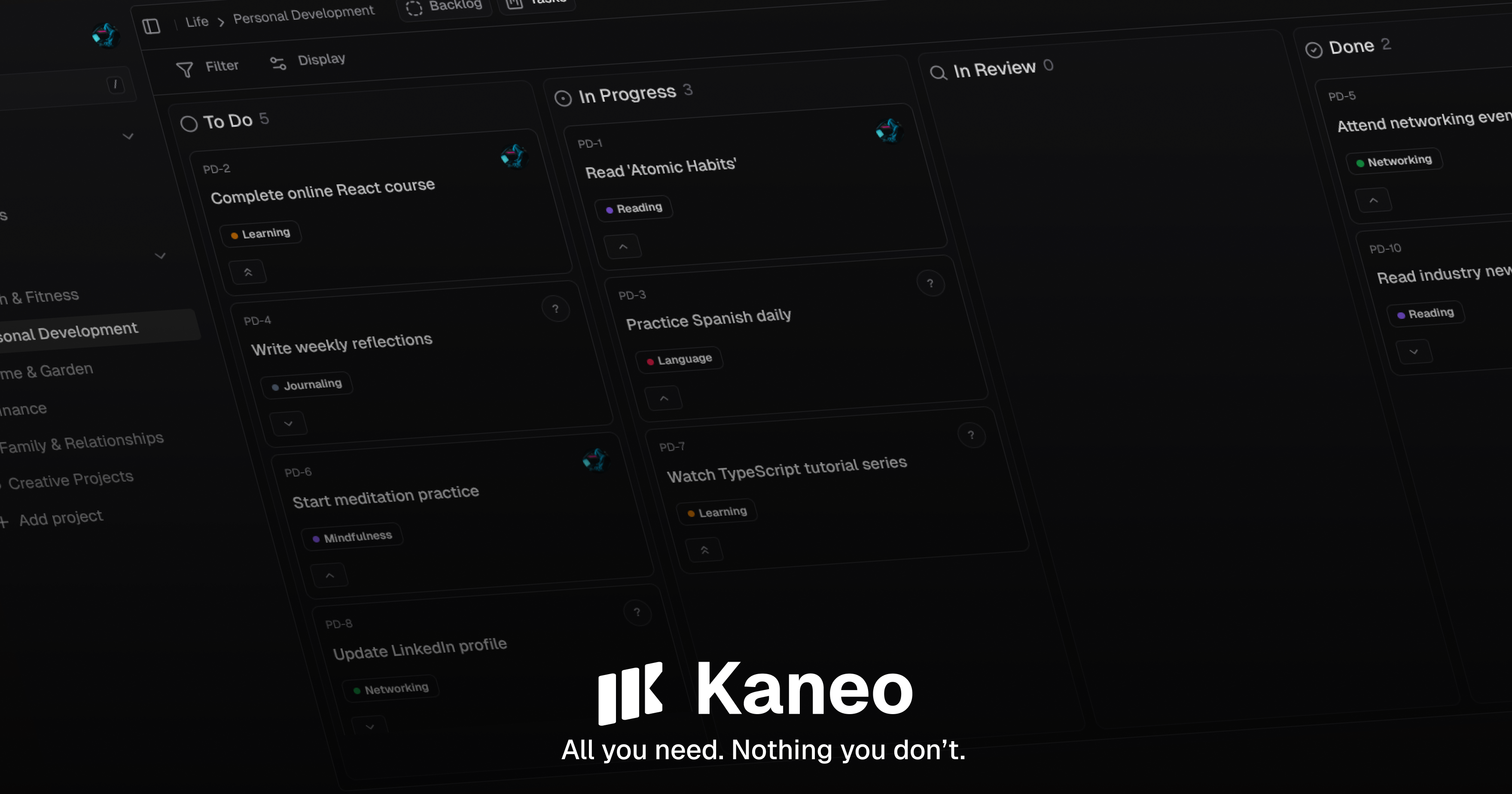
After years of using bloated, overcomplicated project management platforms that distracted from actual work, we built Kaneo to be different.
The problem with most tools isn't that they lack features, it's that they have too many. Every notification, every unnecessary button, every complex workflow pulls your team away from what matters: building great products.
We believe the best tools are invisible. They should amplify your team's natural workflow, not force you to adapt to theirs. Kaneo is built on the principle that less is more: every feature exists because it solves a real problem, not because it looks impressive in a demo.
What makes it different:
Learn more about Kaneo's features and capabilities in our documentation.
Kaneo is open source. If you find it useful, consider sponsoring the project to help support ongoing development.



For straightforward deployments, use drim - a CLI tool that handles everything for you:
curl -fsSL https://assets.kaneo.app/install.sh | sh
drim setup
That's it. Your Kaneo instance will be running with automatic HTTPS, database setup, and all services configured.
Perfect for quick deployments and production setups where you want things to just work.
The fastest way to try Kaneo is with Docker Compose. This sets up Kaneo and PostgreSQL with a single Kaneo container:
services:
  postgres:
    image: postgres:16-alpine
    env_file:
      - .env
    ports:
      - "5432:5432"
    volumes:
      - postgres_data:/var/lib/postgresql/data
    restart: unless-stopped
    healthcheck:
      test: ["CMD-SHELL", "pg_isready -U kaneo -d kaneo"]
      interval: 10s
      timeout: 5s
      retries: 5

  kaneo:
    image: ghcr.io/usekaneo/kaneo:latest
    ports:
      - "5173:5173"
    env_file:
      - .env
    depends_on:
      postgres:
        condition: service_healthy
    restart: unless-stopped

volumes:
  postgres_data:
Save this as compose.yml, copy .env.sample to .env, uncomment KANEO_CLIENT_URL=http://localhost:5173, and set POSTGRES_PASSWORD=<password> and AUTH_SECRET=<output of openssl rand -hex 32>, run docker compose up -d, and open http://localhost:5173.
In Docker Compose, the bundled Kaneo container reaches PostgreSQL at the service hostname postgres.
If you run the API on your host instead of inside Compose, use localhost or set DATABASE_URL explicitly.
Important: See our full documentation for detailed setup instructions, environment variable configuration, and troubleshooting guides.
Kaneo ships a Coolify-optimized compose.coolify.yml. In Coolify, create a Public Repository resource pointing to https://github.com/usekaneo/kaneo, pick the Docker Compose build pack (Base Directory /, Compose Location compose.coolify.yml), assign a domain to the kaneo service as https://your-domain.com:5173, set KANEO_CLIENT_URL, and deploy. AUTH_SECRET and the database password are auto-generated by Coolify. Leave KANEO_API_URL unset (it is derived from KANEO_CLIENT_URL; a localhost value breaks the browser API calls). See the Coolify deployment guide for details.
For development, see our Environment Setup Guide for detailed instructions on configuring environment variables and troubleshooting common issues like CORS problems.
Kaneo requires several environment variables to be configured. The Docker Compose setup above handles the database automatically, but you'll need to configure environment variables for the API and web services.
For complete configuration instructions, including all required environment variables, database setup for non-Docker deployments, and advanced settings, see the documentation. Advanced deployments can still use the separate ghcr.io/usekaneo/api and ghcr.io/usekaneo/web images.
If you're running Kubernetes, we provide a comprehensive Helm chart. Check out the Helm chart documentation for detailed installation instructions, production configuration examples, TLS setup, and more.
Want to hack on Kaneo? See our Environment Setup Guide for detailed instructions on configuring environment variables and troubleshooting common issues like CORS problems.
Quick start:
# Clone and install dependencies
git clone https://github.com/usekaneo/kaneo.git
cd kaneo
pnpm install

# Create a .env file in the root with required environment variables
# See ENVIRONMENT_SETUP.md for detailed instructions

# Start development servers
pnpm dev
For contributing guidelines, code structure, and development best practices, check out our contributing guide and documentation.
Kaneo has an official MCP (Model Context Protocol) server, so AI tools like Claude, Cursor, and other MCP clients can manage your tasks, projects, and labels. Every instance ships a built-in HTTP MCP endpoint at /api/mcp, and for stdio clients there is the official @kaneo/mcp package on npm (npx -y @kaneo/mcp).
We're always looking for help, whether that's:
Check out CONTRIBUTING.md for the details on how to get involved.
MIT License - see LICENSE for details.
Built with ❤️ by the Kaneo team and contributors
Sign in to join the discussion.
No comments yet. Be the first to say what this is good for.
"Vibe-Trading: Your Personal Trading Agent"

Your Personal AI Assistant; easy to install, deploy on your own machine or on the cloud; supports multiple chat apps with easily extensible capabilities.

macOS video editor built for AI
Open-source Claude Design alternative. One-click import your Claude Code / Codex API key. Prompt → prototype / slides / PDF. Multi-model (Claude, GPT, Gemini, Kimi, GLM, Ollama). BYOK, local-first, MIT.
🤯 LobeHub is your Chief Agent Operator, organizing your agents into 7×24 operations by hiring, scheduling, and reporting on your entire AI team.
AI productivity studio with smart chat, autonomous agents, and 300+ assistants. Unified access to frontier LLMs