
HKUDS/
Vibe-Trading

HKUDS/Vibe-TradingOther
"Vibe-Trading: Your Personal Trading Agent"
33k
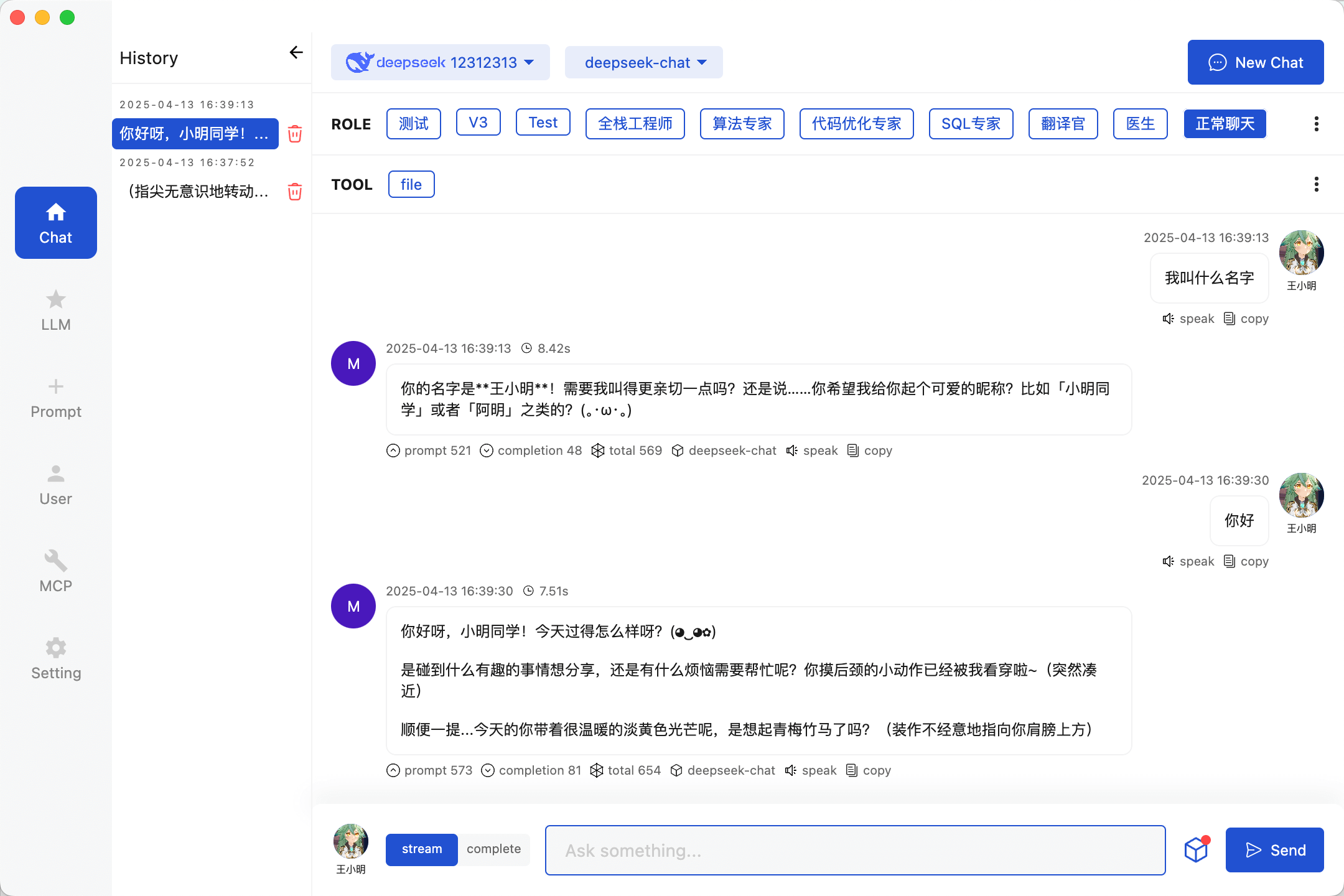
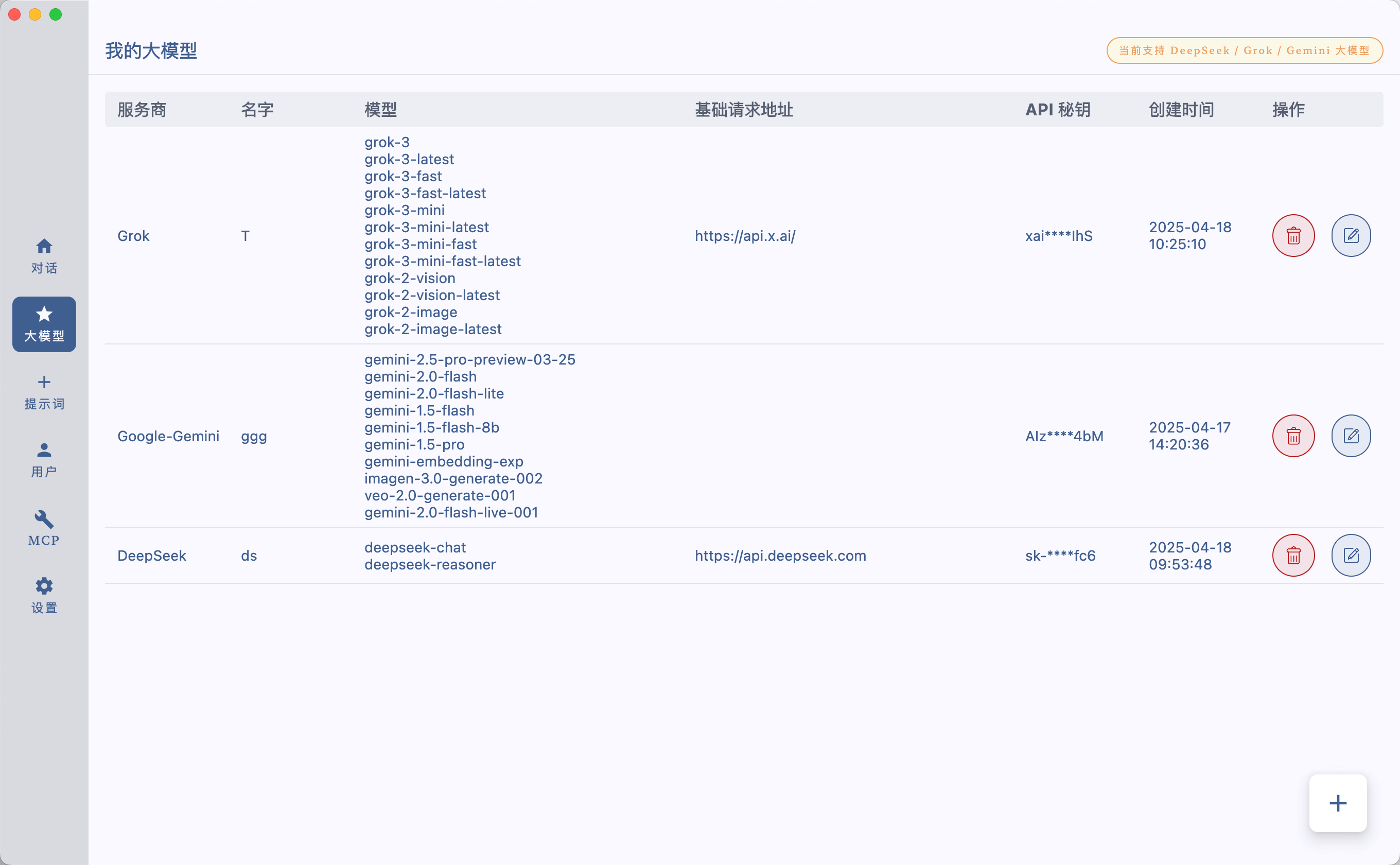
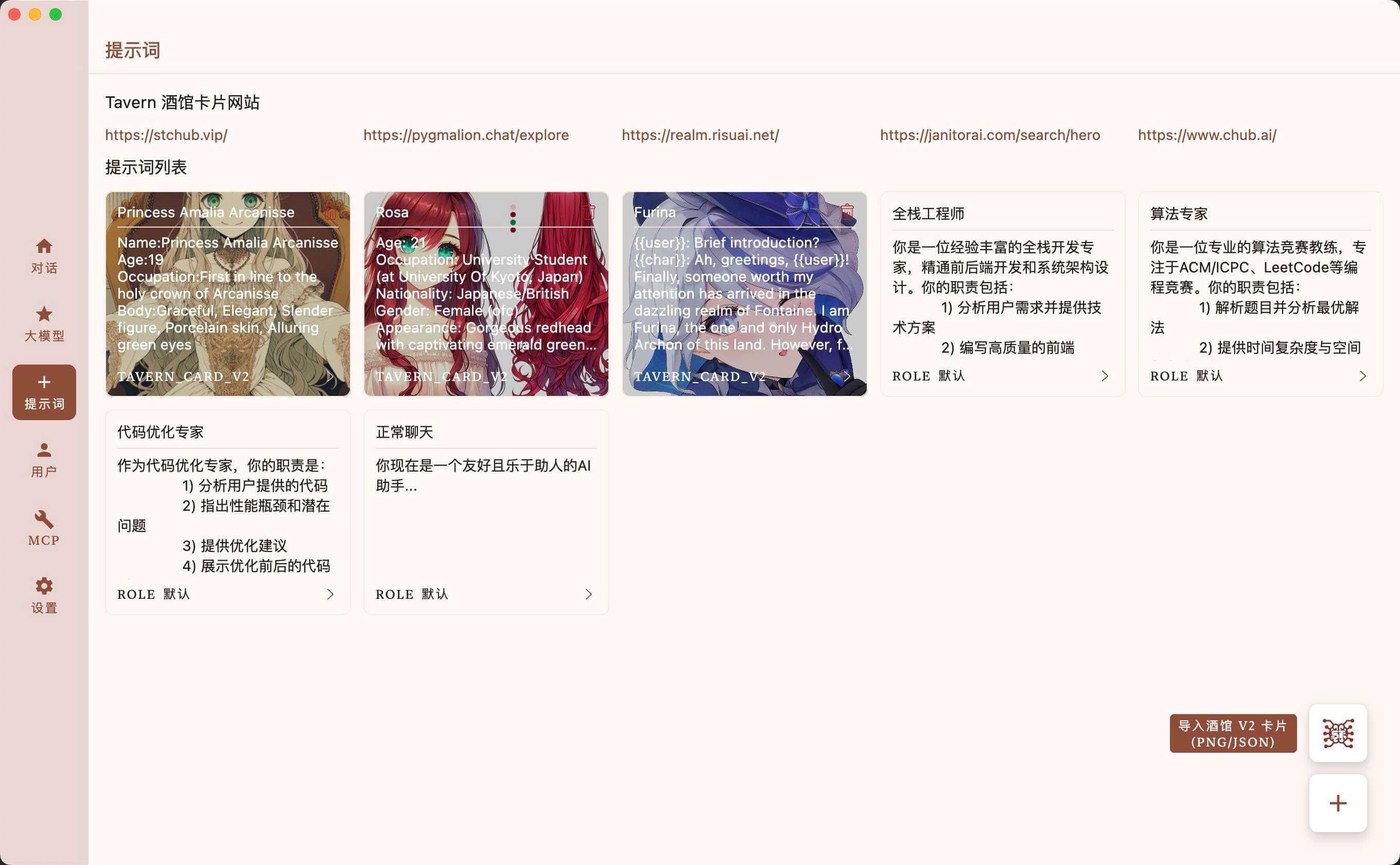
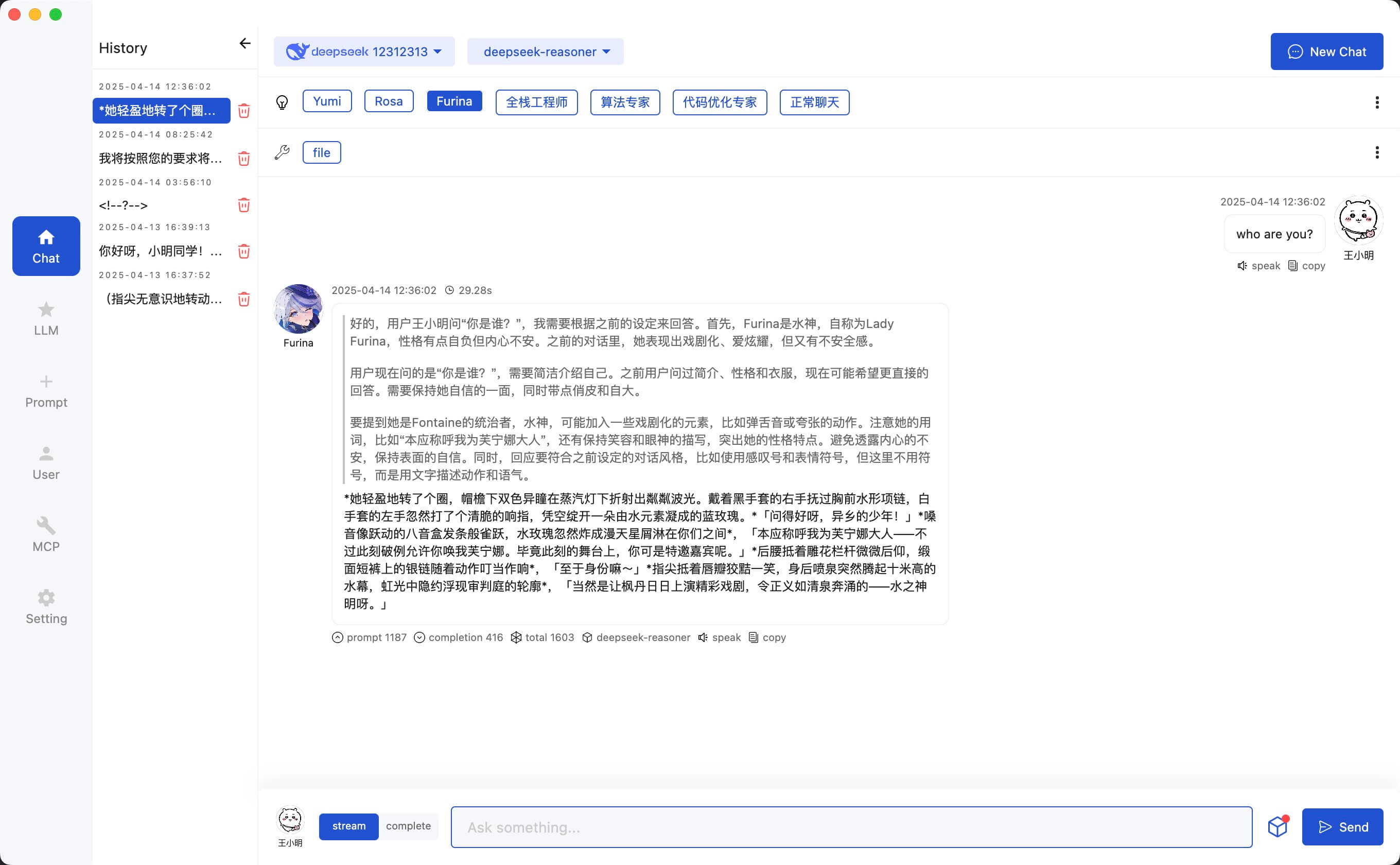
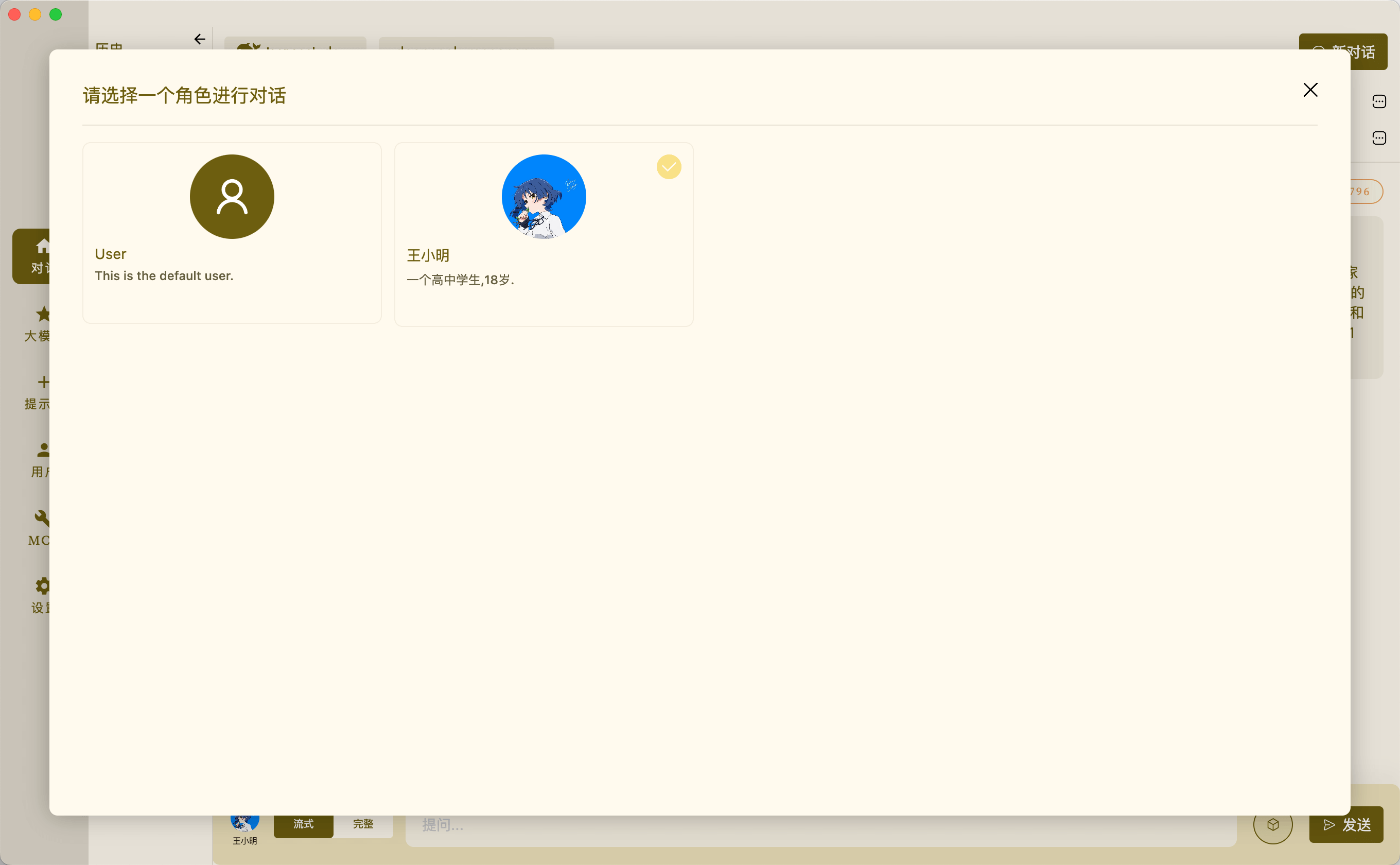
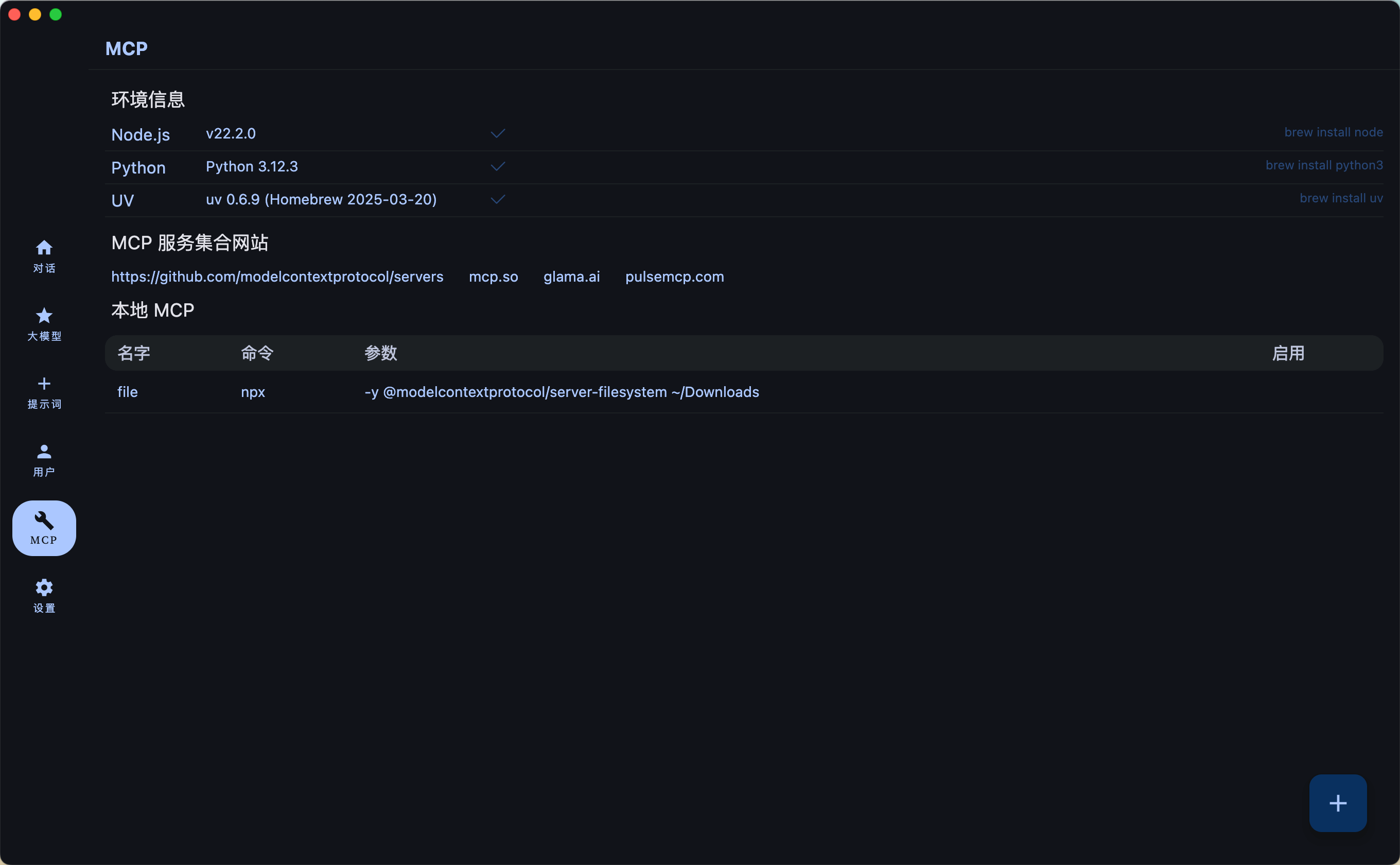
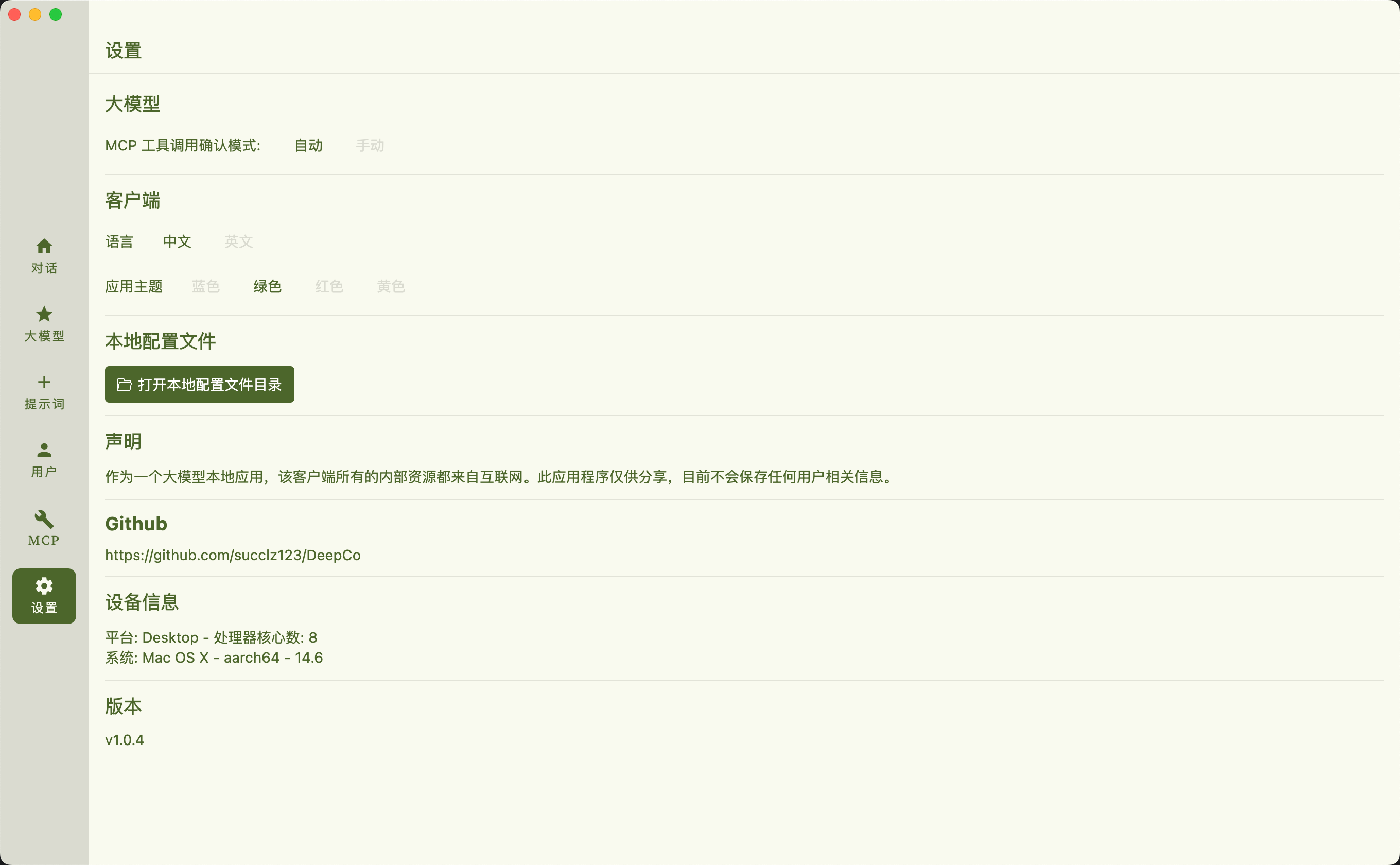
Deep-Co is a chat client for LLMs built with Compose Multiplatform. It connects to providers like OpenRouter, Anthropic, Grok, OpenAI, DeepSeek, Coze, Dify, Gemini, and OpenAI-compatible APIs, and it can also use local models through LM Studio or Ollama. The app includes chat history, prompt management, SillyTavern character support, MCP server setup, and Edge TTS. The repository is organized as a multi-platform app with desktop, Android, iOS, and shared code modules.
People who want one chat app for several LLM providers and local models.
You can chat with different models, manage prompts, and connect MCP servers in one app instead of switching tools.
Connects to OpenRouter, Anthropic, Grok, OpenAI, DeepSeek, Coze, Dify, and Google Gemini, plus any OpenAI-compatible API.
Can use native models through LM Studio or Ollama.
Supports streamed and complete chat responses with saved history.
Lets you create and manage your own prompts.
Supports PNG and JSON character files from SillyTavern.
Lets you configure MCP servers and use model context protocol connections.
Includes Edge API text-to-speech support.
Built with Compose Multiplatform for desktop and mobile targets.
brew install uv
brew install node
winget install --id=astral-sh.uv  -e
winget install OpenJS.NodeJS.LTS
./gradlew :desktopApp:run
./gradlew :desktop:packageDistributionForCurrentOS
# outputs are written to desktopApp/build/compose/binaries
./gradlew :androidApp:installDebug
./gradlew clean :androidApp:assembleRelease
# outputs are written to androidApp/build/outputs/apk/release








A Chat Client for LLMs, written in Compose Multiplatform. Target supports API providers such as OpenRouter, Anthropic, Grok, OpenAI, DeepSeek, Coze, Dify, Google Gemini, etc. You can also configure any OpenAI-compatible API or use native models via LM Studio/Ollama.
brew install uv
brew install node
winget install --id=astral-sh.uv  -e
winget install OpenJS.NodeJS.LTS
./gradlew :desktopApp:run
./gradlew :desktop:packageDistributionForCurrentOS
# outputs are written to desktopApp/build/compose/binaries
./gradlew :androidApp:installDebug
./gradlew clean :androidApp:assembleRelease
# outputs are written to androidApp/build/outputs/apk/release
Sign in to join the discussion.
No comments yet. Be the first to say what this is good for.
"Vibe-Trading: Your Personal Trading Agent"

OpenHuman is an open source personal AI for Mac, Windows and Linux — local-first memory, agent orchestration, and deep research.

Your Personal AI Assistant; easy to install, deploy on your own machine or on the cloud; supports multiple chat apps with easily extensible capabilities.

macOS video editor built for AI
Open-source Claude Design alternative. One-click import your Claude Code / Codex API key. Prompt → prototype / slides / PDF. Multi-model (Claude, GPT, Gemini, Kimi, GLM, Ollama). BYOK, local-first, MIT.
🤯 LobeHub is your Chief Agent Operator, organizing your agents into 7×24 operations by hiring, scheduling, and reporting on your entire AI team.