
obra/
superpowers

obra/superpowersSkills
An agentic skills framework & software development methodology that works.
285k
1 add
This repository packages Storybook work as reusable agent skills for React + Vite apps. The skills inspect the app, find real components, map routes and roles, measure design-system health, and generate CSF3 stories and Storybook-only wrappers.
Builders who want their coding agent to audit a React + Vite app and produce Storybook output from the real codebase.
You can turn a React + Vite app into a structured Storybook setup without hand-writing every story and audit step.
`sb-hub` inspects the project and routes you to the next skill or drives the whole pipeline.
`sb-inventory` separates real app components from vendored or dead code and records prop usage at call sites.
`sb-flows` builds a route map with navigation edges and user roles for each screen.
`sb-health` finds raw hex values, orphan tokens, scale gaps, and drift from `DESIGN.md`.
`sb-stories` writes stories for materially different states instead of every possible combination.
`sb-wrappers` creates views like StateGrid, ABCanvas, AppFlowGraph, ProjectInventory, and DesignSystemHealth.
`sb-explore` prototypes components outside `src/`, and `sb-ship` moves experiments into production while preserving history.
`sb-figma` connects Figma and Storybook through MCP for token mapping and Code Connect workflows.
npx skills add strongeron/storybook-workbench          # installs ALL 11 skills
npx skills add strongeron/storybook-workbench --all    # same, fully non-interactive (all skills + all agents, -y) — for CI
npx skills add strongeron/storybook-workbench --list          # see the 11 skills
npx skills add strongeron/storybook-workbench -s sb-wrappers   # install only this one
npx skills use strongeron/storybook-workbench@sb-wrappers      # try it without installing
claude plugin marketplace add strongeron/storybook-workbench
claude plugin install storybook-workbench@storybook-workbench
npx skills add strongeron/storybook-workbench --agent codex --yes
npx skills add strongeron/storybook-workbench --agent cursor --yes
# then: Cmd/Ctrl+Shift+P → "Developer: Reload Window"
npx skills add strongeron/storybook-workbench --all          # update every installed skill to latest
npx skills add strongeron/storybook-workbench -s sb-figma    # update just one skill
A Storybook toolkit for React + Vite apps — driven by your AI coding agent.
Work with Storybook on a real codebase: audit what components are actually there (real vs. AI slop),
map the app's flows and user roles, write conformant CSF3 stories for only the states that matter, and
ship — across Claude Code, Codex, and Cursor. Everything lands under .storybook/, so src/ stays
clean and the whole audit is one removable folder.
11 focused skills over a shared foundation, orchestrated by a hub — not one monolithic prompt.
A live Storybook these skills generated end-to-end on a real, vibe-coded React + Vite app — every view is their output, not a mockup. The cover below is one of them:
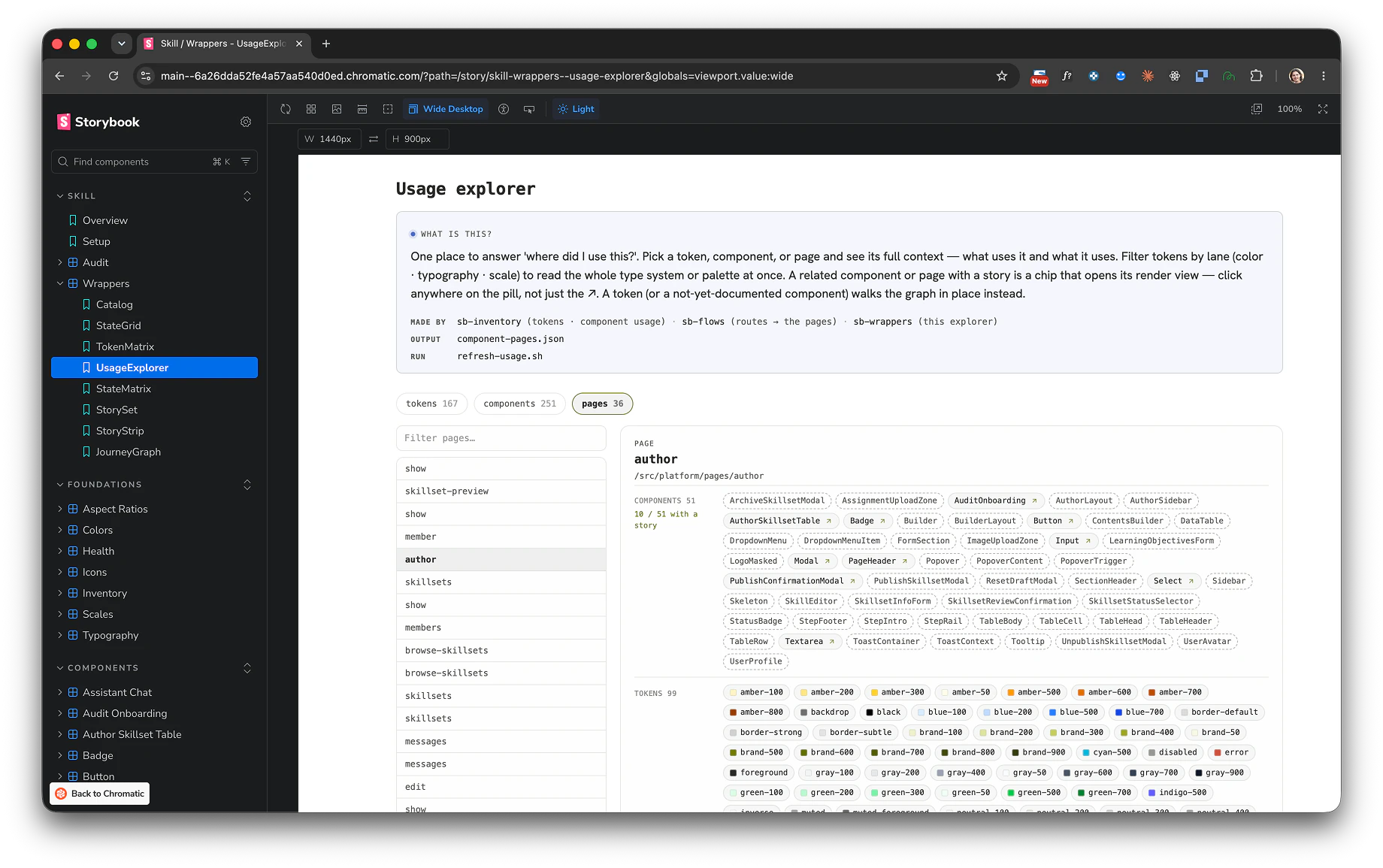
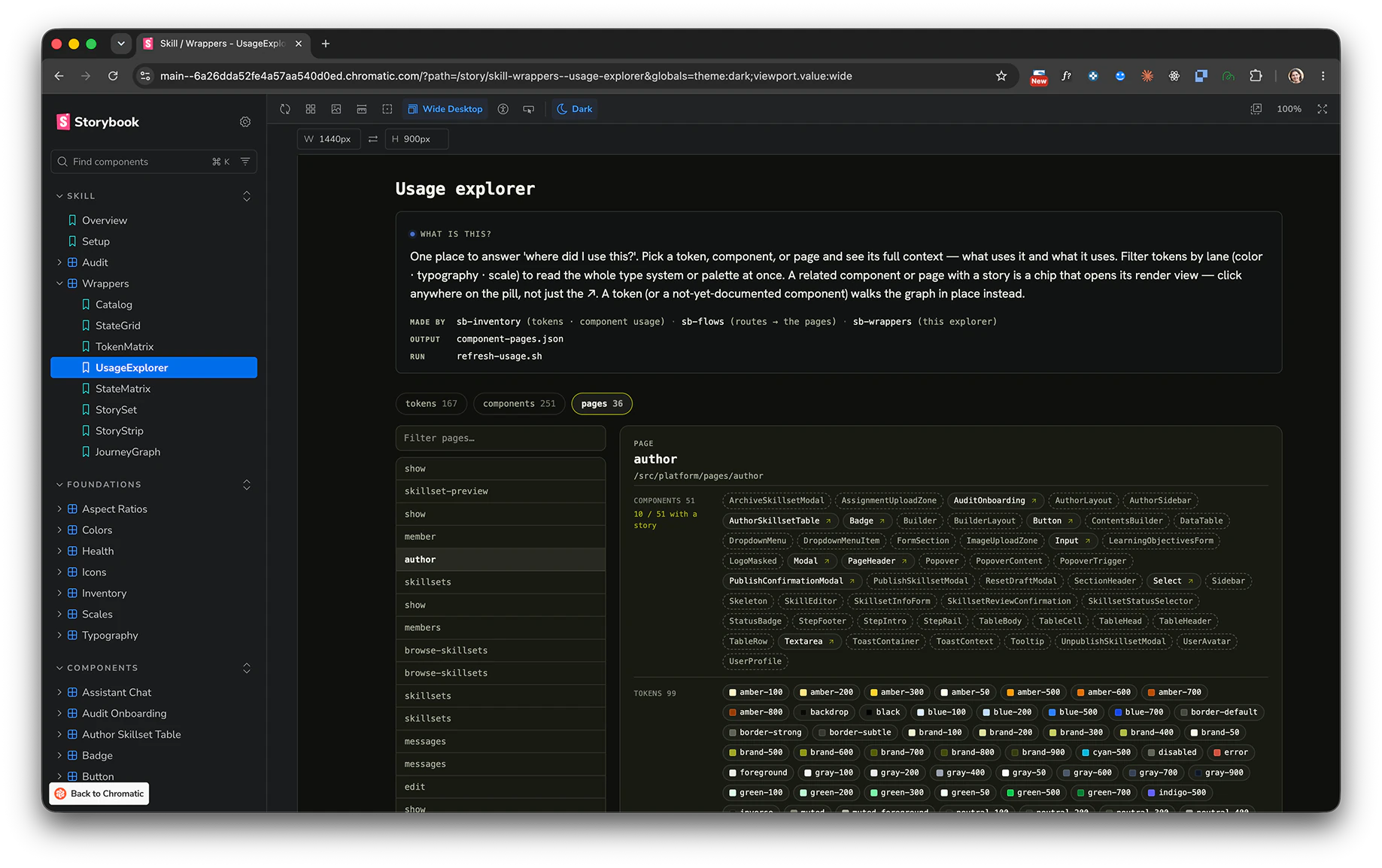
Open the live demo — real skill output on a real codebase, panel by panel.
Each section is one skill's output:
Works on any agent that supports the Agent Skills standard.
Any agent (skills.sh) — all 11 skills (the whole bundle):
npx skills add strongeron/storybook-workbench          # installs ALL 11 skills
npx skills add strongeron/storybook-workbench --all    # same, fully non-interactive (all skills + all agents, -y) — for CI
Just one skill (each ships self-contained — its own scripts, references, wrappers, and the layout decorator):
npx skills add strongeron/storybook-workbench --list          # see the 11 skills
npx skills add strongeron/storybook-workbench -s sb-wrappers   # install only this one
npx skills use strongeron/storybook-workbench@sb-wrappers      # try it without installing
Pipeline note: the renderer skills show data another skill produces — e.g.
sb-wrappers'ProjectInventoryreadsproject-inventory.jsonfromsb-inventory,DesignSystemHealthreadssb-health's output. Installed alone they work and render an empty state until that JSON exists; add the producer skill (or supply the JSON) for live data. The pure composition wrappers (StateGrid/ABCanvas/StateMatrix/StorySet) have no cross-skill dependency.
Claude Code (plugin marketplace) — the whole bundle:
claude plugin marketplace add strongeron/storybook-workbench
claude plugin install storybook-workbench@storybook-workbench
Codex: install project-scoped (drop --global — the skills CLI doesn't support global install for
Codex), run from your project root:
npx skills add strongeron/storybook-workbench --agent codex --yes
Cursor: skills are project-scoped (Cursor has no global skills dir) — run from your project root, then reload the window:
npx skills add strongeron/storybook-workbench --agent cursor --yes
# then: Cmd/Ctrl+Shift+P → "Developer: Reload Window"
After reload the skills appear in Cursor's / menu under Skills — invoke one by name
(/sb-hub, /sb-setup, /sb-inventory, …), or just ask in plain language and the matching skill
triggers by description.
Then restart your agent session so it registers the skills.
Skills install as a snapshot, so to pull the latest — new skills (like sb-figma), fixes, wrapper
updates — re-run the add command. It re-fetches and overwrites in place:
npx skills add strongeron/storybook-workbench --all          # update every installed skill to latest
npx skills add strongeron/storybook-workbench -s sb-figma    # update just one skill
Restart your agent session afterward so it re-registers the updated skills.
| Agent | How it triggers | Start with |
|---|---|---|
| Claude Code | by description, or by name | /sb-hub, or ask "audit this React+Vite app and set up Storybook" |
| Cursor | by name via /, or by description | reload the window, then /sb-hub (skills show under Skills in the / menu), or ask "audit this React+Vite app and set up Storybook" |
| Codex | by name | mention $sb-hub, or a specific $sb-stories / $sb-audit |
When unsure, start at sb-hub — it inspects the project and names the next step (or drives the whole flow).
The core flow, in run order. Each writes to .storybook/ and is invoked on its own — the hub routes you.
| # | Skill | Use it when you want to… | Writes |
|---|---|---|---|
| — | sb-hub | not sure what to run — "what's next?" Inspects state and routes (or drives the whole pipeline). | a report |
| 1 | sb-setup | install Storybook on an app that has none (defers to npx storybook native onboarding); asks where stories live. | .storybook/ |
| 2 | sb-inventory | find real vs. slop — your components vs. vendored shadcn ui/, types/hooks, dead code — and the real prop-value usage at call sites. | project-inventory.json |
| 3 | sb-flows | map the whole app — routes, navigation edges, persistent nav chrome, and user roles (who reaches each screen). | flows.json |
| 4 | sb-health | design-system health — raw hex that should be tokens, undefined/orphan tokens, scale gaps, and DESIGN.md drift. | design-system-health.json |
| 5 | sb-stories | write a CSF3 story for one component covering only its materially-different states (no Cartesian blowup). | stories/*.stories.tsx † |
| 6 | sb-wrappers | scaffold Storybook-only views (StateGrid, ABCanvas, AppFlowGraph, ProjectInventory, DesignSystemHealth…). | wrappers/*.tsx |
| 7 | sb-audit | periodic catalog health — naming drift, archived/decision review, lifecycle tags, usage refresh. | audit/* |
Event-triggered (outside the linear flow):
| Skill | Use it when you want to… |
|---|---|
| sb-explore | prototype a new/redesigned component in a sandbox outside src/ (app code never depends on it). |
| sb-ship | graduate an Explore experiment to a production component (preserves history — cp, never git mv). |
| sb-figma | bridge Figma↔Storybook both ways via the native Figma MCP — map foundation tokens and deliver approved components (design→code), and build Code Connect mappings so Figma Dev Mode shows the real code (code→design). |
Plus sb-cross-agent-run — a
bundle_onlyorchestration skill that drives the whole pipeline cross-agent (Codex/Cursor build, Claude validates, one phase per turn). It ships with the bundle but isn't installed à la carte, so it's not in the 11 count above.
† Stories go where
sb-setupasked — default.storybook/stories/, or co-locatedsrc/**/*.stories.tsxif you own the repo long-term.
hub → setup (if needed) → inventory → flows → health → stories → wrappers / app-map → audit
In Claude Code that's just /sb-hub (it advances you through), or ask in plain language and the right skill triggers.
This bundle ships a registry-readable eval surface at evals/evals.json — behavioral cases (skill-loaded
vs. baseline, with deterministic + LLM-judge assertions) covering the core claims of each skill: CSF3 import
conventions, real-vs-slop inventory, role-aware flow capture, adaptive route extraction, and
ship-preserve-experiment. It's the trust signal — the skills are tested, not just written.
Let the skill draft a sanitized report — versions + .storybook/*.json shapes/counts only, never
your source, token values, or component names. From your project root:
~/.claude/skills/sb-hub/scripts/report-issue.sh --asked "…" --observed "…" --expected "…"
…or just tell sb-hub "this is wrong / report a bug" (Mode 3) and it runs the reporter for you. It
writes a local draft and prints a gh issue create … command + a blank-issue URL — no network call;
you submit. Or open an issue with the Bug / strange behavior template.
Every report compounds: report → reproduce → eval case → fix → field-learning. See
CONTRIBUTING.md. No skill rewrites itself at runtime — improvement is
human-reviewed and eval-gated.
MIT. See LICENSE and SECURITY.md. Changelog: CHANGELOG.md.
Sign in to join the discussion.
No comments yet. Be the first to say what this is good for.
An agentic skills framework & software development methodology that works.

Turn any codebase, with its docs, SQL schemas, configs, and PDFs, into a queryable knowledge graph. A /graphify skill for Claude Code, Cursor, Codex, and Gemini CLI: local deterministic AST parsing, every edge explained, no vector store.

Topic in, narrated explainer video out. A Claude Code / Codex skill that turns any topic into a black-canvas motion-graphics explainer video with TTS voiceover, subtitles and a chapter progress bar. Chinese or English; every frame drawn in code with Remotion.
Public repository for Agent Skills
Open-source AI job search: scan job portals, evaluate listings into a structured A-H report with a global 1-5 score, tailor your CV, track applications — runs locally in your AI coding CLI (Claude Code, Codex, OpenCode, Antigravity…)

Production-grade engineering skills for AI coding agents.