



๐จ Best DeepSeek Harness Design Plugin. The open-source Claude Design alternative. ๐ฅ๏ธ Local-first desktop app. ๐ผ๏ธ Your coding agent becomes the design engine: prototypes, landing pages, dashboards, slides, images & video โ real files, HTML/PDF/PPTX/MP4 export. ๐ค Claude Code / Codex / Cursor / DeepSeek Harness / OpenCode & 20+ CLIs via BYOK.
Desktop UI for MCP servers and agent connections
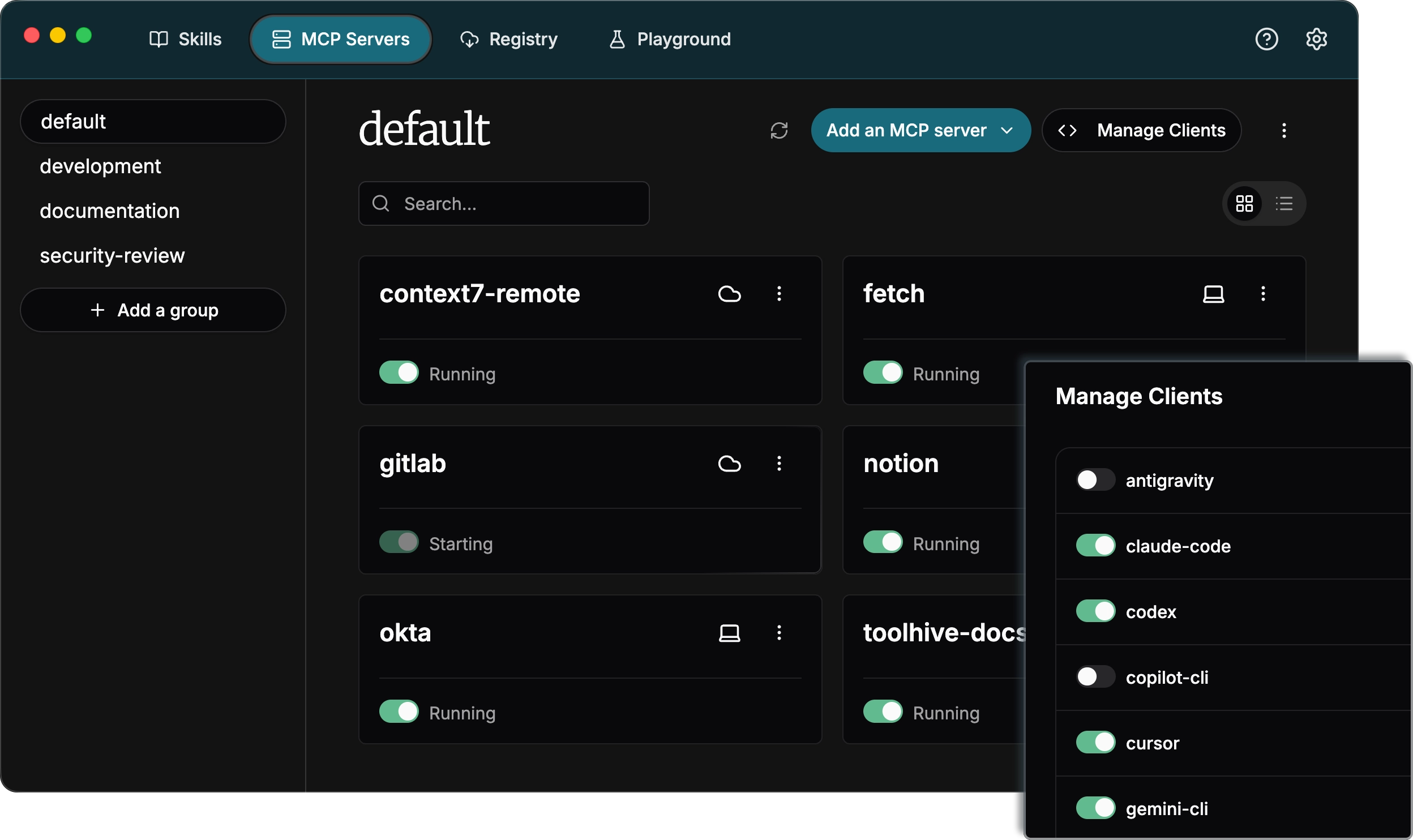
ToolHive Studio is a desktop app for finding MCP servers, running them in secure containers, and wiring them up to agent clients. It also auto-configures popular clients like Claude Code, Cursor, and GitHub Copilot, so you can add tools without hand setup.
Builders who want a desktop way to manage MCP servers and connect them to their agent tools.
You can run MCP servers securely and hook them into your agent tools with much less manual setup.
What it does
Secure MCP server runs
Runs each MCP server in its own locked-down container with only the permissions it needs.
Client auto-configuration
Sets up popular clients like GitHub Copilot, Cursor, and Claude Code to use the server.
Cross-platform desktop app
Works on Windows, macOS, and Linux.
Secrets handling
Keeps secrets out of plaintext and manages them through the app's security flow.
Telemetry controls
Uses Sentry for crash and performance data, with an in-app setting to turn telemetry off.
README
ToolHive desktop UI
Run any Model Context Protocol (MCP) server โ securely, instantly, anywhere.
ToolHive is the easiest way to discover, deploy, and manage MCP servers. Launch any MCP server in a locked-down container with just a few clicks. No manual setup, no security headaches, no runtime hassles.
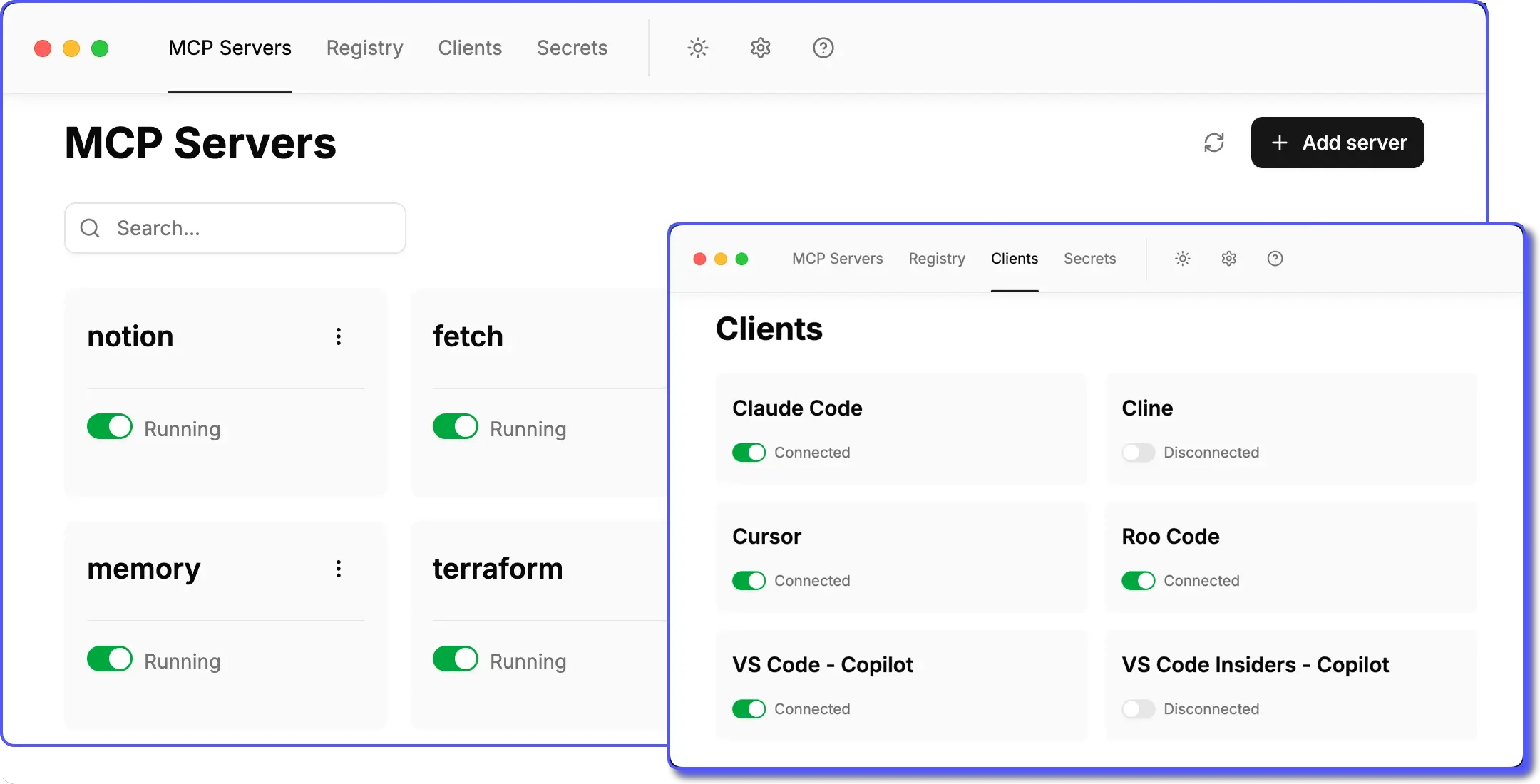
Quick links
- ๐ Quickstart - install ToolHive and run your first MCP server
- ๐ Documentation - learn more about ToolHive's features
- ๐ฌ Discord community - connect with the ToolHive community, ask questions, and share your experiences
- ๐ ๏ธ Developer guide - build, test, and contribute to the ToolHive UI
Why ToolHive?
|
|
Getting started
To get started with ToolHive, download the latest release from the website and follow the quickstart guide.
How it works
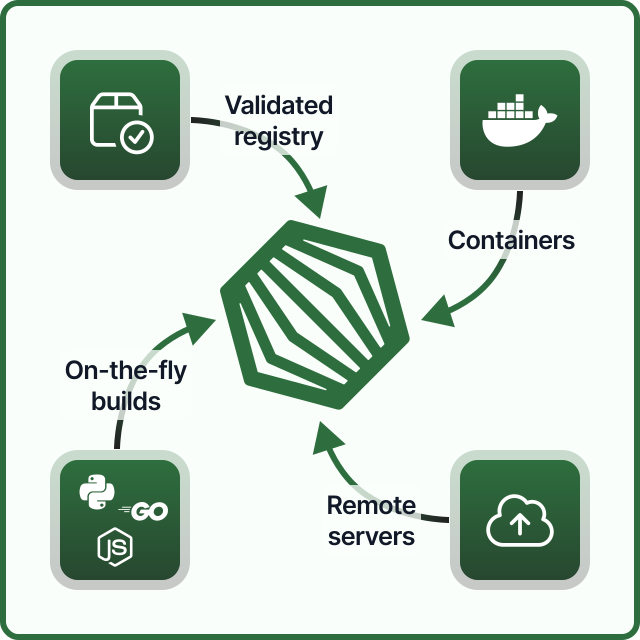
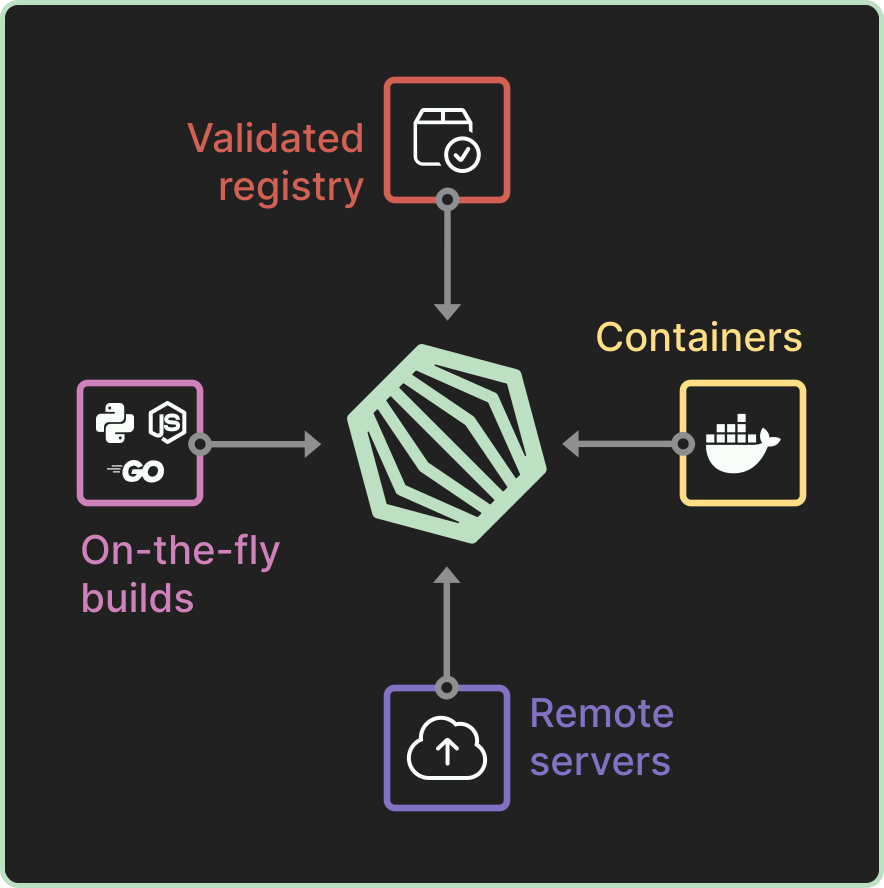
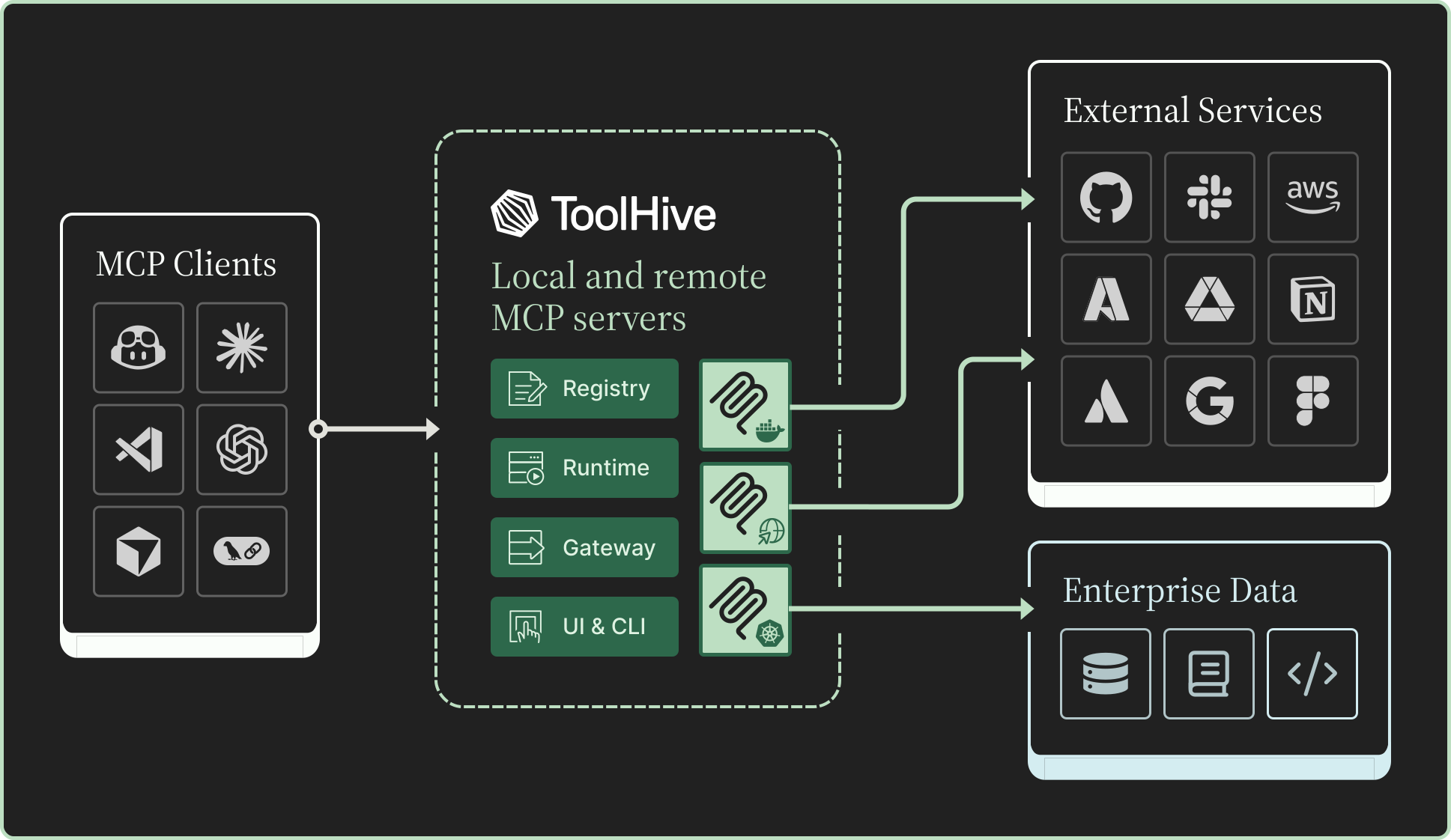
Under the hood, ToolHive runs each MCP server in its own secure container and exposes an HTTP/SSE proxy that MCP clients connect to.
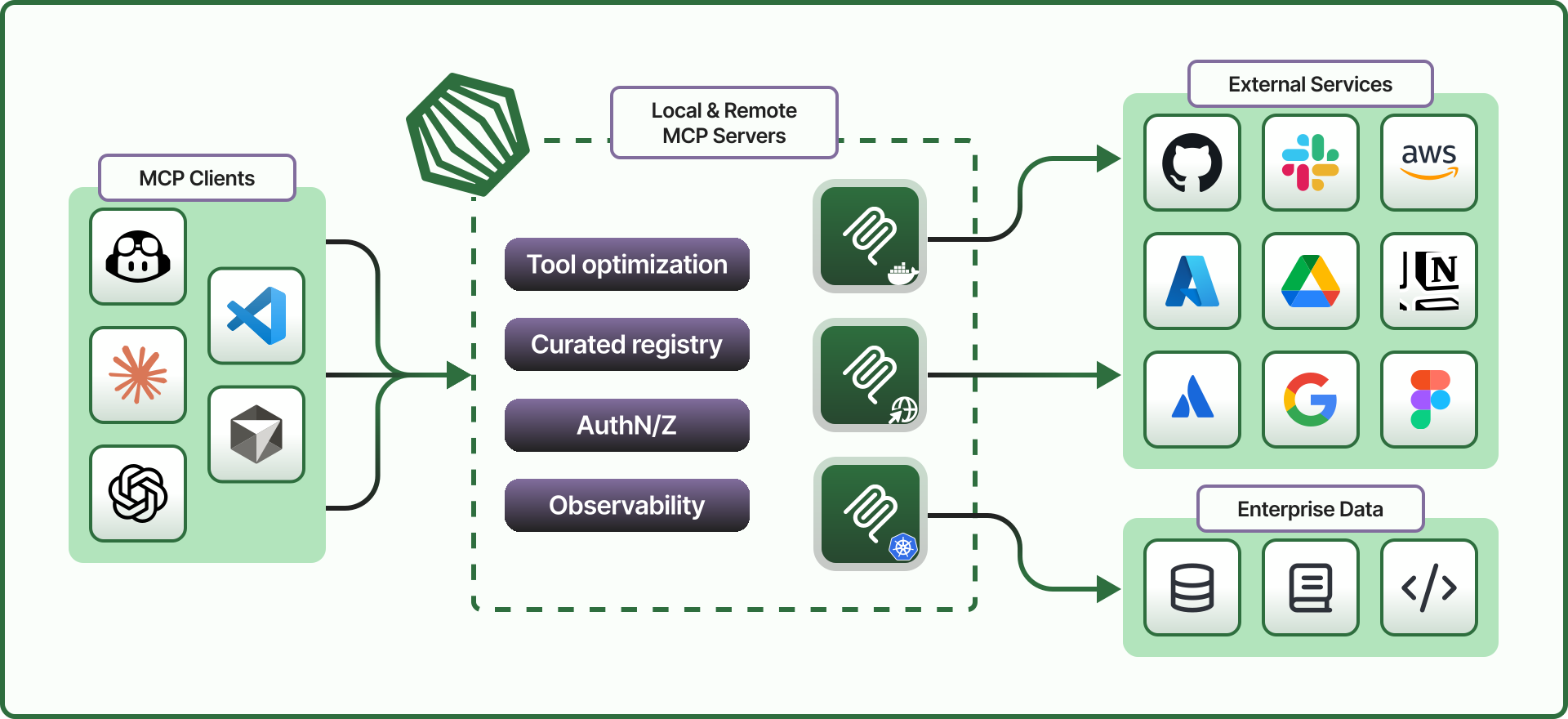
For more advanced use cases, ToolHive is also available as a command-line tool which can be used standalone or side-by-side with the ToolHive UI and as a Kubernetes Operator. Learn more in the ToolHive documentation.
Privacy and telemetry
ToolHive uses Sentry for error tracking and performance monitoring to help us identify and fix issues, improve stability, and enhance the user experience. This telemetry is enabled by default but completely optional.
What data is collected?
- Error reports and crash logs
- Performance metrics
- Usage patterns
How to opt out
You can easily disable telemetry at any time:
- Open ToolHive
- Go to Settings (gear icon in the top navigation)
- Find the Telemetry section
- Toggle off telemetry collection
ContributingWe welcome contributions and feedback from the community!
If you have ideas, suggestions, or want to get involved, check out our contributing guide or open an issue. Join us in making ToolHive even better! |

|
License
This project is licensed under the Apache 2.0 License.
Files in the repo
- __mocks__
- __tests__
- .claude
- .codex
- .cursor
- .devcontainer
- .github
- .husky
- assets
- branding-examples
- common
- docs
- e2e-tests
- examples
- flatpak
- icons
- main
- patches
- preload
- renderer
- scripts
- utils
- .env.example
- .gitignore
- .grype.yaml
- .nvmrc
- .prettierignore
- .prettierrc
- AGENTS.md
- CLAUDE.md
- CODE_OF_CONDUCT.md
- components.json
- CONTRIBUTING.md
- DCO.md
- eslint.config.mjs
- fake-auto-update.yml
- forge.config.ts
- forge.env.d.ts
- knip.ts
- LICENSE
- package.json
- playwright.config.ts
- pnpm-lock.yaml
- pnpm-workspace.yaml
- README.md
- renovate.json
- SECURITY.md
- tsconfig.app.json
- tsconfig.json
- tsconfig.node.json
- vitest.config.ts
- vitest.setup.ts
Discussion (0)
Ask about usage, or say what you built with itSign in to join the discussion.
No comments yet. Be the first to say what this is good for.
More other
OpenHuman is an open source personal AI for Mac, Windows and Linux โ local-first memory, agent orchestration, and deep research.

Your Personal AI Assistant; easy to install, deploy on your own machine or on the cloud; supports multiple chat apps with easily extensible capabilities.
User-friendly AI Interface (Supports Ollama, OpenAI API, ...)
๐ Awesome lists about all kinds of interesting topics [NOTE: Pull requests are temporarily disabled until I have a chance to catch up with the existing ones]
AIPOCH Open-Science is an open-source, local-first, model-agnostic AI research workbench for macOS, Windows, and Linux, with scientific agents, Python/R notebooks, data connectors, and reproducible provenance.