🎬 Visual Skills — AI Film Director for Your Movie
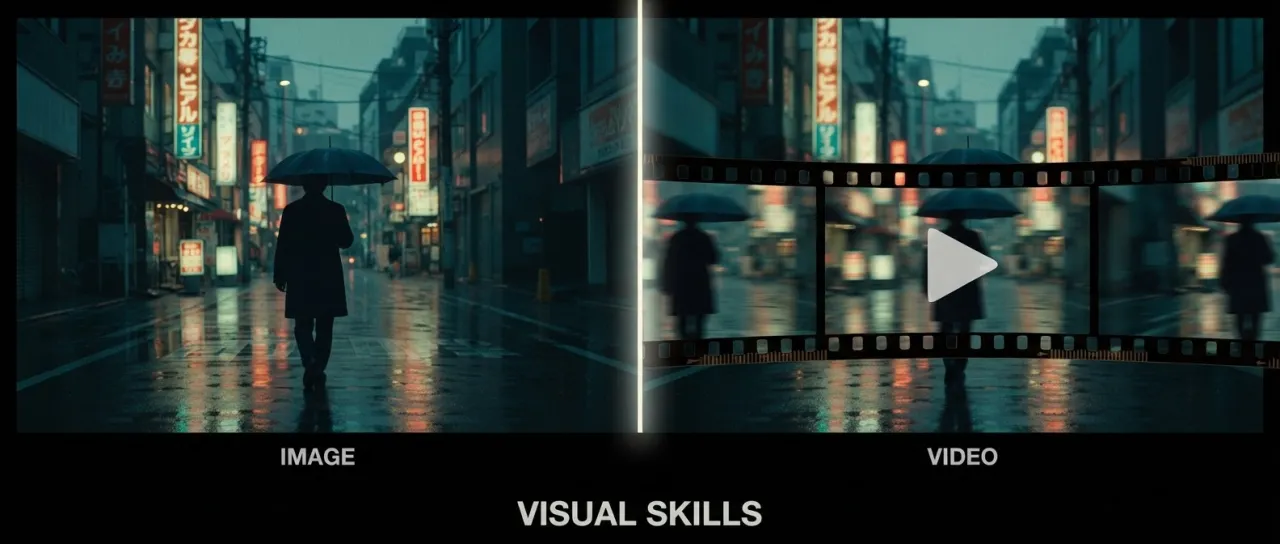



Two Claude Skills that turn your agent into a working film crew: video writes AI video prompts the way a director, screenwriter and editor would; image writes image prompts the way an art director would. Both pick the right model for the task, apply its exact syntax, and return a copy-paste-ready prompt.
Most prompting guides teach you syntax. This one teaches your agent cinema — and that is what makes it the strongest tool available for directing AI video.
Dramaturgy first, syntax second
[!IMPORTANT]
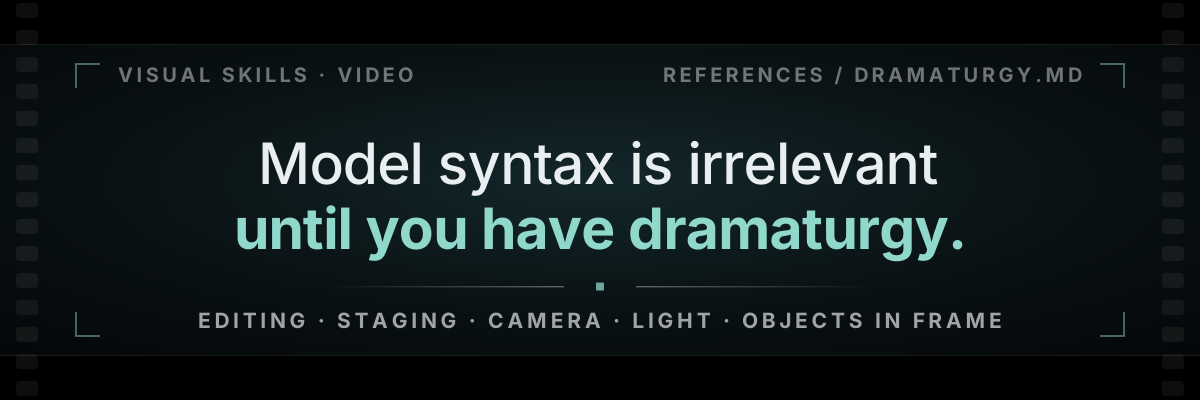
Model syntax is worth nothing until the dramaturgy is there. Editing, staging, camera, light, the objects allowed in frame — hard rules, all of them written into the skill. That is what makes it a director instead of an autocomplete for adjectives. Get them right and the model finally has something worth rendering; get them wrong and no amount of correct syntax saves the shot.
The heart of the video skill is video/references/dramaturgy.md — how films are actually built, compressed into rules an agent can execute on a 5-30 second clip. Same idea, both columns below. Only one of them can be filmed.
The prompt everyone writes
four adjectives, zero facts | The prompt the skill writes
one emotion · three shots · three details · one final image |
|---|
cinematic shot of a man
in a kitchen at night,
epic lighting, moody
atmosphere, 4k
|
Emotion: hunger as loneliness. Object: last sausage.
Final image: fridge light dying on his face.
Shot 1 · 0.0-1.6s · wide, 24mm, static
Dark kitchen. He stands with one hand on the fridge
door, not opening it. Only the wall clock moves.
Cut · 1.6-3.4s · medium, 50mm, push-in
The push starts the frame he sees the shelf is empty
— that is what changed. Cold blue light, jaw sets,
one stomach growl, then nothing.
Cut · 3.4-5.0s · macro, 100mm
Two fingers close on the last sausage. Half-beat hold.
Door swings shut, the light dies on his face.
|
|
No desire, no obstacle, no geometry, no cut, no final image. The model picks all five for you — and picks differently on every run.
|
Every line is a physical fact a camera could record: a reason for the move, a body carrying the emotion, a sound, an object, an ending. Nothing left for the model to invent.
|
[!CAUTION]
Banned everywhere: cinematic · epic · stunning · masterpiece · beautiful lighting · dynamic camera · he is sad. Each one is a placeholder for a detail the writer failed to invent, and not one of them renders.
S E V E N L A W S , N O N E O P T I O N A L
|
0 1 · L A W
The scene formula
desire + obstacle + geometry + gaze + rhythm
Five elements. Name each one in a single sentence before a word of prompt is written: what the hero wants right now, what blocks it, who stands where, where the eye is forced to look, how long each shot lives. Anything less is decoration.
|
0 2 · D E T A I L
The Details Law
Every shot owns three physical facts: one environmental pressure (cold refrigerator light, wet asphalt), one micro-action of the body (jaw locks, knuckles whiten), one sound anchor or visual motif.
"He is sad" does not render. A jaw does.
|
|
0 3 · E D I T I N G
Walter Murch's Rule of Six — where to cut, in priority order. Each item outweighs everything below it combined.
emotion 51% █████████████████████████▌
story 23% ███████████▌
rhythm 10% █████
eye-trace 7% ███▌
screen plane 5% ██▌
3D space 4% ██
Cutting "for pace" is item three. Serving item three ahead of emotion and story is exactly how TikTok mush gets made — and it is the default behaviour of every model you will ever prompt.
|
|
0 4 · S E L E C T I O N
The three-jobs rule
A shot either changes emotion, advances action, or increases pressure. A shot that does none is deleted, however pretty it came out.
"Beautiful establishing shot" is not a job.
|
0 5 · S T A G I N G
Blocking, camera, environment
Fincher — every camera move answers "what changed?", otherwise the camera is static. Spielberg — even in chaos the viewer knows where the hero, the threat and the exit are. Kurosawa — one weather, one pressure, carrying the whole scene.
|
|
0 6 · R H Y T H M
Montage is a staircase
long → shorter → shorter → pause → impact
The pause before the hit matters more than the speed of the cuts. Beat maps for 15 / 30 / 60 / 90 seconds — Hook, Pressure, Crack, Impact, Aftermath. Never skip the Crack.
|
0 7 · S P E C
The shot card and the five anchors
Fourteen fields per storyboard row: framing, composition, camera, movement reason, eye-trace, duration, cut type, sound, light. An empty field is missing direction. Per piece, exactly five anchors — one emotion, one motif, one object, one break, one final image.
|
None of this is advice the agent is free to skip. dramaturgy.md loads before any model file, and the output is gated twice on the way out — the six-point dramaturgy check and a three-detail audit on every shot. A prompt that fails either one is not returned.
Six-point check before any prompt leaves the skill
scene formula · three details · three jobs · motivated camera · readable geometry · five anchors
Fail one, it does not ship. → read the full layer
Supported models
| VIDEO · DEDICATED MODEL FILE, EXACT SYNTAX |
|---|

Seedance
1.0 · 1.5 Pro · 2.0 · 2.0 Mini · 2.5 | 
Kling
1.6 – 2.6 Pro · 3.0 · Turbo · Omni | 
Veo
3 · 3.1 |
| IMAGE · DEDICATED MODEL FILE, EXACT SYNTAX |
|---|

Nano Banana
2 Lite · 2 · Pro (Gemini image family) |  
GPT Image
2.5 Flare · 2.5 Sunburst · legacy 2 |
| COVERED BY THE UNIVERSAL-RULES LAYER |
|---|
  Runway Gen-4 Runway Gen-4
  Luma Luma
  Pika Pika
 Sora Sora
|
Model files are updated as new versions ship — Seedance 2.5 has a dedicated production reference built from ByteDance's official guides of July 31, 2026 (30-second single-pass clips, 60s extension, 30-180s Ultra Long mode, 50 reference inputs, video editing, 3D camera blockout); Kling 3.0 Turbo and Omni and Nano Banana 2 Lite are already in.
How the video skill works
The SKILL.md body is a thin router; the craft lives in reference files the agent is forced to load in order:
- Dramaturgy (
dramaturgy.md) — scene formula, beats, shot functions, rhythm.
- Universal rules (
universal-rules.md) — the 12 rules that hold for every model: prompt skeleton, character anchors, show-don't-tell, duration discipline, the final-image rule.
- One model file —
seedance.md, kling.md or veo.md: exact syntax, multi-shot markers, dialogue protocols, reference tags, failure modes with fixes.
- Task modules when needed — storyboards and role modes, animatic keyframes, race-and-speed grammar, genre patterns, prompt-fix skeletons, camera and lighting vocabulary.
- Two mandatory checks before output — the six-point dramaturgy check and the three-detail audit on every shot. A prompt that fails either does not ship.
Output formats: a single prompt, a stitched multi-clip sequence with continuity blocks, a storyboard table, a prompt audit ("what breaks, what's missing, stronger version"), a director treatment, or Veo JSON.
What the image skill does
Art direction for still images: editorial and product photography, posters, UI mockups, infographics, edits with hard preservation, character continuity across a series, storyboards and animatic keyframes for the video pipeline. It picks between Nano Banana and GPT Image 2.5 per task (grounding of real places, extreme aspect ratios and cheap batches go to Nano Banana; dense text, brand assets and preservation-critical edits go to GPT Image 2.5), then writes the prompt in that model's native structure.
The two skills chain: image builds the character sheets and keyframes, video turns them into motion with a proper motion brief instead of a re-described scene.
Works with creative-director
These skills shoot the film. The idea and the script come from their sibling skill — creative-director: an AI creative director that develops ideas and scripts for commercials (and far beyond advertising) with world-class ideation methodologies, recursive scoring and a library of 571 legendary campaigns.
The full pipeline: idea & script (creative-director) → keyframes & stills (image) → motion (video). Each stage is optional — enter wherever your project starts.
Install
Works in Claude Code, Claude.ai Projects, Cursor, Windsurf, Cline, OpenCode, Codex, Hermes — anything that reads the Agent Skills format (plain markdown, no lock-in).
Via skills.sh — installs into any of 70+ supported agents, Codex included:
npx skills add smixs/visual-skills          # asks where to install, offers both skills
npx skills add smixs/visual-skills -g       # globally, for all projects
npx skills add smixs/visual-skills@video    # just one of the two
npx skills update                           # update to latest
The full Creative Agency pack — creative-director, image and video in one command:
npx skills add https://skills.sh/p/nuK9jo3sTCZGB2Ul
As a Claude Code plugin — one managed bundle with both skills:
/plugin marketplace add smixs/visual-skills
/plugin install visual-skills@visual-skills
In Codex CLI — npx skills add smixs/visual-skills -g -a codex, or ask the built-in installer: $skill-installer install skills from https://github.com/smixs/visual-skills.
Manually:
git clone https://github.com/smixs/visual-skills.git
cp -r visual-skills/video visual-skills/image ~/.claude/skills/
Usage
"Write a Seedance prompt — a hungry guy at night finds the last sausage in the fridge, 5 seconds, multi-shot"
"Storyboard a 30-second film about guilt. Core emotion — guilt. Anchor object — a phone with an unread message."
"Audit this prompt: [...]. What's broken, how to fix?"
"Translate this script into 6 × 5-second Seedance prompts."
"Make a keyframe set for a 15-second product film, then Kling prompts to animate each"
What's new
2026-08-04 — Seedance 2.5 production reference
New video/references/seedance-25.md, built from ByteDance's official User Guide and Prompt Guide (released July 31): the official prompt formulas, the ( ) < > { } 【 】 audio/dialogue/text markers, the 50-slot reference discipline with stability tables, stages + end states for 30-second single-pass clips, video editing (partial re-render), extension to 60s, Ultra Long mode (30–180s), the 3D-blockout / green-screen pipeline, and three official worked examples. Cross-model additions landed too: a transition vocabulary and an uncommon-term translation pattern in the camera file, reference-role discipline and priority declaration in the universal rules.
Author
Serge Shima — t.me/aimastersme · sergeshima.com · aimasters.me
Credits
Dramaturgy distilled from Walter Murch (In the Blink of an Eye), Akira Kurosawa, David Fincher, Steven Spielberg, Jonathan Glazer and Bong Joon Ho. Model syntax verified against official ByteDance, Kuaishou, Google and OpenAI docs plus fal.ai prompting guides, July 2026.
Vendor marks in the model table come from lobe-icons (MIT). Each mark stays the property of its owner and is used here only to identify the model it labels.
License
CC BY 4.0 — use it, fork it, build on it, commercially too. One rule: credit the author. Any copy or derivative — including skills assembled by AI agents from these files — must keep the attribution line: Serge Shima — github.com/smixs/visual-skills. See LICENSE and NOTICE.
Tags: claude · claude-skills · ai-video-generation · ai-image-generation · seedance · kling · veo · nano-banana · gpt-image-2.5 · ai-film-directing · storyboard · prompt-engineering