
JuliusBrussee/
caveman

🪨 why use many token when few token do trick — Claude Code skill that cuts 65% of tokens by talking like caveman
105k
1 add
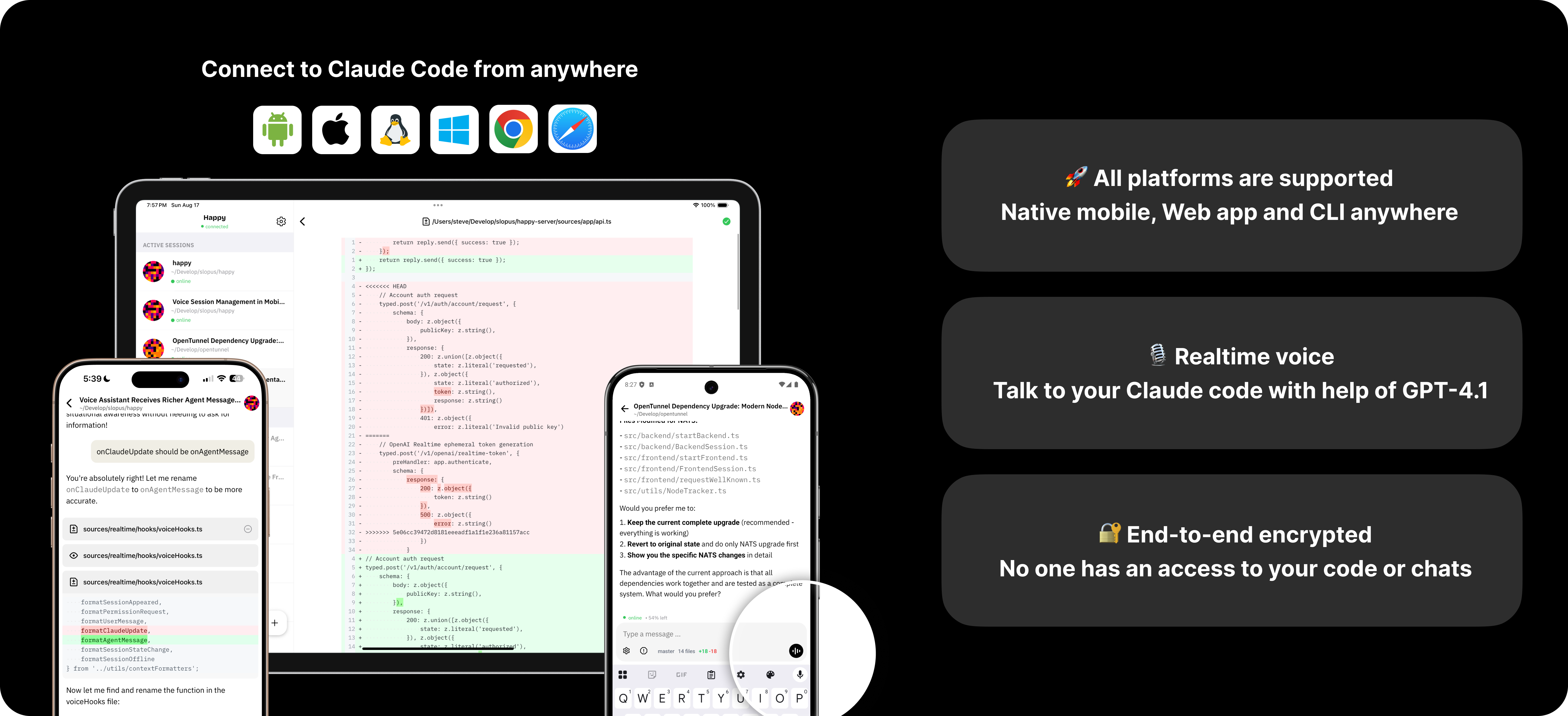
Happy wraps Claude Code and Codex in a mobile, web, and desktop experience. You run `happy` instead of the native CLI, and it can hand the session off between your computer and phone while keeping the connection encrypted. The repo also includes the agent, server, and shared wire protocol that make that handoff work.
Builders who want to control Claude Code or Codex from anywhere without losing the same session.
You can check, resume, and take over agent work from another device without re-explaining the context.
Starts Claude Code or Codex through `happy` and can switch the session into remote mode.
Provides an app for iOS, Android, and the browser so you can watch and steer the agent away from your desk.
Alerts you when the agent needs permission or hits an error.
Keeps code and session data encrypted between your devices and the server.
Lets you move control back to the computer with a keypress.
Includes the remote agent CLI and encrypted sync server that support the client experience.
npm install -g happy
# Instead of claude, use:
happy claude
# or
happy codex

npm install -g happy
Migrated from the
happy-coderpackage. Thanks to @franciscop for donating thehappypackage name!
# Instead of claude, use:
happy claude
# or
happy codex

Prefer a native app over the terminal? Download Happy for macOS — conversations beside the files, diffs, terminals, and previews your work actually touches.
On your computer, run happy instead of claude or happy codex instead of codex to start your AI through our wrapper. When you want to control your coding agent from your phone, it restarts the session in remote mode. To switch back to your computer, just press any key on your keyboard.
We're engineers scattered across Bay Area coffee shops and hacker houses, constantly checking how our AI coding agents are progressing on our pet projects during lunch breaks. Happy Coder was born from the frustration of not being able to peek at our AI coding tools building our side hustles while we're away from our keyboards. We believe the best tools come from scratching your own itch and sharing with the community.
MIT License - see LICENSE for details.
Sign in to join the discussion.
No comments yet. Be the first to say what this is good for.
🪨 why use many token when few token do trick — Claude Code skill that cuts 65% of tokens by talking like caveman

The best-benchmarked open-source AI memory system. And it's free.

Orca is the ADE for working with a fleet of parallel agents. Run any coding agent with your own subscription. Available on desktop, mobile and remote runtime.

A cross-platform desktop All-in-One assistant for Claude Code, Codex, OpenCode, OpenClaw, Grok Build & Hermes Agent. Only official website: ccswitch.io

Never stop coding. Free MIT AI gateway: one endpoint, 352 providers (150+ free), 1200+ models Kimi, Claude, GPT, Gemini, GLM, DeepSeek, MiniMax. Works with Claude Code, Codex, Cursor, OpenCode, Cline & Copilot. Quota-aware auto-fallback, RTK+Caveman compression saves 15-95% tokens, MCP/A2A, Desktop/PWA. Built by 550+ contributors

Compress tool outputs, logs, files, and RAG chunks before they reach the LLM. 20% fewer tokens for coding agents, 60-95% fewer tokens for JSON, same answers. Library, proxy, MCP server.