
DietrichGebert/ponytailPlugins
Makes your AI agent think like the laziest senior dev in the room. The best code is the code you never wrote.
138k
1 add
Hedgehog turns a spec-driven plan into a build graph with explicit dependencies, then uses that graph to guide agent work in small, verified steps. It combines planning, architecture, TDD, hooks, and deterministic scaffolding so the workflow stays consistent as the project grows.

Builders who want Claude Code, Cursor, or Gemini CLI to build from a fixed plan with enforced steps and checks.
You can keep agent work on a stable build order, with less drift, less context loss, and more verifiable changes.
Creates tasks as graph nodes with explicit dependencies, so the next step is mechanically determined.
Ships installable bundles for Claude Code, Cursor, and Gemini CLI.
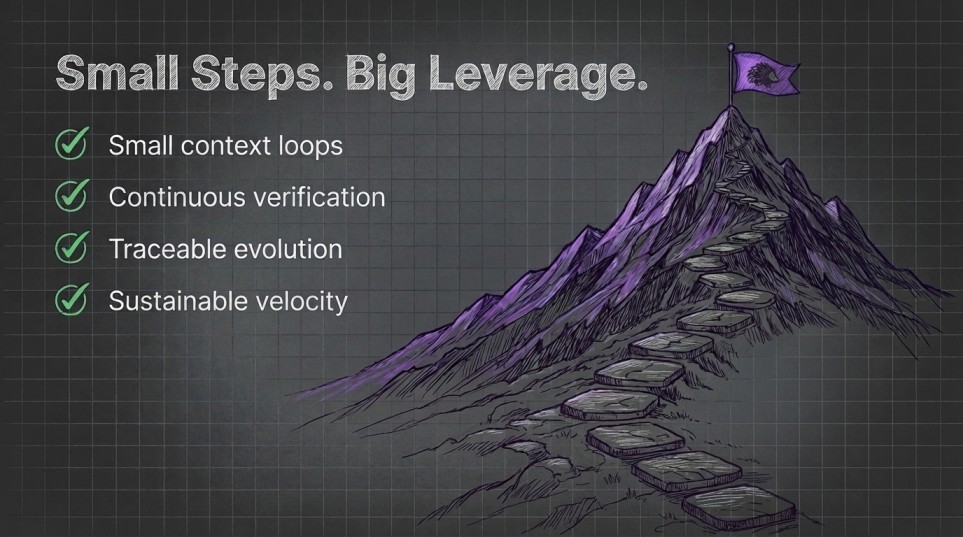
Uses phase gates, TDD, and small context loops instead of relying on the agent to remember the process.
Generates boilerplate, schemas, and other known shapes instead of asking the model to invent them.
Includes hook configs and agent files to run behavior around sessions and tasks.
Contains many `repro/*.mjs` cases that exercise the build and verification rules.
claude plugin marketplace add skyf0xx/hedgehog
claude plugin install hedgehog
gemini extensions install https://github.com/skyf0xx/hedgehog
git clone https://github.com/skyf0xx/hedgehog ~/.cursor/plugins/local/hedgehog
npx @skyf0xx/hedgehog update



English | 简体中文




AI can write code in seconds.
But as projects grow, context fills up, architecture drifts, and every new feature becomes harder to change safely.
Hedgehog gives AI a disciplined way to build software: TDD. Opinionated architecture. Small, verifiable steps.
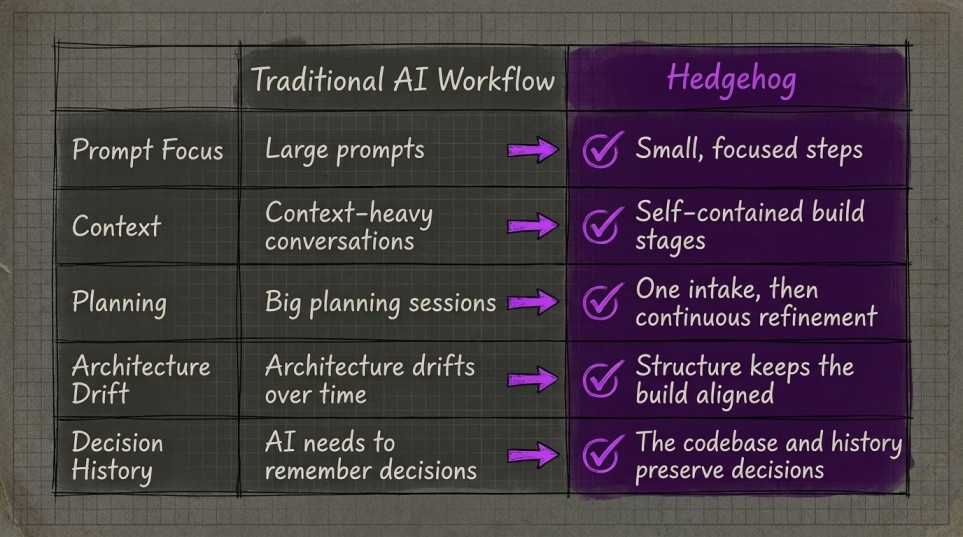
Instead of asking AI to remember your entire project, Hedgehog encodes the plan into the architecture and build process.
The codebase carries the context, not the model.

Asked to install Hedgehog:
git clone this repository into their project.hedgehog when they ask for something to be built.It activates on its own from there.
Hedgehog combines:
Software that stays structured as it grows.
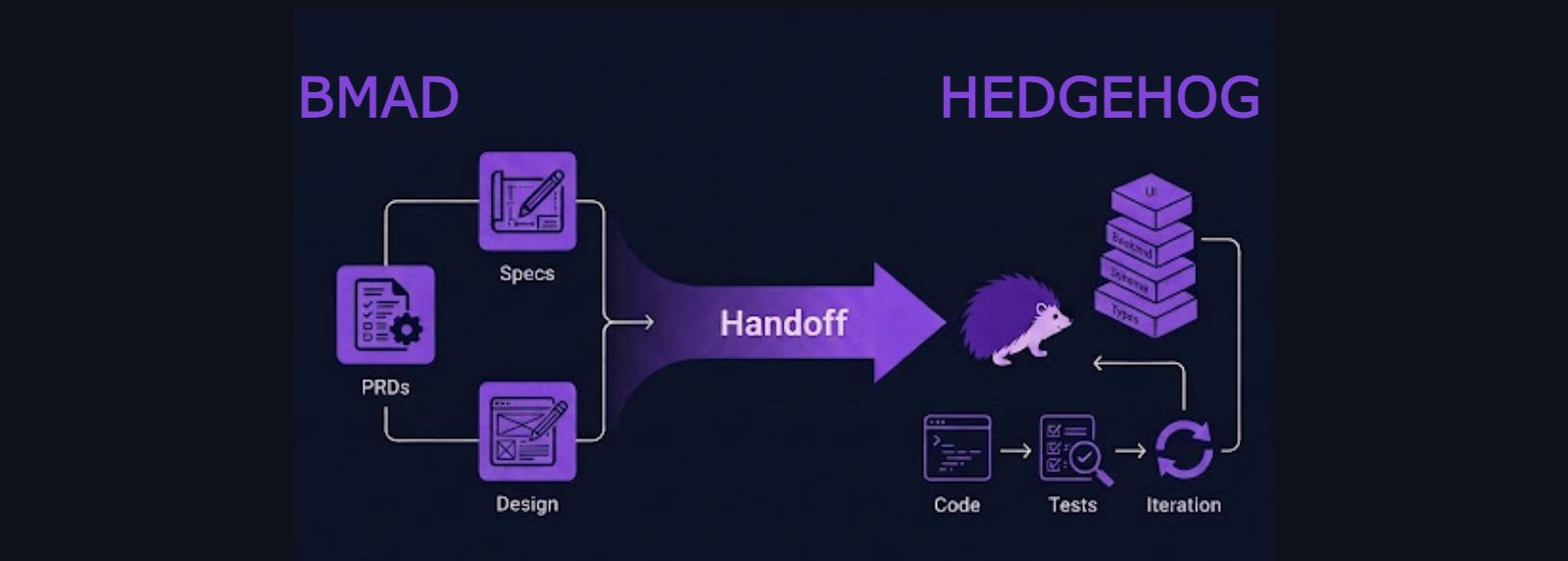
Plan
  ↓
Bootstrap
  ↓
Build one small, tested layer
  ↓
Verify
  ↓
Repeat
The build order is encoded into the project. The AI does not have to remember what comes next. It does not negotiate the architecture. It follows a proven path through the codebase.
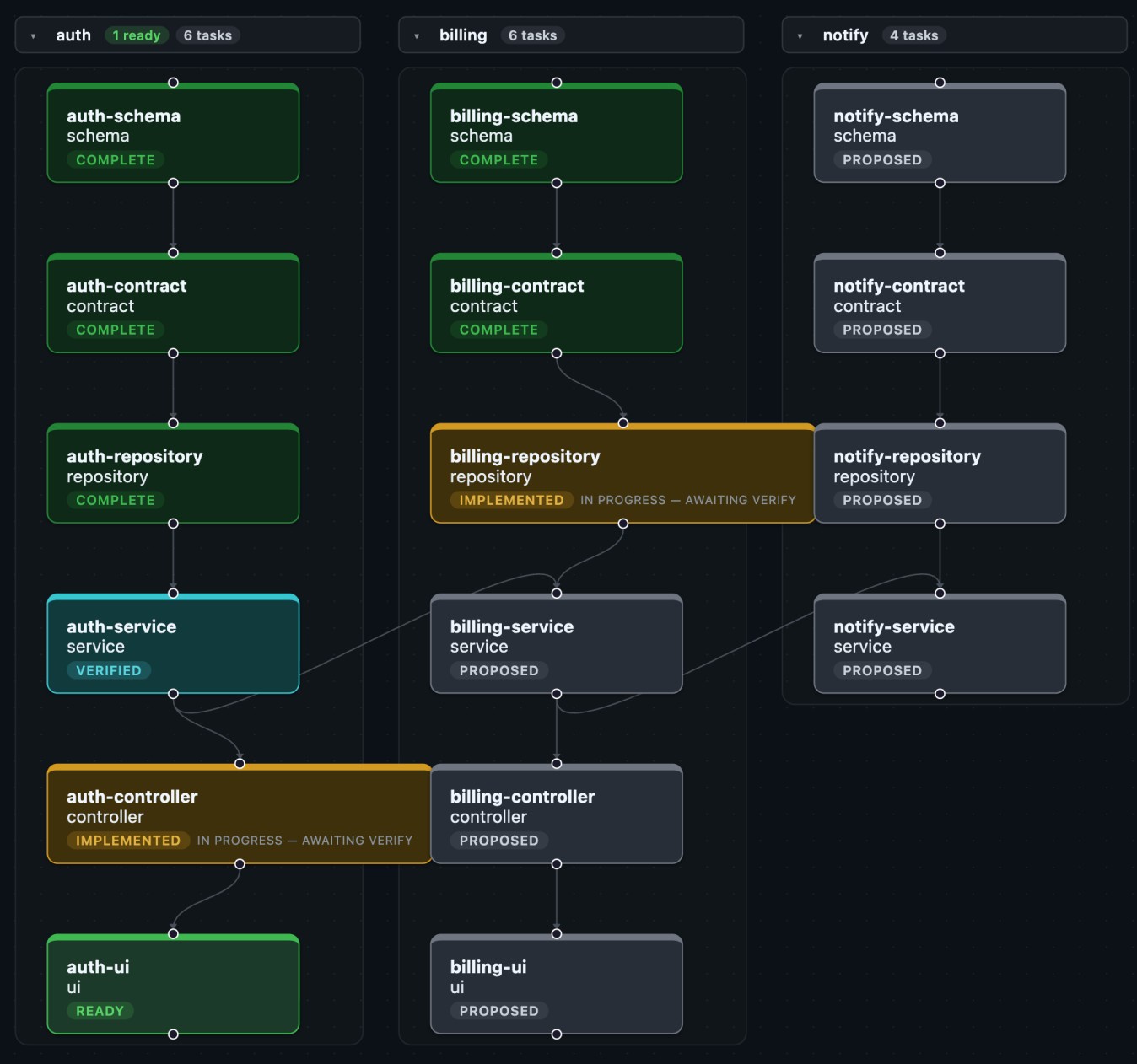
Every task Hedgehog generates is a node with explicit dependencies in sqlite.
Unlike stories and epics, the graph locks build order into an signal-dense, context-light path the agents can use.
npx @skyf0xx/hedgehog graph # show graph
Every dependency is explicit, so Hedgehog knows which tasks can run in parallel.
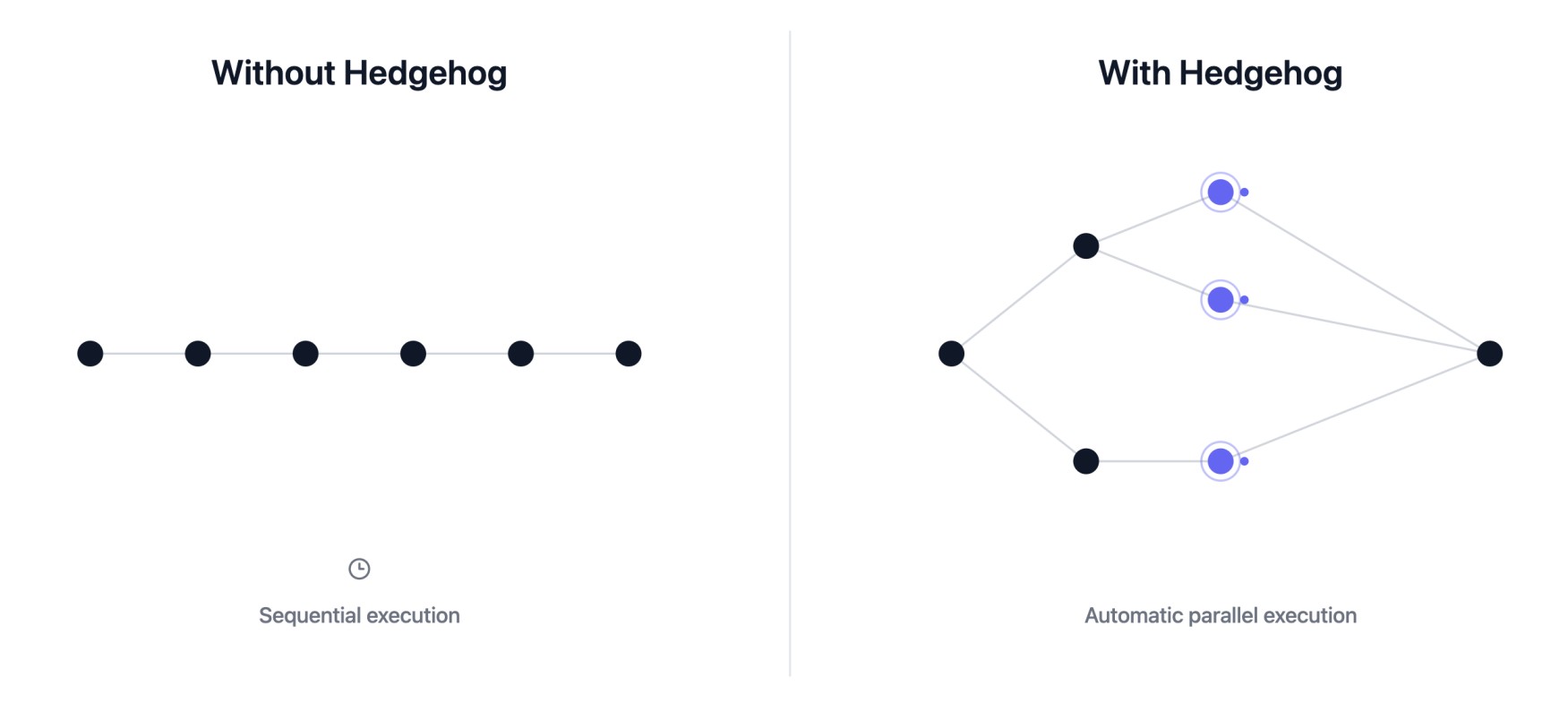
Agents fan out to give you great outcomes at faster speeds.
Hedgehog reaches for your editor's own Language Server Protocol integration to see what depends on what.
flowchart TD
    A[Code Repository] --> B[Language Server]
    B --> C[Symbols & References]
    C --> D[Hedgehog]
Where a piece of code has one correct shape, Hedgehog generates it instead of asking the AI to write it freehand.
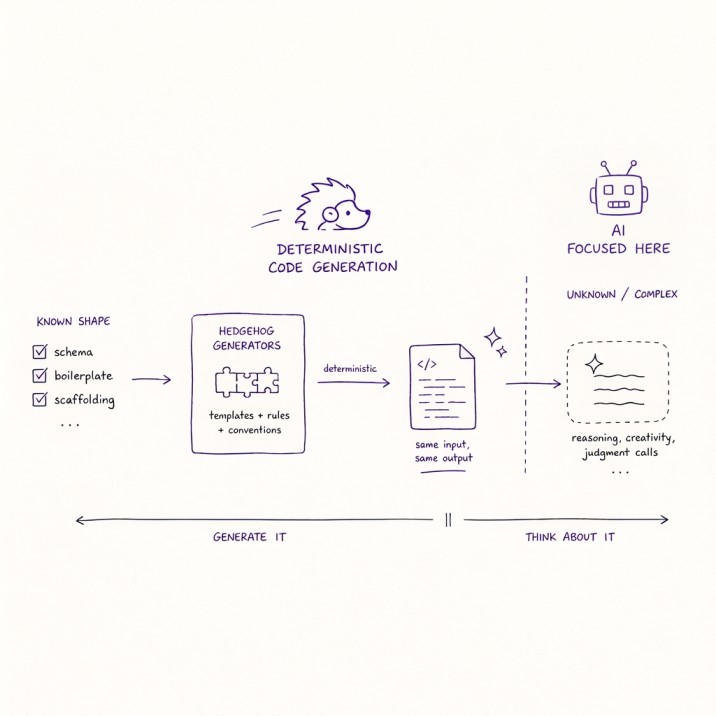
The AI is reserved for the parts a generator can't cover.
A fixed TypeScript stack with a backend-first, test-driven build order:
Schema
  ↓
Contract
  ↓
Repository
  ↓
Service
  ↓
Controller
  ↓
UI
Every layer is verified before the next begins.
A structured pipeline for producing distinctive, production-quality landing pages:
Brief
  ↓
Feeling
  ↓
Design tokens
  ↓
Sequence
  ↓
Artifact
Local-first simple mobile compatible web apps: trackers, journals, planners, etc:
Schema
  ↓
Repository
  ↓
Hook
  ↓
Screen
Tools, hooks, and extensions for DSH's Cordis-based agent framework:
Scaffold
  ↓
Logic
  ↓
Wiring
  ↓
Smoke
  ↓
Bundle
  ↓
Join
Copy is drafted and revised against a mechanical gate instead of prompting alone:
Brief
  ↓
Draft ⇄ zod validation()
  ↓ pass
Ship
A CLI, a library, a browser extension, a data pipeline, etc. gets its build order.
Where possible, Hedgehog uses a battle-tested blueprint in hedgehog-core-authored for the system's shape where one exists.
Hedgehog also adopts onto a repo it didn't build. It reads the repo and proposes a layer chain that verifies with the repo's own test/lint/build commands.
Ask your agent to install it or run the commands below:
Mention Hedgehog whenever you want to build something with it.
claude plugin marketplace add skyf0xx/hedgehog
claude plugin install hedgehog
gemini extensions install https://github.com/skyf0xx/hedgehog
git clone https://github.com/skyf0xx/hedgehog ~/.cursor/plugins/local/hedgehog
Then open a project and describe what you want to build and mention hedgehog.
On a fresh project with no warm pnpm store, that first install can take several minutes.
To update:
npx @skyf0xx/hedgehog update
This refreshes the installed agents and skills in a specific repo (note, not vendor skills)
Most AI coding tools improve prompting.
Hedgehog improves the system AI builds inside.
| Raw AI | BMAD | Hedgehog | |
|---|---|---|---|
| Planning | Conversation | Multi-agent workflow | BMAD |
| Architecture | AI decides, drifts | Documented | Decided once, then enforced |
| Build order | Improvised | Guided by docs | Mechanically enforced |
| Context | Held in the prompt | Large planning documents | Encoded in the codebase |
| Verification | Optional | Process-dependent | Tests and phase gates |
| Result | Fast code | Better plans | Reliable software |
Hedgehog uses a fixed stack and build order for each core. The tooling enforces architectural boundaries so correctness does not depend on the AI remembering instructions.
See ARCHITECTURE.md for the full design, and AUTHORING-CORES.md for how to build and register a new one.
Planning runs on BMAD-METHOD.
Nx skills adapted from nx-ai-agents-config.
Animation skills vendored from gsap-skills.
If Hedgehog helps you build better software with AI, give it a ⭐ on GitHub.
Sign in to join the discussion.
No comments yet. Be the first to say what this is good for.
Makes your AI agent think like the laziest senior dev in the room. The best code is the code you never wrote.

Graphs that teach > graphs that impress. Turn any code into an interactive knowledge graph you can explore, search, and ask questions about. Works with Claude Code, Codex, Cursor, Copilot, Gemini CLI, and more.

OmO: Just type "mass ulw" keyword with your prompt. Now you are the master of graph engineering.
Persistent Context Across Sessions for Every Agent – Captures everything your agent does during sessions, compresses it with AI, and injects relevant context back into future sessions. Works with Claude Code, OpenClaw, Codex, Gemini, Hermes, Copilot, OpenCode + More
Opinionated Oxlint rules for rejecting low-evidence TypeScript and JavaScript patterns
Teams-first Multi-agent orchestration for Claude Code