
JuliusBrussee/
caveman

🪨 why use many token when few token do trick — Claude Code skill that cuts 65% of tokens by talking like caveman
105k
1 add
Agent Skill Harbor helps teams collect, publish, and audit AI agent skills across repositories. It runs as a serverless web app with a collector runtime, then commits the catalog data back to Git so the skill library stays in version control.
Builders who want a private, shared skill catalog for Claude Code and other agents.
You can keep team skills organized, reviewed, and traceable without managing a separate database.
Collects and publishes agent skills from multiple repositories into one catalog.
Lets you mark skills as recommended, discouraged, or prohibited.
Tracks copied or installed skills back to their source.
Includes `builtin.audit-skill-scanner` to inspect collected skills for safety issues.
Includes `builtin.notify-slack` to send post-collection updates.
Stores collected data in `data/` and commits it back through GitHub Actions.
pnpm collect
pnpm post-collect
pnpm dev
pnpm build
pnpm preview
harbor setup example-user-defined-plugin
harbor setup builtin.audit-promptfoo-security
harbor setup builtin.audit-skill-scanner
Agent Skill Harbor is a skill management platform for teams and organizations.
It helps teams collect, share, audit, and publish AI agent skills across repositories, with provenance tracking, governance support, and safety checks built in.
It is designed to be serverless, DB-less, and Git- and GitHub-native, because skills are mostly text artifacts that already fit naturally in Git.
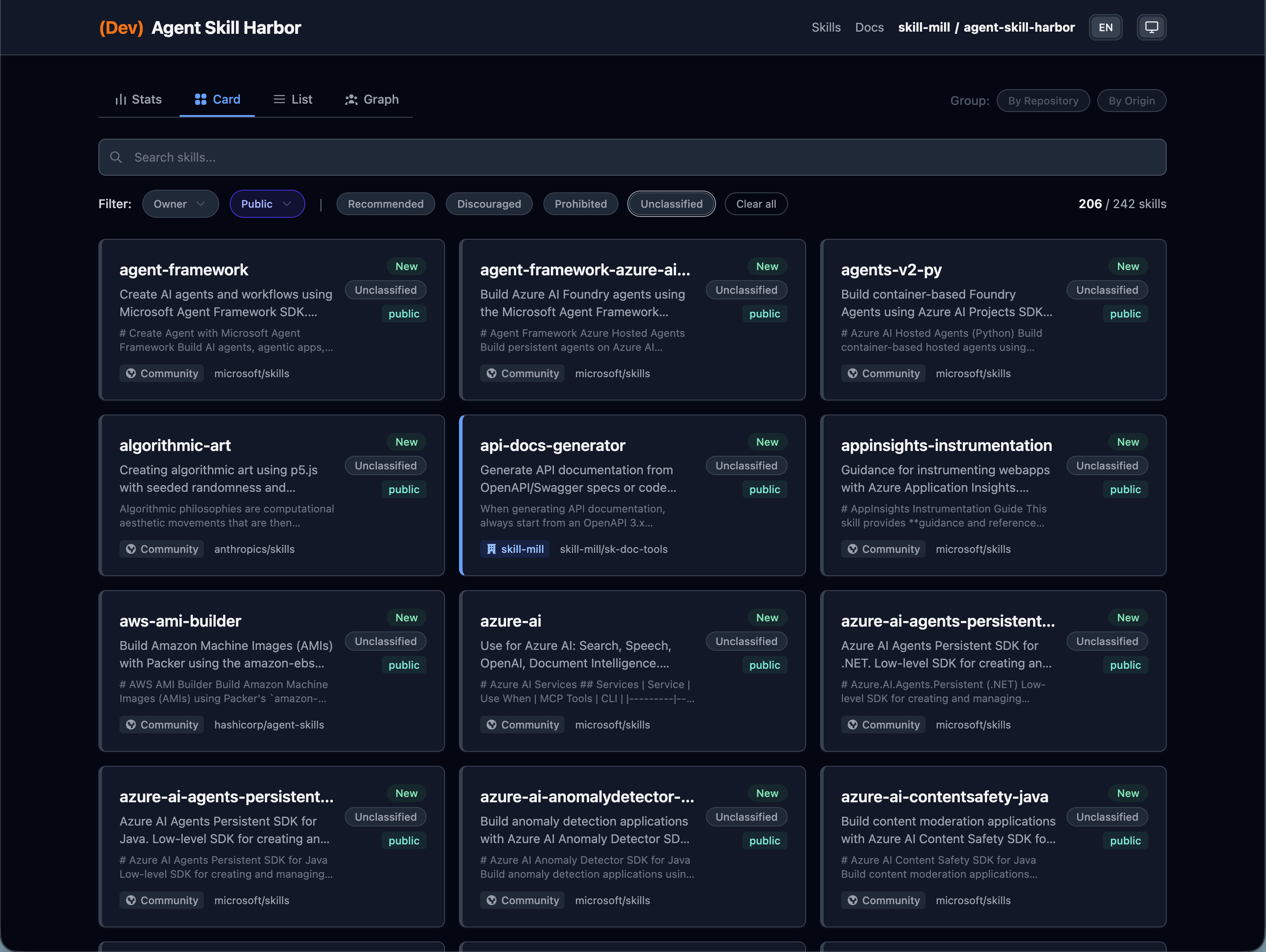
| Card View | List View |
|---|---|
| 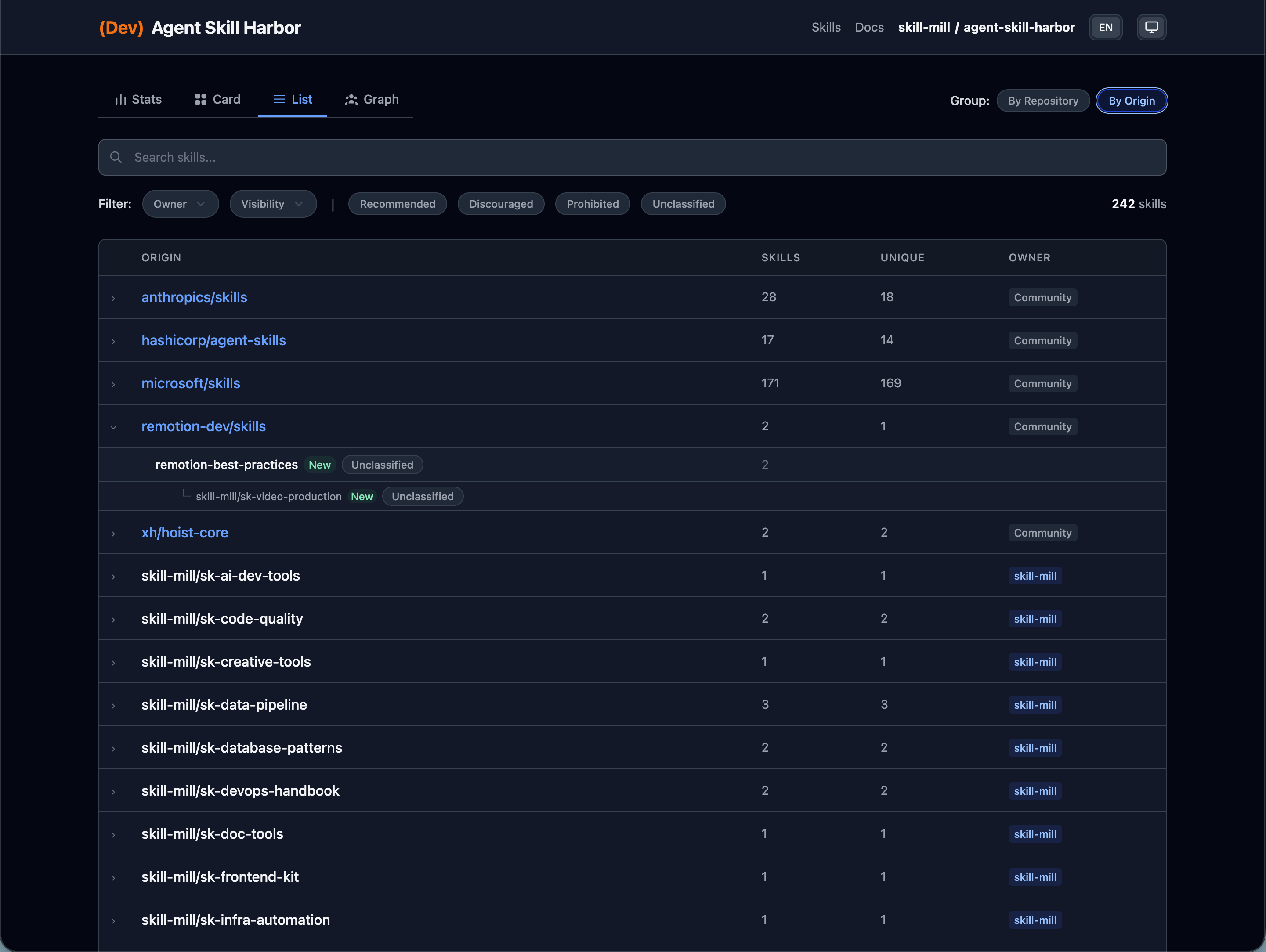 |
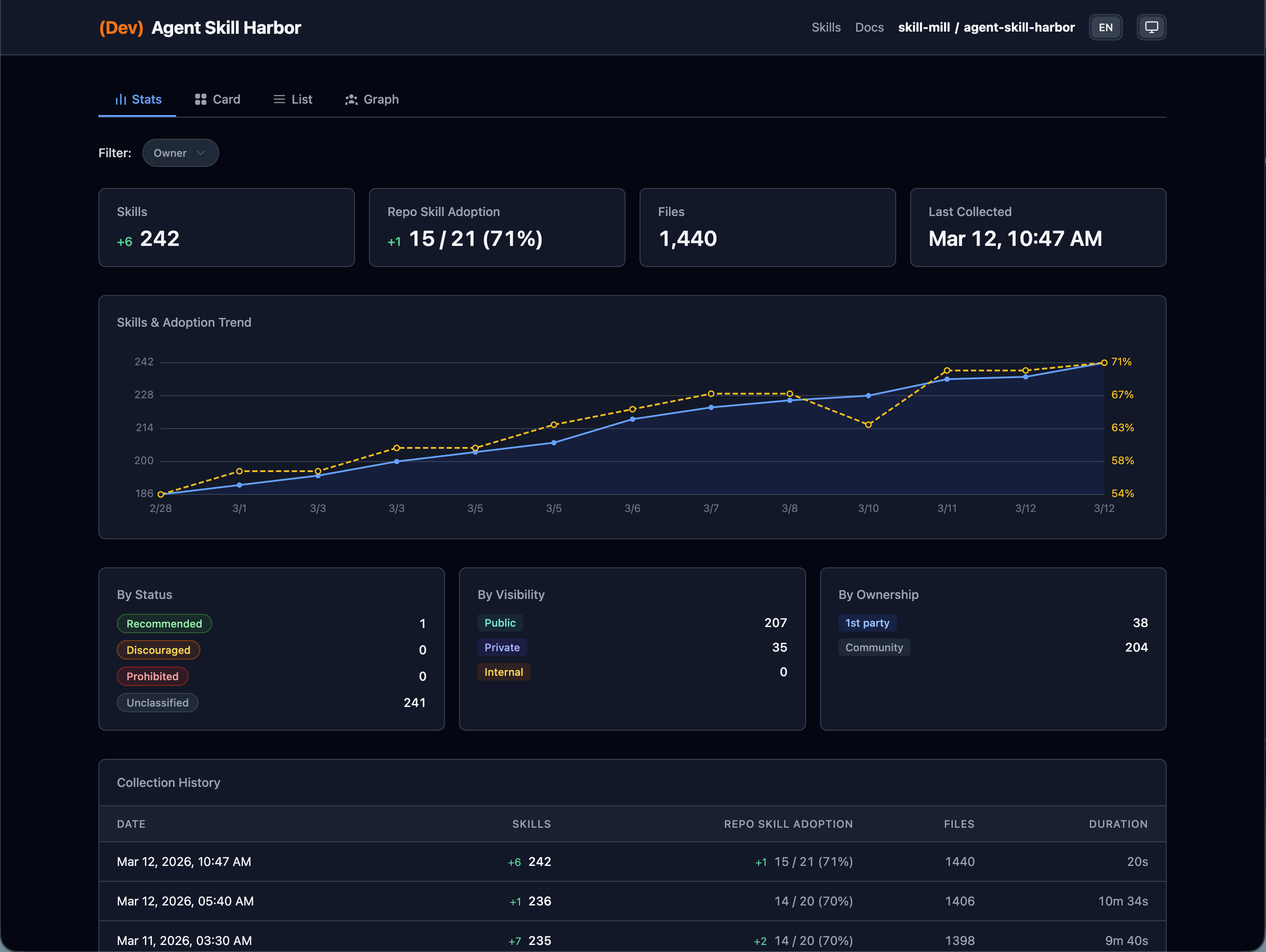
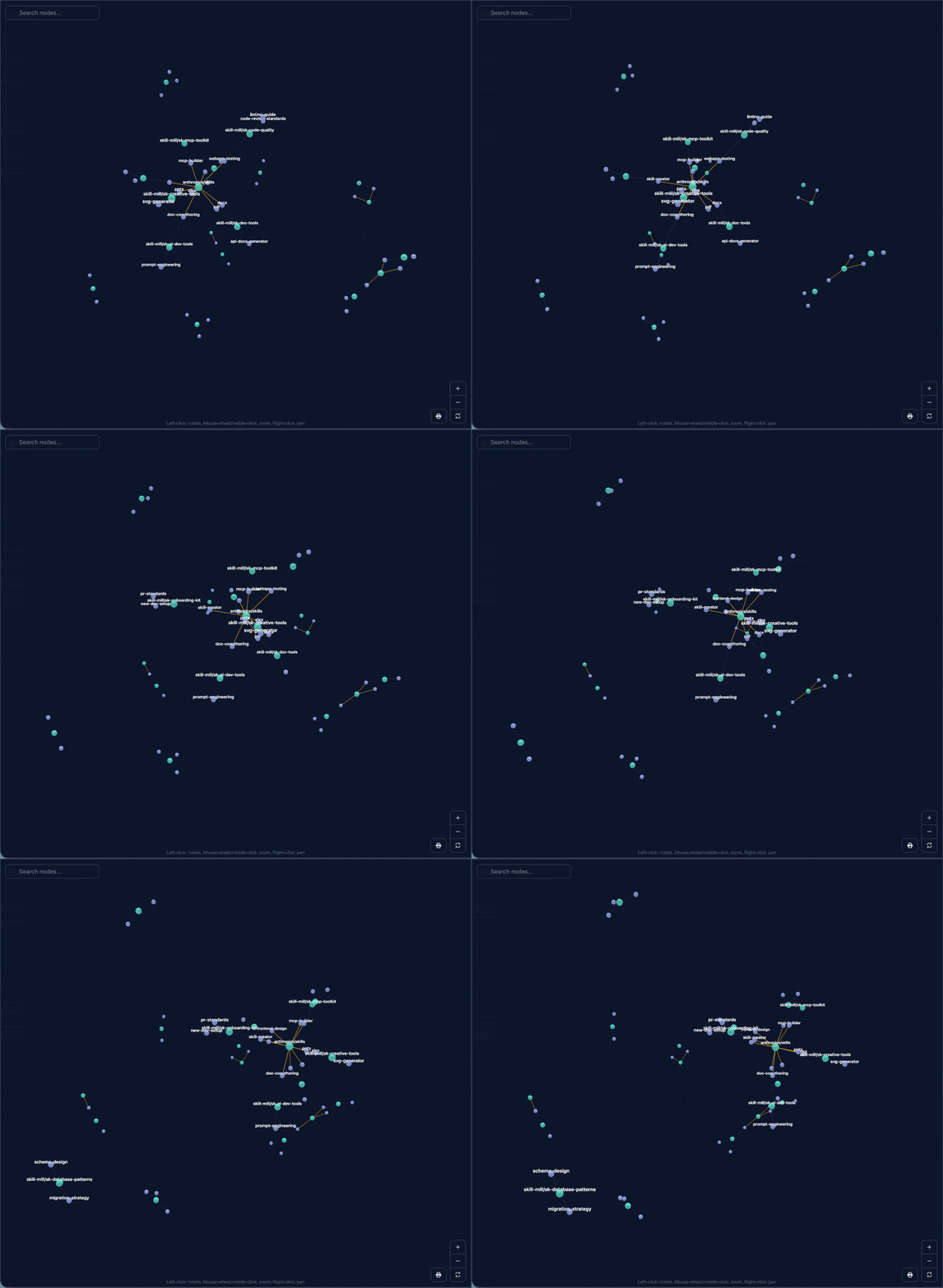
builtin.audit-skill-scanner analyzes collected skills and audits safetybuiltin.notify-slack sends post-collection summariesdata/ as YAML/JSON and committed back to GitDemo site:
npx agent-skill-harbor init my-skill-harbor
cd my-skill-harbor

pnpm install
pnpm install --dir collector

# edit .env and set GH_ORG

gh auth login && GH_TOKEN=$(gh auth token) pnpm collect
# Or edit .env and set GH_TOKEN, then run:
# pnpm collect
pnpm dev
pnpm install installs the root package (agent-skill-harbor) for CLI + web.
pnpm install --dir collector installs the collector runtime used by pnpm collect and pnpm post-collect.
When installed, the main CLI is available as harbor or agent-skill-harbor.
| Command | Description |
|---|---|
harbor init [dir] | Scaffold a new project |
harbor setup <plugin-id> | Scaffold optional plugin runtime files |
Daily project operations are exposed through the generated root scripts:
pnpm collect
pnpm post-collect
pnpm dev
pnpm build
pnpm preview
npx agent-skill-harbor init.GH_TOKEN as a GitHub Actions secret.CollectSkills workflow once.The generated CollectSkills workflow is a thin caller pinned to Harbor's reusable workflow at wf-v0.
Inside the reusable workflow:
collect installs only collector/ core dependencies and runs collectionpost_collect restores the collected artifact, installs collector/ core dependencies again, then installs only enabled optional plugin manifestsdata/ directory is committed back to the repositoryThis keeps GitHub collection and optional post-collect dependencies structurally separate.
See Organization Setup for details.
my-skill-harbor/
├── .github/workflows/
│
├── config/
│   ├── harbor.yaml         # General application settings
│   └── governance.yaml     # Additional governance settings
│
├── collector/              # Batch processing for skill collection
│   ├── package.json
│   └── plugins/
│       └── <plugin-id>/    # Per-plugin manifests and code
│
├── data/
│   ├── assets/
│   ├── collects.yaml       # History of skill collection runs
│   ├── plugins/            # Outputs produced by each plugin
│   ├── skills.yaml         # Index of collected skills
│   └── skills/             # Cached files for collected skills
│
├── .env
│
├── guide/
│
└── package.json            # Manifest for the web UI
Notes:
package.json depends only on agent-skill-harborcollector/package.json is a Harbor-managed runtime manifest for agent-skill-harbor-collectorcollector/plugins/<plugin-id>/Built-in plugins are enabled from config/harbor.yaml.
Examples:
builtin.detect-driftbuiltin.notify-slackbuiltin.audit-promptfoo-securitybuiltin.audit-skill-scannerOptional runtime files are scaffolded with harbor setup:
harbor setup example-user-defined-plugin
harbor setup builtin.audit-promptfoo-security
harbor setup builtin.audit-skill-scanner
Generated files go under collector/plugins/<plugin-id>/.
See Post-Collect Plugins.
Yes. Harbor mainly stores text data such as YAML, JSON, Markdown, and cached skill files. It does not assume large multimedia assets like images or videos, and the total volume is usually limited enough that Git's compression works well.
GitHub's official documentation says repositories should ideally stay under 1 GB, and keeping them under 5 GB is strongly recommended. In Harbor's case, reaching that scale is highly unlikely unless you intentionally store large non-text assets or collect an unusually large amount of unrelated data.
See GitHub Docs: About large files on GitHub
Yes, absolutely. You can use Harbor to collect, manage, and catalog skills across your own repositories.
The main caveat is hosting. For personal use, GitHub Pages cannot be private, so you would likely want to host the generated site somewhere else you control securely. If there is enough demand, the documentation and workflows can be expanded to support that path more explicitly.
Or you may simply decide to publish your own skill catalog openly and not worry about that. That is entirely up to you.
SKILL.md?Yes. The Agent Skills specification is shared across agents, but there is no restriction on YAML frontmatter keys that are not defined by the standard. In practice, agents often carry their own custom properties, and unknown properties are generally ignored.
Also, the _from property used by Harbor typically consumes only around 10 to 20 tokens. Even if a project loads dozens of skills, the impact is usually negligible.
MIT
Sign in to join the discussion.
No comments yet. Be the first to say what this is good for.
🪨 why use many token when few token do trick — Claude Code skill that cuts 65% of tokens by talking like caveman

The best-benchmarked open-source AI memory system. And it's free.

Orca is the ADE for working with a fleet of parallel agents. Run any coding agent with your own subscription. Available on desktop, mobile and remote runtime.

A cross-platform desktop All-in-One assistant for Claude Code, Codex, OpenCode, OpenClaw, Grok Build & Hermes Agent. Only official website: ccswitch.io

Never stop coding. Free MIT AI gateway: one endpoint, 352 providers (150+ free), 1200+ models Kimi, Claude, GPT, Gemini, GLM, DeepSeek, MiniMax. Works with Claude Code, Codex, Cursor, OpenCode, Cline & Copilot. Quota-aware auto-fallback, RTK+Caveman compression saves 15-95% tokens, MCP/A2A, Desktop/PWA. Built by 550+ contributors

Compress tool outputs, logs, files, and RAG chunks before they reach the LLM. 20% fewer tokens for coding agents, 60-95% fewer tokens for JSON, same answers. Library, proxy, MCP server.