

JuliusBrussee/
caveman

🪨 why use many token when few token do trick — Claude Code skill that cuts 65% of tokens by talking like caveman
105k
1 add
CPA Manager Plus is a self-hosted panel for managing CPA / CLIProxyAPI setups and watching how requests behave over time. It combines provider and credential management with request history, usage analytics, quota checks, and account health inspection.
Builders who route agent traffic through CPA and want to manage providers, credentials, and usage from one dashboard.
You can track requests, cost, quota, and account health without piecing together separate logs and admin screens.
Manages CPA providers, OAuth logins, API keys, model aliases, priorities, plugins, logs, and system settings.
Stores request history in local SQLite, lets you search by account or API key, and shows status, latency, tokens, cache, trace, and redacted failure evidence.
Breaks down calls, tokens, cost, latency, and failures by model, provider, account, API key, project, channel, and time range.
Checks Codex and xAI accounts, reads quota windows and reset evidence, and tracks credential state and health signals.
Runs as a Docker container or native package and keeps history, configuration, and automation state in local files.
curl -fsSLO https://raw.githubusercontent.com/seakee/CPA-Manager-Plus/main/bin/install-cpamp.sh
bash install-cpamp.sh
CPAMP_DRY_RUN=1 bash install-cpamp.sh
docker compose up -d
docker run -d \
  --name cpa-manager-plus \
  --restart unless-stopped \
  -p 18317:18317 \
  -v cpa-manager-plus-data:/data \
  seakee/cpa-manager-plus:latest




A self-hosted CPA / CLIProxyAPI management panel and AI gateway observability dashboard for requests, usage, cost, quota, failures, and account health.
Operate providers, credentials, OAuth, plugins, and configuration while keeping persistent request history, cost analytics, and account automation in local storage.
中文 | Live Demo | Documentation | Install
Dashboard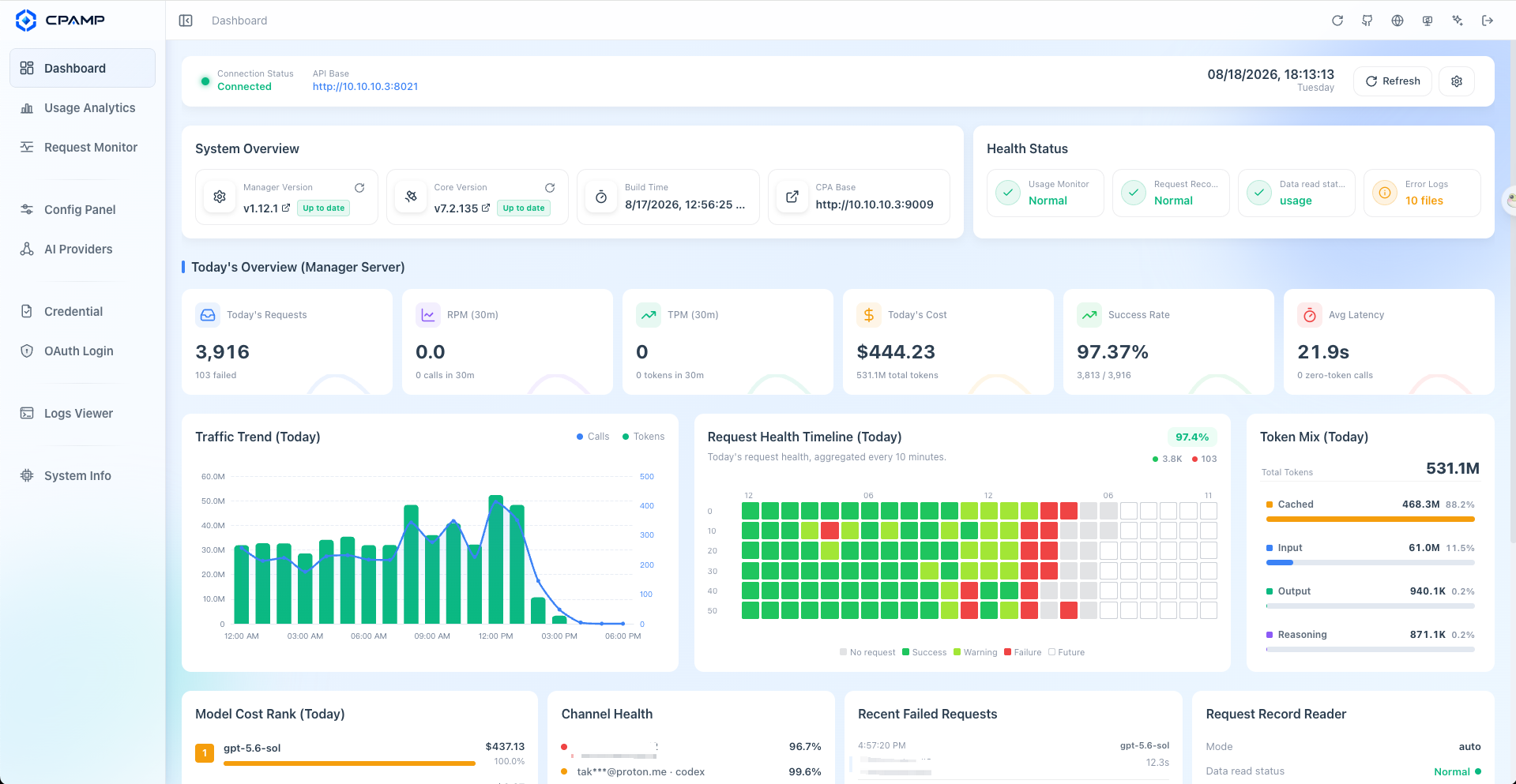
|
Request Monitoring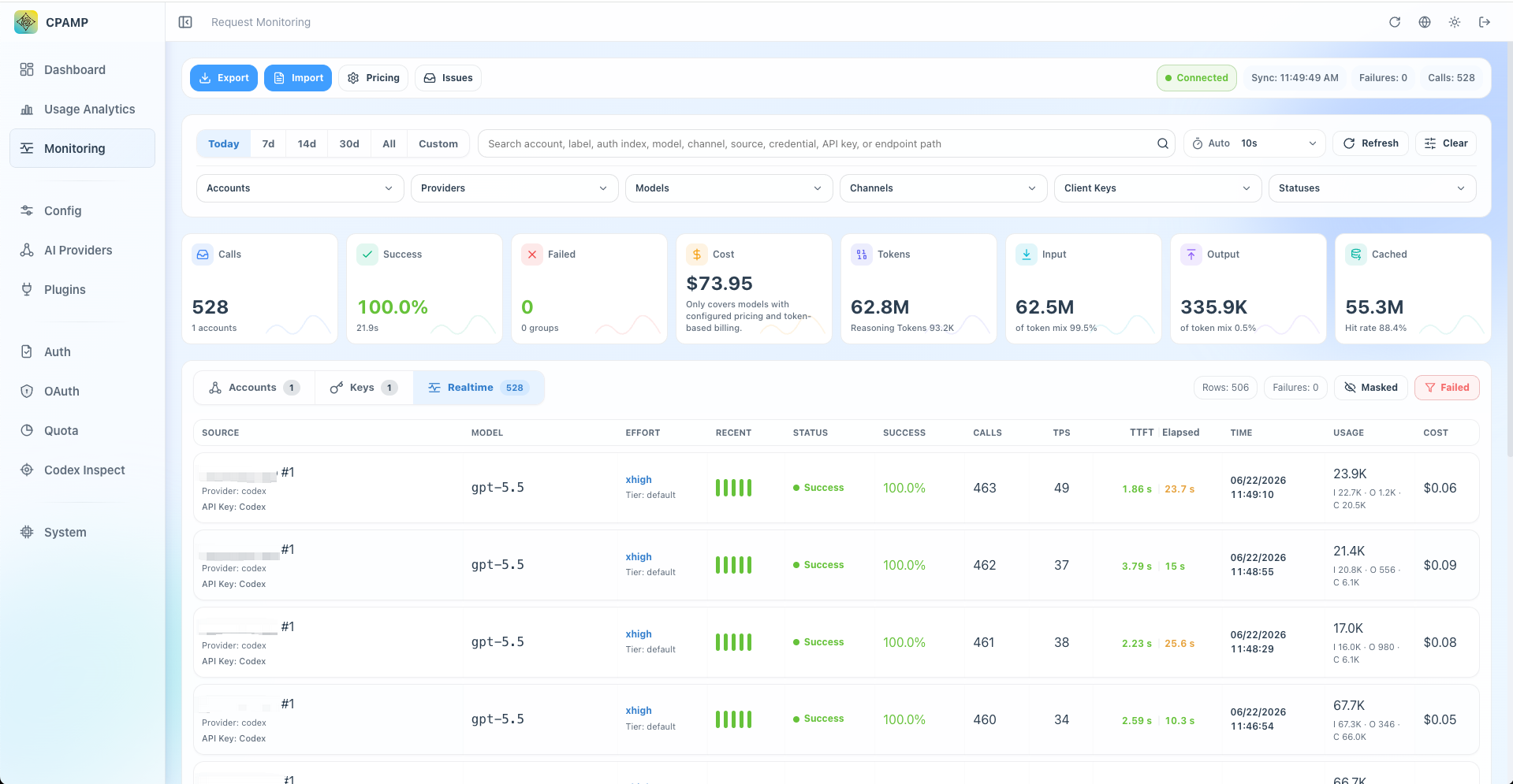
|
Usage Analytics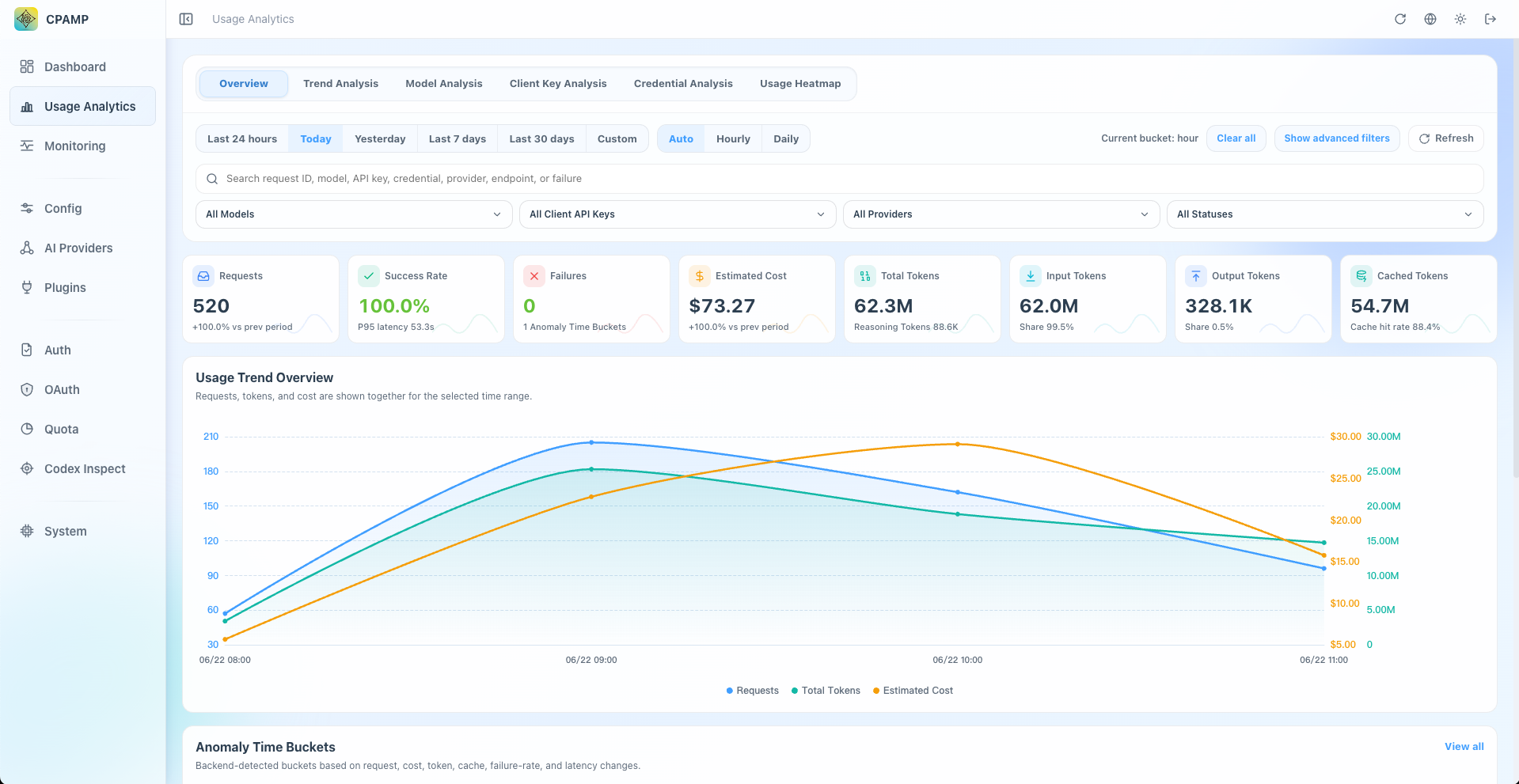
|
Credential Management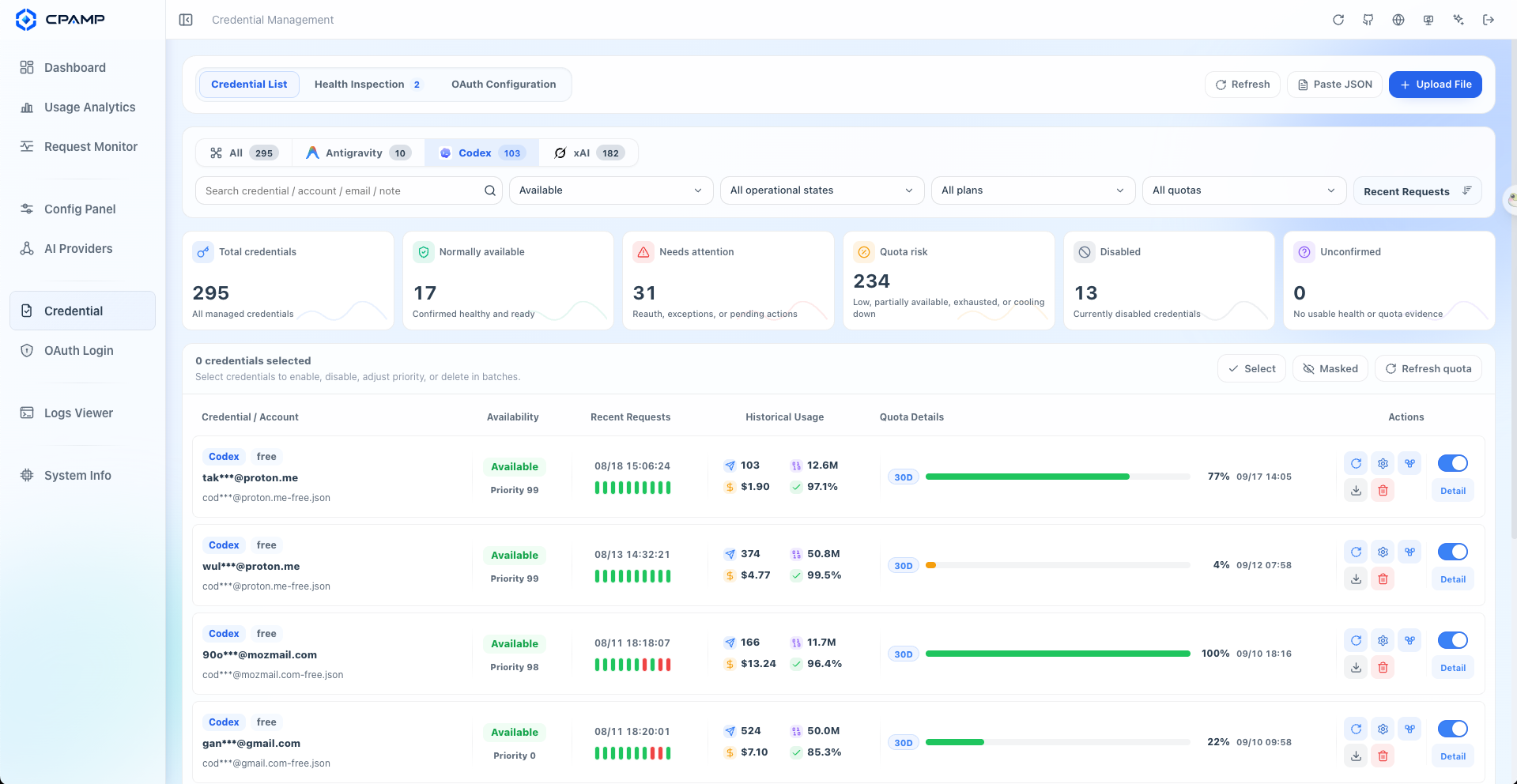
|
Credential Health Inspection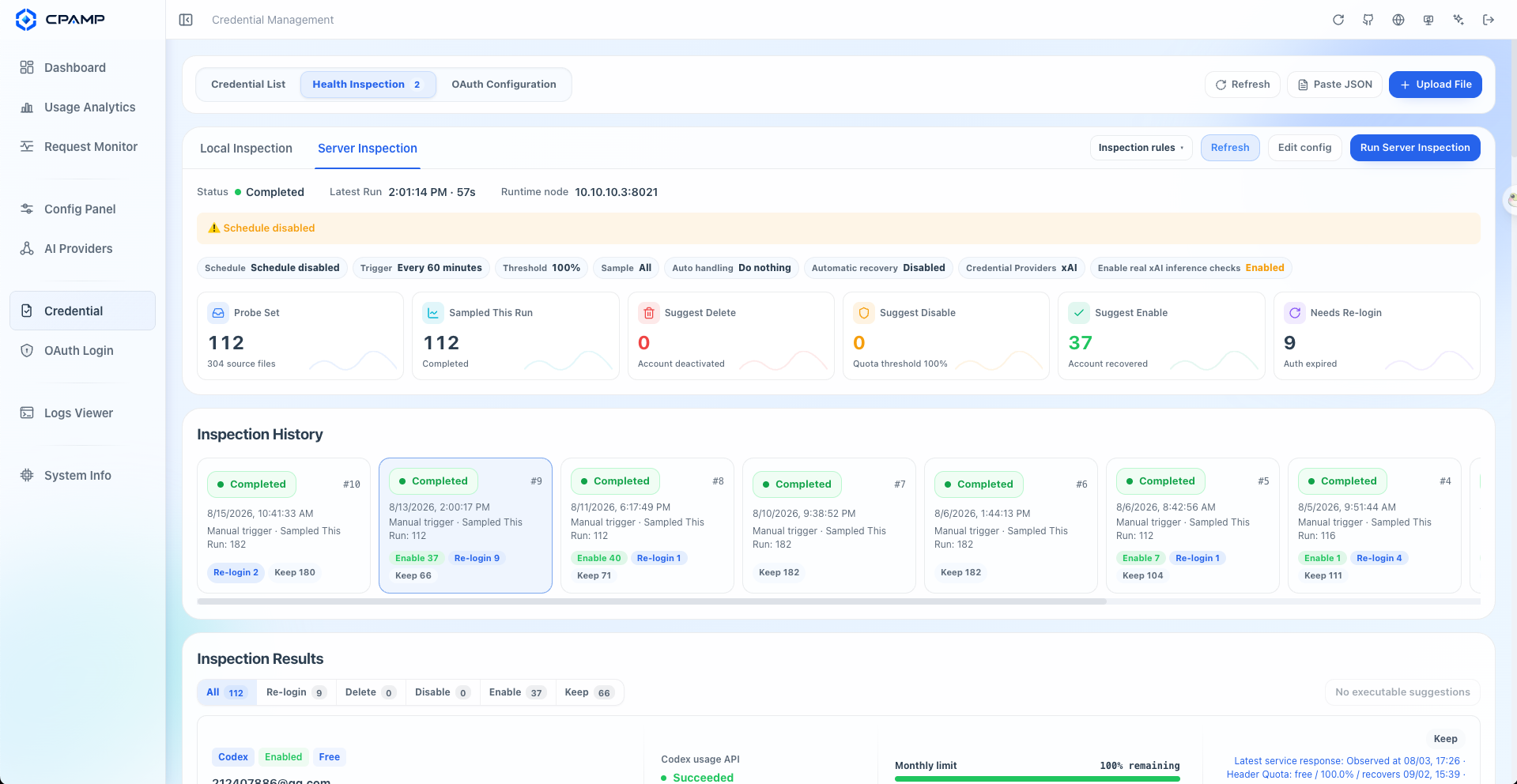
|
Credential Quota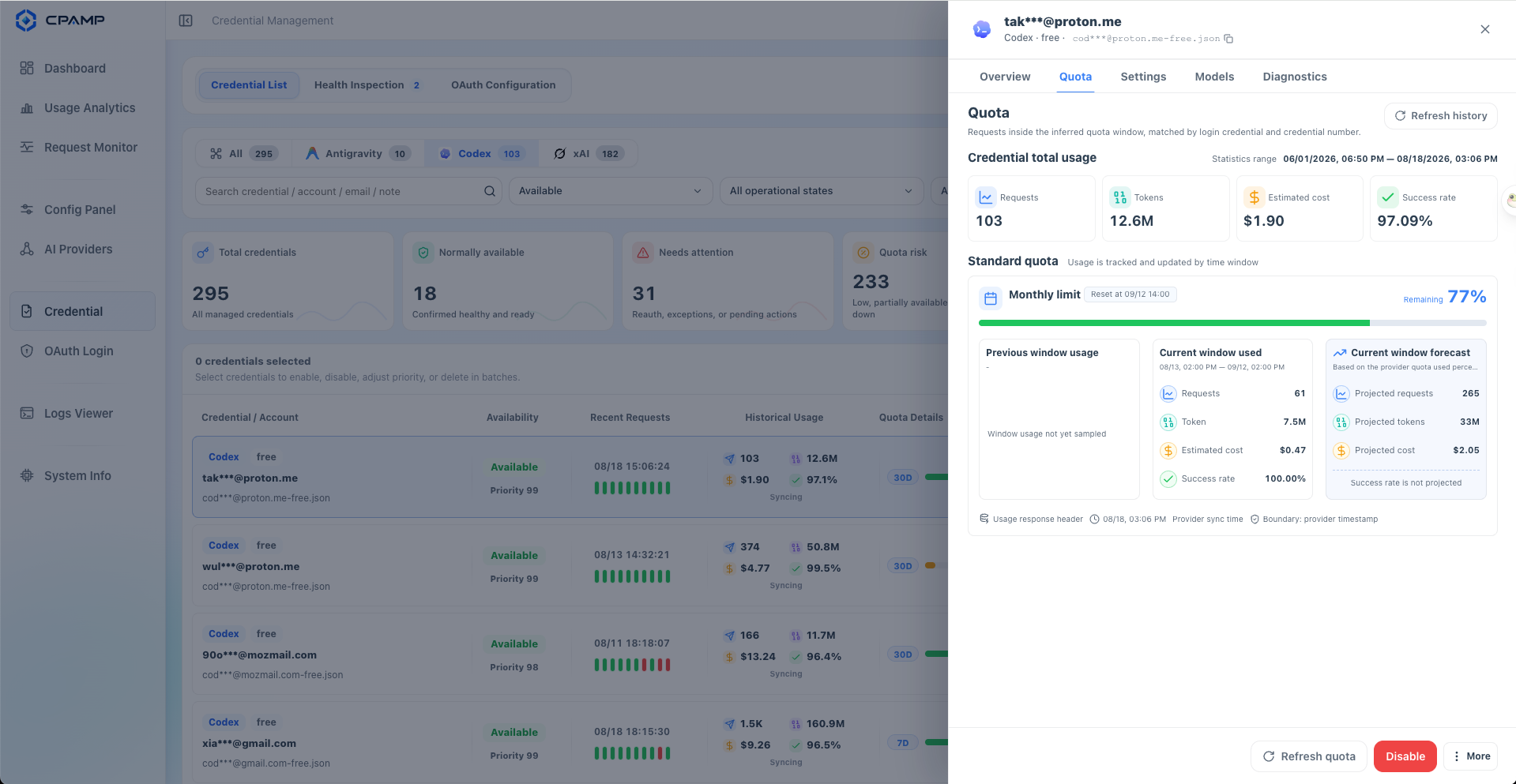
|
CPA / CLIProxyAPI can serve either the official Management Center or the CPAMP Lightweight Panel directly on :8317. The lightweight panel replaces the official UI without adding another service. Deploy CPAMP Full Mode when you also need persistent observability and long-running operations.
| Option | Best for | Entry |
|---|---|---|
| Official CLI Proxy API Management Center | Keeping the upstream UI maintained by the CPA project | CPA :8317/management.html |
| CPAMP Lightweight Panel | Replacing only the UI without another service or database | CPA :8317/management.html |
| CPAMP Full Mode | Request history, cost analytics, inspection, and automation | Manager Server :18317/management.html |
See Choosing A CPA Panel for the comparison, or install the CPAMP Lightweight Panel directly in CPA.
data.key to preserve encrypted CPA Management Keys.Want to preview the interface first? Open the Live Demo. The demo uses fictional data only. It is not a deployment or runtime mode and cannot connect to, manage, or monitor a real CPA instance.
CPAMP manages and observes traffic through CPA / CLIProxyAPI. It is not a replacement proxy and does not forward model traffic by itself.
For a guided full-stack or CPAMP-only deployment:
curl -fsSLO https://raw.githubusercontent.com/seakee/CPA-Manager-Plus/main/bin/install-cpamp.sh
bash install-cpamp.sh
Preview without deploying:
CPAMP_DRY_RUN=1 bash install-cpamp.sh
See One-Click Installer for upgrade, repair, and admin-key recovery behavior.
services:
  cli-proxy-api:
    image: eceasy/cli-proxy-api:latest
    restart: unless-stopped
    ports:
      - '8317:8317'
    volumes:
      - cpa-data:/app/data

  cpa-manager-plus:
    image: seakee/cpa-manager-plus:latest
    restart: unless-stopped
    ports:
      - '18317:18317'
    volumes:
      - cpa-manager-plus-data:/data

volumes:
  cpa-data:
  cpa-manager-plus-data:
docker compose up -d
Open http://<host>:18317/management.html, retrieve the CPAMP Admin Key from the Manager Server log, then enter the CPA URL and CPA Management Key during setup.
If CPA is already running:
docker run -d \
  --name cpa-manager-plus \
  --restart unless-stopped \
  -p 18317:18317 \
  -v cpa-manager-plus-data:/data \
  seakee/cpa-manager-plus:latest
Recommended CPA version: v7.1.39+. The HTTP usage queue needs v6.10.8+.
| Task | Guide |
|---|---|
| Choose the right panel and deployment mode | Choosing A CPA Panel |
| Replace the official UI without deploying another service | CPAMP Lightweight Panel |
| Install and complete first setup | Getting Started |
| Understand supported features and modes | Capability Matrix |
| Understand runtime ports, keys, and request flow | Runtime Model |
| Configure providers, credentials, quota, and plugins | AI Providers, Accounts, Plugin Management |
| Operate Manager Server, backups, upgrades, and migrations | Manager Server Guide |
| Back up data or recover a lost admin key | Backup And Restore, Reset Admin Key |
| Migrate from the legacy CPA-Manager | Migration From CPA-Manager |
| Diagnose empty monitoring or queue problems | Troubleshooting |
data.key.npm install
npm run dev
npm run type-check
npm run lint
npm run test
npm run build
npm run docs:build
Manager Server:
cd apps/manager-server
go test ./...
go test -race ./...
go vet ./...
go run ./cmd/cpa-manager-plus
Build the Docker stack locally:
docker compose -f docker-compose.manager.yml up --build
npm run build creates a single-file apps/web/dist/index.html.bin/release/package-native.sh embeds the panel into native packages.release/<version> -> dev -> main, then push a
strict vX.Y.Z or prerelease tag from the verified main promotion merge.npm run release:validate -- --tag <tag> --content-only checks the three
required release files before a tag is created..github/workflows/release.yml offers a workflow_dispatch dry-run from
main; it validates and builds without publishing a GitHub Release,
container image, or Telegram message.management.html, native packages, and Docker images for linux/amd64 and linux/arm64.docs/release.md
for recovery and required repository protections.MIT — Copyright 2026 Seakee.
Sign in to join the discussion.
No comments yet. Be the first to say what this is good for.
🪨 why use many token when few token do trick — Claude Code skill that cuts 65% of tokens by talking like caveman

The best-benchmarked open-source AI memory system. And it's free.

Orca is the ADE for working with a fleet of parallel agents. Run any coding agent with your own subscription. Available on desktop, mobile and remote runtime.

A cross-platform desktop All-in-One assistant for Claude Code, Codex, OpenCode, OpenClaw, Grok Build & Hermes Agent. Only official website: ccswitch.io

Never stop coding. Free MIT AI gateway: one endpoint, 352 providers (150+ free), 1200+ models Kimi, Claude, GPT, Gemini, GLM, DeepSeek, MiniMax. Works with Claude Code, Codex, Cursor, OpenCode, Cline & Copilot. Quota-aware auto-fallback, RTK+Caveman compression saves 15-95% tokens, MCP/A2A, Desktop/PWA. Built by 550+ contributors

Compress tool outputs, logs, files, and RAG chunks before they reach the LLM. 20% fewer tokens for coding agents, 60-95% fewer tokens for JSON, same answers. Library, proxy, MCP server.