

JuliusBrussee/
caveman

🪨 why use many token when few token do trick — Claude Code skill that cuts 65% of tokens by talking like caveman
105k
1 add
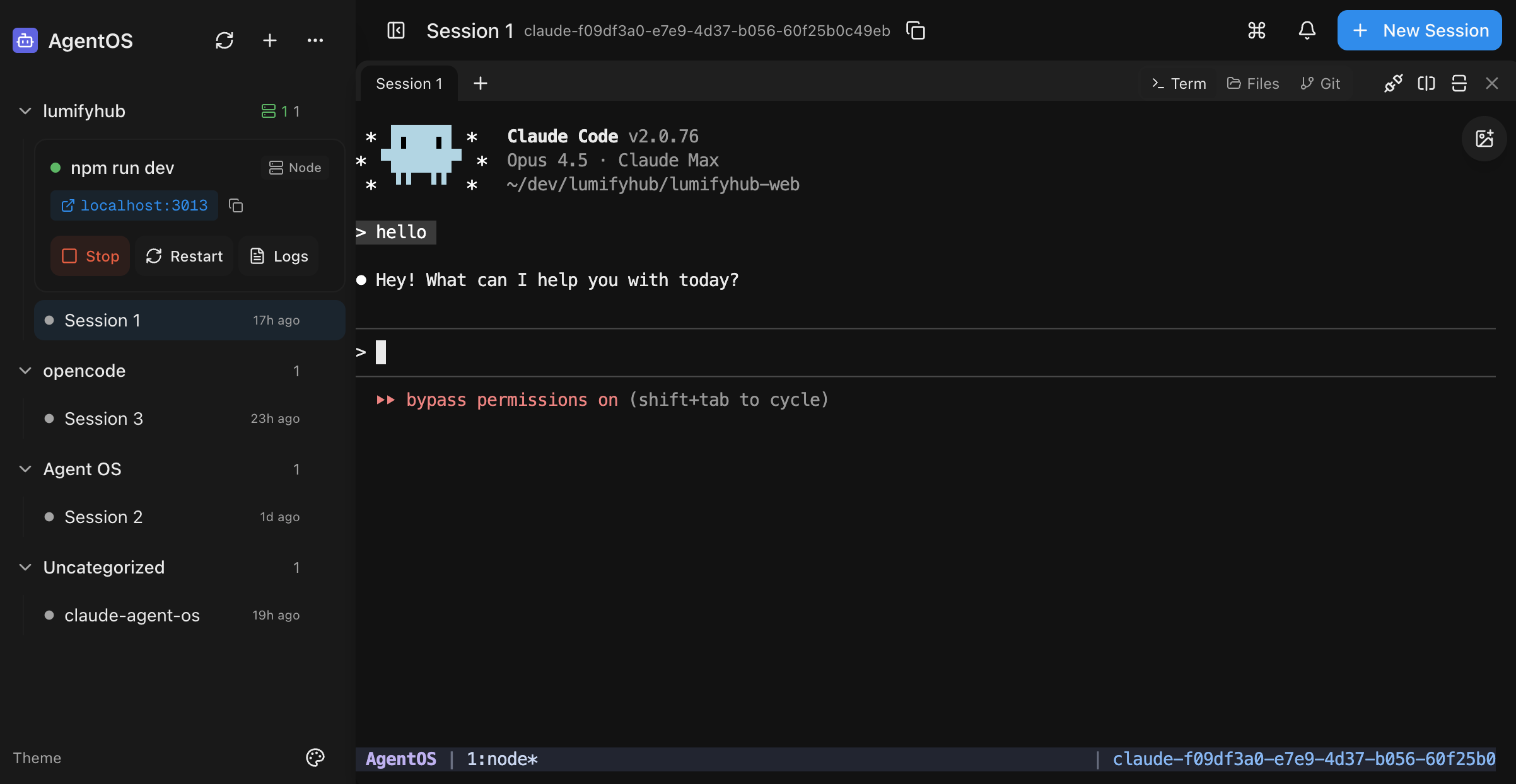
AgentOS is a self-hosted web UI that sits in front of your coding agents and gives you a single place to manage sessions. It combines multi-pane terminals, git worktrees, code search, file picking, dev server controls, and conductor/worker orchestration in the browser.
Builders who want to run AI coding sessions from a phone or browser and keep multiple agents, files, and git work organized.
You can manage parallel agent sessions, inspect git changes, and control dev work from one mobile-first dashboard.
Use the full UI from a phone instead of a stripped-down responsive view.
Run up to four sessions side by side in one workspace.
Dictate prompts with speech-to-text instead of typing them.
Search the codebase with syntax-highlighted results from the UI.
Browse files, attach them to sessions, and upload from mobile.
Check status, view diffs, commit, open PRs, and set up isolated worktrees.
Start and stop Node.js and Docker dev servers from the interface.
Use a conductor/worker model through MCP to coordinate agent work.
# Install globally
npm install -g @saadnvd1/agent-os

# Run setup (checks/installs tmux, ripgrep, builds app)
agent-os install

# Start the server
agent-os start
curl -fsSL https://raw.githubusercontent.com/saadnvd1/agent-os/main/scripts/install.sh | bash
agent-os start
git clone https://github.com/saadnvd1/agent-os
cd agent-os
npm install
npm run dev  # http://localhost:3011
A mobile-first web UI for managing AI coding sessions.
https://github.com/user-attachments/assets/0e2e66f7-037e-4739-99ec-608d1840df0a
If you already have Node.js 20+ installed:
# Install globally
npm install -g @saadnvd1/agent-os

# Run setup (checks/installs tmux, ripgrep, builds app)
agent-os install

# Start the server
agent-os start
For fresh installs without Node.js:
curl -fsSL https://raw.githubusercontent.com/saadnvd1/agent-os/main/scripts/install.sh | bash
agent-os start
Download native desktop apps from Releases:
.dmg.deb or .AppImageNote: The desktop app is a native wrapper around the web UI. You still need to install and run AgentOS (via the installer script above) for the backend server. The desktop app just provides a convenient native window instead of using your browser.
Don't want to self-host? Try AgentOS Cloud - pre-configured cloud VMs for AI coding.
git clone https://github.com/saadnvd1/agent-os
cd agent-os
npm install
npm run dev  # http://localhost:3011
agent-os update)| Agent | Resume | Fork | Auto-Approve |
|---|---|---|---|
| Claude Code | ✅ | ✅ | --dangerously-skip-permissions |
| Codex | ❌ | ❌ | --approval-mode full-auto |
| OpenCode | ❌ | ❌ | Config file |
| Kilo Code | ✅ | ✅ | Config file |
| Gemini CLI | ❌ | ❌ | --yolomode |
| Aider | ❌ | ❌ | --yes |
| Cursor CLI | ❌ | ❌ | N/A |
| Amp | ❌ | ❌ | --dangerously-allow-all |
| Pi | ❌ | ❌ | N/A |
| Oh My Pi | ❌ | ❌ | N/A |
agent-os run       # Start and open browser
agent-os start     # Start in background
agent-os stop      # Stop server
agent-os status    # Show URLs
agent-os logs      # Tail logs
agent-os update    # Update to latest
Use Tailscale for secure access from your phone:
http://100.x.x.x:3011 from your phoneFor configuration and advanced usage, see the docs.
MIT License - Free and open source.
See LICENSE for full terms.
Sign in to join the discussion.
No comments yet. Be the first to say what this is good for.
🪨 why use many token when few token do trick — Claude Code skill that cuts 65% of tokens by talking like caveman

The best-benchmarked open-source AI memory system. And it's free.

Orca is the ADE for working with a fleet of parallel agents. Run any coding agent with your own subscription. Available on desktop, mobile and remote runtime.

A cross-platform desktop All-in-One assistant for Claude Code, Codex, OpenCode, OpenClaw, Grok Build & Hermes Agent. Only official website: ccswitch.io

Never stop coding. Free MIT AI gateway: one endpoint, 352 providers (150+ free), 1200+ models Kimi, Claude, GPT, Gemini, GLM, DeepSeek, MiniMax. Works with Claude Code, Codex, Cursor, OpenCode, Cline & Copilot. Quota-aware auto-fallback, RTK+Caveman compression saves 15-95% tokens, MCP/A2A, Desktop/PWA. Built by 550+ contributors

Compress tool outputs, logs, files, and RAG chunks before they reach the LLM. 20% fewer tokens for coding agents, 60-95% fewer tokens for JSON, same answers. Library, proxy, MCP server.