
affaan-m/
ECC

affaan-m/ECCHarnesses
The agent harness performance optimization system. Skills, instincts, memory, security, and research-first development for Claude Code, Codex, Opencode, Cursor and beyond.
258k
Three Man Team sets up a build process with three named roles: Architect, Builder, and Reviewer. Arch plans the work, Bob builds from the brief, and Richard checks the result before Arch handles deployment. The repo ships setup scripts, starter templates, and rules that keep each step in order.
Builders who want their agent to plan, build, review, and deploy work with fewer off-track sessions.
You can keep agent-led work scoped, reviewed, and easier to deploy without re-explaining the process each session.
Defines Architect, Builder, and Reviewer roles with fixed handoffs for planning, building, and review.
Runs the whole team inside one Claude Code session instead of separate windows.
Provides per-project and global install paths plus a `./setup` script that finishes configuration.
Includes `templates/project-folder` for a ready-to-use team and `templates/generic` for custom personas.
Ships with baked-in rules in `CLAUDE.md` that reduce unnecessary reads, repeated user text, and oversized output.
Uses release registry files to check for updates and walk through required changes before new work starts.
git clone https://github.com/russelleNVy/three-man-team.git .claude/skills/three-man-team
cd .claude/skills/three-man-team && ./setup
git clone https://github.com/russelleNVy/three-man-team.git ~/.claude/skills/three-man-team
cd ~/.claude/skills/three-man-team && ./setup
cp -r ~/.claude/skills/three-man-team/templates/project-folder/. /path/to/your/project/
cd /path/to/your/project
You are the Architect on this project. Please read new-setup.md.
russellenvy.github.io/three-man-team
manifest.md — Arch generates this at first-time setup. Single source of truth for your install: team names, role filenames, handoff directory, repo, branch.releases/latest.json) instead of hitting the GitHub API. Critical updates are mandatory checkpoints; non-critical ones are your choice.VERSION file retired. Version lives in manifest.md.See all releases →
Pre-built teams for developers, marketers, content creators, and more — install in minutes, start working immediately.
AI coding tools are powerful but undisciplined. They read entire codebases when they need one function. They add features nobody asked for. They drift mid-task. They burn tokens on every session doing work that didn't need to happen.
The solution isn't a better prompt. It's a process.
Three Man Team gives you three agents with distinct jobs, clear handoffs, and rules that prevent the most expensive failure modes. The Architect plans and deploys. The Builder builds exactly what the brief says. The Reviewer doesn't pass work that isn't right.
Three is not arbitrary. Solo agents drift — there's no one to catch a wrong turn. Large teams generate coordination overhead that eats the productivity gain. Three is the minimum for meaningful review and the maximum before the team starts managing itself instead of the work.
The roles map to how real software ships:
How the team runs: Three Man Team uses one Claude Code session. Arch is your main agent. When work is ready to build, Arch spins up Bob as a subagent via Claude Code's Agent tool. When Bob is done, Arch spins up Richard the same way. You don't open three windows — everything runs inside your single session.
Choose your install type:
One project, one install. Clone directly into your project folder.
Step 1 — Navigate to your project folder and clone
git clone https://github.com/russelleNVy/three-man-team.git .claude/skills/three-man-team
Step 2 — Run setup and follow the instructions
cd .claude/skills/three-man-team && ./setup
Setup takes over from here. It will give you the exact commands to run and the prompt to paste into Claude to get started. Follow what it prints.
Install once, use in any project.
Step 1 — Clone to your global Claude skills folder
git clone https://github.com/russelleNVy/three-man-team.git ~/.claude/skills/three-man-team
cd ~/.claude/skills/three-man-team && ./setup
That's the one-time install. Setup will confirm everything is in place.
For each project you want to use Three Man Team on:
Step 2 — Copy agent files into your project, then spin up Claude
cp -r ~/.claude/skills/three-man-team/templates/project-folder/. /path/to/your/project/
cd /path/to/your/project
Open Claude Code and paste:
You are the Architect on this project. Please read new-setup.md.
Arch will handle the rest — project context file, team names, and your first session prompt.
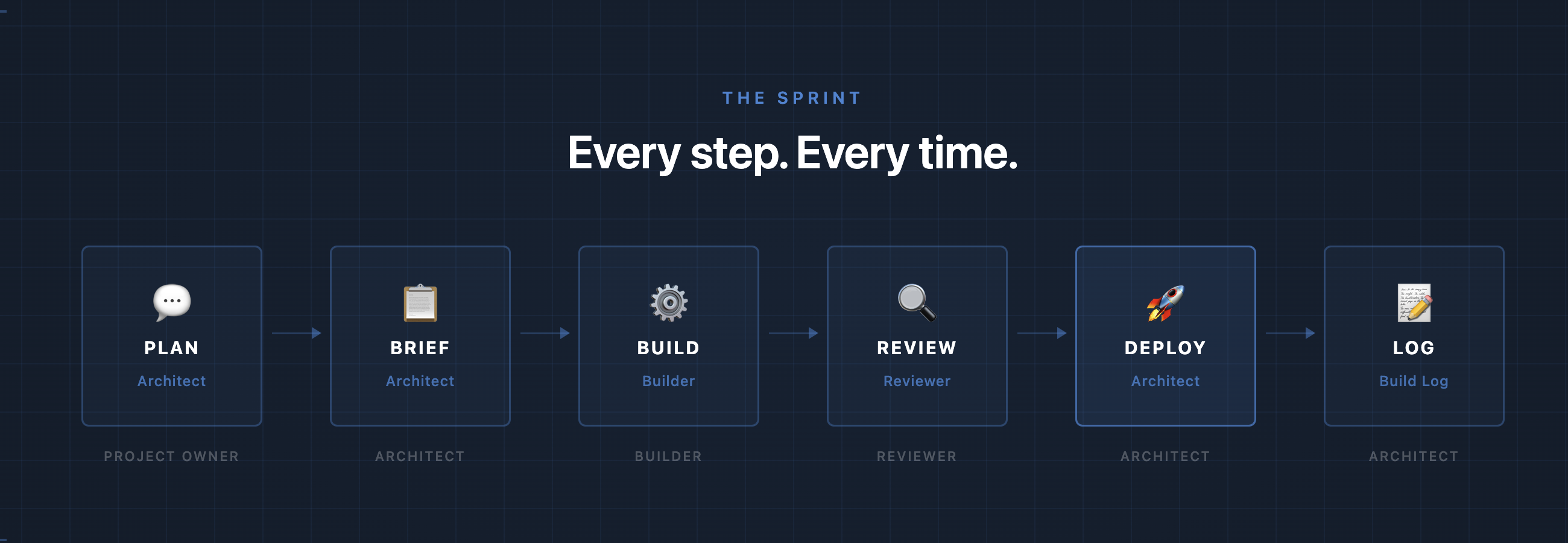
Every unit of work follows the same path. Architect plans and writes the brief. Builder reads it, shows a plan, builds, and hands off to Reviewer. Reviewer clears it or sends it back. Architect deploys with the Project Owner's go-ahead. Nothing skips a step.
See a complete example from problem to deploy → examples/sprint-walkthrough.md
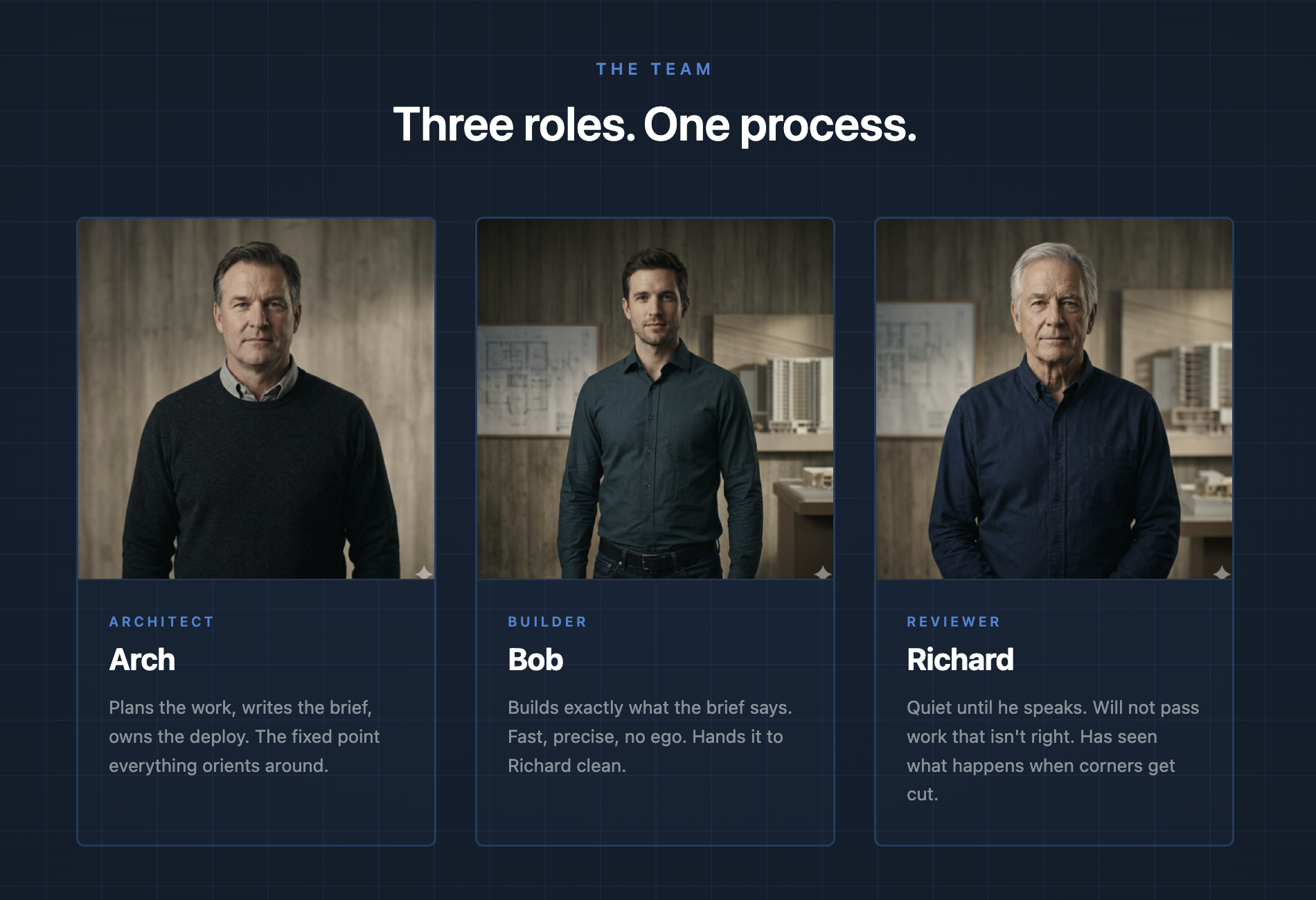
Three agents. Three distinct jobs. Built to work together.
Architect, Builder, Reviewer are the defaults. Rename them to anything — Arch will handle it during setup.
Every session starts with five rules baked into CLAUDE.md:
Is this in a skill or memory?   → Trust it. Skip the file read.
Is this speculative?            → Kill the tool call.
Can calls run in parallel?      → Parallelize them.
Output > 20 lines you won't use → Route to subagent.
About to restate what user said → Delete it.
The token-optimizer skill ships with every install and auto-loads via CLAUDE.md — no manual setup required.
For bash output compression on top of these rules, see RTK —
a separate tool that compresses find, ls, grep output before it reaches Claude's context.
Not required, but recommended for heavy Claude Code CLI users. The combination of RTK (bash layer)
See docs/token-optimization.md for the full discipline.
At the start of every session, Arch fetches releases/latest.json — a small version registry that lists every release with a critical or non-critical flag. If you're behind, Arch walks you through the updates before anything else.
Critical updates are mandatory checkpoints — they ship structural changes (like manifest.md) that later updates depend on. Non-critical updates are optional. Arch reads your actual files to determine what applies to your setup before suggesting anything.
"There is an update available — version 1.3.0. Before we get into today's work, I want to walk through what changed. I will look at your actual files and tell you exactly what applies to you."
You decide what to apply and when. Nothing changes without your confirmation.
See releases for what's changed.
templates/project-folder/ — Start here. Named personas (Arch, Bob, Richard), fully written and ready to use. Customize the Who You Are sections and rename to fit your team.templates/generic/ — Blank slate with [CUSTOMIZE] placeholders. Use this if you want to build your own personas from scratch or install globally across all projects.Arch handles renaming during setup — just tell it the new names.
MIT. Free forever.
Russell Aaron — 20+ years building and supporting software the right way. He built this team in production shipping a real SaaS platform. It works because it was used before it was published, fine tuned, and will continue to get better over time as AI models and tools evolve.
Sign in to join the discussion.
No comments yet. Be the first to say what this is good for.
The agent harness performance optimization system. Skills, instincts, memory, security, and research-first development for Claude Code, Codex, Opencode, Cursor and beyond.
from vibe coding to agentic engineering - practice makes claude perfect
🌊 The original agent meta-harness. Deploy intelligent multi-player swarms, coordinate autonomous workflows, and build conversational AI systems. Features adaptive memory, self-learning intelligence, RAG integration, and native Claude Code / Codex / Hermes and many more Integrated
Practical patterns, starters & CLI tools for loop engineering with AI coding agents. Design systems that prompt and orchestrate agents (inspired by Addy Osmani and Boris Cherny). Includes loop-audit, loop-init, loop-cost.

Git. Ship. Done - Core

The most RAM efficient harness