
JuliusBrussee/
caveman

🪨 why use many token when few token do trick — Claude Code skill that cuts 65% of tokens by talking like caveman
105k
1 add
Regenerator 2000 helps you inspect, label, comment, and export 6502 disassemblies for Commodore machines. You can work in the TUI by hand, or connect an agent through the MCP server to automate analysis, block classification, and symbol naming.
Builders who analyze Commodore 8-bit binaries and want a disassembler their agent can drive.
You can turn raw Commodore binaries into labeled, reviewable disassembly with either keyboard work or agent automation.
Browse code with a keyboard-driven terminal UI, x-refs, undo/redo, history, and visual selection.
Load PRG, CRT, D64, D71, D81, T64, VSF, RAW/BIN, DIS65, and REGEN2000PROJ files.
Connect to VICE for live disassembly, breakpoints, and step controls.
Classify code and data regions, trace routines, and name symbols with built-in analysis tools.
Export assembly or HTML for 64tass, ACME, Kick Assembler, and ca65, with verification support.
Expose disassembly operations, memory search, block tools, and resources over HTTP or stdio for agents.
Use a cycle-accurate 6502 sandbox to unpack packed C64 programs automatically.
cargo install regenerator2000
git clone https://github.com/ricardoquesada/regenerator2000.git
cd regenerator2000
cargo install --path .
regenerator2000 [OPTIONS] [path/to/file.prg]




A modern, interactive 6502 disassembler for Commodore 8-bit machines. A modern take on Regenerator.
Use either workflow on its own, or combine them: let the AI do a first pass, then refine the results interactively.
Check out the Examples to see what can be accomplished, featuring pre-disassembled games across different Commodore platforms!
Regenerator 2000 brings modern conveniences to 6502 disassembly:
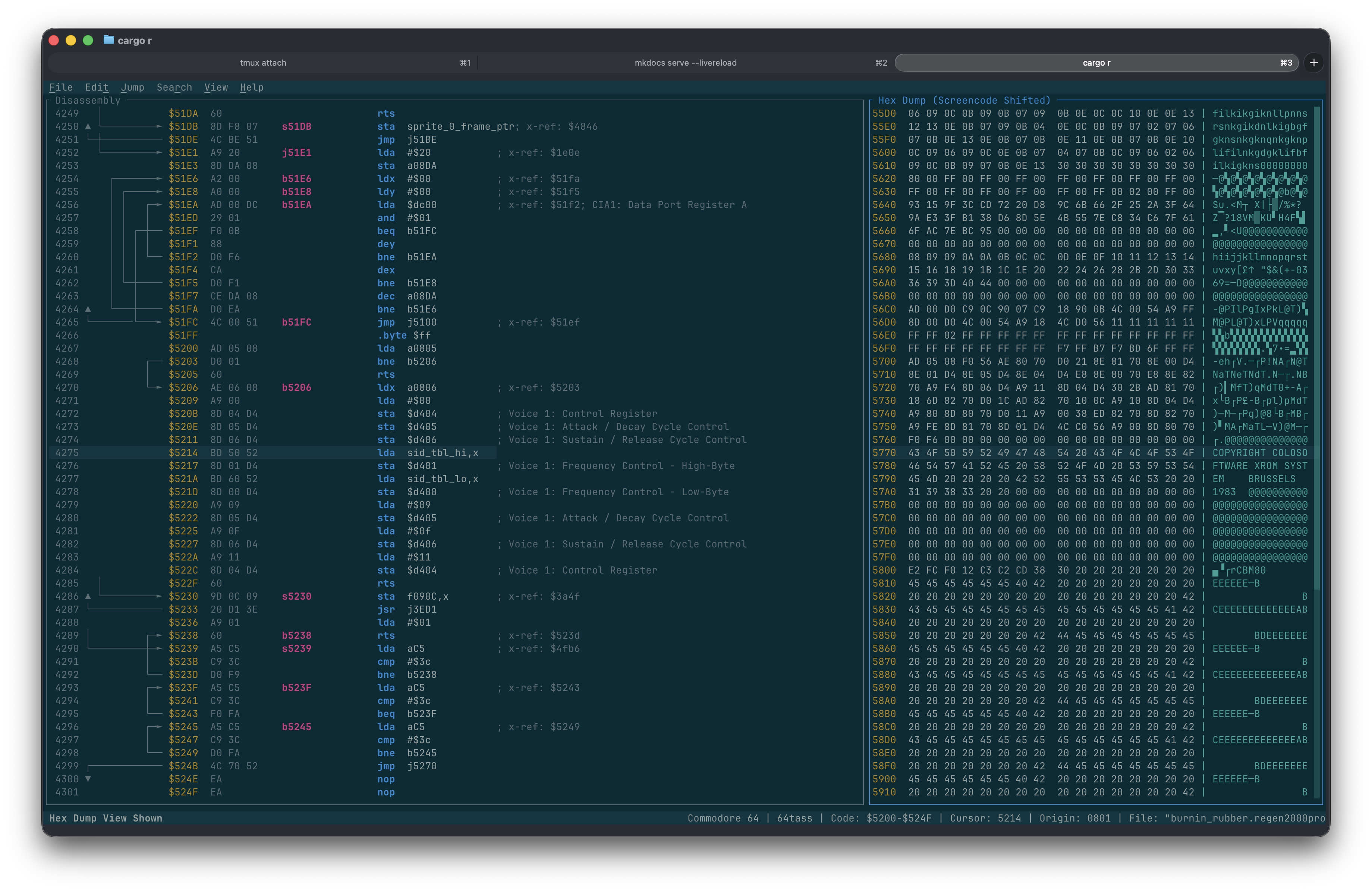
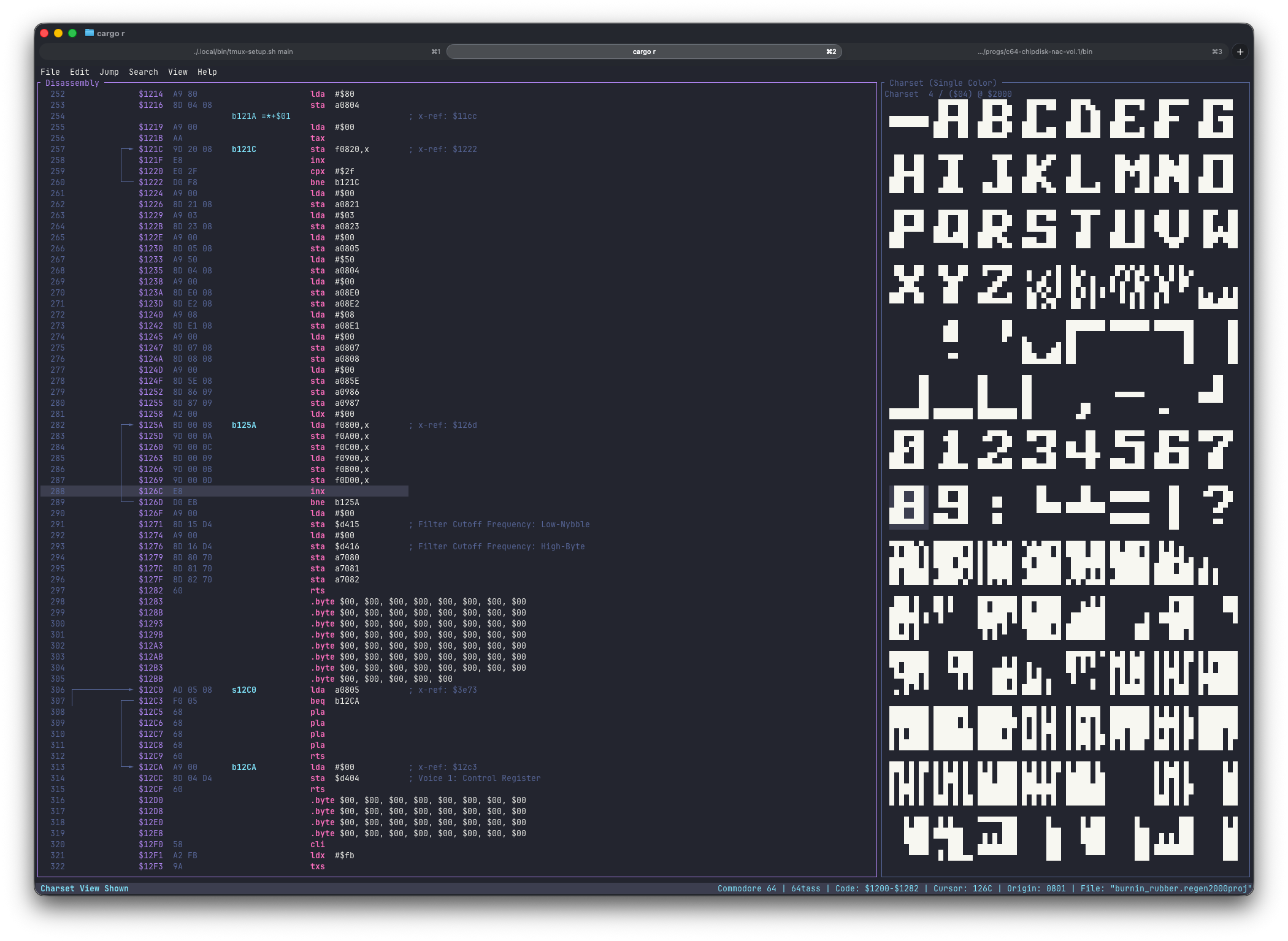
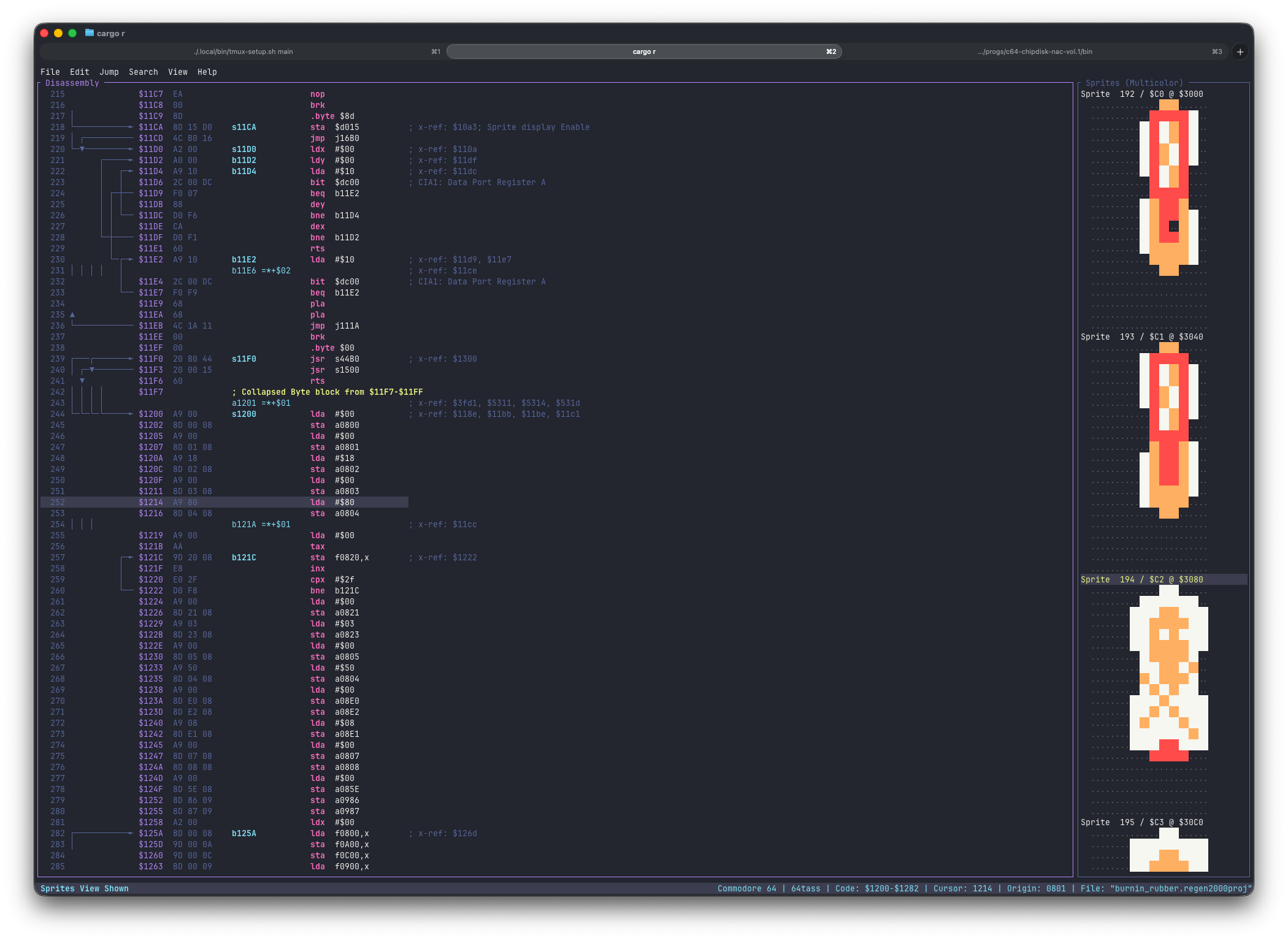
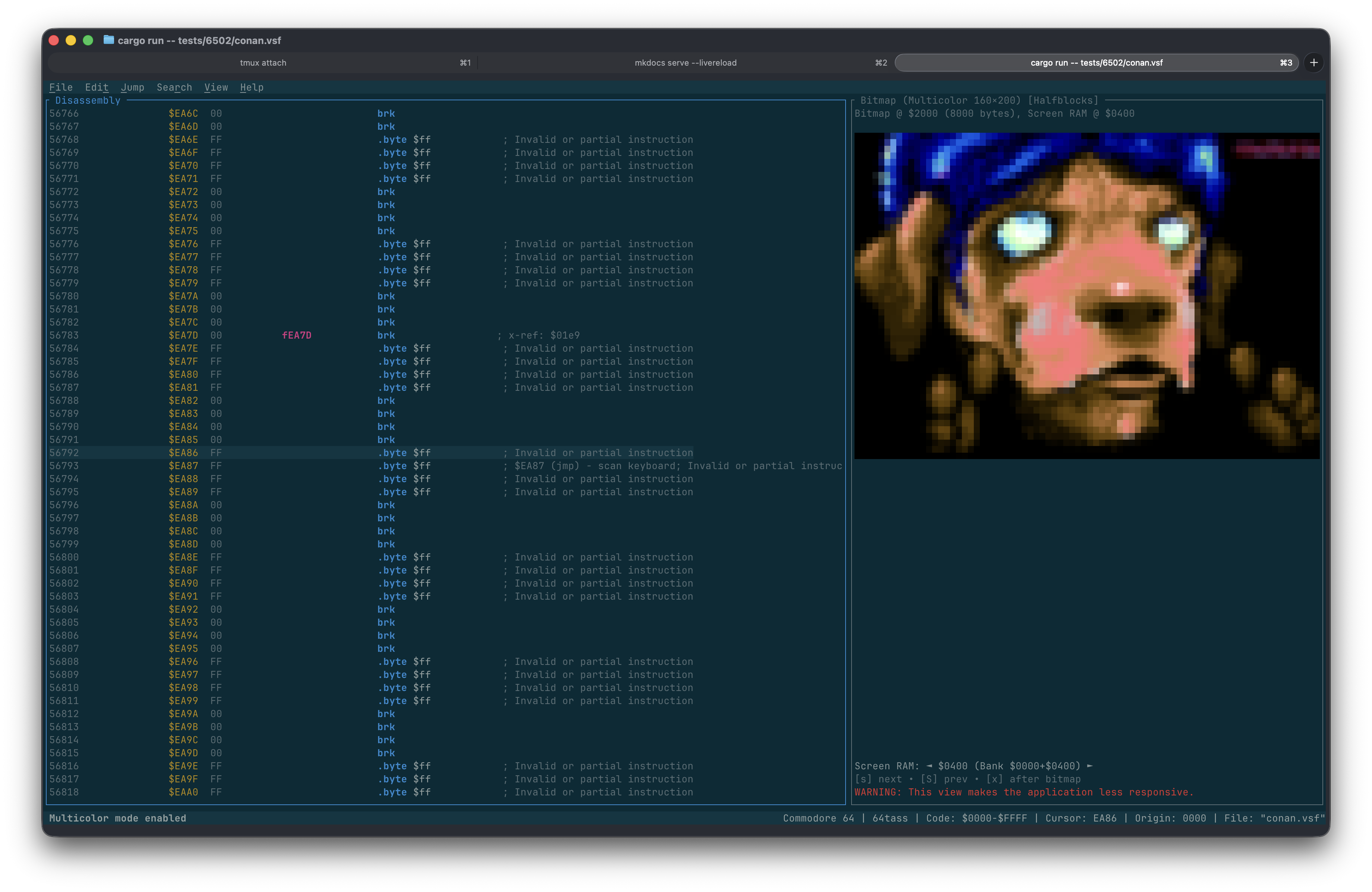
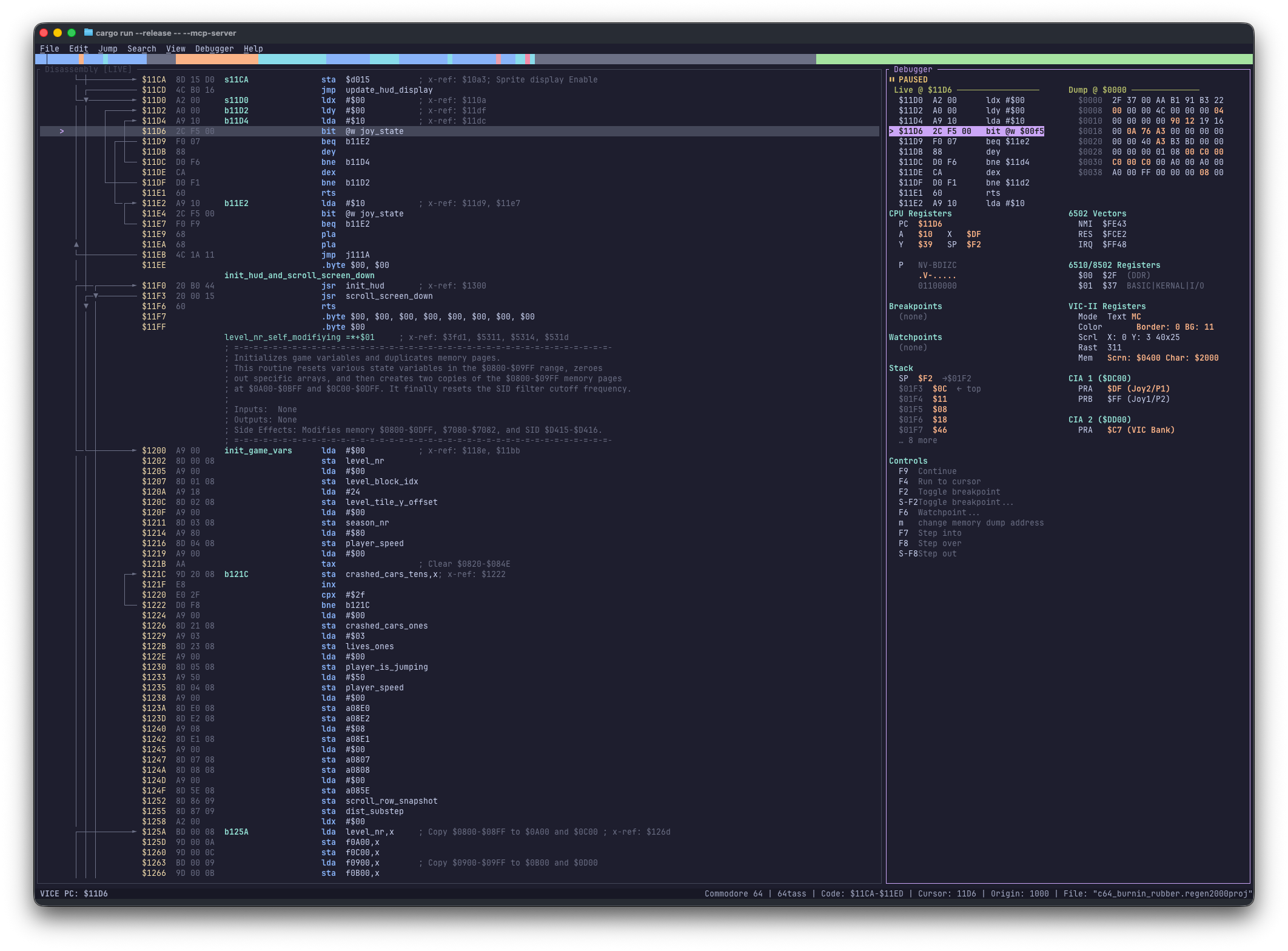
To ensure the best experience, especially regarding keyboard shortcuts and rendering, we recommend using a modern terminal.
| Platform | Recommended Terminals |
|---|---|
| Windows | Windows Terminal, Alacritty, WezTerm |
| macOS | iTerm2, Ghostty, Alacritty, kitty, WezTerm |
| Linux | Ghostty, Alacritty, kitty, WezTerm, GNOME Terminal |
cargo install regenerator2000
git clone https://github.com/ricardoquesada/regenerator2000.git
cd regenerator2000
cargo install --path .
To quickly start analyzing binaries using an AI agent (such as Antigravity or Claude Code), you can use the regenerator2000-template repository. It comes pre-configured with all the required skills and agent permissions so you can start analyzing and reverse-engineering binaries immediately.
Start the application with an optional file to load:
regenerator2000 [OPTIONS] [path/to/file.prg]
--help: Print help message--version: Print version information--import_lbl <PATH>: Import VICE labels from the specified file--export_lbl <PATH>: Export labels to the specified file (after analysis/import)--export_asm <PATH>: Export assembly to the specified file (after analysis/import)--export_html <PATH>: Export HTML to the specified file (after analysis/import)--assembler <NAME>: Override the assembler format for export. Valid values: 64tass, acme, ca65, kick--headless: Run in headless mode (no TUI), useful for batch processing--verify: Verify export roundtrip (export → assemble → diff) for all assemblers. Implies --headless--mcp-server: Run MCP server (HTTP on port 3000)--mcp-server-stdio: Run MCP server via stdio--vice <HOST:PORT>: Auto-connect to VICE binary monitor at startup (e.g. --vice localhost:6502)--dump-system-config-files <PATH>: Dump all built-in system config files (system-*.toml) to the specified directory and exit. Useful for inspecting or customizing system definitions.--dump-theme-files <PATH>: Dump all built-in theme files (theme-*.toml) to the specified directory and exit. Edit them and place in the config directory to create custom themes.--dump-enum-files <PATH>: Dump all built-in enum files (enum-*.toml) to the specified directory and exit. Edit them and place in the config directory to create custom enums.Supported file formats: .prg, .crt, .d64, .d71, .d81, .t64, .vsf, 6502bench (.dis65), .bin, .raw, and .regen2000proj.
All the keyboard shortcuts are documented here: keyboard_shortcuts
#regenerator2000 channel, under "Misc Projects")Contributions are welcome! Please feel free to submit a Pull Request.
Dual license: MIT and Apache 2
Sign in to join the discussion.
No comments yet. Be the first to say what this is good for.
🪨 why use many token when few token do trick — Claude Code skill that cuts 65% of tokens by talking like caveman

The best-benchmarked open-source AI memory system. And it's free.

Orca is the ADE for working with a fleet of parallel agents. Run any coding agent with your own subscription. Available on desktop, mobile and remote runtime.

A cross-platform desktop All-in-One assistant for Claude Code, Codex, OpenCode, OpenClaw, Grok Build & Hermes Agent. Only official website: ccswitch.io

Never stop coding. Free MIT AI gateway: one endpoint, 352 providers (150+ free), 1200+ models Kimi, Claude, GPT, Gemini, GLM, DeepSeek, MiniMax. Works with Claude Code, Codex, Cursor, OpenCode, Cline & Copilot. Quota-aware auto-fallback, RTK+Caveman compression saves 15-95% tokens, MCP/A2A, Desktop/PWA. Built by 550+ contributors

Compress tool outputs, logs, files, and RAG chunks before they reach the LLM. 20% fewer tokens for coding agents, 60-95% fewer tokens for JSON, same answers. Library, proxy, MCP server.