
JuliusBrussee/
caveman

🪨 why use many token when few token do trick — Claude Code skill that cuts 65% of tokens by talking like caveman
105k
1 add
Skill Mix is a desktop and CLI tool for managing Agent Skills across Cursor, Codex, and Claude Code. It adds search, deduplication, scope controls, provenance tracking, ratings, and update flows around `SKILL.md` files.
Builders who use Cursor, Codex, or Claude Code and want one workflow for skills across all three.
You can find the right skill, avoid duplicates, and keep skill installs organized instead of editing files by hand.
Search, browse, and install skills from a shared catalog with deduplication and conflict detection.
Enable or disable skills at personal, organization, and project levels with clear precedence rules.
Store where a skill came from, who wrote it, what version it is, and how it updates.
Show community and automated ratings for security, efficiency, and best practices.
Provide a GUI for authoring, testing, and previewing skills before publishing.
Launch the app with `skills` and use the desktop interface for skill picking and management.
npx -y skill-mix obra/superpowers
curl -fsSL https://raw.githubusercontent.com/razbakov/skills-manager/main/scripts/install.sh | bash
A management layer for AI agent skills — discover, install, scope, rate, and update skills across Cursor, Codex, and Claude Code.
All three tools follow the open Agent Skills standard (SKILL.md), but none solves the management problem: how to find the right skill, avoid duplicates, track where it came from, or know if it's any good.
Quick install Skill Mix, open the app, and launch the skill-picker modal:
npx -y skill-mix obra/superpowers
Classic installer:
curl -fsSL https://raw.githubusercontent.com/razbakov/skills-manager/main/scripts/install.sh | bash
Run skills to launch application
Open/focus the app and trigger the skill-picker from CLI:
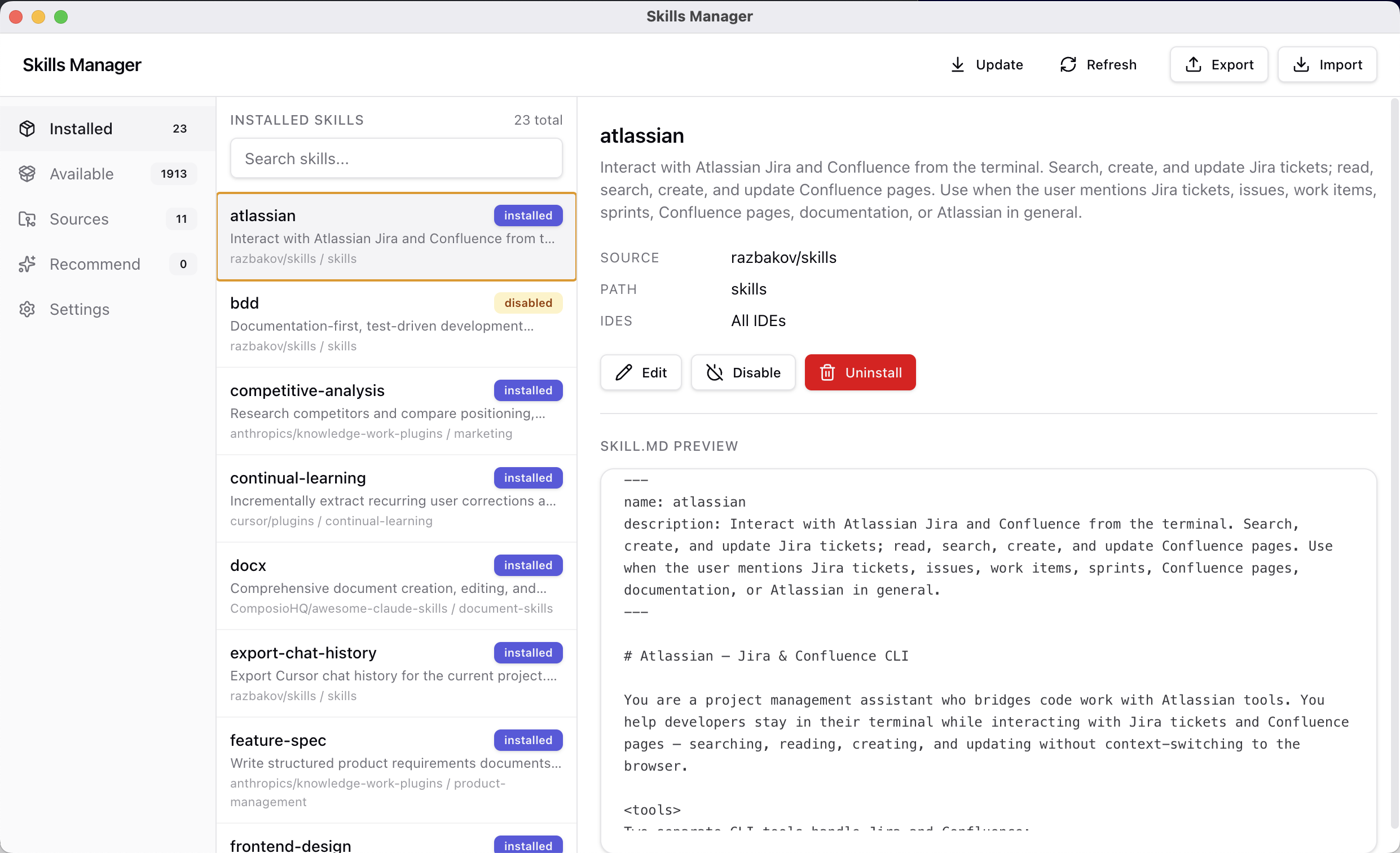
bun install
bun run dist:dmg
This outputs a DMG installer in release/.
See Research for how tools handle skills today, User Problems for 14 documented pain points, Landscape for existing directories and tools, and Competitors for detailed analysis of current solutions and their gaps.
config.toml, but no UI).Sign in to join the discussion.
No comments yet. Be the first to say what this is good for.
🪨 why use many token when few token do trick — Claude Code skill that cuts 65% of tokens by talking like caveman

The best-benchmarked open-source AI memory system. And it's free.

Orca is the ADE for working with a fleet of parallel agents. Run any coding agent with your own subscription. Available on desktop, mobile and remote runtime.

A cross-platform desktop All-in-One assistant for Claude Code, Codex, OpenCode, OpenClaw, Grok Build & Hermes Agent. Only official website: ccswitch.io

Never stop coding. Free MIT AI gateway: one endpoint, 352 providers (150+ free), 1200+ models Kimi, Claude, GPT, Gemini, GLM, DeepSeek, MiniMax. Works with Claude Code, Codex, Cursor, OpenCode, Cline & Copilot. Quota-aware auto-fallback, RTK+Caveman compression saves 15-95% tokens, MCP/A2A, Desktop/PWA. Built by 550+ contributors

Compress tool outputs, logs, files, and RAG chunks before they reach the LLM. 20% fewer tokens for coding agents, 60-95% fewer tokens for JSON, same answers. Library, proxy, MCP server.