

VoltAgent/awesome-openclaw-skillsCollections
The awesome collection of OpenClaw skills. 5,400+ skills filtered and categorized from the official OpenClaw Skills Registry.🦞
52k
This repository packages a large set of Claude Skills for brand, design, content, SEO, development, operations, growth, and research. The skills are meant to load on demand, so Claude can use the right workflow, structure, and references for the task at hand.
Builders who want Claude Code to handle website work with reusable skills instead of one-off prompts.
You can move from brand work to launch and optimization with consistent skill-driven workflows.
A large library of reusable skills covering brand, design, content, SEO, dev, ops, growth, and research.
Each skill contributes only its name and description until Claude needs the full instructions and references.
The skills are written to work across web stacks like Next.js, WordPress, Shopify, Webflow, and plain HTML.
Marketplace and plugin files let you install curated skill bundles in Claude Code.
Repository docs explain skill structure, authoring conventions, and how the catalog connects across tasks.
/plugin marketplace add rampstackco/plugins
/plugin install rampstack-starter@rampstack
# macOS / Linux
mkdir -p ~/.claude/skills
cp -r skills/* ~/.claude/skills/

# Windows (PowerShell)
New-Item -ItemType Directory -Force -Path "$HOME\.claude\skills"
Copy-Item -Recurse skills\* "$HOME\.claude\skills\"
mkdir -p .claude/skills
cp -r path/to/this-repo/skills/* .claude/skills/
A complete, opinionated library of Claude Skills covering the full lifecycle of building, launching, running, and growing a brand and a website.






103 stack-agnostic skills covering brand, design, content, SEO, dev, ops, growth, and research. Includes an Ahrefs MCP-powered SEO audit suite. Use them on Next.js, WordPress, Shopify, Webflow, plain HTML, or anything else.
Featured in awesome-claude-skills under Business & Marketing.
Add the marketplace, then install the plugin you want:
/plugin marketplace add rampstackco/claude-skills

# full catalog (103 skills)
/plugin install rampstack-skills@rampstack

# focused subsets
/plugin install rampstack-starter@rampstack
/plugin install rampstack-seo@rampstack
/plugin install rampstack-pm@rampstack
Prefer a lighter marketplace that lists only the curated subsets (no full catalog)? Add rampstackco/plugins instead and install the same three plugins from there:
/plugin marketplace add rampstackco/plugins
/plugin install rampstack-starter@rampstack
Skills load on demand: each contributes roughly its name and description until Claude needs it.
Claude Skills are reusable capability packages that teach Claude how to handle a specific kind of task with a consistent framework, vocabulary, and output format. Each skill is a folder containing a SKILL.md (instructions plus YAML metadata) and optional reference files (templates, checklists, worked examples). Claude loads a skill automatically when a user request matches the skill's description.
Skills work across Claude.ai, Claude Code, and the Anthropic API. Once you write a skill, it is portable across all three.
For the official deep dive, see Anthropic's Agent Skills documentation.
This is not a curated list of other people's skills. It is a single, opinionated library where every skill follows the same structure and conventions, so the skills compose cleanly across a real project lifecycle.
What you get:
SKILL.md and at least one reference filecreative-brief points to brand-voice. incident-response points to monitoring-and-alerting. Each skill's "When NOT to use" tells you which sibling fits your adjacent work.Highlight categories: brand strategy and identity, design systems, content production with full Tier 1 and Tier 2 coverage, full SEO suite (foundation plus Ahrefs MCP-powered audit suite), product management with experimentation and gap-closing tracks, growth tooling for interactive web tools, paid media discipline, frontend dev and accessibility, performance and QA, launch and incident ops, UX research, plus a meta-skill that teaches you to write your own.
Six entry-point skills, one per audience track. Run any of these standalone, or compose them with the rest of the catalog.
| Skill | What it does |
|---|---|
creative-direction (Brand and creative) | Four-axis brief (tone, aesthetic, audience, sensory ambition) that gives every downstream skill a coherent direction |
experiment-design (PM, experimentation) | From hypothesis to decision: sample size, duration, segment analysis, and the failure modes that produce wrong shipping calls |
feature-launch-playbook (PM, gap-closing) | The discipline of launching a feature well: positioning, internal alignment, customer comms, enablement, rollout, monitoring |
pillar-content-architecture (Content) | Hub-and-cluster topical authority: pillar selection, cluster planning, internal linking, refresh discipline |
landing-page-copy (Marketing) | Landing pages, sales pages, hero-to-CTA flow with copy that converts |
funnel-flow-architecture (Growth tooling) | Cross-tool conversion flows architected to match the audience and the funnel stage |
The creative-direction skill rendered as a live showcase →
Forty-two fictional brands generated from briefs that all use the same skill. Each is a fully styled brand site, not a mockup. The showcase demonstrates what the four-axis framework produces in practice and lets you filter by axis position to see how each combination renders.
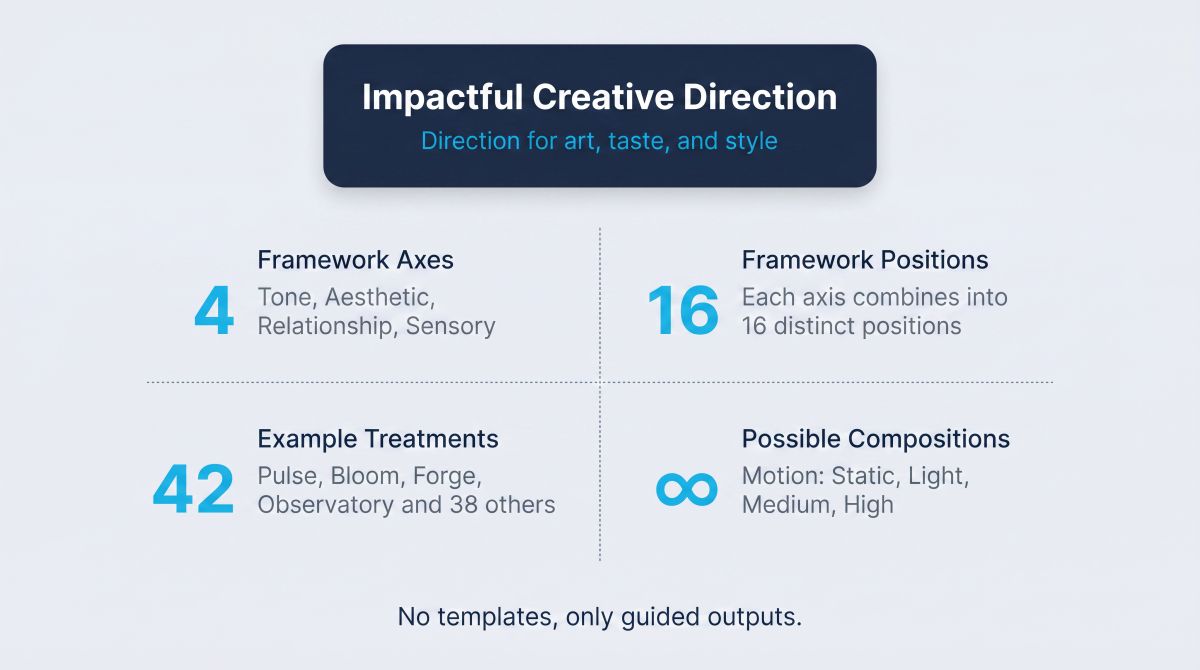
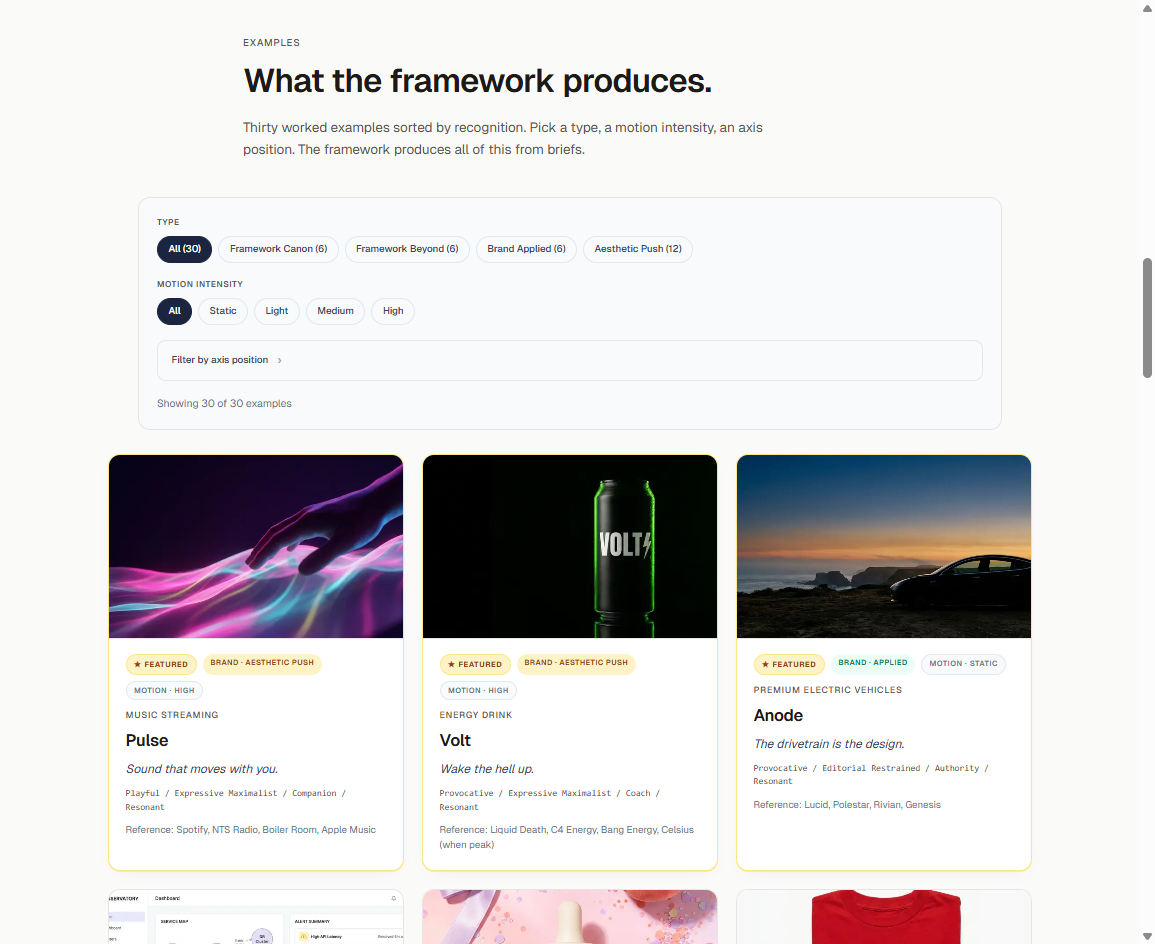
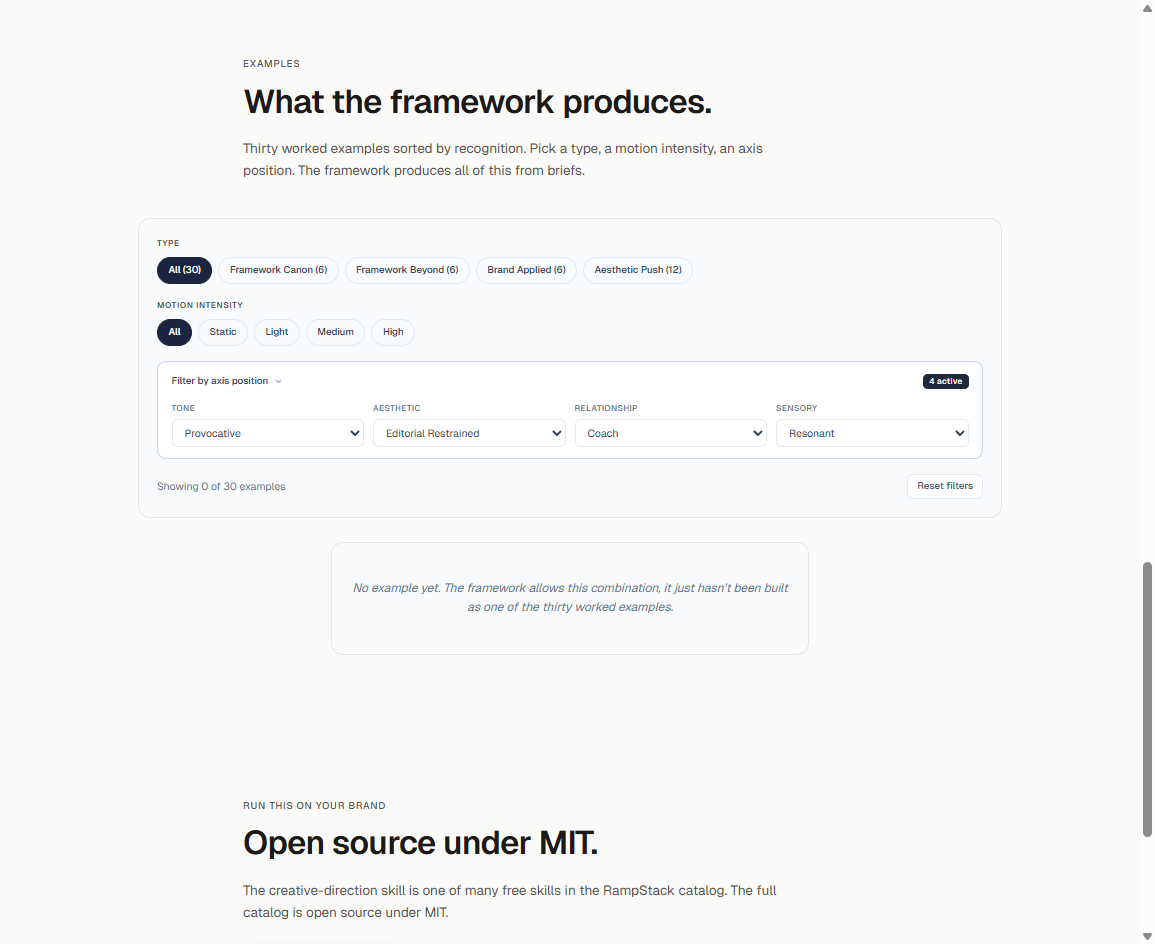
The skill defines four axes: tone, aesthetic, relationship, sensory. The showcase lets you filter by any combination and see which examples match. Pre-filtered URLs deep-link from the SKILL.md and axes-explained reference, so you can read about a position and click straight through to the rendered examples.
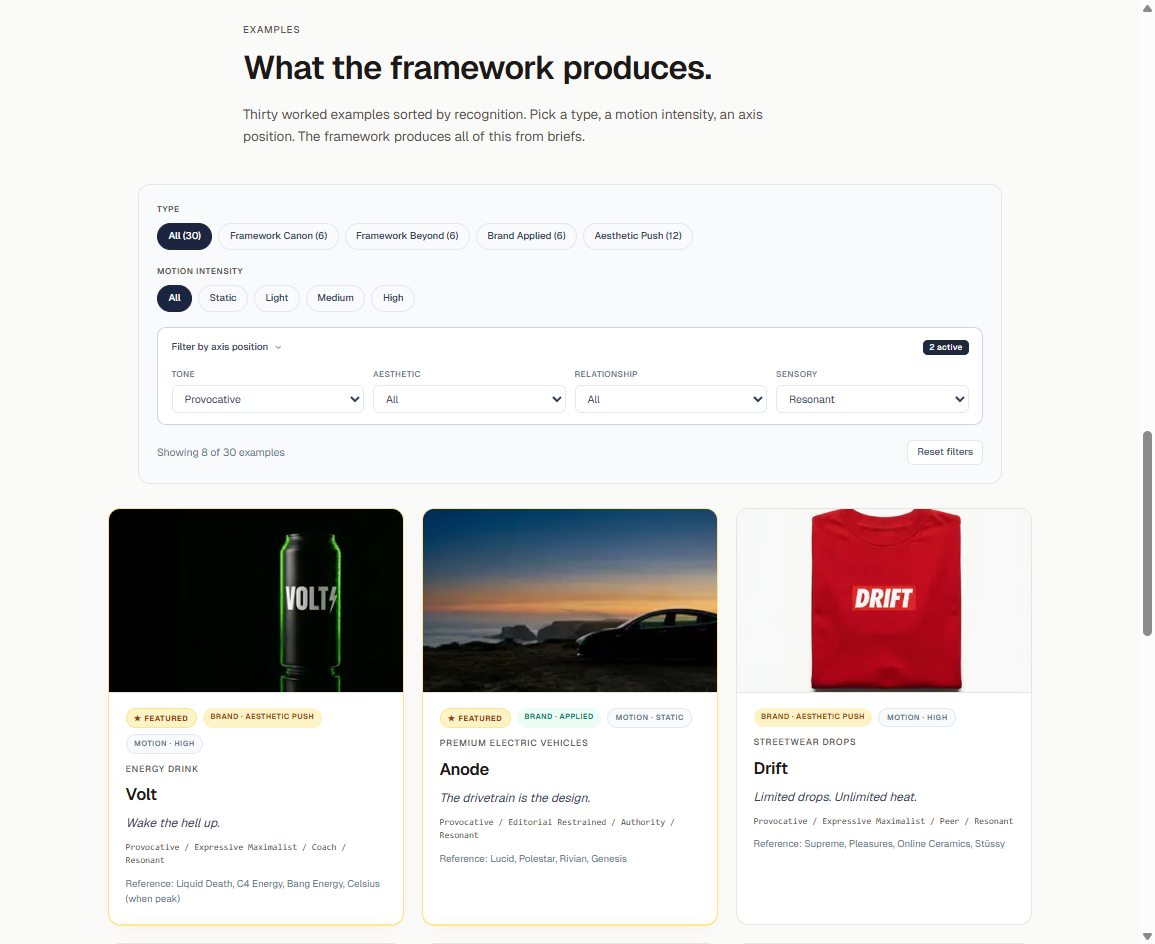
The framework is generative. The showcase is illustrative. Most rare-but-powerful combinations are valid creative choices that simply have not been built yet. Set Provocative + Editorial Restrained + Coach + Resonant and the grid is empty.
Same skill, same brief format. Four completely different visual systems. Notice that Pulse and Bloom share identical axis positions yet read as opposite visual languages. The reference brands and aesthetic interpretation do the rest.
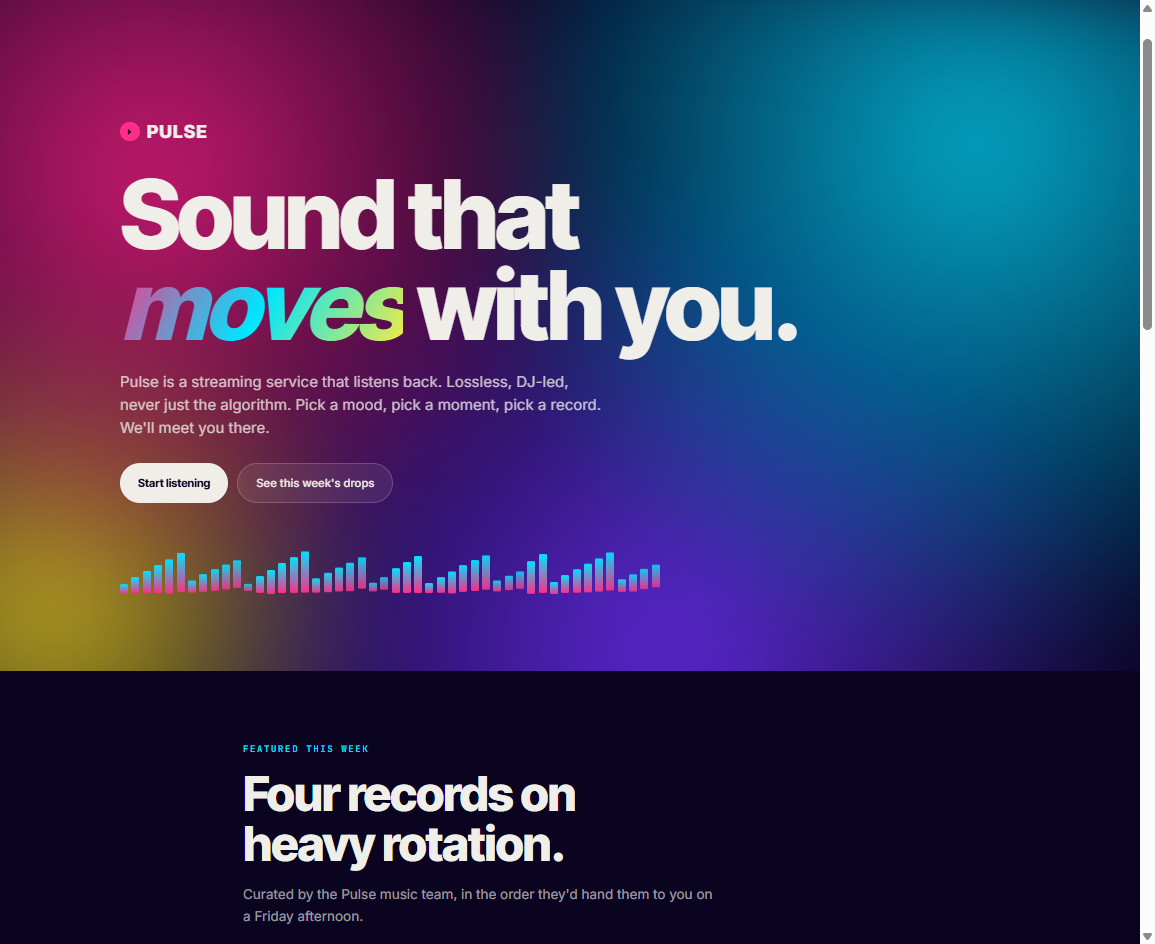 | 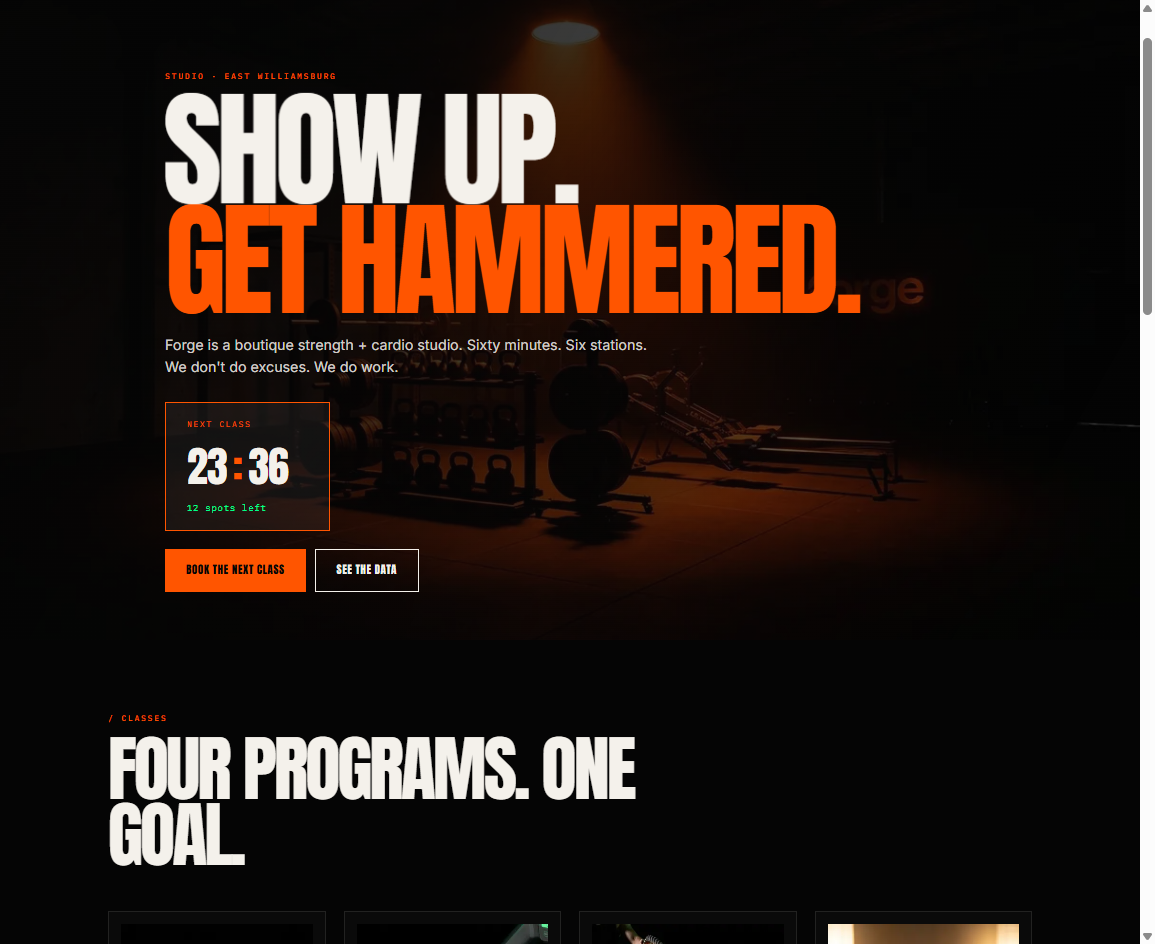 |
| Pulse · music streaming Sound that moves with you. Playful / Expressive Maximalist / Companion / Resonant See Pulse demo example → | Forge · boutique fitness Show up. Get hammered. Provocative / Expressive Maximalist / Coach / Resonant See Forge demo example → |
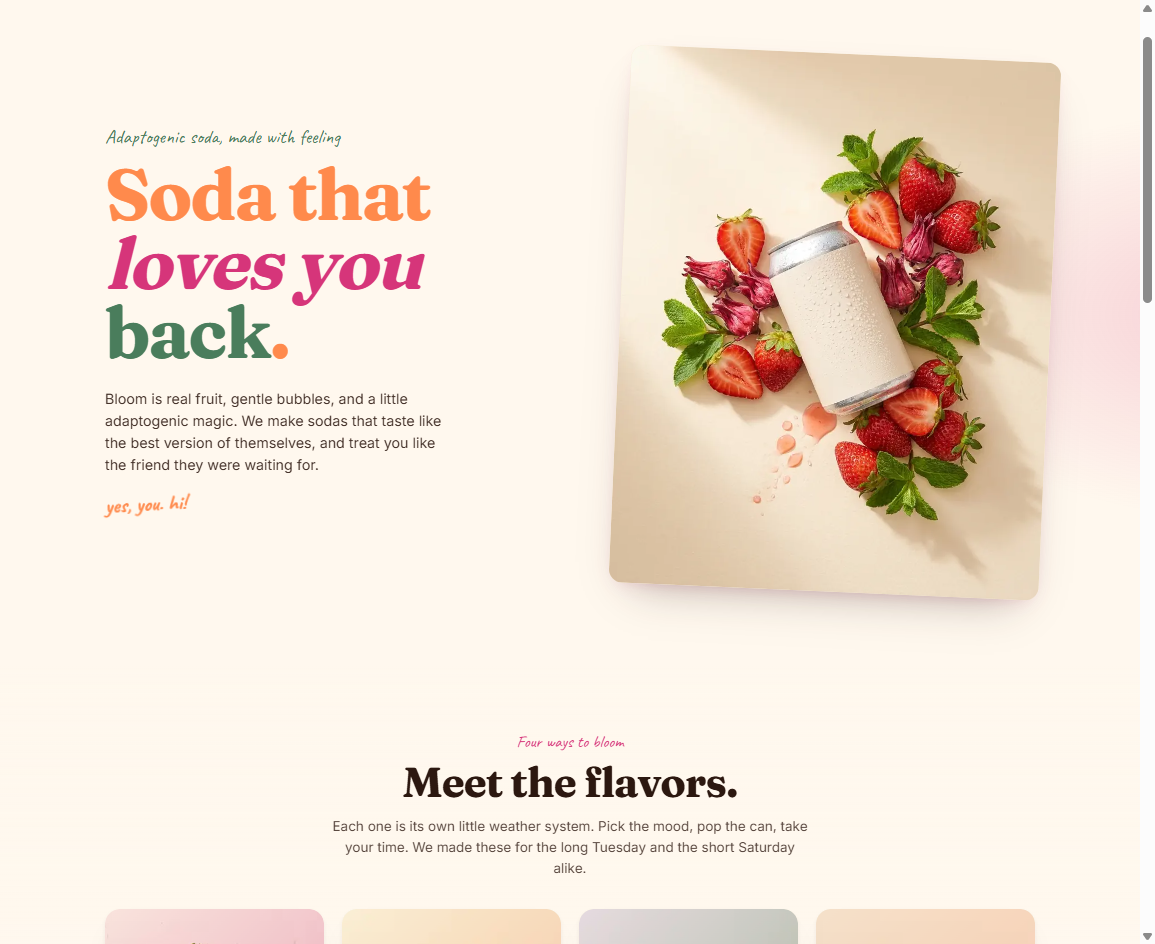 | 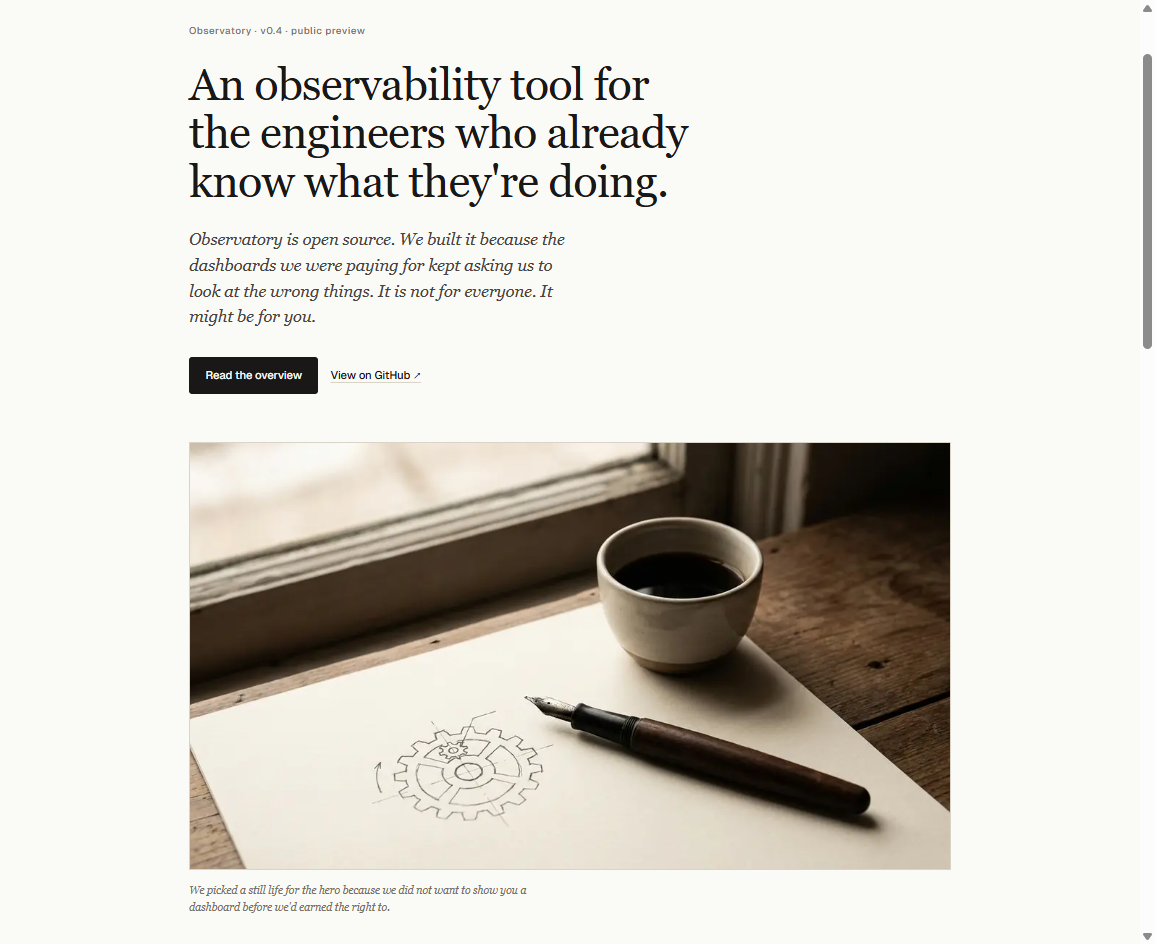 |
| Bloom · adaptogenic soda Soda that loves you back. Playful / Expressive Maximalist / Companion / Resonant See Bloom demo example → | Observatory Editorial · observability tool An open-source tool that respects engineer time. Conversational / Editorial Restrained / Peer / Considered See Observatory demo example → |
See all the brands in the showcase →
The creative-direction skill lives at skills/creative-direction/. Install it (see below), give Claude a project name and a few inspiration references, and the skill walks you through producing a brief that downstream skills can consume. The brand sites in the showcase were built from briefs of exactly that shape.
The logo-design skill is rendered on rampstack.co as two parallel surfaces. The variant explorer goes deep on one brand at a time: a primary mark, variants across architectures, applied contexts. The taxonomy gallery goes wide across the architecture space: ten fictional marks demonstrating eight mark architectures (wordmark, lockup, monogram, letterform-as-symbol, abstract, pictorial, combination, emblem). Same skill, two different lenses.
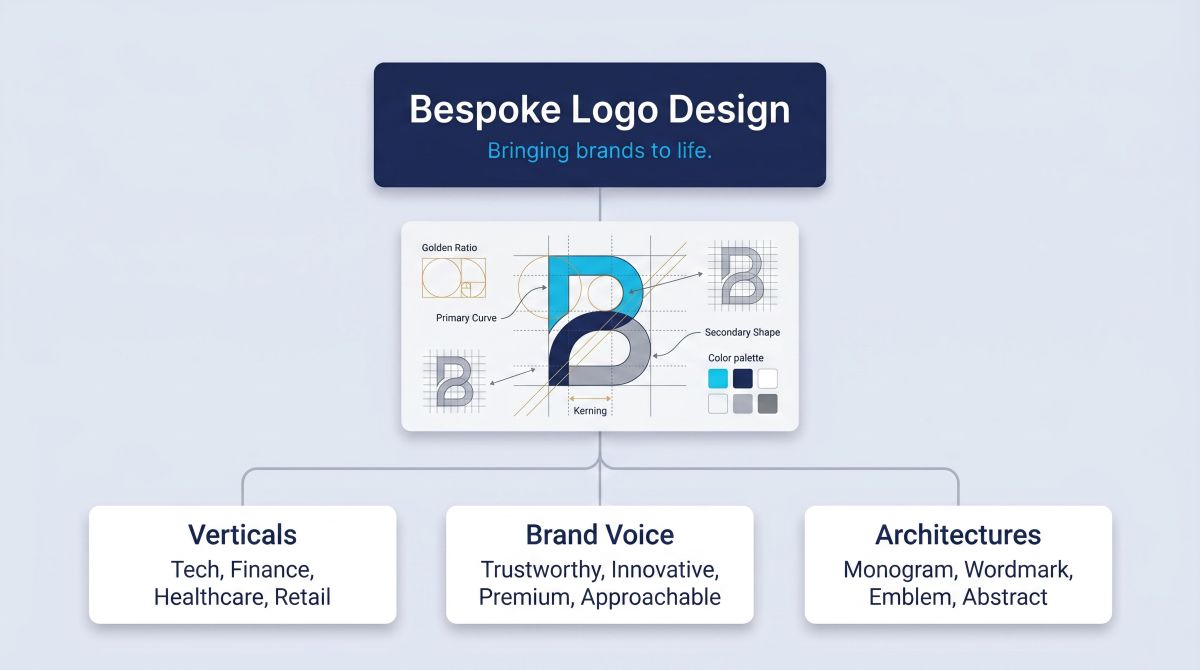
Each brand has a primary mark plus variants across architectures and applied contexts. The logo-design skill walks through the discipline of choosing one architecture and rendering it consistently across the system the brand will actually use.
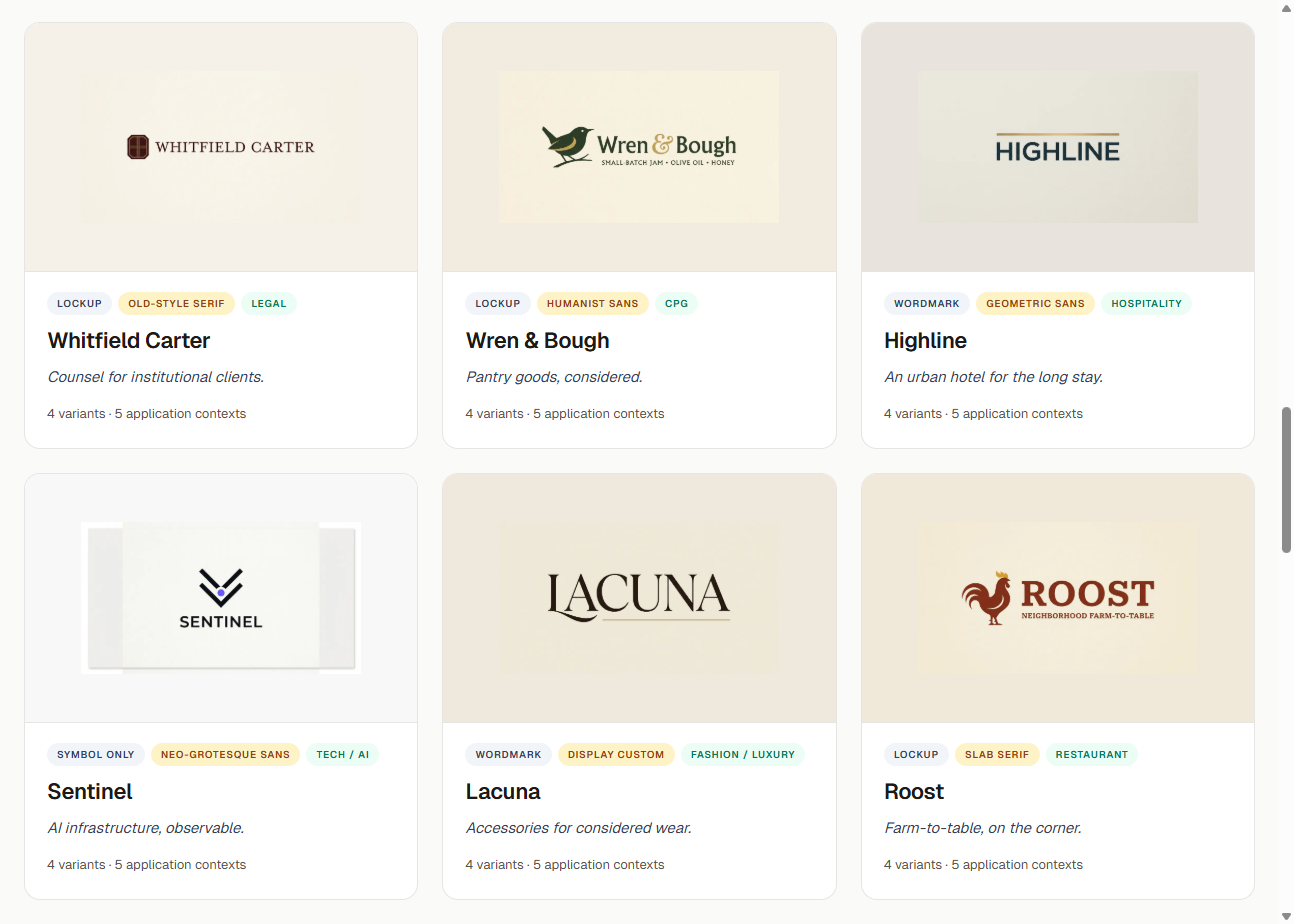
The brands are filterable by architecture, typographic register, and category. The intent is reference work, not consumable templates.
Ten fictional marks across eight mark architectures: wordmark, lockup, monogram, letterform-as-symbol, abstract, pictorial, combination, emblem. The taxonomy makes the architectural distinctions concrete by showing all eight side-by-side, with three wordmarks at three typographic registers so the architectural label does less work than the execution.
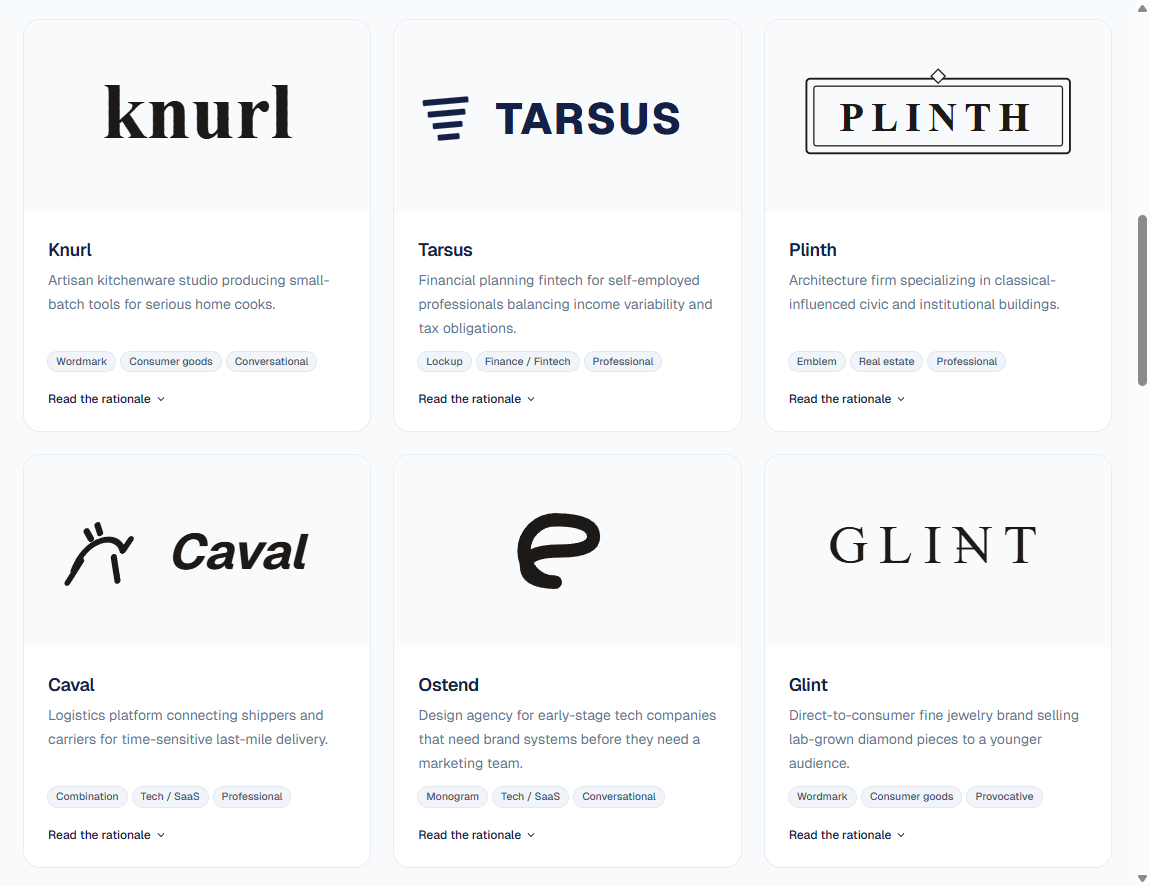
Filter by architecture, vertical, or brand voice; click any mark card to read its design rationale.
The full catalog rendered as a 4-phase reference build: blank brief through deployed audited launch site. Threshold is a fictional PLG onboarding analytics product, but the research, brand foundations, build, and audit findings are all real. The reference build is the catalog's single strongest demonstration of how the skills compose end-to-end.
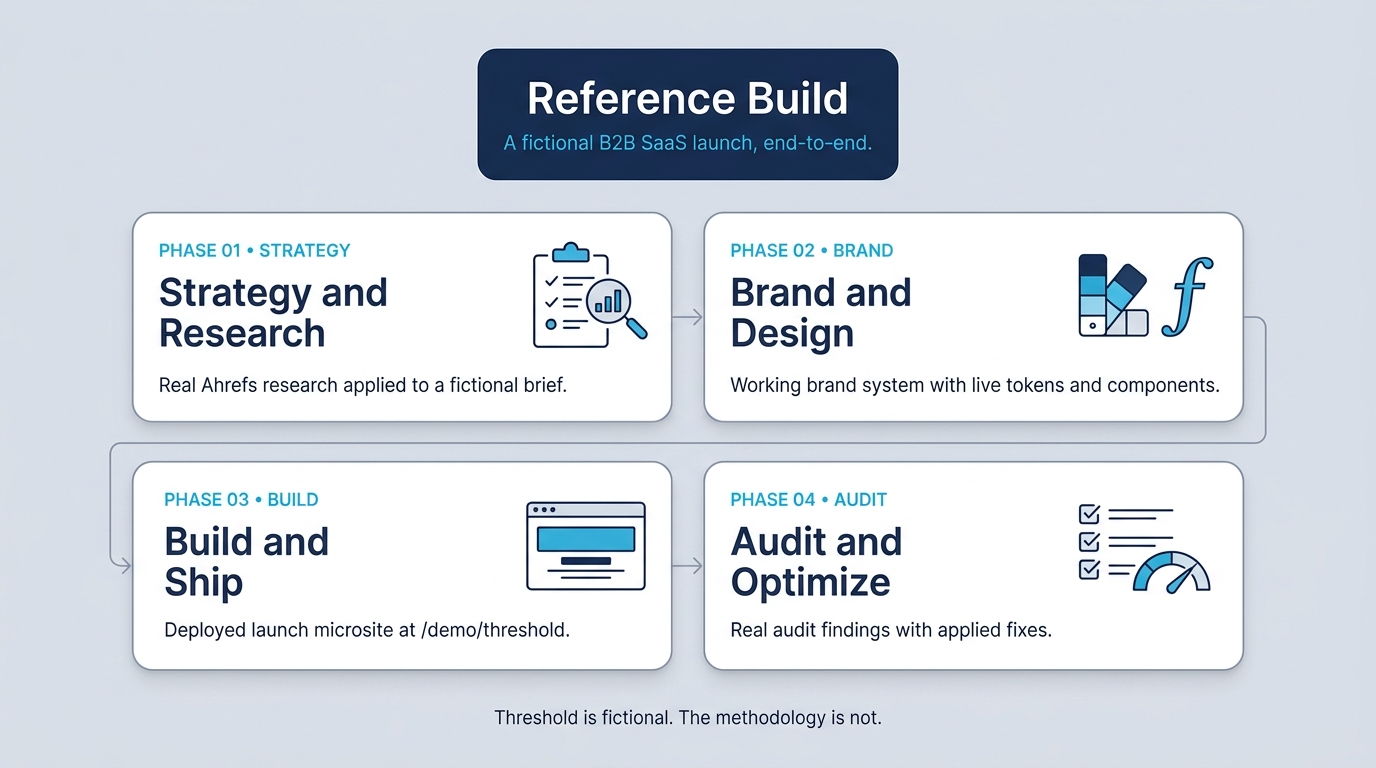
Phase 1: Strategy and research → Real Ahrefs keyword research, competitor analysis, content gap audit, and backlink opportunity mapping applied to a fictional B2B SaaS brief. Live data tables sourced from the Ahrefs API.
Phase 2: Brand and design → Logo system, color and typography tokens, working brand component primitives. The brand system renders live on the walkthrough page in real fonts and tokens, not just described.
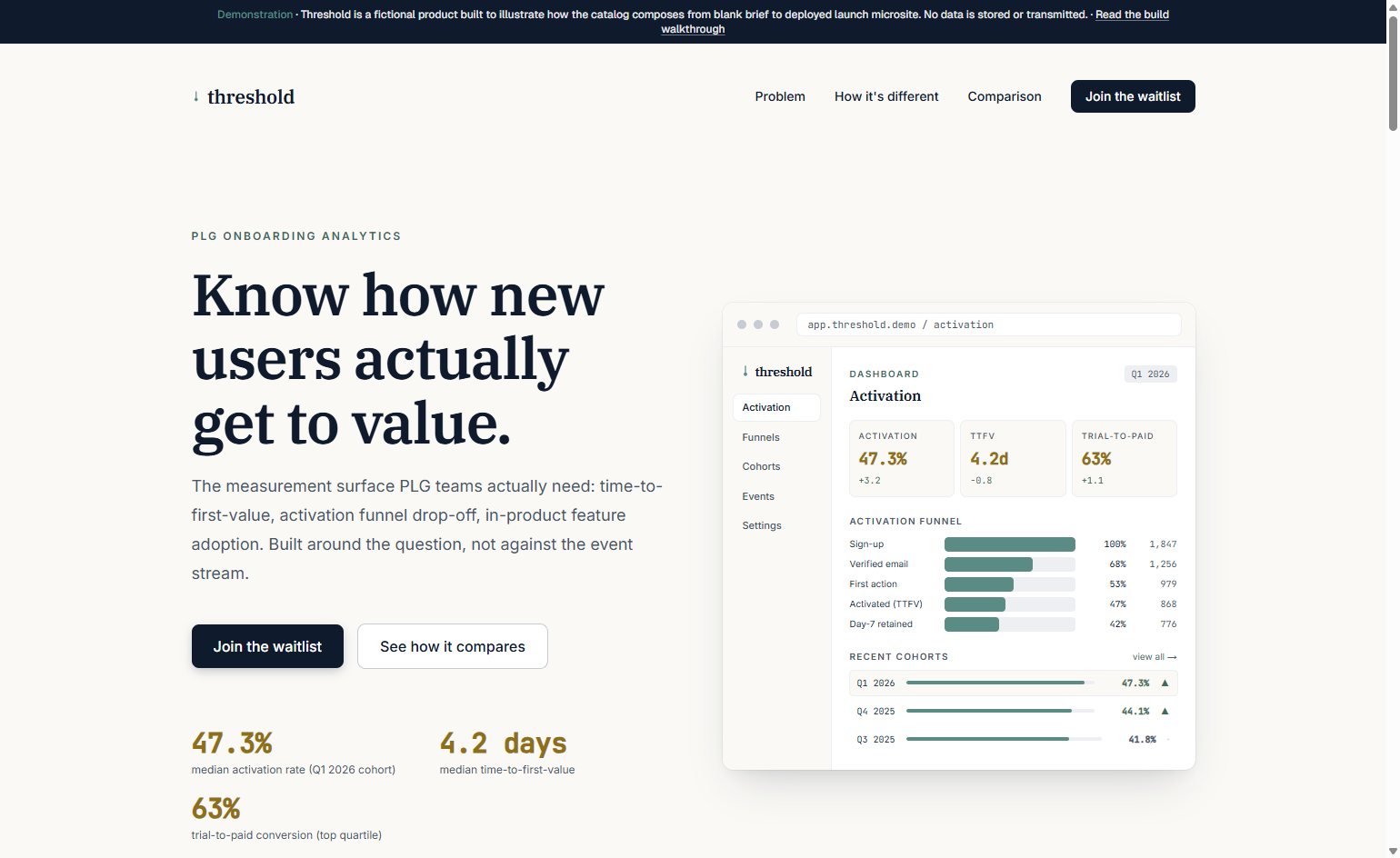
Phase 3: Build and ship → The actual launch microsite built with Next.js using Phase 2's brand foundations. Live at rampstack.co/demo/threshold. Persistent demonstration banner; noindex; local-only waitlist form.
Phase 4: Audit and optimize → Real audit on the deployed site using the catalog's audit suite (axe-core, Lighthouse, manual checks). Real findings with severity, real fixes applied, real before/after metrics. The closing chapter where the catalog audits its own output.
The four phases compose into a working microsite at rampstack.co/demo/threshold. Real Next.js code, real brand foundations from Phase 2 referenced via cross-route imports, real working multi-step waitlist form (no data stored), persistent demonstration banner, and the inline data visualizations that came out of the post-audit polish pass.
Real client work cannot be open-sourced; portfolio claims trigger conflict-of-interest concerns in interviews and consulting conversations. A fictional product with a documented brief plus real research, real brand foundations, real working code, and real audit findings produces a teaching artifact that demonstrates methodology without claiming relationships. Threshold is a measurement tool that does not exist; the methodology that built it is the catalog working end-to-end.
Skills install in three different places depending on where you use Claude. Pick the platform that matches your workflow.
If your Claude.ai plan supports custom Skills:
.zip (one zip per skill folder containing SKILL.md and the references/ subfolder).Claude will load the skill automatically when your request matches its description.
For current plan availability and the exact upload UI, see Anthropic's Skills user guide.
Skills are first-class citizens in Claude Code. Drop them into your skills directory and Claude Code picks them up automatically.
User-level skills (available in every project):
# macOS / Linux
mkdir -p ~/.claude/skills
cp -r skills/* ~/.claude/skills/

# Windows (PowerShell)
New-Item -ItemType Directory -Force -Path "$HOME\.claude\skills"
Copy-Item -Recurse skills\* "$HOME\.claude\skills\"
Project-level skills (available only in a specific project):
mkdir -p .claude/skills
cp -r path/to/this-repo/skills/* .claude/skills/
Start (or restart) Claude Code. Skills load automatically.
For exact current paths and config flags, see the Claude Code documentation.
Use Skills programmatically by referencing them in your API calls. Skills must first be uploaded to your workspace (via the Console or API), then referenced by ID when creating messages.
For the current API surface, request format, and limits, see the Agent Skills API documentation.
You do not have to install all 103. Pick the categories that match your work. The library is modular: each skill stands on its own.
Once installed, skills trigger automatically based on your request. You do not have to name the skill or change how you talk to Claude.
You ask:
"Our organic traffic dropped 30% last week. Help me figure out why."
What happens:
Claude recognizes the request matches seo-traffic-diagnosis, loads the skill, and walks through its 5-layer root cause framework: confirm the change is real → localize the change → page-level analysis → technical analysis → external analysis. By the end, you have a hypothesis statement, evidence, and an action plan, structured the same way every time.
**Other nat
Sign in to join the discussion.
No comments yet. Be the first to say what this is good for.
The awesome collection of OpenClaw skills. 5,400+ skills filtered and categorized from the official OpenClaw Skills Registry.🦞
A curated list of awesome Claude Skills, resources, and tools for customizing Claude AI workflows

A collection of MCP servers.

Model Context Protocol Servers
Extracted system prompts from Anthropic - Claude Fable 5.1, Opus 5, Claude Design, Claude Code. OpenAI - ChatGPT GPT-6-Astra, Codex. Google - Gemini 3.8 Flash, 3.1 Pro, Antigravity. xAI - Grok, Grok Bot, Cursor, Kimi and more! Updated regularly.

Official, Anthropic-managed directory of high quality Claude Code Plugins.