
JuliusBrussee/
caveman

🪨 why use many token when few token do trick — Claude Code skill that cuts 65% of tokens by talking like caveman
105k
1 add
Skills Hub keeps Agent Skills in one central repository and syncs them to the global or project skill directories used by different AI coding tools. It handles install, update, tagging, bulk changes, and tool target management from one interface. The app prefers symlink or junction syncing and falls back to copying when the platform requires it.
Builders who want one place to manage skills for Claude Code, Codex, Cursor, Gemini CLI, Copilot, and Windsurf.
You can install a skill once and keep it synced across multiple agent tools without managing each skills folder by hand.
Stores skills in one managed repository instead of scattering copies across tool folders.
Lets you add skills from curated lists, online search, local folders, or Git repositories.
Syncs skills to global or project-level directories for supported AI coding tools.
Applies tags, enabled state, target tools, or delete actions to many skills at once.
Schedules Git and local-source skill updates and shows checked, updated, and failed results.
Lets you enable built-in tool targets or define custom skills directories.
Scans installed tool folders and imports existing local skills into the central library.
Shows file trees, Markdown content, and code snippets for each skill.
npm install
npm run tauri:dev
npm run lint
npm run build
npm run tauri:build
cd src-tauri
cargo test
A cross-platform desktop app (Tauri + React) for installing, organizing, updating, and syncing Agent Skills to multiple AI coding tools' global or project-level skills directories. Skills Hub prefers symlink/junction and automatically falls back to copy when needed: "Install once, sync everywhere".
README.md (this file)docs/README.zh.mdAI coding tools increasingly use their own skills directories and installation flows. Maintaining those directories manually can quickly become messy: the same skill gets copied many times, update sources become unclear, tool activation states drift, and bulk cleanup takes too much effort.
Skills Hub installs skills into one central repository, then syncs them to tools such as Claude Code, Codex, Cursor, OpenCode, and Antigravity based on your choices. You can tag skills, choose global or project scope, update tool targets in bulk, and let the system update Git and local-source skills on a schedule.
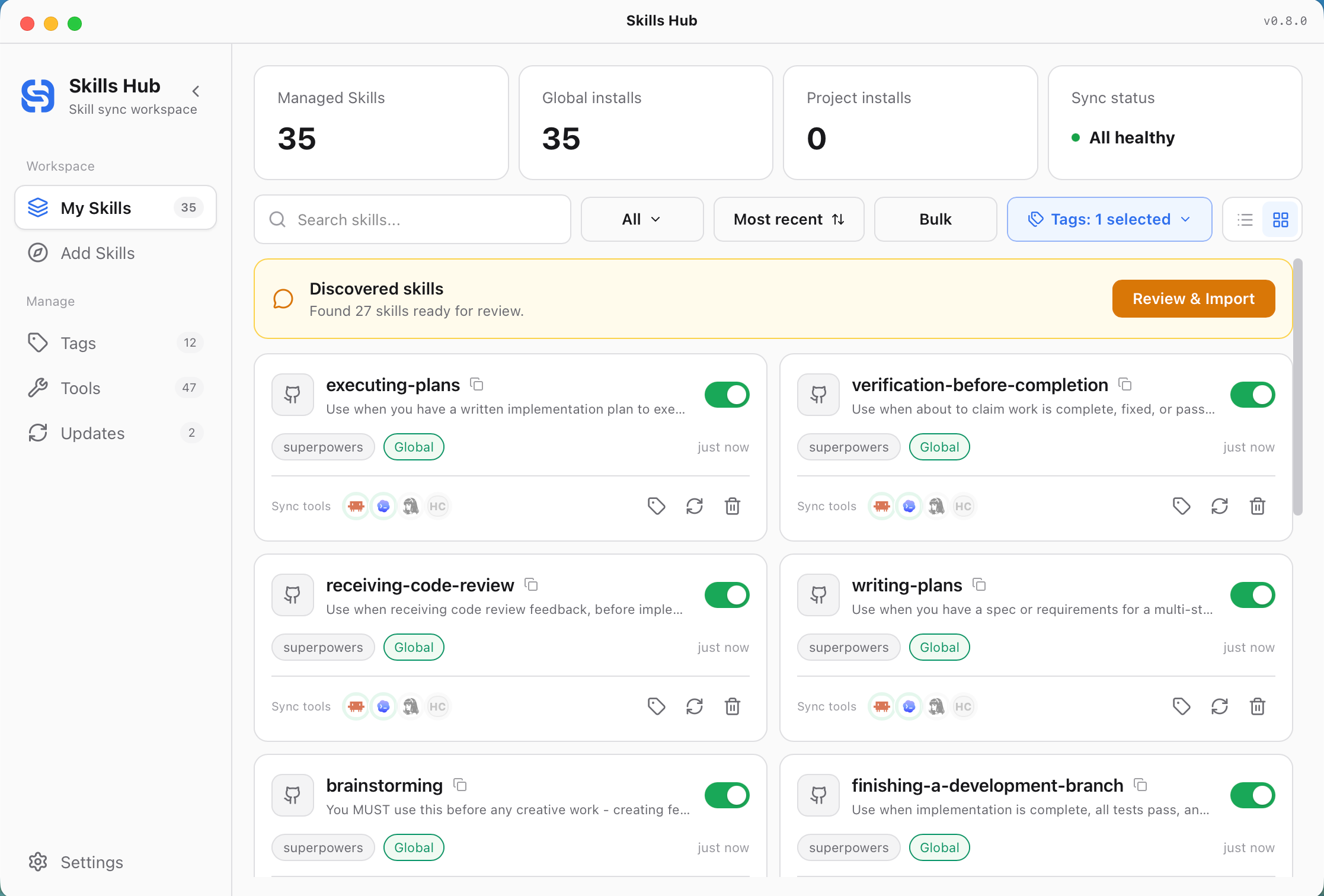
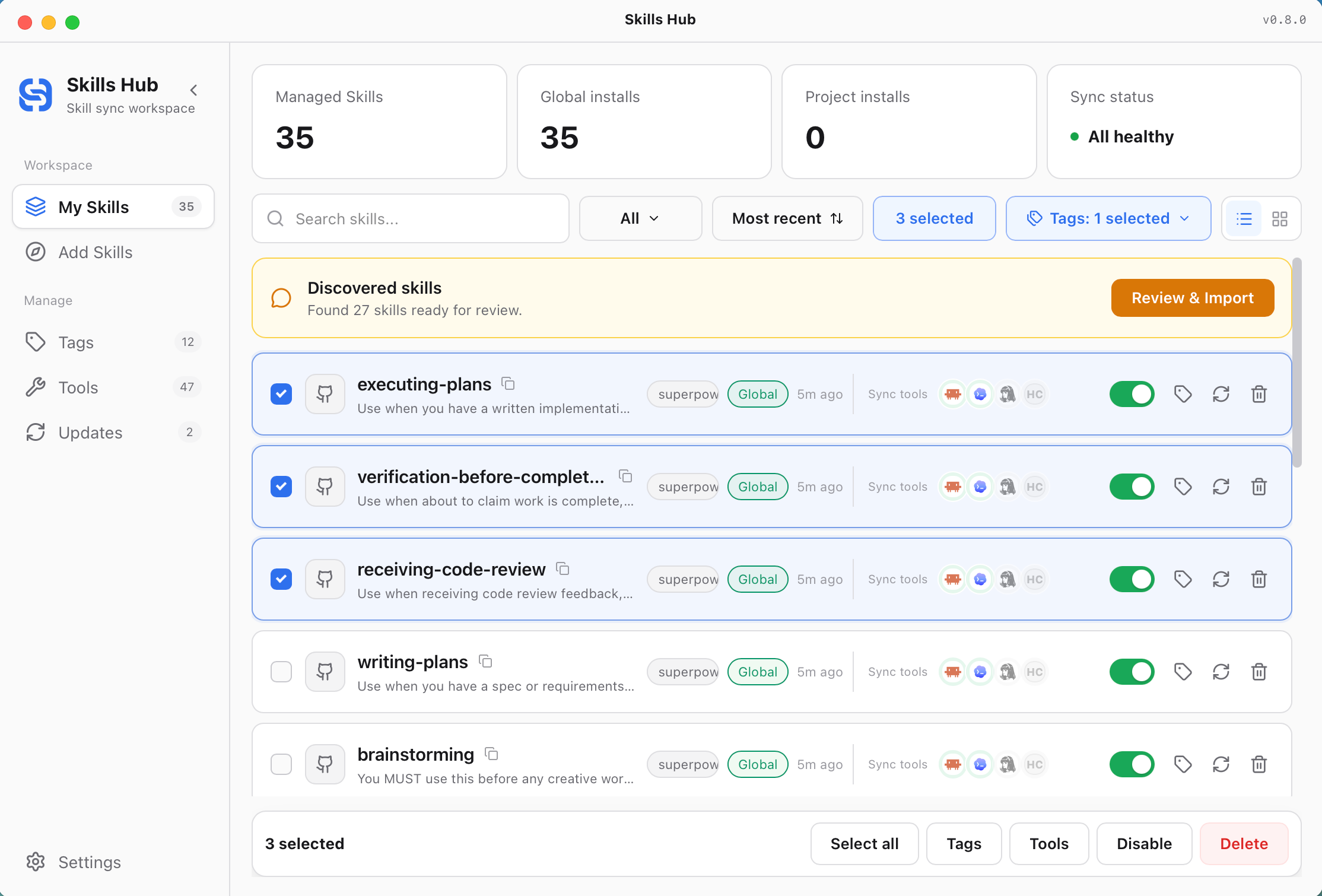
My Skills provides card and list views for each managed skill's source, tags, sync scope, target tools, and enabled state. The toolbar supports scope filtering, sorting, tag filtering, search, and bulk actions.
When Skills Hub discovers importable Skills in installed tool directories, the discovery banner lets you review them or open Scan settings. Scan sources are independent from sync targets, persist across restarts, and remain accessible from Settings. Only directories containing SKILL.md are shown as importable Skills.
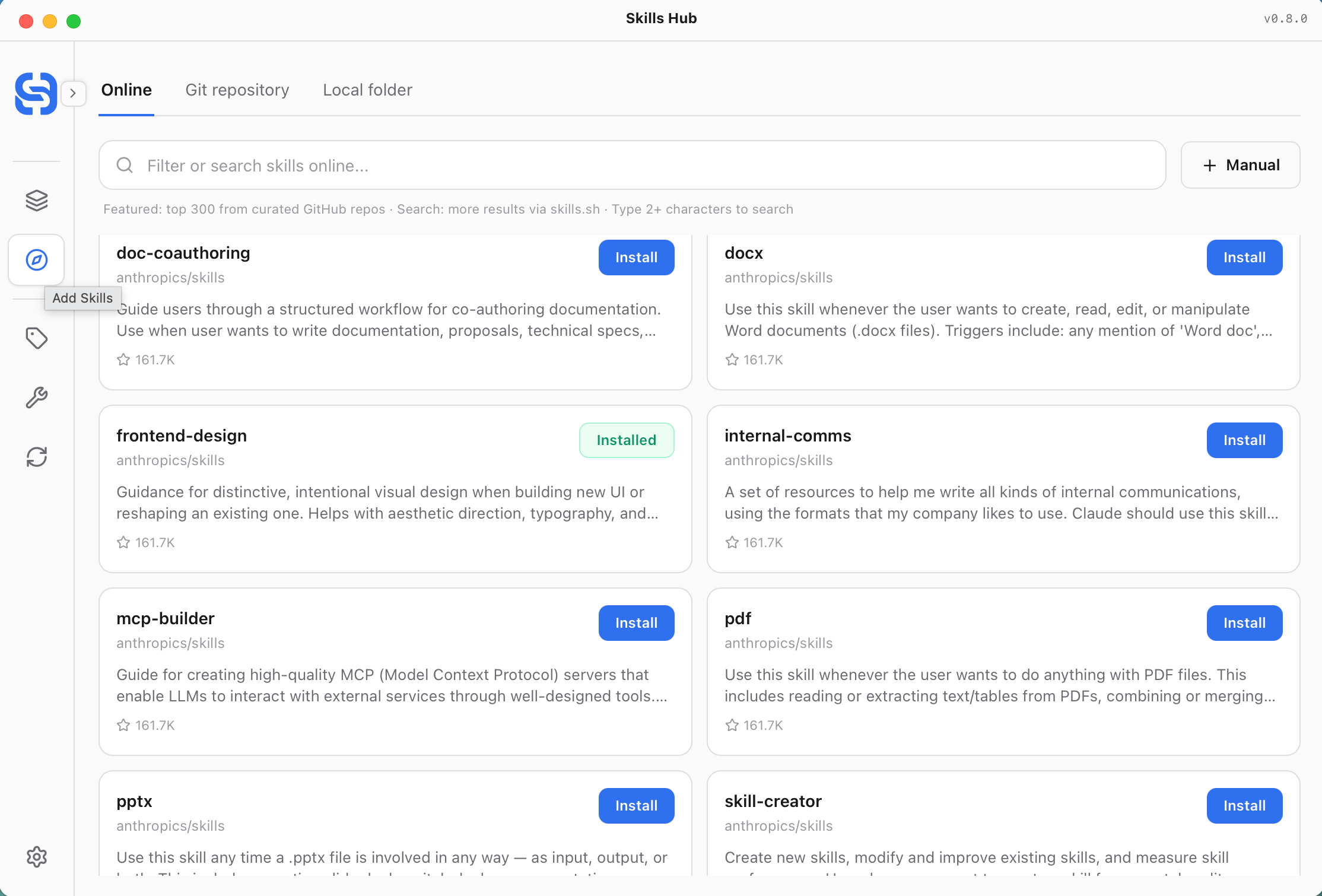
Explore brings together curated repository skills and online search. After clicking Install, you can choose tags, install scope, and target tools.
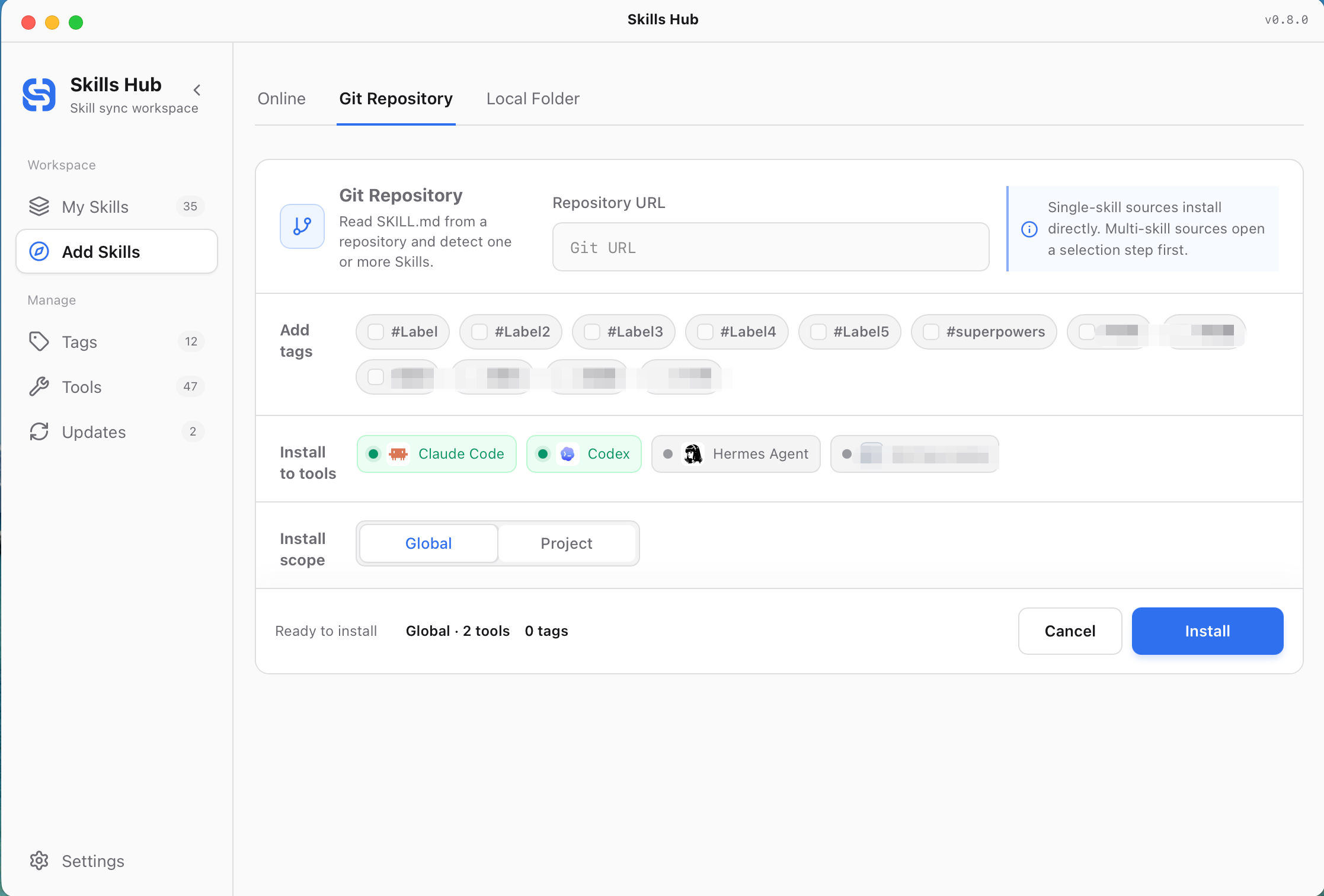
Manual add supports both local folders and Git repositories. Before installing, you can assign tags, choose global or project scope, and choose which tools to sync to.
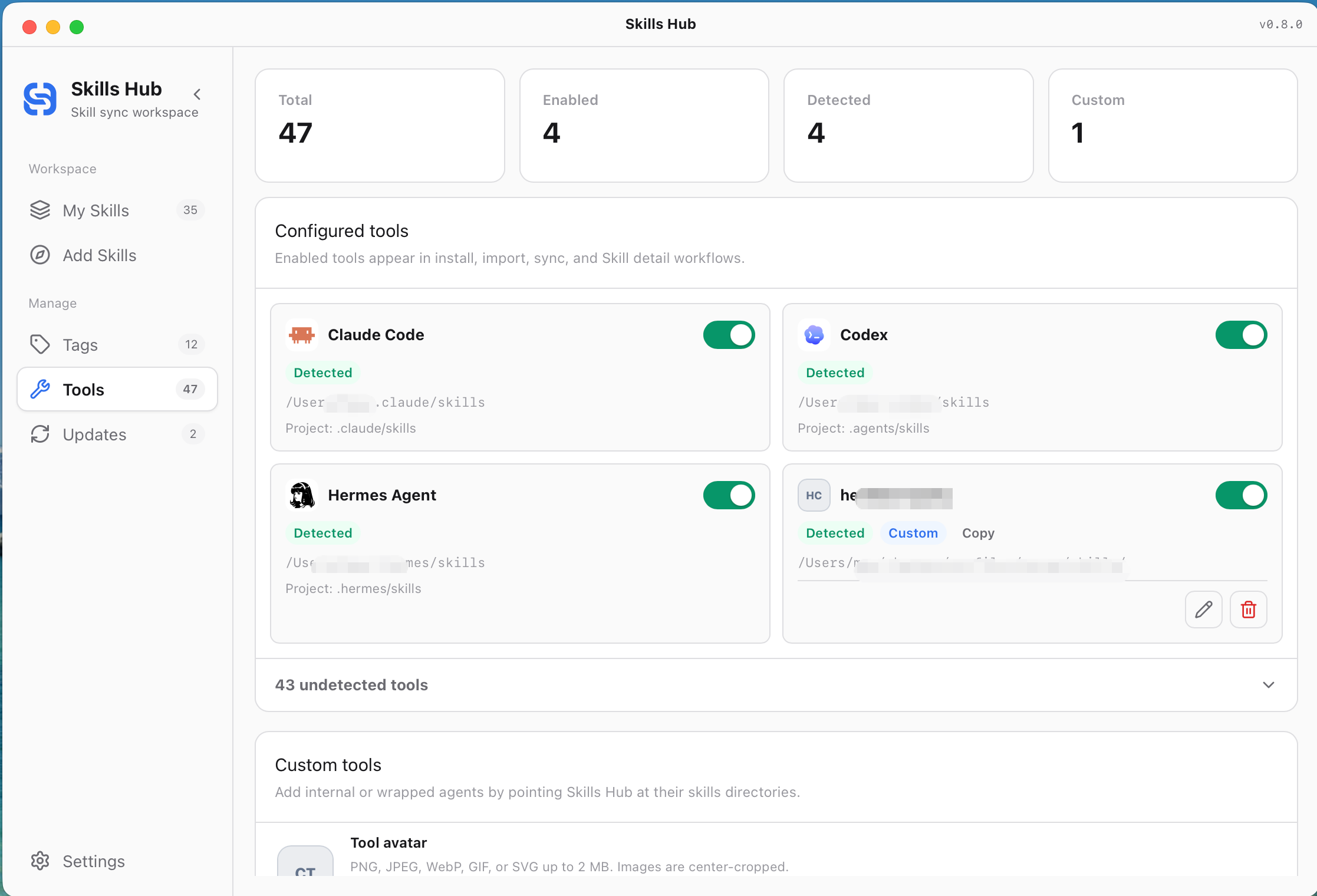
Tools shows detected and enabled AI coding tools with recognizable product icons. You can enable built-in targets or create and edit custom tools with an avatar, skills directories, and an explicit sync mode.
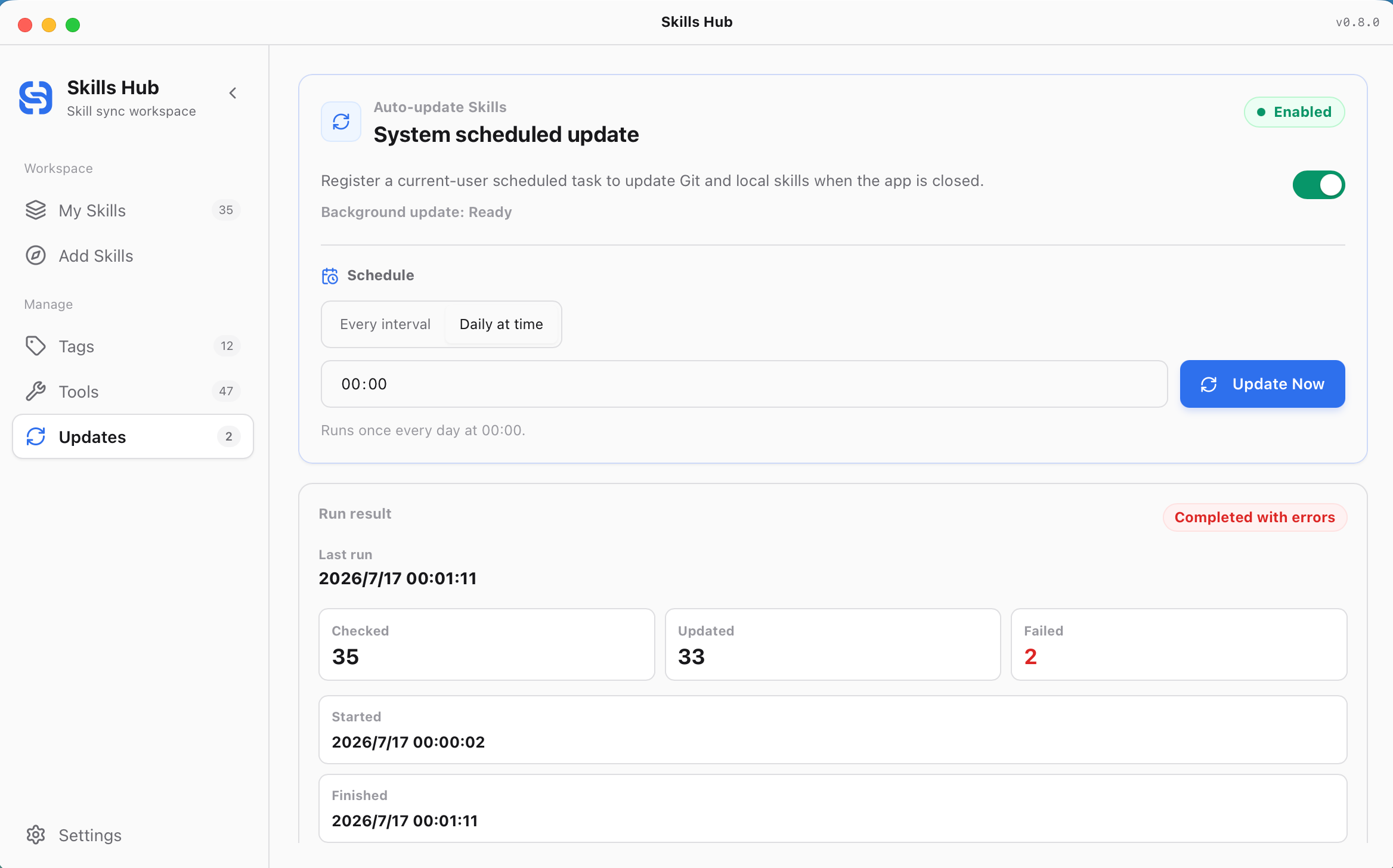
Updates can register a system-level schedule that keeps Git and local-source skills current while the app is closed. You can also update immediately and review checked, updated, and failed counts from the latest run.
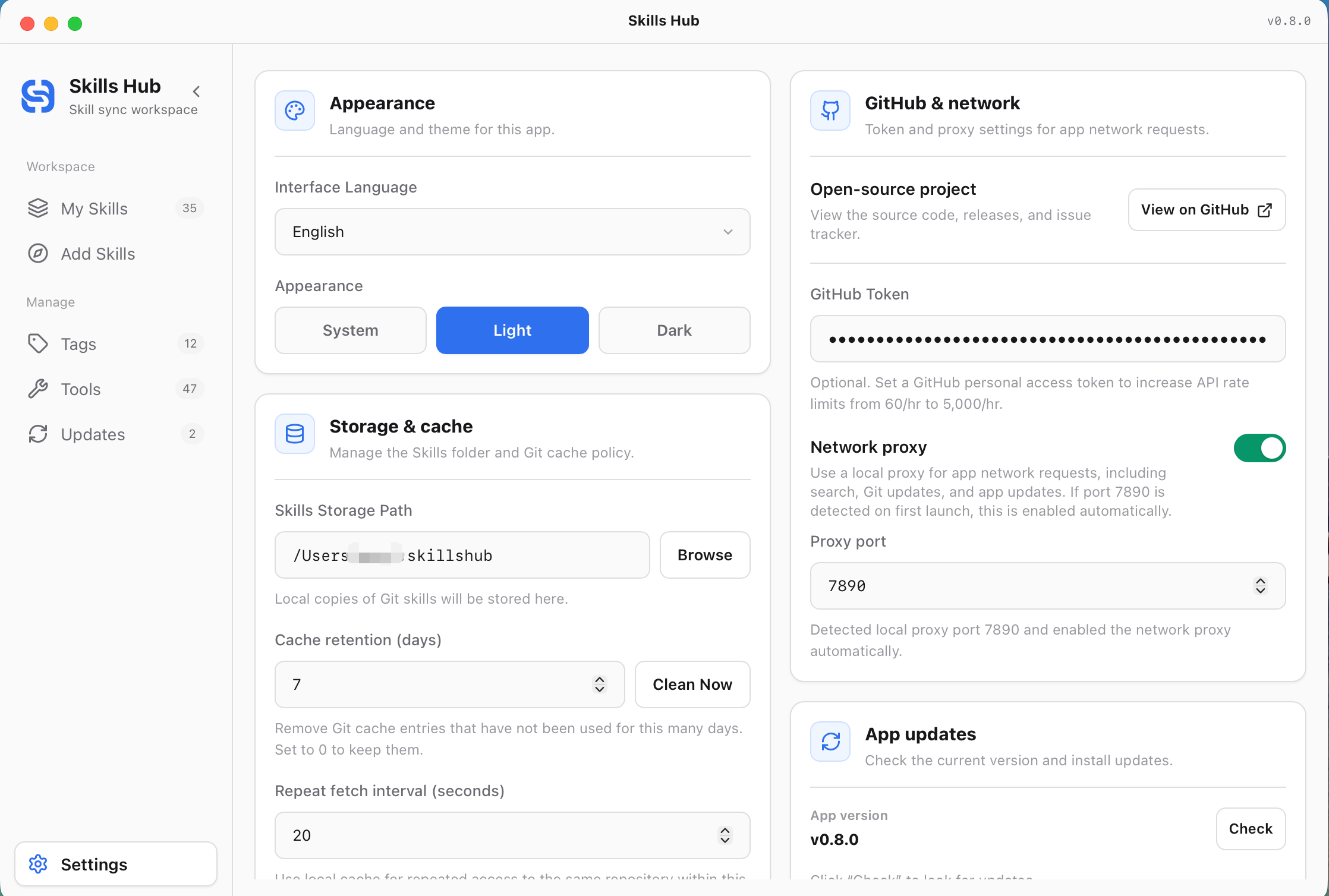
Settings keeps app-level preferences such as interface language, appearance, storage and cache, GitHub token, network proxy, and app updates.
~/.skillshub.Skills Hub includes 47 built-in tool adapters and supports custom skills directories from Management Center. Project skills directories are relative to the selected project root. Tools marked N/A do not have a confirmed project-level skills directory and are supported for global sync only.
| tool key | Display name | global skills dir (relative to ~) | project skills dir (relative to project) | detected if exists (relative to ~) |
|---|---|---|---|---|
cursor | Cursor | .cursor/skills | .agents/skills | .cursor |
claude_code | Claude Code | .claude/skills | .claude/skills | .claude |
codex | Codex | .codex/skills | .agents/skills | .codex |
deepseek_harness | DeepSeek Harness | .dsh/skills | .dsh/skills | .dsh |
opencode | OpenCode | .config/opencode/skills | .agents/skills | .config/opencode |
antigravity | Antigravity | .gemini/config/skills | .agents/skills | .gemini/config |
amp | Amp | .config/agents/skills | .agents/skills | .config/agents |
kimi_cli | Kimi Code CLI | .kimi-code/skills (or $KIMI_CODE_HOME/skills) | .kimi-code/skills | .kimi-code (or $KIMI_CODE_HOME) |
augment | Augment | .augment/skills | .augment/skills | .augment |
openclaw | OpenClaw | .openclaw/skills | skills | .openclaw |
copaw | Copaw | .copaw/skill_pool | .copaw/skill_pool | .copaw |
cline | Cline | .agents/skills | .agents/skills | .agents |
codebuddy | CodeBuddy | .codebuddy/skills | .codebuddy/skills | .codebuddy |
codewhale | CodeWhale | .codewhale/skills | .codewhale/skills | .codewhale |
workbuddy | WorkBuddy | .workbuddy/skills | N/A | .workbuddy |
command_code | Command Code | .commandcode/skills | .commandcode/skills | .commandcode |
continue | Continue | .continue/skills | .continue/skills | .continue |
crush | Crush | .config/crush/skills | .crush/skills | .config/crush |
junie | Junie | .junie/skills | .junie/skills | .junie |
iflow_cli | iFlow CLI | .iflow/skills | .iflow/skills | .iflow |
kiro_cli | Kiro CLI | .kiro/skills | .kiro/skills | .kiro |
kode | Kode | .kode/skills | .kode/skills | .kode |
mcpjam | MCPJam | .mcpjam/skills | .mcpjam/skills | .mcpjam |
mistral_vibe | Mistral Vibe | .vibe/skills | .vibe/skills | .vibe |
mux | Mux | .mux/skills | .mux/skills | .mux |
openclaude | OpenClaude IDE | .openclaude/skills | .openclaude/skills | .openclaude |
openhands | OpenHands | .openhands/skills | .openhands/skills | .openhands |
pi | Pi | .pi/agent/skills | .pi/skills | .pi |
qoder | Qoder | .qoder/skills | .qoder/skills | .qoder |
qoderwork | QoderWork | .qoderwork/skills | .qoderwork/skills | .qoderwork |
qwen_code | Qwen Code | .qwen/skills | .qwen/skills | .qwen |
trae | Trae | .trae/skills | .trae/skills | .trae |
trae_cn | Trae CN | .trae-cn/skills | .trae/skills | .trae-cn |
zencoder | Zencoder | .zencoder/skills | .zencoder/skills | .zencoder |
neovate | Neovate | .neovate/skills | .neovate/skills | .neovate |
pochi | Pochi | .pochi/skills | .pochi/skills | .pochi |
adal | AdaL | .adal/skills | .adal/skills | .adal |
kilo_code | Kilo Code | .kilocode/skills | .kilocode/skills | .kilocode |
roo_code | Roo Code | .roo/skills | .roo/skills | .roo |
goose | Goose | .config/goose/skills | .goose/skills | .config/goose |
gemini_cli | Gemini CLI | .gemini/skills | .agents/skills | .gemini |
github_copilot | GitHub Copilot | .copilot/skills | .agents/skills | .copilot |
clawdbot | Clawdbot | .clawdbot/skills | .clawdbot/skills | .clawdbot |
droid | Droid | .factory/skills | .factory/skills | .factory |
windsurf | Windsurf | .codeium/windsurf/skills | .windsurf/skills | .codeium/windsurf |
moltbot | MoltBot | .moltbot/skills | .moltbot/skills | .moltbot |
hermes_agent | Hermes Agent | .hermes/skills | N/A | .hermes |
See src-tauri/src/core/tool_adapters/mod.rs for the complete path rules and detection logic.
npm install
npm run tauri:dev
npm run lint
npm run build
npm run tauri:build
package.json)npm run tauri:build:mac:dmgnpm run tauri:build:mac:universal:dmgnpm run tauri:build:win:msinpm run tauri:build:win:exenpm run tauri:build:win:allnpm run tauri:build:linux:debnpm run tauri:build:linux:appimagenpm run tauri:build:linux:allcd src-tauri
cargo test
CONTRIBUTING.mdCODE_OF_CONDUCT.mdSECURITY.md~/.skillshub (configurable in Settings).<project>/.agents/skills, <project>/.claude/skills, or another tool-specific project skills path.TARGET_EXISTS|... mean? The target folder already exists and the operation did not overwrite it (default is non-destructive). Remove the existing folder or retry with the appropriate overwrite flow.xattr -cr "/Applications/Skills Hub.app" (https://v2.tauri.app/distribute/#macos).MIT License — see LICENSE.
Sign in to join the discussion.
No comments yet. Be the first to say what this is good for.
🪨 why use many token when few token do trick — Claude Code skill that cuts 65% of tokens by talking like caveman

The best-benchmarked open-source AI memory system. And it's free.

Orca is the ADE for working with a fleet of parallel agents. Run any coding agent with your own subscription. Available on desktop, mobile and remote runtime.

A cross-platform desktop All-in-One assistant for Claude Code, Codex, OpenCode, OpenClaw, Grok Build & Hermes Agent. Only official website: ccswitch.io

Never stop coding. Free MIT AI gateway: one endpoint, 352 providers (150+ free), 1200+ models Kimi, Claude, GPT, Gemini, GLM, DeepSeek, MiniMax. Works with Claude Code, Codex, Cursor, OpenCode, Cline & Copilot. Quota-aware auto-fallback, RTK+Caveman compression saves 15-95% tokens, MCP/A2A, Desktop/PWA. Built by 550+ contributors

Compress tool outputs, logs, files, and RAG chunks before they reach the LLM. 20% fewer tokens for coding agents, 60-95% fewer tokens for JSON, same answers. Library, proxy, MCP server.