
JuliusBrussee/
caveman

🪨 why use many token when few token do trick — Claude Code skill that cuts 65% of tokens by talking like caveman
105k
1 add
pgconsole gives you a web SQL editor for PostgreSQL with autocomplete, formatting, schema browsing, inline edits, and AI help for writing and fixing queries. It also adds access control, audit logs, and a remote MCP endpoint so external agents can work with the same connections and permissions.
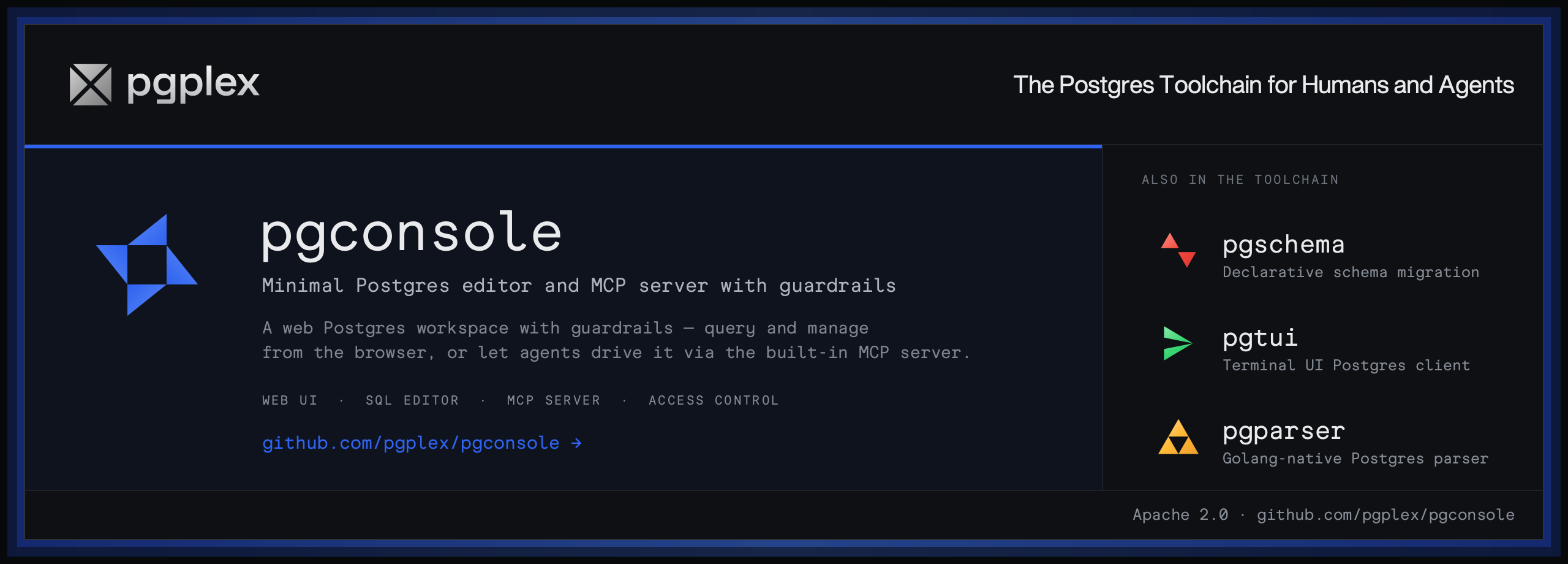
Builders who want a shared Postgres console for humans and agents.
You can work with Postgres in one place while keeping agent access, permissions, and query activity under control.
Write, run, edit, and inspect PostgreSQL with autocomplete, formatting, error hints, code folding, signature help, and a results grid with inline editing.
Generate, explain, fix, and rewrite SQL using OpenAI, Anthropic, or Google models with schema context.
Expose Postgres connections to external agents over `/mcp` with token auth and permission-shaped tools.
Use connection-scoped IAM rules with default-deny permissions for read, write, ddl, explain, execute, export, and admin.
Record queries and logins as structured JSON so you can forward them to your logging setup.
Keep connections, users, groups, access rules, and AI providers in `pgconsole.toml`.
npm install -g @pgplex/pgconsole
pgconsole --config pgconsole.toml
npx @pgplex/pgconsole --config pgconsole.toml
docker run -p 9876:9876 -v /path/to/pgconsole.toml:/etc/pgconsole.toml pgplex/pgconsole
[!NOTE] pgplex: The Postgres Toolchain for Humans and Agents - pgconsole · pgschema · pgtui · pgparser
Brought to you by Bytebase, open-source database governance platform.
|
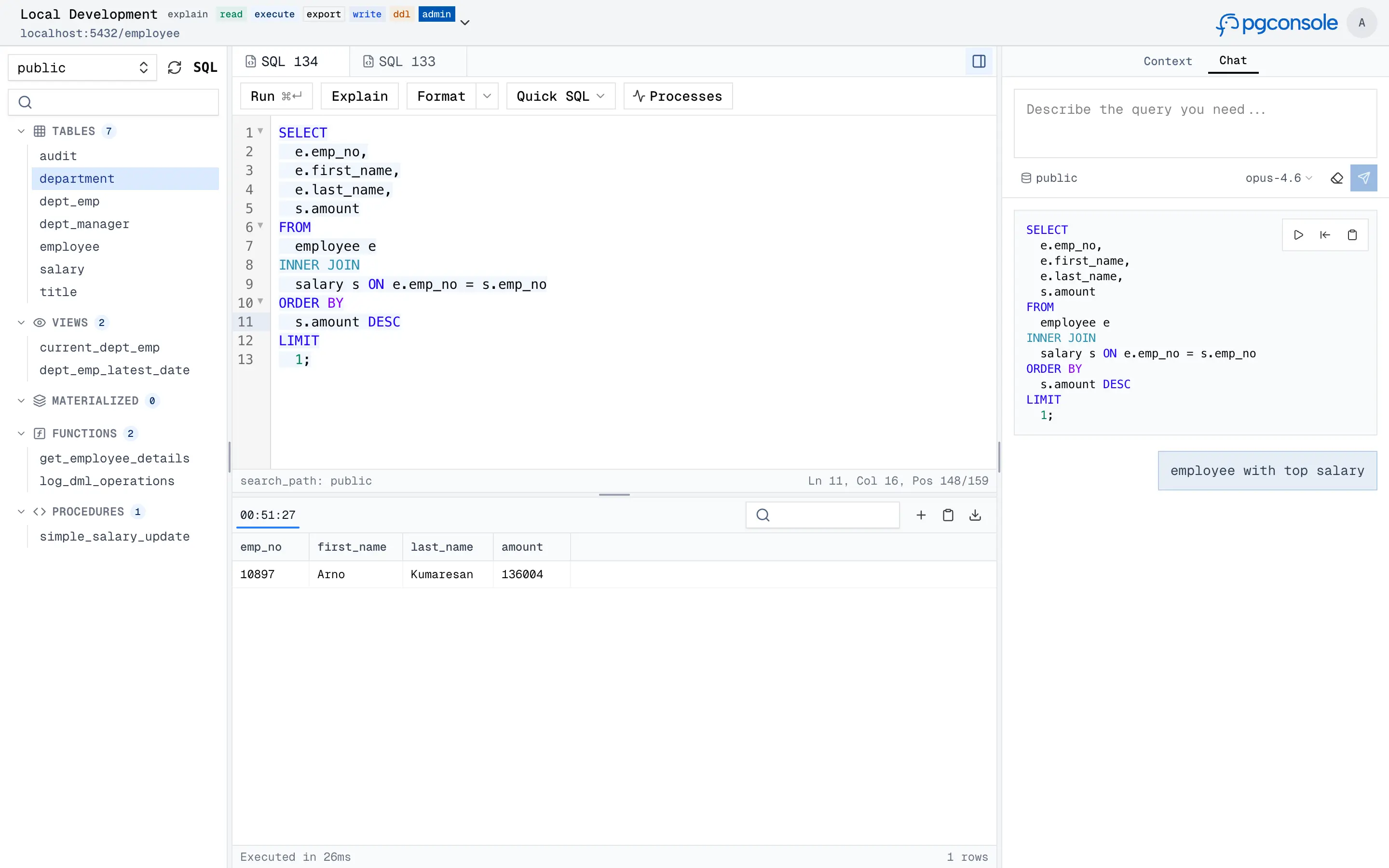
pgconsole is a web-based PostgreSQL editor. Single binary, single config file, no database required. Connect your team to PostgreSQL with access control and audit logging built in.
Visit https://docs.pgconsole.com/getting-started/quickstart
npm install -g @pgplex/pgconsole
pgconsole --config pgconsole.toml
npx @pgplex/pgconsole --config pgconsole.toml
docker run -p 9876:9876 -v /path/to/pgconsole.toml:/etc/pgconsole.toml pgplex/pgconsole
Run without --config to start in demo mode with a bundled sample database.
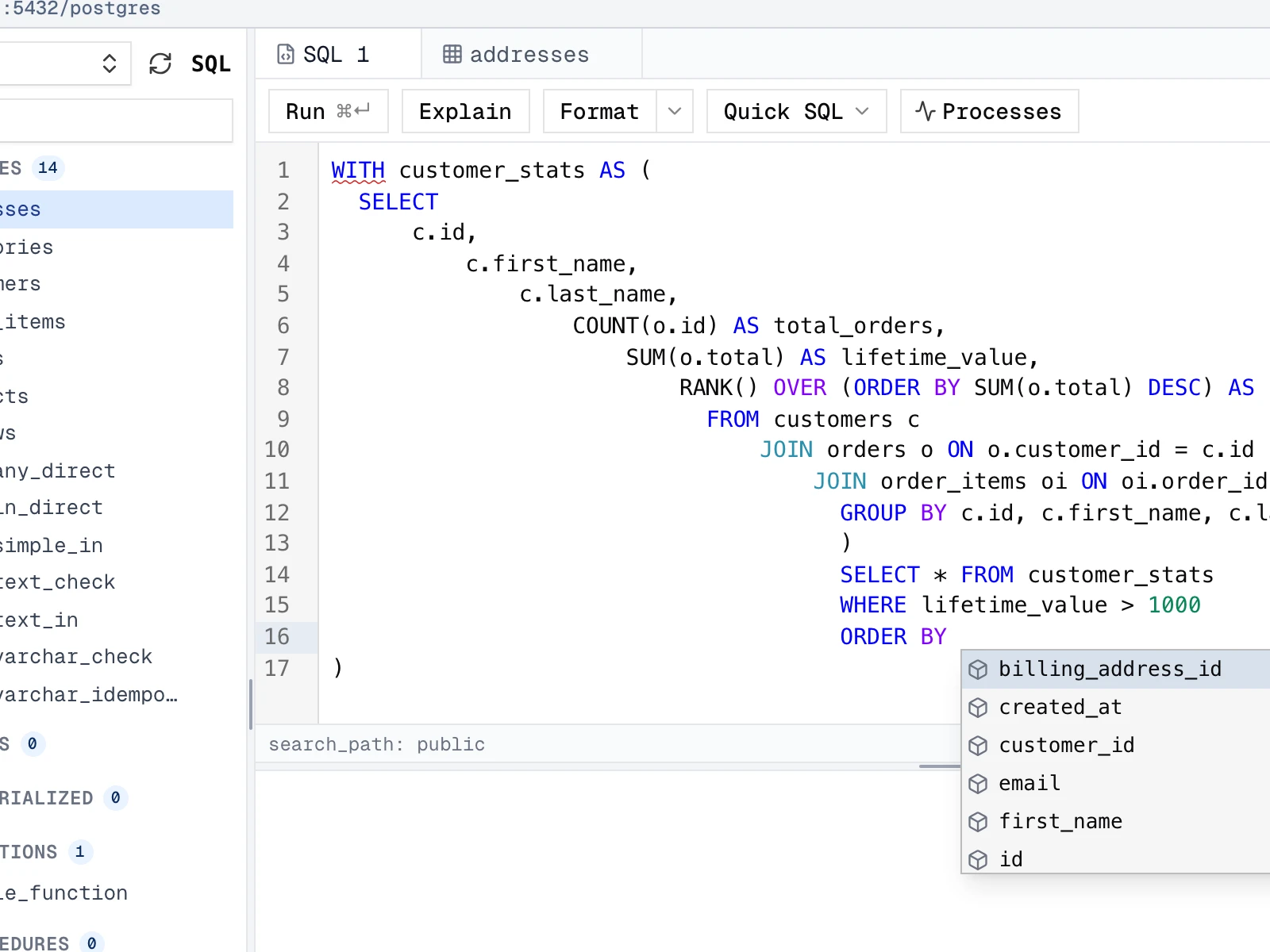
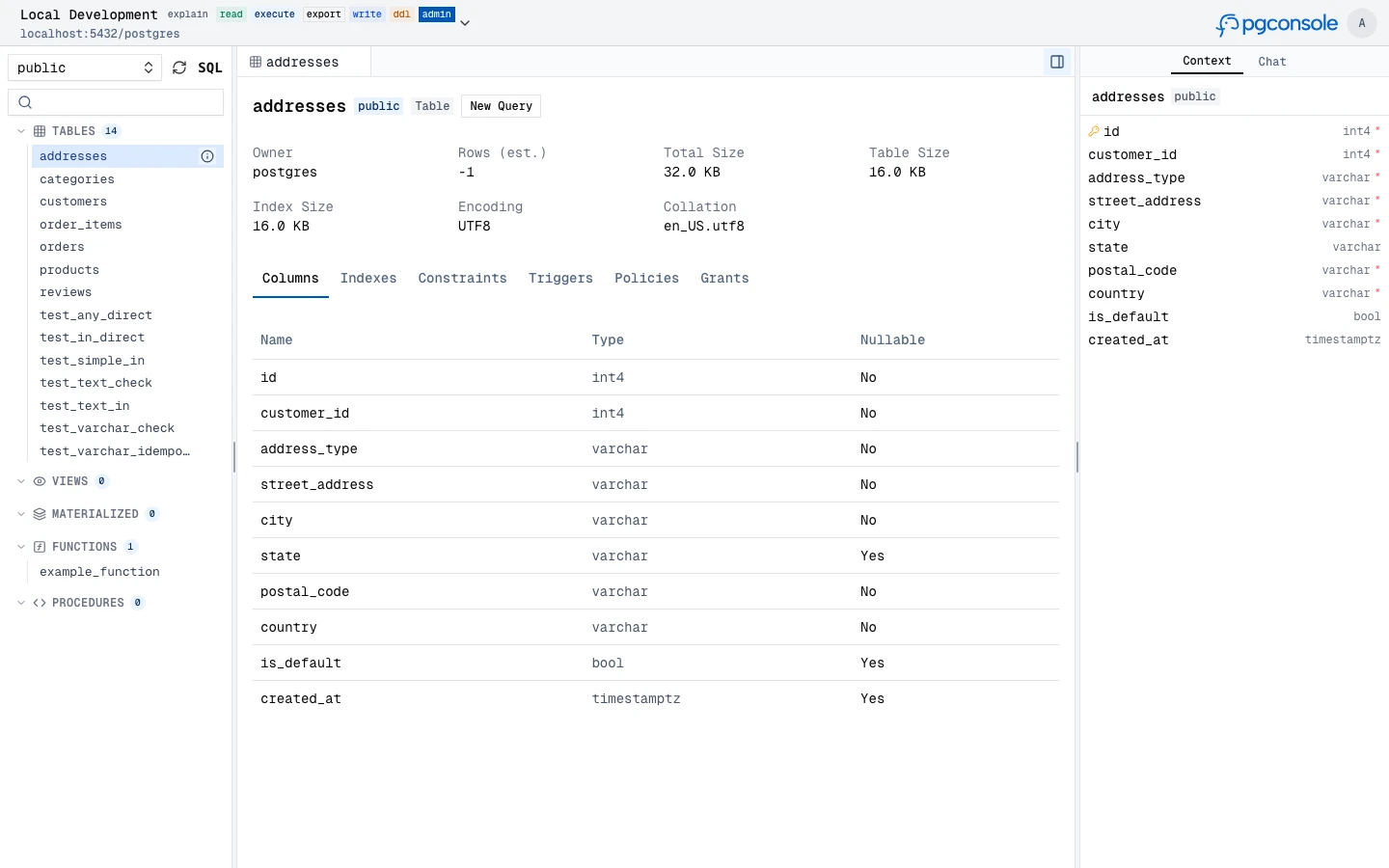
A full-featured SQL workspace for writing, running, editing, and inspecting PostgreSQL, with parser-powered intelligence in the editor.
SELECT, WITH, and other blocks
|

|
|
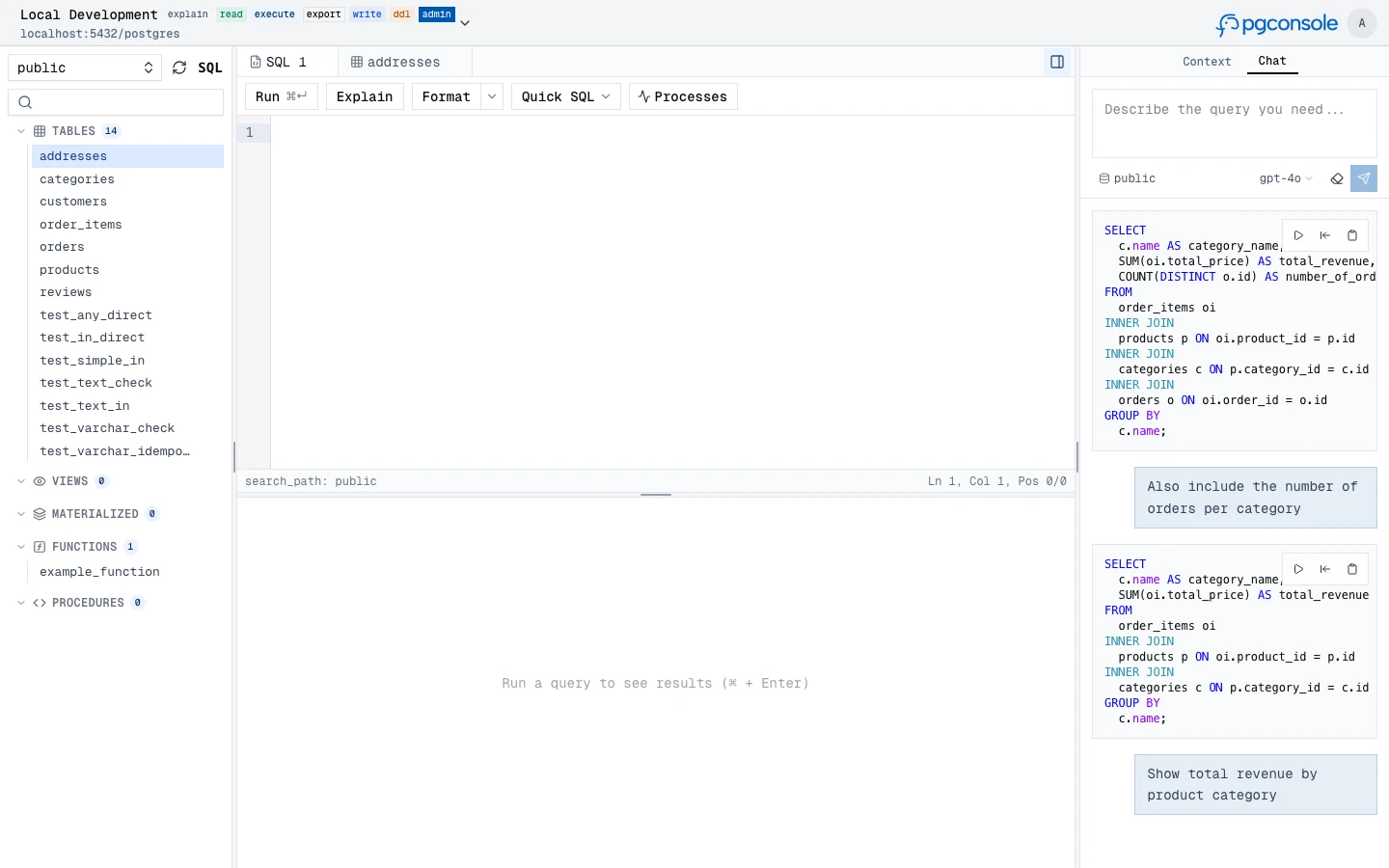
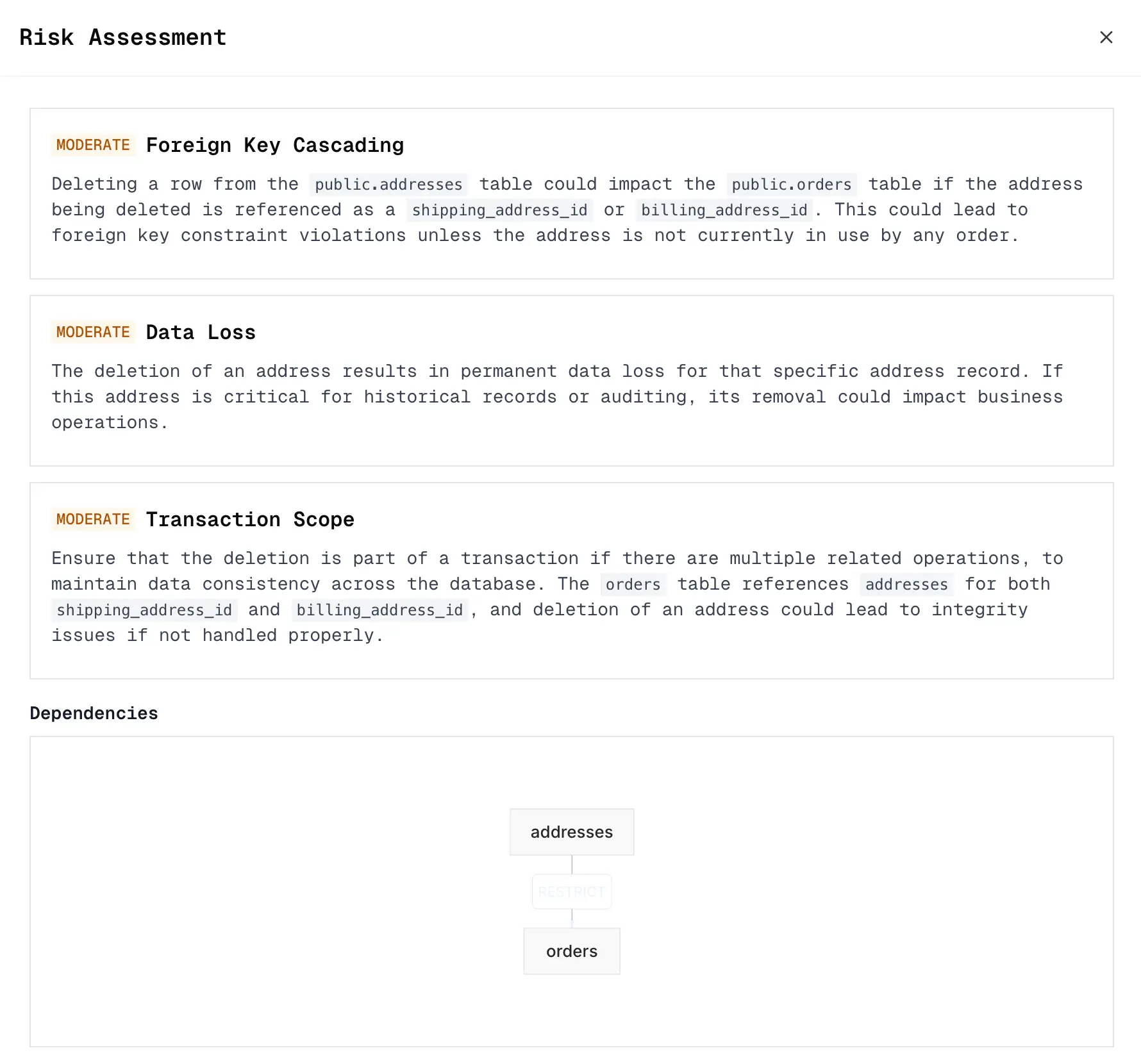
Generate, explain, fix, and rewrite SQL with an AI assistant that understands your schema context. Supports OpenAI, Anthropic, and Google providers.
|
|
Expose your Postgres connections to external AI agents (Claude, Cursor, IDEs, CI bots) over the Model Context Protocol — without handing out raw database credentials. Agents connect to a remote MCP endpoint and inherit the same IAM, permission, and audit controls as human users.
/mcp; each agent authenticates with Authorization: Bearer <token>agent:<id> IAM rules) or a delegated agent that acts on behalf of a user, optionally capped to fewer permissions or connectionslist_connections; catalog tools (list_objects, describe_table) appear once it has an accessible connection, and execution tools unlock per grant: explain_query (explain), query (read), write_data (write), run_ddl (ddl)# A standalone agent, authorized via [[iam]] just like a user
[[agents]]
id = "ci-bot"
name = "CI Pipeline"
token = "generate-a-long-random-secret" # openssl rand -hex 32
[[iam]]
connection = "staging"
permissions = ["read", "ddl"]
members = ["agent:ci-bot"]
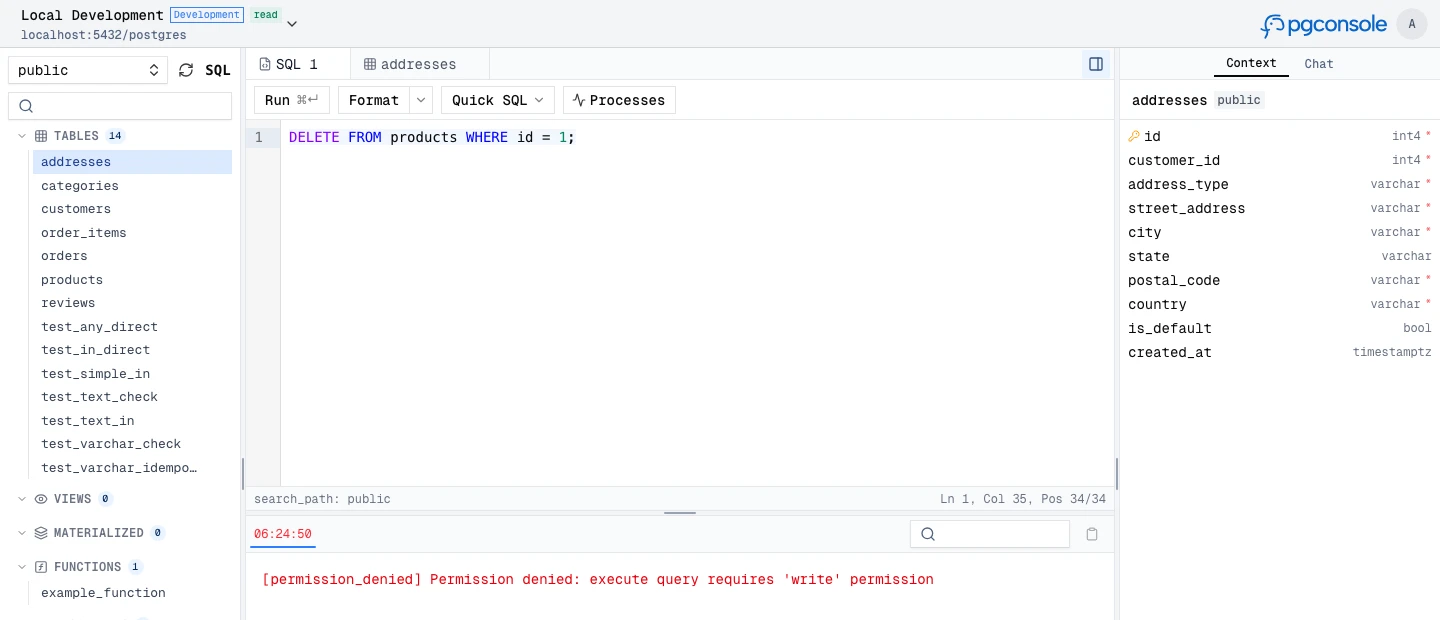
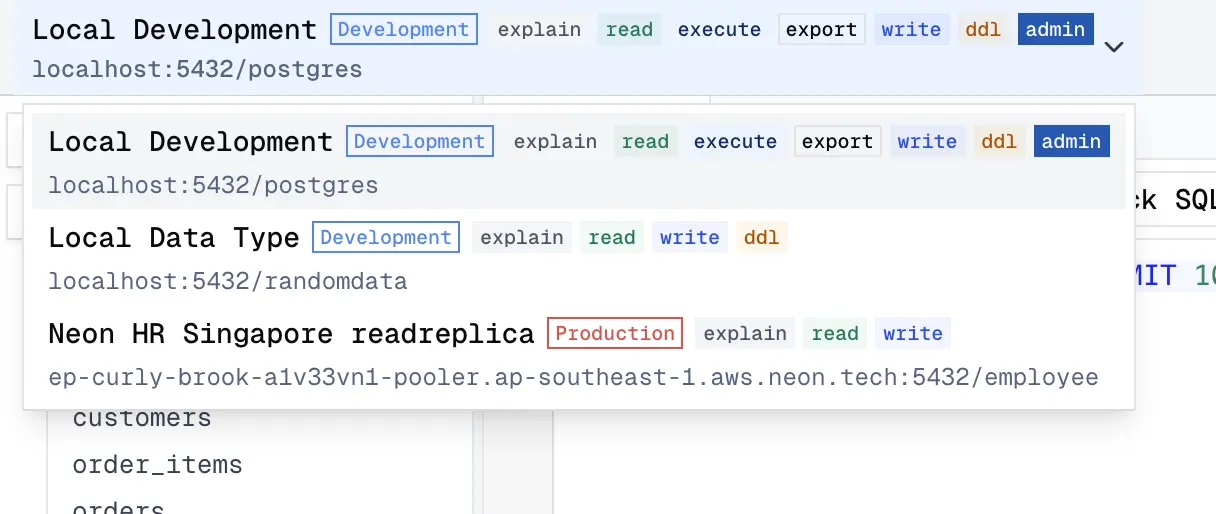
Fine-grained IAM controls who can read, write, or administer each connection. Permissions are enforced at the application layer — no database roles needed.
read, write, ddl, admin, explain, execute, export are independent
|
|
Every query and login is recorded as structured JSON to stdout. Filter and forward to your log infrastructure.
{
  "type": "audit",
  "ts": "2024-01-15T10:32:15.456Z",
  "action": "sql.execute",
  "actor": "alice@example.com",
  "connection": "prod-db",
  "sql": "SELECT * FROM users WHERE active = true",
  "duration_ms": 45,
  "row_count": 150
}
Everything lives in pgconsole.toml — connections, users, groups, access rules, AI providers. No database required.
[[connections]]
id = "production"
name = "Production"
host = "db.example.com"
port = 5432
database = "myapp"
username = "readonly"
password = "..."

[[iam]]
connection = "production"
permissions = ["read", "explain", "export"]
members = ["*"]

[[iam]]
connection = "production"
permissions = ["*"]
members = ["group:dba"]

[[ai.providers]]
id = "claude"
vendor = "anthropic"
model = "claude-sonnet-4-20250514"
api_key = "sk-ant-..."
[!NOTE] For external contributors: If you want to request a feature, please create a GitHub issue to discuss first instead of creating a PR directly.
git clone https://github.com/pgplex/pgconsole.git
cd pgconsole
pnpm install
pnpm dev        # Start dev server (frontend + backend)
pnpm build      # Production build
pnpm test       # Run all tests
Bytebase - open source, web-based database DevSecOps platform.
Sign in to join the discussion.
No comments yet. Be the first to say what this is good for.
🪨 why use many token when few token do trick — Claude Code skill that cuts 65% of tokens by talking like caveman

The best-benchmarked open-source AI memory system. And it's free.

Orca is the ADE for working with a fleet of parallel agents. Run any coding agent with your own subscription. Available on desktop, mobile and remote runtime.

A cross-platform desktop All-in-One assistant for Claude Code, Codex, OpenCode, OpenClaw, Grok Build & Hermes Agent. Only official website: ccswitch.io

Never stop coding. Free MIT AI gateway: one endpoint, 352 providers (150+ free), 1200+ models Kimi, Claude, GPT, Gemini, GLM, DeepSeek, MiniMax. Works with Claude Code, Codex, Cursor, OpenCode, Cline & Copilot. Quota-aware auto-fallback, RTK+Caveman compression saves 15-95% tokens, MCP/A2A, Desktop/PWA. Built by 550+ contributors

Compress tool outputs, logs, files, and RAG chunks before they reach the LLM. 20% fewer tokens for coding agents, 60-95% fewer tokens for JSON, same answers. Library, proxy, MCP server.