
obra/
superpowers

obra/superpowersSkills
An agentic skills framework & software development methodology that works.
285k
1 add
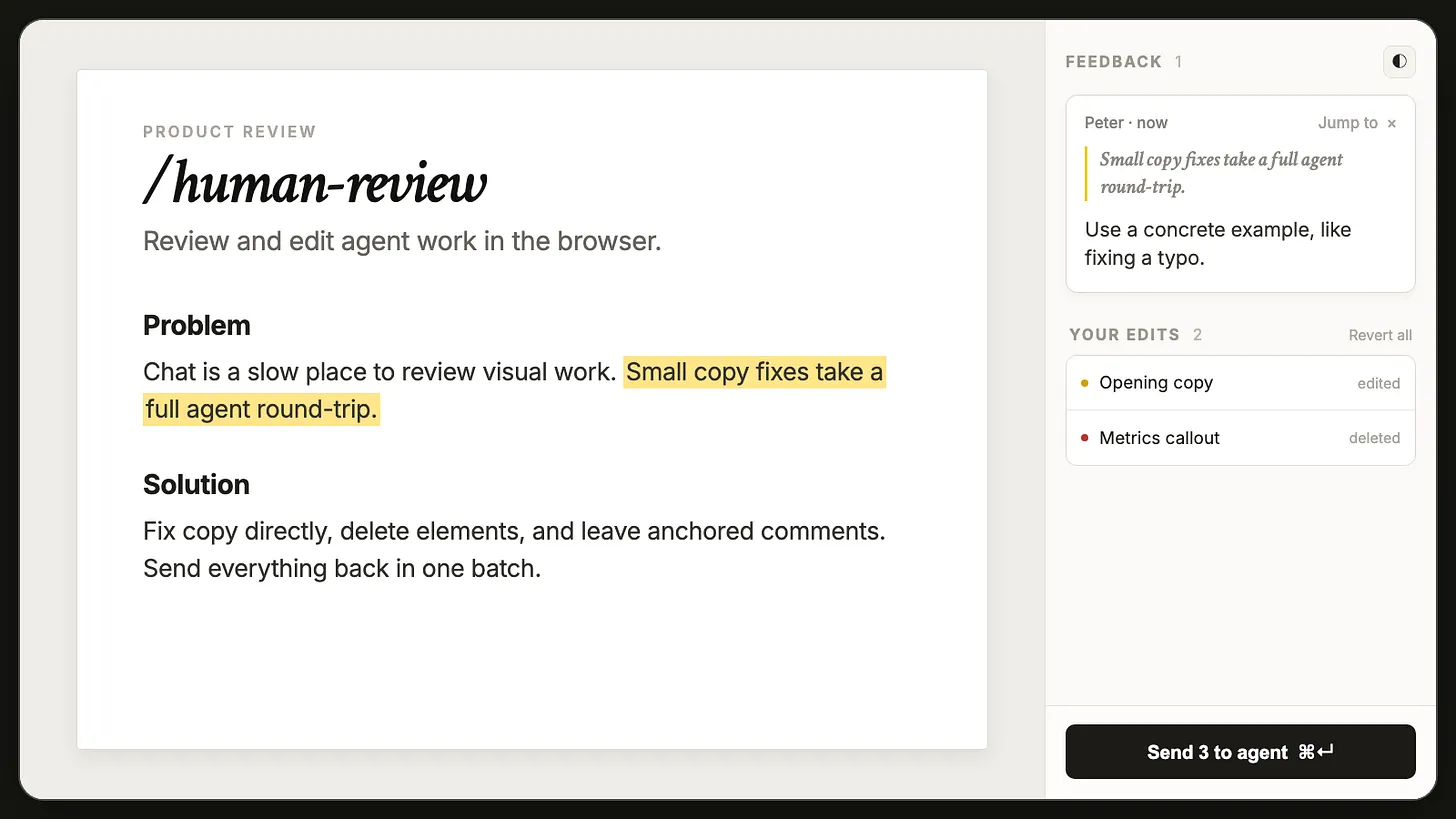
Human Review gives you a browser-based editor for HTML and Markdown, plus comments that attach to exact text or page elements. You make the edits and notes yourself, then send them back in one batch so your agent can apply them to the source and refresh the page.
Builders who want to review AI-made pages and docs in a browser before sending feedback back to Claude Code, Codex, or another agent.
You can make precise edits and leave review comments without writing a long chat message for every change.
Edit HTML and Markdown text in place, including basic formatting like bold, italic, and lists.
Select text, click an image or section, and attach comments to the exact spot you want changed.
Send all edits and comments to the agent at once instead of describing each change in chat.
Open a file or localhost page in the browser, review it, and keep the session running until you send or end it.
Use `/human-review (your file)` for files and `/human-review (localhost URL)` for local web pages.
Undo deletes and moves during review, and restore or discard unsent feedback when you reopen a page.
Install and manage the skill with the `human-review`, `poll`, `status`, and `setup` commands.
Install the /human-review skill globally from https://github.com/petergyang/human-review
npx -y human-review setup --global
/human-review (your file)
/human-review (localhost URL)
Edit HTML and Markdown files directly, leave comments like a Google Doc, and send all your feedback to your AI agent at once.
https://github.com/user-attachments/assets/7cab09c9-eaa0-4e8b-984d-2925e810b5c2
Giving AI feedback on files in chat is painful.
Sometimes you want to change one sentence yourself. Instead, you end up typing:
In the third paragraph, change X to Y. Cut the third card because it repeats the first one. Also rewrite the CTA.
Then the agent changes the file and you have to check whether it understood every instruction. This gets even harder when you’re reviewing a long plan, Markdown document, landing page, or multi-page website.
The easiest way to install the skill is to paste this into ChatGPT, Claude Code, Codex, or your favorite coding agent:
Install the /human-review skill globally from https://github.com/petergyang/human-review
You can also install it with npx:
npx -y human-review setup --global
Open an HTML or Markdown file:
/human-review (your file)
Review a page running on localhost:
/human-review (localhost URL)
Human Review opens the file in your browser. Make direct edits, leave comments, and click Send. Your agent receives all your feedback in one batch, updates the source, and refreshes the page for another review.
In Claude Code, the agent waits in the background and picks up your feedback the moment you hit Send. In Codex and other agents, it waits during its turn; if the turn already ended, send a message and it picks the feedback up. Closing the tab or clicking End review releases the agent either way. Feedback you never sent is kept, and the next time you open that page you can restore or discard it.
Note: For HTML files, direct edits and resizes save automatically, so closing the tab doesn't undo them — Discard on your next open, or Revert all during the review, puts the file back. For Markdown and localhost pages, click Send so your agent can apply them to the source.
- or 1. at the start of a line, or press ⌘⇧8 / ⌘⇧7. Tab and Shift+Tab indent and outdent.I use Human Review to edit AI-generated plans, update landing pages, review localhost apps, and remove the extra copy AI likes to add to UX.
cli.js contains the human-review, poll, status, and setup commands.server.js runs the local review session.sdk.js handles editing, comments, highlights, and feedback.chrome-client.js contains the visual review interface.markdown.js renders Markdown files for review.SKILL.md teaches Claude Code, Codex, and other agents how to use Human Review.Everything runs on your computer. Human Review doesn’t require an account, cloud service, database, or API key.
Check out Behind the Craft, my personal AI system with over a dozen other quality skills and courses.
Subscribe to my YouTube channel and newsletter for practical AI tutorials and interviews.
MIT
Sign in to join the discussion.
No comments yet. Be the first to say what this is good for.
An agentic skills framework & software development methodology that works.

Turn any codebase, with its docs, SQL schemas, configs, and PDFs, into a queryable knowledge graph. A /graphify skill for Claude Code, Cursor, Codex, and Gemini CLI: local deterministic AST parsing, every edge explained, no vector store.

Topic in, narrated explainer video out. A Claude Code / Codex skill that turns any topic into a black-canvas motion-graphics explainer video with TTS voiceover, subtitles and a chapter progress bar. Chinese or English; every frame drawn in code with Remotion.
Public repository for Agent Skills

Production-grade engineering skills for AI coding agents.
An AI skill that provides design intelligence for building professional UI/UX across multiple platforms.