

JuliusBrussee/
caveman

🪨 why use many token when few token do trick — Claude Code skill that cuts 65% of tokens by talking like caveman
105k
1 add
Skillview scans local skill directories and opens a browser view of the results. It shows where each skill came from, how it is versioned, and whether it is installed, cached, available, enabled, or disabled. The app is read-mostly and localhost-only. It supports inspection of user, project, plugin cache, and marketplace skill sources, plus a narrow enable/disable flow for direct user and project skills.
Builders who want to inspect the skills their agent uses without digging through folders by hand.
You can find, compare, and manage agent skills from one local browser view instead of hunting through multiple directories.
Shows each skill with source, plugin, marketplace, version, and canonical-path context.
Lets you search by name, description, or path, and filter by source and lifecycle.
Opens rendered Markdown, raw `SKILL.md`, metadata, and file trees for each skill.
Binds to `127.0.0.1`, rejects non-loopback and cross-origin requests, and keeps content on your machine.
Can rename direct user and project `SKILL.md` files to `SKILL.md.disabled` and back after confirmation.
Discovers Amp-, Codex-, and Claude-compatible user and project skill locations, plus plugin cache and marketplace checkouts.
bunx @pc_style/skillview
--workspace <path>  workspace to scan instead of the current directory
--port <number>     localhost port, or 0 for an available port (default: 4173)
--no-open           start the server without opening a browser
-h, --help          show help
bunx @pc_style/skillview --workspace ~/projects/my-app
bunx @pc_style/skillview --port 4317 --no-open
bun install
bun run dev
bun run build
bun start -- --no-open
bun run test
bun run build
npm pack --dry-run
A local-only web GUI for inspecting agent skills (SKILL.md format) across personal, project, plugin, cache, and marketplace sources.


bunx @pc_style/skillview
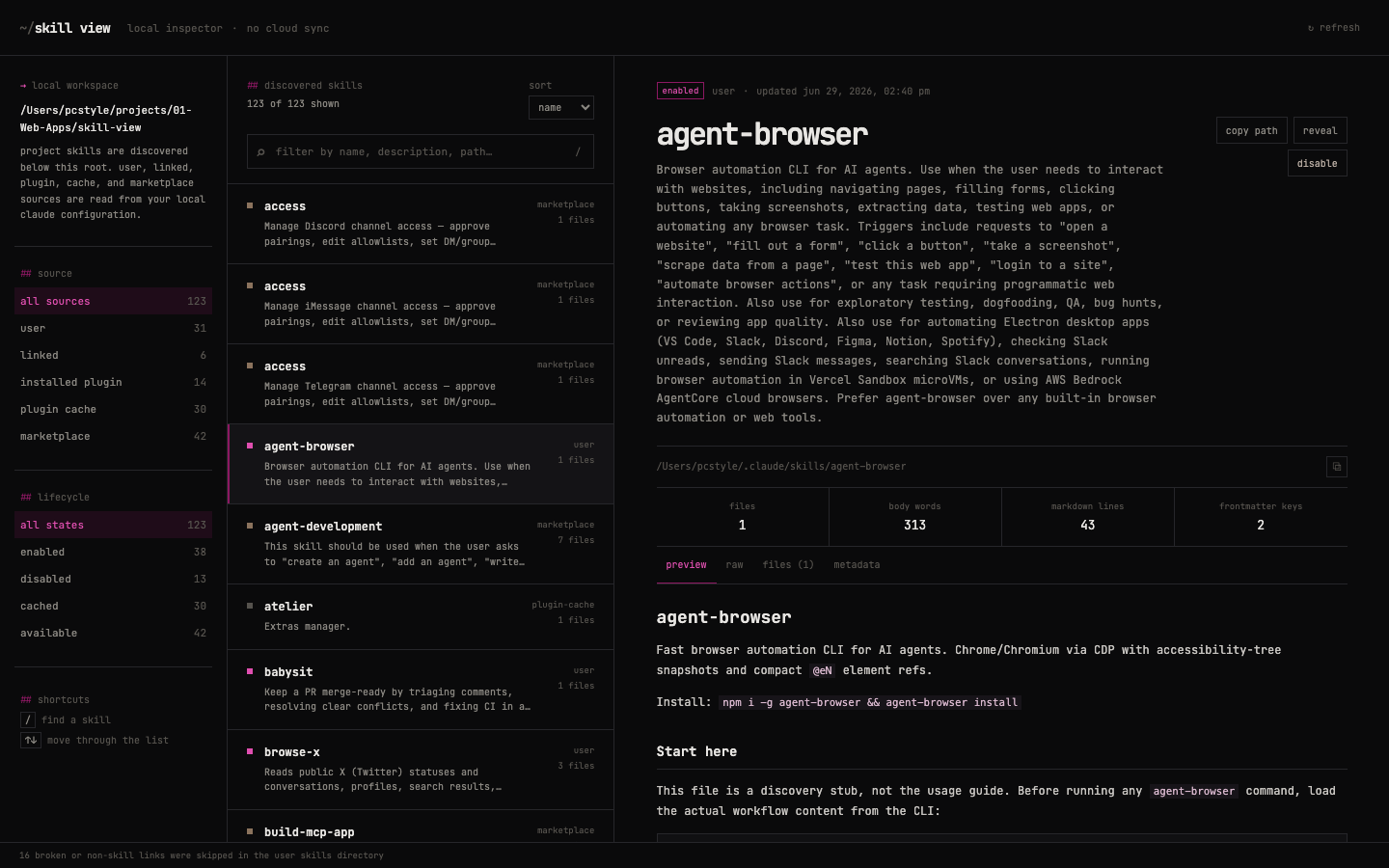
Run it from the workspace you want to inspect. Skillview opens a browser and builds a provenance-aware inventory of the agent skills on your machine — the shared SKILL.md format used by Amp, Codex, Claude Code, and other coding agents. It reads native Amp/Codex directories, Claude directories and plugin registries, and explicitly exposed symlink targets.
Also works with npx @pc_style/skillview if you don't use Bun.
SKILL.md, file trees, and metadata for every skill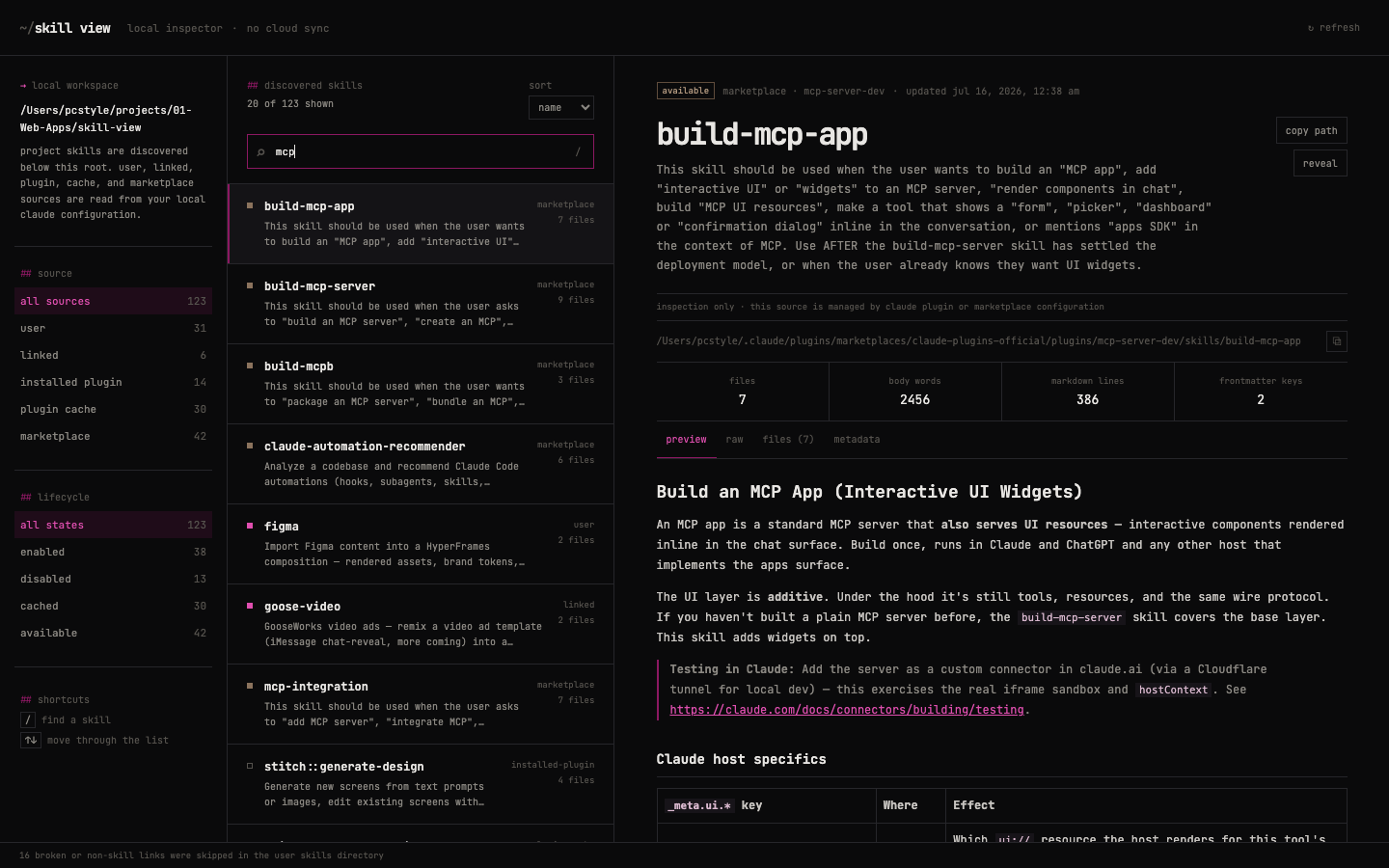 | 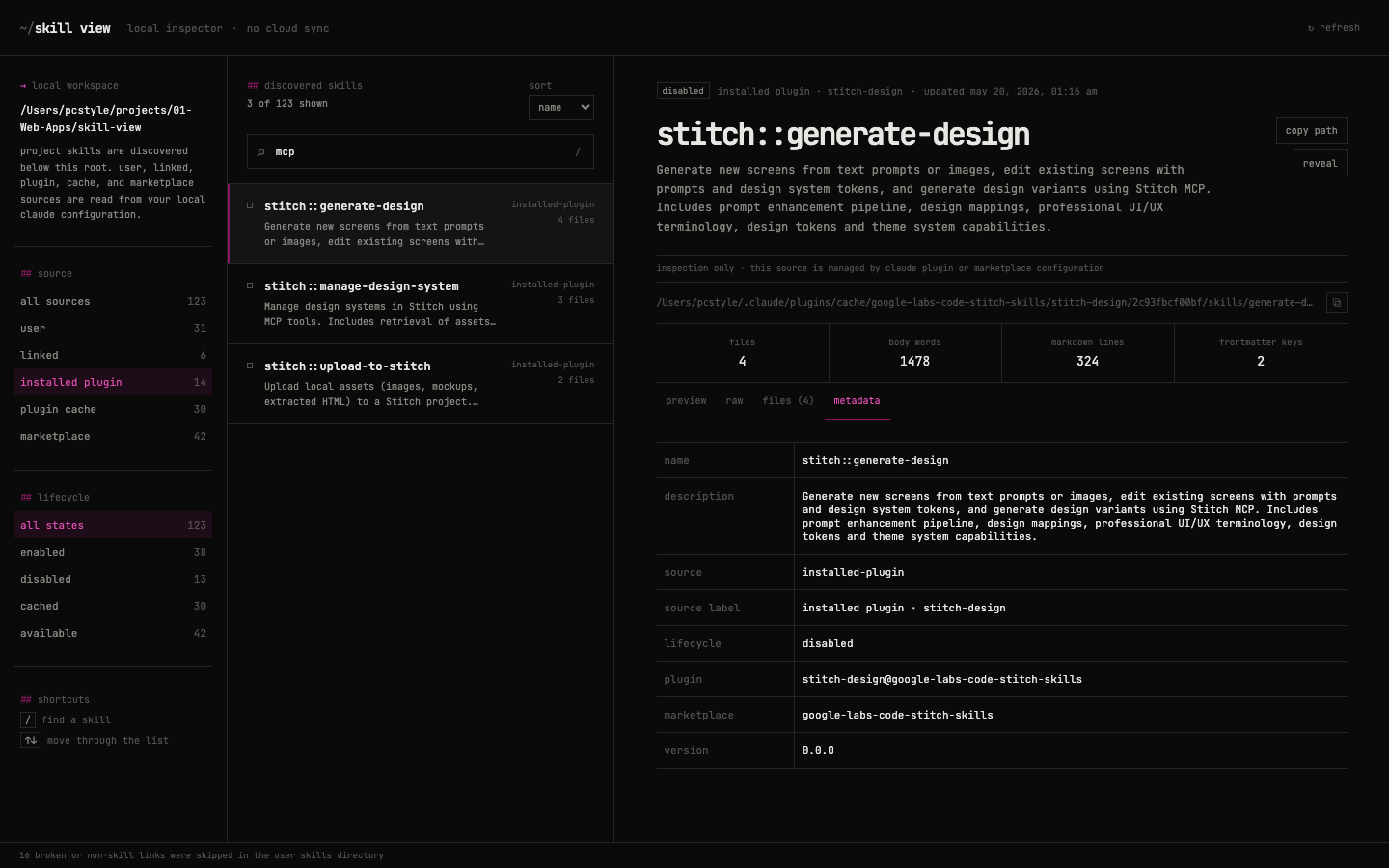 |
| instant search across 100+ skills | full provenance: plugin, marketplace, version |
Skillview discovers:
| source | where |
|---|---|
| Amp user | ~/.config/agents/skills, ~/.agents/skills, and ~/.config/amp/skills |
| Codex user | shared skills in ~/.agents/skills |
| Claude user | direct skills in ~/.claude/skills |
| linked | valid skill-directory symlinks explicitly exposed in a discovered user or project root |
| Amp / Codex project | .agents/skills directories beneath the selected workspace |
| Claude project | .claude/skills directories beneath the selected workspace |
| installed plugin | active installations recorded in ~/.claude/plugins/installed_plugins.json |
| plugin cache | current, historical, and orphaned skill copies under ~/.claude/plugins/cache |
| marketplace | available plugin skills under registered local marketplace checkouts |
Skillview scans only these documented roots and bounded project directories. It does not inspect Amp built-ins, remote personal/workspace repositories, Codex system skills, or arbitrary directories configured through amp.skills.path. Ephemeral runtime bundles under /private/tmp are also excluded from the standalone package.
--workspace <path>  workspace to scan instead of the current directory
--port <number>     localhost port, or 0 for an available port (default: 4173)
--no-open           start the server without opening a browser
-h, --help          show help
Examples:
bunx @pc_style/skillview --workspace ~/projects/my-app
bunx @pc_style/skillview --port 4317 --no-open
SKILL_VIEW_WORKSPACE_ROOT remains available as an environment override.
| label | meaning |
|---|---|
enabled / disabled | direct user/project skill state, or installed plugin state from Claude settings |
installed | plugin is registered but has no explicit enabled boolean |
cached | managed plugin cache artifact |
available | marketplace source that may not be installed |
SKILL.md, metadata, and file treesSKILL.md to SKILL.md.disabled and back, after confirmation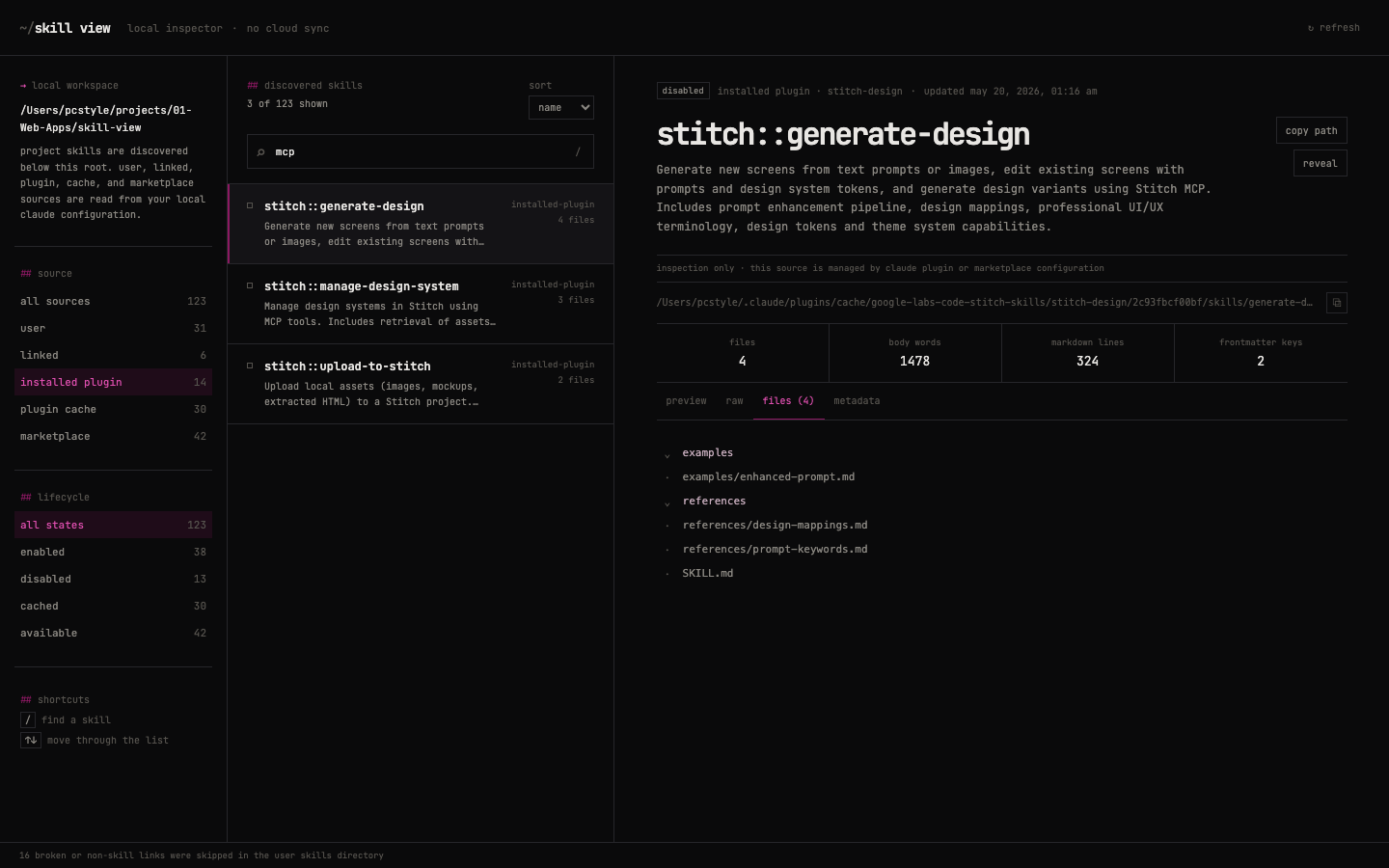
Skillview binds only to 127.0.0.1. Skill content stays on your machine and is never sent to a cloud service.
The packaged server rejects non-loopback hosts and cross-origin browser requests, requires JSON for state-changing requests, and sends a restrictive Content Security Policy. All actions use server-issued skill IDs. Before reveal or toggle, the server freshly rediscovers the record, validates its source and canonical path, and checks its capabilities. Raw client-provided filesystem paths are not accepted.
Plugin cache, marketplace, installed-plugin, and linked records are inspection-only. Their files are managed by agent/plugin tooling and are never renamed by Skillview. Project and marketplace traversal is bounded; only explicit top-level skill symlinks in documented roots are followed, and those targets remain inspection-only.
Deletion and arbitrary file editing are deliberately unavailable.
Skill files are untrusted instructions and may include scripts. Skillview displays their text and file names but never executes their contents. Markdown previews cannot load remote images in the packaged app. See SECURITY.md to report a vulnerability privately.
Stable. The local inspection and guarded enable/disable workflow is covered by automated tests. Discovery compatibility is intentionally explicit:
| host | supported local sources | not currently represented |
|---|---|---|
| Amp | ~/.config/agents/skills, ~/.agents/skills, ~/.config/amp/skills, project .agents/skills, Claude-compatible locations | built-ins, remote personal/workspace skill repositories, directory-plugin registrations, amp.skills.path |
| Codex | ~/.agents/skills, project .agents/skills | /etc/codex/skills, built-ins and plugin-distributed skills |
| Claude Code | user/project skills, installed-plugin registry, cache and registered marketplace checkouts | remote marketplace state not present on disk |
Node 20.19 or newer is required by the build/runtime dependency line. Compatibility describes filesystem layouts documented on 2026-08-16; agent hosts can change them independently.
Changes are recorded in CHANGELOG.md. The source-specific fixtures in src/server/skills.test.ts are the compatibility evidence; unsupported sources remain listed above rather than inferred.
Requires Node.js 20.19 or newer.
bun install
bun run dev
Build and run the same standalone server shipped in the package:
bun run build
bun start -- --no-open
bun run test
bun run build
npm pack --dry-run
The suite covers frontmatter parsing, Amp/Codex/Claude filesystem layouts, all six source kinds, linked-skill handling, plugin registry validation, provenance-preserving IDs, action authorization, cross-origin rejection, static asset isolation, and the production HTTP boundary.
Publishing remains a deliberate maintainer action:
npm pack --dry-run
npm publish --dry-run
npm publish
MIT
Sign in to join the discussion.
No comments yet. Be the first to say what this is good for.
🪨 why use many token when few token do trick — Claude Code skill that cuts 65% of tokens by talking like caveman

The best-benchmarked open-source AI memory system. And it's free.

Orca is the ADE for working with a fleet of parallel agents. Run any coding agent with your own subscription. Available on desktop, mobile and remote runtime.

A cross-platform desktop All-in-One assistant for Claude Code, Codex, OpenCode, OpenClaw, Grok Build & Hermes Agent. Only official website: ccswitch.io

Never stop coding. Free MIT AI gateway: one endpoint, 352 providers (150+ free), 1200+ models Kimi, Claude, GPT, Gemini, GLM, DeepSeek, MiniMax. Works with Claude Code, Codex, Cursor, OpenCode, Cline & Copilot. Quota-aware auto-fallback, RTK+Caveman compression saves 15-95% tokens, MCP/A2A, Desktop/PWA. Built by 550+ contributors

Compress tool outputs, logs, files, and RAG chunks before they reach the LLM. 20% fewer tokens for coding agents, 60-95% fewer tokens for JSON, same answers. Library, proxy, MCP server.