

JuliusBrussee/
caveman

🪨 why use many token when few token do trick — Claude Code skill that cuts 65% of tokens by talking like caveman
105k
1 add
Claude Command Center wraps Claude Code and Codex in an Electron app built around sessions, accounts, workspaces, and saved configs. It lets you launch many sessions in parallel, read transcripts, track spend, and inspect memory without digging through terminal windows. It also includes Conductor MCP for browser-vision tools and Codex review.
Builders who run Claude Code or Codex across multiple sessions and want better control over context, cost, and history.
You can manage many agent sessions without losing track of which account, project, cost, or transcript belongs to which run.
Launch dozens of Claude Code and Codex sessions with their own account, working directory, and saved config.
Read back conversations as chat, scrub with a timeline rail, and search across every transcript.
See spend by session, model, account, and project, with charts and token totals.
Review Claude auto-memory across projects, search it, and delete or edit entries.
Keep sessions separated so signing into one account does not disturb another.
Use a local MCP server for browser vision tools and Codex review, with SSH sessions tunneled through automatically.
Define agent templates, run background tasks, and chain multi-step teams inside the app.
git clone https://github.com/nubbymong/claude-command-center.git
cd claude-command-center
npm install
npm run typecheck    # tsc, no emit
npx vitest run       # unit suite
npm run dev          # HMR dev
npm run build        # production build
npm run package:win  # Windows NSIS installer
npm run package:mac  # macOS DMG (Apple Silicon)
Run dozens of Claude Code and Codex sessions in parallel, each with its own account, working directory, and saved config. See every session's spend, identity, and attention at a glance. Read back any conversation, track every cent, and prune your memory before it bloats your context.



-89b4fa?labelColor=313244)
Download · Features · Architecture · Security
An independent, community-built project · not affiliated with, endorsed by, or sponsored by Anthropic. See Disclaimer.
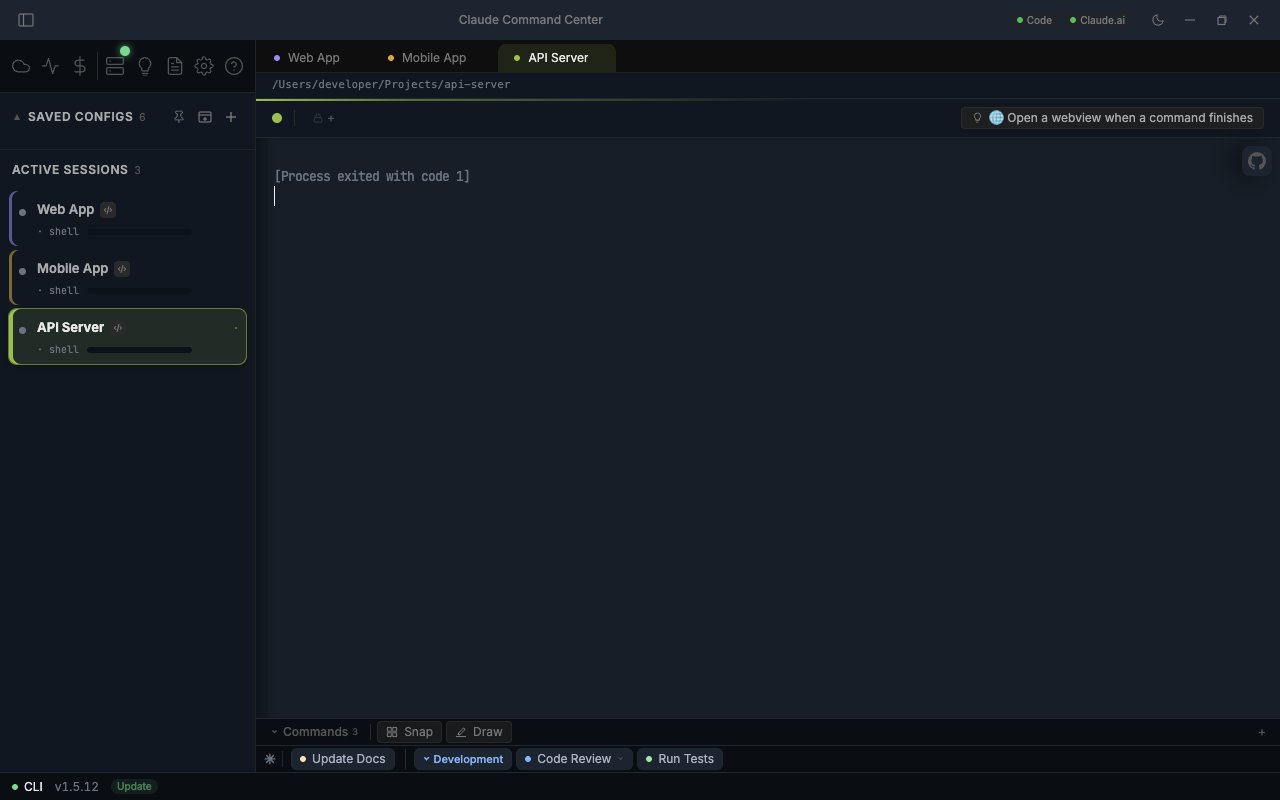
Claude Code is a remarkable CLI. But the moment you have more than one project, more than one account, or more than one machine, the experience fragments. You lose track of which terminal is which, which sessions are paused, what they have spent, and where their attention is going.
Claude Command Center (CCC) wraps Claude Code and Codex in a desktop app that treats the session as the first-class object. Every session has a colour, a name, an account, a working directory, and a saved config. Every spawn surfaces its tokens, its model, its rate-limit window, and its identity. Every cent is captured and pivotable.
It does not replace Claude Code. It conducts it.
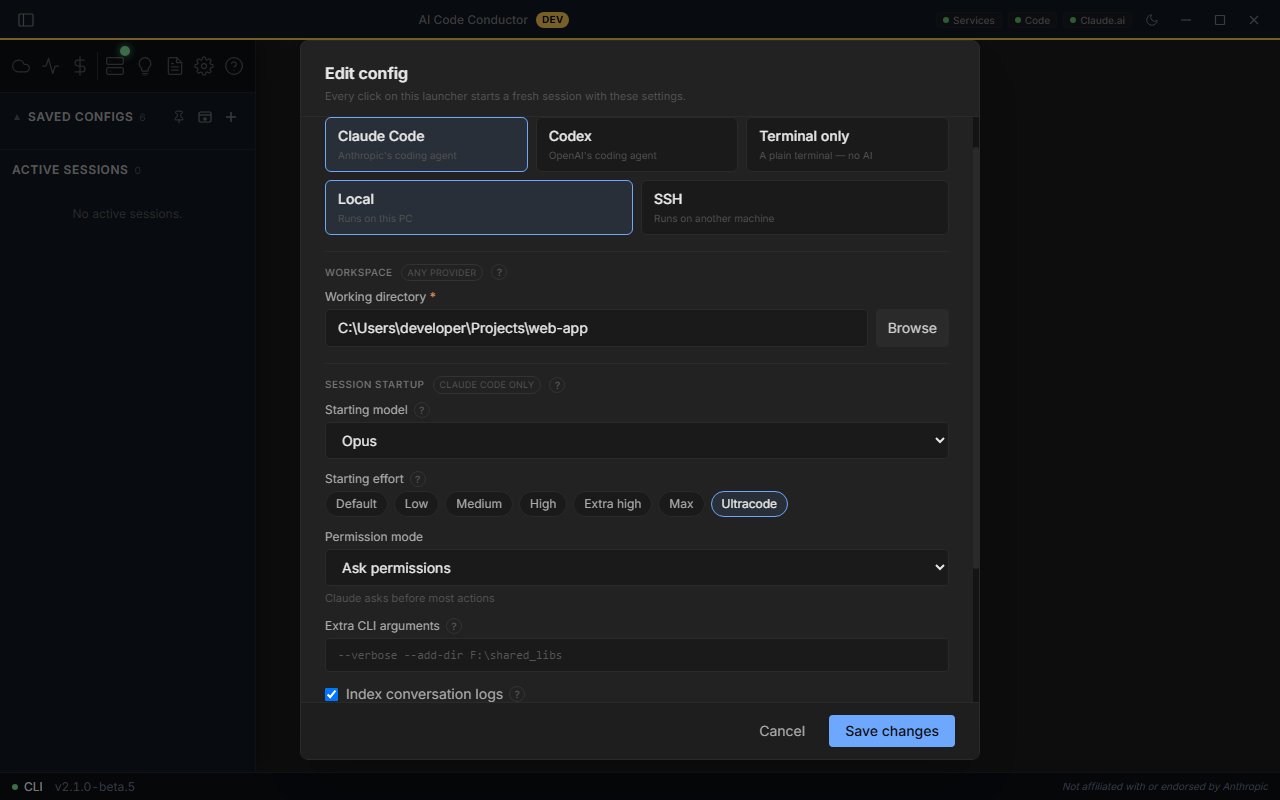
Every workspace starts as a saved config: a label, a colour, a working directory, a model, and any agent templates you want pre-loaded. New sessions land on Opus 4.8. Effort is a live setting you change inside Claude with /effort and read off the statusline and the session card, not a config field. Drag a folder onto the sidebar to bootstrap a working-directory config in one drop. Local or SSH, the same form drives both.
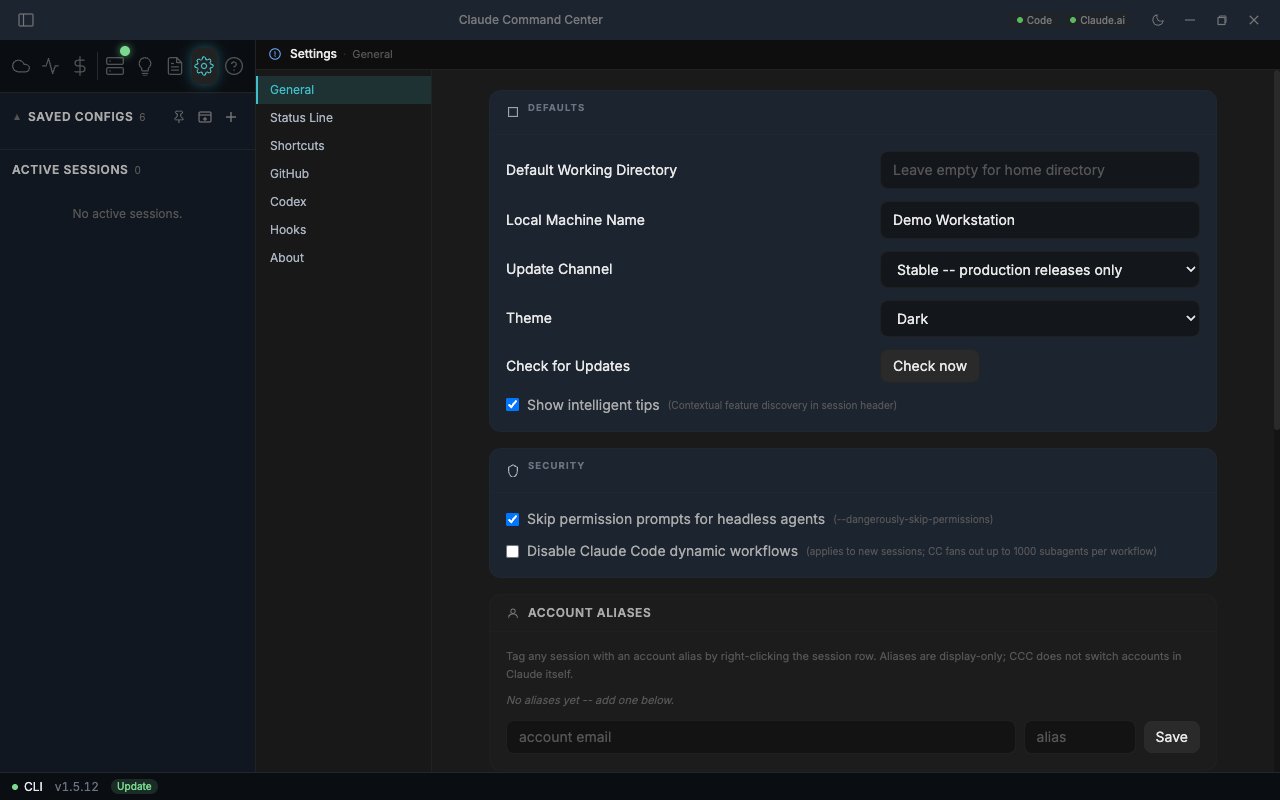
Run more than one Claude account side by side. Your existing login is captured into a protected primary account on first run, and every session runs under a saved, isolated account, so signing in to one never disturbs another or your default login. You pick the account at launch time, the first time a session spawns this run. Add an account by running /login in any session: CCC detects the new login and offers to save it as a separate named account. Name and colour each one in Settings, Accounts; the colour follows the account onto the session card, the statusline, and the launch picker. Memory, settings, and history stay shared across all accounts.
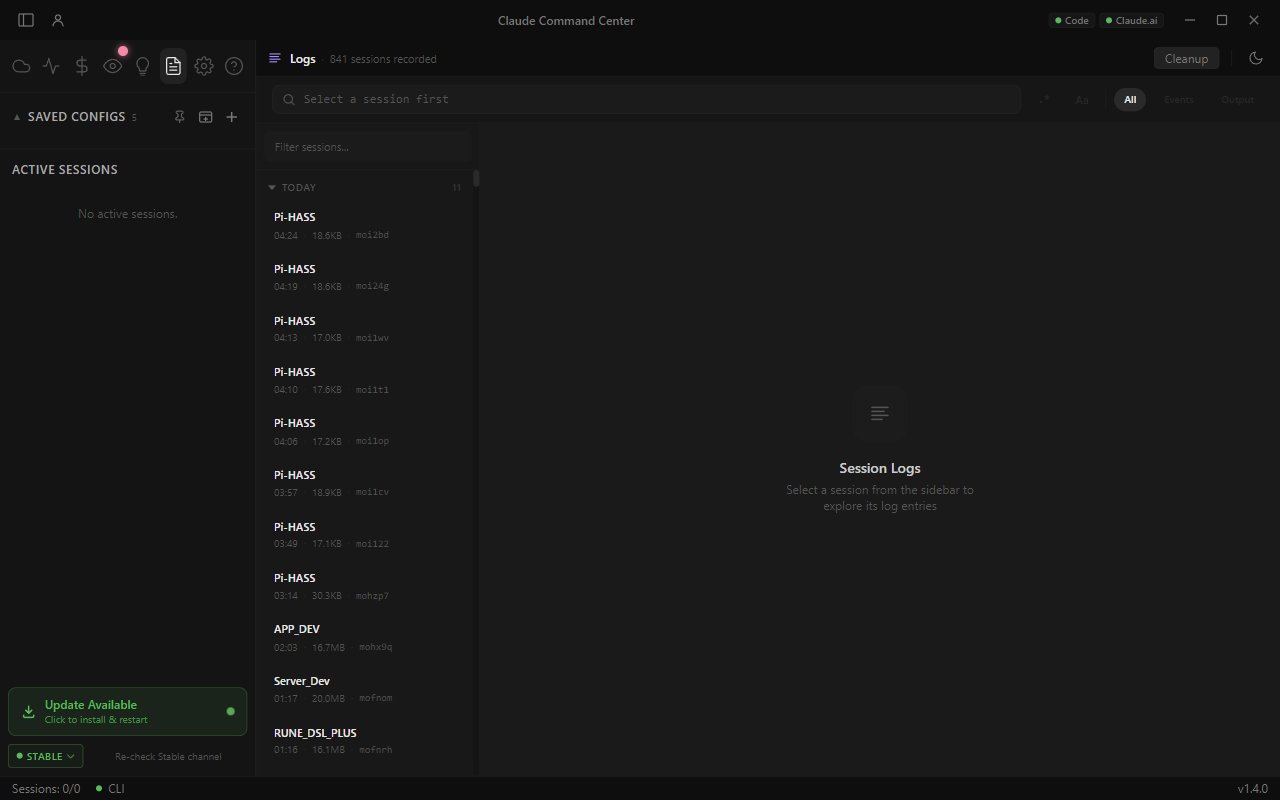
CCC indexes Claude's own conversation transcripts and renders them back as a readable chat: messages, tool calls, and thinking. A timeline rail beside the transcript scrubs the whole conversation; click to jump. Full-text search spans every conversation and jumps you straight to the matching turn. A per-session Conversation tab live-follows the running session. Deleting the index never touches your conversations, which stay in ~/.claude/projects.
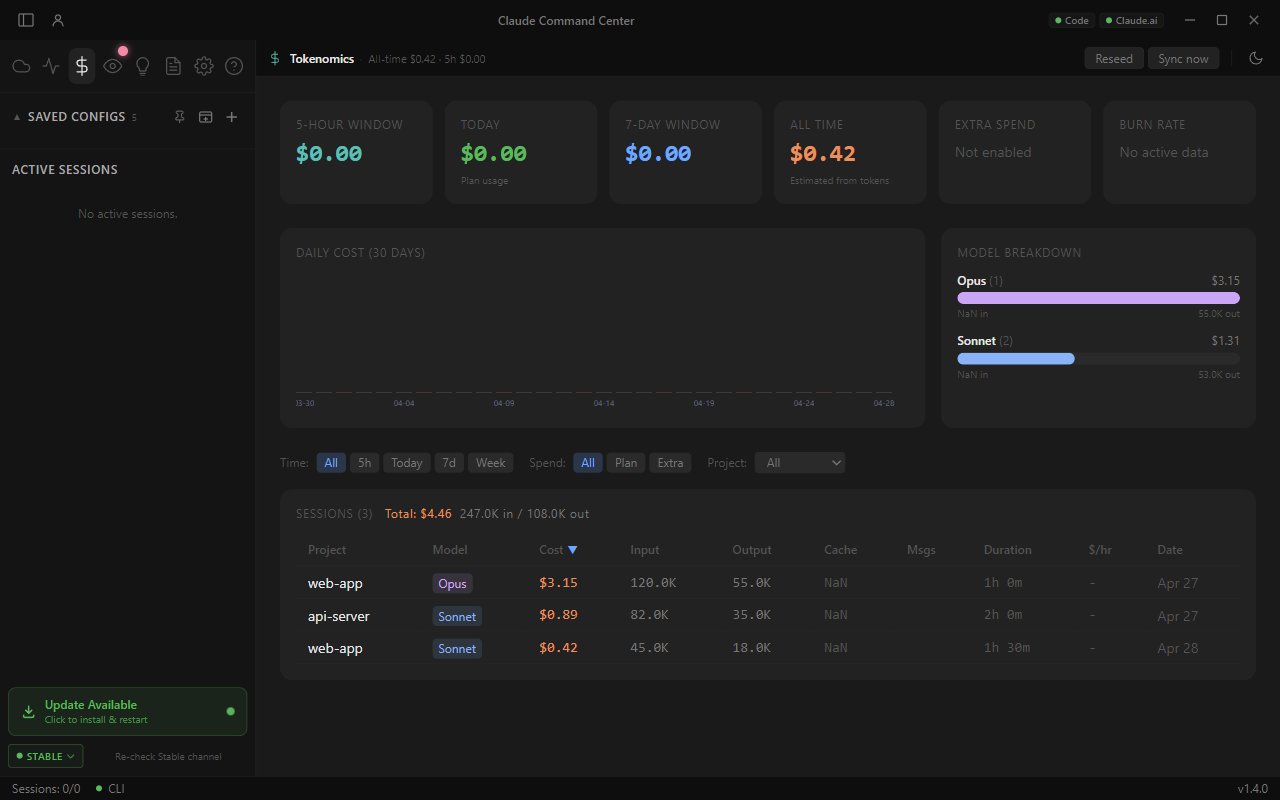
Track every dollar Claude and Codex cost you across every session. A background indexer reads all of your transcripts (including subagent and sidechain files), dedups globally, and computes cost at query time from live pricing, so the dashboard opens instantly with a KPI row (total spend, tokens, sessions, daily burn), a daily-spend chart and per-model breakdown, and a sessions table with cost, model, and config attribution. Filter the whole view by date, model, account, or project. Pricing comes from LiteLLM open pricing (cached 24 hours).
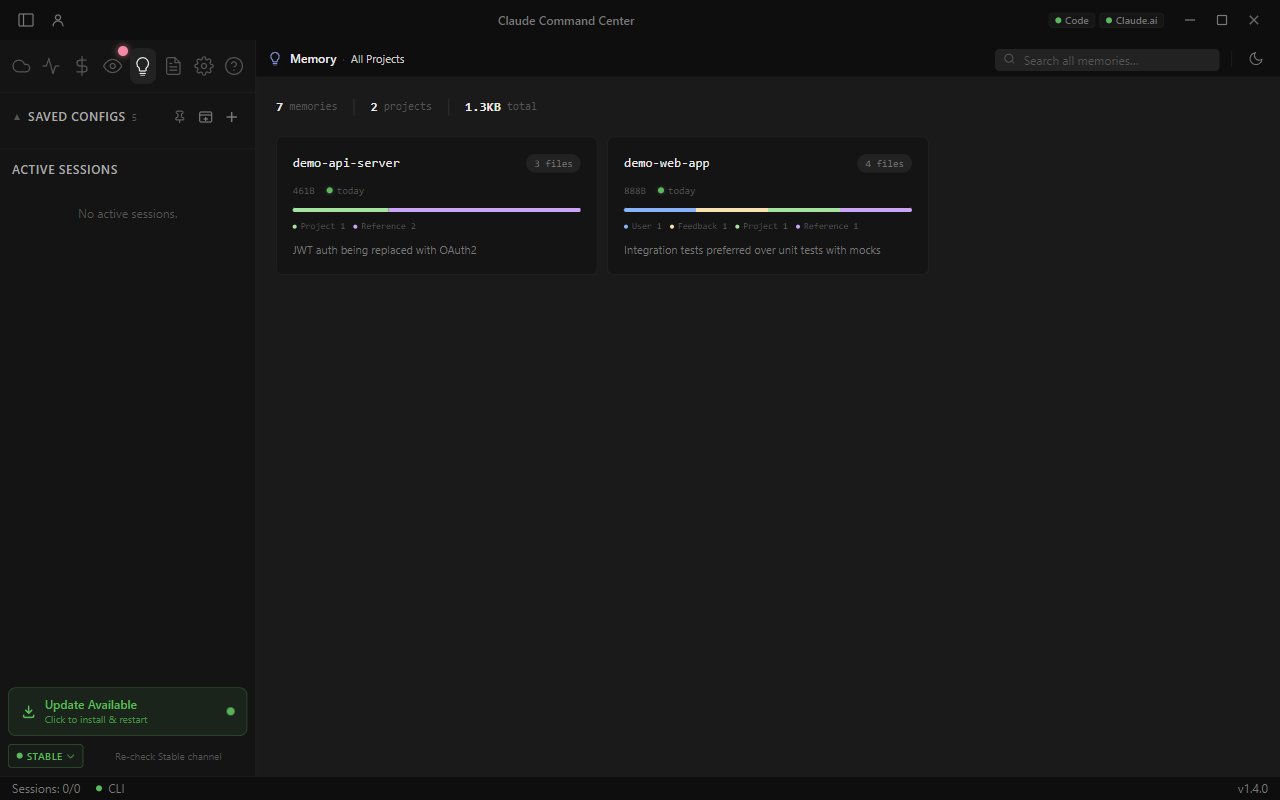
A dashboard over Claude's auto-memory across every project. A KPI strip (memories, projects, total size, stale-over-30-days, index health) and charts summarise the whole store; a ranked project list shows staleness dots, index warnings, and live-session activity. Drill into any project for a sortable memory table, then open a memory in the reading drawer to read it cleanly, write missing frontmatter, or delete it. Full-text search runs across everything. Catches drift before it bloats your context.
CCC Sentinel
An opt-in watcher that notices when Claude Code updates and checks whether the new version might affect CCC. Findings surface in a labelled Sentinel chip in the title bar and a panel. It proposes model and effort registry fixes you apply yourself and never changes anything automatically. A hot-reloadable registry means brand-new models still get a colour, label, and pricing. Fail-open, so it never blocks the app. Toggle it in Settings, CCC Sentinel. |
Conductor MCP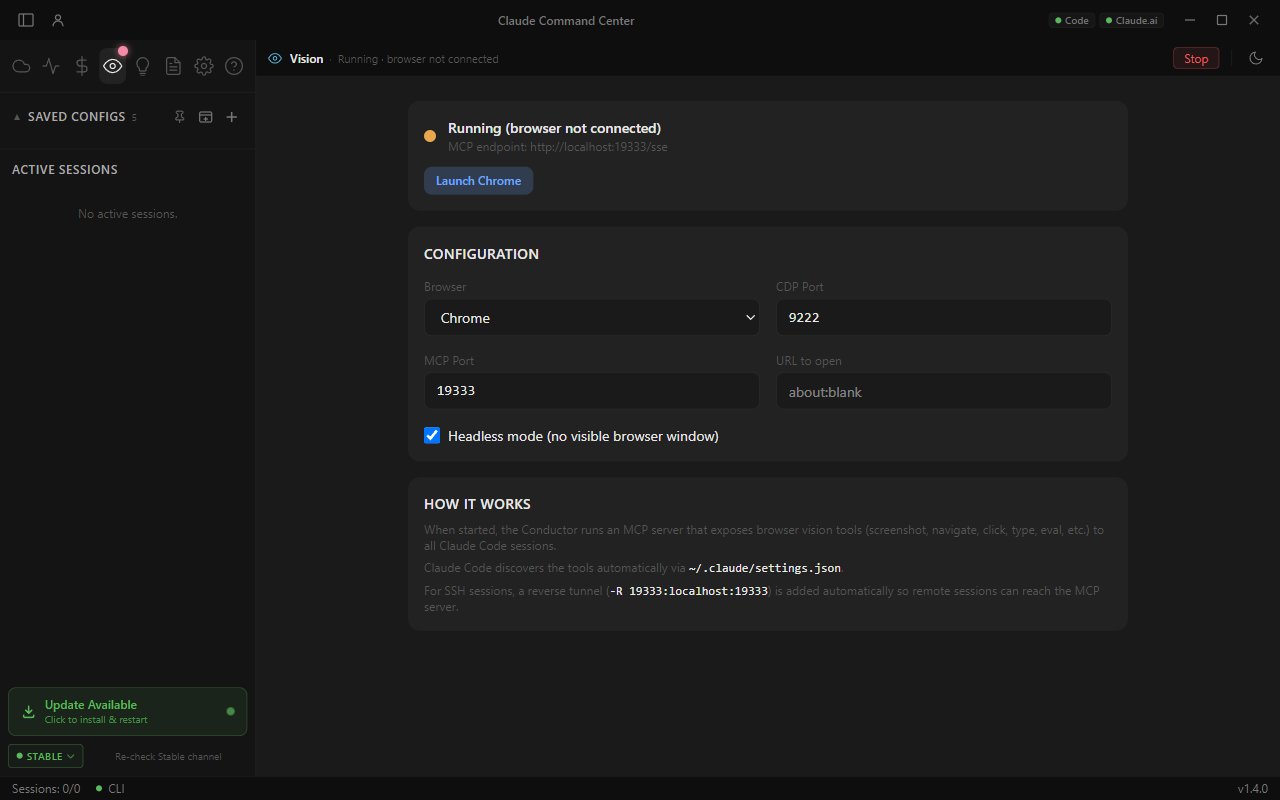
A local MCP server exposing 17 browser-vision tools (screenshot, navigate, click, type, eval) plus |
Agent Hub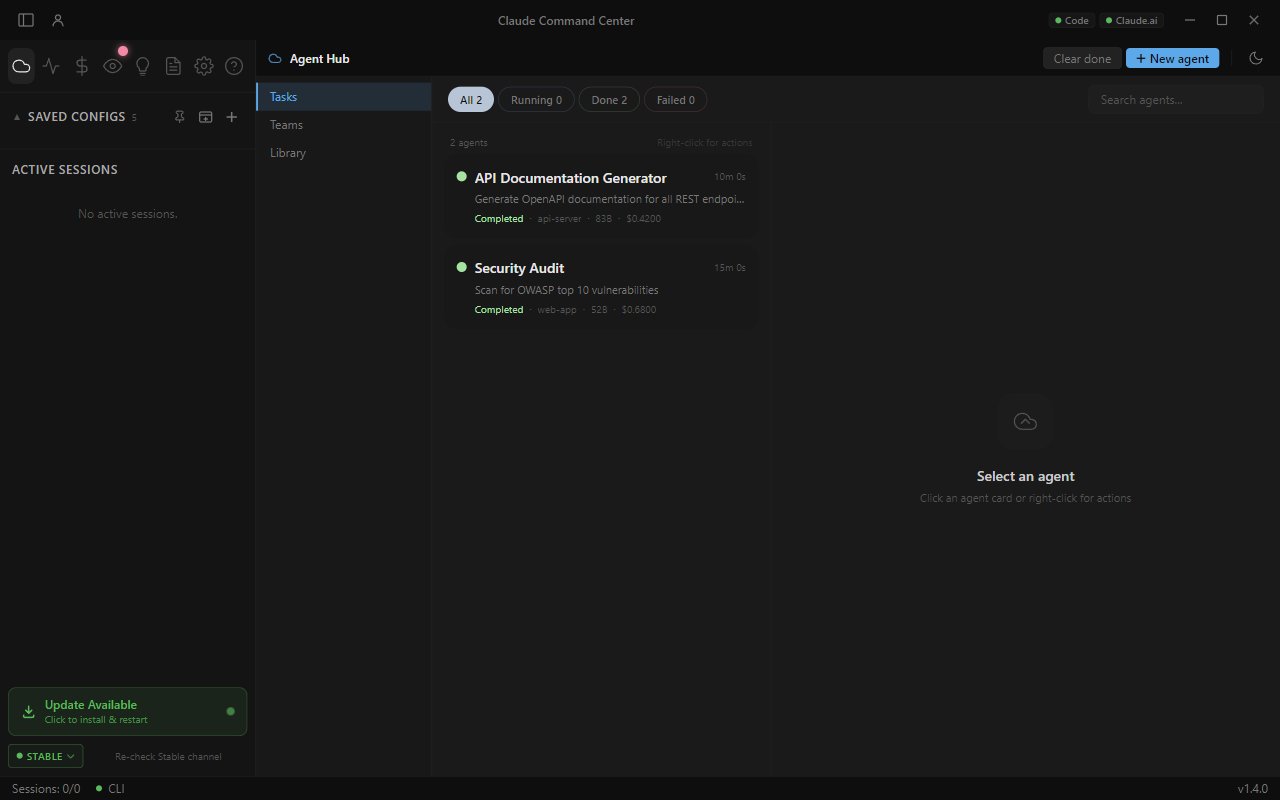
Two surfaces in one. Tasks dispatch headless Claude as background jobs with live status and output streaming. The Library is where you author agent templates (name, prompt, model, tool whitelist) that surface as tickable subagents in every Edit Config dialog, so Claude can delegate to them via the Task tool inside a running session. Teams chain agents with shared context and per-step prompts. |
Codex provider, first-class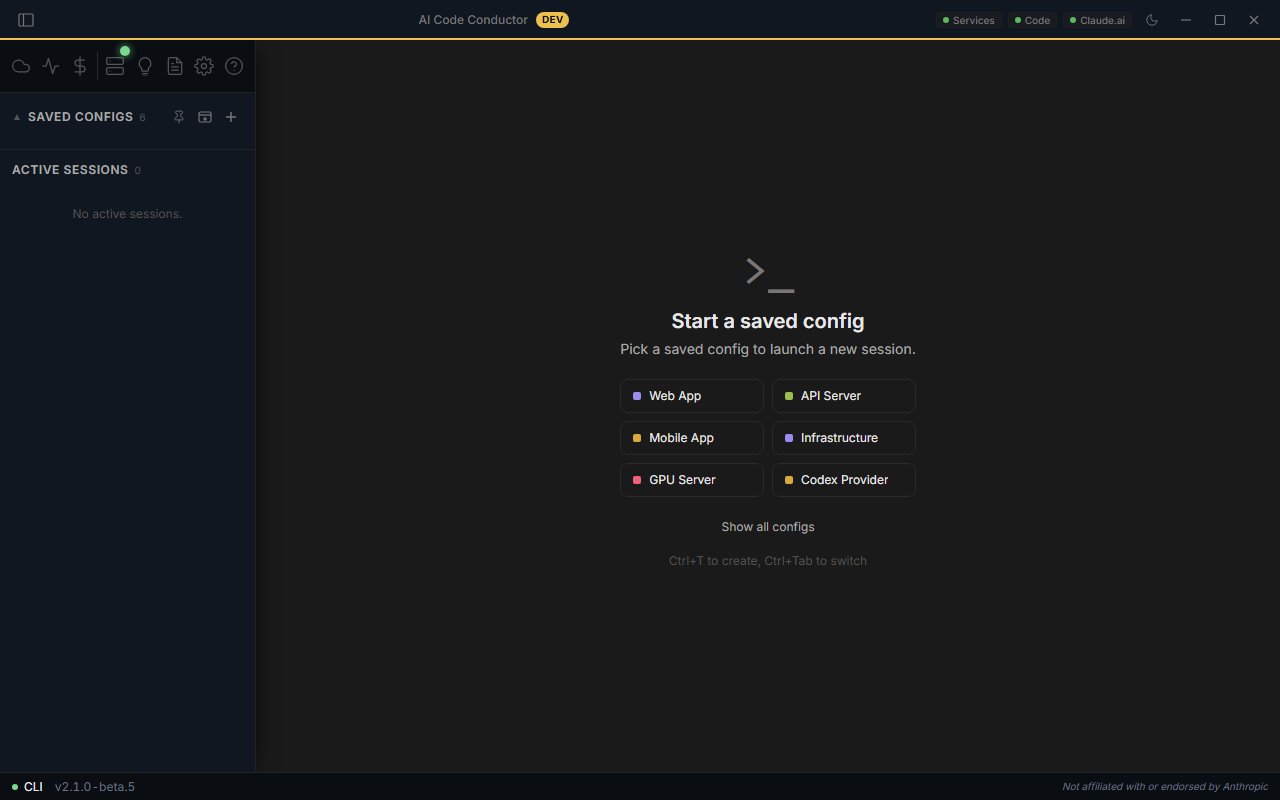
OpenAI Codex CLI sits alongside Claude in the New Session dialog. Pick the provider per spawn. The gpt-5 series sits in the model dropdown, with read-only / standard / auto / unrestricted permission presets in the toolbar. The resume picker mirrors the Claude flow. Tokenomics segments Codex spend automatically. |
GitHub PR context where you work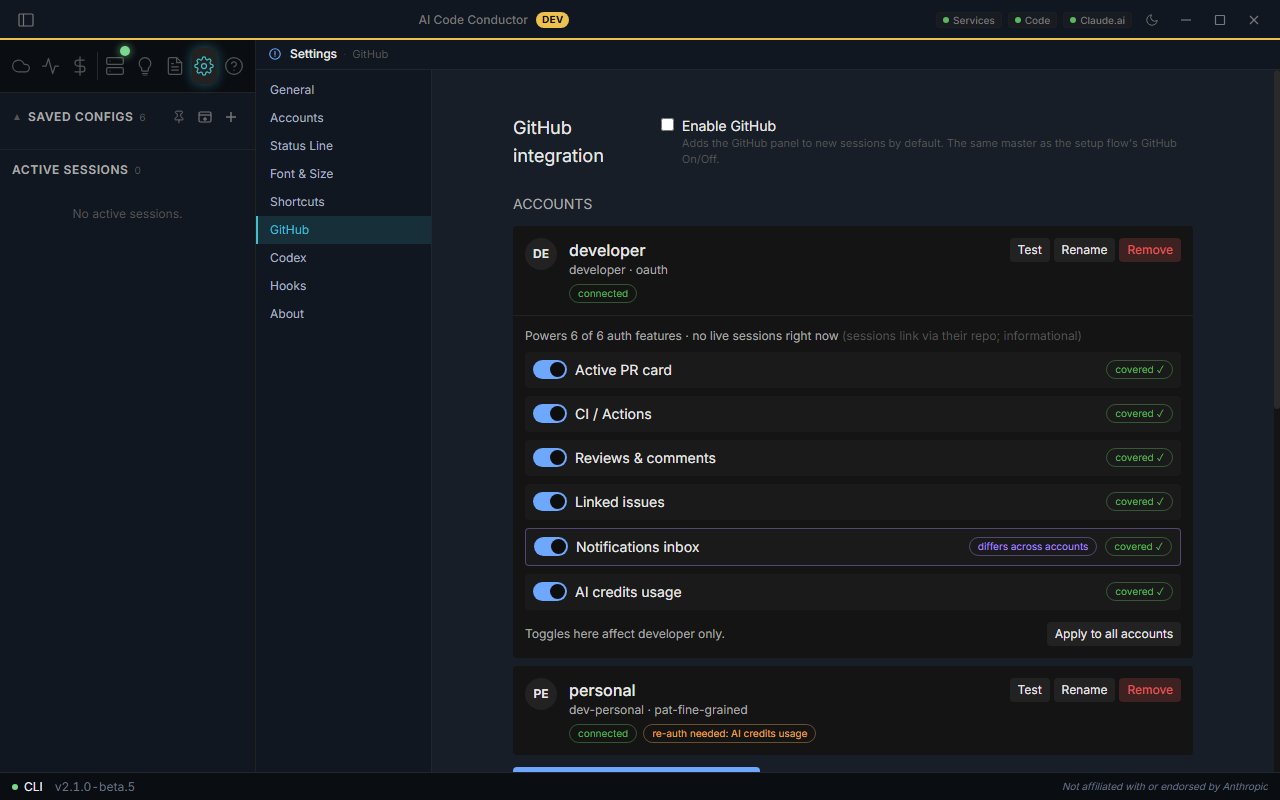
A collapsible right-rail panel surfaces PR status, CI runs, reviews, unresolved threads, and inferred issue context from your branch and transcript. Sign in via OAuth or PAT, or adopt your existing |
Combined Mode and Draw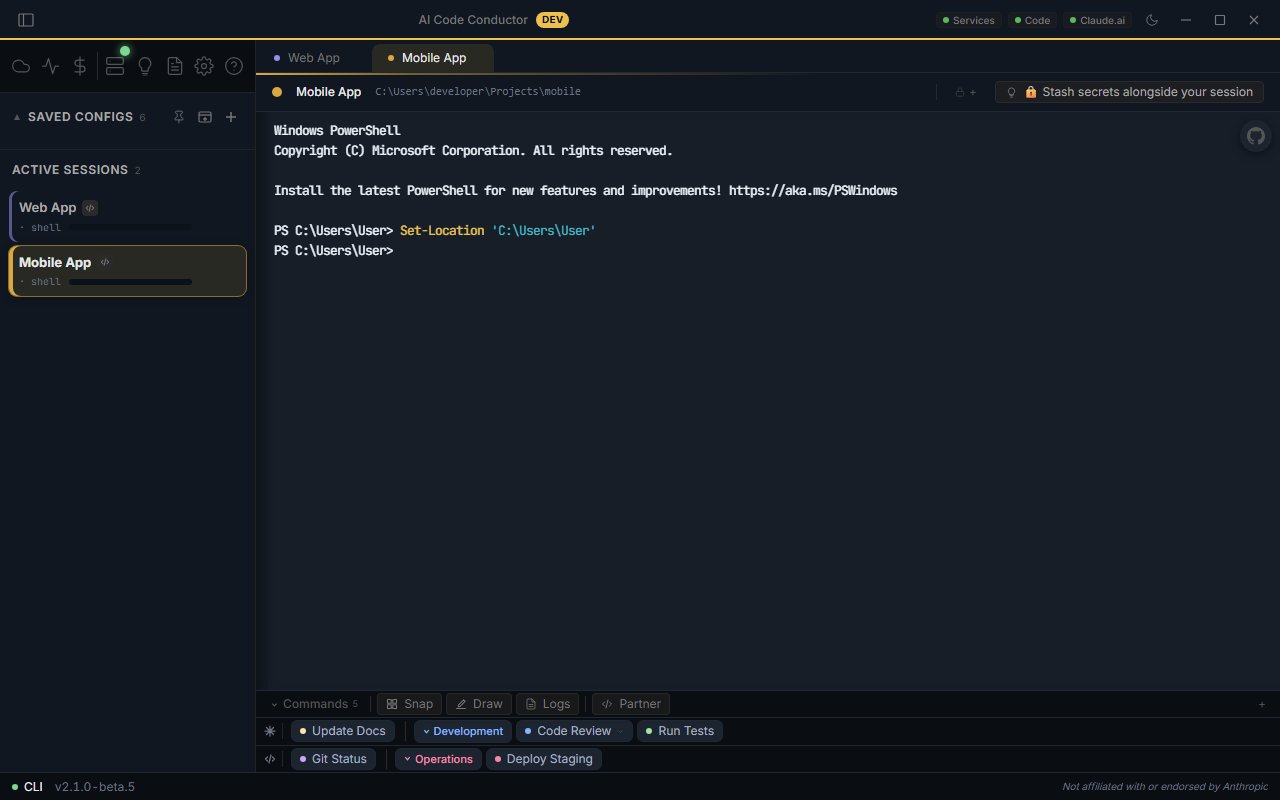
Pair Claude with a partner shell ( |
Snap and Vision capture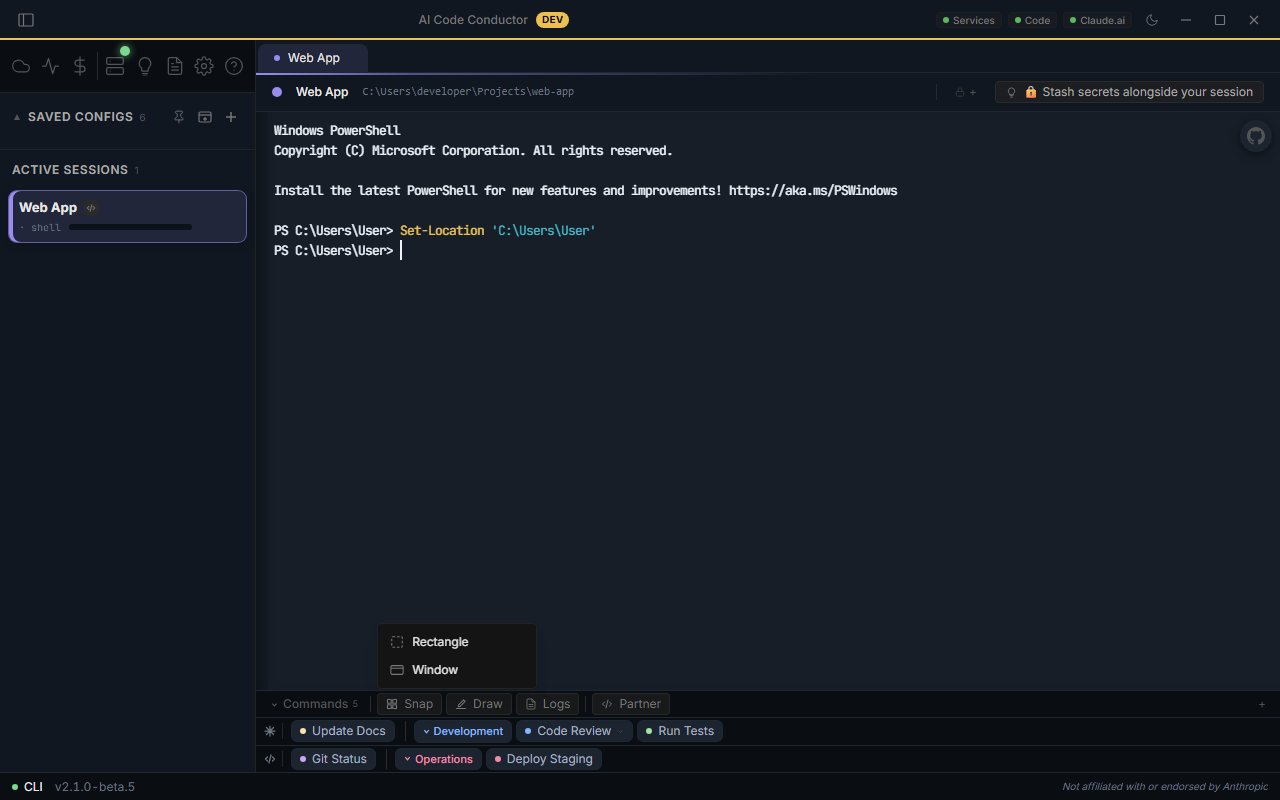
Region or window capture from any screen, encoded at 1920px / JPEG 85 to stay under Claude's image budget. Local sessions get a file path inline; SSH fetches the image over the Conductor MCP tunnel. Paste images from the clipboard with Alt+V. |
Dynamic workflows, surfaced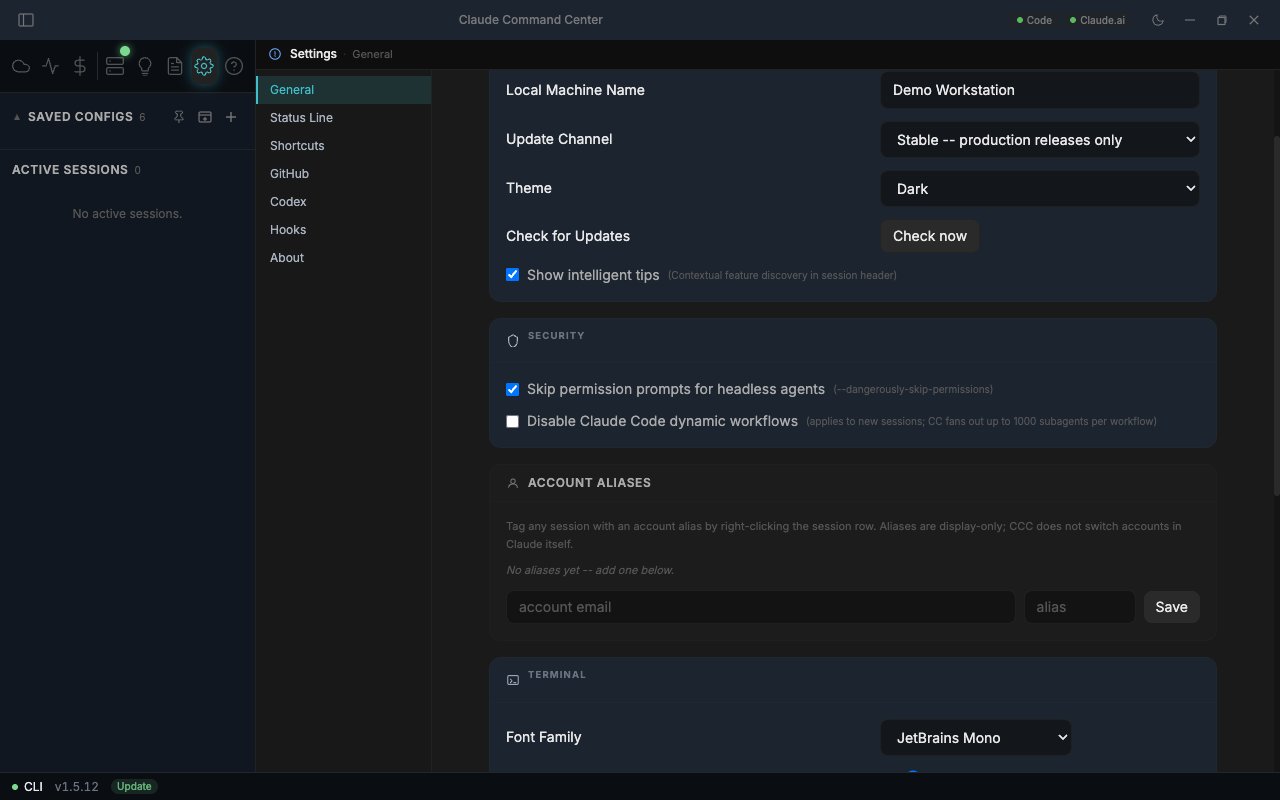
Invoke an Opus 4.8 dynamic workflow three ways: include the word |
ClaudeCommandCenter-x.y.z.exeClaudeCommandCenter-x.y.z-mac.dmgWindows SmartScreen · These installers are not code-signed. This is an independent, single-maintainer build, and a code-signing certificate is not in place yet, so Windows SmartScreen will warn the first time you run a new release: click More info, then Run anyway. To convince yourself the download is intact, verify the SHA-256 against the value on the release page before running it. Releases produced by the CI pipeline are additionally scanned through VirusTotal (70+ engines); the scan link is included in those release notes.
macOS · The DMG is not notarised. Gatekeeper will block it on first open: right-click the app and choose Open, or allow it under System Settings, Privacy & Security.
git clone https://github.com/nubbymong/claude-command-center.git
cd claude-command-center
npm install
npm run typecheck    # tsc, no emit
npx vitest run       # unit suite
npm run dev          # HMR dev
npm run build        # production build
npm run package:win  # Windows NSIS installer
npm run package:mac  # macOS DMG (Apple Silicon)
The repository ships well over two thousand unit tests plus a native (better-sqlite3 / node-pty) suite; both run green on Windows and macOS in CI on every labelled PR. See the Actions tab for current status.
| Layer | Stack |
|---|---|
| Shell | Electron (frameless, sandboxed renderer, zod-validated IPC) |
| UI | React 18 + Tailwind CSS v4 (@theme tokens, Catppuccin Mocha by default, with light and system themes) |
| State | Zustand 5 (hydrated from disk on boot) |
| Terminal | xterm.js 5.5 + node-pty (ConPTY on Windows) |
| Build | electron-vite |
| MCP | @modelcontextprotocol/sdk (Conductor MCP server: browser vision + Codex review) |
| Tests | Vitest unit + native suites, Playwright E2E |
The main process owns config persistence, the PTY pool, the hooks HTTP gateway (which drives the session attention pulse), the tokenomics aggregator, the statusline ingest, the Conductor MCP server, and cloud-agent dispatch. The renderer is a React SPA that hydrates from disk and talks to main exclusively through typed IPC channels. SSH sessions get a per-session settings file, a per-session MCP config, and a reverse tunnel injected automatically.
| Layer | What we do |
|---|---|
| Credentials | SSH passwords, sudo passwords, and encrypted notes are stored as encrypted blobs via the OS keystore (DPAPI on Windows, Keychain on macOS, libsecret on Linux). Machine-bound, never plaintext. |
| Account isolation | Each session runs under its own isolated home so signing in to one account never touches another or your default login. The original global login is snapshotted read-only on first run. |
| Permissions | CCC honors Claude Code's own permission prompts and settings. It is not a gate and never auto-approves or intercepts tool calls on your behalf. |
| Telemetry | None of our own. The Claude API goes through the Claude CLI directly. Outbound is limited to: GitHub Releases (update check), status.claude.com (status pills), the GitHub API (opt-in GitHub sidebar after sign-in), and LiteLLM open-pricing JSON (cached 24 hours). |
| Data integrity | Atomic config writes (.tmp + rename). Daily snapshots of CONFIG/*.json to CONFIG/_backups/YYYY-MM-DD/, 7-day retention. Sandboxed renderer; typed IPC with schema validation on data-bearing channels. |
| Releases | Installers are unsigned (see Install). Releases built by the CI pipeline are scanned through VirusTotal across 70+ engines; verify the SHA-256 from the release page before running any installer. |
Report vulnerabilities privately via GitHub Security Advisories. See SECURITY.md for scope.
| Shortcut | Action |
|---|---|
Ctrl+T | New config |
Ctrl+W | Close session |
Ctrl+Tab / Ctrl+Shift+Tab | Next / previous session |
Ctrl+1 … Ctrl+9 | Jump to session N |
Ctrl+B | Toggle sidebar |
Ctrl+/ (Cmd+/ on macOS) | Toggle GitHub sidebar |
Alt+V | Paste clipboard image |
Escape | Interrupt Claude |
Shift+Enter | New line without sending |
All shortcuts are rebindable in Settings, Shortcuts.
CCC was developed privately from late 2025 and open-sourced in April 2026. The git history was squashed for the initial public release; everything from v1.0 forward is in the open.
Per-release detail lives in src/renderer/changelog.ts.
Contributions welcome. See CONTRIBUTING.md for setup, coding standards, and the PR process.
Claude and Claude Code are trademarks of Anthropic, PBC. OpenAI and Codex are trademarks of OpenAI. This project is an independent, community-built tool. It is not affiliated with, endorsed by, sponsored by, or supported by Anthropic or OpenAI.
All references to "Claude", "Claude Code", "Codex", "Anthropic", or "OpenAI" are nominative, used solely to identify the third-party software this tool interoperates with. Claude Command Center is a separate work that wraps and orchestrates the official Claude Code and Codex CLIs. It does not include, modify, or redistribute their code, and it requires you to install and authenticate those tools yourself under their own terms.
If you are a rights holder with a concern about this project's use of a name or mark, please open a GitHub issue or contact the maintainer and it will be addressed promptly.
MIT.
Sign in to join the discussion.
No comments yet. Be the first to say what this is good for.
🪨 why use many token when few token do trick — Claude Code skill that cuts 65% of tokens by talking like caveman

The best-benchmarked open-source AI memory system. And it's free.

Orca is the ADE for working with a fleet of parallel agents. Run any coding agent with your own subscription. Available on desktop, mobile and remote runtime.

A cross-platform desktop All-in-One assistant for Claude Code, Codex, OpenCode, OpenClaw, Grok Build & Hermes Agent. Only official website: ccswitch.io

Never stop coding. Free MIT AI gateway: one endpoint, 352 providers (150+ free), 1200+ models Kimi, Claude, GPT, Gemini, GLM, DeepSeek, MiniMax. Works with Claude Code, Codex, Cursor, OpenCode, Cline & Copilot. Quota-aware auto-fallback, RTK+Caveman compression saves 15-95% tokens, MCP/A2A, Desktop/PWA. Built by 550+ contributors

Compress tool outputs, logs, files, and RAG chunks before they reach the LLM. 20% fewer tokens for coding agents, 60-95% fewer tokens for JSON, same answers. Library, proxy, MCP server.