
obra/
superpowers

obra/superpowersSkills
An agentic skills framework & software development methodology that works.
285k
1 add
Nium-Wiki reads a project, analyzes structure and dependencies, and generates a wiki with architecture pages, API docs, diagrams, and cross-references. It also supports incremental updates, so only the pages affected by code changes are regenerated.
Builders who use Claude Code and want automated docs that stay aligned with changing code.
You can turn a codebase into a maintained wiki and update only the pages that changed.
Reads code semantically, not just by syntax, to build better documentation from the project structure.
Generates architecture, data-flow, and dependency diagrams inside the wiki pages.
Creates bidirectional links between documentation pages and source files with traceability.
Uses SHA256 hashes and dependency-graph propagation to regenerate only affected pages.
Generates docs for languages such as JS, TS, Python, Go, Rust, and Java, with secondary-language output folders.
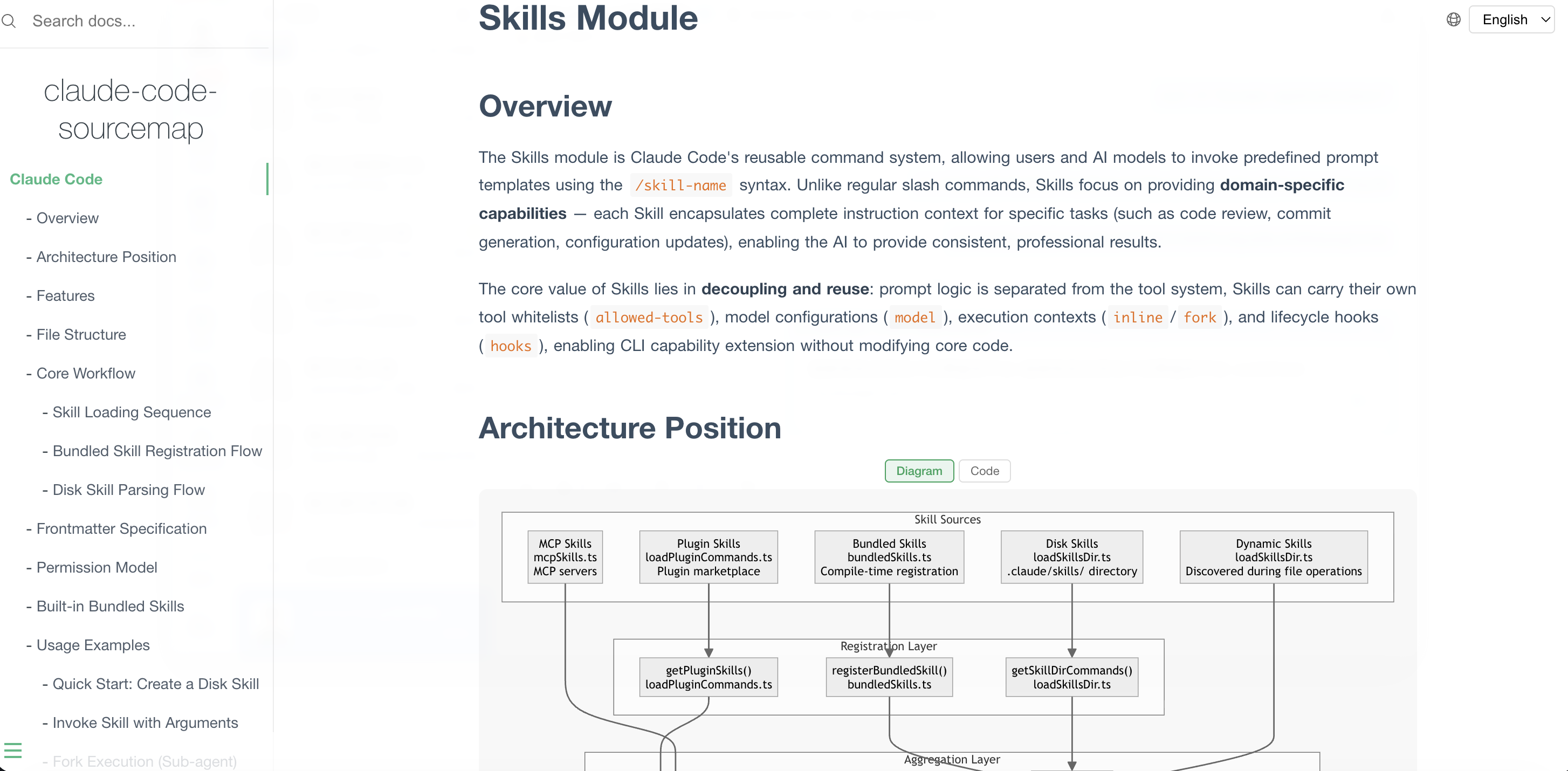
Serves the generated wiki locally with bundled assets, search, sidebar navigation, and a source code drawer.
npx skills add https://github.com/niuma996/nium-wiki --skill nium-wiki
# In Claude Code, say:
> generate wiki
> create docs
> update wiki
> rebuild wiki
> update wiki
# Initialize with primary (first) + secondary language
npx nium-wiki init --lang zh/en

English | 中文
A skill for AI coding tools (e.g., Claude Code) that turns codebases into high-quality wikis. Auto-analyzes structure, generates docs with diagrams and cross-references. Inspired by DeepWiki, ZRead, Code Wiki.
Before using Nium-Wiki, you need to add it as a skill to your AI coding tool:
npx skills add https://github.com/niuma996/nium-wiki --skill nium-wiki
Nium-Wiki works as an AI coding tool skill (e.g. Claude Code). Just tell the AI:
# In Claude Code, say:
> generate wiki
> create docs
> update wiki
> rebuild wiki
The skill will automatically run the full workflow: init → analyze → deep code reading → generate docs → build index → audit quality.
For incremental updates after code changes:
> update wiki
Changed files are detected via SHA256 hashing. The incremental command combines diff analysis, dependency graph traversal, and doc-to-doc propagation to pinpoint affected wiki pages — regenerating only what changed, nothing more.
.nium-wiki/
├── config.json              # Language & exclude settings
├── meta.json                # Version, timestamps, stats
├── cache/
│   ├── structure.json       # Project structure snapshot
│   ├── source-index.json    # SHA256 file hashes (change detection)
│   ├── doc-index.json       # Source ↔ Doc bidirectional mapping
│   ├── dep-graph.json       # Import/require dependency graph
│   └── facts/               # Per-module fact extraction cache
└── wiki/                    # Generated documentation
    ├── index.md             # Project homepage
    ├── architecture.md      # System architecture + Mermaid diagrams
    ├── getting-started.md   # Quick start guide
    ├── doc-map.md           # Documentation relationship map
    ├── api/                 # API reference docs
    ├── <domain>/            # Domain-organized module docs
    │   ├── _index.md        # Domain overview
    │   └── <module>.md      # Module documentation
    └── ...
# Initialize with primary (first) + secondary language
npx nium-wiki init --lang zh/en
Secondary language docs are generated in wiki_{lang}/ directories (e.g. .nium-wiki/wiki_en/), mirroring the same structure as wiki/.
# Install
npm install -g nium-wiki

# Start local documentation server (default port 4000)
npx nium-wiki serve

# Specify port
npx nium-wiki serve --port 3000

# Specify wiki directory
npx nium-wiki serve .nium-wiki/wiki
Open http://localhost:4000 in your browser to preview the generated docs, with full-text search, sidebar navigation, Mermaid diagram rendering, and a source code drawer that opens when you click any source file link in the wiki.
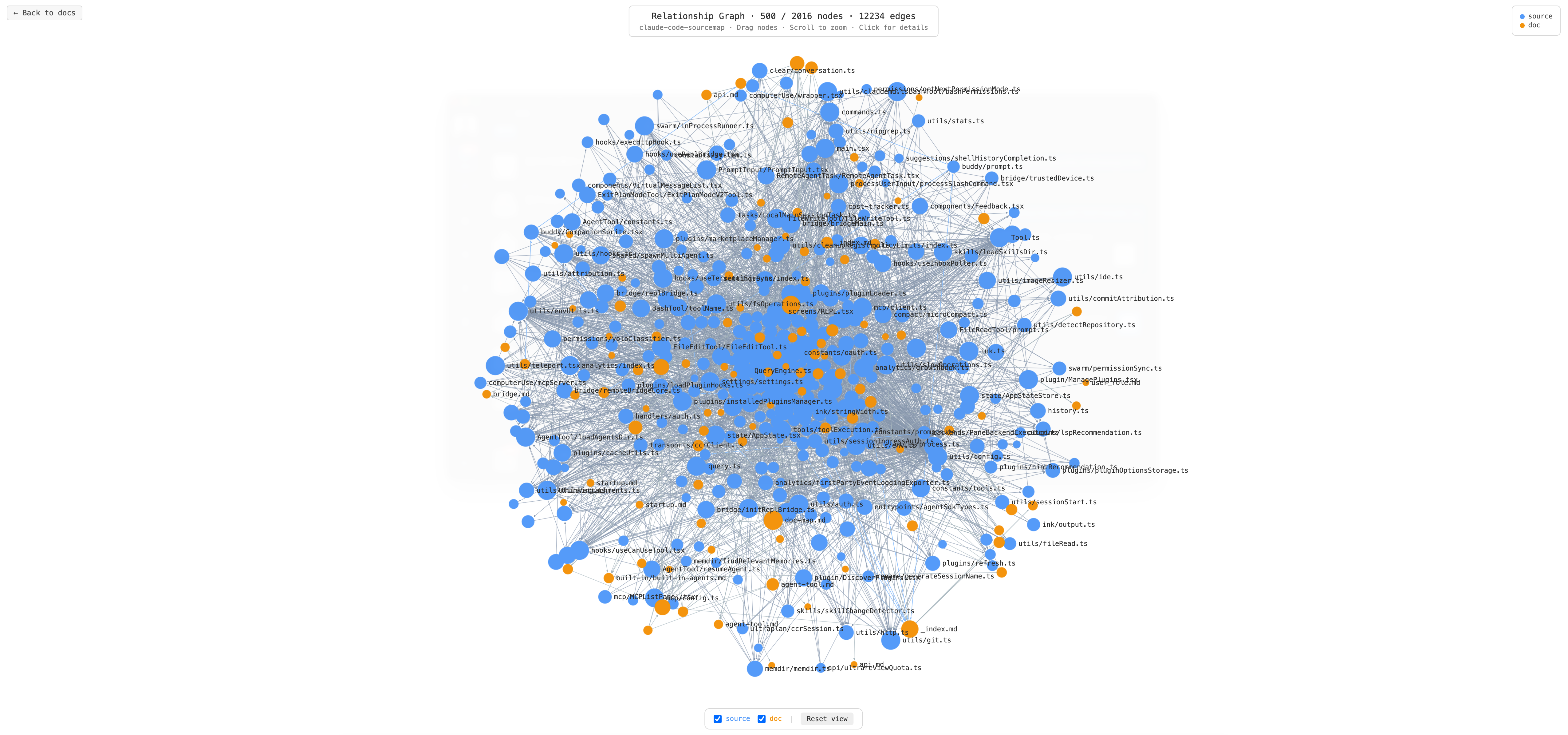
Click the Graph button in the top-right corner of the preview server to open an interactive relationship graph at /_graph.
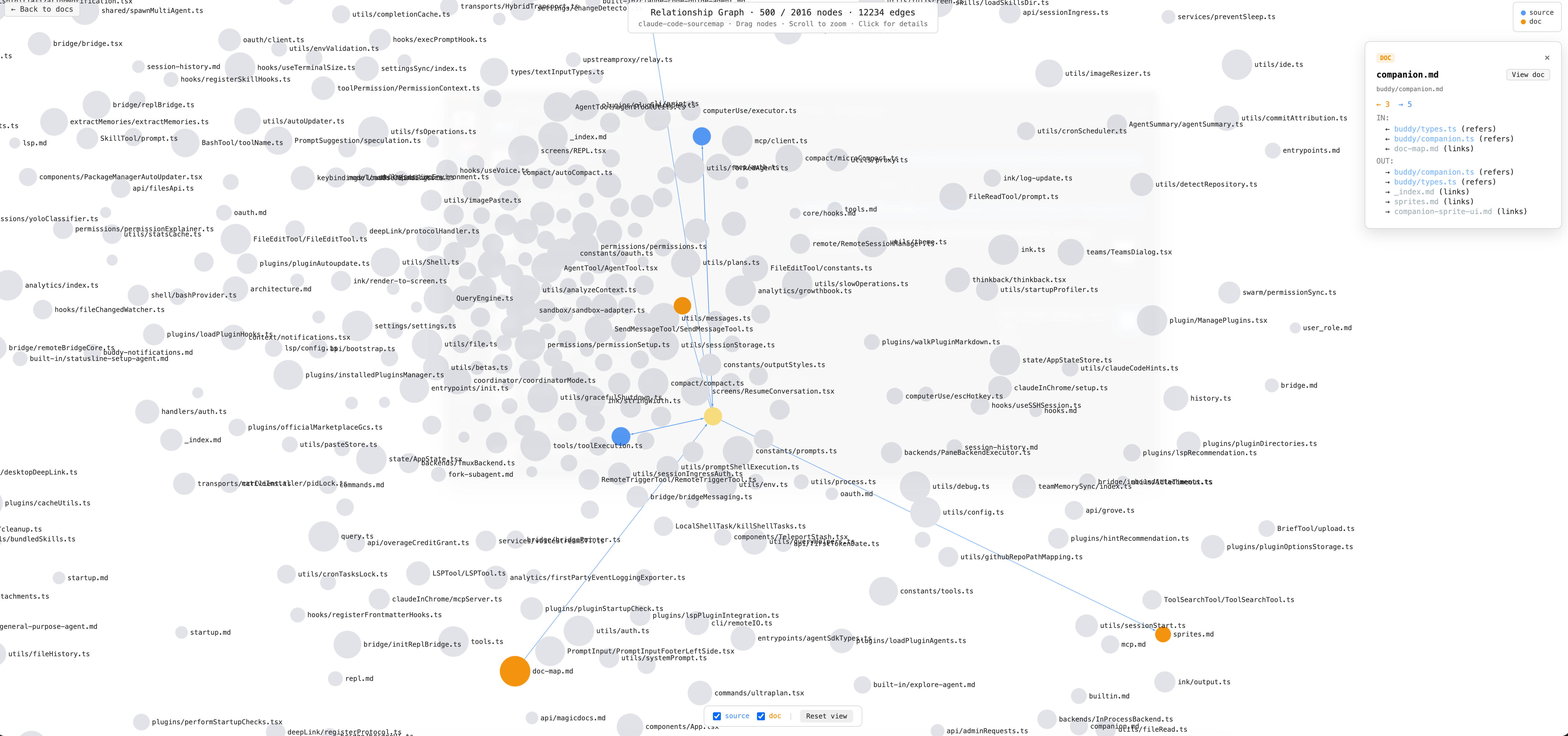
The graph visualizes all nodes and edges extracted from your project:
.ts, .js, .py, etc.).md)import — one source file imports anotherrefers — a doc file references a source file (or vice versa)links — a doc file links to another doc fileFor large projects (> 500 nodes), the graph loads docs and their directly linked source nodes first, then expands outward via import edges until ~500 nodes are visible. Click any source node to reveal its hidden import neighbors on demand.
Click a node to highlight it: connected nodes stay at full color, unrelated nodes dim. The detail panel on the right shows incoming and outgoing edges for the selected node.
See claude-code-sourcemap-wiki for a live example of a full project generated with Nium-Wiki.
After initialization, a default config is generated at .nium-wiki/config.json:
{
  "language": "zh",
  "exclude": [
    "node_modules", ".git", "dist", "build",
    "coverage", "__pycache__", "venv", ".venv"
  ],
  "useGitignore": true
}
| Field | Type | Default | Description |
|---|---|---|---|
language | string | en | Documentation language. Supports zh, en, ja, ko, fr, de. Use / for multi-language, e.g. zh/en (primary Chinese, secondary English) |
exclude | string[] | see above | Directories to exclude from code analysis and doc generation |
useGitignore | boolean | true | Automatically read .gitignore directory rules and merge into the exclude list |
In addition to custom excludes in
config.json, the tool has built-in common exclude directories (.git,.idea,.vscode,node_modules,dist, etc.) and language-specific rules from each handler (e.g. Python's__pycache__, Go'svendor), so no manual configuration is needed for those.
Nium-Wiki is designed to work completely offline with zero external dependencies, perfect for enterprise internal networks and air-gapped environments:
Nium-Wiki is designed to leverage the AI coding tool's existing understanding of your project (from the Explore process), guiding it to output documentation in a structured way — rather than analyzing the entire codebase from scratch.
| Scenario | Token Cost | Notes |
|---|---|---|
| First generation (with Explore context) | Moderate | The AI tool already understands the project structure, jumping straight to doc generation. Cost depends on project size |
| First generation (fresh project) | Higher | Requires a full code reading and analysis pass — essentially a deep Explore + doc generation |
| Incremental updates | Very low | Detects code changes via SHA256 hashing, pinpoints affected docs for targeted updates |
| Multi-language translation | Very low | Translates after primary language docs are complete, also supports incremental update logic |
For projects where you've been using an AI coding tool for a while, the first generation cost is typically reasonable. Day-to-day usage is dominated by incremental updates, which cost very little.
Contributions are welcome! Please feel free to submit a Pull Request.
MIT
Generated with ❤️ by Nium-Wiki
Sign in to join the discussion.
No comments yet. Be the first to say what this is good for.
An agentic skills framework & software development methodology that works.

Turn any codebase, with its docs, SQL schemas, configs, and PDFs, into a queryable knowledge graph. A /graphify skill for Claude Code, Cursor, Codex, and Gemini CLI: local deterministic AST parsing, every edge explained, no vector store.

Topic in, narrated explainer video out. A Claude Code / Codex skill that turns any topic into a black-canvas motion-graphics explainer video with TTS voiceover, subtitles and a chapter progress bar. Chinese or English; every frame drawn in code with Remotion.
Public repository for Agent Skills
Open-source AI job search: scan job portals, evaluate listings into a structured A-H report with a global 1-5 score, tailor your CV, track applications — runs locally in your AI coding CLI (Claude Code, Codex, OpenCode, Antigravity…)

Production-grade engineering skills for AI coding agents.