
JuliusBrussee/
caveman

🪨 why use many token when few token do trick — Claude Code skill that cuts 65% of tokens by talking like caveman
105k
1 add
Bridle manages profiles and installs reusable assistant components across several coding harnesses. It translates paths and config formats for Claude Code, OpenCode, Goose, Amp, Copilot CLI, and Crush so the same skill, agent, or MCP can be placed where each one expects it. You can browse status, create and switch profiles, edit configs, and install from a GitHub repo with one command.
Builders who move between multiple agent editors and want one place to manage profiles and installs.
You can switch assistant setups and install reusable components without hand-editing each harness’s config files.
Create, list, show, edit, diff, switch, and delete profiles per harness with commands like `bridle profile create` and `bridle profile switch`.
Install skills, agents, commands, and MCPs from a GitHub repo, then translate them into the right paths and schemas for each target harness.
Launch an interactive TUI with `bridle` or inspect active profiles with `bridle status`.
Store Bridle settings in `~/.config/bridle/config.toml` and manage keys like `editor`, `default_harness`, and `profile_marker`.
Works with Claude Code, OpenCode, Goose, Amp, Copilot CLI, and Crush, with full support for most and experimental support for Amp.
# Homebrew
brew install neiii/bridle/bridle

# Cargo
cargo install bridle

# From source
git clone https://github.com/neiii/bridle && cd bridle && cargo install --path .
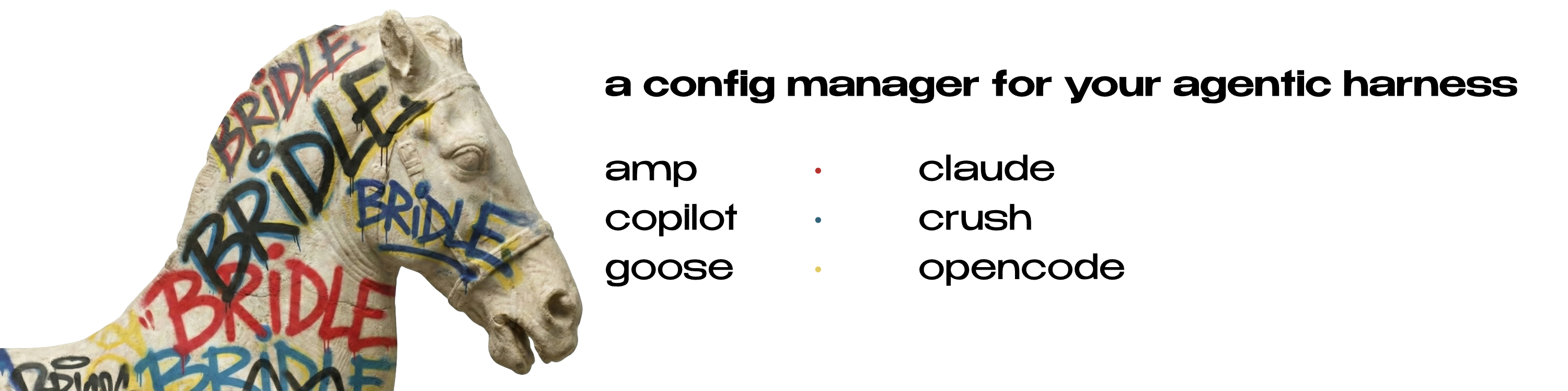
Unified configuration manager for AI coding assistants. Manage profiles, install skills/agents/commands, and switch configurations across Claude Code, OpenCode, Goose, Amp, Copilot CLI, and Crush.
Run once without installing:
| Package Manager | Command |
|---|---|
| npx | npx bridle-ai |
| bunx | bunx bridle-ai |
| pnpm | pnpm dlx bridle-ai |
For repeated use, install once:
Node package managers:
| Manager | Command |
|---|---|
| npm | npm install -g bridle-ai |
| bun | bun install -g bridle-ai |
| pnpm | pnpm add -g bridle-ai |
Other methods:
# Homebrew
brew install neiii/bridle/bridle

# Cargo
cargo install bridle

# From source
git clone https://github.com/neiii/bridle && cd bridle && cargo install --path .
# Launch the TUI
bridle

# See what's configured across all harnesses
bridle status

# Create a profile from your current config
bridle profile create claude work --from-current

# Switch between profiles
bridle profile switch claude personal
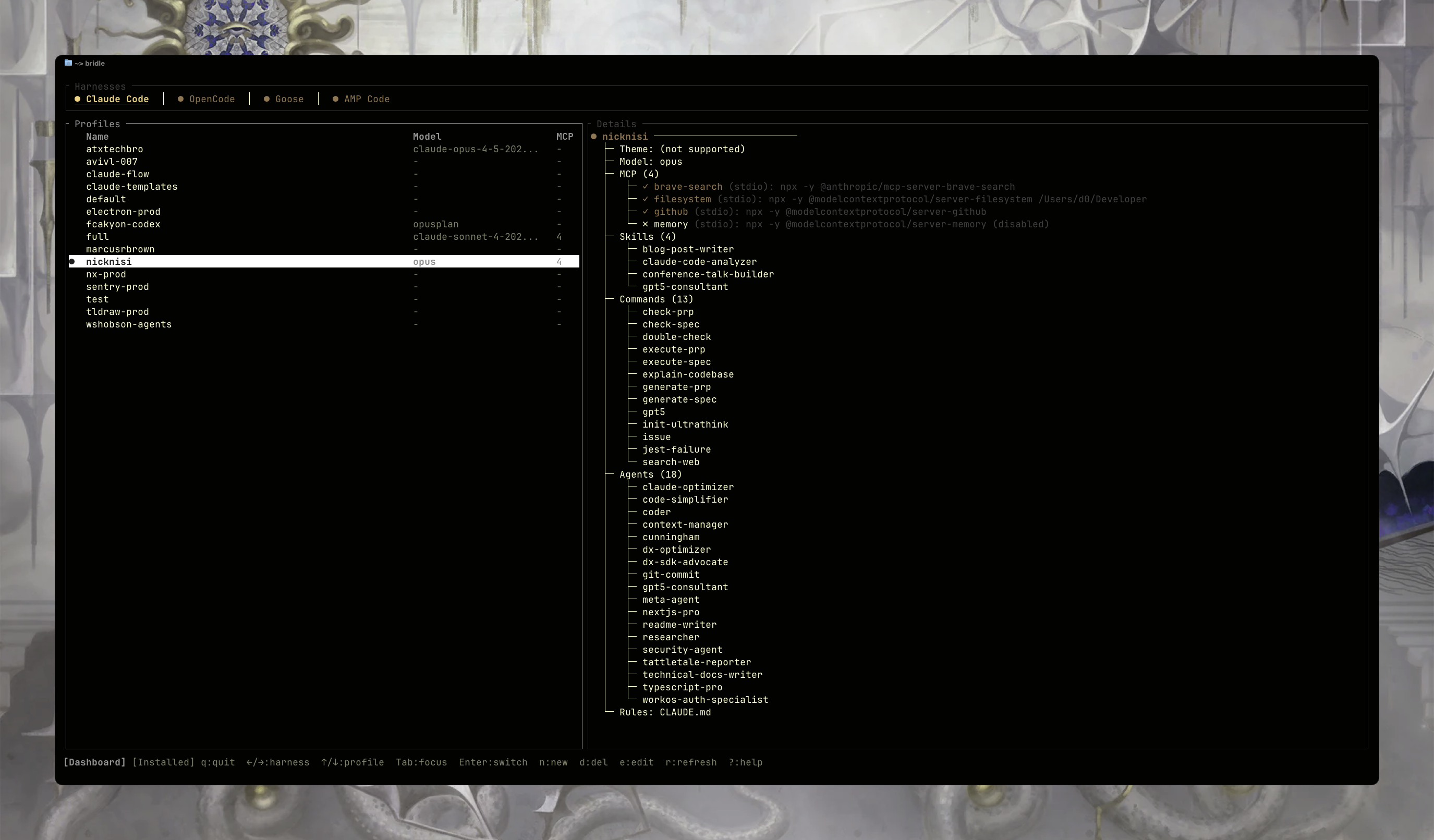
With Bridle, you're able to install skills, agents, commands, and MCPs from any GitHub repository, similar to how Claude Code does it. With Bridle, however, you're not limited to just one harness; we auto-translate all the paths, namings, schemas, and configurations for you.
# Install from GitHub
bridle install owner/repo

# What happens:
# 1. Bridle scans the repo for skills, agents, commands, and MCPs
# 2. You select which components to install
# 3. You choose target harnesses and profiles
# 4. Bridle translates paths and configs for each harness automatically
Why this matters: A skill written for Claude Code uses ~/.claude/skills/. The same skill on OpenCode lives at ~/.config/opencode/skill/. MCPs follow different JSON/YAML schemas. Bridle handles all these differences for you.
| Component | Claude Code | OpenCode | Goose | Copilot CLI | Crush |
|---|---|---|---|---|---|
| Skills | ~/.claude/skills/ | ~/.config/opencode/skill/ | ~/.config/goose/skills/ | ~/.copilot/skills/ | ~/.config/crush/skills/ |
| Agents | ~/.claude/plugins/*/agents/ | ~/.config/opencode/agent/ | — | ~/.copilot/agents/ | — |
| Commands | ~/.claude/plugins/*/commands/ | ~/.config/opencode/command/ | — | — | — |
| MCPs | ~/.claude/.mcp.json | opencode.jsonc | config.yaml | ~/.copilot/mcp-config.json | crush.json |
Harnesses are AI coding assistants: claude, opencode, goose, amp, copilot, crush
Profiles are saved configurations. Each harness can have multiple profiles (e.g., work, personal, minimal). Bridle copies the active profile's config into the harness's config directory when you switch.
| Command | Description |
|---|---|
bridle | Launch interactive TUI |
bridle status | Show active profiles across all harnesses |
bridle init | Initialize bridle config and default profiles |
| Command | Description |
|---|---|
bridle profile list <harness> | List all profiles for a harness |
bridle profile show <harness> <name> | Show profile details (model, MCPs, plugins) |
bridle profile create <harness> <name> | Create empty profile |
bridle profile create <harness> <name> --from-current | Create profile from current config |
bridle profile switch <harness> <name> | Activate a profile |
bridle profile edit <harness> <name> | Open profile in editor |
bridle profile diff <harness> <name> [other] | Compare profiles |
bridle profile delete <harness> <name> | Delete a profile |
| Command | Description |
|---|---|
bridle install <source> | Install skills/MCPs from GitHub (owner/repo or URL) |
bridle install <source> --force | Overwrite existing installations |
bridle uninstall <harness> <profile> | Interactively remove components [experimental] |
| Command | Description |
|---|---|
bridle config get <key> | Get a config value |
bridle config set <key> <value> | Set a config value |
Config keys: profile_marker, editor, tui.view, default_harness
All commands support -o, --output <format>:
text (default) — Human-readablejson — Machine-readableauto — Text for TTY, JSON for pipesBridle stores its config at ~/.config/bridle/config.toml:
profile_marker = false  # Create marker files for debugging
editor = "code --wait"  # Editor for `profile edit`
default_harness = "opencode" # Which tab to open on launch

[active]
claude = "work"
opencode = "default"

[tui]
view = "Dashboard"      # Will add more later :P
| Harness | Config Location | Status |
|---|---|---|
| Claude Code | ~/.claude/ | Full support |
| OpenCode | ~/.config/opencode/ | Full support |
| Goose | ~/.config/goose/ | Full support |
| Amp | ~/.amp/ | Experimental (ish) |
| Copilot CLI | ~/.copilot/ | Full support |
| Crush | ~/.config/crush/ | Full support (skills + MCP) |
MIT
Sign in to join the discussion.
No comments yet. Be the first to say what this is good for.
🪨 why use many token when few token do trick — Claude Code skill that cuts 65% of tokens by talking like caveman

The best-benchmarked open-source AI memory system. And it's free.

Orca is the ADE for working with a fleet of parallel agents. Run any coding agent with your own subscription. Available on desktop, mobile and remote runtime.

A cross-platform desktop All-in-One assistant for Claude Code, Codex, OpenCode, OpenClaw, Grok Build & Hermes Agent. Only official website: ccswitch.io

Never stop coding. Free MIT AI gateway: one endpoint, 352 providers (150+ free), 1200+ models Kimi, Claude, GPT, Gemini, GLM, DeepSeek, MiniMax. Works with Claude Code, Codex, Cursor, OpenCode, Cline & Copilot. Quota-aware auto-fallback, RTK+Caveman compression saves 15-95% tokens, MCP/A2A, Desktop/PWA. Built by 550+ contributors

Compress tool outputs, logs, files, and RAG chunks before they reach the LLM. 20% fewer tokens for coding agents, 60-95% fewer tokens for JSON, same answers. Library, proxy, MCP server.