
obra/
superpowers

obra/superpowersSkills
An agentic skills framework & software development methodology that works.
285k
1 add
This repo packages Claude Code skills for the work of running a design system: audits, governance, documentation, validation, and communication. The skills are grouped with slash commands and knowledge notes so Claude can produce structured outputs like token audits, release checks, migration plans, and stakeholder briefs.
Builders who run Claude Code or Claude desktop on a production design system and want repeatable workflows for keeping it healthy.
You can turn design system maintenance into structured agent runs instead of ad hoc prompting.
Token, component, drift, naming, Figma variable, docs coverage, system health, theme, and codebase audits.
Skills for contribution workflow, deprecation, decision records, change communication, backlog generation, version bumps, and retrospectives.
Skills that create component descriptions, pattern docs, usage guidelines, metadata schemas, and AI-ready context files.
Design-to-code, accessibility, token compliance, schema validation, component API validation, and CI/CD integration checks.
Commands like `full-diagnostic`, `release-check`, `governance-review`, and `migration` that chain multiple skills together.
A `.plugin` file and zip bundle for desktop installation, plus a config example for project setup.
git clone https://github.com/murphytrueman/design-system-ops.git ~/.claude/skills/design-system-ops
git clone https://github.com/murphytrueman/design-system-ops.git your-project/.claude/skills/design-system-ops
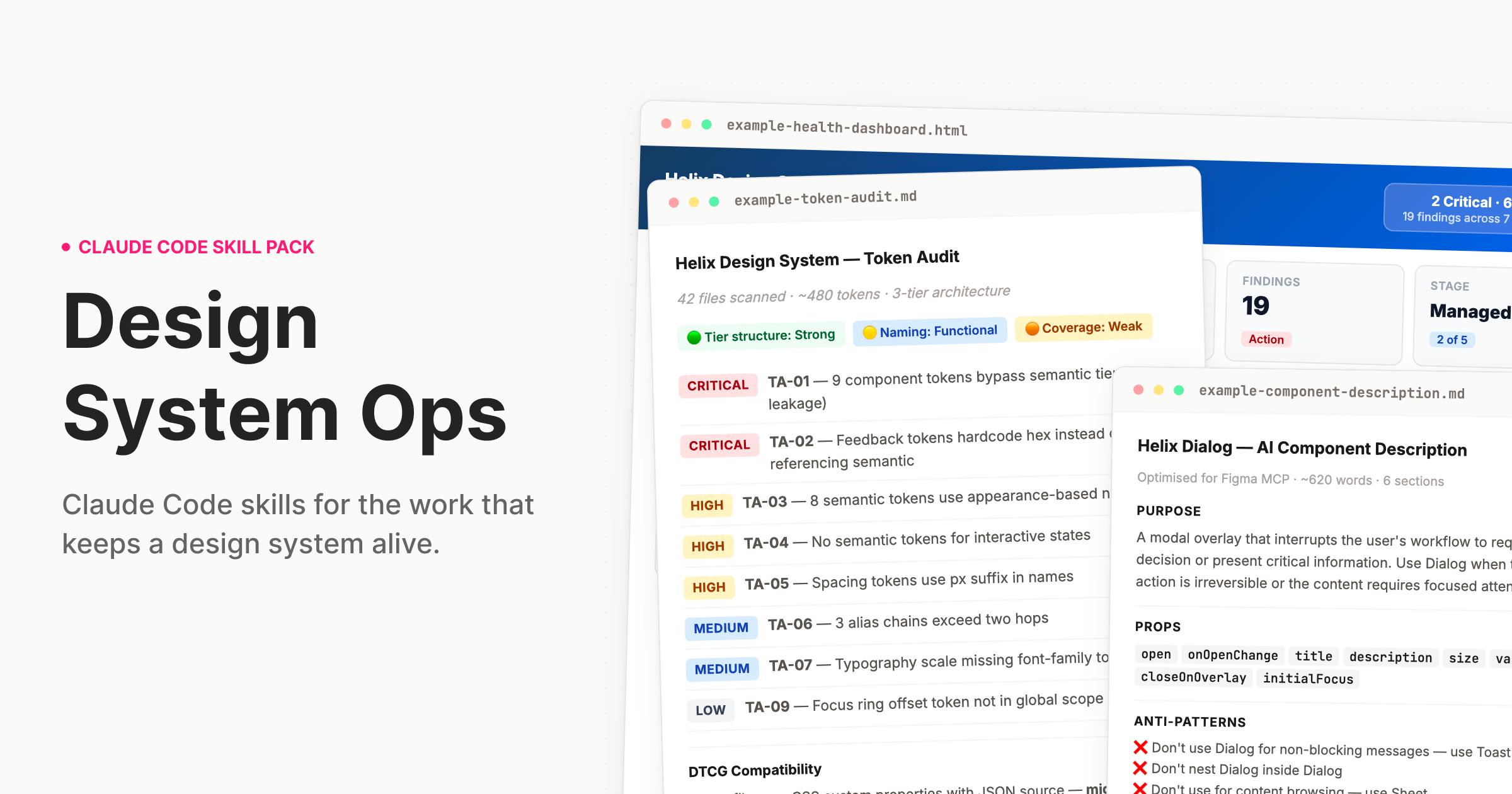
Claude Code skills for the work that keeps a design system alive.

Design systems drift. Tokens go stale. Components fall out of spec. Governance documentation gets written once and never updated. The deprecation plan lives in someone's head. The stakeholder brief gets thrown together the night before quarterly review. There are great AI tools for the designer who uses a design system. But the team running it? That work never had proper tooling – until now.
A skill pack for Claude Code and Cowork that teaches Claude how to do design systems work the way a staff-level practitioner would — with structured processes, expert frameworks, and output calibrated to the actual complexity of what you're dealing with.
When you ask Claude to audit your tokens, it doesn't give you generic advice. It reads your actual token files, identifies tier leakage, flags naming violations, produces a prioritised finding table with remediation guidance, and — if you're migrating to DTCG — gives you a sprint-plannable migration plan with hour estimates.
That is the difference. Not a smarter prompt. A different kind of output entirely.
Who it's for: Design systems leads, senior design engineers, and anyone responsible for a production design system. The people who run the system, not just the people who use it.
design-system-ops.plugin from the installable/ folder — or from the latest Release.plugin file into the chatClone this repo into your Claude Code skills directory:
git clone https://github.com/murphytrueman/design-system-ops.git ~/.claude/skills/design-system-ops
For project-level installation (instead of global):
git clone https://github.com/murphytrueman/design-system-ops.git your-project/.claude/skills/design-system-ops
Verify: Open Claude Code and say "How healthy is my design system?" If Claude responds with a structured, multi-step process — not generic advice — you're set up.
See 1-INSTALL.md for the full guide with entry points by use case.
| Category | Skills | What they do |
|---|---|---|
| Audit | token-audit, component-audit, system-health, drift-detection, naming-audit, figma-variable-audit, codebase-index, system-benchmark, theme-audit, docs-coverage | Understand what you actually have |
| Govern | contribution-workflow, deprecation-process, decision-record, change-communication, backlog-generator, version-bump-advisor, release-retrospective, governance-encoder, session-memory, codemod-generator, triage | Run the system as infrastructure |
| Document | ai-component-description, pattern-documentation, token-documentation, usage-guidelines, component-decision-tree, context-engine-builder, metadata-schema-generator | Make the system legible to humans and machines |
| Validate | design-to-code-check, accessibility-per-component, token-compliance, schema-validator, component-api-validator, cicd-integration | Verify quality before it ships |
| Communicate | adoption-report, stakeholder-brief, system-pitch, designer-onboarding, engineering-onboarding, visual-report | Move people and decisions |
| Agent | What it chains | When to use it |
|---|---|---|
/full-diagnostic | 6 audit skills (+ conditional theme/Figma) with cross-skill synthesis | Quarterly review or inheriting a system |
/release-check | Design-to-code, accessibility, token compliance, AI description, usage guidelines, change communication | Before shipping any component |
/governance-review | Adoption report, drift detection, stakeholder brief | Monthly or quarterly governance cadence |
/migration | Token audit, naming audit, migration plan, codemod generation, communication | Planning a major migration |
Five skills produce machine-readable files that AI agents and tooling consume directly: context-engine-builder, governance-encoder, codebase-index, component-decision-tree, and metadata-schema-generator. If you're building AI-native design system infrastructure, these are the files your agents need.
The skills encode specific practitioner frameworks, not generic advice:
"I just want to know where we stand" → Say: "How healthy is my design system?"
"Our tokens are a mess" → Say: "Audit my tokens"
"I need to deprecate a component" → Say: "Help me deprecate DatePicker in favour of DatePickerNext"
"I need to convince leadership" → Say: "Write a stakeholder brief for leadership about our design system"
"Run the full pre-release pipeline" → Say: "Run the release pipeline for Dialog"
You don't need to memorise skill names. Describe what you need and the right skill activates.
Real outputs from real codebases are in sample-outputs/:
Every skill works out of the box with no configuration. If you want to customise behaviour — severity overrides, Figma integration, GitHub API access, recurring trend tracking — create a .ds-ops-config.yml in your project root. An annotated template is included in the skill pack.
See 3-SETUP-AND-CONFIG.md for the full configuration reference.
Several skills become more powerful when Claude can read your Figma file directly. Two options:
Setup details in 1-INSTALL.md.
| File | What it covers |
|---|---|
| 1-INSTALL.md | Full installation guide with entry points by use case |
| 2-WHATS-INCLUDED.md | Complete product documentation — every skill, agent, and knowledge note |
| 3-SETUP-AND-CONFIG.md | Deep-dive setup, framework compatibility, monorepo handling, troubleshooting |
See CONTRIBUTING.md.
Run the test suite before opening a pull request:
./tests/run.sh
Stdlib Python, nothing to install. It validates skill frontmatter, reference paths, slash-command targets, documentation links, and the built plugin bundle. CI runs the same suite on every pull request — see tests/README.md.
MIT — see LICENSE.
If you found this useful, buy me a coffee.
Murphy Trueman — designsystemops.com · hello@murphytrueman.com
Built from 14 years of production design systems work. If it's in these skills, it's because it came up in real work.
Sign in to join the discussion.
No comments yet. Be the first to say what this is good for.
An agentic skills framework & software development methodology that works.

Turn any codebase, with its docs, SQL schemas, configs, and PDFs, into a queryable knowledge graph. A /graphify skill for Claude Code, Cursor, Codex, and Gemini CLI: local deterministic AST parsing, every edge explained, no vector store.

Topic in, narrated explainer video out. A Claude Code / Codex skill that turns any topic into a black-canvas motion-graphics explainer video with TTS voiceover, subtitles and a chapter progress bar. Chinese or English; every frame drawn in code with Remotion.
Public repository for Agent Skills
Open-source AI job search: scan job portals, evaluate listings into a structured A-H report with a global 1-5 score, tailor your CV, track applications — runs locally in your AI coding CLI (Claude Code, Codex, OpenCode, Antigravity…)

Production-grade engineering skills for AI coding agents.