
JuliusBrussee/
caveman

🪨 why use many token when few token do trick — Claude Code skill that cuts 65% of tokens by talking like caveman
105k
1 add
gospy inspects running Go processes and shows goroutines, memory stats, runtime info, and binary data. It works as an interactive terminal UI, an HTTP API, and an MCP server for agent tools.
Builders who need to inspect a running Go process from the terminal or through an MCP client.
You can debug a live Go process without attaching a full profiler or reworking the app.
Lists goroutines with status and scheduling details for a selected process.
Reads memory stats from the target Go process.
Shows runtime version info and can use binary paths for process summaries.
Provides an interactive `top` view with refresh, pause, quit, and search controls.
Serves `/goroutines`, `/memstats`, and `/runtime` endpoints for programmatic access.
Exposes `goroutines`, `gomemstats`, `goruntime`, and `pgrep` tools over `/mcp`.
go install github.com/monsterxx03/gospy@latest
>>> sudo gospy serve --enable-mcp --port 8974

Starting API server on port 8974
Endpoints:
  GET /runtime?pid=<PID>     - Get runtime info
  GET /goroutines?pid=<PID> - Get goroutines list
  GET /memstats?pid=<PID>   - Get memory stats
  GET /mcp   - MCP http endpoint


A tool for inspecting and analyzing running Go processes, including goroutine states, memory statistics, and binary information.
go install github.com/monsterxx03/gospy@latest
# Interactive terminal UI
sudo gospy top --pid <pid>

# HTTP API server
sudo gospy serve --port 8974

# Get process summary
sudo gospy summary --pid <pid>

# Get process summary in JSON format
sudo gospy summary --pid <pid> --json
--pid/-p - Target process ID (required)--bin/-b - Path to binary file (optional)--json/-j - Output results in JSON formatGET /goroutines?pid=<pid> - List all goroutinesGET /memstats?pid=<pid> - Get memory statisticsGET /runtime?pid=<pid> - Get runtime version infoThe MCP server provides an http (streamableHTTP) endpoint. To enable:
>>> sudo gospy serve --enable-mcp --port 8974

Starting API server on port 8974
Endpoints:
  GET /runtime?pid=<PID>     - Get runtime info
  GET /goroutines?pid=<PID> - Get goroutines list
  GET /memstats?pid=<PID>   - Get memory stats
  GET /mcp   - MCP http endpoint
Available MCP tools:
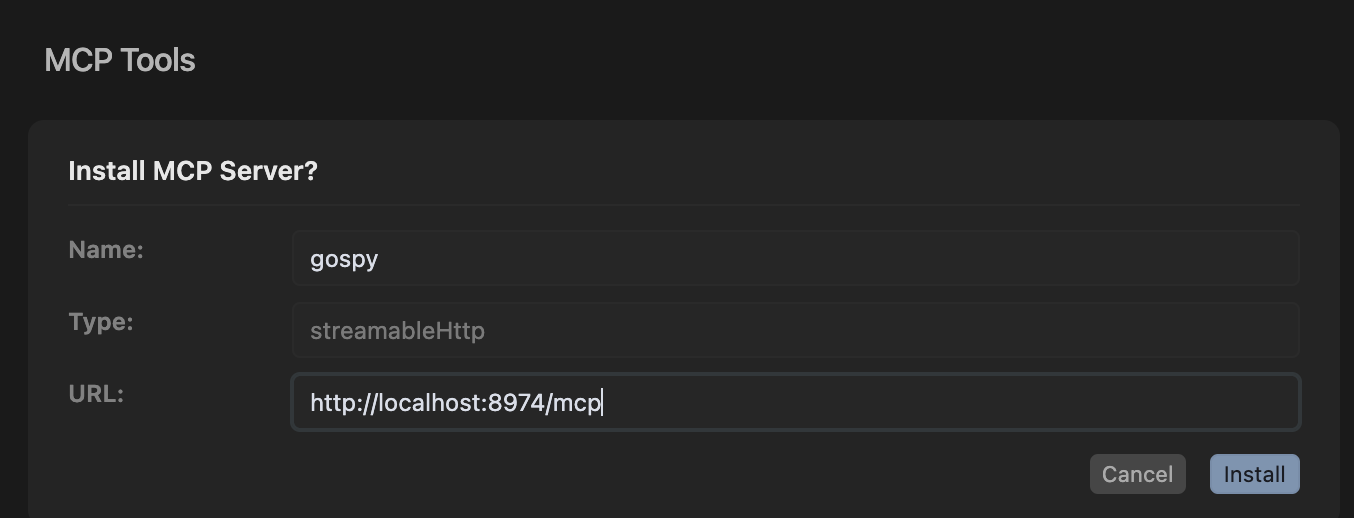
goroutines - Dump goroutines for a go processgomemstats - Dump memory stats for a go processgoruntime - Dump runtime info for a go processpgrep - Find pid from process nameConfig in cursor
q - Quitr - Refresh datas - Suspend/Resume top view/ - Search/filter goroutines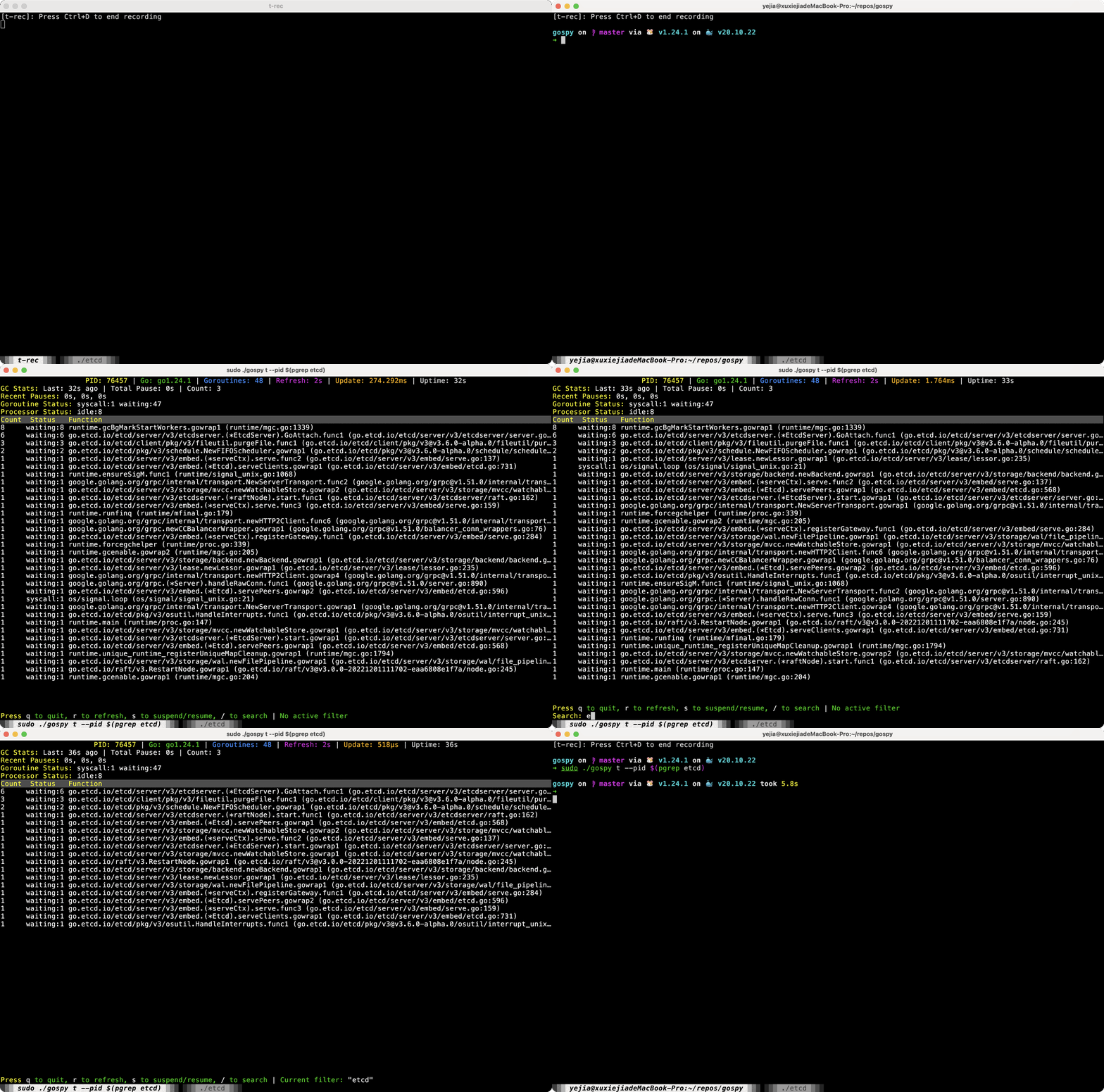
git clone https://github.com/monsterxx03/gospy.git
cd gospy
make
gospy requires root privileges to:
Run with sudo:
sudo gospy top --pid <pid>
For development/debugging, you may want to:
makesudo ./gospy [command]Version 0.7.0 was completely rewritten from scratch with aider, which wrote >90% of the code. Additional assistance from:
Total AI compute cost: ~$2 USD
MIT - See LICENSE file for details.
Sign in to join the discussion.
No comments yet. Be the first to say what this is good for.
🪨 why use many token when few token do trick — Claude Code skill that cuts 65% of tokens by talking like caveman

The best-benchmarked open-source AI memory system. And it's free.

Orca is the ADE for working with a fleet of parallel agents. Run any coding agent with your own subscription. Available on desktop, mobile and remote runtime.

A cross-platform desktop All-in-One assistant for Claude Code, Codex, OpenCode, OpenClaw, Grok Build & Hermes Agent. Only official website: ccswitch.io

Never stop coding. Free MIT AI gateway: one endpoint, 352 providers (150+ free), 1200+ models Kimi, Claude, GPT, Gemini, GLM, DeepSeek, MiniMax. Works with Claude Code, Codex, Cursor, OpenCode, Cline & Copilot. Quota-aware auto-fallback, RTK+Caveman compression saves 15-95% tokens, MCP/A2A, Desktop/PWA. Built by 550+ contributors

Compress tool outputs, logs, files, and RAG chunks before they reach the LLM. 20% fewer tokens for coding agents, 60-95% fewer tokens for JSON, same answers. Library, proxy, MCP server.