
JuliusBrussee/
caveman

🪨 why use many token when few token do trick — Claude Code skill that cuts 65% of tokens by talking like caveman
105k
1 add
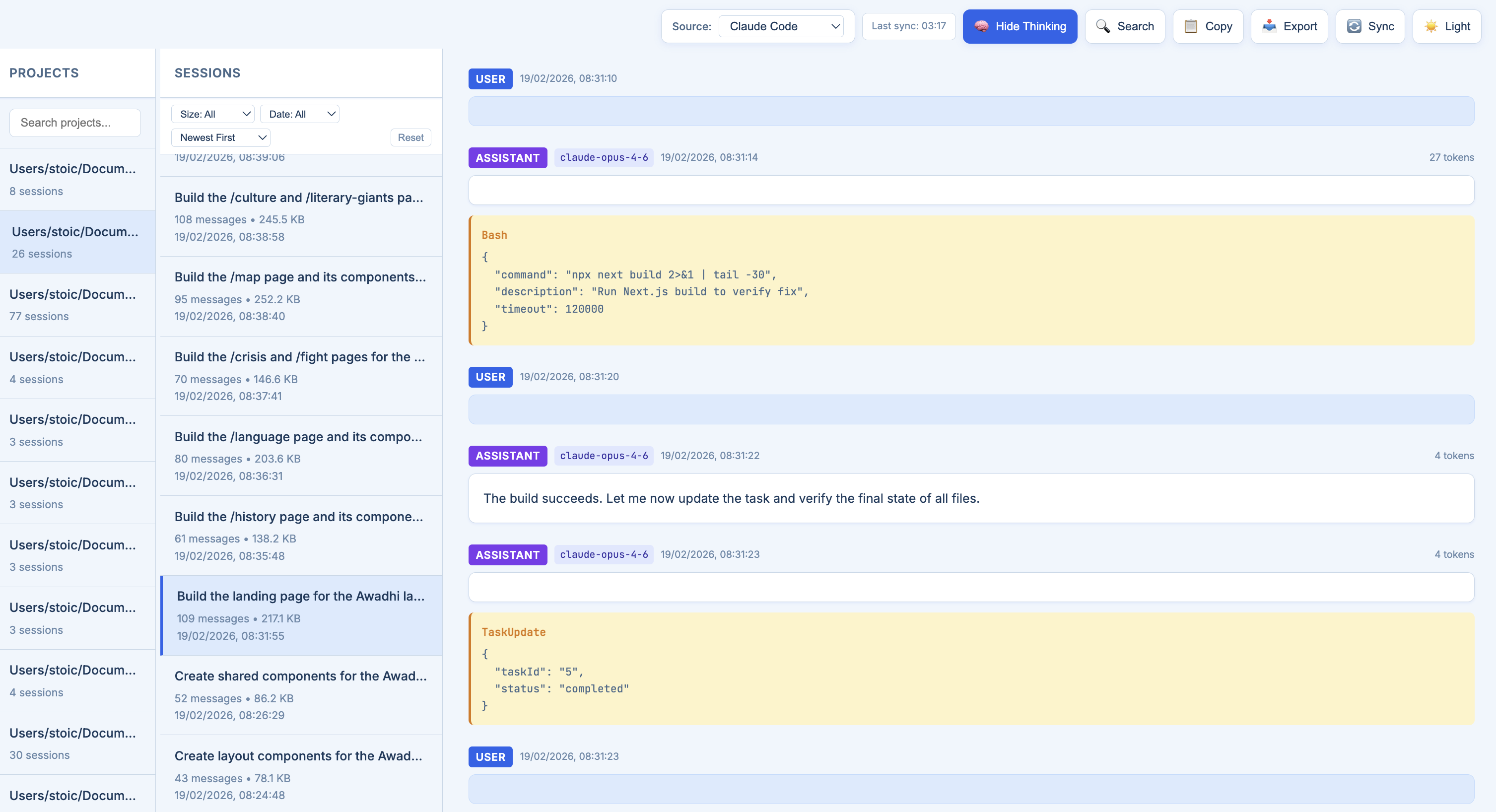
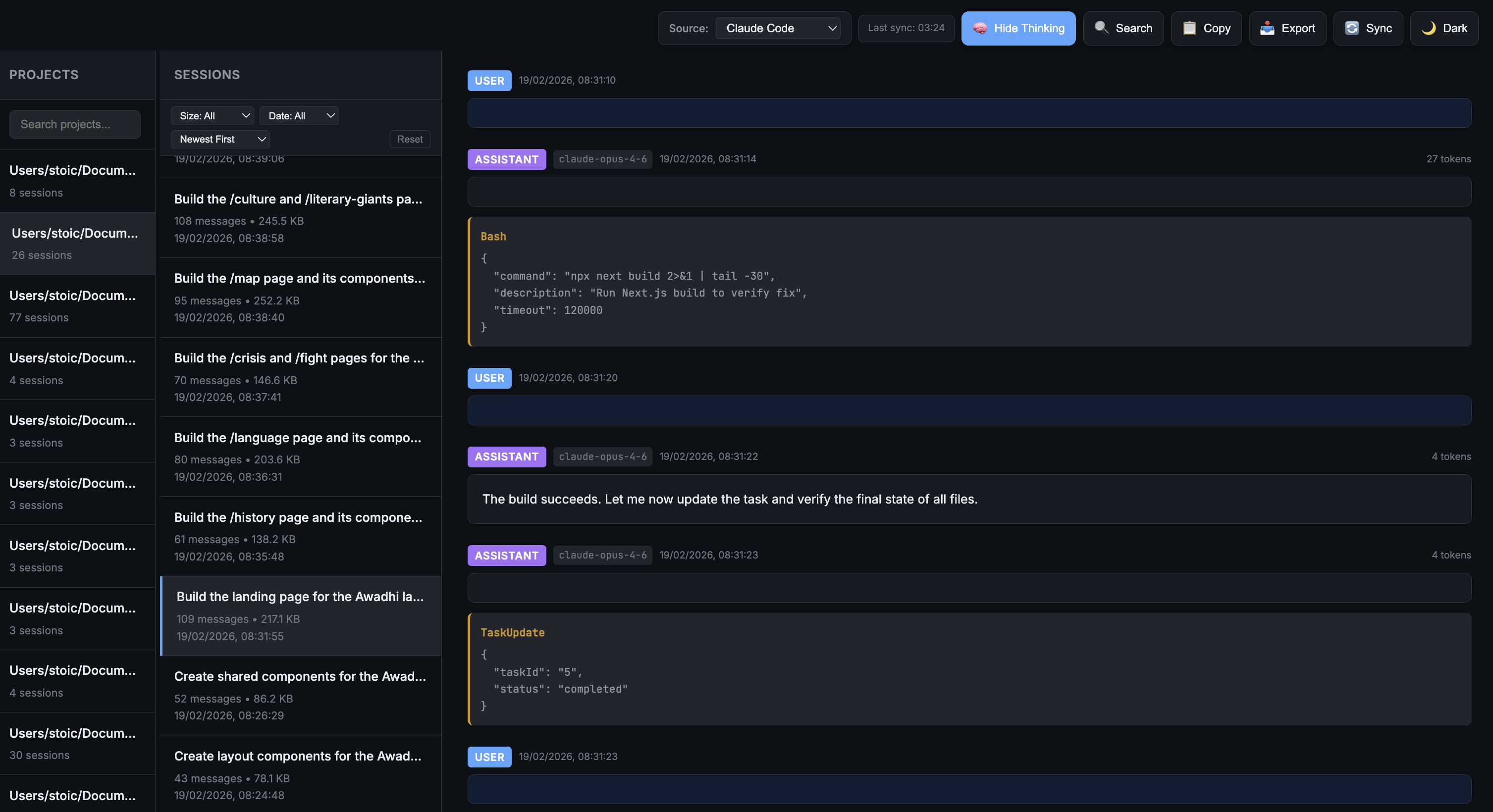
clicodelog syncs session logs from Claude Code, OpenAI Codex, and Gemini CLI into a local store, then serves them in a browser. You can inspect messages, thinking blocks, tool calls, file edits, search across conversations, and review token usage without sending data off your machine.
Builders who want to review and search past Claude Code, Codex, or Gemini CLI runs.
You can inspect agent sessions, search their content, and jump back into work with the full history in view.
Shows Claude Code, OpenAI Codex, and Gemini CLI sessions in one interface.
Displays messages, thinking blocks, tool calls, summaries, model metadata, and token usage.
Uses SQLite FTS5 to search session titles and message bodies with ranked results and snippets.
Finds which sessions touched a given file and jumps to the matching edit.
Exports a conversation as text or Markdown, and can stream the raw source file.
Copies logs into a local backup under `~/.clicodelog/` and refreshes them from the source directories.
curl -LsSf https://astral.sh/uv/install.sh | sh
uv tool install clicodelog
uv tool upgrade clicodelog
pip install clicodelog
git clone https://github.com/monk1337/clicodelog.git
cd clicodelog
uv tool install -e .
# or with pip:
pip install -e .
clicodelog
Browse every session from Claude Code, OpenAI Codex, and Gemini CLI the thinking, the tool calls, the file changes, the token costs. All in one local interface. Nothing leaves your machine.
Features • Supported Tools • Installation • Usage • Screenshots




| Light Mode | Dark Mode |
|---|---|
 |  |
A big round of performance, search and correctness work. Highlights:
| 🔎 | Full-text search inside conversations Search what was actually said and done, not just session titles — powered by SQLite FTS5 with ranked results, highlighted snippets, and a click straight to the matching message. Opt-in, and it shows the index size before building. |
| ⚡ | Everything got dramatically faster Opening a large project went from 15.5s → 0.25s. A search that used to scan the whole corpus for 15.8s now answers in 11ms. One slow request no longer freezes the entire app. |
| 🪶 | Loads only what's on screen Sessions and messages are fetched on demand instead of all at once, so memory stays around 22MB no matter how big your history gets. Opening a 966MB session used to need 604MB of RAM — now it's 68MB. |
| 📊 | Usage analytics Token spend by day, project, model and tool. Now counts cache reads and cache writes — the old totals left them out, under-reporting real usage by over 100x. |
| 🗂️ | File-edit archaeology "When did an agent last touch auth.py?" Search every session for a file and jump to the exact edit. |
| ▶️ | Jump back into a session One click copies cd <project> && claude --resume <id> so you can pick up where you left off, plus a copy-to-open-in-editor command. |
| 📝 | Markdown export Export a conversation as Markdown — fenced code blocks, collapsible thinking and tool calls — ready to paste into an issue or PR. |
| ♊ | Gemini CLI works again Gemini changed its log format and the source had gone quietly empty. Fully re-supported — and the app now warns you when a source has files it can't read, instead of just showing nothing. |
| 🔗 | Shareable links and a working back button Every project and session has its own URL. Refresh keeps your place, and browser back/forward behave. |
| 🔒 | Security fixes Removed a permissive CORS policy that let any website you visited read your local conversation history. Startup no longer force-kills unrelated processes holding the port, and binding to a non-loopback --host now warns loudly. |
| 🛟 | Your data is safer Bookmarks and project settings are written atomically with backups, and a corrupt file is quarantined rather than silently reset to empty. Sync never removes a backup before its replacement is safely in place. |
Upgrading from PyPI? Markdown rendering and syntax highlighting were silently broken in earlier published versions — the packaged wheel was missing its bundled JavaScript. Fixed, and now guarded by a test.
uv is a fast Python package installer. Install it first if you haven't:
curl -LsSf https://astral.sh/uv/install.sh | sh
Then install clicodelog as an isolated tool:
uv tool install clicodelog
To upgrade:
uv tool upgrade clicodelog
pip install clicodelog
git clone https://github.com/monk1337/clicodelog.git
cd clicodelog
uv tool install -e .
# or with pip:
pip install -e .
After installation, simply run:
clicodelog
The app will:
clicodelog --help               # Show all options
clicodelog --port 8080          # Use custom port
clicodelog --host 0.0.0.0       # Bind to all interfaces
clicodelog --no-sync            # Skip initial data sync
clicodelog --debug              # Run in debug mode
git clone https://github.com/monk1337/clicodelog.git
cd clicodelog
python -m clicodelog.cli
| 🧠 | See the full chain of reasoning Read the agent's thinking blocks, tool calls, and decisions in a clean conversation view. No more squinting at raw JSONL. |
| 🔍 | Track what actually ran Every file read, shell command, and edit — laid out clearly so you can audit what the agent did before you commit. |
| 📊 | Spot wasted tokens Session-level token stats (input, output, cached) so you can see which runs were efficient and which went in circles. |
| 🔀 | All your agents, one place Claude Code, Codex, and Gemini CLI side by side. Same interface, same workflow, no context switching. |
| 🔒 | Nothing leaves your machine Fully local. Reads from your existing log directories, syncs to a local backup. No cloud, no accounts, no telemetry. |
| Tool | Source Directory | Status |
|---|---|---|
| Claude Code | ~/.claude/projects/ | ✅ Supported |
| OpenAI Codex | ~/.codex/sessions/ | ✅ Supported |
| Gemini CLI | ~/.gemini/tmp/ | ✅ Supported |
YYYY/MM/DD/){hash}/chats/session-*.jsonclicodelog --help # Show help message
clicodelog --version # Show version
clicodelog --port 8080 # Run on custom port (default: 6126)
clicodelog --host 0.0.0.0 # Bind to all interfaces (default: 127.0.0.1)
clicodelog --no-sync # Skip initial data sync
clicodelog --debug # Run in debug mode
Note: The app automatically kills any process running on the specified port before starting.
./data/data/
├── claude-code/ # Claude Code backup
│ ├── -Users-project1/
│ │ ├── session1.jsonl
│ │ └── session2.jsonl
│ └── -Users-project2/
├── codex/ # OpenAI Codex backup
│ └── 2026/
│ └── 01/
│ ├── 16/
│ │ └── rollout-xxx.jsonl
│ └── 17/
└── gemini/ # Gemini CLI backup
├── {project-hash-1}/
│ └── chats/
│ ├── session-2026-01-17T12-57-xxx.json
│ └── session-2026-01-17T13-04-xxx.json
└── {project-hash-2}/
| Control | Action |
|---|---|
| Source dropdown | Switch between supported tools |
| 📥 Export | Download current session as .txt |
| 🔄 Sync | Manually refresh logs from source |
| ☀️ / 🌙 Theme | Toggle light/dark mode |
| Light Mode | Dark Mode |
|---|---|
| |
clicodelog/
├── cli.py              # Entry point
├── app.py              # FastAPI app, routes, cache policy
├── config.py           # SOURCES, paths, constants
├── sync.py             # Additive clone-backup of each source
├── scan.py             # One-pass session metadata extraction
├── metastore.py        # SQLite metadata store (listings, projects)
├── fts.py              # SQLite FTS5 full-text search
├── window.py           # Windowed reads of huge sessions
├── conversation.py     # Conversation loading + pagination
├── storage.py          # Atomic writes, disk checks
├── parsers/            # claude.py, codex.py, gemini.py
├── routes/             # projects, search, export, sync, sources, stats
├── static/             # Vanilla JS + CSS (no build step)
└── templates/          # index.html, view.html

~/.clicodelog/          # Created at runtime, never in the repo
├── data/               # Your synced logs (the durable backup)
├── meta.db             # Session metadata index
├── fts.db              # Full-text index (optional)
└── bookmarks.json      # Your bookmarks
| Endpoint | Method | Description |
|---|---|---|
/api/sources | GET | List available sources |
/api/sources/<id> | POST | Set active source |
/api/projects?source= | GET | List projects |
/api/projects/<id>/sessions?source=&limit=&offset= | GET | List sessions (paged) |
/api/projects/<id>/sessions/<id>?source=&limit=&offset= | GET | Fetch a window of a session |
/api/projects/<id>/sessions/<id>/subagents?source= | GET | List sub-agent sessions |
/api/projects/<id>/sessions/<id>/export?fmt=txt|md | GET | Export as text or Markdown |
/api/projects/<id>/sessions/<id>/export-raw | GET | Stream the exact source file |
/api/search?q=&source=&project=&role=&after=&before= | GET | Search titles and message bodies |
/api/search/status?source= | GET | Full-text index state and size estimate |
/api/search/build?source=&tool_cap= | POST | Build the full-text index |
/api/stats?source=&group=day|project|model|tool | GET | Token usage analytics |
/api/files?path=&source= | GET | Which sessions edited a file |
/api/bookmarks | GET/POST | List or add bookmarks |
/api/sync?source= | POST | Trigger sync |
/api/status?source= | GET | Sync status and free disk |
That's the whole runtime dependency list. Search, analytics and the metadata
store all run on the sqlite3 module in the standard library — no extra
services, no database to install.
To add support for another CLI-based AI tool, start with config.py:
SOURCES = {
    "claude-code": {
        "name": "Claude Code",
        "source_dir": Path.home() / ".claude" / "projects",
        "data_subdir": "claude-code"
    },
    "codex": {
        "name": "OpenAI Codex",
        "source_dir": Path.home() / ".codex" / "sessions",
        "data_subdir": "codex"
    },
    "gemini": {
        "name": "Gemini CLI",
        "source_dir": Path.home() / ".gemini" / "tmp",
        "data_subdir": "gemini"
    },
    # Add new tool here
}
Then wire up the rest:
scan.py (metadata extraction).metastore._row_for (how projects are keyed).parsers/ and export it from parsers/__init__.py.fts._EXTRACT so the source is searchable.tests/test_sources.py —
it asserts a source with files on disk yields at least one session, which is
exactly the check that would have caught Gemini going silently empty. @misc{clicodelog2026,
title = {clicodelog: Unified Session Inspector for CLI AI Coding Agents},
author = {Pal, Ankit},
year = {2026},
howpublished = {\url{https://github.com/monk1337/clicodelog}},
note = {Local web UI for browsing Claude Code, OpenAI Codex, and Gemini CLI session logs - thinking blocks, tool calls, file edits, and token costs}
}
MIT
Sign in to join the discussion.
No comments yet. Be the first to say what this is good for.
🪨 why use many token when few token do trick — Claude Code skill that cuts 65% of tokens by talking like caveman

The best-benchmarked open-source AI memory system. And it's free.

Orca is the ADE for working with a fleet of parallel agents. Run any coding agent with your own subscription. Available on desktop, mobile and remote runtime.

A cross-platform desktop All-in-One assistant for Claude Code, Codex, OpenCode, OpenClaw, Grok Build & Hermes Agent. Only official website: ccswitch.io

Never stop coding. Free MIT AI gateway: one endpoint, 352 providers (150+ free), 1200+ models Kimi, Claude, GPT, Gemini, GLM, DeepSeek, MiniMax. Works with Claude Code, Codex, Cursor, OpenCode, Cline & Copilot. Quota-aware auto-fallback, RTK+Caveman compression saves 15-95% tokens, MCP/A2A, Desktop/PWA. Built by 550+ contributors

Compress tool outputs, logs, files, and RAG chunks before they reach the LLM. 20% fewer tokens for coding agents, 60-95% fewer tokens for JSON, same answers. Library, proxy, MCP server.