

affaan-m/
ECC

affaan-m/ECCHarnesses
The agent harness performance optimization system. Skills, instincts, memory, security, and research-first development for Claude Code, Codex, Opencode, Cursor and beyond.
258k
MOI is a local workspace system that gives an agent a UI it can change as it works. It uses a CLI to update the workspace and a browser app to show widgets, views, themes, and scratchpad content in real time. The repo packages the workspace rules, skills, and server code that make that loop work. It also supports multiple harnesses, including Claude Code, Codex, OpenClaw, and Hermes.
Builders who want their agent to shape a project workspace, not just answer in chat.
You can let your agent build and update its own UI around your files, tools, and data.
An agent can reshape the workspace interface while you work, including layout, theme, widgets, and views.
You can co-edit diagrams, notes, feedback, and plans with the agent in a shared canvas.
The workspace can show data-backed widgets and tabbed views for dashboards, trackers, CRMs, and other custom tools.
It connects to Claude Code, Codex, OpenClaw, and Hermes, with setup paths for each.
The repo ships skill and rule files that teach the agent how to use moi from inside a project folder.
You can run moi as a user service and update it from the CLI without managing the server manually.
bun i -g moi-computer
moi start        # http://localhost:13337
██████████  ██████  ██
██░░██░░██  ██░░██  ██
██░░██░░██  ██████  ██

  THE UI FOR YOUR AI

An extendable visual workspace where your AI agents build their own UI. See moi.computer for what it is and how it works.
moi gives your agent of choice a UI it can reshape on the fly and grow into your personal software. Under the hood, the agent writes and embeds live components wired to real data: APIs, local files and commands, MCP servers.
Works with the harness you already use:
 Claude Code
 Codex
Codex
 OpenClaw
 Hermes
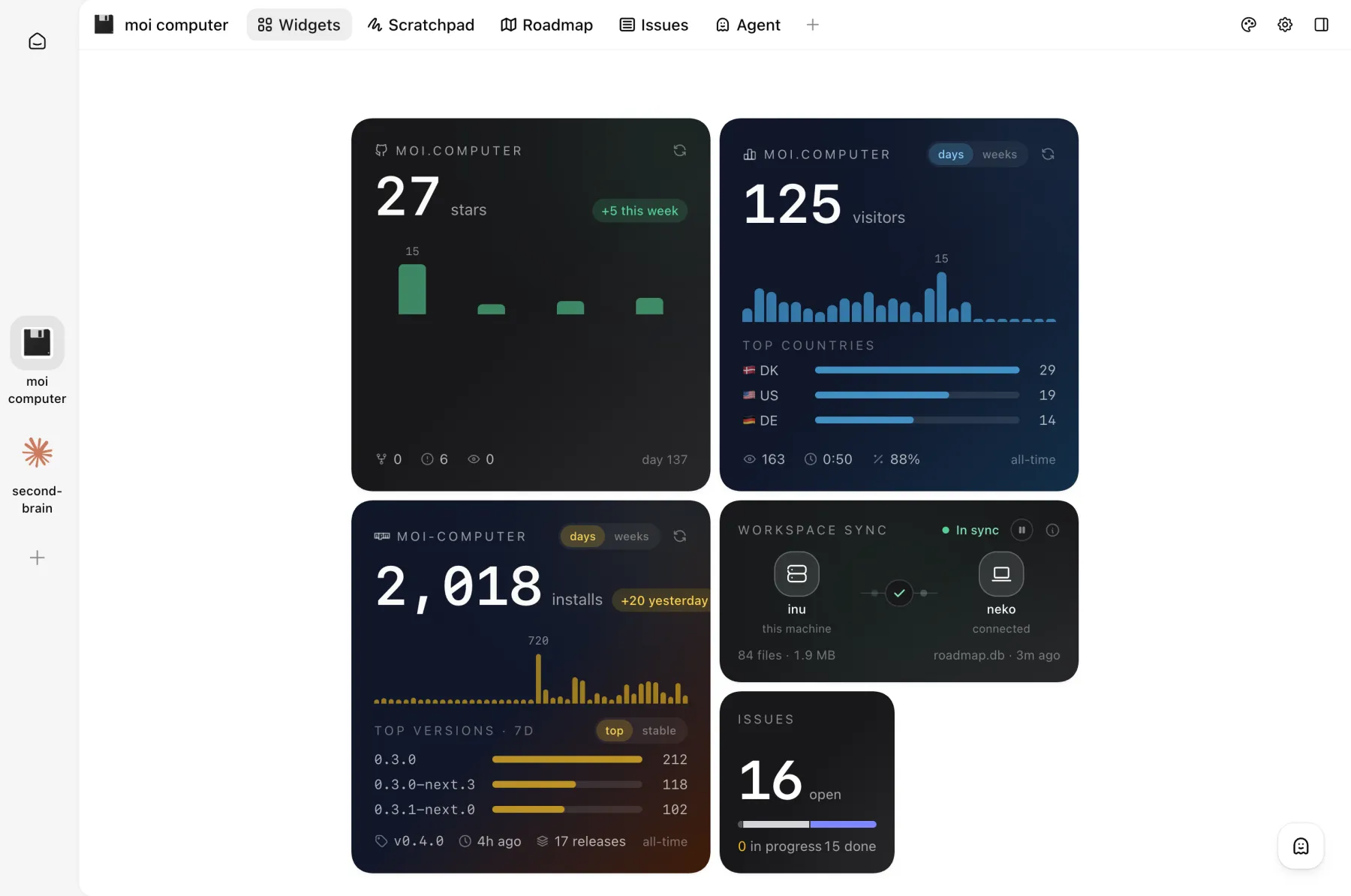 Widgets wired to live project stats | 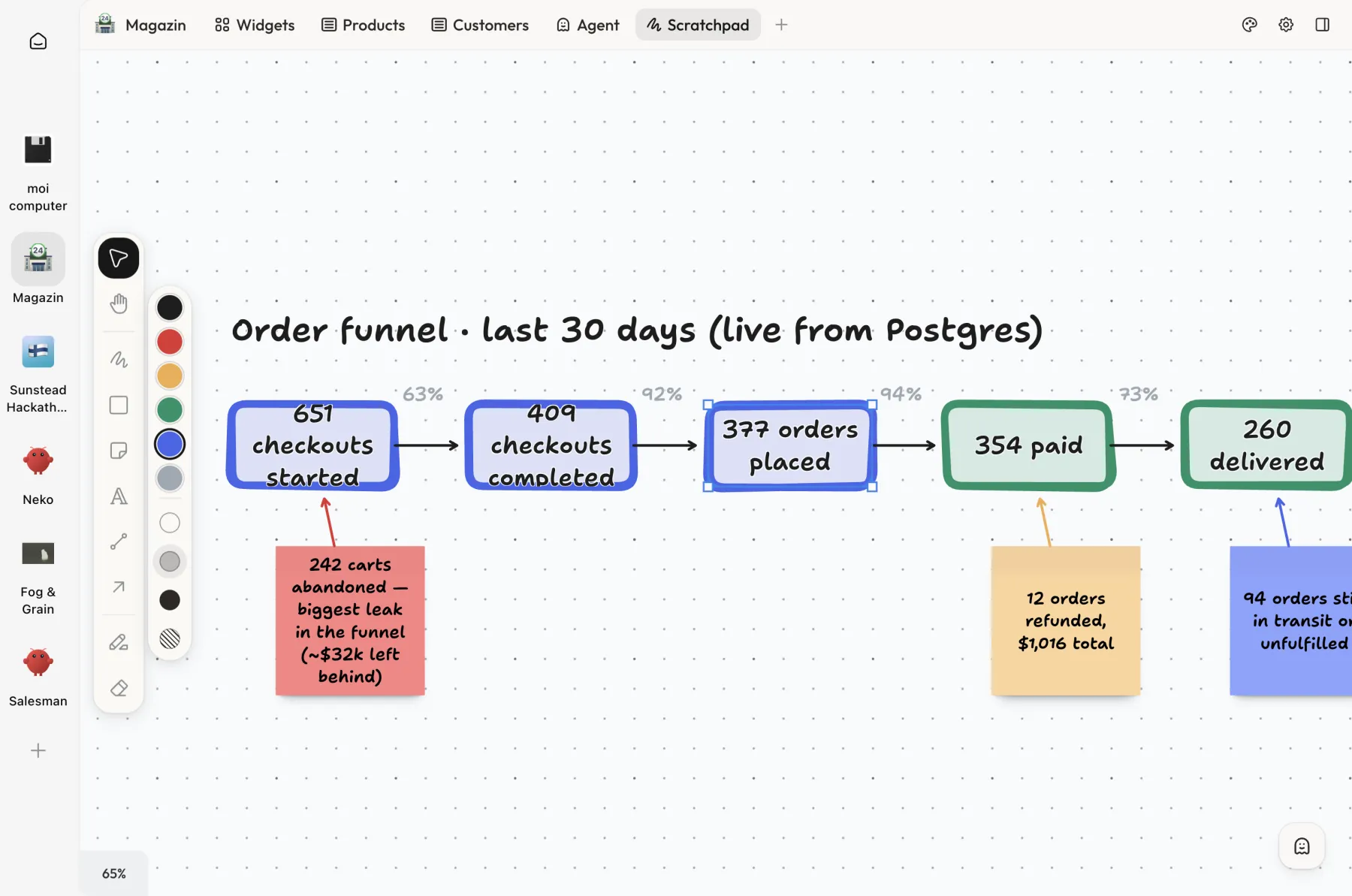 Order funnel on the scratchpad, live from Postgres | 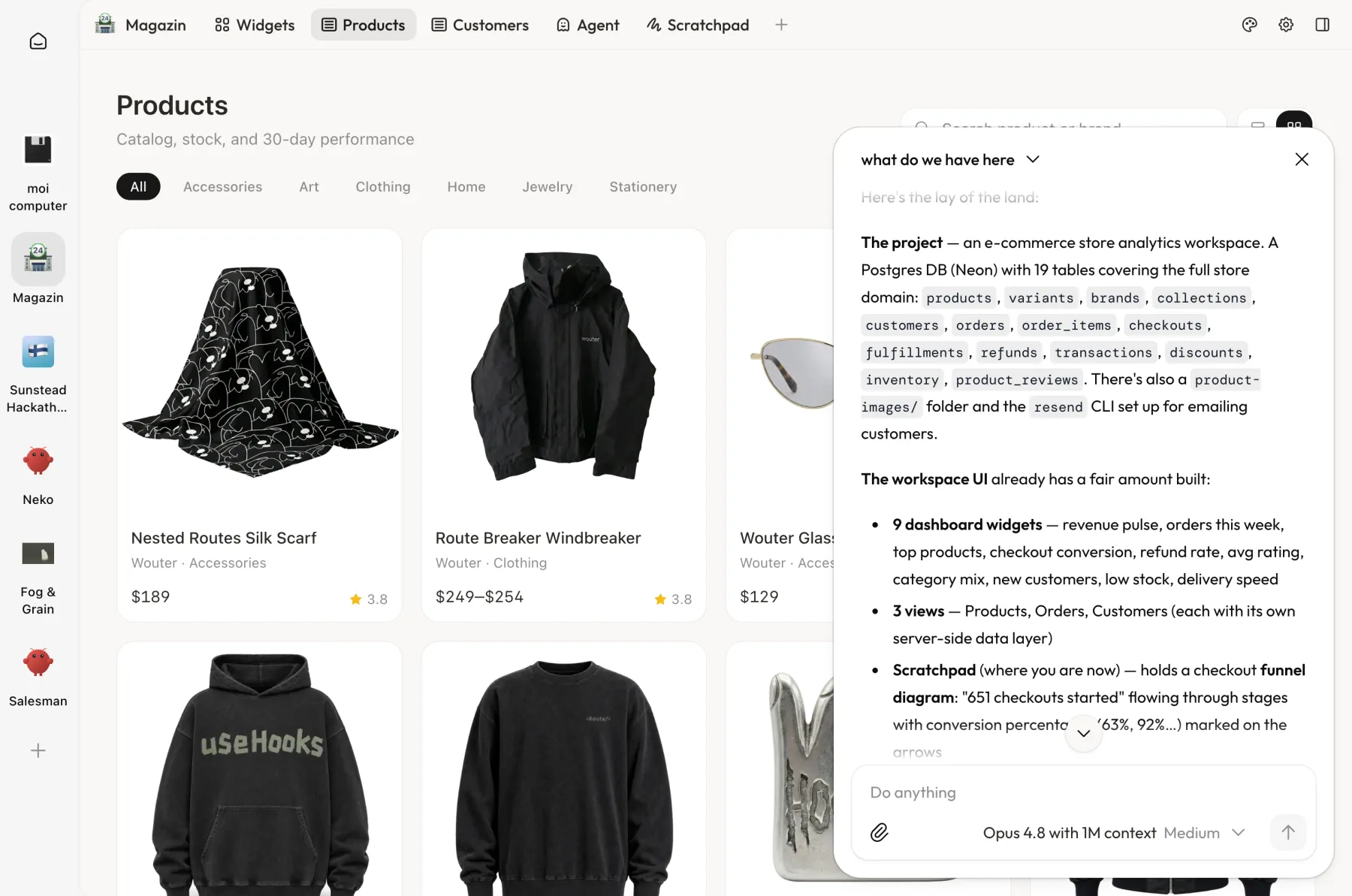 Use the agent as a copilot when working with products |
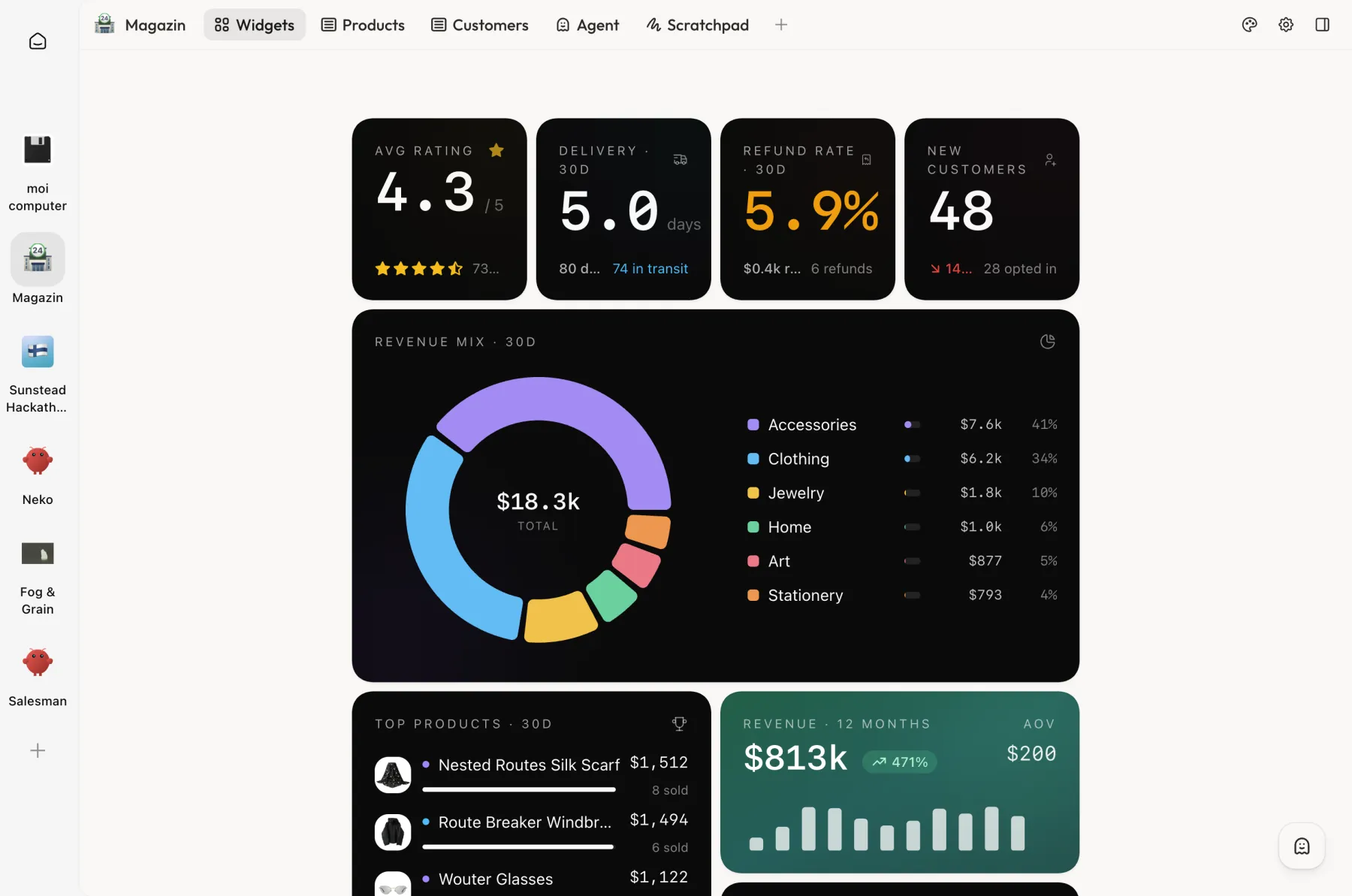 E-commerce store dashboard connected to Postgres and Resend | 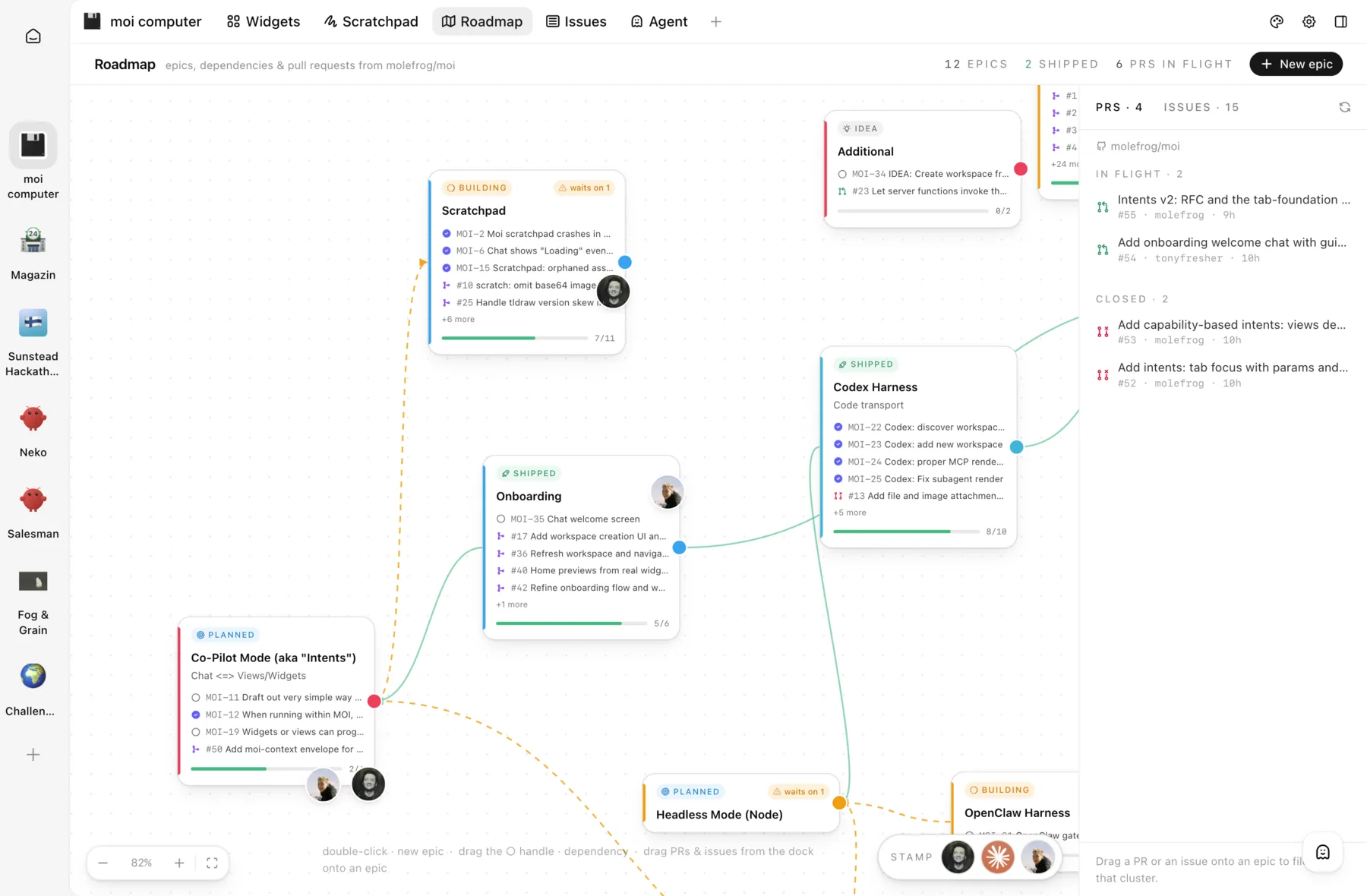 Build a Roadmap view with epics and pull requests | 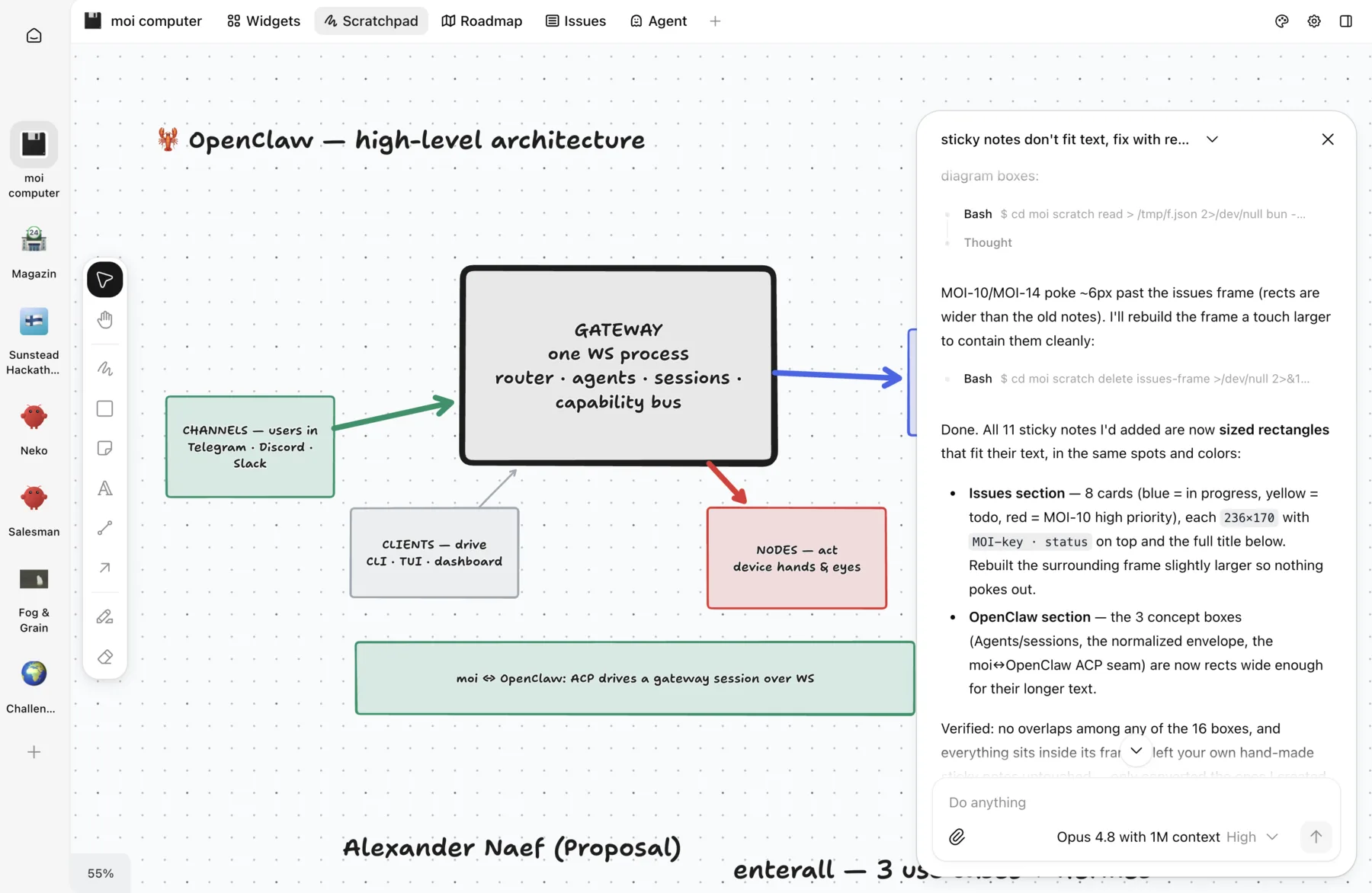 Sketching architecture together with the agent |
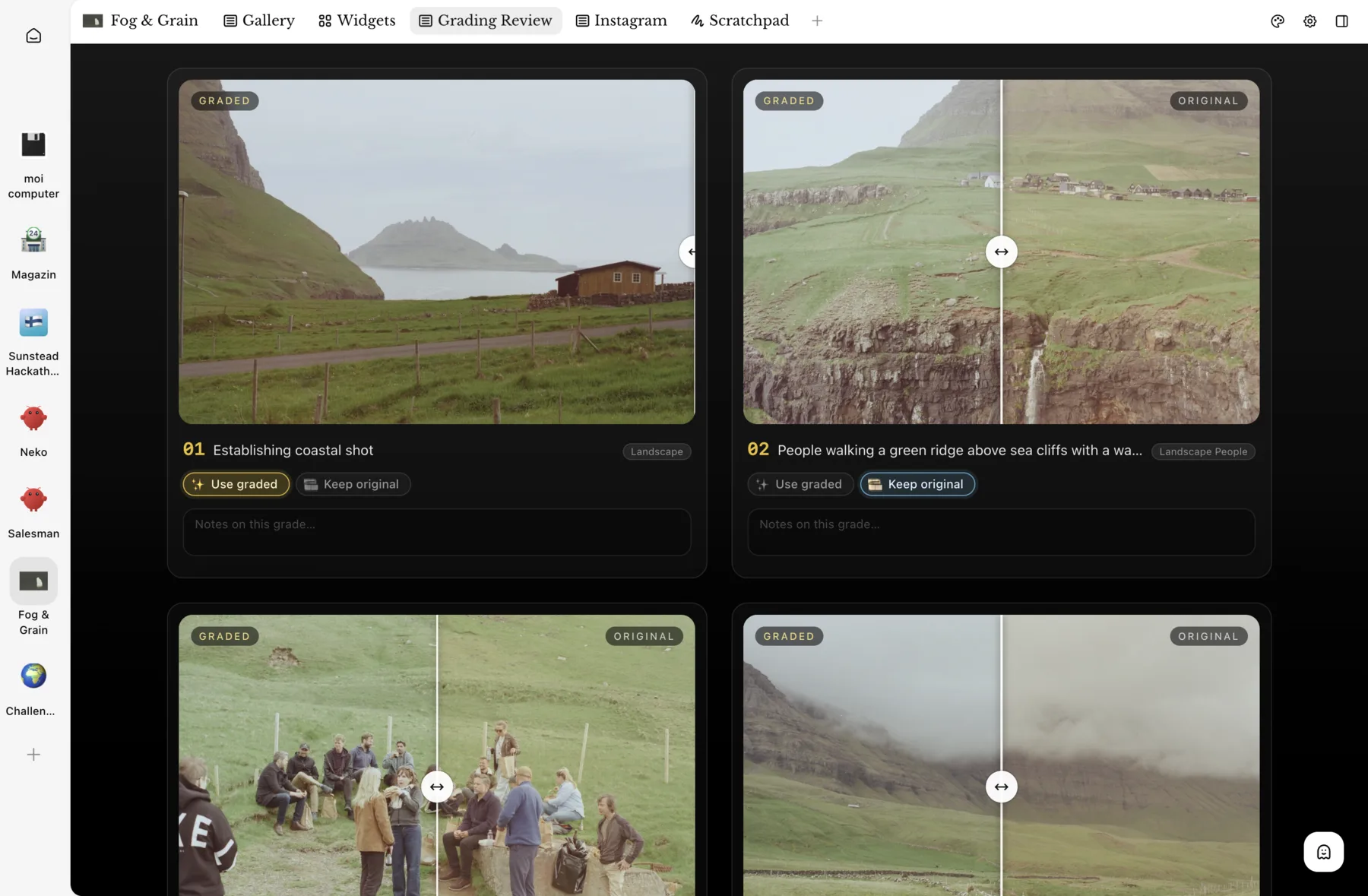 Custom view for color grading | 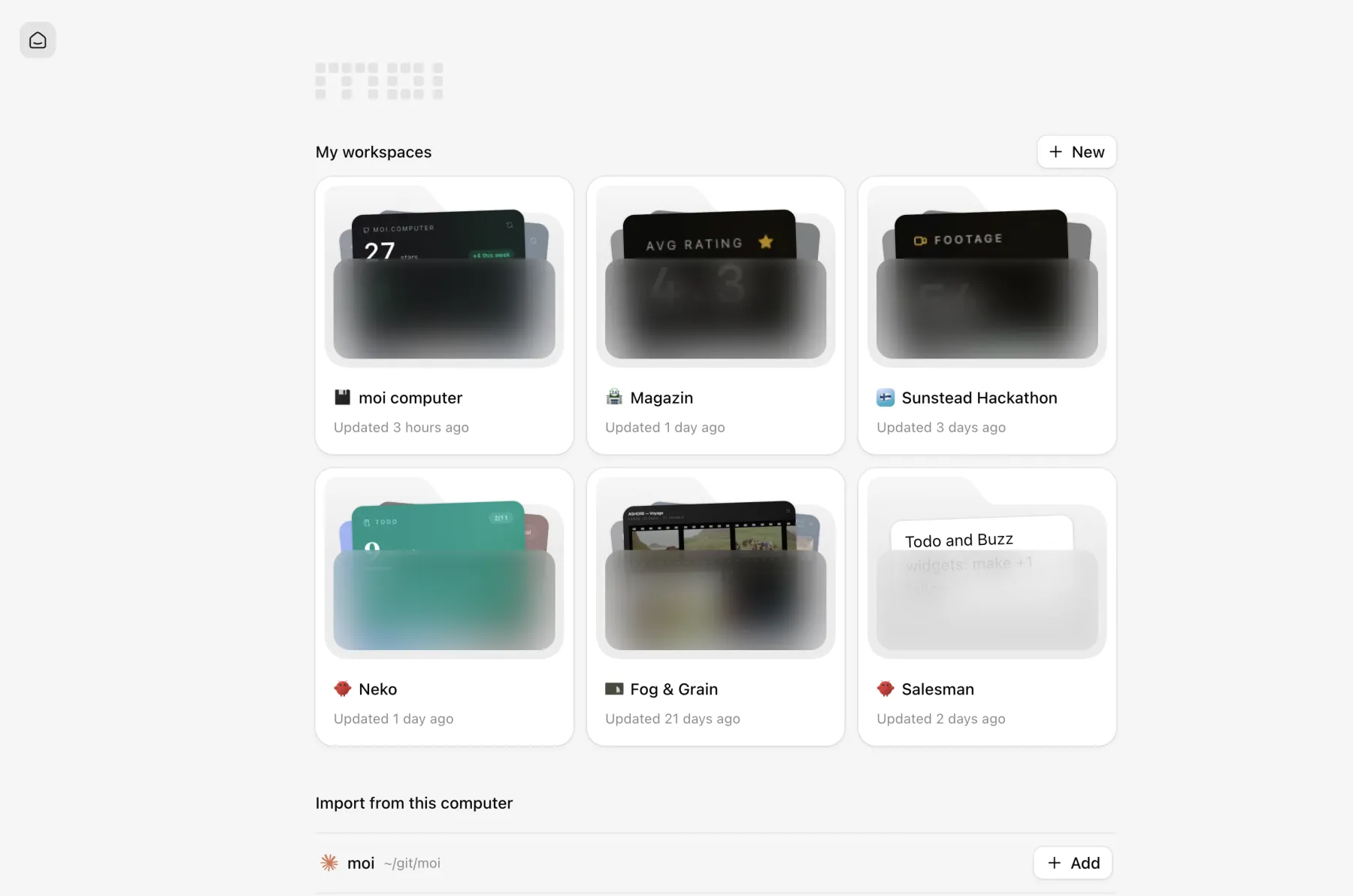 Home screen with your workspaces | 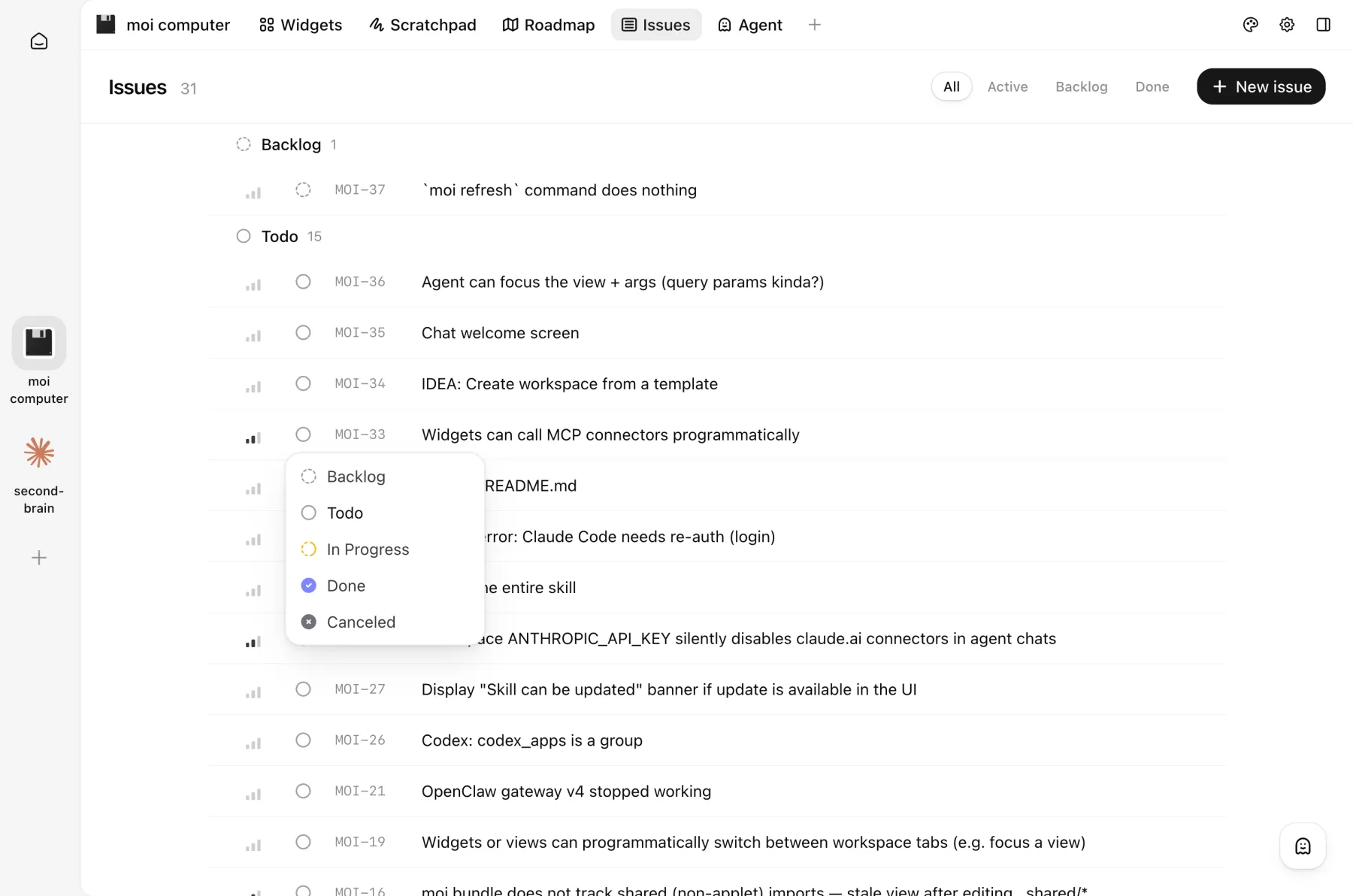 Issues view, a lightweight Linear-like tracker |
Make sure Bun 1.3 or newer is installed. moi uses it to run the web server and bundle the dynamic UI.
Install the moi-computer package from npm and start the web UI:
bun i -g moi-computer
moi start        # http://localhost:13337
Then connect your agent: Claude Code and Codex, OpenClaw, or Hermes.
Learn how to:
moi runs locally as a CLI and web UI connected to your agent. The workspace skill teaches the agent how to call the CLI, which updates the UI using your files, commands, APIs, and MCP servers.
The core is moi command that both agent and you can use to modify the workspace.
Everything gets propagated to the UI instantly.
%%{init: {"theme": "base", "themeVariables": {"primaryColor": "#ffffff", "primaryTextColor": "#111111", "primaryBorderColor": "#111111", "lineColor": "#737373", "edgeLabelBackground": "#ffffff"}}}%%
flowchart LR
  Agent["Your agent, e.g. Claude Code"] -->|"uses moi skill"| CLI["moi CLI"]
  CLI -->|"updates"| UI["UI"]
Moi also stores the all widgets and views as code to keep the workspace filesystem as a source of truth.
Updates installed from the UI restart moi and reload the browser automatically. The app checks npm at most once an hour while it is open, retrying in five minutes if the registry could not be reached; a closed app makes no network calls of its own.
A workspace is the folder where your agent runs and stores its data. moi adds
a .moi/ folder and the skills the agent needs to work with the UI.
You can connect a workspace in either of these ways:
moi init in a folder. moi detects the harness from the folder's Hermes
profile, OpenClaw agent, or Claude Code or Codex history. If detection is
ambiguous, it asks you to choose a harness.Open Claude Code or Codex in your project folder and paste this prompt:
Set up the moi workspace for this project. Fetch https://moi.computer/INSTALL.md, and follow the steps.
To set it up manually, run:
moi init --harness=claude-code   # or --harness=codex
moi start                       # or run moi as a service
The project folder becomes the workspace. You can create as many workspaces as you need.
OpenClaw is a self-hosted harness for running one or more always-on agents. Its channels connect agents to Slack and other messaging services.
moi connects each OpenClaw agent to one workspace. See the OpenClaw documentation to add or manage agents.
Run moi openclaw init to connect your agent. If moi finds more than one, it
lists them so you can rerun the command with the agent you want:
moi openclaw init
moi openclaw init <agent>       # only needed when you have multiple agents
moi start                       # or run moi as a service
Your agent's workspace will show up at http://localhost:13337.
Hermes is a self-hosted personal agent from Nous Research.
moi connects each Hermes profile to one workspace. A profile is a separate agent identity with its own model, keys, persona, skills, and memories.
Run moi hermes init to connect your profile. If moi finds more than one, it
lists them so you can rerun the command with the profile you want:
moi hermes init
moi hermes init <profile>       # only needed when you have multiple profiles
moi start                       # or run moi as a service
The profile's workspace appears at http://localhost:13337. To add another,
create it with hermes profile create <name>, then run moi hermes init again.
moi connects to Hermes through its built-in
Agent Client Protocol server. It starts a
hermes -p <profile> acp process and communicates over stdio, so there is no
gateway, port, or additional API key to configure.
Instead of keeping moi start in a terminal, install moi as a user-level
service. It starts on login, restarts on crash, and survives reboots
(launchd on macOS, a systemd user unit on Linux; no root needed):
moi service install     # install and start
moi service             # state, unit path, server version
moi service logs -f     # follow server logs
moi service restart
moi service uninstall
Anything your agents need belongs in the workspace env (moi env set or
.env). To capture shell variables instead, run
moi service install --env MY_TOKEN,OTHER.
Rerun moi service install after changing captured vars (or moving bun). On
macOS the first install may show a "background item added" notification for
"moi"; that is the moi service. On headless Linux, lingering is enabled
automatically when possible so the service outlives your SSH session.
moi update            # update to the latest release
moi update --check    # only check; exit 0 up to date, 1 update available, 2 check failed
moi update checks npm for the latest release and updates through whichever
package manager owns the install (bun, npm, pnpm, or yarn). A service-managed
server is restarted onto the new version; a foreground moi start only gets
a warning, so restart it yourself. Prerelease installs (…-next.N) are left
alone. --check changes nothing and is made for scripts and agents.
moi status shows when the running server and CLI versions differ, however
the update happened.
moi has no cryptocurrency, token, coin, or NFT, official or otherwise, on any chain, and never will. Any token using the moi name, logo, or the maintainer's name (on pump.fun, Solana, or anywhere else) is an unauthorized scam with no affiliation to, endorsement from, or benefit to this project. The maintainer will never announce, endorse, or accept proceeds from a token. Don't buy it, and report it to the platform where it's listed.
License: Elastic 2.0.
Sign in to join the discussion.
No comments yet. Be the first to say what this is good for.
The agent harness performance optimization system. Skills, instincts, memory, security, and research-first development for Claude Code, Codex, Opencode, Cursor and beyond.
from vibe coding to agentic engineering - practice makes claude perfect
🌊 The original agent meta-harness. Deploy intelligent multi-player swarms, coordinate autonomous workflows, and build conversational AI systems. Features adaptive memory, self-learning intelligence, RAG integration, and native Claude Code / Codex / Hermes and many more Integrated
Practical patterns, starters & CLI tools for loop engineering with AI coding agents. Design systems that prompt and orchestrate agents (inspired by Addy Osmani and Boris Cherny). Includes loop-audit, loop-init, loop-cost.

Git. Ship. Done - Core

The most RAM efficient harness