
JuliusBrussee/
caveman

🪨 why use many token when few token do trick — Claude Code skill that cuts 65% of tokens by talking like caveman
105k
1 add
Skill Recorder captures a real task on your screen, including window changes, page visits, and optional narration. It then uses GitHub Copilot CLI to reconstruct the task as an intent plus ordered steps, which you can review and turn into a Skill or Automation.
Builders who want Copilot-based agents to repeat a task from a recorded example.
You can turn one completed workflow into a reusable instruction set an agent can run again.
Captures screen activity locally, including app and window switches, browser URLs on macOS, clipboard previews, and optional narration.
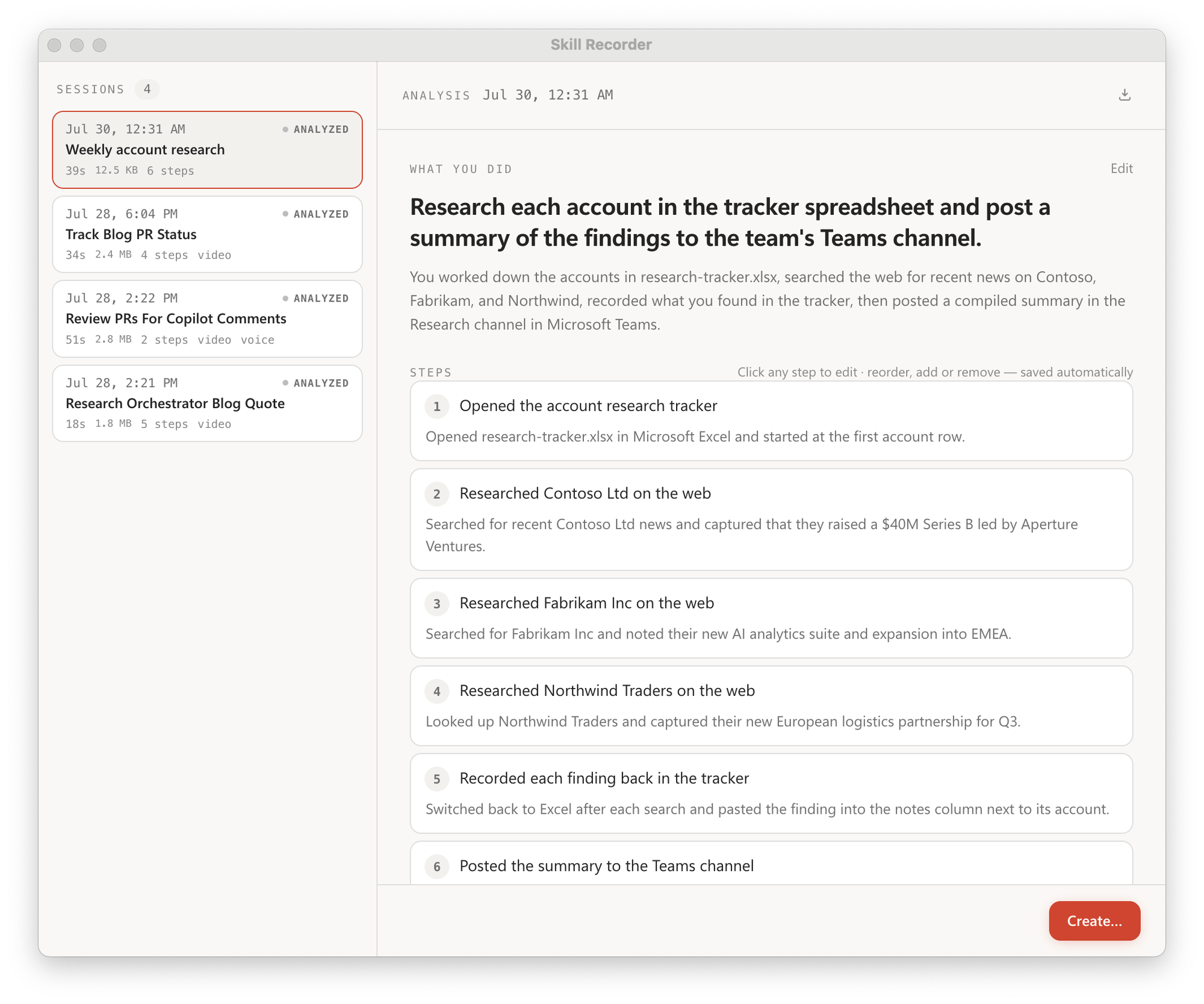
Uses GitHub Copilot CLI to infer the overall intent and the ordered steps from the recorded session.
Turns an approved analysis into a reusable Skill (`SKILL.md`) or an Automation that can run on a schedule or trigger.
Keeps recording, storage, frame extraction, and narration transcription on your computer until you choose Analyze.
Includes fixture-based evals for the describer and the skill or automation builder in `evals/`.
Provides install scripts for macOS, Ubuntu, and Windows, with a source-release flow pinned to a specific commit.
commit="<40-character-release-commit>"; curl -fsSL "https://raw.githubusercontent.com/microsoft/skill-recorder/$commit/install.sh" | SKILL_RECORDER_COMMIT="$commit" bash
commit="<40-character-release-commit>"; curl -fsSL "https://raw.githubusercontent.com/microsoft/skill-recorder/$commit/install.sh" | SKILL_RECORDER_COMMIT="$commit" SKILL_RECORDER_DETACHED=1 bash
$commit="<40-character-release-commit>"; $env:SKILL_RECORDER_COMMIT=$commit; irm "https://raw.githubusercontent.com/microsoft/skill-recorder/$commit/install.ps1" | iex
Record yourself doing a task once, then turn it into a skill your AI agent can repeat.
Skill Recorder captures a real work session on your screen: the clicks, the app and window switches, the pages you visit, and (if you want) your spoken narration. It then uses the GitHub Copilot CLI to reconstruct what you actually did as a clear intent plus an ordered list of steps. From there, one step turns that single run into something an agent can reuse:
SKILL.md procedure an agent runs on demand, orBoth prefer the agent's native tools (like the gh CLI or web_fetch) over replaying
UI clicks, and generalize from your one example, so recording yourself submitting one
form can teach the agent to submit all of them.
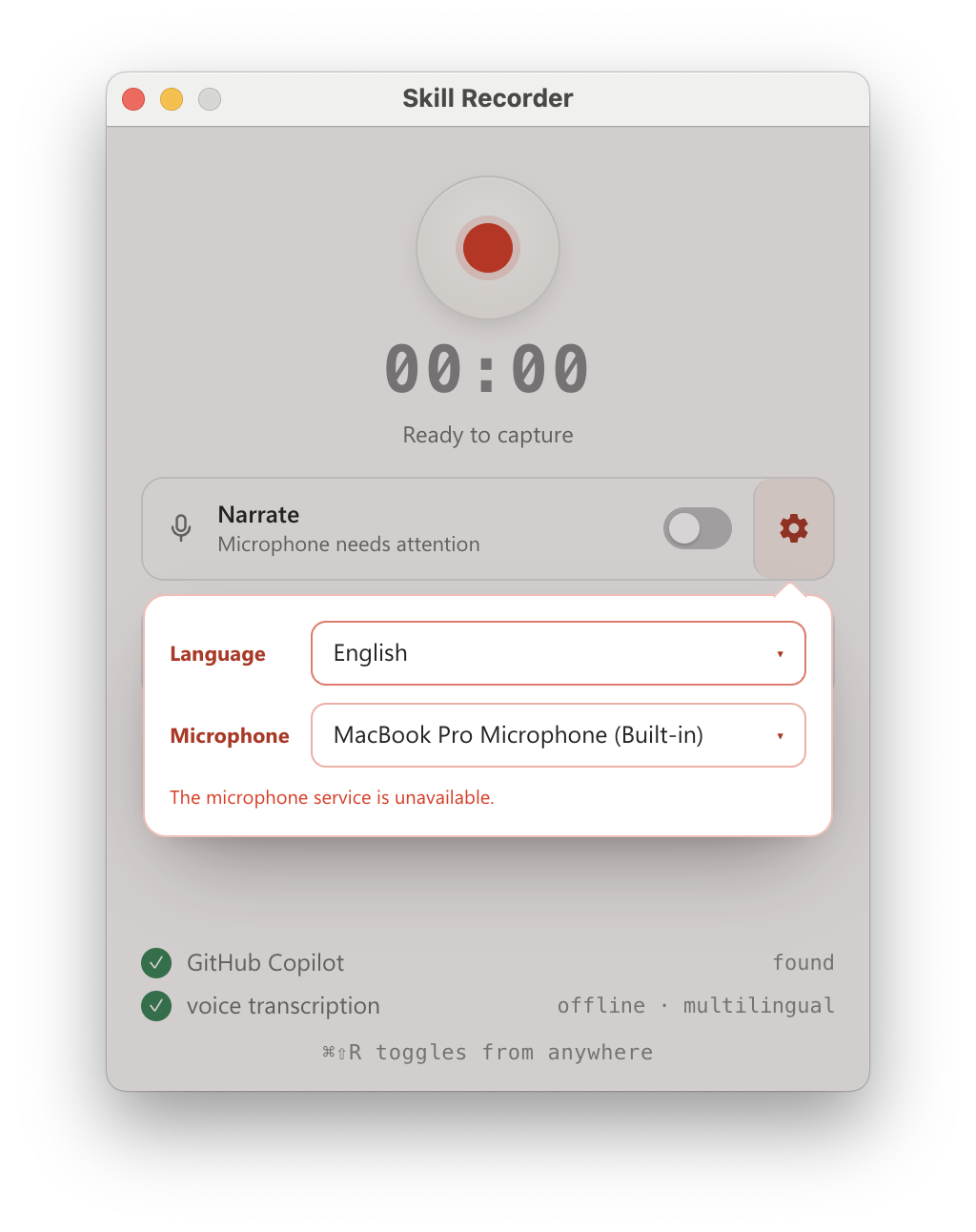
⌘⇧R / Ctrl+Shift+R from anywhere) and just do your
task. Skill Recorder captures your screen and activity locally, in the background.Skill Recorder is published as a source release: one command downloads a pinned Node.js runtime, builds the exact release commit on your machine, and adds a Skill Recorder (Source) app you can relaunch anytime. Nothing is installed globally. You'll need a GitHub account with Copilot access; the Copilot CLI ships with the app.
macOS is the primary target. Windows 11 (x64 and ARM64) is supported too (see
WINDOWS-VALIDATION.md).
Open the latest release and
copy the command for your platform. Each release pins an exact commit, so the real command looks
like the patterns below with <40-character-release-commit> filled in.
macOS / Ubuntu
commit="<40-character-release-commit>"; curl -fsSL "https://raw.githubusercontent.com/microsoft/skill-recorder/$commit/install.sh" | SKILL_RECORDER_COMMIT="$commit" bash
The commit pins both the downloaded script and the source it builds. To keep the app running
after the terminal closes, add SKILL_RECORDER_DETACHED=1 after the pipe:
commit="<40-character-release-commit>"; curl -fsSL "https://raw.githubusercontent.com/microsoft/skill-recorder/$commit/install.sh" | SKILL_RECORDER_COMMIT="$commit" SKILL_RECORDER_DETACHED=1 bash
On macOS this adds a Skill Recorder (Source) app to ~/Applications (relaunch from Spotlight,
Launchpad, or the Dock). On Ubuntu it adds a matching application entry.
Windows (PowerShell)
$commit="<40-character-release-commit>"; $env:SKILL_RECORDER_COMMIT=$commit; irm "https://raw.githubusercontent.com/microsoft/skill-recorder/$commit/install.ps1" | iex
This adds Skill Recorder (Source) shortcuts to your desktop and Start Menu.
To inspect the script before running it, set install options, update, or uninstall, see
INSTALL.md.
⚠️ Keep secrets out of your recordings. Don't record, type, paste, or narrate passwords, tokens, API keys, or other confidential info. Choosing Analyze sends recording data to GitHub's cloud. Skill Recorder reminds you before every recording. Details in What gets captured.
Everything below is for people who want the details, or want to hack on the code.
Recording, storage, frame extraction, and optional narration transcription all happen on your computer; nothing leaves while you record. Only when you choose Analyze does Skill Recorder send the event timeline (window/document titles, URLs, and clipboard previews), extracted screen images, and narration text to GitHub's cloud for Copilot to process.
The in-app "Records your screen and activity" panel spells out exactly what's collected:
⚠️ Please don't capture secrets. Passwords, access tokens, API keys, credentials, and other confidential information should never be recorded, typed, pasted, shown, copied, or narrated during a session.
Requires Node.js 24. After checking out a release revision:
npm ci
npm run compliance:licenses
npm run dev
npm run dev starts Vite and launches the Electron app with hot-reload; ⌘⇧R (macOS) /
Ctrl+Shift+R (Windows) toggles recording from anywhere. Full manual setup, the build and
dist scripts, and the licensing boundary between local source builds and redistributable
packages are in INSTALL.md. Maintainers changing versions, dependencies,
assets, or releases must follow RELEASING.md.
The Copilot describer and builders have a fixture-based eval suite; see
evals/README.md.
npm run eval            # score the describer against synthetic recordings
npm run eval:builder    # score the skill/automation generalization
Please don't report security vulnerabilities through public GitHub issues. See
SECURITY.md for Microsoft's coordinated-disclosure process and reporting
channels.
File bugs and feature requests through
GitHub Issues (search existing issues
first to avoid duplicates). Support is limited to the resources described in
SUPPORT.md.
This project welcomes contributions and suggestions. Most contributions require you to agree to a Contributor License Agreement (CLA) declaring that you have the right to, and actually do, grant us the rights to use your contribution. For details, visit Contributor License Agreements.
When you submit a pull request, a CLA bot will automatically determine whether you need to provide a CLA and decorate the PR appropriately (e.g., status check, comment). Simply follow the instructions provided by the bot. You will only need to do this once across all repos using our CLA.
This project has adopted the Microsoft Open Source Code of Conduct. For more information see the Code of Conduct FAQ or contact opencode@microsoft.com with any additional questions or comments.
This project may contain trademarks or logos for projects, products, or services. Authorized use of Microsoft trademarks or logos is subject to and must follow Microsoft's Trademark & Brand Guidelines. Use of Microsoft trademarks or logos in modified versions of this project must not cause confusion or imply Microsoft sponsorship. Any use of third-party trademarks or logos are subject to those third-party's policies.
Sign in to join the discussion.
No comments yet. Be the first to say what this is good for.
🪨 why use many token when few token do trick — Claude Code skill that cuts 65% of tokens by talking like caveman

The best-benchmarked open-source AI memory system. And it's free.

Orca is the ADE for working with a fleet of parallel agents. Run any coding agent with your own subscription. Available on desktop, mobile and remote runtime.

A cross-platform desktop All-in-One assistant for Claude Code, Codex, OpenCode, OpenClaw, Grok Build & Hermes Agent. Only official website: ccswitch.io

Never stop coding. Free MIT AI gateway: one endpoint, 352 providers (150+ free), 1200+ models Kimi, Claude, GPT, Gemini, GLM, DeepSeek, MiniMax. Works with Claude Code, Codex, Cursor, OpenCode, Cline & Copilot. Quota-aware auto-fallback, RTK+Caveman compression saves 15-95% tokens, MCP/A2A, Desktop/PWA. Built by 550+ contributors

Compress tool outputs, logs, files, and RAG chunks before they reach the LLM. 20% fewer tokens for coding agents, 60-95% fewer tokens for JSON, same answers. Library, proxy, MCP server.