
DietrichGebert/ponytailPlugins
Makes your AI agent think like the laziest senior dev in the room. The best code is the code you never wrote.
138k
1 add
This plugin connects Claude Code to Starship so your terminal can show Claude session status in a custom line. It includes a setup wizard, a shell script that renders the status line, and template config for the prompt style and palette.
Builders who use Claude Code in the terminal and want a reusable status line setup.
You can see Claude session progress, context, and cost in your terminal without building the display yourself.
Uses Starship to format the Claude Code status line in the terminal.
Provides `/starship` to guide installation, configuration, font support, palette choice, and verification.
Includes a downloadable `starship-claude` script and a starter `starship.toml` config.
Shows context usage as a progress bar with warning and error ranges.
Includes BATS tests and golden fixtures for session, cost, progress, and rate-limit behavior.
# If you don't already have starship...
curl -sS https://starship.rs/install.sh | sh
./plugin/bin/starship-claude < test/fixtures/low_cost_session.json

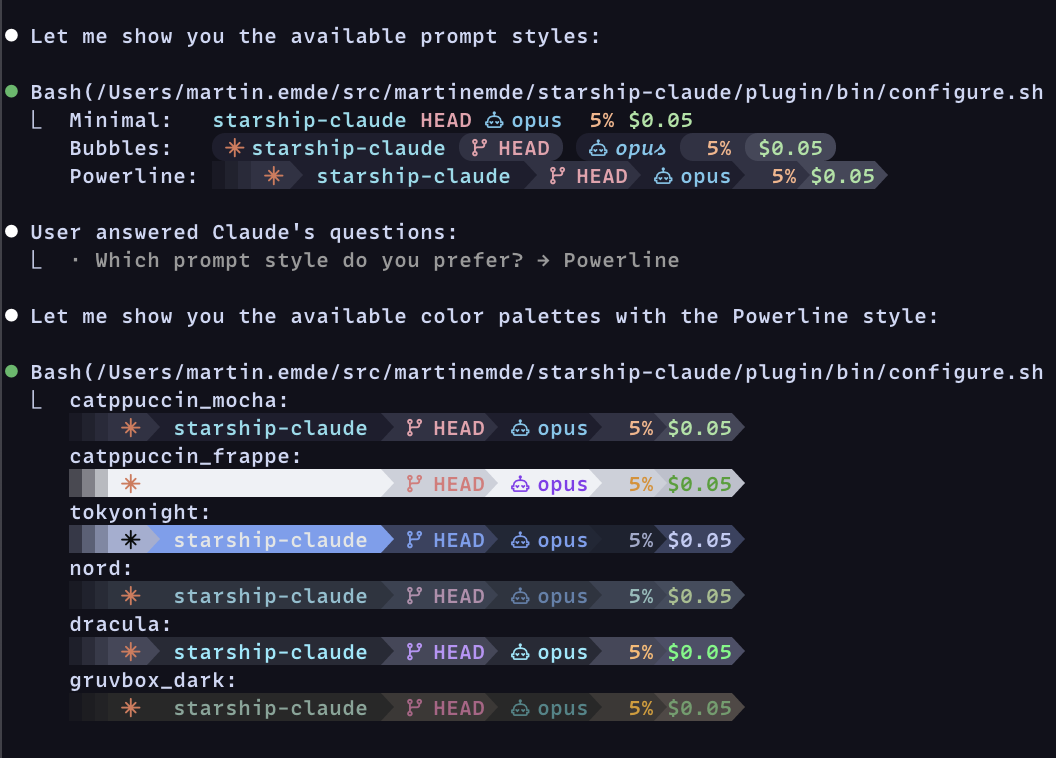
Use Starship for your claude code status line.
[!TIP] Run each of the following commands in
claudeone at a time.
/plugin marketplace add martinemde/starship-claude
/plugin install starship-claude@starship-claude
/reload-plugins
Then run the setup wizard:
/starship
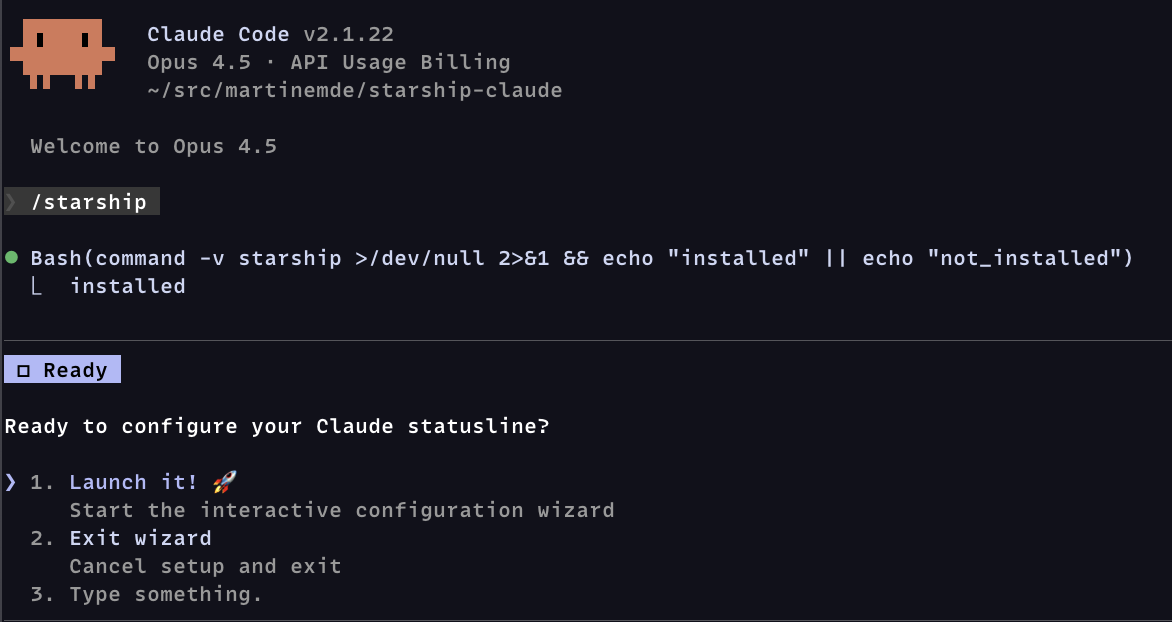
The wizard is just instructions to claude that will help with setup:
You'll need starship to render the statusline:
# If you don't already have starship...
curl -sS https://starship.rs/install.sh | sh
You'll probably want a Nerd Font (optional) for the robot icons.
When you're ready to install, run these in your terminal (not in claude):
# Download the script from this repository
mkdir -p ~/.local/bin
curl -fsSL https://raw.githubusercontent.com/martinemde/starship-claude/main/plugin/bin/starship-claude \
  -o ~/.local/bin/starship-claude && chmod +x ~/.local/bin/starship-claude

# Get the config file that you can customize
mkdir -p ~/.claude
curl -fsSL https://raw.githubusercontent.com/martinemde/starship-claude/main/plugin/templates/minimal-nerd.toml \
  -o ~/.claude/starship.toml
Add the statusline in your Claude Code settings (~/.claude/settings.json):
{
  // ... other stuff
  "statusLine": {
    "type": "command",
    "command": "~/.local/bin/starship-claude",
  },
}
Run it directly to test it out but you'll need to grab a test fixture JSON file.
./plugin/bin/starship-claude < test/fixtures/low_cost_session.json
Show progress bars for context usage percentages in terminals like Ghostty. (I love it!)
We use Dex Horthy's "dumb zone" (video) to start warning at 40%.
Warning does not mean stop, but be aware of your context usage.
[!NOTE] This doesn't work in tmux even if you are using Ghostty. Let me know if you find a workaround.
Add these options to the ~/.claude/settings.json if you want do things differently.
# custom config file
starship-claude --config ~/.config/starship/claude.toml

# disable terminal context progress bar (maybe it's printing weird characters?)
starship-claude --no-progress
Install BATS and run tests:
# Install BATS via mise
mise use bats@latest
mise install

# Run all tests
mise exec -- bats test/

# Run specific test file
mise exec -- bats test/model_extraction.bats
MIT License © 2026 Martin Emde
Sign in to join the discussion.
No comments yet. Be the first to say what this is good for.
Makes your AI agent think like the laziest senior dev in the room. The best code is the code you never wrote.

Graphs that teach > graphs that impress. Turn any code into an interactive knowledge graph you can explore, search, and ask questions about. Works with Claude Code, Codex, Cursor, Copilot, Gemini CLI, and more.

OmO: Just type "mass ulw" keyword with your prompt. Now you are the master of graph engineering.
Persistent Context Across Sessions for Every Agent – Captures everything your agent does during sessions, compresses it with AI, and injects relevant context back into future sessions. Works with Claude Code, OpenClaw, Codex, Gemini, Hermes, Copilot, OpenCode + More
Opinionated Oxlint rules for rejecting low-evidence TypeScript and JavaScript patterns
Teams-first Multi-agent orchestration for Claude Code