
JuliusBrussee/
caveman

🪨 why use many token when few token do trick — Claude Code skill that cuts 65% of tokens by talking like caveman
105k
1 add
Skill Zoo is a local manager for agent skills, shipped as a desktop app plus an npm CLI. You can search GitHub repos for skills, install or update them, merge duplicates, archive old skills, and review audit scores before you use them.
Builders who want one place to discover, install, and organize skills for Claude Code, Codex, Cursor, and similar agents.
You can keep agent skills organized and up to date instead of copying files by hand.
Search GitHub repositories and download skills into your local setup.
Pull newer versions of installed skills from their GitHub sources.
Use the built-in Markdown editor to author or edit skills inside the app.
Install, delete, or merge duplicate skills in bulk.
View community audit scores from skills.sh before using a skill.
Find common skill setup problems and prompt fixes.
Move skills into archive storage to reduce context load.
Control Skill Zoo from the terminal, automation, or the local web UI.
chmod +x Skill-Zoo-*-Linux-*.AppImage
./Skill-Zoo-*-Linux-*.AppImage






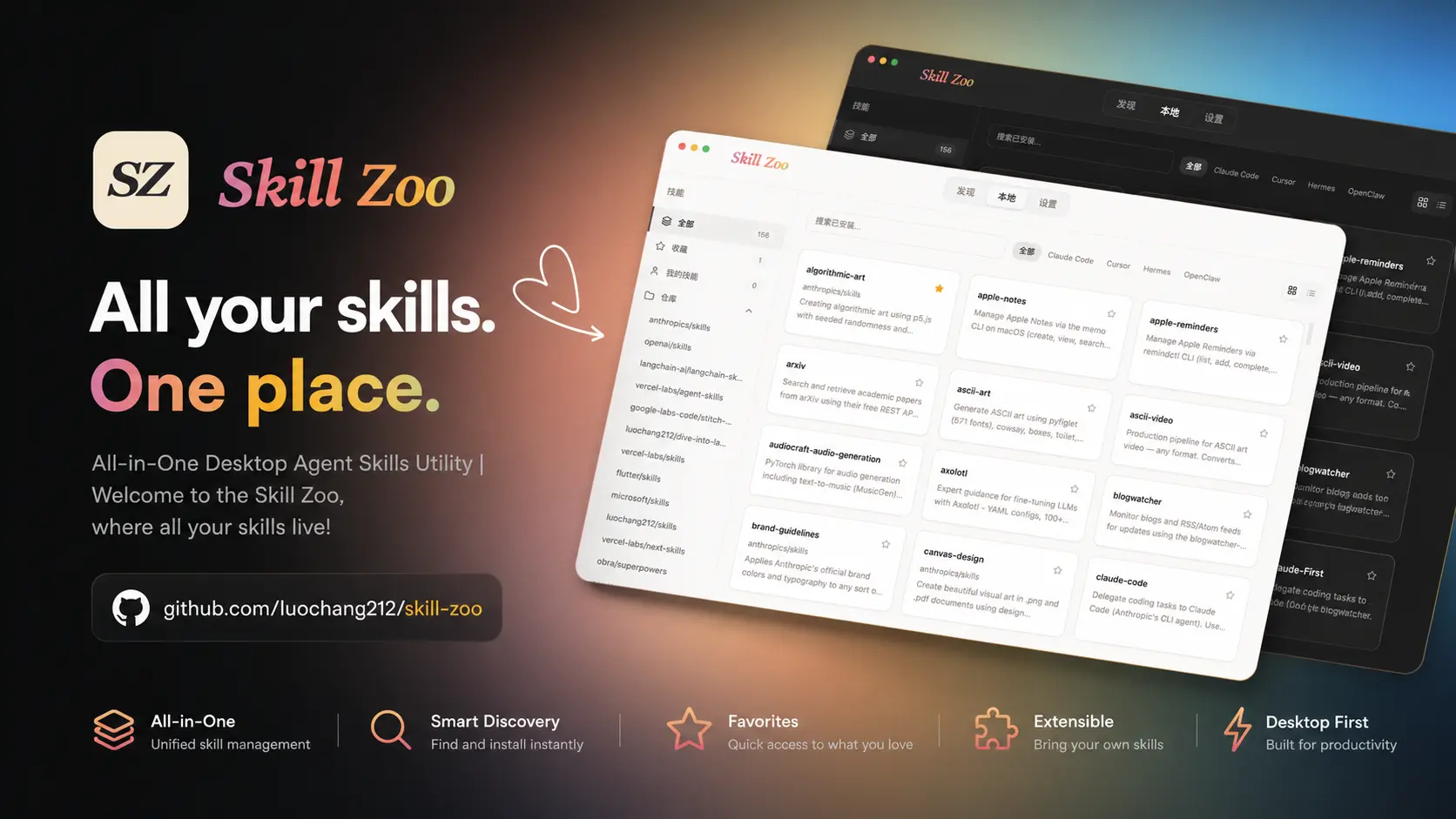
Local Agent Skills Manager: Discover, install, and manage skills for AI coding tools including Claude Code, Codex, Cursor, Hermes, OpenClaw, Pi and more.
| Layer | Technology |
|---|---|
| Frontend | React 19 + TypeScript 6 + Vite 8 |
| Backend | Rust (Tauri v2) |
| Styling | Tailwind CSS 4 + shadcn/ui |
| State | TanStack React Query |
| Animation | Framer Motion |
| i18n | i18next |
| Lint | oxlint + clippy |
| Format | oxfmt + cargo fmt |
| Testing | Vitest + Rust tests |
| Package Manager | Bun |
When you want to manage Skill Zoo from a coding agent, terminal, or automation, install the npm CLI:
npm i -g skill-zoo
skill-zoo --help

skill-zoo list           # List installed skills
skill-zoo doctor --fix   # Diagnose and fix common issues
skill-zoo wui            # Start the local Web UI
See: Skill Zoo CLI
Download the latest build from Releases.
.dmg.skill-zoo.app into Applications..exe installer.Note: If SmartScreen shows a warning, click "More info" and then "Run anyway".
Download the AppImage for your CPU architecture, then run:
chmod +x Skill-Zoo-*-Linux-*.AppImage
./Skill-Zoo-*-Linux-*.AppImage
For development, see docs/development.md.
Found a bug or have an idea? Open an issue or submit a PR. Contributions of all kinds are welcome!
Sign in to join the discussion.
No comments yet. Be the first to say what this is good for.
🪨 why use many token when few token do trick — Claude Code skill that cuts 65% of tokens by talking like caveman

The best-benchmarked open-source AI memory system. And it's free.

Orca is the ADE for working with a fleet of parallel agents. Run any coding agent with your own subscription. Available on desktop, mobile and remote runtime.

A cross-platform desktop All-in-One assistant for Claude Code, Codex, OpenCode, OpenClaw, Grok Build & Hermes Agent. Only official website: ccswitch.io

Never stop coding. Free MIT AI gateway: one endpoint, 352 providers (150+ free), 1200+ models Kimi, Claude, GPT, Gemini, GLM, DeepSeek, MiniMax. Works with Claude Code, Codex, Cursor, OpenCode, Cline & Copilot. Quota-aware auto-fallback, RTK+Caveman compression saves 15-95% tokens, MCP/A2A, Desktop/PWA. Built by 550+ contributors

Compress tool outputs, logs, files, and RAG chunks before they reach the LLM. 20% fewer tokens for coding agents, 60-95% fewer tokens for JSON, same answers. Library, proxy, MCP server.