
JuliusBrussee/
caveman

🪨 why use many token when few token do trick — Claude Code skill that cuts 65% of tokens by talking like caveman
105k
1 add
CC Harness reads your local `~/.claude/` state and your project’s `.claude/` files, then turns that data into views for topology, token cost, hooks, memory, and config layers. It does not replace Claude Code or edit your sessions for you; it makes the system around the agent visible so you can inspect and decide what to change.
Builders who use Claude Code and want local visibility into sessions, hooks, and config.
You can see what Claude Code is doing, where it is spending tokens, and how your config layers and hooks fit together.
Renders the subagent call tree from session JSONL in real time, with latency, token cost, and nesting depth.
Runs hooks in isolation with simulated input and shows stdout, stderr, exit code, and transformed output.
Splits costs across skills, subagents, MCP, plugins, and base session, then drills into the most expensive turns.
Tracks `ScheduleWakeup` events across sessions and groups them as pending, fired, or expired.
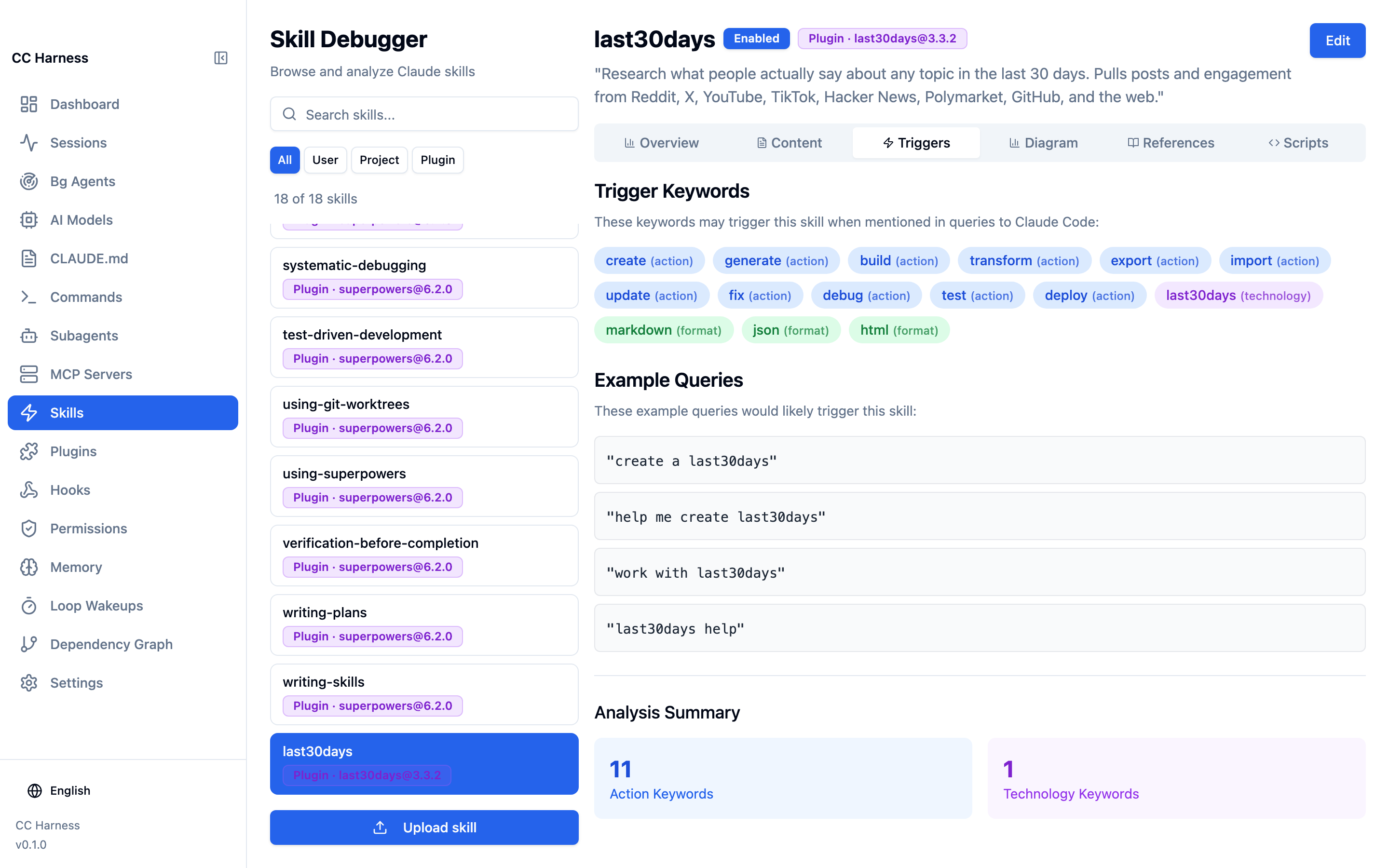
Extracts trigger keywords from skills and shows example prompts plus a Mermaid diagram.
Maps relationships between Skills, Hooks, Commands, and MCP into workflow chains.
Compares `MEMORY.md` snapshots before and after a run and shows the changes.
Shows Skills, Commands, Agents, and Hooks from user, project, and plugin layers with overrides.
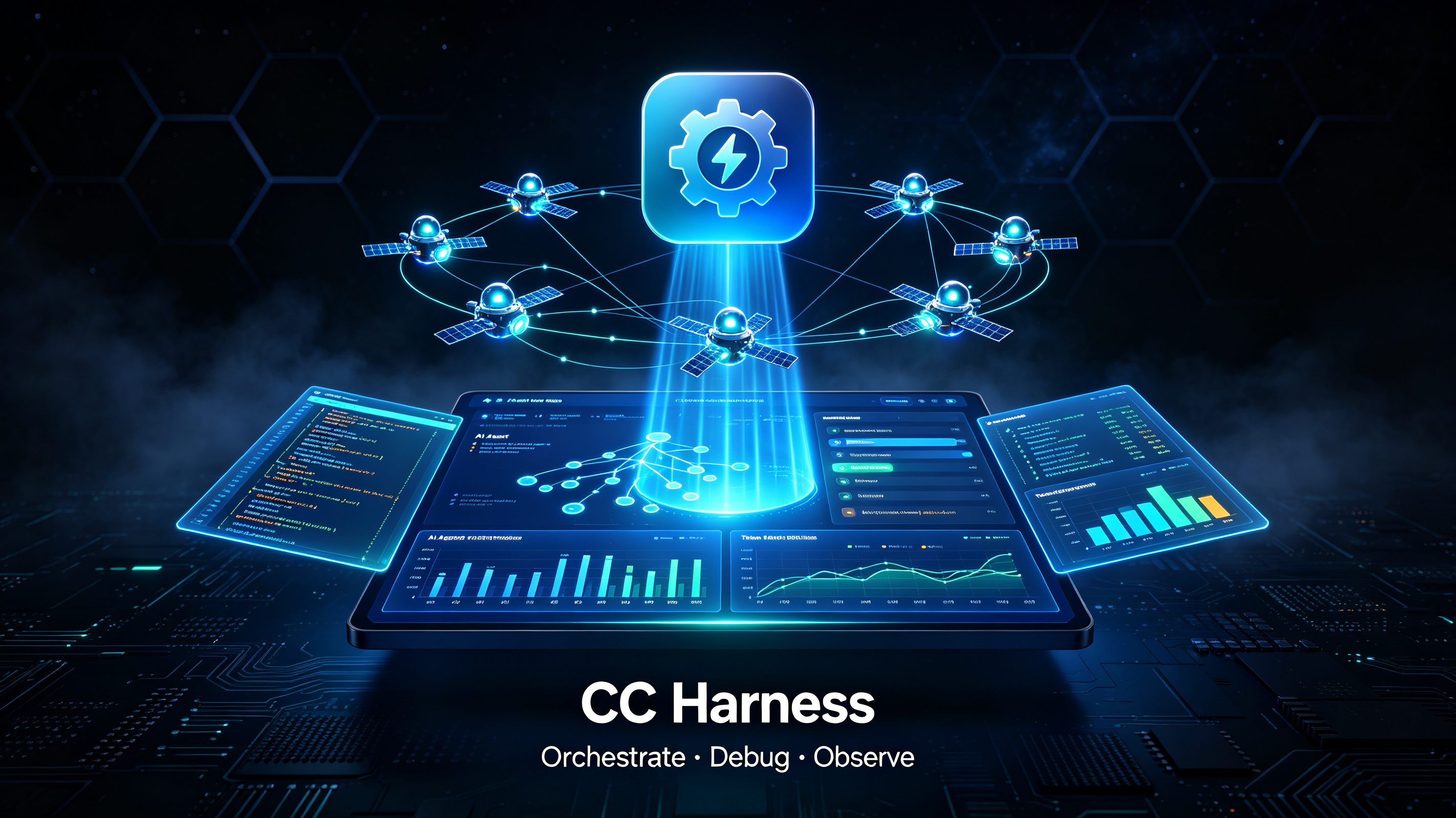
An open-source desktop workbench for Claude Code: configure · debug · observe · orchestrate




Claude Code has grown from a single-session tool into a complex system: multi-session orchestration, background loops, scheduled wakeups, auto-memory. Every new capability adds another layer of opacity. The CLI shows you a counter — Running agent 47/200. CC Harness shows you the topology.
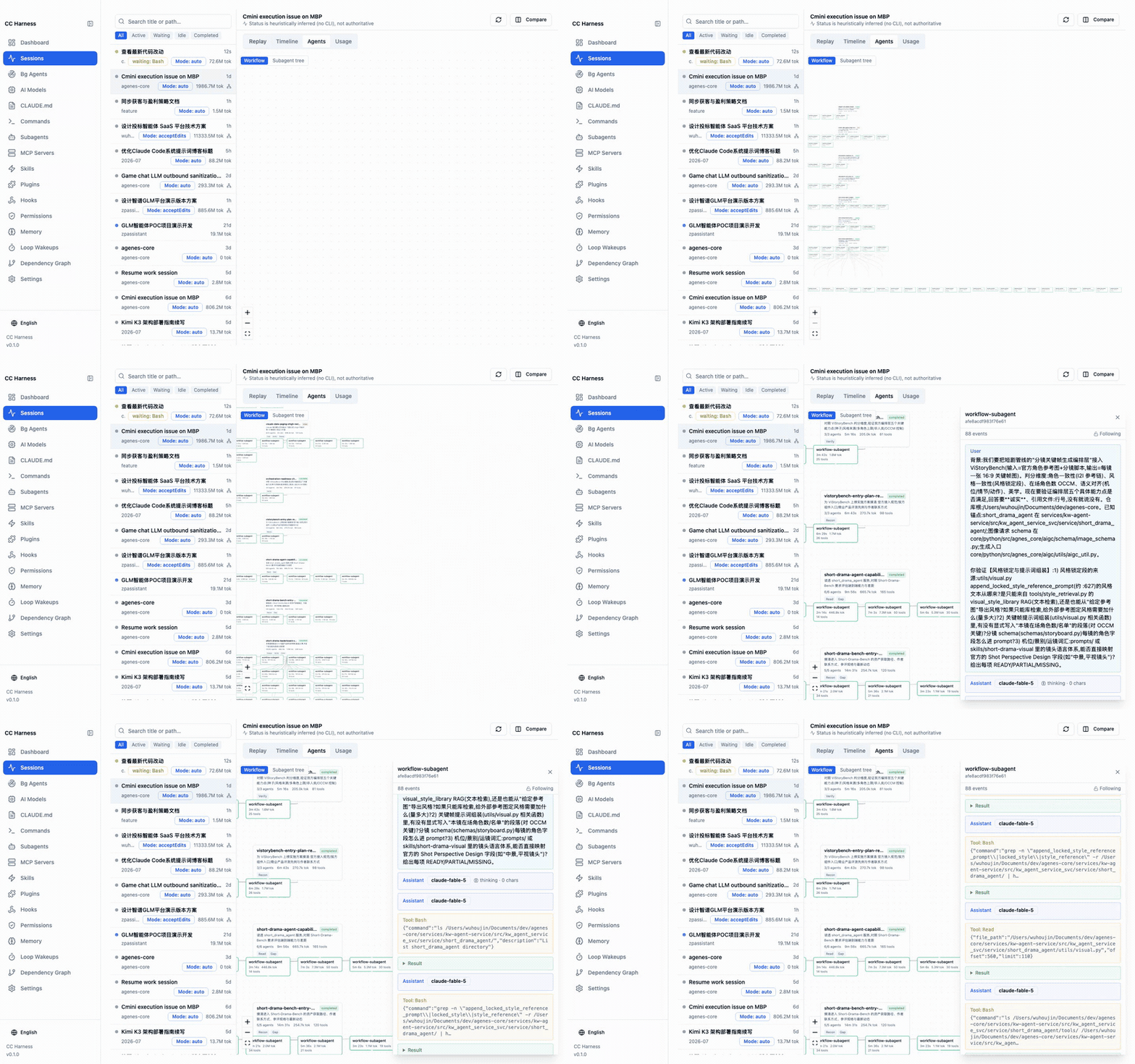
Live subagent call tree — tails session jsonl in real time and renders the 5-level subagent/workflow graph with per-node latency, token cost, and nesting depth. When a workflow stalls, you see which branch is stuck.
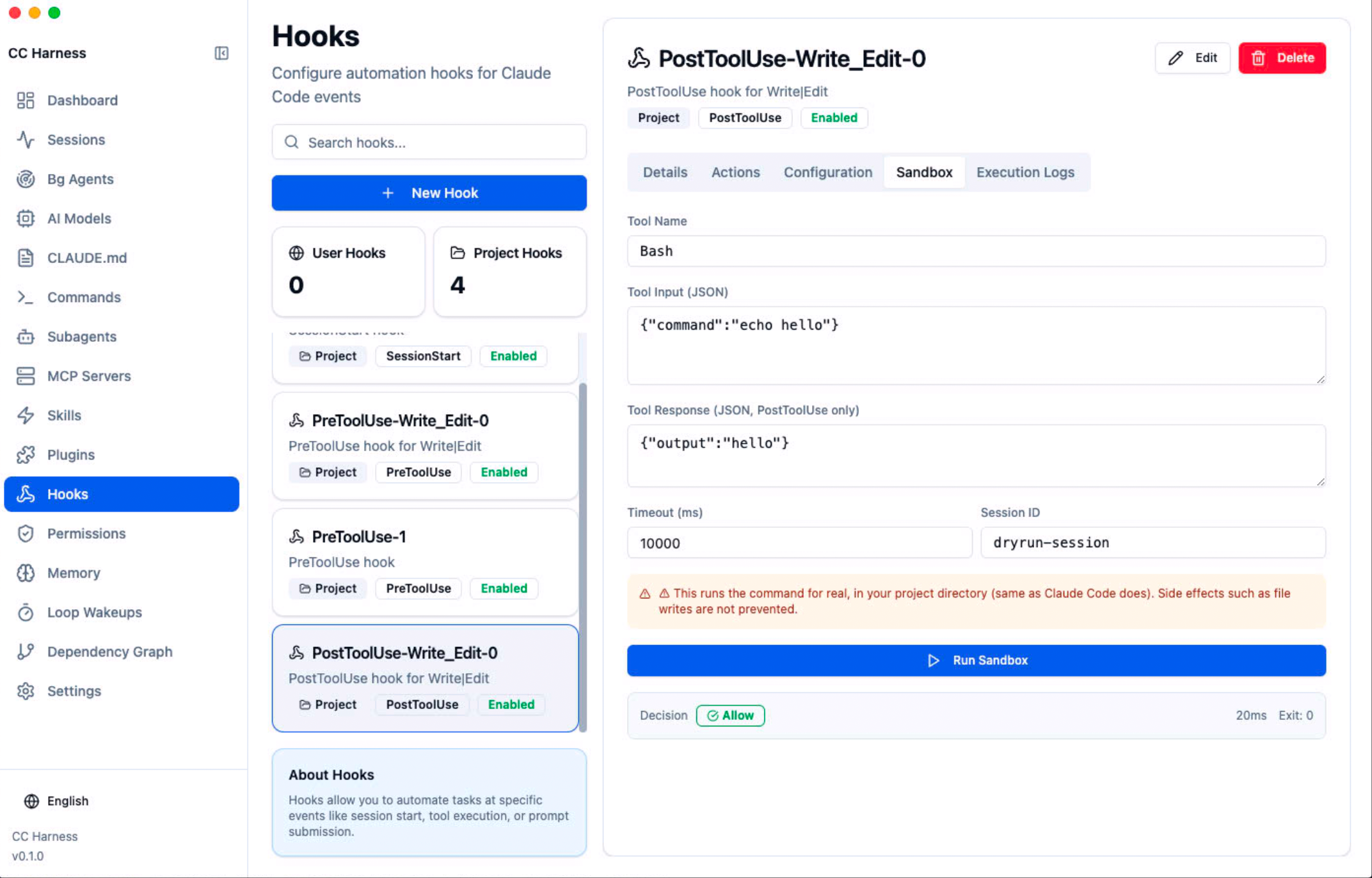
Hook sandbox — dry-run any hook with simulated input: stdout, stderr, exit code, and the transformed result, without opening a real session. Fully isolated environment (PATH / HOME / TMPDIR only — no API tokens, no credentials).
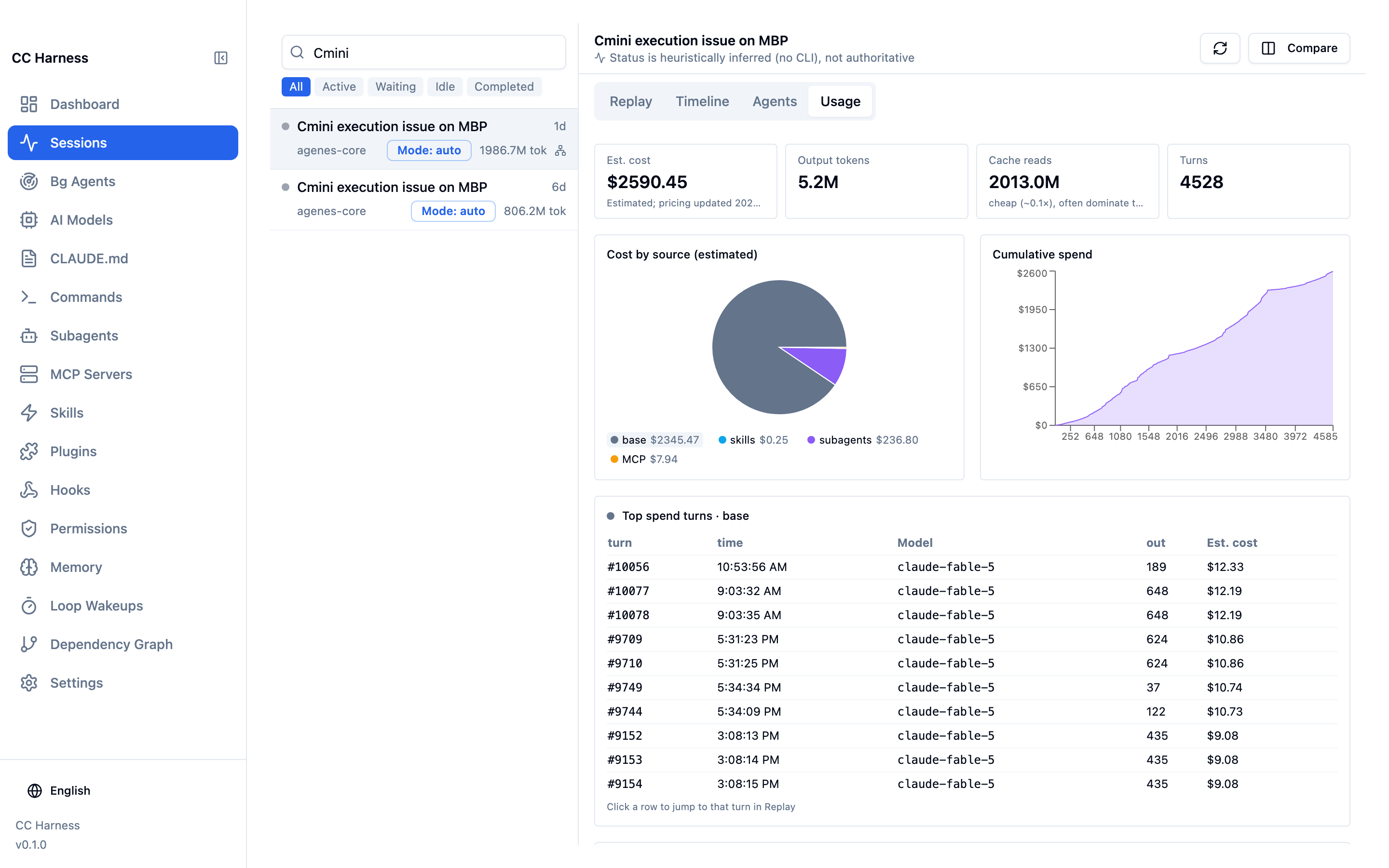
Loop & background task monitor — aggregates ScheduleWakeup events across all sessions, classified as pending / fired / expired, with trigger history for each loop.
Skill trigger analyzer — extracts trigger keywords from each skill (classified by action / technology / format / topic) and shows example prompts that would activate it. Plus a Mermaid structure diagram of every skill.
Dependency graph — maps five relation types (Skills → MCP, Hooks → MCP, Skills ↔ Hooks, Commands → Skills, Commands → MCP) and assembles related nodes into numbered workflow chains:
① Hook fires → ② MCP server starts → ③ Skill activates → ④ MCP tool call
Auto-memory diffs — snapshots MEMORY.md before and after each dream pass, showing added / deleted / modified / merged / conflict-resolved changes. Memory consolidation, visible for the first time.
Config layer map — Skills / Commands / Agents / Hooks from all three sources (user / project / plugin), with override relationships marked. Hand a project to a teammate without a word of explanation.
Not a chat client, not a CLI replacement. claudia replaces the CLI's interaction surface; CC Harness does not touch the conversation at all. It reads your local ~/.claude/ state and makes it legible — judgment and actions stay with you.
Latest release → — macOS (Apple Silicon / Intel), Windows, Linux.
The builds are unsigned, so the first launch needs one extra step:
xattr -cr "/Applications/CC Harness.app" after dragging it in, or right-click the app → Open → Open.Nothing leaves your machine: CC Harness only reads ~/.claude and your project's .claude directory.
git clone https://github.com/lookfree/cc-harness.git
cd cc-harness
npm install

# Desktop mode (primary, full features)
npm run electron:dev

# Web mode (browser, read-only)
npm run web:dev
Prerequisites: Node.js 18+, Claude Code CLI installed (~/.claude/ exists).
Privacy: everything runs locally. CC Harness reads files under your own ~/.claude/ and uploads nothing.
| Phase | Scope | State |
|---|---|---|
| Phase 0 · Foundations | build ordering, scan fallbacks, path config, dependency checks | ✅ Done |
| Phase 1 · Configuration | skills (3-layer sources), plugin browser, commands, hooks type system, permission editor, layered config writes, model governance, worktree, agents, MCP | ✅ Done |
| Phase 2 · Observability | session jsonl parsing, session monitor, subagent topology, token usage, hook sandbox, loop panel, MCP health, memory panel | ✅ Done |
| Phase 3 · Compose & teach | business workflow templates, harness benchmark, onboarding tour | Planned |
Aligned with Claude Code 2.1.220 (model pricing incl. Opus 5 & fast tier, deprecated-model migration guidance, new sandbox/workflow settings, DirectoryAdded hook, subagent nesting semantics — all calibrated against the official changelog). Detailed specs in docs/harness-ide-spec/.
Does it modify my Claude Code config automatically? No. It shows you state, verifies hooks, analyzes cost — you decide and act.
Does my session data leave my machine?
No. It reads local files under ~/.claude/ and sends nothing anywhere.
Desktop vs web mode? Desktop (Electron) is the primary mode with full features: live session monitoring, hook sandbox execution, MCP connection tests, file watching. Web mode is read-only browsing.
Sign in to join the discussion.
No comments yet. Be the first to say what this is good for.
🪨 why use many token when few token do trick — Claude Code skill that cuts 65% of tokens by talking like caveman

The best-benchmarked open-source AI memory system. And it's free.

Orca is the ADE for working with a fleet of parallel agents. Run any coding agent with your own subscription. Available on desktop, mobile and remote runtime.

A cross-platform desktop All-in-One assistant for Claude Code, Codex, OpenCode, OpenClaw, Grok Build & Hermes Agent. Only official website: ccswitch.io

Never stop coding. Free MIT AI gateway: one endpoint, 352 providers (150+ free), 1200+ models Kimi, Claude, GPT, Gemini, GLM, DeepSeek, MiniMax. Works with Claude Code, Codex, Cursor, OpenCode, Cline & Copilot. Quota-aware auto-fallback, RTK+Caveman compression saves 15-95% tokens, MCP/A2A, Desktop/PWA. Built by 550+ contributors

Compress tool outputs, logs, files, and RAG chunks before they reach the LLM. 20% fewer tokens for coding agents, 60-95% fewer tokens for JSON, same answers. Library, proxy, MCP server.