
JuliusBrussee/
caveman

🪨 why use many token when few token do trick — Claude Code skill that cuts 65% of tokens by talking like caveman
105k
1 add
SkillBuddy helps you manage the files your agent tools read: Skills, MCP servers, and instruction files. It scans local installs, shows what each tool actually loads, and lets you install, sync, edit, back up, and review changes across platforms. It also supports Git-managed team libraries and an optional registry and CLI.
Builders who want one place to manage shared agent skills, MCP servers, and rule files across multiple tools.
You can keep agent setup consistent across projects and devices without re-explaining or copying files by hand.
Discovers Skills, MCP servers, and instruction files across agent tools and shows them in one interface.
Installs one skill into multiple user or project targets and resolves drift between copies.
Shows the ordered files each tool loads for a directory, including shadowed and fallback files.
Flags broken links, duplicate content, drift, and invalid `@path` imports, and can create a Claude Code bridge from `AGENTS.md`.
Stores reviewed Skills, MCP definitions, bundles, and policies in Git, with backup and restore flows for user-level content.
Lets you add another agent platform by configuring its detection and file paths.
xattr -dr com.apple.quarantine /Applications/SkillBuddy.app
open /Applications/SkillBuddy.app
pnpm install
pnpm dev
pnpm build       # Build every workspace package
pnpm test        # Run unit tests
pnpm test:e2e    # Build and run Electron end-to-end tests
pnpm typecheck   # Type-check the complete repository

A desktop workspace for managing, installing, and synchronizing Skills, MCP Servers, and AI instruction files across AI agents.
English · 简体中文



SkillBuddy brings Skills, MCP configurations, and AI instruction files scattered across different AI coding tools into one interface. It can inspect local installations, distribute content across platforms, resolve drift and rule-file conflicts, compare what each agent actually loads, discover resources from public marketplaces, and manage reviewed team assets through Git repositories.
The screenshots below show complete application windows and the main SkillBuddy workflows. The Skills page supports both list and tiled grid views.
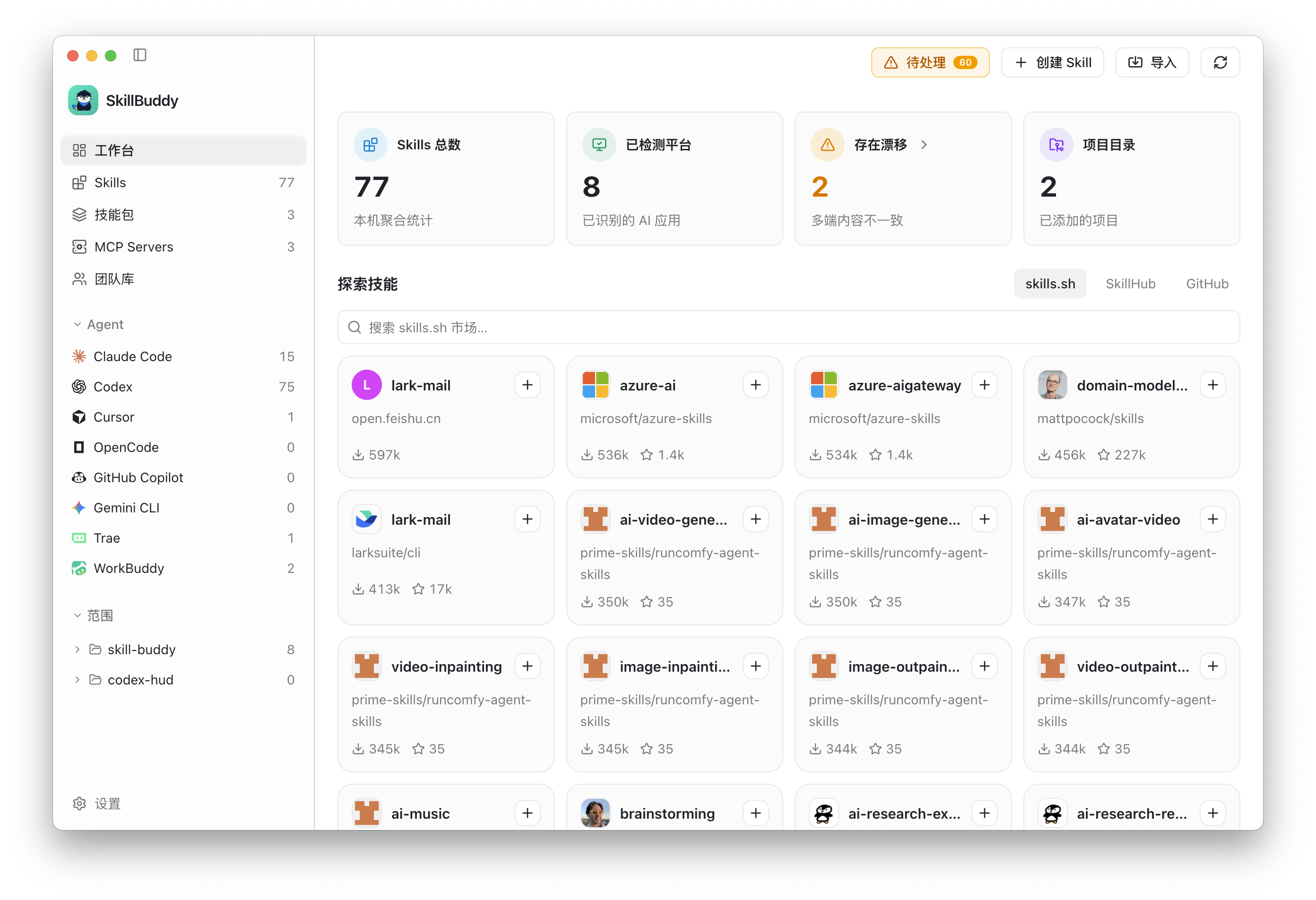
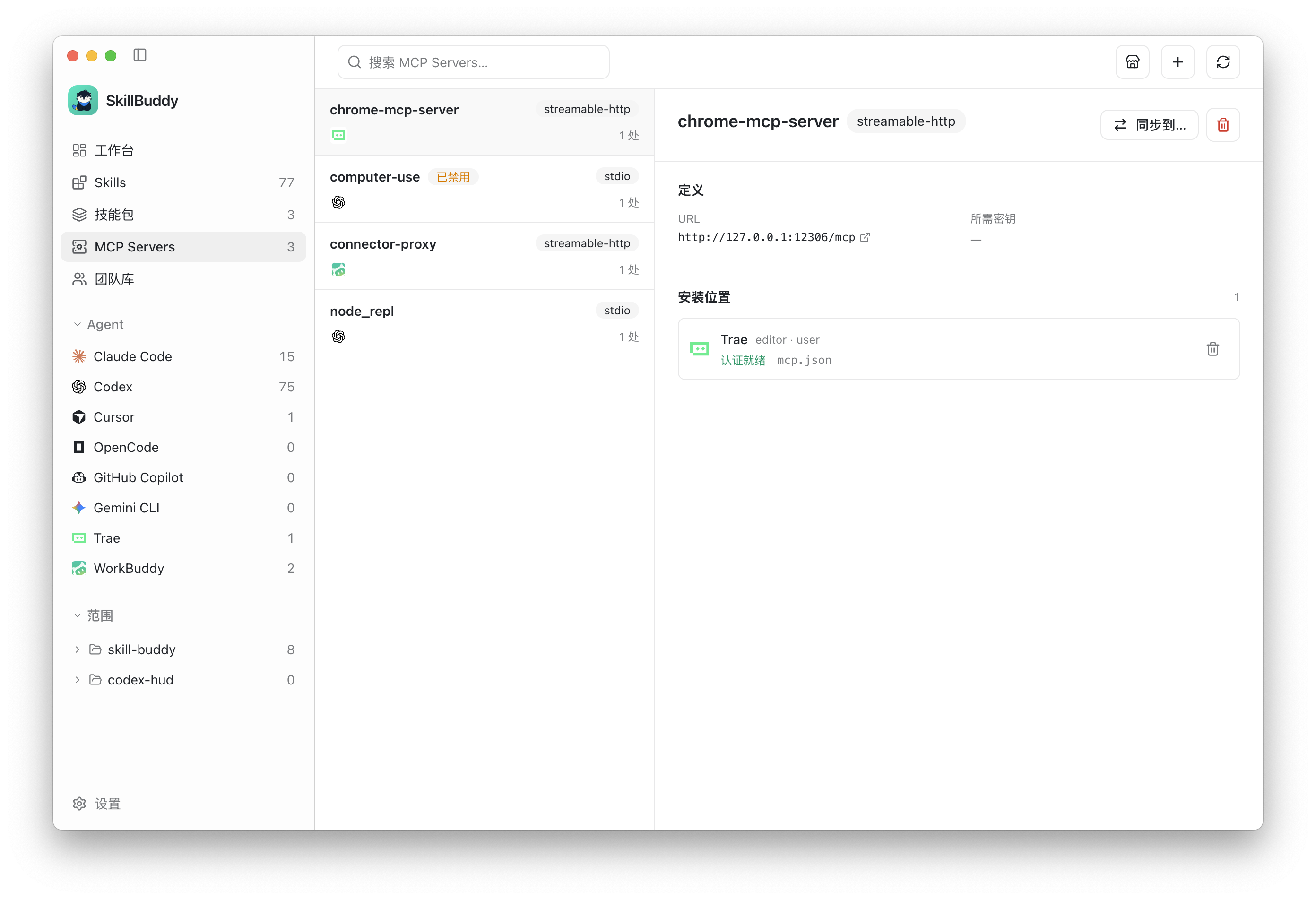
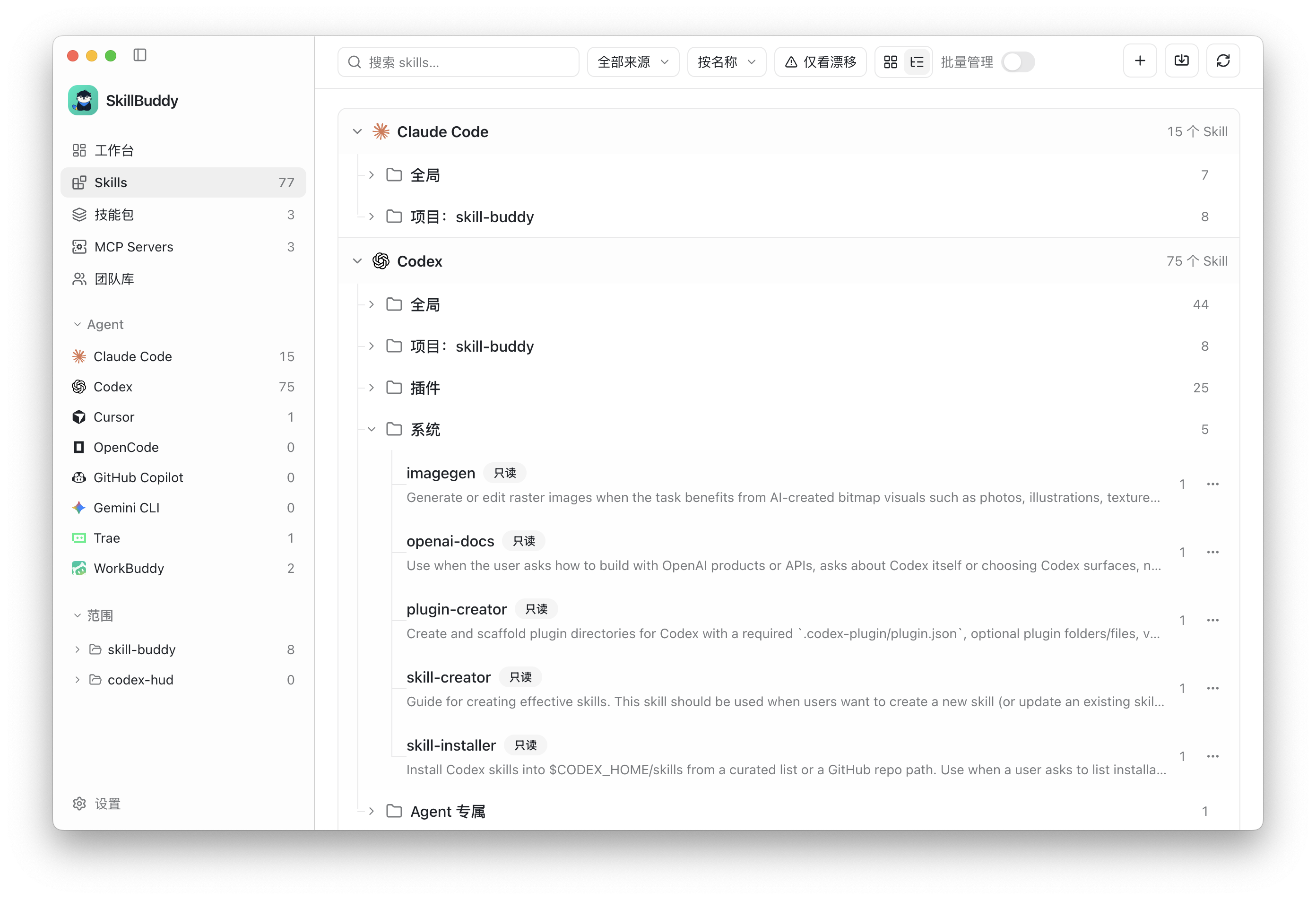
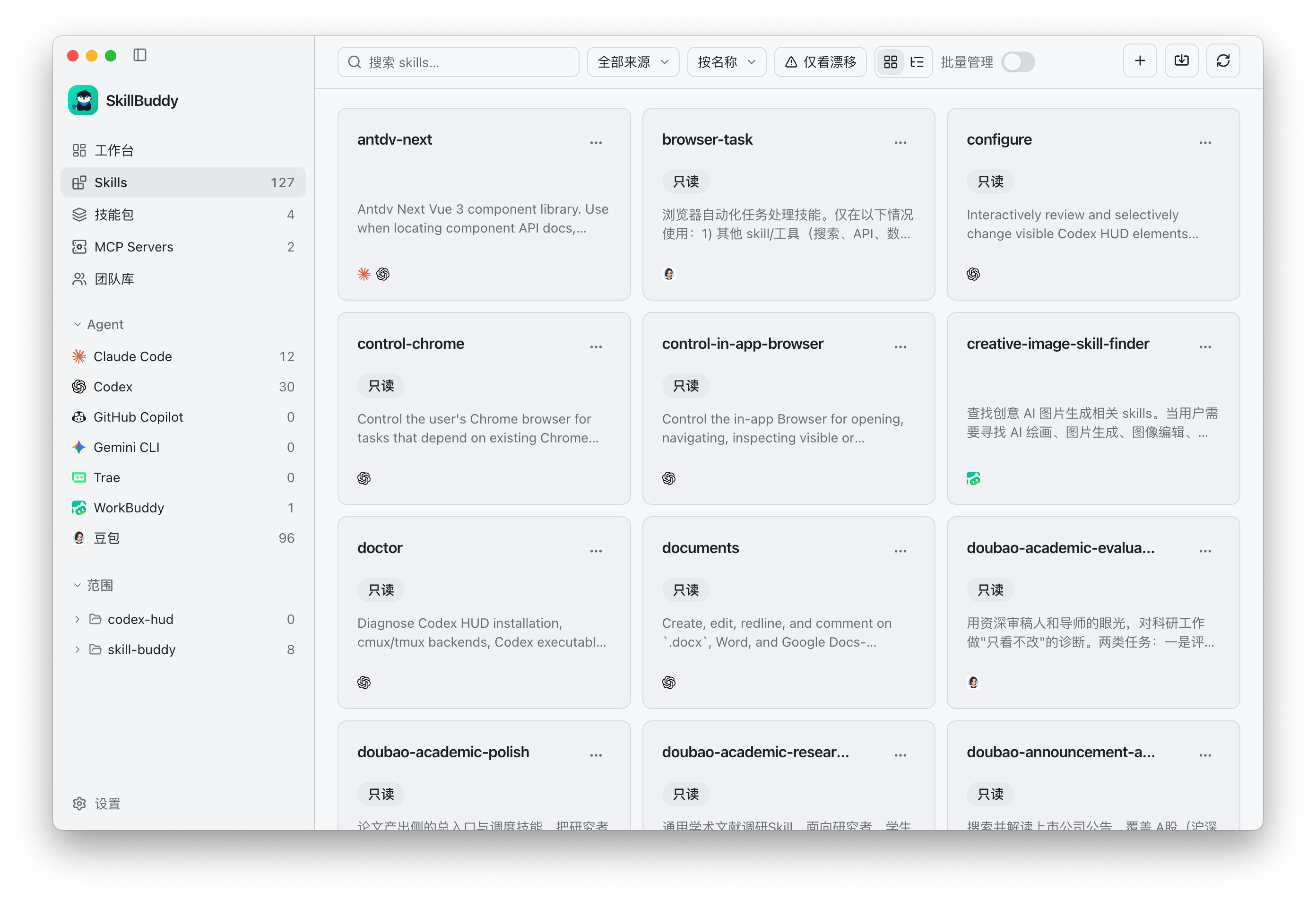
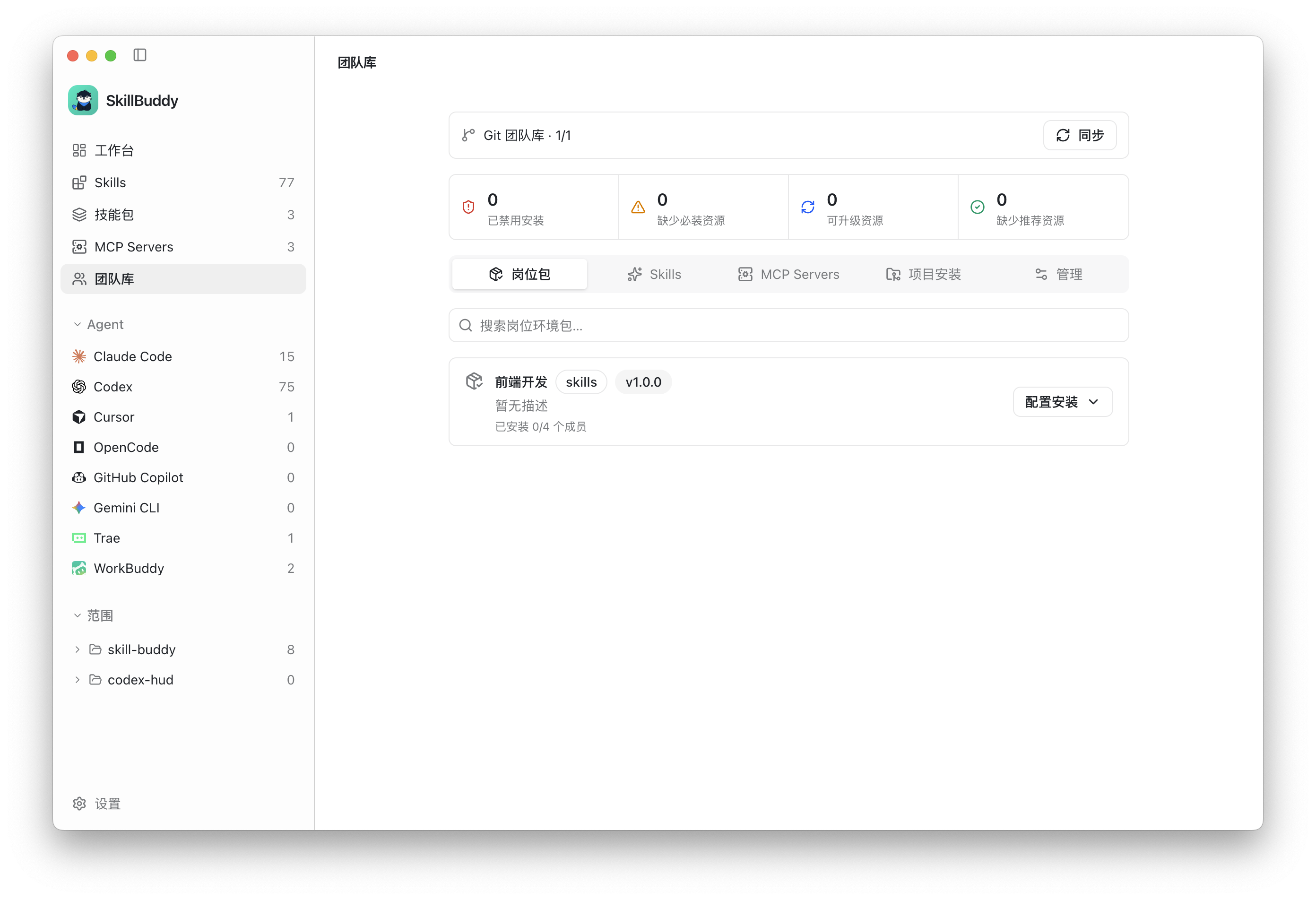
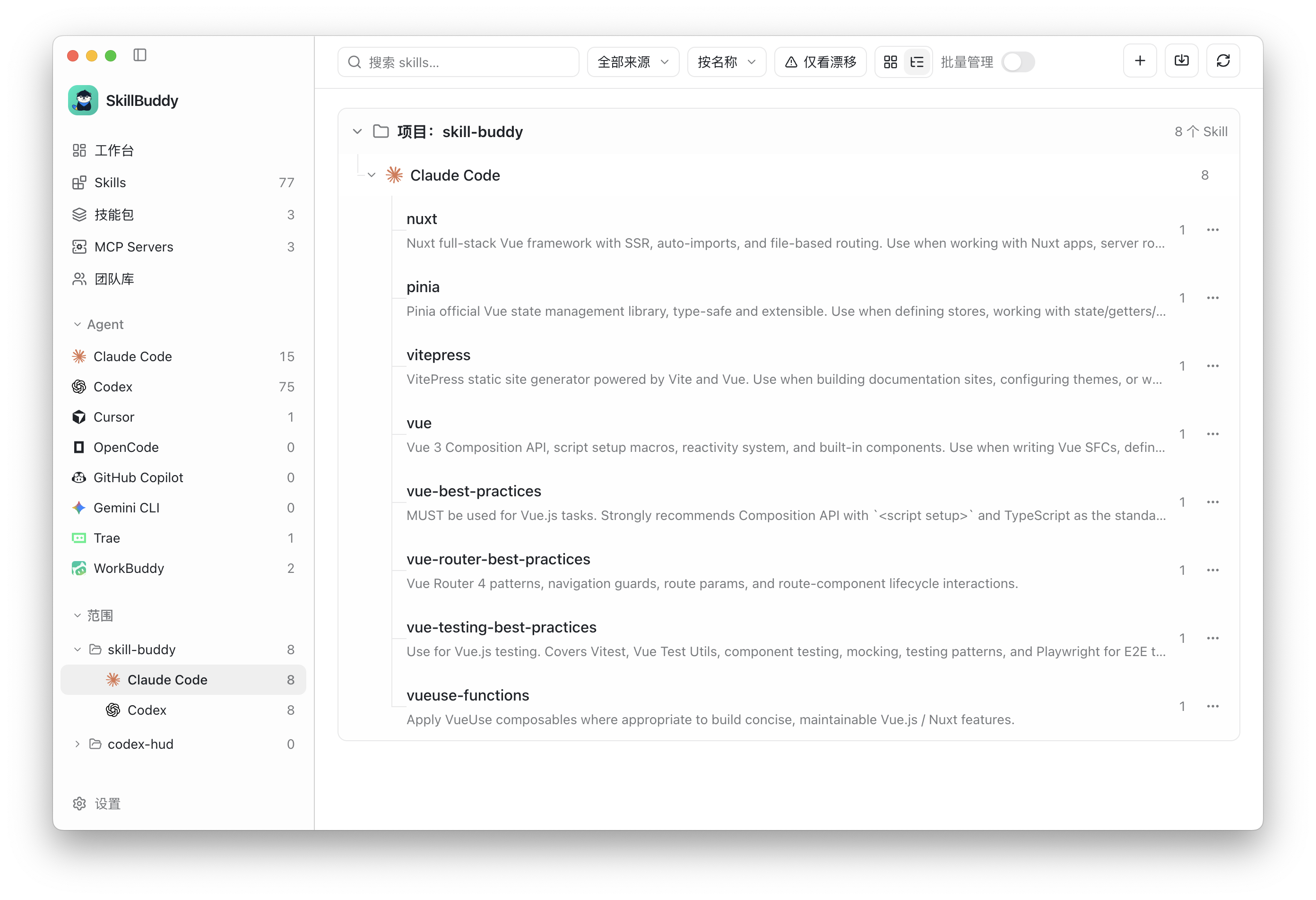
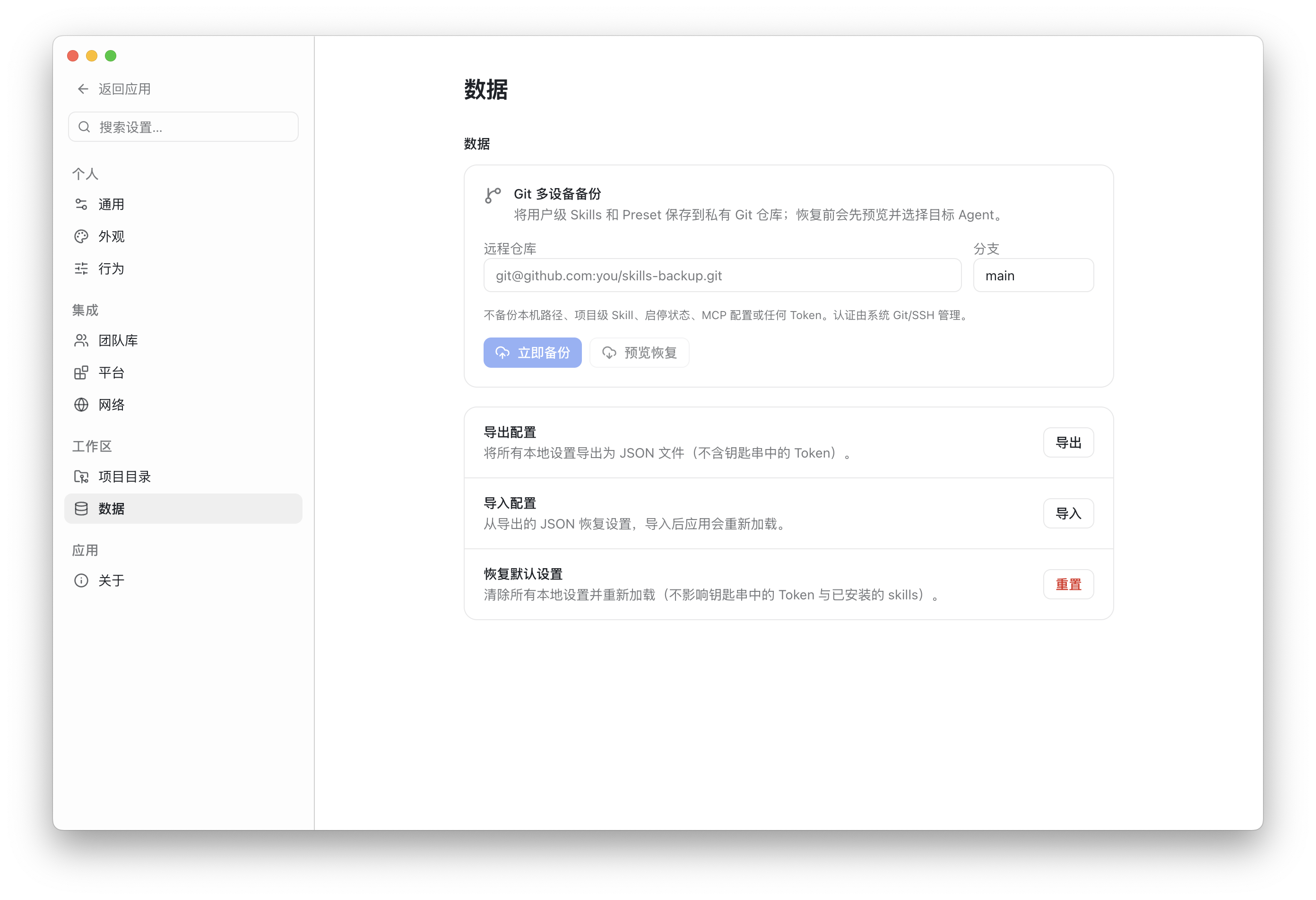
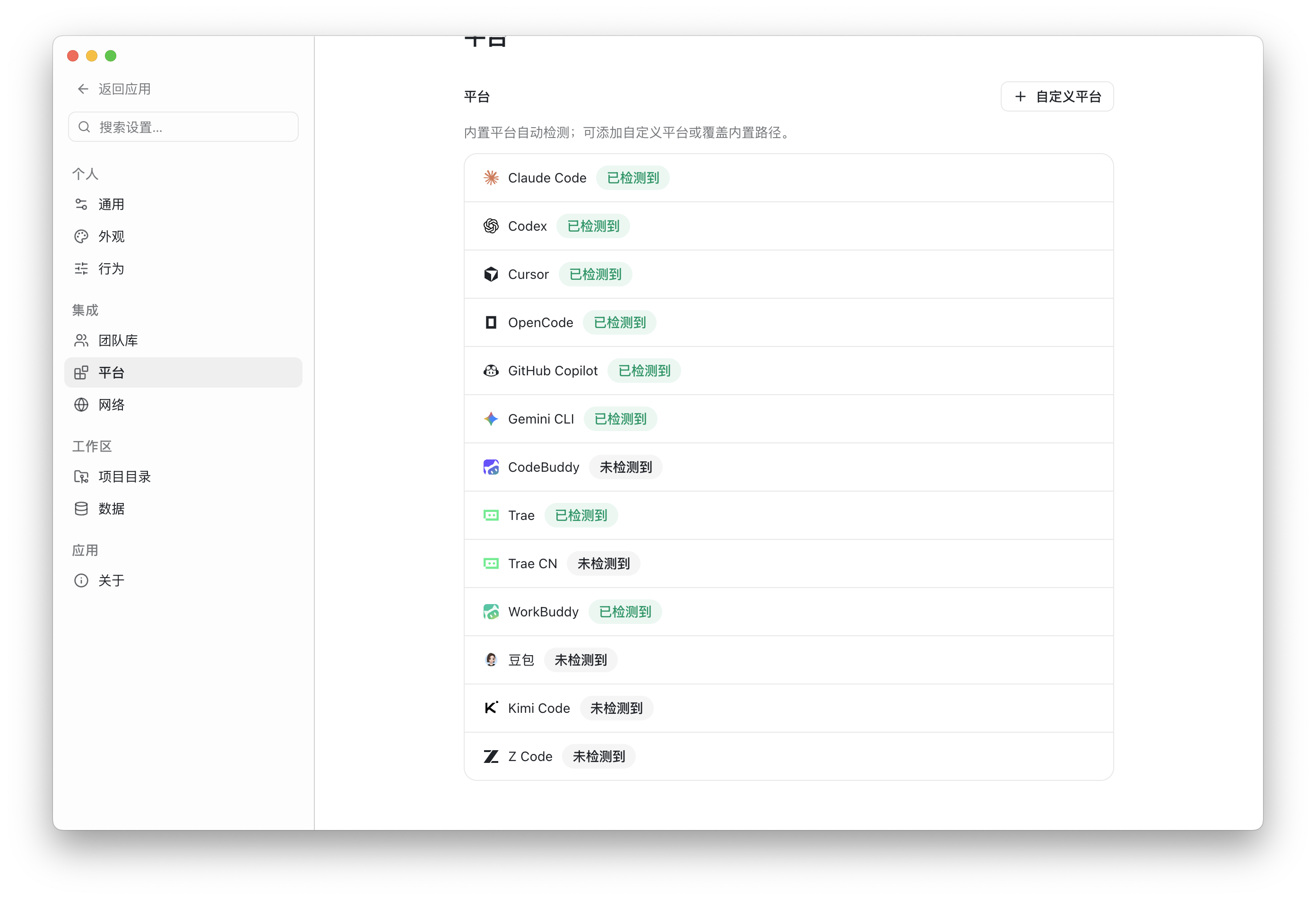
AGENTS.md, CLAUDE.md, GEMINI.md, and tool-specific rule files across global and project scopes, then create, edit, or delete them with a reviewed write plan.@path imports, then add a Claude Code bridge for projects that only maintain AGENTS.md..skillbuddy/team.yaml and detect missing, drifted, outdated, blocked, or unresolved resources.SkillBuddy includes built-in Skill directory conventions for:
| Agent | User scope | Project scope |
|---|---|---|
| Claude Code | ✓ | ✓ |
| Codex | ✓ | ✓ |
| Cursor | ✓ | ✓ |
| OpenCode | ✓ | ✓ |
| Pi | ✓ | ✓ |
| OMP Agent | ✓ | ✓ |
| GitHub Copilot | ✓ | ✓ |
| Gemini CLI | ✓ | ✓ |
| Google Antigravity | ✓ | ✓ |
| Qwen Code | ✓ | ✓ |
| CodeBuddy | ✓ | ✓ |
| Trae / Trae CN | ✓ | ✓ |
| WorkBuddy | ✓ | - |
| Doubao | ✓ | - |
| Kimi Code | ✓ | ✓ |
| ZCode | ✓ | ✓ |
| WPS Lingxi | ✓ | - |
MCP formats, scopes, and capabilities vary by platform. SkillBuddy displays the detected configuration surfaces and validates every planned change before applying it. Some conventions still need broader real-device feedback; see Platform conventions.
The AI Instructions page manages the project rule and context files that AI tools read at session start — the files that otherwise stay scattered across AGENTS.md, CLAUDE.md, GEMINI.md, CODEBUDDY.md, and per-tool rule directories.
AGENTS.local.md, CODEBUDDY.local.md), overrides (AGENTS.override.md), rule directories, and fallback files are modelled separately. Covered at launch: Codex, Cursor, Claude Code, DeepSeek Harness, OpenCode, Pi Coding Agent, CodeBuddy Code, Google Antigravity, Gemini CLI, ZCode, Grok Build, and WorkBuddy.AGENTS.md and CLAUDE.md content drift, duplicated files, and @path imports that do not resolve are reported with a severity, and fixable findings are marked as such.AGENTS.md, SkillBuddy can create the Claude Code bridge that imports it. A CLAUDE.md that already carries its own rules is left untouched instead of being overwritten.Rule evidence is tracked per tool. A profile that rests only on community evidence or is still unverified is surfaced as a warning instead of a confirmed effective chain; other evidence levels are shown alongside the chain.
The SkillBuddy desktop application currently provides the following build targets:
| Operating system | Architecture | Minimum version | Support status |
|---|---|---|---|
| macOS | Apple Silicon (arm64) | macOS 11 Big Sur | Supported, DMG and ZIP |
| macOS | Intel (x64) | macOS 11 Big Sur | Supported, DMG and ZIP |
| Windows | x64 | Windows 10 or later | Supported, NSIS installer and ZIP |
| Windows | arm64 | Windows 11 | Preview build, NSIS installer and ZIP; real-device verification pending |
| Linux | x64 | Modern desktop distribution | Supported, AppImage, DEB, and RPM |
| Linux | arm64 | Modern desktop distribution | Preview build, AppImage, DEB, and RPM; real-device verification pending |
Release assets use the SkillBuddy-v<version>-<system>-<architecture>.<extension> naming convention.
SkillBuddy-v<version>-macos-<architecture>.dmg and .zipSkillBuddy-v<version>-windows-<architecture>.exe and .zipSkillBuddy-v<version>-linux-<architecture>.AppImage, .deb, and .rpm (x86_64 for x64 builds)Download the installer for your system from:
The macOS installer uses a complete ad-hoc signature and is not notarized with an Apple Developer ID. Gatekeeper may block it because it is not from an identified developer. After moving the app to Applications, open it once, then go to System Settings → Privacy & Security → Security and click Open Anyway. Confirm the prompt to launch SkillBuddy. You can also control-click the app and choose Open. If the security approval button does not appear, use the following fallback for an installer downloaded from the official GitHub Release:
xattr -dr com.apple.quarantine /Applications/SkillBuddy.app
open /Applications/SkillBuddy.app
The xattr command only removes the download quarantine attribute and should be used as a last resort. If macOS reports that the app is damaged, do not bypass the warning: download a current installer because that indicates an invalid or incomplete app signature.
The self-hosted Registry service and CLI are separate optional components and are not included in the desktop installer.
SkillBuddy reads the local directories already used by your agents. Installation, synchronization, toggling, and removal only affect targets explicitly selected in the interface.
A team can use Git as the source of truth for content, versions, permissions, and audit history:
skillbuddy/<id> branches..skillbuddy/team.yaml can also be enforced in CI: skm instructions check --project <root> --library <checkout> compares a project against a local team-library checkout and exits non-zero when required templates are missing or outdated. A copy-ready pull-request workflow ships in .github/workflows/instructions-check.yml.gh to create Pull Requests; GitLab contributions use glab to create Merge Requests.See Git team libraries for repository formats and the complete workflow.
skill-buddy/
├── apps/
│   ├── desktop/       # Electron + Vue 3 desktop app
│   └── registry/      # Optional self-hosted Fastify + SQLite registry
├── packages/
│   ├── core/          # Canonical models, scanning, aggregation, adapters, instruction rules, and validation
│   └── cli/           # skm command-line interface
└── docs/              # Design, platform, registry, and team-library documentation
The desktop team workflow uses Git team libraries and does not depend on the Registry. The Registry and CLI remain available in the monorepo as optional self-hosting and automation components.
Requirements:
pnpm install
pnpm dev
Common commands:
pnpm build       # Build every workspace package
pnpm test        # Run unit tests
pnpm test:e2e    # Build and run Electron end-to-end tests
pnpm typecheck   # Type-check the complete repository
Issues and Pull Requests are welcome. Before submitting a change, please try to:
SkillBuddy is released under the MIT License.
Sign in to join the discussion.
No comments yet. Be the first to say what this is good for.
🪨 why use many token when few token do trick — Claude Code skill that cuts 65% of tokens by talking like caveman

The best-benchmarked open-source AI memory system. And it's free.

Orca is the ADE for working with a fleet of parallel agents. Run any coding agent with your own subscription. Available on desktop, mobile and remote runtime.

A cross-platform desktop All-in-One assistant for Claude Code, Codex, OpenCode, OpenClaw, Grok Build & Hermes Agent. Only official website: ccswitch.io

Never stop coding. Free MIT AI gateway: one endpoint, 352 providers (150+ free), 1200+ models Kimi, Claude, GPT, Gemini, GLM, DeepSeek, MiniMax. Works with Claude Code, Codex, Cursor, OpenCode, Cline & Copilot. Quota-aware auto-fallback, RTK+Caveman compression saves 15-95% tokens, MCP/A2A, Desktop/PWA. Built by 550+ contributors

Compress tool outputs, logs, files, and RAG chunks before they reach the LLM. 20% fewer tokens for coding agents, 60-95% fewer tokens for JSON, same answers. Library, proxy, MCP server.