
JuliusBrussee/
caveman

🪨 why use many token when few token do trick — Claude Code skill that cuts 65% of tokens by talking like caveman
105k
1 add
servo-fetch embeds the Servo browser engine to fetch pages, run JavaScript, compute layout, and extract clean content. It can return Markdown, JSON, or screenshots, and it exposes the same engine through a CLI, MCP server, HTTP API, and language bindings.
Builders who want their agent or automation to read web pages, crawl sites, or take screenshots from a local browser engine.
You can fetch and extract live web content in a single local tool instead of wiring up Chromium and extra services.
Fetch a URL as clean Markdown, structured JSON, or a PNG screenshot.
Loads pages in Servo, executes JavaScript, and uses rendered layout to filter out boilerplate.
Crawls same-site links with robots.txt and rate limits, and discovers URLs from sitemaps without rendering.
Exposes `fetch`, `batch_fetch`, `crawl`, `map`, `screenshot`, and `execute_js` as MCP tools.
Provides Rust, Python, and Node.js APIs for in-process use.
Includes an installable Agent Skills bundle for agent workflows.
cargo binstall servo-fetch-cli   # prebuilt binary
cargo install servo-fetch-cli    # build from source
sudo apt install -y libegl1 libfontconfig1 libfreetype6
xvfb-run --auto-servernum servo-fetch "https://example.com"
cargo add servo-fetch
pip install servo-fetch
npm install servo-fetch
npx servo-fetch "https://example.com"
A self-contained browser engine that fetches, renders, and extracts web content as Markdown, JSON, or screenshots — no Chromium, no API key, no setup.




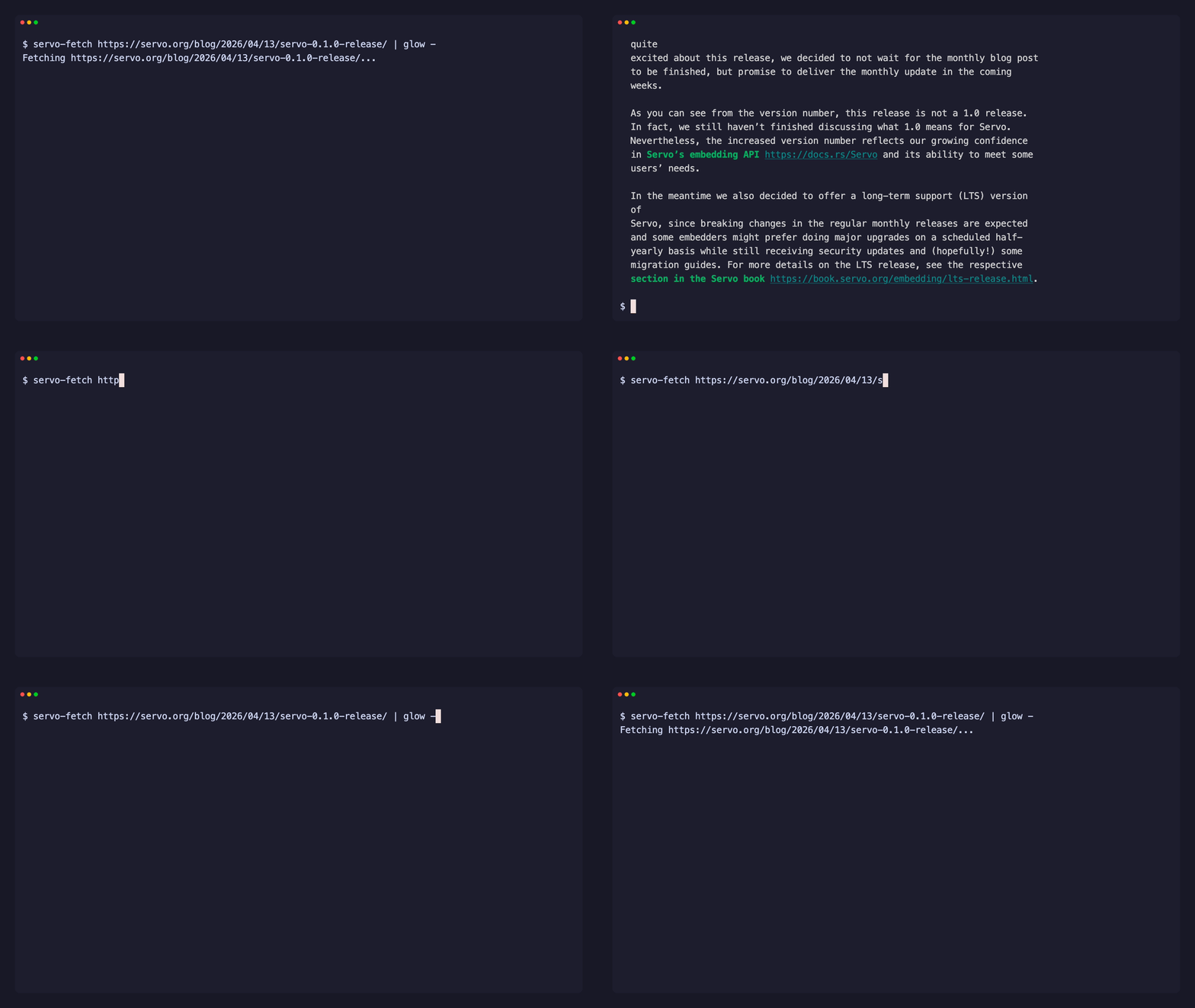
servo-fetch embeds the Servo browser engine. It executes JavaScript, computes CSS layout, captures screenshots with a software renderer, and extracts clean content — available as a CLI, a Rust library, a Python SDK, and a Node.js SDK.
# CLI
servo-fetch "https://example.com"                          # clean Markdown
servo-fetch "https://example.com" --format png -o page.png # PNG screenshot
// Rust
let md = servo_fetch::markdown("https://example.com").await?;
# Python
page = servo_fetch.fetch("https://example.com")
print(page.markdown)
// Node.js
import { fetch } from "servo-fetch";
const md = await fetch("https://example.com");
opacity:0, aria-hidden, sr-only)Apple M3 Pro, versus Playwright (the typical AI-agent stack):
| Benchmark | servo-fetch | playwright:optimized |
|---|---|---|
| Time — static-small | ~231 ms | ~645 ms |
| Time — spa-heavy | ~331 ms | ~798 ms |
| Memory (peak RSS) | 51–64 MB | 300–328 MB |
Extraction quality: mean word-F1 0.819 vs Readability's 0.728 across
eight page-type fixtures, with without[] boilerplate removal at 95.0%
vs 78.6%. Direct-binary engine peers (chrome-headless-shell, Lightpanda,
curl) are opt-in.
Methodology, three-axis breakdown, per-fixture F1, and raw JSON:
benchmarks/README.md +
benchmarks/results/.
| Interface | Install | Docs |
|---|---|---|
| CLI | curl -fsSL https://raw.githubusercontent.com/konippi/servo-fetch/main/install.sh | sh | CLI docs |
| Rust | cargo add servo-fetch | Library docs |
| Python | pip install servo-fetch | Python docs |
| Node.js | npm install servo-fetch | Node docs |
cargo binstall servo-fetch-cli   # prebuilt binary
cargo install servo-fetch-cli    # build from source
Or download from GitHub Releases.
Linux — install runtime deps and use xvfb-run on headless servers:
sudo apt install -y libegl1 libfontconfig1 libfreetype6
xvfb-run --auto-servernum servo-fetch "https://example.com"
Windows — cargo binstall does not copy sidecar files (cargo-binstall#353), so the installed servo-fetch.exe fails at startup with a missing libEGL.dll. Download the .zip from Releases instead — it bundles libEGL.dll and libGLESv2.dll.
macOS — no extra setup needed.
servo-fetch "https://example.com"                          # Markdown (default)
servo-fetch "https://example.com" --format json            # Structured JSON
servo-fetch "https://example.com" --format png -o page.png # PNG screenshot
servo-fetch "https://example.com" --js "document.title"    # Run JavaScript
servo-fetch "https://example.com" --schema schema.json     # Schema-driven JSON
servo-fetch "https://example.com" --cookies cookies.txt    # Send session cookies
servo-fetch "https://example.com" -H "X-Api-Key: KEY"      # Custom request header
servo-fetch URL1 URL2 URL3                                 # Parallel batch
servo-fetch "https://example.com" --output page.md         # Save to a single file
servo-fetch URL1 URL2 --output-dir ./out/                  # Save each URL to its own file
servo-fetch crawl "https://docs.example.com" --limit 20    # Crawl a site
servo-fetch crawl URL --output-dir ./pages/                # Save each crawled page to its own file
servo-fetch map "https://example.com"                      # Discover URLs via sitemap
servo-fetch mcp                                            # MCP server (stdio)
servo-fetch serve                                          # HTTP API server
Full CLI reference → servo-fetch-cli
cargo add servo-fetch
// URL → Markdown in one line (async by default; use `blocking::*` for sync)
let md = servo_fetch::markdown("https://example.com").await?;

// Fetch with options
use servo_fetch::{fetch, FetchOptions};
use std::time::Duration;

let page = fetch(&FetchOptions::new("https://example.com").timeout(Duration::from_secs(60))).await?;
println!("{}", page.html);
let md = page.markdown()?;

// Crawl a site
servo_fetch::crawl_each(
    &servo_fetch::CrawlOptions::new("https://docs.example.com")
        .limit(100)
        .user_agent("MyBot/1.0"),
    |result| match &result.outcome {
        Ok(page) => println!("{}: {} chars", result.url, page.content.len()),
        Err(e) => eprintln!("{}: {e}", result.url),
    },
).await?;

// Discover URLs via sitemap (no rendering)
let urls = servo_fetch::map(
    &servo_fetch::MapOptions::new("https://example.com").limit(1000),
).await?;
for u in &urls {
    println!("{}", u.url);
}
Full API reference → servo-fetch
Requires Python 3.11 or later.
pip install servo-fetch
import servo_fetch

page = servo_fetch.fetch("https://example.com")
print(page.markdown)

# Schema extraction
from servo_fetch import Schema, Field
schema = Schema(
    base_selector=".product",
    fields=[
        Field(name="title", selector="h2", type="text"),
        Field(name="price", selector=".price", type="text"),
    ],
)
page = servo_fetch.fetch("https://shop.example.com", schema=schema)
print(page.extracted)
Full API reference → bindings/python
npm install servo-fetch
import { fetch, crawl } from "servo-fetch";

const md = await fetch("https://example.com");

for await (const page of crawl("https://docs.example.com", { limit: 50 })) {
  if (page.ok) console.log(page.url, page.title);
}
Or run the bundled CLI without installing:
npx servo-fetch "https://example.com"
Full API reference → bindings/node
Built-in Model Context Protocol server with six tools: fetch,
batch_fetch, crawl, map, screenshot, and execute_js.
{
  "mcpServers": {
    "servo-fetch": {
      "command": "servo-fetch",
      "args": ["mcp"]
    }
  }
}
Streamable HTTP: servo-fetch mcp --port 8080
Full MCP tool reference → servo-fetch-cli README
Prefer in-process tools? Wrap the Python API as agent tools — see bindings/python/examples/strands_agent.py.
REST endpoints for containerized deployments and HTTP clients:
servo-fetch serve                            # 127.0.0.1:3000
servo-fetch serve --host 0.0.0.0 --port 80   # expose to network

curl -X POST http://127.0.0.1:3000/v1/fetch \
  -H 'content-type: application/json' \
  -d '{"url":"https://example.com"}'
Endpoints: GET /health, GET /version, POST /v1/fetch, POST /v1/batch_fetch, POST /v1/screenshot, POST /v1/execute_js, POST /v1/crawl, POST /v1/map.
Full HTTP API reference → servo-fetch-cli README
Multi-arch image on GitHub Container Registry (linux/amd64, linux/arm64):
docker run --rm -p 3000:3000 ghcr.io/konippi/servo-fetch:latest
curl -X POST http://127.0.0.1:3000/v1/fetch \
  -H 'content-type: application/json' \
  -d '{"url":"https://example.com"}'
Runs as non-root (UID 1001). Images are signed with cosign (keyless) and published with SLSA provenance and SBOM attestations.
servo-fetch ships with an Agent Skills package for AI coding agents:
npx skills add https://github.com/konippi/servo-fetch/tree/main/skills/servo-fetch
servo-fetch blocks all private and reserved IP ranges (RFC 6890), strips credentials from URLs, disables HTTP redirects to prevent SSRF bypass, and sanitizes all output against terminal escape injection (CVE-2021-42574). See SECURITY.md for details.
See CONTRIBUTING.md for development setup, commit conventions, and PR guidelines.
MIT OR Apache-2.0
Sign in to join the discussion.
No comments yet. Be the first to say what this is good for.
🪨 why use many token when few token do trick — Claude Code skill that cuts 65% of tokens by talking like caveman

The best-benchmarked open-source AI memory system. And it's free.

Orca is the ADE for working with a fleet of parallel agents. Run any coding agent with your own subscription. Available on desktop, mobile and remote runtime.

A cross-platform desktop All-in-One assistant for Claude Code, Codex, OpenCode, OpenClaw, Grok Build & Hermes Agent. Only official website: ccswitch.io

Never stop coding. Free MIT AI gateway: one endpoint, 352 providers (150+ free), 1200+ models Kimi, Claude, GPT, Gemini, GLM, DeepSeek, MiniMax. Works with Claude Code, Codex, Cursor, OpenCode, Cline & Copilot. Quota-aware auto-fallback, RTK+Caveman compression saves 15-95% tokens, MCP/A2A, Desktop/PWA. Built by 550+ contributors

Compress tool outputs, logs, files, and RAG chunks before they reach the LLM. 20% fewer tokens for coding agents, 60-95% fewer tokens for JSON, same answers. Library, proxy, MCP server.