
JuliusBrussee/
caveman

🪨 why use many token when few token do trick — Claude Code skill that cuts 65% of tokens by talking like caveman
105k
1 add
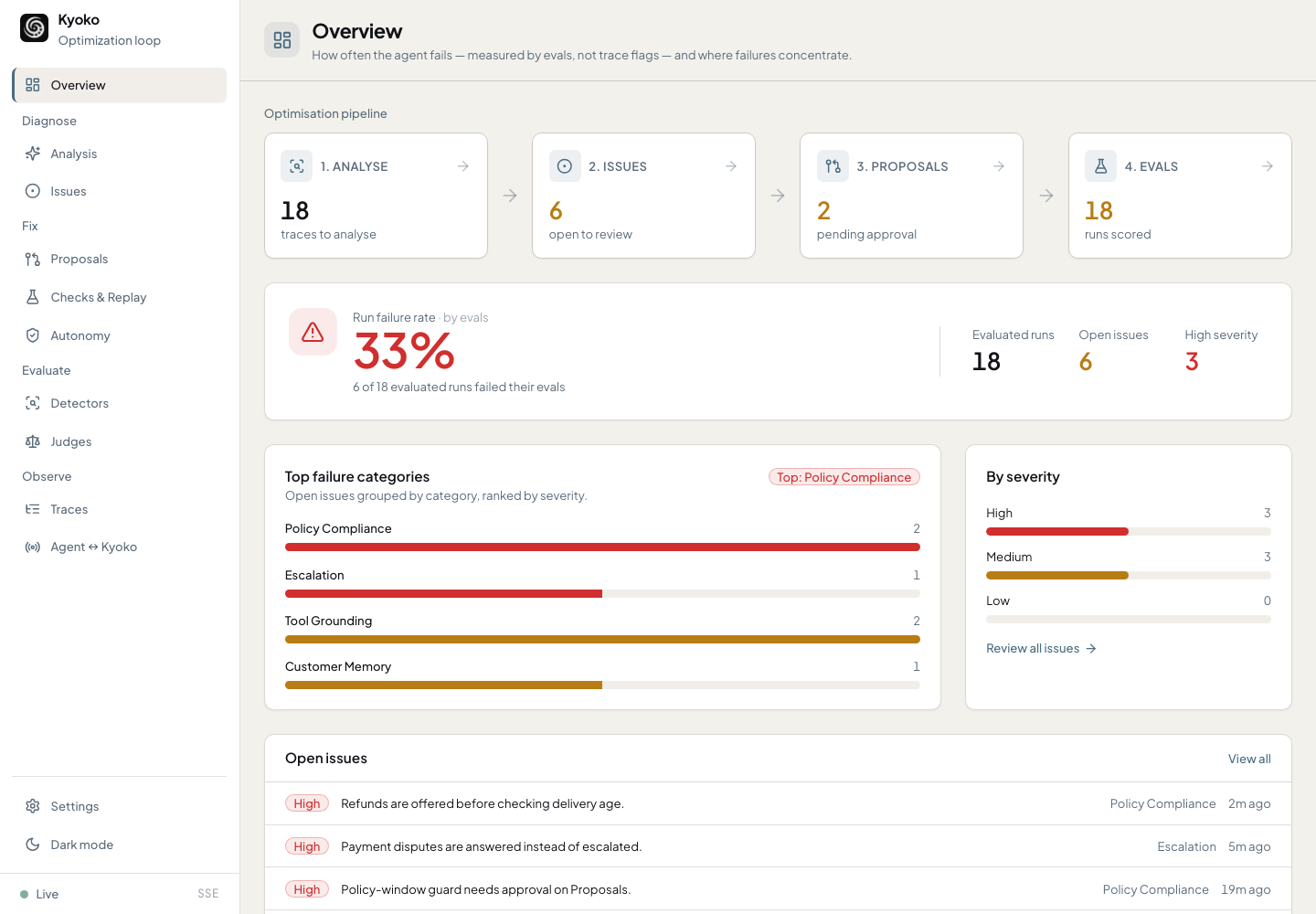
Kyoko is a local system for finding repeat agent failures, turning them into evidence-backed issues, and testing fixes before they land. It connects to agent traces, replay runs, checks, evals, and a gate that decides whether a proposed change can apply.
Builders who want their agent traces, failures, and fixes in one local workflow.
You can debug agent behavior, draft fixes, and verify them without leaving a local review loop.
Reads real agent traces and looks across runs for repeated problems like tool mistakes, missing context, policy drift, brittle routing, and bad handoffs.
Turns recurring failures into evidence-backed issues with severity, counts, and links to the spans where they happened.
Converts accepted issues into proposed changes to agent context, skills, evals, or harness files.
Reruns failing traces, runs deterministic checks, compares eval results, and only applies a fix when the gate passes.
Provides a JSON CLI, local dashboard, and stdio MCP server over the same local database and gated apply path.
Supports Codex, Claude Code, OpenClaw, Hermes, OTLP/GenAI, Python and TypeScript SDKs, and importers.
pipx install kyoko
kyoko demo --db /tmp/kyoko-demo.db --json
kyoko serve --db /tmp/kyoko-demo.db
pipx install kyoko
kyoko project-bootstrap
kyoko serve
kyoko install-skill # then run /kyoko-instrument in your coding agent






Kyoko is a fully local system for measuring, debugging, and improving AI agents.
Add telemetry, run your agent. Kyoko shows where performance breaks across runs. It groups recurring failures into evidence-backed issues, lets Codex or Claude Code draft fixes, and only applies changes after checks and evals pass.
Built around the manual dev workflow. Inspect traces, understand the failure, patch the prompt, context, or harness, rerun evals, and decide what ships. Kyoko makes that workflow repeatable while keeping you in control.
Local by default. Traces, issues, proposals, evals, database, and dashboard stay on your machine.
Works with your existing coding-agent subscription. Kyoko can use the Codex or Claude Code CLI you already have, so there is no separate Kyoko model API key or hosted service.
        ┌─────────────────┐           ┌─────────────────┐
        │  1. Analyse     │ ───────▶  │  2. Issues      │
        │  traces in      │           │  recurring      │
        │                 │           │  failures       │
        └─────────────────┘           └─────────────────┘
                 ▲                            │
                 │ measure                    │ accept
                 │                            ▼
        ┌─────────────────┐  ┌──────┐ ┌─────────────────┐
        │  4. Evals       │◀─┤ gate ├─│  3. Proposals   │
        │  failure rate   │  └──────┘ │  fixes          │
        │                 │   apply   │                 │
        └─────────────────┘           └─────────────────┘
Kyoko keeps the repair loop explicit. Every step creates something you can inspect in the dashboard or CLI.
The gate is the control point. It applies a fix only when checks, replay evidence, autonomy policy, and human locks allow it.
Run it your way. The same loop, the same gate. You pick the autonomy level:
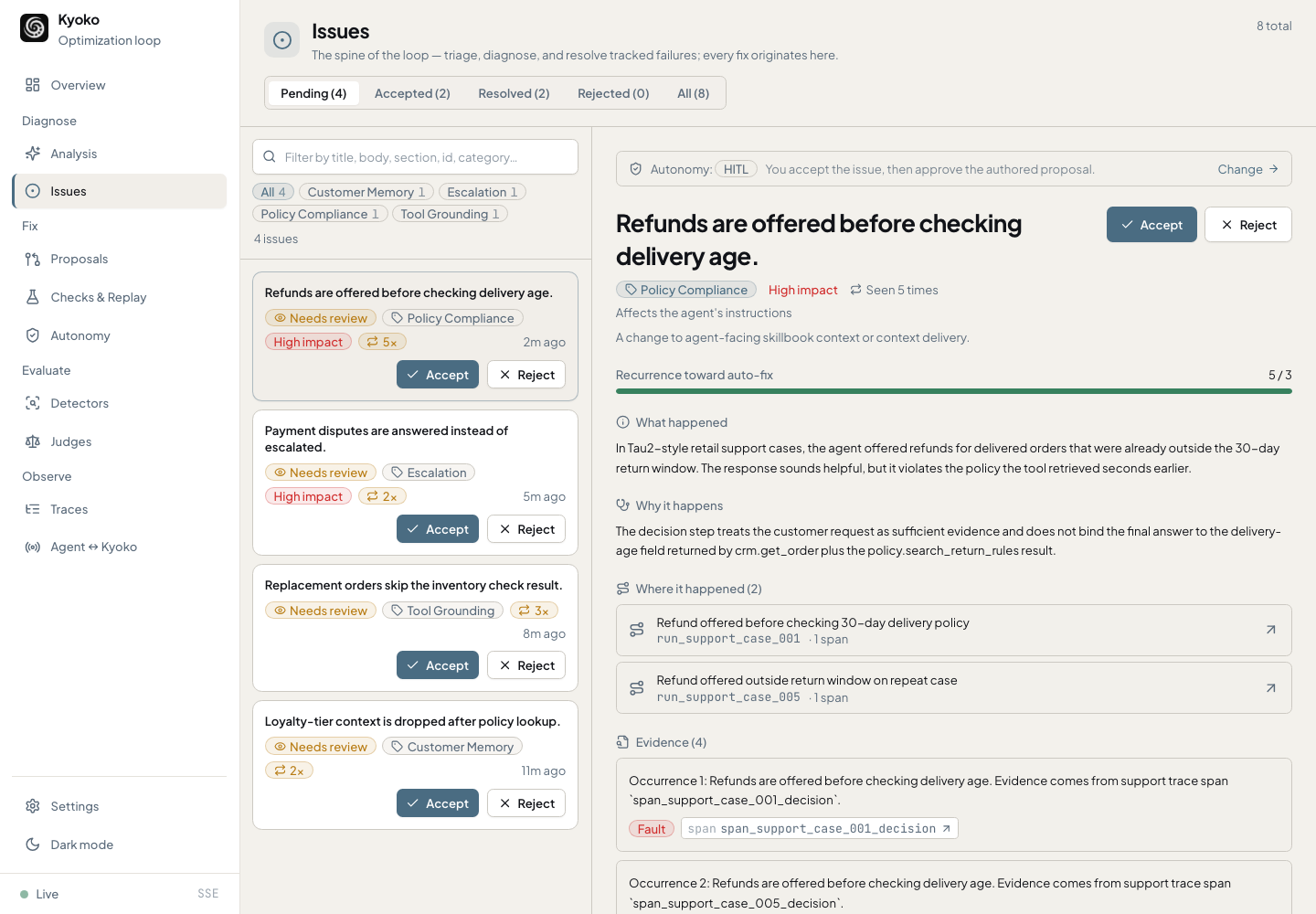
Try Kyoko without wiring up an agent. The demo creates a local database, loads bundled fixture runs, and serves the dashboard.
pipx install kyoko
kyoko demo --db /tmp/kyoko-demo.db --json
kyoko serve --db /tmp/kyoko-demo.db
Open http://127.0.0.1:8765.
Requires Python 3.12 or newer. No live model, framework adapter, or replay server is needed for the demo.
From the root of your agent project (e.g. the repo of your AI agent, Hermes or Openclaw), needs Python 3.12+:
pipx install kyoko
kyoko project-bootstrap
kyoko serve
Open http://127.0.0.1:8765. pip install kyoko and
uv tool install kyoko work too; see docs/INSTALL.md.
Bootstrap writes a local .kyoko/ workspace: database, scaffolds, MCP config,
and operator presets. Every later kyoko command finds that database
automatically, so no --db flags are needed inside your project.
Then wire up telemetry. This is the step that makes everything else work: Kyoko can only find and fix what it can see. The easiest way is to let your coding agent do the wiring:
kyoko install-skill # then run /kyoko-instrument in your coding agent
This installs the bundled /kyoko-instrument skill into .claude/skills/ and
.agents/skills/, where Claude Code and Codex pick it up automatically; for
Cursor or other agents, kyoko install-skill --print prints the same playbook
to paste in.
The skill finds your agent's entry point, records one real run, and verifies
it shows up in Kyoko.
To connect your agent over MCP instead, or to wire telemetry by hand (Python or TypeScript SDK, OTLP, importers), see Getting Started.
LearningProposal
records for context, skills, evals, or harness changes.| Area | Supported paths |
|---|---|
| Source telemetry | Python SDK, TypeScript SDK, generated source adapters, OTLP/GenAI JSON, Hermes import, OpenClaw import |
| Replay | External replay commands, managed HTTP replay servers, generated replay scaffolds |
| Operator agents | Codex, Claude Code, OpenClaw, Hermes, generic command adapters, local presets |
| Agent clients | Dashboard, JSON CLI, stdio MCP server |
| Framework scaffolds | Generic Python/TypeScript, LangGraph, Pydantic AI, OpenAI Agents, CrewAI, Hermes, OpenClaw, AI SDK |
See docs/INTEGRATIONS.md and examples/README.md.
Every behavior-changing path (operator output, imports, MCP tools, and
kyoko improve) flows through one gate:
Operator agents can analyze evidence and draft fixes; they do not directly mutate Kyoko state. Context writes update Kyoko-managed skills and delivery rules. Harness writes create reviewable patch transactions against an explicit workspace root.
Replay server URLs are loopback-only unless you pass --allow-remote-server.
Evidence exported to prompts, MCP, API, or bundles is redacted by default. See
docs/SECURITY.md and docs/ARCHITECTURE.md.
Specs, schemas, fixtures, and design decisions live under docs/ as reference
contracts.
Issues and pull requests are welcome. See CONTRIBUTING.md for local setup, the test and validation gates, and how to submit a change. To report a security vulnerability, follow SECURITY.md rather than opening a public issue.
kyoko/              Python import package, CLI runtime, dashboard/API, bundled assets
frontend/           React/Vite dashboard source
sdk/typescript/     Dependency-free TypeScript telemetry SDK
examples/           Source and replay hook examples
scripts/            Installer, release smoke, fixture and artifact helpers
tests/              Python unittest suite and CLI contract tests
docs/               User docs plus specs, schemas, fixtures, and decisions
Apache-2.0. See LICENSE.
Built by Kayba and the open-source community.
Sign in to join the discussion.
No comments yet. Be the first to say what this is good for.
🪨 why use many token when few token do trick — Claude Code skill that cuts 65% of tokens by talking like caveman

The best-benchmarked open-source AI memory system. And it's free.

Orca is the ADE for working with a fleet of parallel agents. Run any coding agent with your own subscription. Available on desktop, mobile and remote runtime.

A cross-platform desktop All-in-One assistant for Claude Code, Codex, OpenCode, OpenClaw, Grok Build & Hermes Agent. Only official website: ccswitch.io

Never stop coding. Free MIT AI gateway: one endpoint, 352 providers (150+ free), 1200+ models Kimi, Claude, GPT, Gemini, GLM, DeepSeek, MiniMax. Works with Claude Code, Codex, Cursor, OpenCode, Cline & Copilot. Quota-aware auto-fallback, RTK+Caveman compression saves 15-95% tokens, MCP/A2A, Desktop/PWA. Built by 550+ contributors

Compress tool outputs, logs, files, and RAG chunks before they reach the LLM. 20% fewer tokens for coding agents, 60-95% fewer tokens for JSON, same answers. Library, proxy, MCP server.