


rtk-ai/rtkHooks
CLI proxy that reduces LLM token consumption by 60-90% on common dev commands. Single Rust binary, zero dependencies
80k
This hook watches for `<optimize>` in Claude Code prompts and sends the prompt through Claude’s Agent SDK to produce a more structured version. It uses a shell wrapper for the no-tag fast path, then falls back to the original prompt if optimization times out or fails.
Builders who use Claude Code and want their prompts expanded into clearer instructions before the model runs.
You can turn a short request into a more complete prompt without writing the extra structure yourself.
Only prompts with `<optimize>` are rewritten, so normal prompts pass through unchanged.
The optimized prompt adds implementation steps, error handling, testing requirements, and edge cases.
`src/hooks/optimize-prompt.sh` short-circuits in bash when the tag is missing, avoiding extra latency.
`src/hooks/optimizer.config.json` controls model choice, budgets, fallback behavior, and prompt size limits.
`scripts/install.js` automates dependency setup, auth checks, hook configuration, and verification.
`examples/` includes sample Claude Code settings, prompt examples, and test input for trying the hook.
git clone https://github.com/johnpsasser/claude-code-prompt-optimizer.git
cd claude-code-prompt-optimizer
npm run install-hook
git clone https://github.com/johnpsasser/claude-code-prompt-optimizer.git
cd claude-code-prompt-optimizer
npm install
chmod +x src/hooks/optimize-prompt.sh
<optimize> write a function to calculate fibonacci numbers
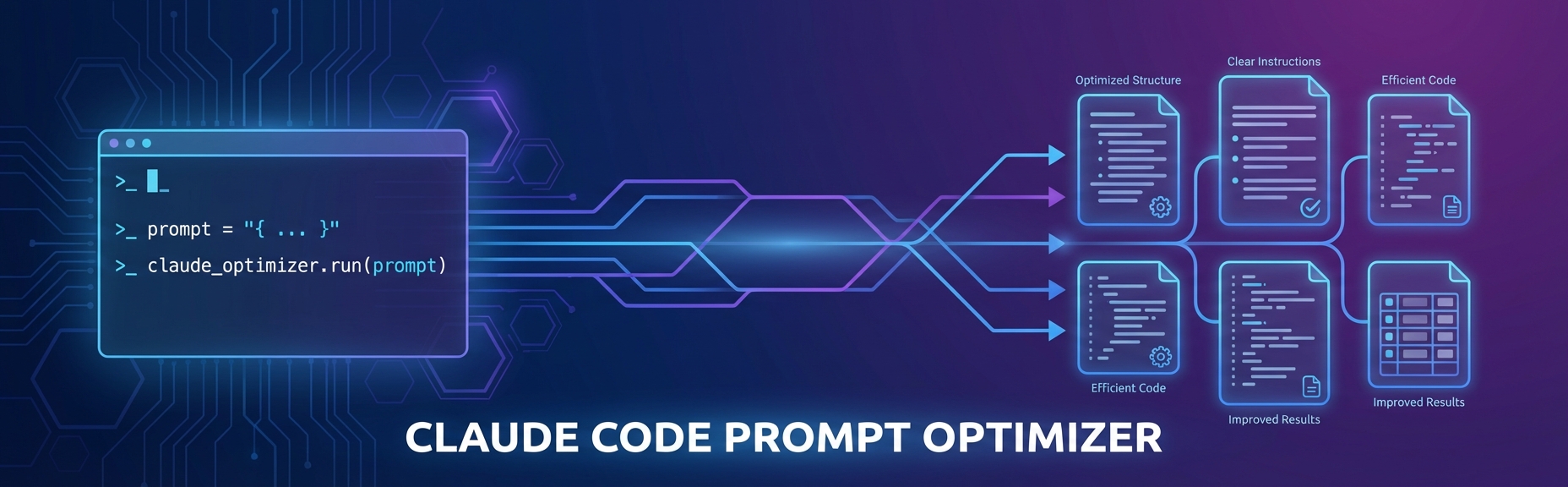


A Claude Code hook that transforms simple prompts into detailed, structured instructions. Add <optimize> to any prompt and it'll expand your request into something Claude can really sink its teeth into.
When you tag a prompt with <optimize>, this hook intercepts it and runs it through Claude's extended thinking mode. The result is a fleshed-out version of your original request with:
Basically, it does the prompt engineering for you.
CLAUDE_CODE_OAUTH_TOKEN (Claude Pro/MAX subscribers)ANTHROPIC_API_KEY (API credit users)claude logingit clone https://github.com/johnpsasser/claude-code-prompt-optimizer.git
cd claude-code-prompt-optimizer
npm run install-hook
The installer handles dependencies, auth setup, hook configuration, and verification.
The Agent SDK checks for credentials in this order:
| Priority | Method | Variable | Best For |
|---|---|---|---|
| 1 | OAuth token | CLAUDE_CODE_OAUTH_TOKEN | Claude Pro/MAX subscribers |
| 2 | API key | ANTHROPIC_API_KEY | API credit users |
| 3 | Stored OAuth | (none — uses claude login) | Already logged in |
If CLAUDE_CODE_OAUTH_TOKEN is set, the API key is ignored. If neither env var is set, the Agent SDK falls back to stored OAuth credentials from claude login.
Auth resolution is adaptive and can be forced with OPTIMIZER_AUTH:
OPTIMIZER_AUTH | Behavior |
|---|---|
auto (default) | An explicit CLAUDE_CODE_OAUTH_TOKEN wins. Inside a Claude Code session with no token, the (often invalid) parent-injected API key is stripped so the CLI uses your stored claude login. Outside Claude Code, a real ANTHROPIC_API_KEY is honored. |
oauth | Always strip API keys and use OAuth / stored login. |
apikey | Always keep ANTHROPIC_API_KEY (for pure API-credit users). |
# Get your token
claude auth token

# Add to shell profile
export CLAUDE_CODE_OAUTH_TOKEN="your-oauth-token"
export ANTHROPIC_API_KEY="sk-ant-api03-..."
If you prefer to configure things yourself instead of using npm run install-hook:
git clone https://github.com/johnpsasser/claude-code-prompt-optimizer.git
cd claude-code-prompt-optimizer
npm install
Set one of the environment variables above in your shell profile.
Add the hook to ~/.claude/settings.json:
{
  "hooks": {
    "UserPromptSubmit": [
      {
        "hooks": [
          {
            "type": "command",
            "command": "/path/to/claude-code-prompt-optimizer/src/hooks/optimize-prompt.sh"
          }
        ]
      }
    ]
  }
}
chmod +x src/hooks/optimize-prompt.sh
Test it:
<optimize> write a function to calculate fibonacci numbers
For detailed setup instructions and troubleshooting, see QUICKSTART.md.
Before:
<optimize> create a REST API
After: The optimizer expands this into specs covering architecture, endpoints, error handling, auth, validation, and testing.
Before:
<optimize> refactor this codebase for better performance
After: You get a structured plan with profiling steps, bottleneck identification, prioritized refactoring targets, and benchmarking criteria.
| Variable | Description | Default |
|---|---|---|
CLAUDE_CODE_OAUTH_TOKEN | OAuth token for Claude Pro/MAX (optional if logged in) | - |
ANTHROPIC_API_KEY | Anthropic API key (used if no OAuth token) | - |
OPTIMIZER_AUTH | Auth strategy: auto, oauth, or apikey | auto |
OPTIMIZER_MODEL | Override the optimization model | from config |
OPTIMIZER_FALLBACK_MODEL | Model to retry with if the primary errors | from config |
OPTIMIZER_EFFORT | Reasoning effort: low, medium, high, xhigh, max | from config |
OPTIMIZER_TIMEOUT_MS | Abort + fall back to the original prompt after N ms | from config |
DEBUG | Enable debug logging | false |
Debug logs go to /tmp/claude-code-hook-debug.log.
Model selection, per-model time budgets, the prompt-size cap, and the system
prompt live in src/hooks/optimizer.config.json and src/hooks/system-prompt.md,
so you can tune behavior without editing TypeScript. Environment variables above
take precedence over the config file.
{
  "matchSessionModel": true,
  "model": "claude-opus-5",
  "effort": "low",
  "maxPromptChars": 12000,
  "fallbackTimeoutMs": 30000,
  "defaultPolicy": { "budgetMs": 45000, "fallback": "claude-sonnet-5" },
  "modelPolicy": {
    "claude-opus-5":   { "budgetMs": 60000, "fallback": "claude-sonnet-5" },
    "claude-sonnet-5": { "budgetMs": 40000, "fallback": null }
  },
  "systemPromptFile": "system-prompt.md"
}
Session-model matching. With matchSessionModel enabled (the default), the
hook reads transcript_path from the hook payload and reuses the model that
produced the most recent assistant turn — so the prompt is rewritten by the
same model that will execute it, and mid-session /model switches are picked up
automatically. UserPromptSubmit carries no model field and there is no
$CLAUDE_MODEL, so the transcript is the only source for this. On the first
prompt of a session (no assistant turn yet) it falls back to model. Set
OPTIMIZER_MATCH_SESSION_MODEL=false to always use model instead.
Timeouts. Each model gets its own budgetMs from modelPolicy (Opus needs
roughly twice Sonnet's wall time for the same rewrite). If the primary times out
or errors, the chain advances to fallback with fallbackTimeoutMs; only when
every attempt is exhausted does the hook fail open and pass the prompt through
unmodified.
Keep the inner budgets under the outer hook timeout. Claude Code lowers the
UserPromptSubmitcommand-hook default to 30s, sohooks/hooks.jsonsets an explicit"timeout": 120.budgetMs + fallbackTimeoutMsmust stay comfortably below that value — if the outer timeout fires first, Claude Code kills the process and the fail-open path never runs.
effort defaults to low: prompt optimization is a single-turn rewrite, not a
reasoning task, so minimal thinking keeps latency inside the budget. Raise it if
you want the optimizer to deliberate more.
maxPromptChars (default 12,000) short-circuits very long prompts — a pasted
document cannot be rewritten inside any sane budget, and attempting it was the
most reliable way to burn the entire hook timeout for nothing.
The hook always writes to /tmp/claude-code-prompt-optimizer.log (override with
OPTIMIZER_LOG_FILE), recording the chosen model and its source, elapsed time
per attempt, timeouts, and fail-open reasons. Prompts without an <optimize>
tag short-circuit before any logging, so the common path stays free.
2026-08-20T04:24:26Z start session=abc chars=1204 model=claude-opus-5 source=session
2026-08-20T04:25:03Z ok model=claude-opus-5 effort=low ms=36294
claude-code-prompt-optimizer/
├── src/hooks/
│   ├── optimize-prompt.ts     # Core optimization logic (Agent SDK)
│   ├── optimize-prompt.sh     # Shell wrapper (fast-path short-circuit)
│   ├── optimizer.config.json  # Model matching, per-model budgets, size cap
│   └── system-prompt.md       # Editable optimization system prompt
├── scripts/
│   └── install.js             # Automated installer (symlinks into ~/.claude)
├── examples/                  # Usage examples
└── QUICKSTART.md              # Installation guide
<optimize> tag — no Node, no SDK load, no added latency on normal promptsThe optimizer uses the Claude Agent SDK (@anthropic-ai/claude-agent-sdk) which handles authentication automatically — OAuth tokens, API keys, and stored credentials all work seamlessly.
Hook not triggering:
chmod +x src/hooks/optimize-prompt.shAuth errors:
CLAUDE_CODE_OAUTH_TOKEN or ANTHROPIC_API_KEY is exportedclaude login worksDEBUG=true to see which auth method is activeMissing deps:
npm install# Run directly
npx tsx src/hooks/optimize-prompt.ts < examples/test-input.json
# Run with debug output
DEBUG=true bash src/hooks/optimize-prompt.sh < examples/test-input.json
# Automated install
npm run install-hook
PRs welcome. Fork it, make a branch, add tests, submit.
MIT. See LICENSE.
Sign in to join the discussion.
No comments yet. Be the first to say what this is good for.
CLI proxy that reduces LLM token consumption by 60-90% on common dev commands. Single Rust binary, zero dependencies
Warcraft III Peon voice notifications (+ more!) for Claude Code, Codex, IDEs, and any AI agent. Stop babysitting your terminal. Employ a Peon today.

Read the Qur'an while Claude Code works. Start a session with 'claude --cwq' and a reader beside it walks forward through the Qur'an one ayah per prompt, resuming where you left off — in a terminal pane or a browser tab. Zero dependencies, fully offline.

Clean up Claude's token vomit with a separate LLM. Save your tokens, Opus is hopeless
A pre-execution guard for AI coding agents. It blocks destructive Git and file system commands, plus common attempts to access sensitive files, before a tool call runs. Supports Amp Code, Antigravity CLI, Claude Code, Codex, Cursor, Gemini CLI, GitHub Copilot CLI, Grok Build, Hermes Agent, Kimi Code, OpenClaw, OpenCode, and Pi.
Automated TDD enforcement for Claude Code