
JuliusBrussee/
caveman

🪨 why use many token when few token do trick — Claude Code skill that cuts 65% of tokens by talking like caveman
105k
1 add
Parallel Code is a desktop workspace for running multiple coding agents in parallel. For each task, it creates a git branch and worktree, starts the agent there, and lets you review diffs and merge the result when you are ready.
Builders who want Claude Code, Codex, Gemini CLI, or Copilot running side by side on separate worktrees.
You can let several agents work at once while keeping each change isolated and reviewable.
Starts a separate agent session for each task instead of making you wait for one run to finish before starting the next.
Creates a new branch and worktree for every task so changes stay separate from your main branch.
Shows the changed files and diffs in the app, then merges the chosen task back to main from the sidebar.
Lets you switch between a multi-task overview and a single-task focus view.
Gives each task its own notes area and live Markdown canvas that can be sent back to the agent.
Opens terminals scoped to the current worktree so you can inspect or run commands in the same context.
Supports a project-specific `.parallel-code/Dockerfile` so tasks can run inside a controlled environment.
Tracks task steps, shows status in the UI, and watches GitHub checks for the current branch.
git clone https://github.com/johannesjo/parallel-code.git
cd parallel-code
npm install
npm run dev

Ten agents.
Ten branches.
One afternoon.
Dispatch AI coding agents in parallel, each in its own worktree.
Review the diffs, merge the wins, toss the rest.
Works with Claude Code, Codex, and Gemini · Every change isolated in its own git worktree · Free, open source, no extra platform fee





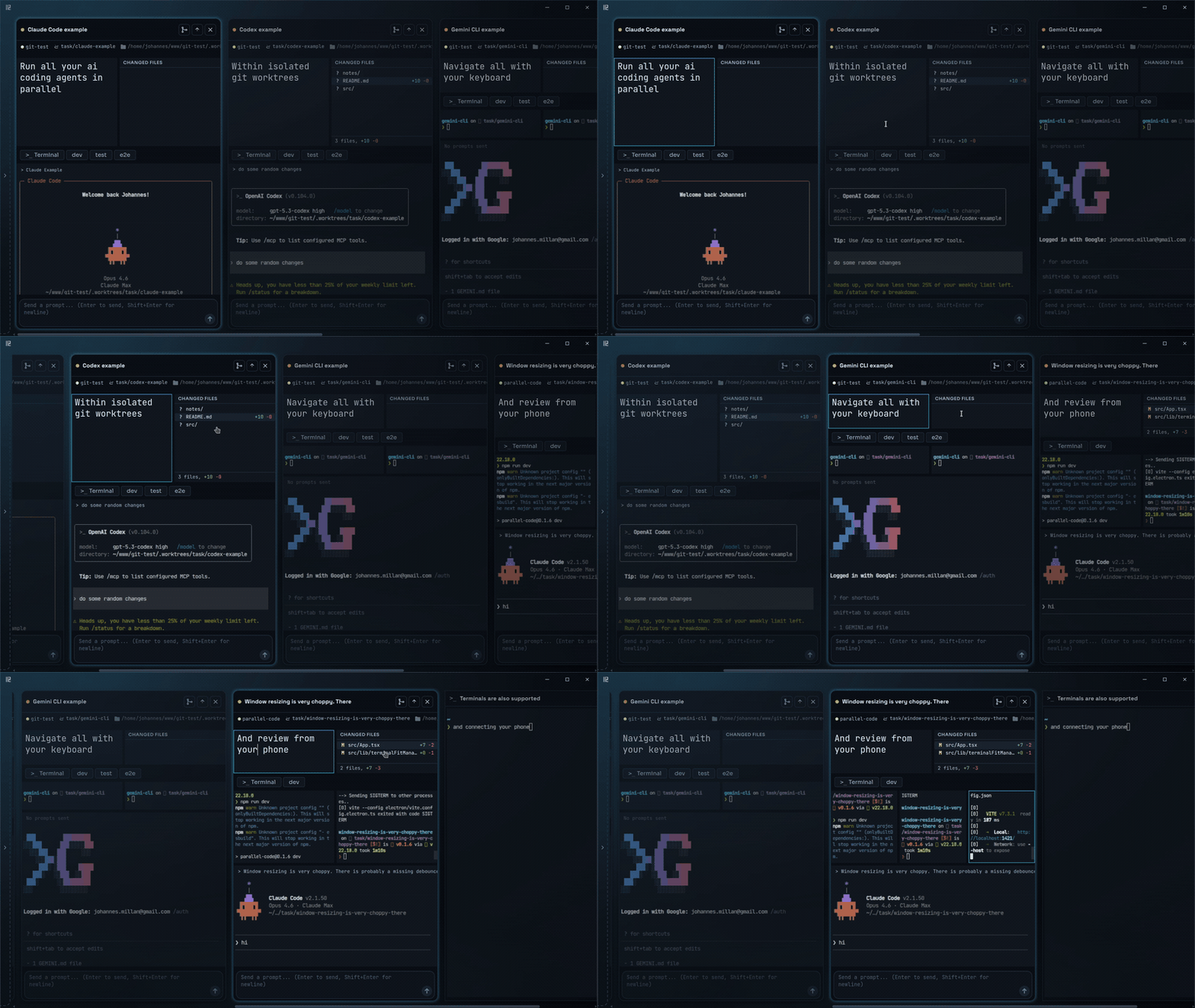
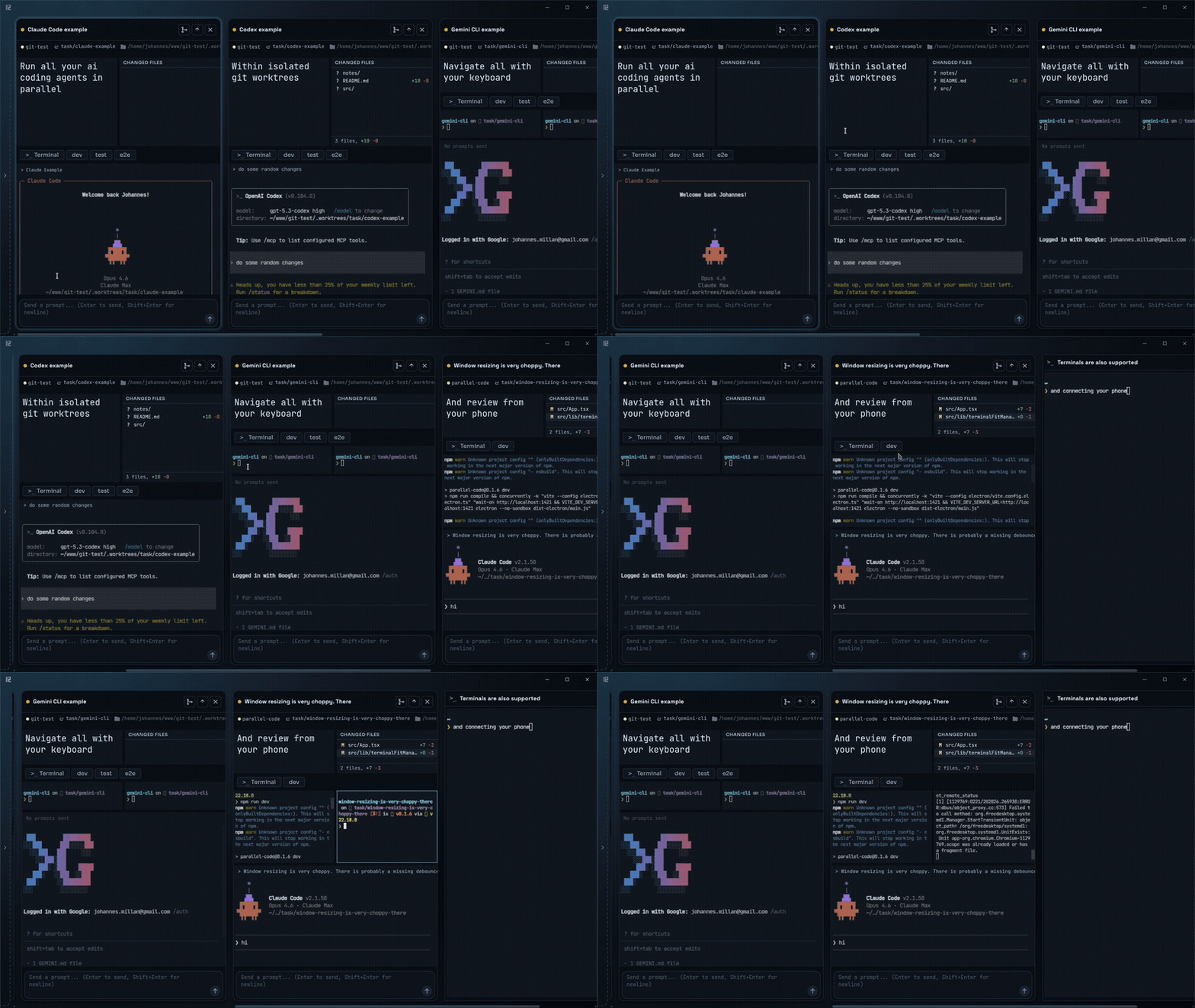
| Multiple agents in parallel | Focused view on a single task |
|---|---|
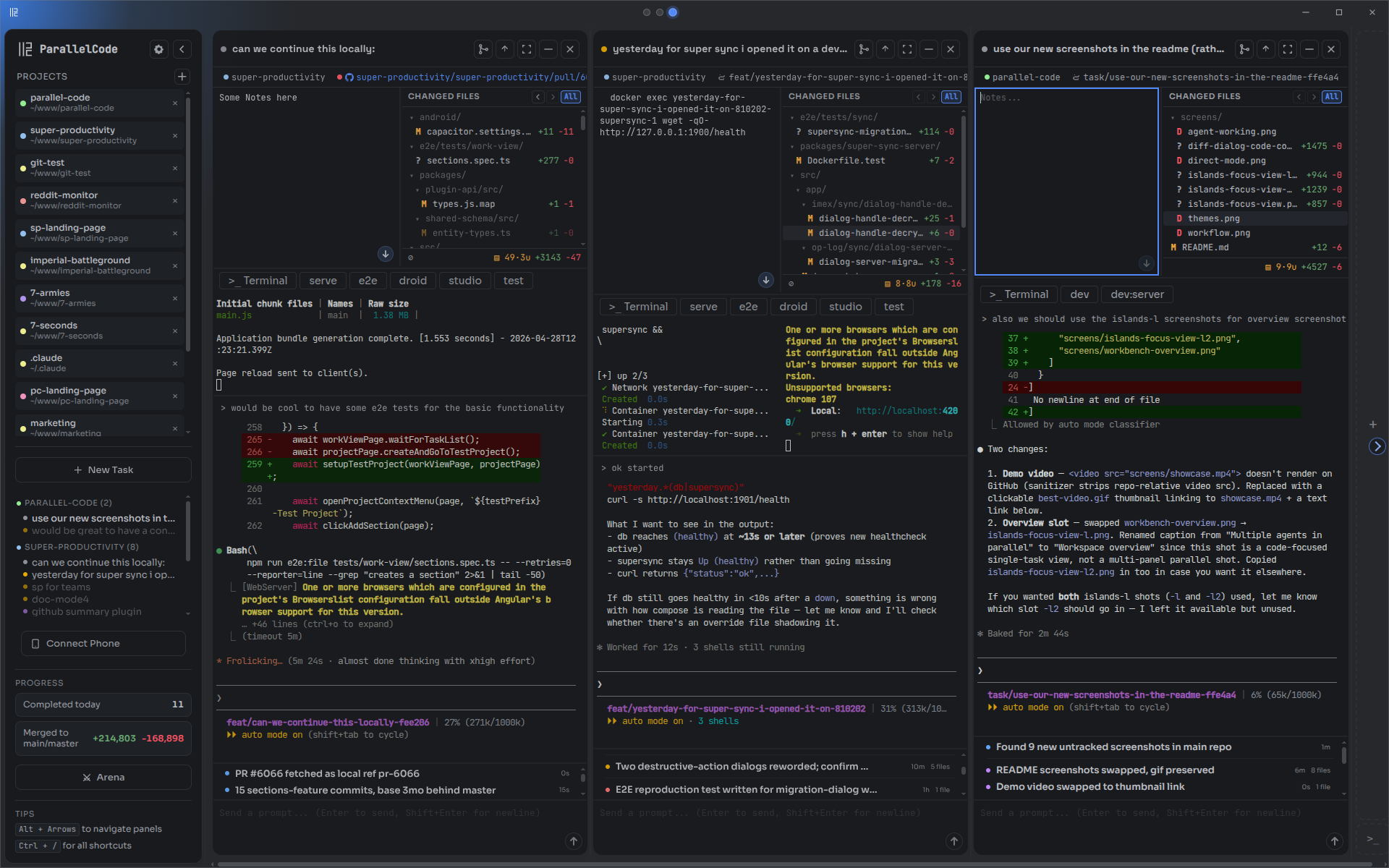 | 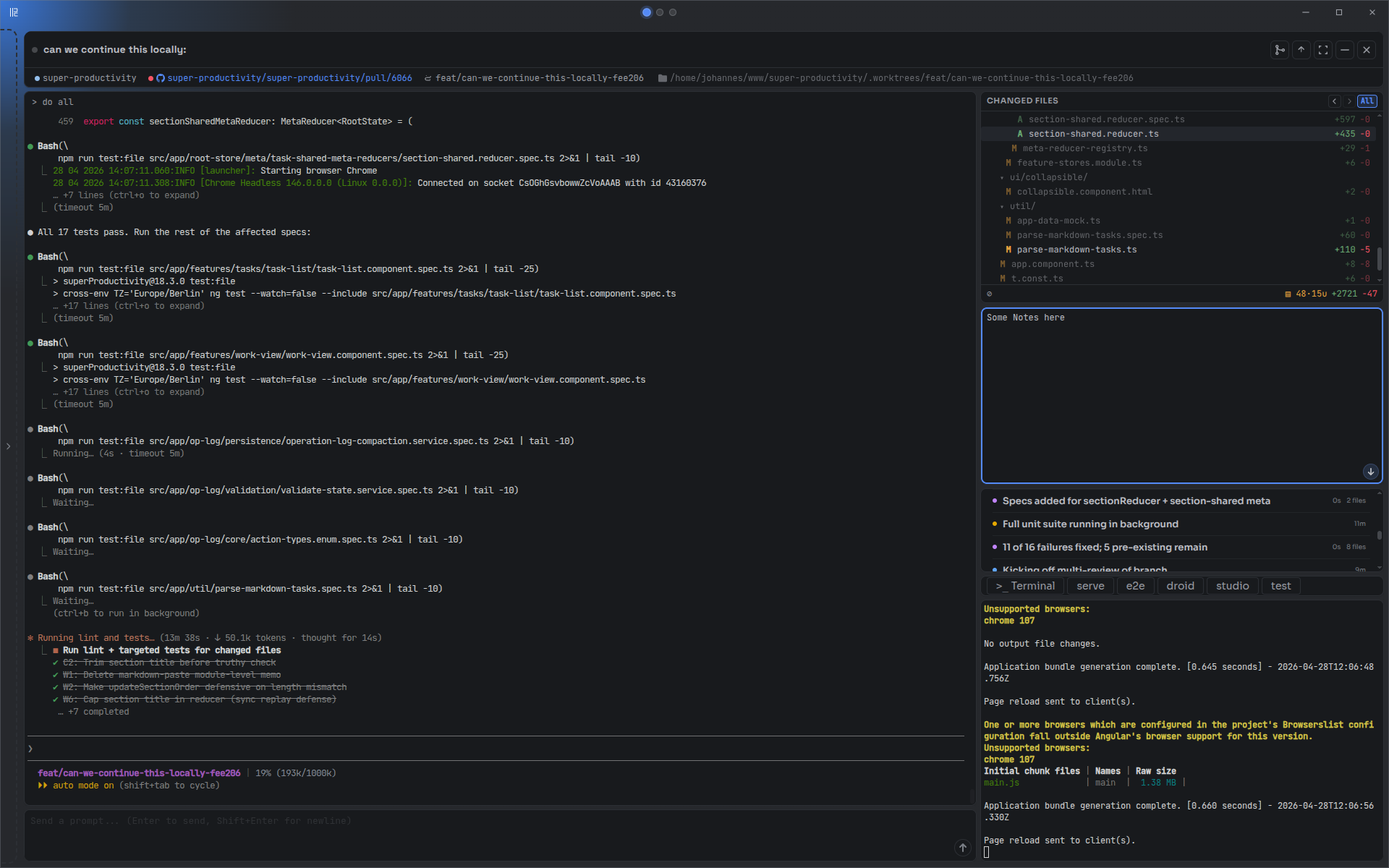 |
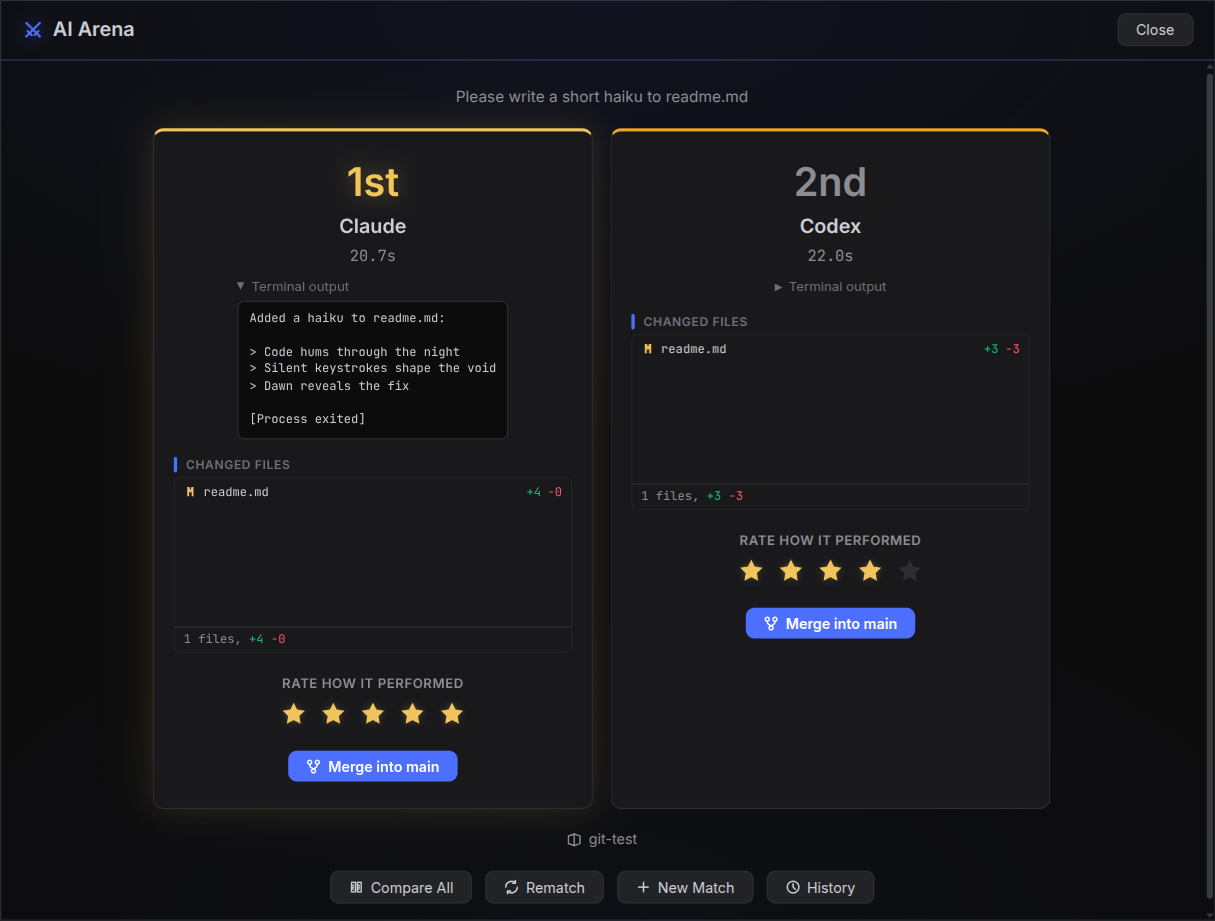
| Diff review with inline comments | AI Arena — race agents head-to-head |
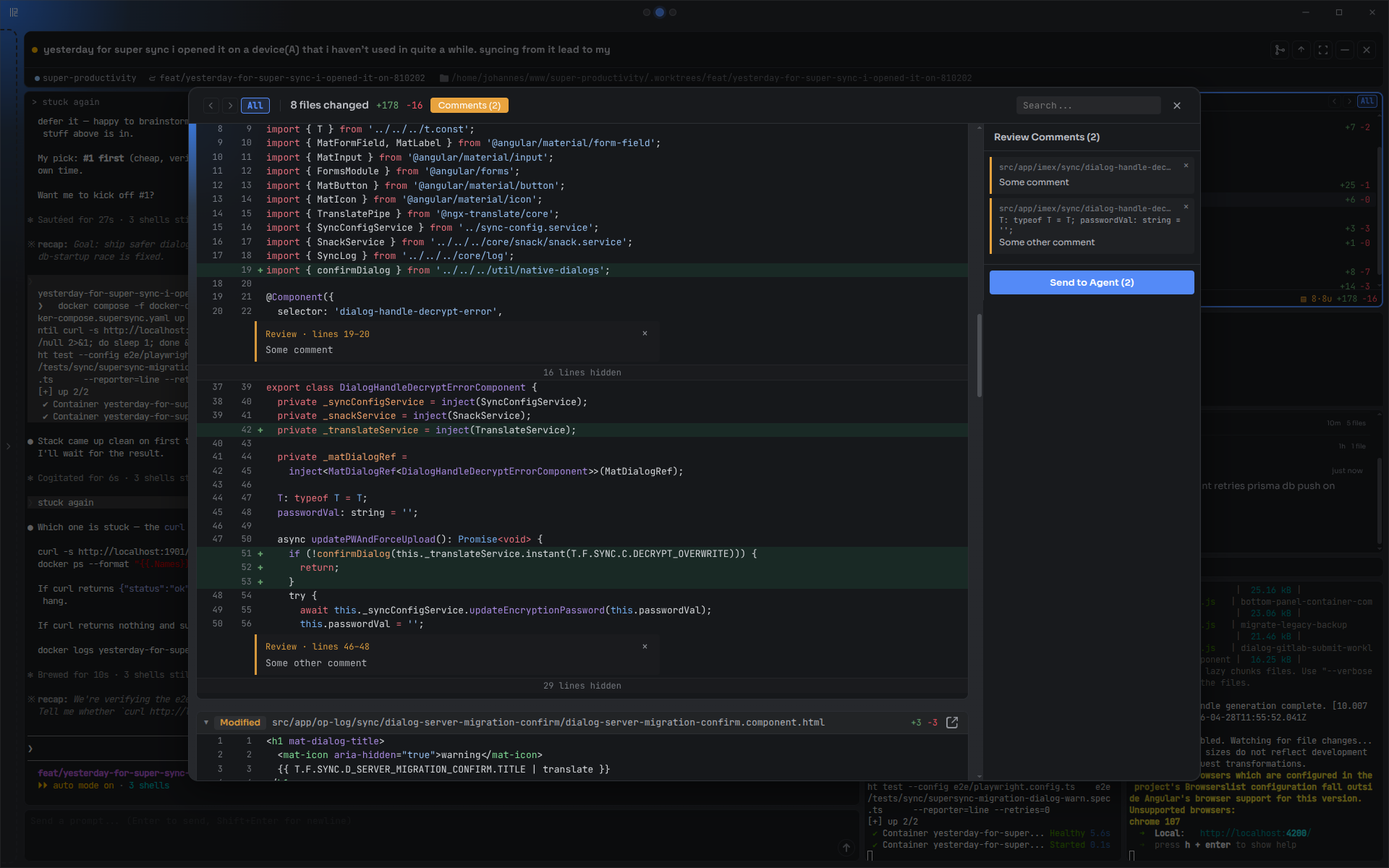 |  |
| Approach | What's missing |
|---|---|
| Multiple terminal windows / tmux | No GUI, no automatic git isolation — you manage worktrees, branches, and merges by hand |
| VS Code extensions (Kilo Code, Roo Code, etc.) | Tied to VS Code; no true parallel worktree isolation between agents |
| Running agents sequentially | One task at a time — blocks your workflow while each agent finishes |
When you create a task, Parallel Code:
node_modules and other gitignored directories into the worktreeWhen you're happy with the result, merge the branch back to main from the sidebar.
Ctrl+Shift+F).claude/steps.json).parallel-code/Dockerfile into the project and tasks run inside it
Download the latest release for your platform from the releases page:
.dmg (universal).AppImage or .debInstall at least one AI coding CLI: Claude Code, Codex CLI, Gemini CLI, Antigravity CLI, or Copilot CLI
Open Parallel Code, point it at a git repo, and start dispatching tasks.
Antigravity (agy) signs in interactively and caches credentials in your OS keyring (Keychain/libsecret). The keyring cannot be reached from inside a Linux container — it needs a secret-service daemon the agent container doesn't run — and agy has no API-key fallback, so Docker-isolated Antigravity tasks cannot authenticate. Run Antigravity as a native (non-Docker) task.
The bundled image still ships the agy binary, and ~/.gemini/antigravity-cli (settings/plugins) is shared when "Share agent auth" is enabled, so Docker support is forward-compatible if a file-based or API-key auth path appears later.
git clone https://github.com/johannesjo/parallel-code.git
cd parallel-code
npm install
npm run dev
Requires Node.js v18+.
Ctrl = Cmd on macOS.
| Shortcut | Action |
|---|---|
| Tasks | |
Ctrl+N | New task |
Ctrl+Shift+A | New task (alternative) |
Ctrl+Enter | Send prompt |
Ctrl+Shift+M | Merge task to main |
Ctrl+Shift+P | Push to remote |
Ctrl+W | Close focused terminal session |
Ctrl+Shift+W | Close active task |
| Navigation | |
Alt+Arrows | Focus pane/task in arrow direction |
Alt+Shift+Left/Right | Move task (macOS: Ctrl+Shift) |
Ctrl+B | Toggle sidebar |
Ctrl+Shift+F | Toggle focus mode |
| Terminals | |
Ctrl+Shift+T | New shell terminal |
Ctrl+Shift+D | New standalone terminal |
| App | |
Ctrl+, | Open settings |
Ctrl+/ or F1 | Show all shortcuts |
Ctrl+0 | Reset zoom |
Ctrl+Scroll | Adjust zoom |
Escape | Close dialog |
If Parallel Code saves you time, consider giving it a star on GitHub. It helps others find the project.
MIT
Sign in to join the discussion.
No comments yet. Be the first to say what this is good for.
🪨 why use many token when few token do trick — Claude Code skill that cuts 65% of tokens by talking like caveman

The best-benchmarked open-source AI memory system. And it's free.

Orca is the ADE for working with a fleet of parallel agents. Run any coding agent with your own subscription. Available on desktop, mobile and remote runtime.

A cross-platform desktop All-in-One assistant for Claude Code, Codex, OpenCode, OpenClaw, Grok Build & Hermes Agent. Only official website: ccswitch.io

Never stop coding. Free MIT AI gateway: one endpoint, 352 providers (150+ free), 1200+ models Kimi, Claude, GPT, Gemini, GLM, DeepSeek, MiniMax. Works with Claude Code, Codex, Cursor, OpenCode, Cline & Copilot. Quota-aware auto-fallback, RTK+Caveman compression saves 15-95% tokens, MCP/A2A, Desktop/PWA. Built by 550+ contributors

Compress tool outputs, logs, files, and RAG chunks before they reach the LLM. 20% fewer tokens for coding agents, 60-95% fewer tokens for JSON, same answers. Library, proxy, MCP server.