
JuliusBrussee/
caveman

🪨 why use many token when few token do trick — Claude Code skill that cuts 65% of tokens by talking like caveman
105k
1 add
GitScape compiles GitHub repositories into agent skills and code digests, then runs them through ScapeGuard before installation. The backend handles cloning, parsing, and scanning, while the CLI and MCP server let editors download, install, scan, or remove skills in a local workspace.
Builders who want their agent workspace to compile repos into reusable skills and block risky content before install.
You can turn a GitHub repo into a checked skill instead of feeding raw code to your agent.
Builds a `SKILL.md` package with a `references/` folder from a GitHub repository.
Scans compiled skills for prompt injection, secrets, data exfiltration, malicious execution, and other risks before install.
Exposes `install_skill` and `uninstall_skill` through MCP for supported editors.
Provides `npx gitscape`, `npx gitscape init`, `npx gitscape scan`, and `npx gitscape remove` commands.
Supports browsing and downloading pre-compiled skills from the registry, including NVIDIA-curated entries.
Generates D3-based visualizations for exploring repository structure and dependencies.
GitScape/
├── frontend/  # React 19 + TypeScript frontend (Vite, Tailwind CSS, D3)
├── backend/   # FastAPI backend (Python 3.10, Docker, Google Cloud Run)
└── cli/       # Node.js zero-dependency CLI (calls backend API, writes locally)
ingest → parse → classify → extract → sanitize → assemble → scan (ScapeGuard Gate) → package
# On-demand execution (Recommended)
npx gitscape [command] [options]

# Global installation
npm install -g gitscape
npx gitscape init
npx gitscape https://github.com/owner/repo
npx gitscape scan https://github.com/owner/repo
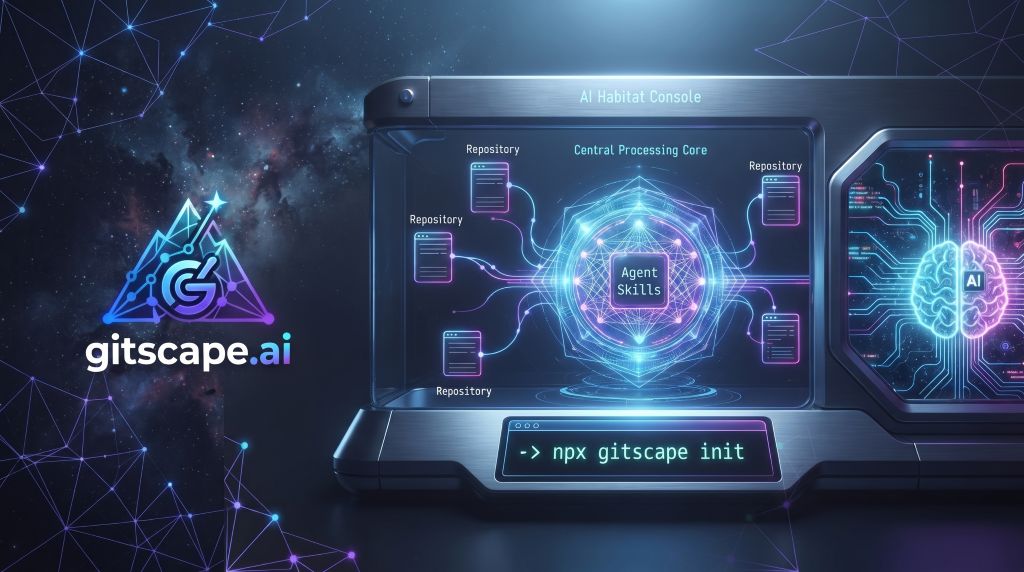
The open-source repository compiler, security gate, and Model Context Protocol (MCP) server for AI agents.
⚡ Instantly compile any GitHub codebase into context-efficient, verified Agent Skills for Cursor, Windsurf, and Claude Code.



gitscape.ai • What is GitScape • Key Features • Architecture • MCP & CLI • ScapeGuard • Development
GitScape is an open-source platform, developer tool, and Model Context Protocol (MCP) server that resolves the "token bloat" and safety challenges of pair programming with AI agents.
Rather than feeding raw, unorganized source code to your AI assistant, GitScape compiles any public or private GitHub repository into a progressively-disclosed Agent Skill (SKILL.md + a structured references/ directory) and a clean flat text Code Digest. This allows agents (Cursor, Windsurf, Claude Code, Agno, etc.) to comprehend complex codebases instantly at a fraction of the token cost.
GitScape is designed to be stateless and database-free—running all repository cloning, Tree-sitter parsing, and security audits on the fly in the request lifecycle.
install_skill and uninstall_skill tools directly to AI editors, allowing them to download and configure skills on your behalf.gitscape) — A lightweight Node.js utility to compile repositories, scan files, and manage local agent skill configurations on the fly.GitScape is structured as a monorepo containing three workspaces:
GitScape/
├── frontend/  # React 19 + TypeScript frontend (Vite, Tailwind CSS, D3)
├── backend/   # FastAPI backend (Python 3.10, Docker, Google Cloud Run)
└── cli/       # Node.js zero-dependency CLI (calls backend API, writes locally)
graph TD
    %% CLI & MCP Clients
    CLI["npx gitscape CLI (Local Node.js)"]
    Editor["Cursor / Windsurf / Claude Code (MCP Client)"]

    %% Main Applications
    Web["Frontend (React 19 + TypeScript)"]
    API["Backend (FastAPI on Cloud Run)"]

    %% Integrations
    GitHub["GitHub API / sparse clone"]
    Gemini["Google Gemini API (HD Mode)"]

    %% Local Filesystem
    LocalFiles["Local Workspace (.agents/skills/, AGENTS.md, .mcp.json)"]

    %% Flows
    Web -- "HTTP/WebSocket" --> API
    CLI -- "POST /api/mcp/call" --> API
    Editor -- "MCP HTTP Protocol" --> API

    API -- "Clone Repo" --> GitHub
    API -- "LLM Prose" --> Gemini

    CLI -- "Write Skill files" --> LocalFiles
    Editor -- "Write Skill files" --> LocalFiles
The SkillForge pipeline parses a codebase digest and packages it into a high-quality, progressively-disclosed Agent Skill using Tree-sitter for deterministic API signature extraction, code mining, and dependency parsing.
ingest → parse → classify → extract → sanitize → assemble → scan (ScapeGuard Gate) → package
When compiled and written, a skill contains:
<owner-repo>/
├── SKILL.md            # Token-budgeted entry point linking to references
├── references/         # Progressive disclosure documentation
│   ├── api.md          # Public API symbols, classes, and function signatures
│   ├── architecture.md # Monorepo, directory, and workspace layouts
│   ├── examples.md     # Mined, deduplicated code examples (excluding tests)
│   ├── setup.md        # Commands, prerequisites, and env vars
│   └── config.md       # Configuration files and JSON schemas
├── exporters/          # Autogenerated Google ADK + Agno wrappers
│   └── adk_wrapper.py
└── manifest.json       # Digest hash + provenance metadata + ScapeGuard scan status
| Tier | Output Description | Dependencies | Speed / Latency |
|---|---|---|---|
| Standard (Default) | Deterministically generated skill structure via Tree-sitter. | None | Instant, free |
| HD | Enriches the skill structure with LLM-generated prose description. | GEMINI_API_KEY (Server-side) | Low latency, high quality |
Because repository digests contain untrusted user code, prompt injections, hardcoded keys, or malicious execution blocks could exploit your AI agent's execution capabilities.
To counter this, GitScape routes every compilation and scan through ScapeGuard—a Python-based static analysis engine that checks 55+ rules across 9 threat categories, assigning an A–F grade and a numeric Risk Score.
--force or manual consent).422 Unprocessable Entity).GS-INJ / AST01 / LLM01) — System command overrides and instruction hijacking.GS-SEC / AST05 / LLM02) — Embedded API keys, tokens, and private keys.GS-EXF / AST04 / LLM02) — Code exfiltrating details to external hosts.GS-EXE / AST02 / LLM05) — Destructive commands, shell execution, or remote scripts.GS-DEP / AST03 / LLM03) — Typosquatted, unpinned, or compromised dependencies scanned via OSV.dev.GS-OBF / AST06 / LLM01) — Unicode homoglyphs, zero-width space payloads, or encoded text.GS-CNT / AST07 / LLM08) — Dynamic external fetches.GS-AGY / AST08 / LLM06) — Config tampering or safety-bypass flags.GS-STR) — Package verification and validation of file structures.GitScape supports two ways of integrating skills directly into your local IDE workspace:
Exposes the compiler tools to Cursor, Windsurf, and Claude, allowing them to install, update, and uninstall skills on your behalf.
GitScapessehttps://gitscape-143600285956.us-central1.run.app/api/mcp (or http://127.0.0.1:8081/mcp for local development)Add this server block to your claude_desktop_config.json:
{
  "mcpServers": {
    "gitscape": {
      "command": "npx",
      "args": [
        "-y",
        "gitscape",
        "init"
      ]
    }
  }
}
The CLI is a lightweight, zero-dependency Node utility to manage agent skills from your terminal.
# On-demand execution (Recommended)
npx gitscape [command] [options]

# Global installation
npm install -g gitscape
.mcp.json referencing the compilation server:
npx gitscape init
.agents/skills/<repo-slug>/:
npx gitscape https://github.com/owner/repo
F, the installation is blocked. Override with --accept-risk.npx gitscape scan https://github.com/owner/repo
AGENTS.md and CLAUDE.md):
npx gitscape remove <skill-name>
cd frontend
npm install
npm run dev
# Default: http://localhost:5173
To point the UI to a local backend instead of the production API, create frontend/.env.local:
VITE_API_HOST=localhost:8081
The backend uses uv for package management.
cd backend
# Create and activate virtual environment
uv venv
source .venv/bin/activate  # On Windows: .venv\Scripts\activate

# Sync dependencies and configure environment
uv sync
cp .env.example .env

# Start FastAPI development server
uv run uvicorn main:app --reload --port 8081
# Swagger Docs: http://localhost:8081/docs
cd backend
uv run pytest -v
Optimized Dockerfiles are provided for isolated deployments:
# Build and run Frontend
cd frontend
docker build -t gitscape_web .
docker run -p 8080:8080 gitscape_web

# Build and run Backend
cd backend
docker build -t gitscape_api .
docker run -p 8081:8081 gitscape_api
Refer to the workspace-specific README files in frontend/README.md and backend/README.md for automated Cloud Build and Cloud Run deployment scripts.
We welcome contributions to the GitScape compiler, security analyzer, and CLI client!
git checkout -b feature/cool-new-feature
frontend/, backend/, or cli/).This project is licensed under the Apache License 2.0.
Third-party dependencies and derived static-analysis signatures are credited in THIRD_PARTY_NOTICES.md — notably the ScapeGuard security gate, which borrows patterns and rule configurations from the NVIDIA SkillSpector (Apache-2.0) project.
Created with ❤️ by João Machete and the open-source community. If you like GitScape, please ⭐️ the repo and share your feedback!
Sign in to join the discussion.
No comments yet. Be the first to say what this is good for.
🪨 why use many token when few token do trick — Claude Code skill that cuts 65% of tokens by talking like caveman

The best-benchmarked open-source AI memory system. And it's free.

Orca is the ADE for working with a fleet of parallel agents. Run any coding agent with your own subscription. Available on desktop, mobile and remote runtime.

A cross-platform desktop All-in-One assistant for Claude Code, Codex, OpenCode, OpenClaw, Grok Build & Hermes Agent. Only official website: ccswitch.io

Never stop coding. Free MIT AI gateway: one endpoint, 352 providers (150+ free), 1200+ models Kimi, Claude, GPT, Gemini, GLM, DeepSeek, MiniMax. Works with Claude Code, Codex, Cursor, OpenCode, Cline & Copilot. Quota-aware auto-fallback, RTK+Caveman compression saves 15-95% tokens, MCP/A2A, Desktop/PWA. Built by 550+ contributors

Compress tool outputs, logs, files, and RAG chunks before they reach the LLM. 20% fewer tokens for coding agents, 60-95% fewer tokens for JSON, same answers. Library, proxy, MCP server.