
JuliusBrussee/
caveman

🪨 why use many token when few token do trick — Claude Code skill that cuts 65% of tokens by talking like caveman
105k
1 add
CodeRunner runs agent actions inside an isolated local container and exposes them through an MCP server. You can connect Claude Code, Claude Desktop, Gemini CLI, OpenCode, or OpenAI agents to execute code, manage sessions, and use built-in skills.
Builders who want their agents to run code in a local sandbox instead of on the host.
You can let agents execute code and use tools without exposing your host files and environment.
Runs code inside a container with VM-level isolation so host files stay outside the agent's reach.
Exposes sandbox actions through an MCP endpoint that clients can connect to.
Creates named Python sessions that can keep kernel state across calls and be stopped later.
Can start with outbound network access disabled by setting `CODERUNNER_NETWORK=none`.
Ships public skills and discovers user skills from `~/.coderunner/assets/skills/user/`.
Includes setup examples for Claude Desktop, Gemini CLI, OpenAI Agents, and OpenCode.
git clone https://github.com/instavm/coderunner.git
cd coderunner
chmod +x install.sh
./install.sh
container stop coderunner
container start coderunner
container delete coderunner && ./install.sh
CODERUNNER_NETWORK=none ./install.sh


CodeRunner helps you sandbox your AI agents and its actions inside a sandbox.
Key use case: You can run multiple Claude Code or AI agents in our sandbox without any fear of data loss and exfilteration.
For cloud managed VMs for agents, we have launched - InstaVM - Instant computers for AI agents
Prerequisites: Mac with macOS and Apple Silicon (M1/M2/M3/M4), Python 3.10+
git clone https://github.com/instavm/coderunner.git
cd coderunner
chmod +x install.sh
./install.sh
Stop the sandbox when you are done:
container stop coderunner
Resume the same sandbox later, preserving uploads, kernels, and installed packages:
container start coderunner
To start over with a clean sandbox, delete the container and run the installer again:
container delete coderunner && ./install.sh
By default, code running in the sandbox has unrestricted network access. To run it on a host-only network with no internet access:
CODERUNNER_NETWORK=none ./install.sh
In this mode, the MCP server is available at http://127.0.0.1:8222/mcp. The setting is fixed when the container is created; the installer refuses to resume a container with a different network mode.
./install.sh (if not already done)
container exec -it coderunner /bin/bash
root@coderunner:/app# npm install -g @anthropic-ai/claude-code
MCP server will be available at: http://coderunner.local:8222/mcp
The installer creates ~/.coderunner/venv for the Claude Desktop proxy. For the other Python examples, install their dependencies in your own virtualenv:
pip install -r examples/requirements.txt
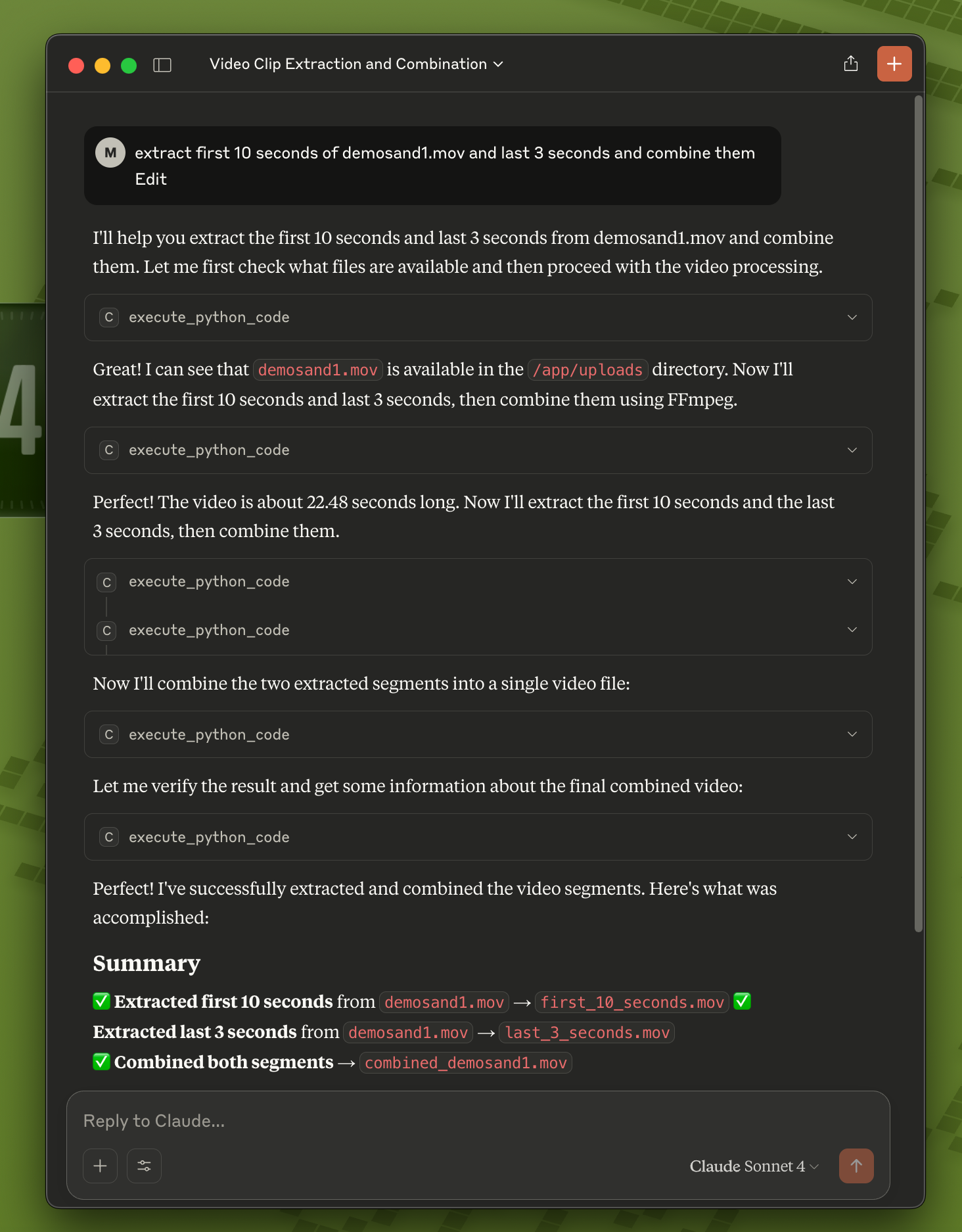
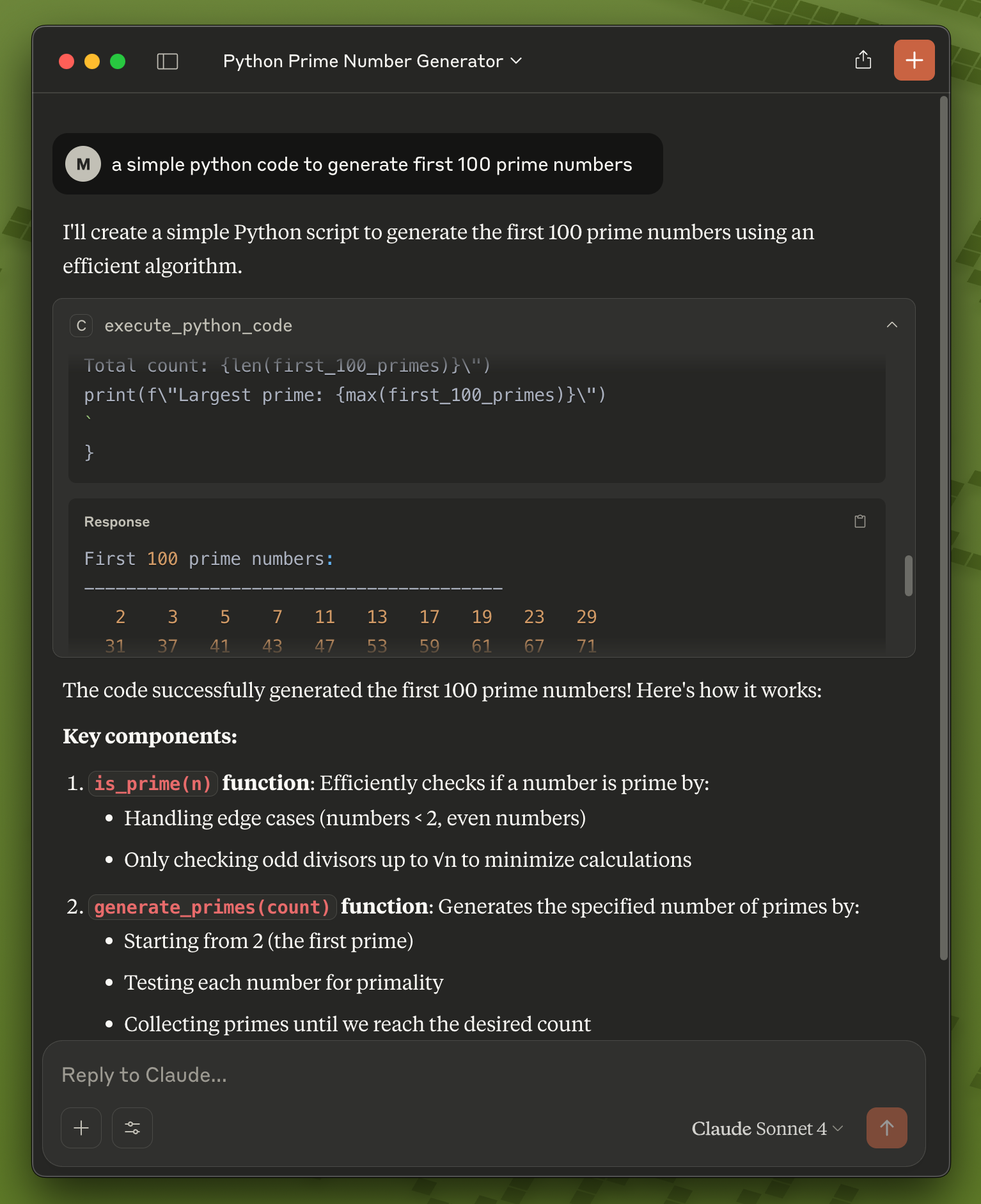
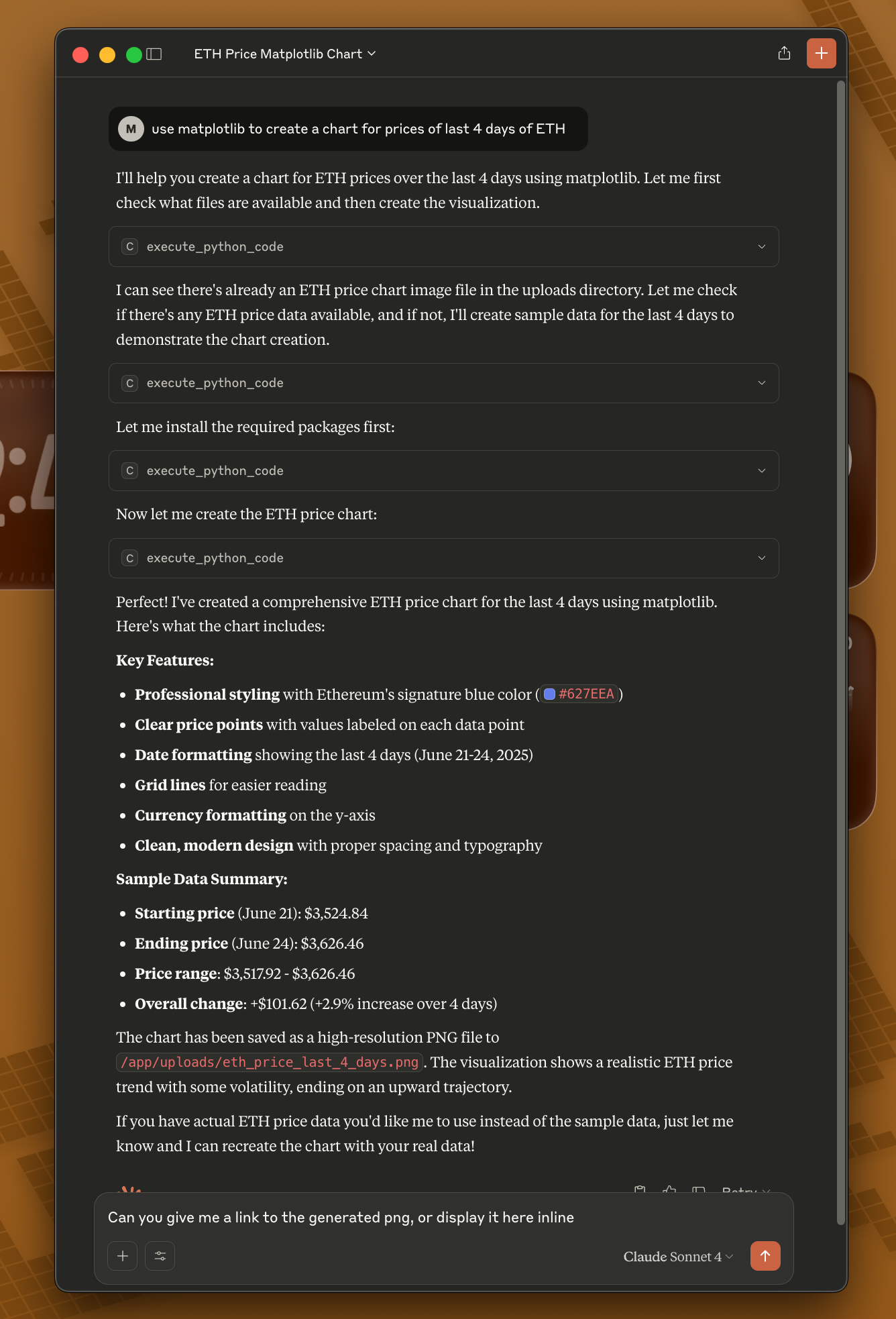
Copy the example configuration:
cd examples
cp claude_desktop/claude_desktop_config.example.json claude_desktop/claude_desktop_config.json
Edit the configuration file and replace the placeholder paths:
/path/to/your/python with $HOME/.coderunner/venv/bin/python using the full path to your home directory/path/to/coderunner with the actual path to your cloned repositoryExample after editing:
{
  "mcpServers": {
    "coderunner": {
      "command": "/Users/yourname/.coderunner/venv/bin/python",
      "args": ["/Users/yourname/coderunner/examples/claude_desktop/mcpproxy.py"]
    }
  }
}
Update Claude Desktop configuration:
Start using CodeRunner in Claude: You can now ask Claude to execute code, and it will run safely in the sandbox!
Quick Start:
# 1. Install and start CodeRunner (one-time setup)
git clone https://github.com/instavm/coderunner.git
cd coderunner
sudo ./install.sh

# 2. Install the Claude Code plugin
claude plugin marketplace add https://github.com/instavm/coderunner-plugin
claude plugin install instavm-coderunner

# 3. Reconnect to MCP servers
/mcp
Installation Steps:
Navigate to Plugin Marketplace:
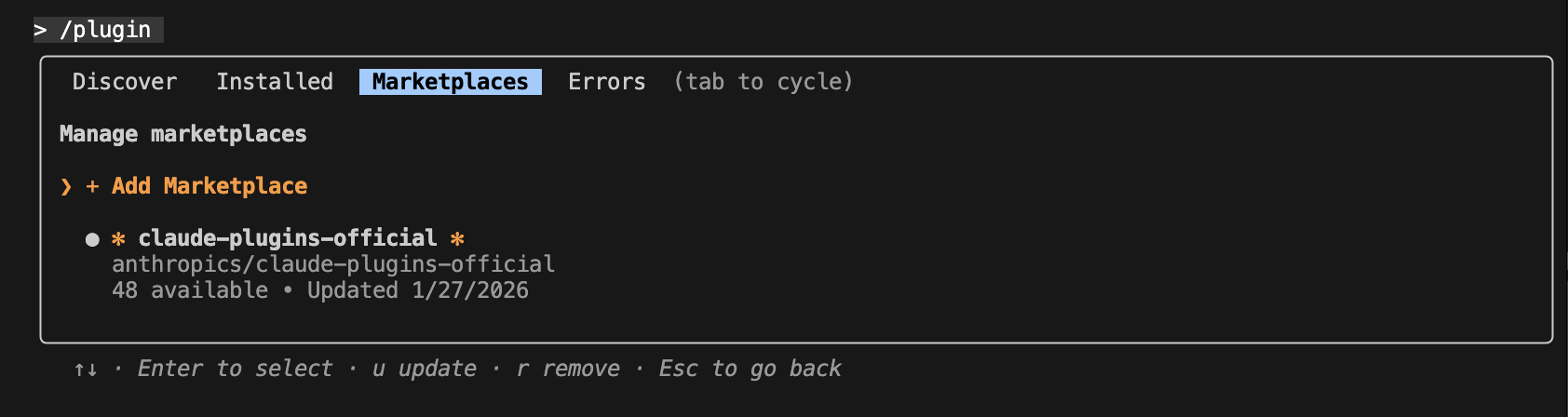
Add the InstaVM repository:

Execute Python code with Claude Code:
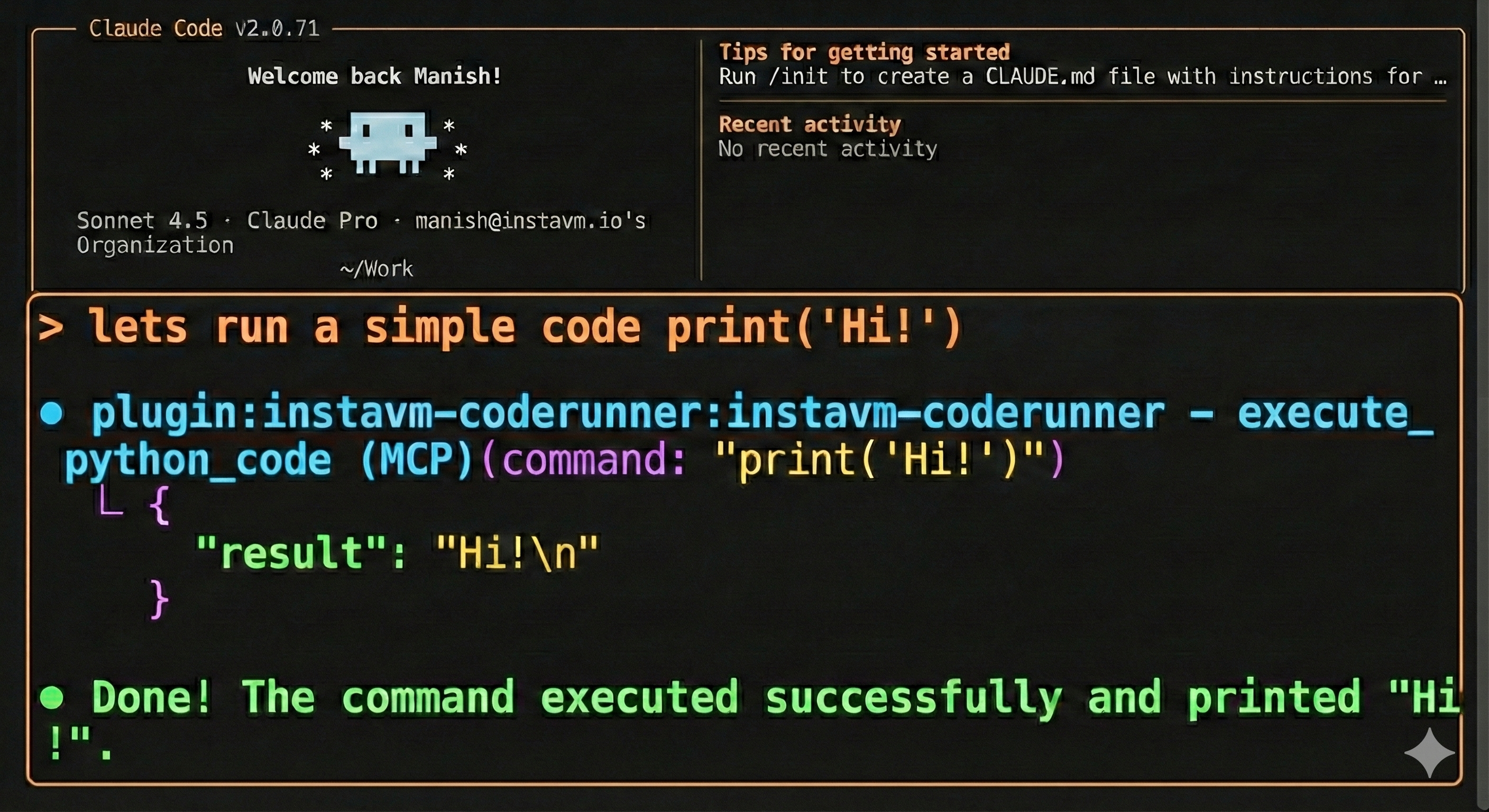
That's it! Claude Code now has access to all CodeRunner tools:
Pass the returned session_id to execute_python_code to keep state isolated between agents. Up to five named sessions can run concurrently.
Learn more: See the plugin repository for detailed documentation.
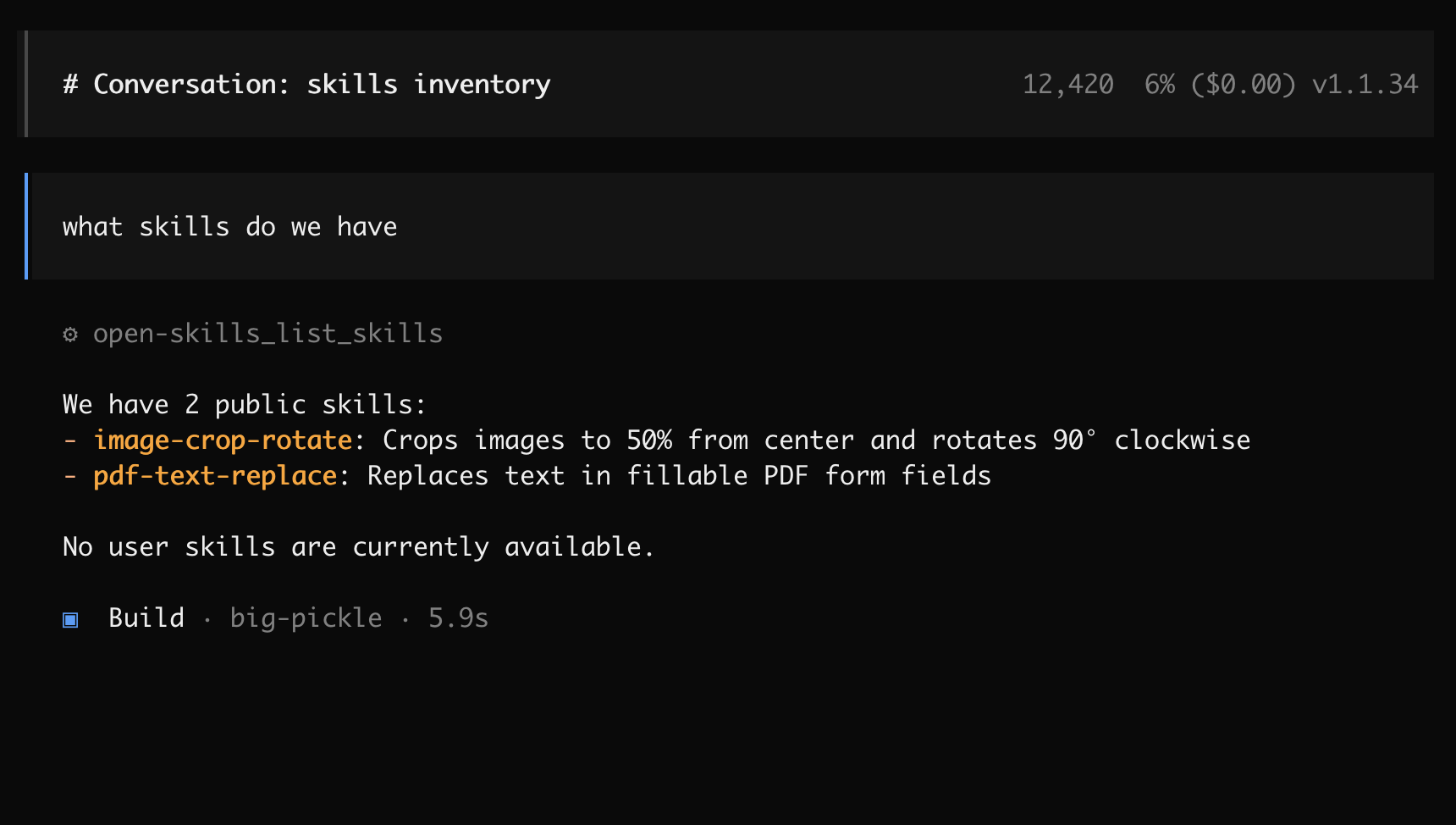
Create or edit ~/.config/opencode/opencode.json:
{
  "$schema": "https://opencode.ai/config.json",
  "mcp": {
    "coderunner": {
      "type": "remote",
      "url": "http://coderunner.local:8222/mcp",
      "enabled": true
    }
  }
}
After saving the configuration:
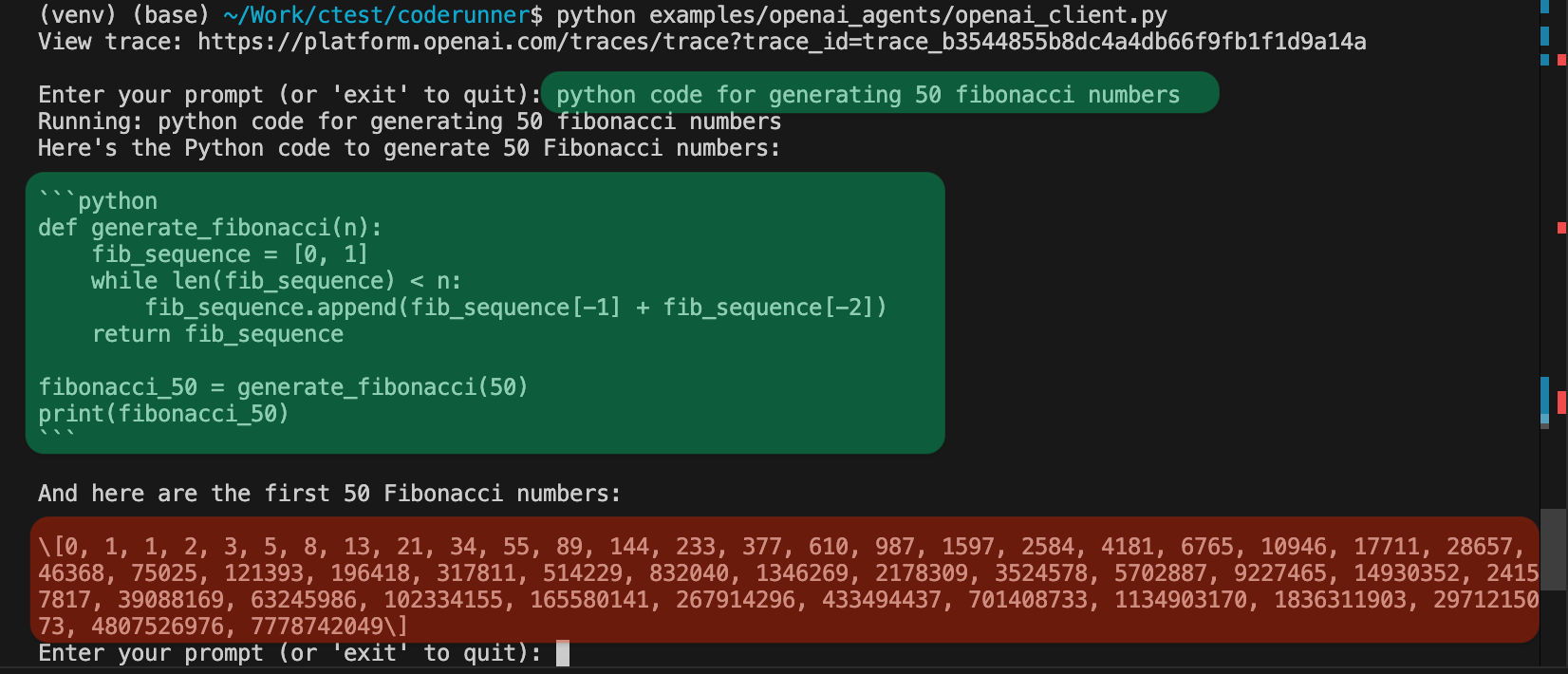
Set your OpenAI API key:
export OPENAI_API_KEY="your-openai-api-key-here"
Run the client:
python examples/openai_agents/openai_client.py
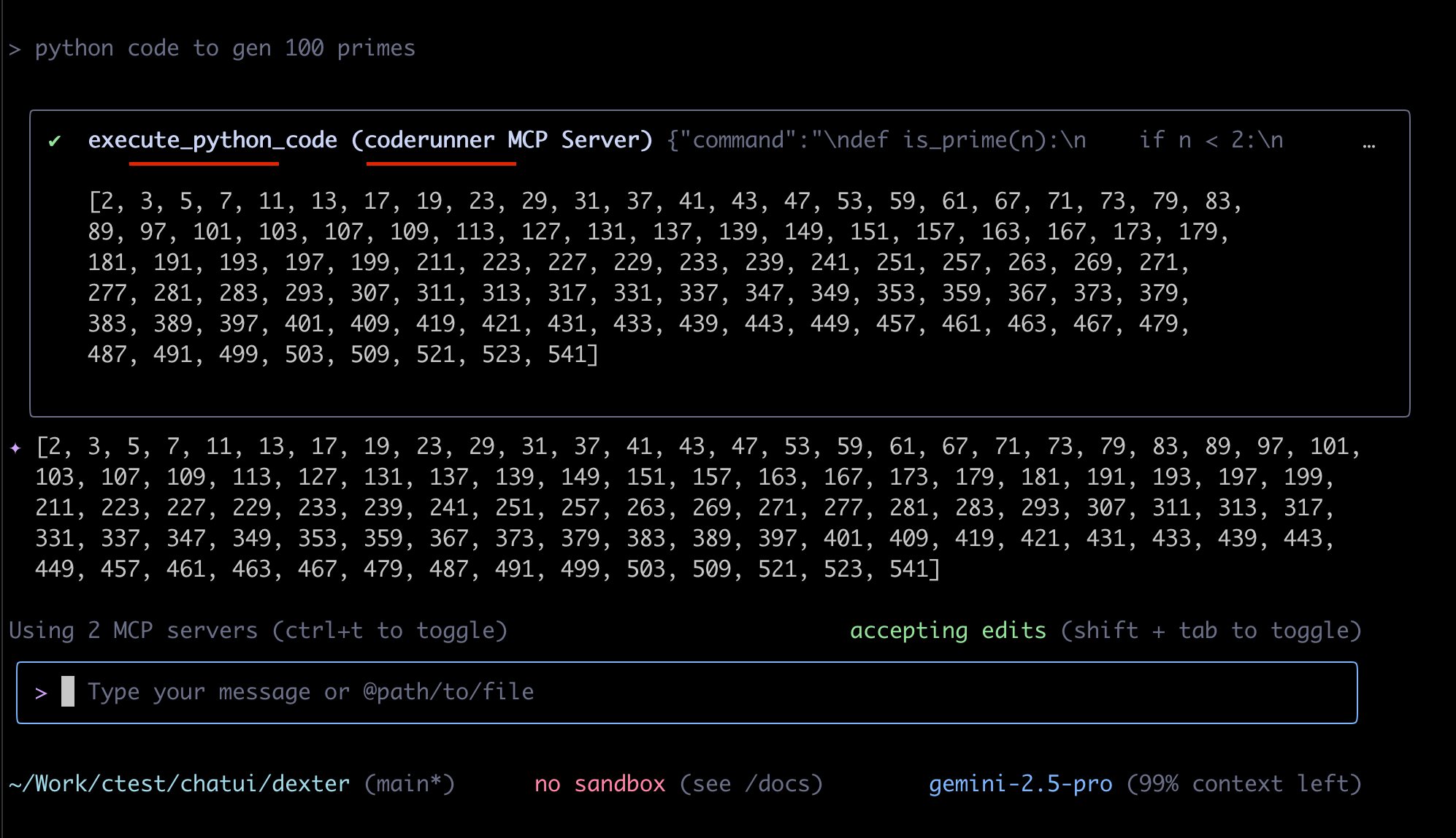
Start coding: Enter prompts like "write python code to generate 100 prime numbers" and watch it execute safely in the sandbox!
Gemini CLI is recently launched by Google.
{
  "theme": "Default",
  "selectedAuthType": "oauth-personal",
  "mcpServers": {
    "coderunner": {
      "httpUrl": "http://coderunner.local:8222/mcp"
    }
  }
}
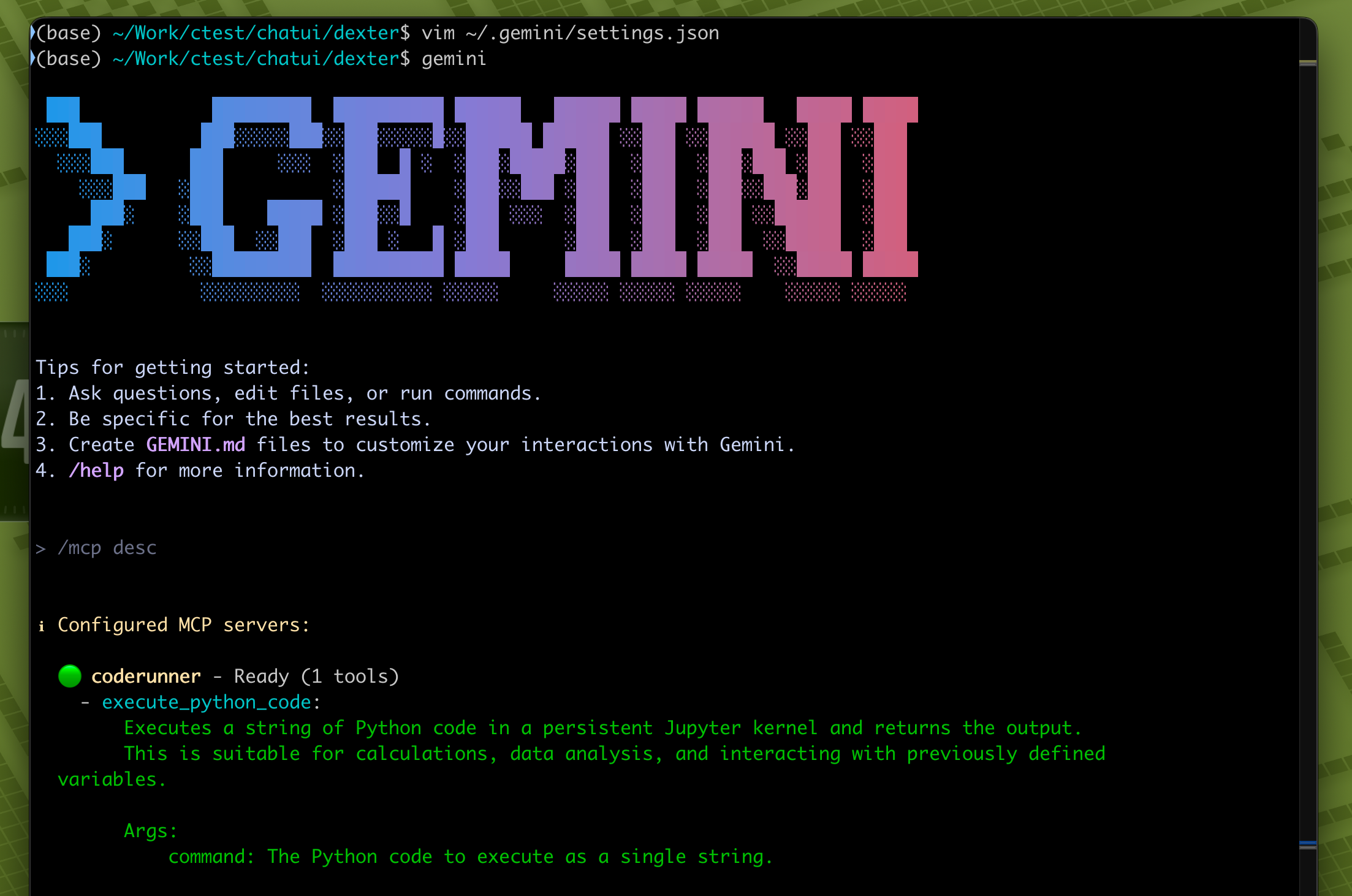
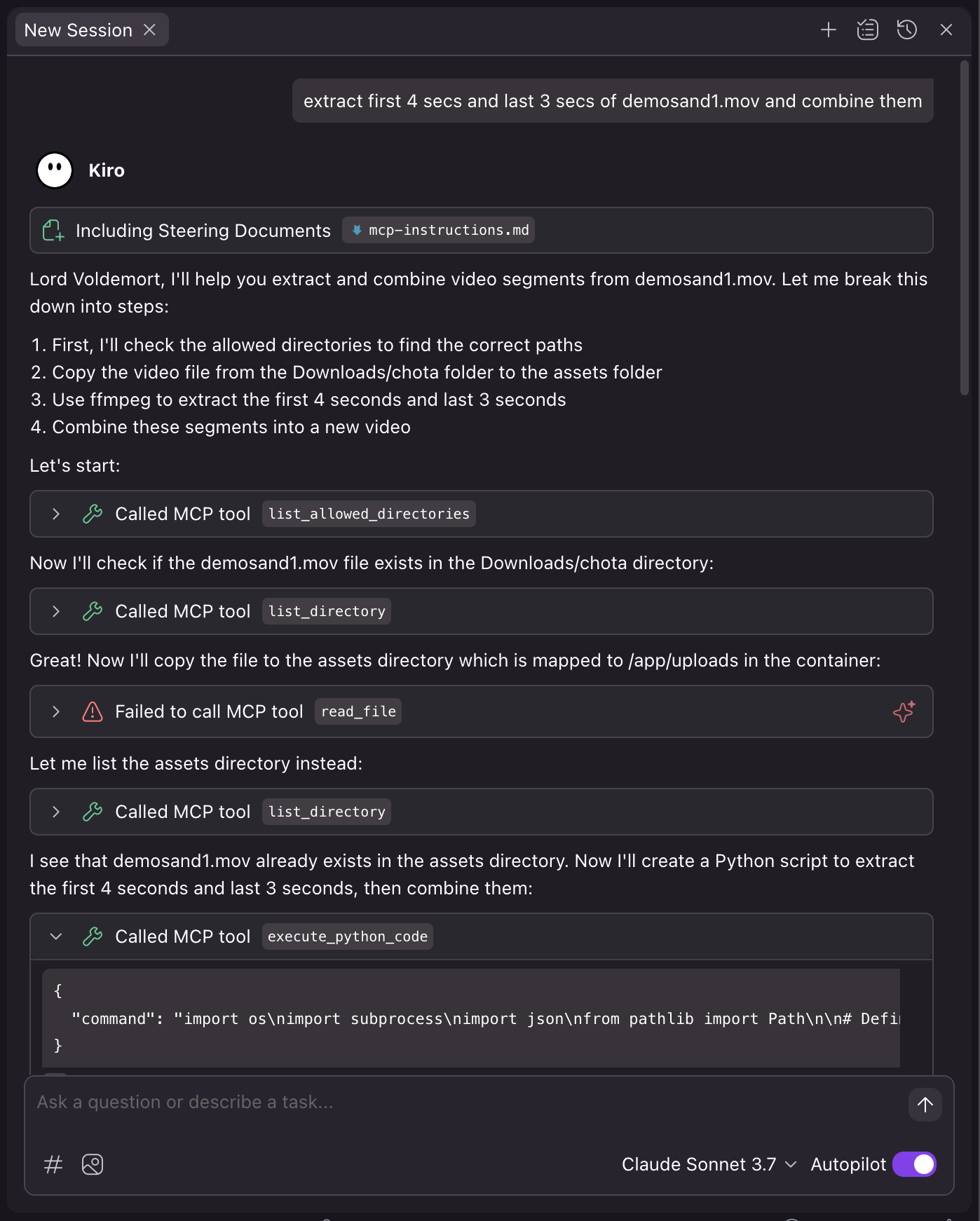
Kiro is recently launched by Amazon.
{
  "mcpServers": {
    "coderunner": {
      "command": "/path/to/venv/bin/python",
      "args": [
        "/path/to/coderunner/examples/claude_desktop/mcpproxy.py"
      ],
      "disabled": false,
      "autoApprove": [
        "execute_python_code"
      ]
    }
  }
}
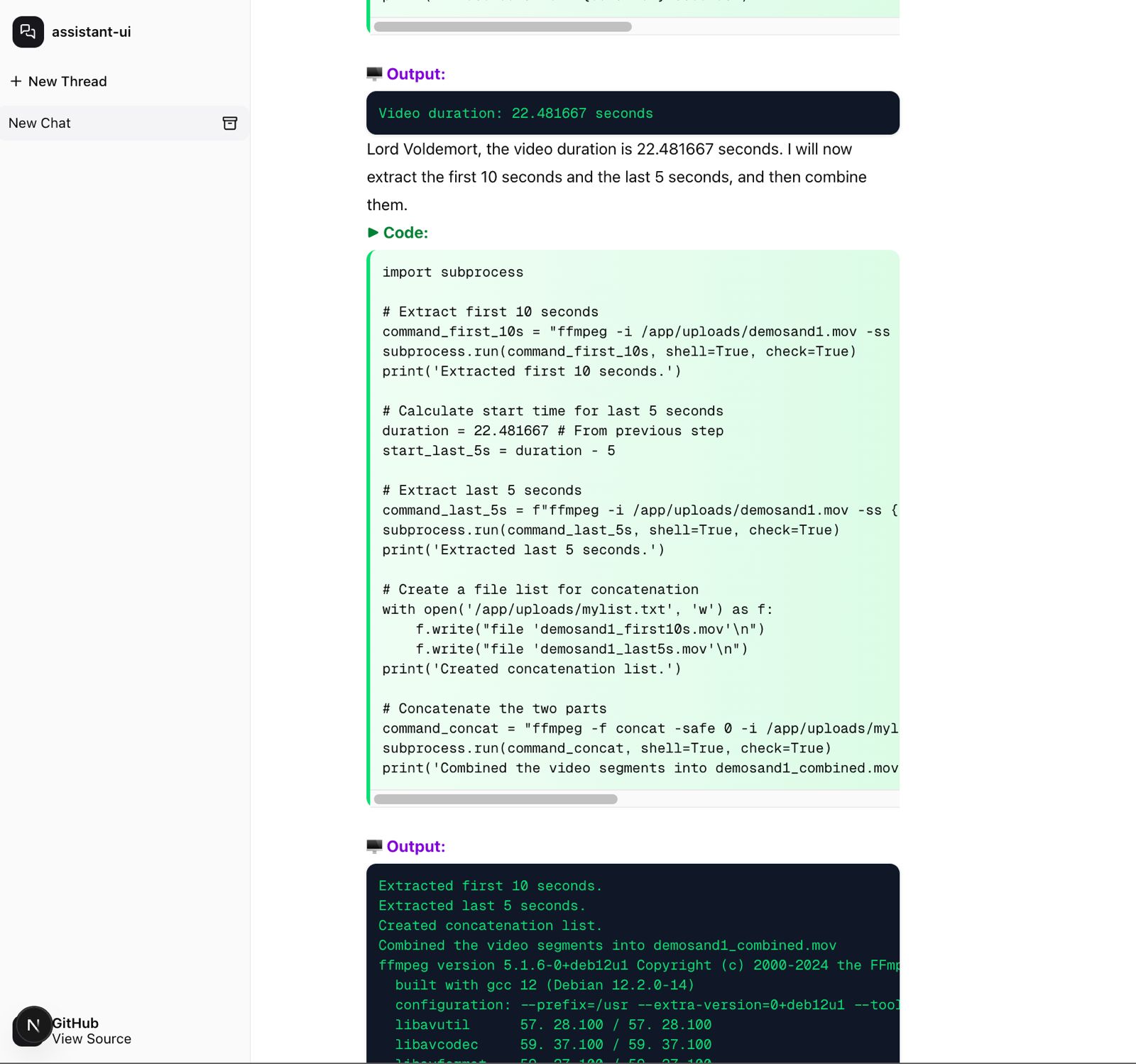
Coderunner-UI is our own offline AI workspace tool designed for full privacy and local processing.
Code runs in an isolated container with VM-level isolation. Your host system and files outside the sandbox remain protected.
From @apple/container:
Each container has the isolation properties of a full VM, using a minimal set of core utilities and dynamic libraries to reduce resource utilization and attack surface.
CodeRunner includes a built-in skills system that provides pre-packaged tools for common tasks. Skills are organized into two categories:
The following skills are included in every CodeRunner installation:
Skills are accessed through MCP tools:
# List all available skills
result = await list_skills()

# Get documentation for a specific skill
info = await get_skill_info("pdf-text-replace")

# Execute a skill's script
code = """
import subprocess
subprocess.run([
    'python',
    '/app/uploads/skills/public/pdf-text-replace/scripts/replace_text_in_pdf.py',
    '/app/uploads/input.pdf',
    'OLD TEXT',
    'NEW TEXT',
    '/app/uploads/output.pdf'
])
"""
result = await execute_python_code(code)
Users can add their own skills to the ~/.coderunner/assets/skills/user/ directory:
my-custom-skill/)SKILL.md file with documentationscripts/ subdirectorylist_skills() toolSkill Structure:
~/.coderunner/assets/skills/user/my-custom-skill/
├── SKILL.md              # Documentation with usage examples
└── scripts/              # Your Python/bash scripts
    └── process.py
# Inside the container, execute:
python /app/uploads/skills/public/pdf-text-replace/scripts/replace_text_in_pdf.py \
    /app/uploads/tax_form.pdf \
    "John Doe" \
    "Jane Smith" \
    /app/uploads/tax_form_updated.pdf
CodeRunner consists of:
The examples/ directory contains:
openai-agents - Example OpenAI agents integrationclaude-desktop - Example Claude Desktop integrationhttps://github.com/apple/container/blob/main/docs/tutorial.md
We welcome contributions! Please see CONTRIBUTING.md for guidelines.
This project is licensed under the Apache 2.0 License - see the LICENSE file for details.
Sign in to join the discussion.
No comments yet. Be the first to say what this is good for.
🪨 why use many token when few token do trick — Claude Code skill that cuts 65% of tokens by talking like caveman

The best-benchmarked open-source AI memory system. And it's free.

Orca is the ADE for working with a fleet of parallel agents. Run any coding agent with your own subscription. Available on desktop, mobile and remote runtime.

A cross-platform desktop All-in-One assistant for Claude Code, Codex, OpenCode, OpenClaw, Grok Build & Hermes Agent. Only official website: ccswitch.io

Never stop coding. Free MIT AI gateway: one endpoint, 352 providers (150+ free), 1200+ models Kimi, Claude, GPT, Gemini, GLM, DeepSeek, MiniMax. Works with Claude Code, Codex, Cursor, OpenCode, Cline & Copilot. Quota-aware auto-fallback, RTK+Caveman compression saves 15-95% tokens, MCP/A2A, Desktop/PWA. Built by 550+ contributors

Compress tool outputs, logs, files, and RAG chunks before they reach the LLM. 20% fewer tokens for coding agents, 60-95% fewer tokens for JSON, same answers. Library, proxy, MCP server.