
koala73/worldmonitorConnectors
Real-time global intelligence dashboard. AI-powered news aggregation, geopolitical monitoring, and infrastructure tracking in a unified situational awareness interface
86k
Home Memory plugs into MCP-compatible assistants so you can talk naturally about your house and have the assistant create, update, and search structured records. It keeps the data local in a Firebird database and exposes tools for elements, connections, categories, and status.
Builders who want their MCP-compatible assistant to keep track of rooms, devices, repairs, and planned changes around a home.
You can ask your assistant what exists, what is planned, and where things are without rebuilding the home inventory by hand.
Tools like `get_structure_overview`, `find_element`, `list_elements`, and `get_element_details` let your assistant explore the home inventory.
Tools for `create_element`, `update_element`, `delete_element`, and `move_element` let the assistant add or change rooms, devices, furniture, and fixtures.
Connection tools record cables, pipes, ducts, and other links between elements.
Built-in tools manage over 100 categories and status values for existing, planned, and removed items.
The server keeps data in a local Firebird database file on your machine.
codex mcp add home-memory -- "C:\HomeMemory\HomeMemoryMCP.exe"
claude mcp add home-memory --scope user -- "C:\HomeMemory\HomeMemoryMCP.exe"
git clone https://github.com/impactjo/home-memory.git
cd home-memory
dotnet publish HomeMemoryMCP -c Release
Ask your home.
Your AI assistant's memory for everything in and around your home.



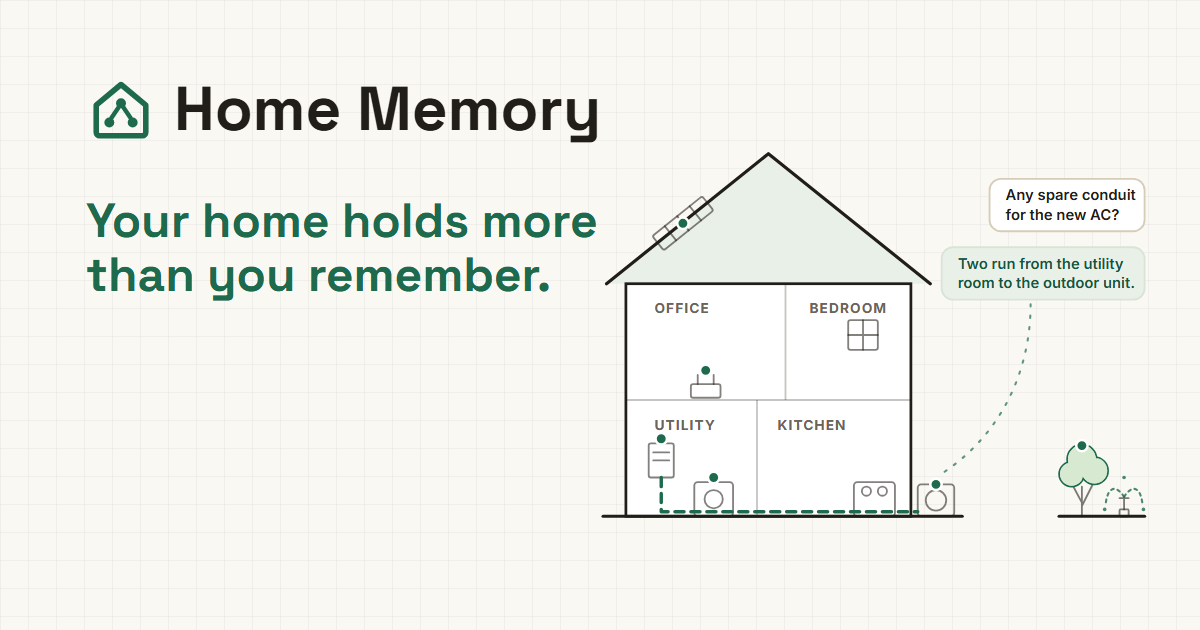
Prefer a less technical introduction? Visit home-memory.com.
Home Memory is an MCP server that gives your AI assistant structured, persistent knowledge about your home: every room, every device, every pipe and cable, every item you own.
It works with the ChatGPT desktop app, Claude Desktop, Claude Code, Codex CLI, and other MCP-compatible AI apps. You talk naturally; the AI reads and writes your home data through Home Memory's tools.
Document what exists, plan what's coming, and keep track of what's been removed.
No app to learn. No forms to fill out. Your home data stays in a single file on your machine, and the AI is your interface.
Tell your AI about your heat pump, your car, your power tools, or your wine collection, and it extracts the relevant details and stores them as structured data in your local database. Snap a photo of a device or hand it an invoice. Same result. Ask "What's in the basement?" or "When is my car due for inspection?" and get answers from real data.
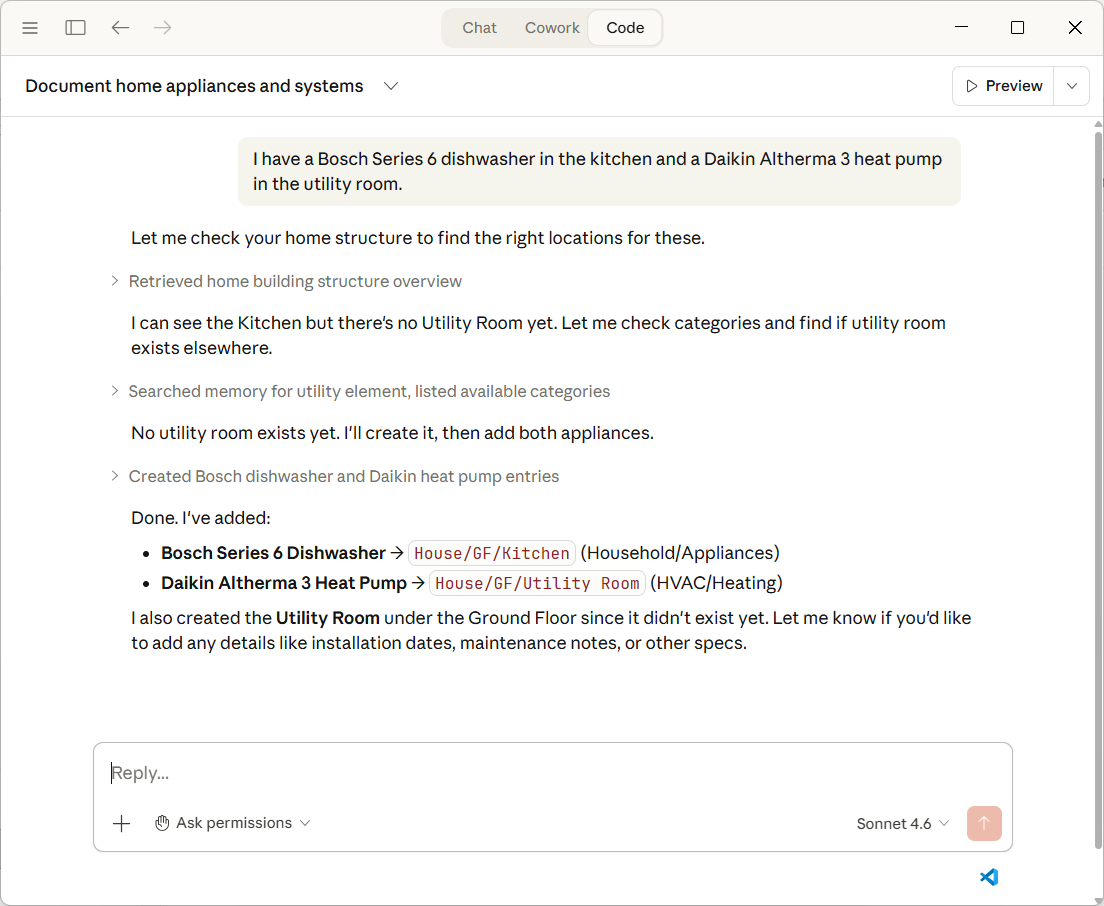
Claude Desktop (Anthropic)
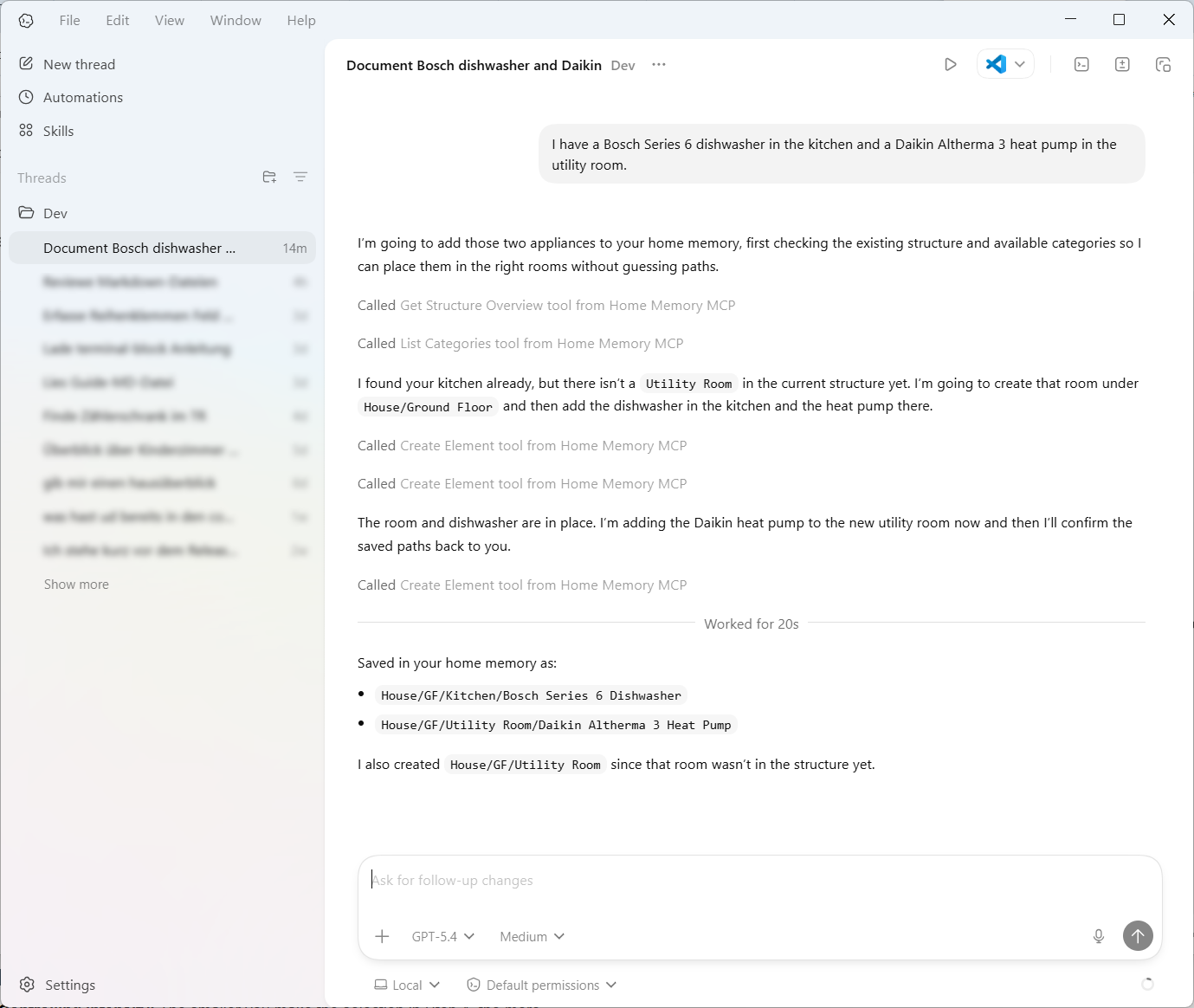
Codex (OpenAI)
Document anything by just talking:
"I have a Daikin Altherma heat pump in the utility room."
Your AI finds the right category, resolves the location, and creates the element. No manual data entry.
"My car is a 2023 Toyota Corolla Hybrid, next inspection is due in March."
Not just building infrastructure: vehicles, tools, appliances, valuables, anything that belongs to you.
Ask questions about your home:
"What's in the basement?" · "Show me all planned purchases." · "Where is my washing machine?"
Upload a photo and let your AI identify it:
(attach a photo of a device) "What is this? Add it to the utility room."
Vision-capable AIs recognize the device and create the element via MCP.
Read an invoice and extract devices:
(attach a PDF invoice) "Extract the installed devices and add them to my home."
Track connections between elements:
"The circuit breaker panel feeds the kitchen outlet via NYM-J 3x1.5."
Cable routes, pipe runs, duct paths, all documented as connections between elements.
Plan renovations:
"We're planning a PV system on the roof." · "The old oil heater was removed last year."
Track what's planned, what exists, and what's been removed.
The release ZIP is self-contained. No .NET, no Firebird, no other software to install.
C:\HomeMemory\Choose one of the following clients:
home-memoryC:\HomeMemory\HomeMemoryMCP.exeOr via Codex CLI:
codex mcp add home-memory -- "C:\HomeMemory\HomeMemoryMCP.exe"
claude_desktop_config.json selected. Open it in any text editorhome-memory inside the "mcpServers" object:{
"mcpServers": {
"home-memory": {
"command": "C:\\HomeMemory\\HomeMemoryMCP.exe"
}
}
}
If you already have other MCP servers configured, add the "home-memory" entry next to them inside the existing "mcpServers" block.
Home Memory is available in both the Chat tab and the Code tab. The Code tab is recommended for multi-step, agentic workflows that use several MCP tools.
claude mcp add home-memory --scope user -- "C:\HomeMemory\HomeMemoryMCP.exe"
On first launch, Home Memory automatically creates a local database with over 100 categories and a default house structure (floors, rooms, garage, outdoor areas). No setup wizard needed.
Try these prompts in order:
"Show me the structure of my home."
You should see your default house structure: ground floor, upper floor, basement, each with rooms. This confirms everything is working.
"I have a Bosch washing machine in the basement."
Your AI creates the element, finds the right category, and places it in the basement, all in one step. Ask "What's in the basement?" to verify.
"We're planning to install a heat pump in the utility room."
Creates a planned element, so you can track what exists and what's coming.
If it works, you're done. Everything from here is just talking to your AI. Add rooms, rename floors, document your electrical panel, upload a photo of a device. The AI handles the rest.
Home Memory runs locally, but you can use it from your phone through remote access in Claude Code or the ChatGPT desktop app. In both cases your Home Memory database and MCP server stay on your machine; the phone is just a remote window into a session running on that host.
Handy whenever you are away from your computer and want to look something up or capture it on the spot, whether at the fuse box, out in the garden, or snapping a photo of a new appliance.
claude.ai/code. Requires a signed-in Claude account.Requires .NET 10 SDK and Firebird 3.0.
git clone https://github.com/impactjo/home-memory.git
cd home-memory
dotnet publish HomeMemoryMCP -c Release
See Setup Guide for details on Firebird configuration and environment variables.
You ──── AI Assistant ──── Home Memory MCP ──── Local Database
(natural language)           (24 tools)    (Firebird, single file)
Home Memory implements the Model Context Protocol (MCP), an open standard that lets AI assistants use external tools. When you talk to your AI about your home, it calls Home Memory's tools behind the scenes to read, create, update, and search your home data.
Your data stays local. The database is a single file on your machine. Nothing is sent anywhere except to the AI you're already talking to.
| Tools | What they do | |
|---|---|---|
| Explore | get_structure_overview, find_element, list_elements, get_element_details, get_recent_changes | Browse your home, search by name/path/status, get full details |
| Manage Elements | create_element, update_element, delete_element, move_element | Add devices, furniture, fixtures, or entire rooms and floors |
| Connections | get_connections, get_connection_details, create_connection, update_connection, delete_connection | Document physical lines: cables, pipes, ducts, conduits |
| Categories | list_categories, get_by_category, get_category_details, create_category, update_category, delete_category | Over 100 built-in, editable categories across all domains |
| Status | list_statuses, create_status, update_status, delete_status | Track what's existing, planned, or removed |
Electrical (circuits, PV, wallbox, home automation) · HVAC · Plumbing · IT & Communications · Security (alarm, fire, surveillance) · Building Materials · Landscaping (garden, pool, irrigation) · Household (appliances, furniture, valuables) · Vehicles · Tools · Health · Sports & Leisure
Every category, every element, every status is editable. Rename, add, or remove anything to match how you think about your home.
| Client | Status |
|---|---|
| ChatGPT desktop app (Codex) | Tested |
| Claude Desktop (Chat tab + Code tab) | Tested |
| Claude Code (CLI) | Tested |
| Codex CLI (OpenAI) | Tested |
| Any MCP-compatible client | Should work (stdio transport) |
The release ZIP is a self-contained Windows build with all dependencies included (no .NET or Firebird installation required). On macOS and Linux, you can build from source with .NET 10 and Firebird 3; see the Setup Guide for details.
| Environment Variable | Purpose | Default |
|---|---|---|
HOME_MEMORY_DB_PATH | Database file location | %LOCALAPPDATA%\HomeMemory\homememory.scd (Windows) · ~/.local/share/HomeMemory/homememory.scd (Linux) · ~/Library/Application Support/HomeMemory/homememory.scd (macOS) |
HOME_MEMORY_FBCLIENT | Path to Firebird client library | Bundled with release / Firebird installation |
Stdio is the default and works for almost everyone. HTTP mode lets you run Home Memory as a persistent service on a NAS, homelab box, or another machine on your LAN. See docs/HTTP-MODE.md for setup, database locking, LAN access, and HTTP security requirements.
Home Memory is early-stage. Feedback is welcome. Right now, the best way to contribute is:
If you'd like to build and explore the code locally, see the Setup Guide.
Home Memory builds on a proven data model from Smartconstruct, a desktop application for documenting physical assets, refined through real-world use in residential construction projects.
Sign in to join the discussion.
No comments yet. Be the first to say what this is good for.
Real-time global intelligence dashboard. AI-powered news aggregation, geopolitical monitoring, and infrastructure tracking in a unified situational awareness interface
20 MB lightweight cross-platform database client for 90+ databases, including MySQL, PostgreSQL, SQLite, Redis, MongoDB, DuckDB, SQL Server, and Dameng. Built-in AI, MCP Server, CLI, desktop and Docker. | 轻量级跨平台数据库管理工具,支持 MySQL、PostgreSQL、SQLite、Redis、MongoDB、达梦等 90+ 数据库,提供桌面端、Docker、CLI、内置 AI 助手和 MCP Server。
The fastest browser for AI agents to run browser automation, built for sharing your logged-in browser state with your AI agents, like Codex or Claude Code, without disturbing you. Zero cost, zero config.

BankMCP™: your AI can now read your bank. Self-hosted, read-only MCP server for your own bank accounts via open banking (Enable Banking). Standard MCP; tested with Claude and Ollama.
Open source alternative to Semrush and Ahrefs
Open-source auth gateway connecting 1400+ SaaS providers to AI agents through SDK, CLI, MCP, HTTP, and OpenAPI.