

JuliusBrussee/
caveman

🪨 why use many token when few token do trick — Claude Code skill that cuts 65% of tokens by talking like caveman
105k
1 add
AionUi is a Cowork app that lets agents work in your files, browser, and connected tools instead of just chatting. It supports a built-in agent, external CLI agents, and team mode where one leader agent delegates work to teammates.
Builders who want to run Claude Code, Codex, Gemini CLI, and other agents in a shared workspace.
You can coordinate multiple agents on the same task, keep them working in your files, and monitor what they do from one interface.
Ships with an embedded agent so you can start without installing separate CLI agents.
Auto-detects and runs external agents like Claude Code, Codex, Gemini CLI, OpenCode, and Hermes in one interface.
Uses a leader agent to split work into subtasks and delegate them to teammate agents with shared results.
Runs agent work on cron, fixed intervals, or one-time triggers for unattended automation.
Lets you use the app from the browser or chat channels such as Telegram, Lark, DingTalk, and WeChat.
Includes built-in assistants and a three-tier skill system for custom, built-in, and extension skills.
Supports file operations, previewing, and generation of PPT, Word, Excel, Markdown, images, and code.
Manages Model Context Protocol tools across supported agents from one place.
# Alternatively, macOS via Homebrew
brew install aionui
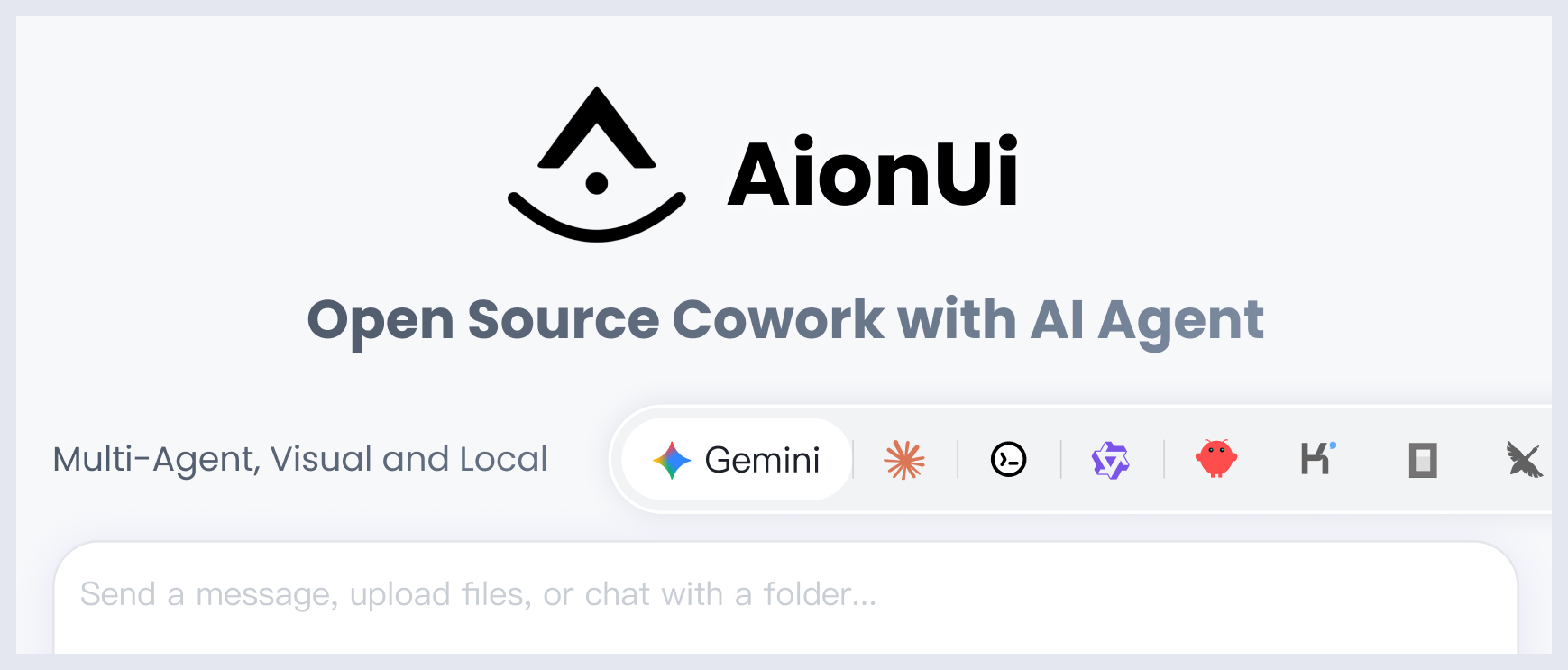



A free, open-source, Cowork app with AI Agents
Built-in Agent | Zero Setup | Any API Key | Multi-Agents | Remote Access | Cross-Platform | 24/7 Automation

English | 简体中文 | 繁體中文 | 日本語 | 한국어 | Español | Português | Türkçe | Русский | Українська | Official Website
💬 Community: Discord (English) | 微信 (中文群) | Twitter
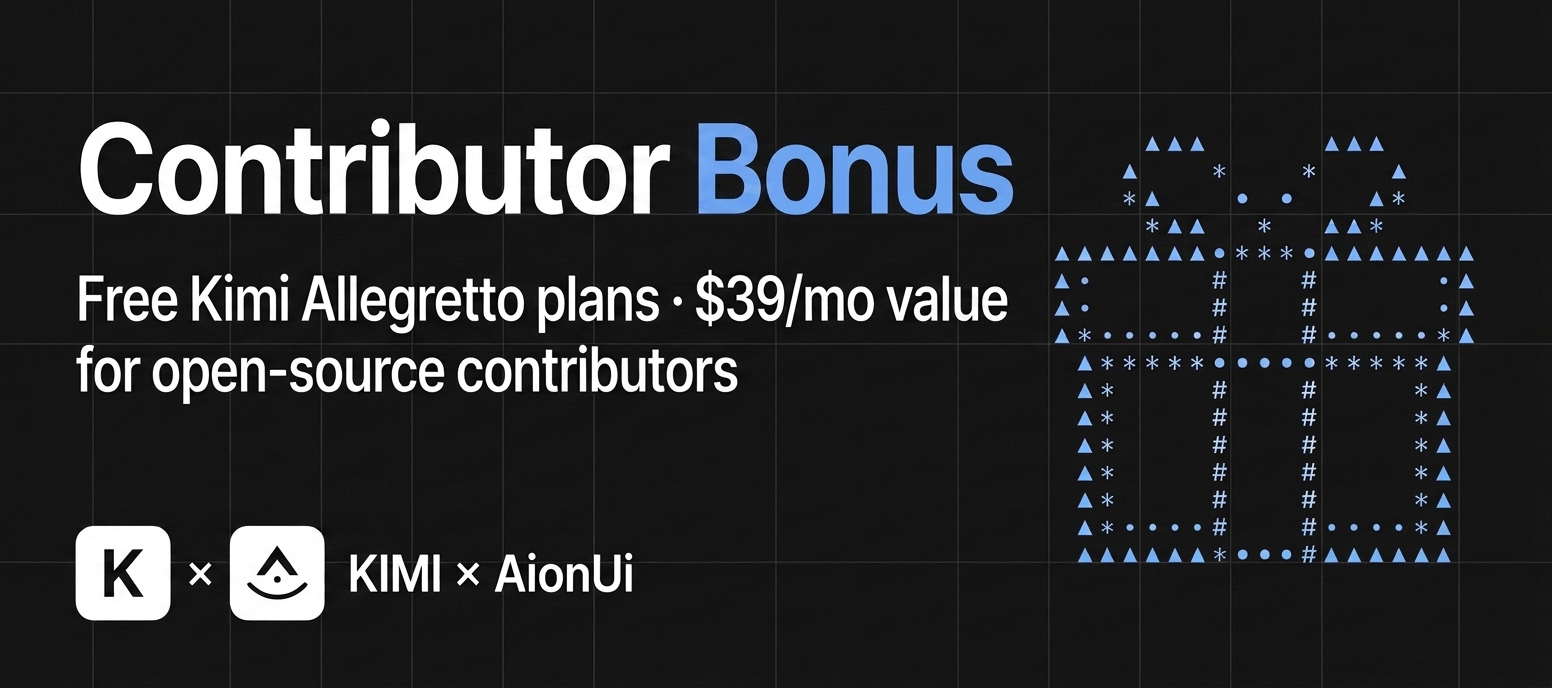
🎁 AionUi × Kimi Partnership: Free premium Kimi "Allegretto" plans ($39/mo · ¥199/mo value) for our contributors!
Kimi K3 is here and works out of the box in AionUi — get a Kimi For Coding plan or an API key (Global / China) · ready to claim? comment here
Cowork in Action · Why Choose AionUi? · Quick Start · Community
AionUi is more than a chat client. It's a Cowork platform where AI agents work alongside you on your computer — reading files, writing code, browsing the web, and automating tasks. You see everything the agent does, and you're always in control.
| Traditional AI Chat Clients | AionUi (Cowork) | |
|---|---|---|
| AI can operate on your files | Limited or No | Yes — built-in agent with full file access |
| AI can execute multi-step tasks | Limited | Yes — autonomous with your approval |
| Remote access from phone | Rarely | WebUI + Telegram / Lark / DingTalk / WeChat |
| Scheduled automation | No | Cron — 24/7 unattended |
| Multiple AI Agents at once | No | Dozens of external agents — including Claude Code, Codex, Qwen Code, Hermes Agent, Cursor Agent, and more — in one unified interface |
| Price | Free / Paid | Free & Open Source |
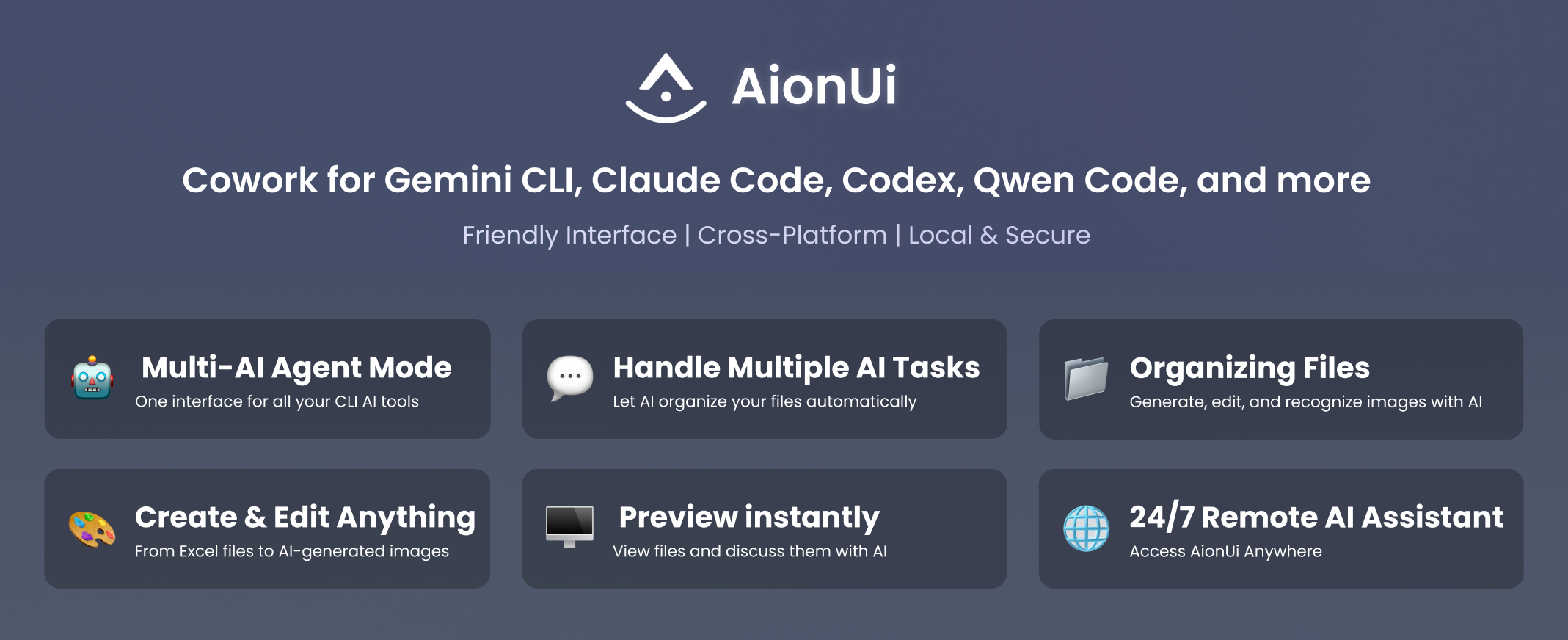
AionUi ships with a complete AI agent engine. Unlike tools that require you to install CLI agents separately, AionUi works the moment you install it.
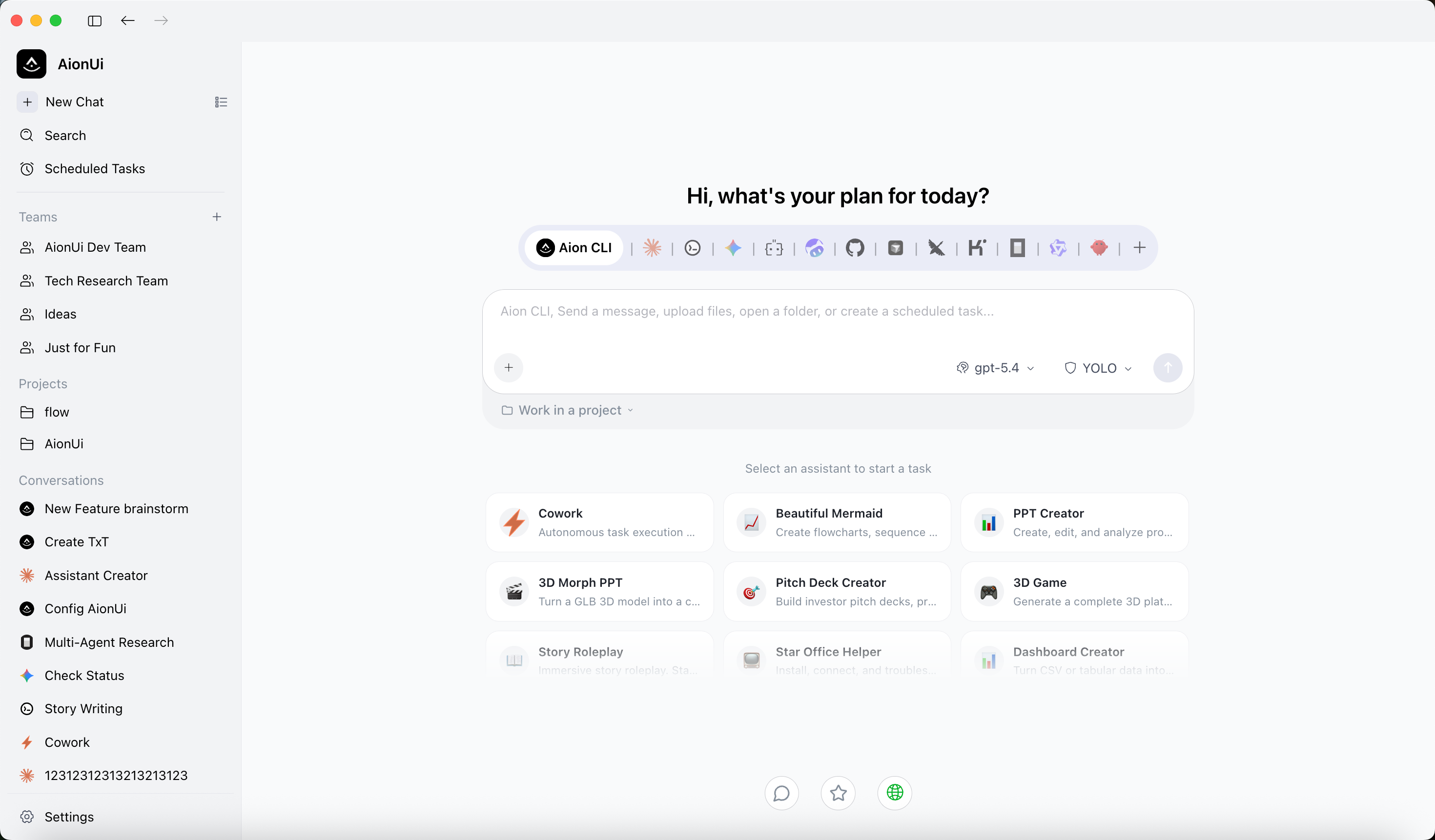
These tracks match what the app actually ships: Morph PPT presets and the pptx / docx / xlsx skills. The canonical assistant catalog and built-in skills are maintained with AionCore. Want document/table output? AionUi’s built-in OfficeCLI helps PPT (Morph), Word (.docx), and Excel (.xlsx/.xlsm/.csv) go from request to deliverable faster and more reliably.
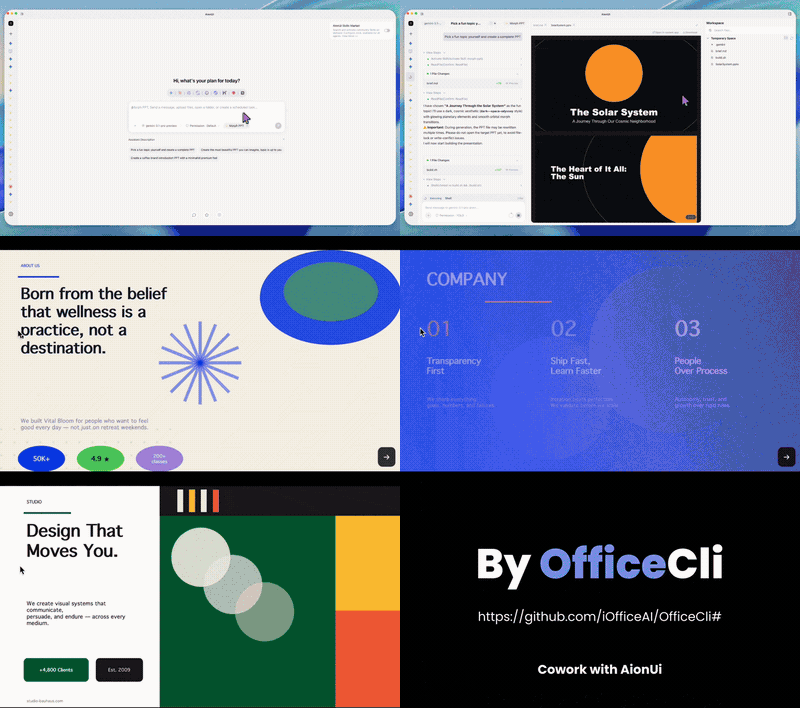
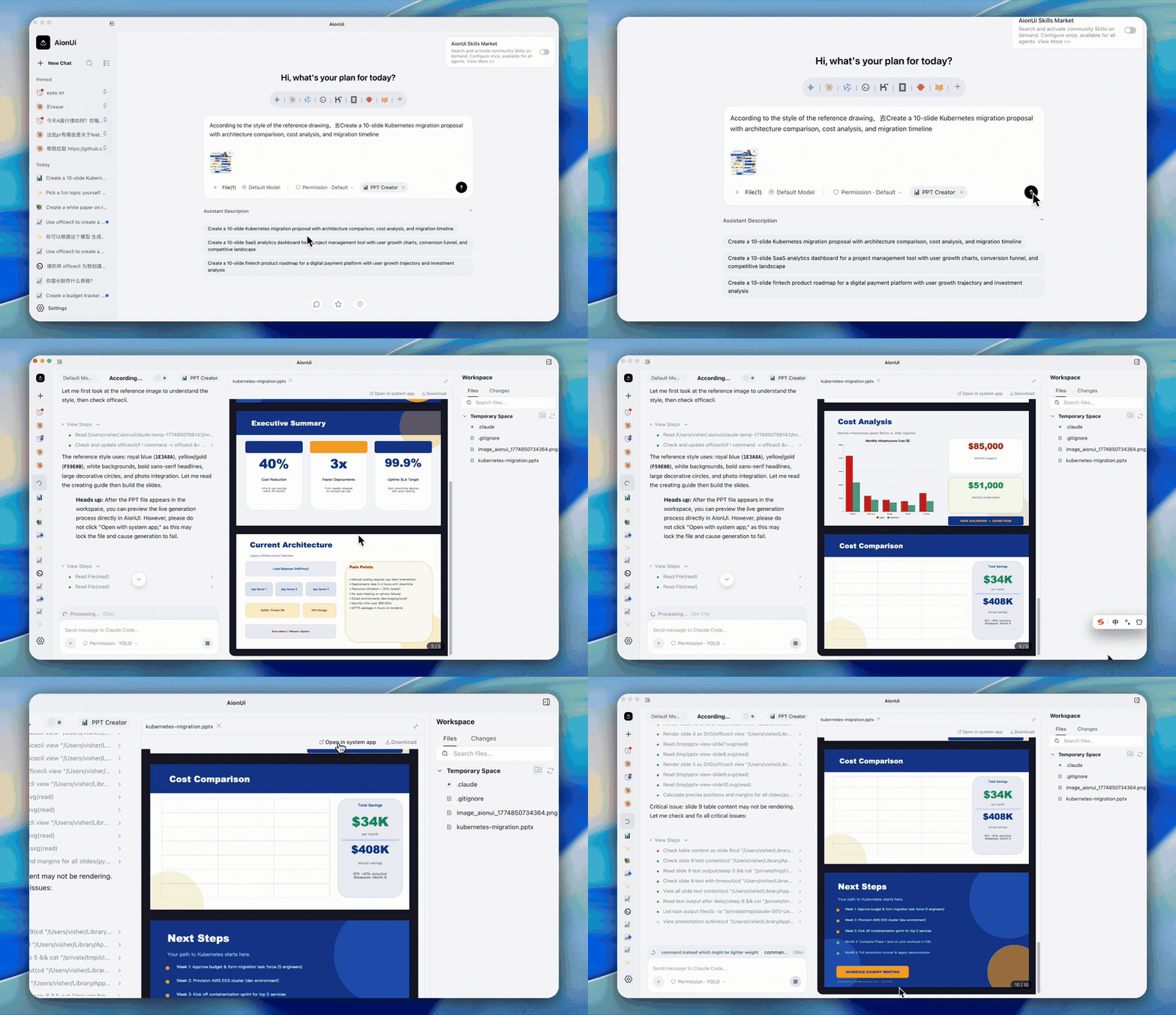
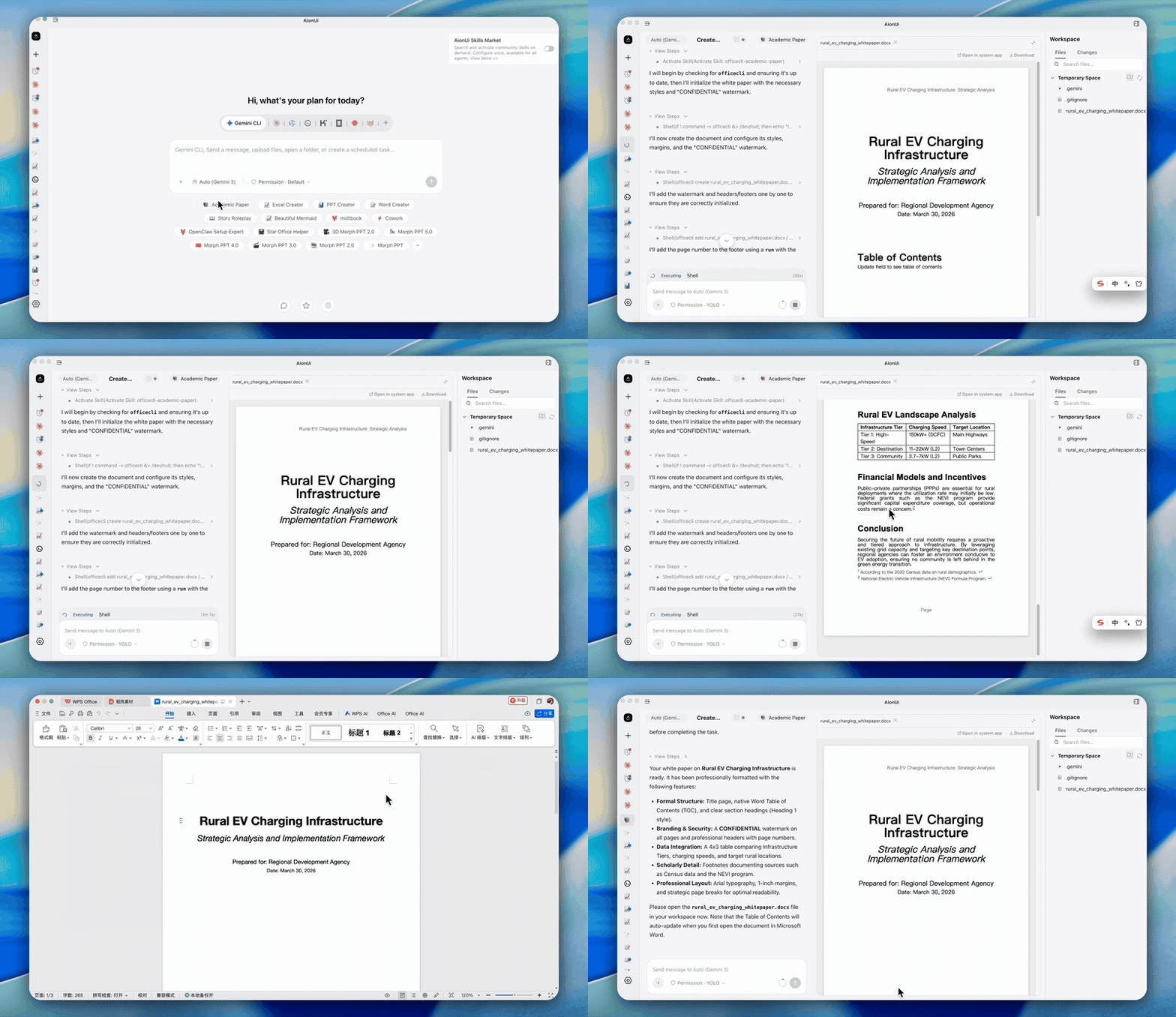
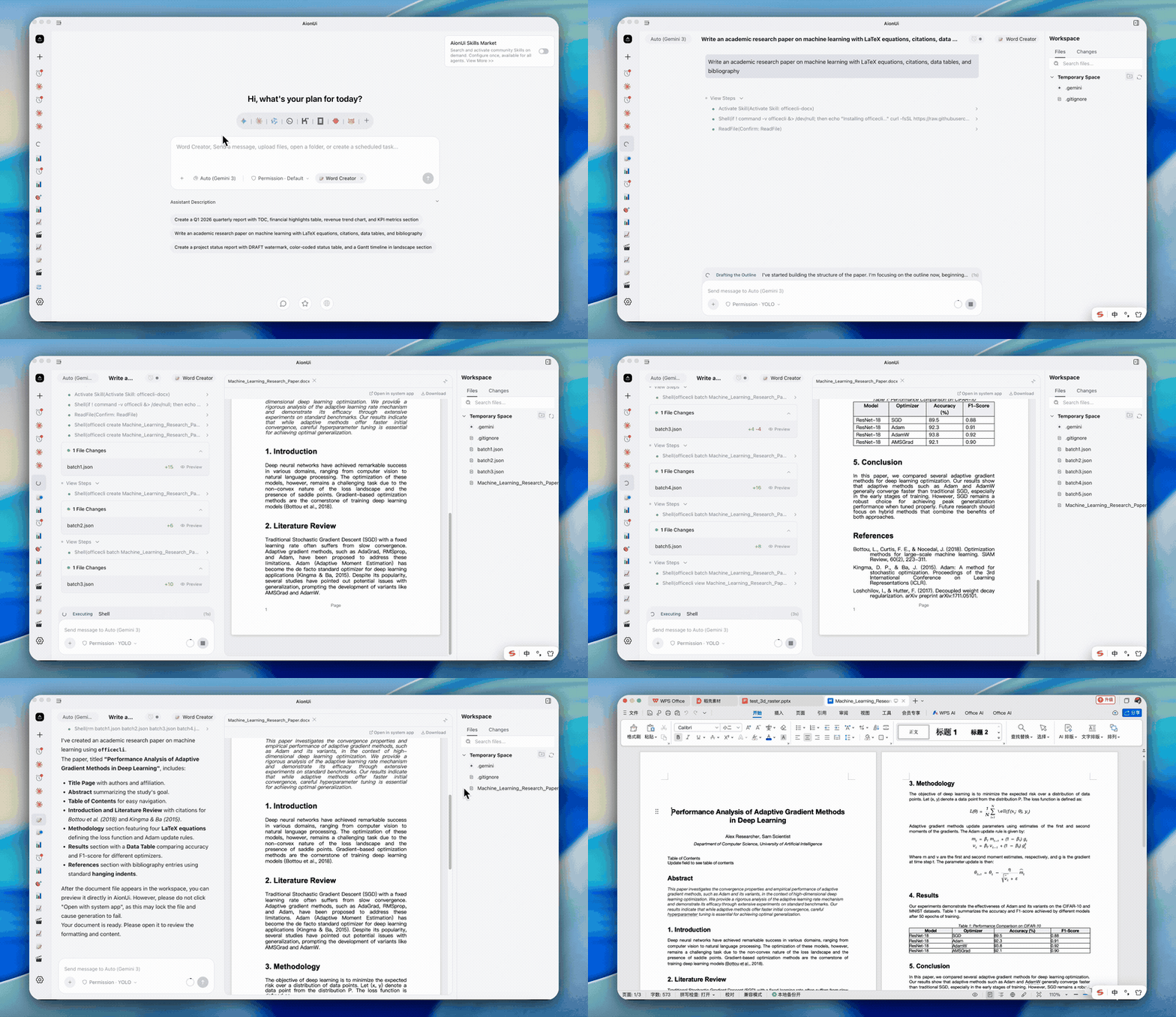
The three assistant types map to file workflows, and the final outputs are directly editable and reusable.
Output: editable Morph PPT (
.pptx) Morph-animated slide-to-slide transitions with coherent story pacing; powered by OfficeCLI.
|
|
Output: editable Word (
.docx) Paper/thesis writing and production-ready document editing via thedocxskill; powered by OfficeCLI.
|
|
Output: usable Excel (
.xlsx/.xlsm/.csv) Generate/refresh spreadsheets withxlsxfor analysis, auto-formatting, and charts; powered by OfficeCLI.
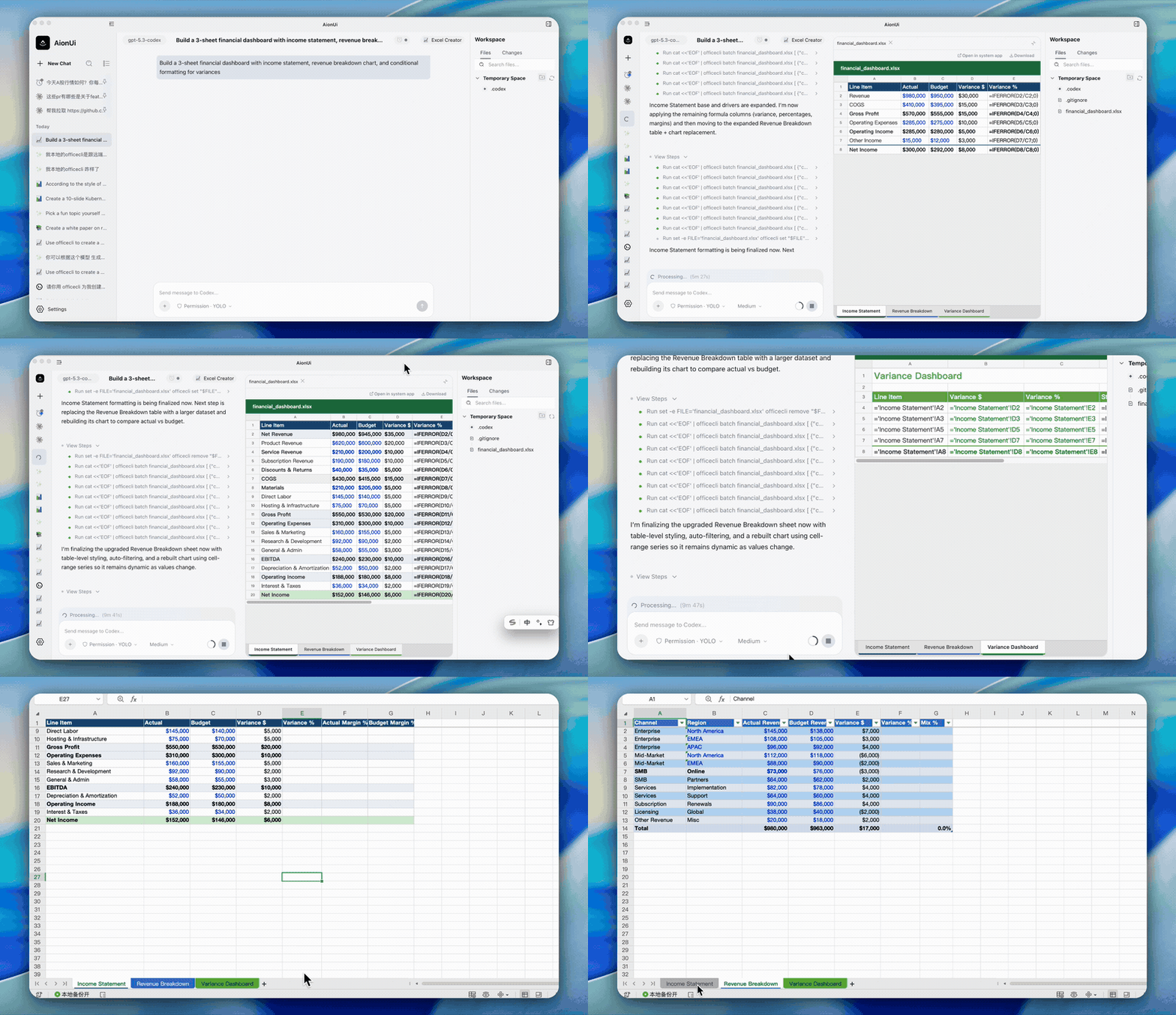
|
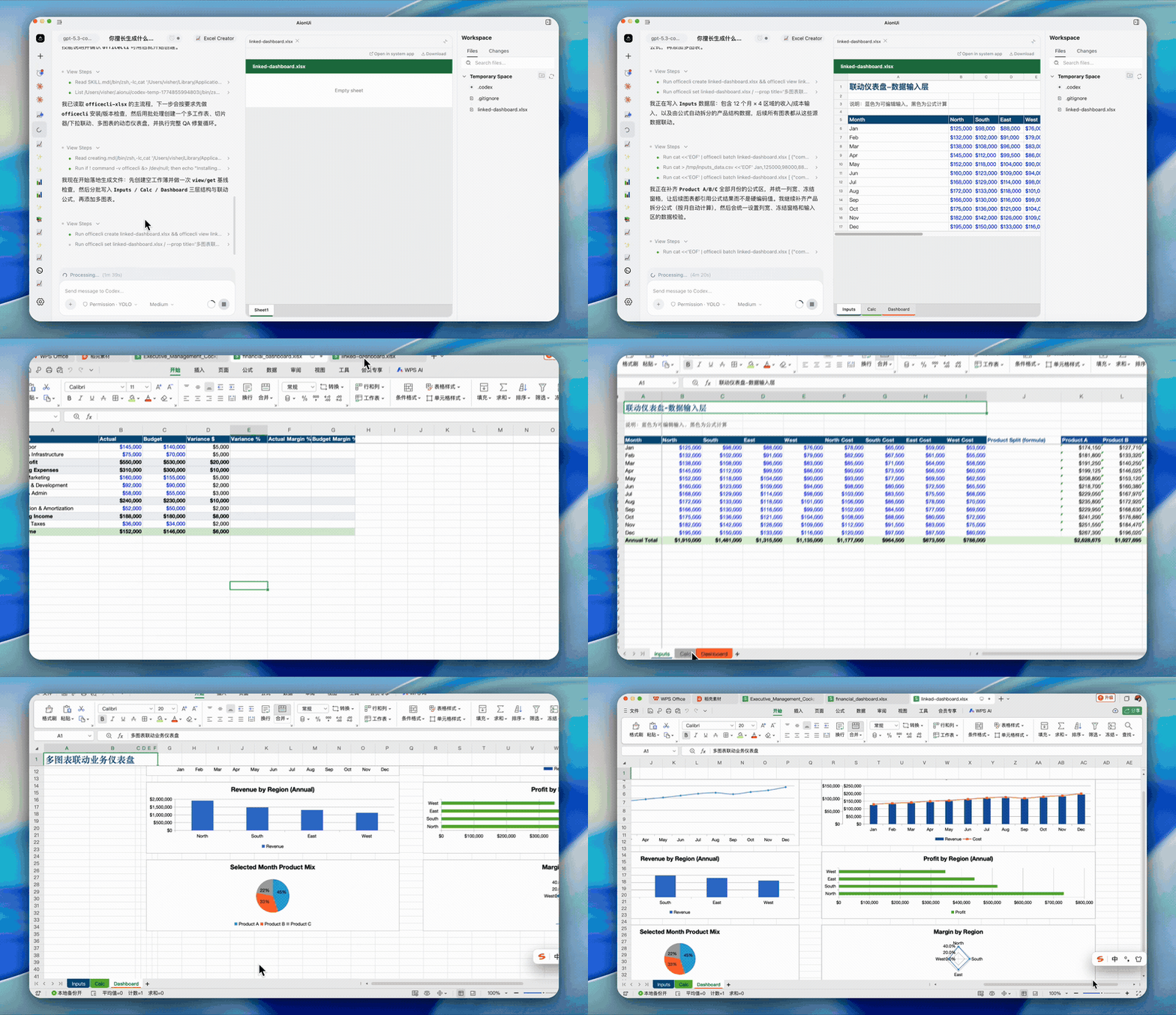
|
If you already use Claude Code, Codex, Hermes Agent, or OpenClaw, AionUi auto-detects them and lets you Cowork with all of them — alongside the built-in agent.
Supported Agents: Built-in Agent (powered by the embedded aionrs agent engine) • Claude Code • Codex • Qwen Code • Gemini CLI • Goose • OpenClaw • Augment Code • CodeBuddy • Kimi CLI • OpenCode • Factory Droid • GitHub Copilot • Qoder • Mistral Vibe • Nanobot • Snow • Hermes • Cursor Agent • Pi • MiMo Code • omp • Antigravity • and more
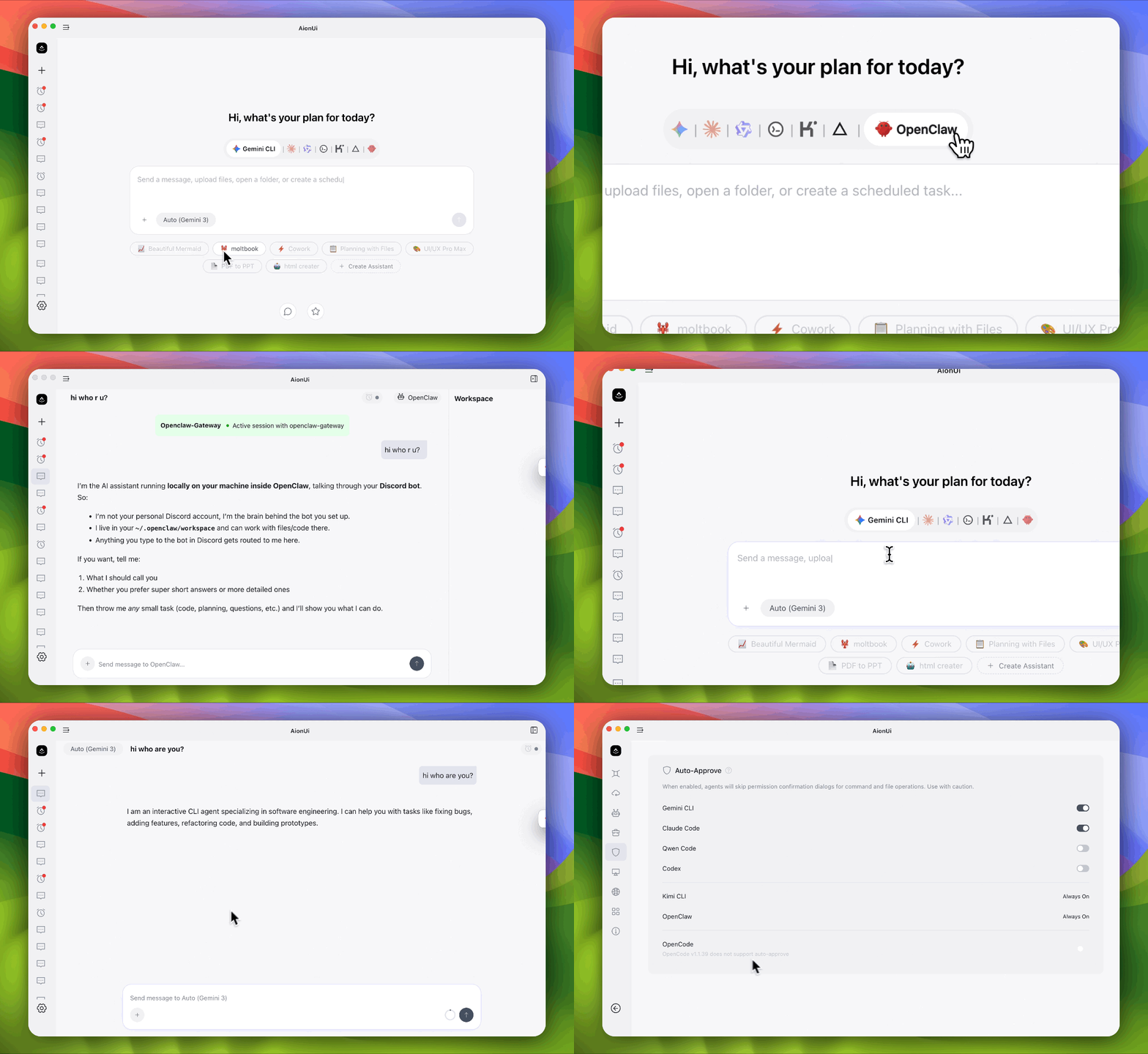
Run multiple AI agents as an organized team: a Leader agent receives your instructions, breaks them into subtasks, and delegates to Teammate agents via a built-in Team MCP Server. Teammates execute in parallel, share results through an async mailbox, and write to a shared task board.
mcpCapabilities.stdio are auto-supportedOther AI apps give you a chatbox with your API key. AionUi gives you a full Cowork agent.
| Your API Key | What You Get |
|---|---|
| Gemini API Key | Gemini-powered Cowork Agent |
| OpenAI API Key | GPT-powered Cowork Agent |
| Anthropic API Key | Claude-powered Cowork Agent |
| AWS Bedrock credentials | Bedrock-powered Agent via Aion CLI (aionrs) |
| Ollama / LM Studio (local) | Local model Cowork Agent |
| NewAPI Gateway | Unified access to 20+ models |
Same agent capabilities — file read/write, web search, image generation, tool use — regardless of which model powers it. AionUi supports 30+ AI platforms including cloud services and local deployments.
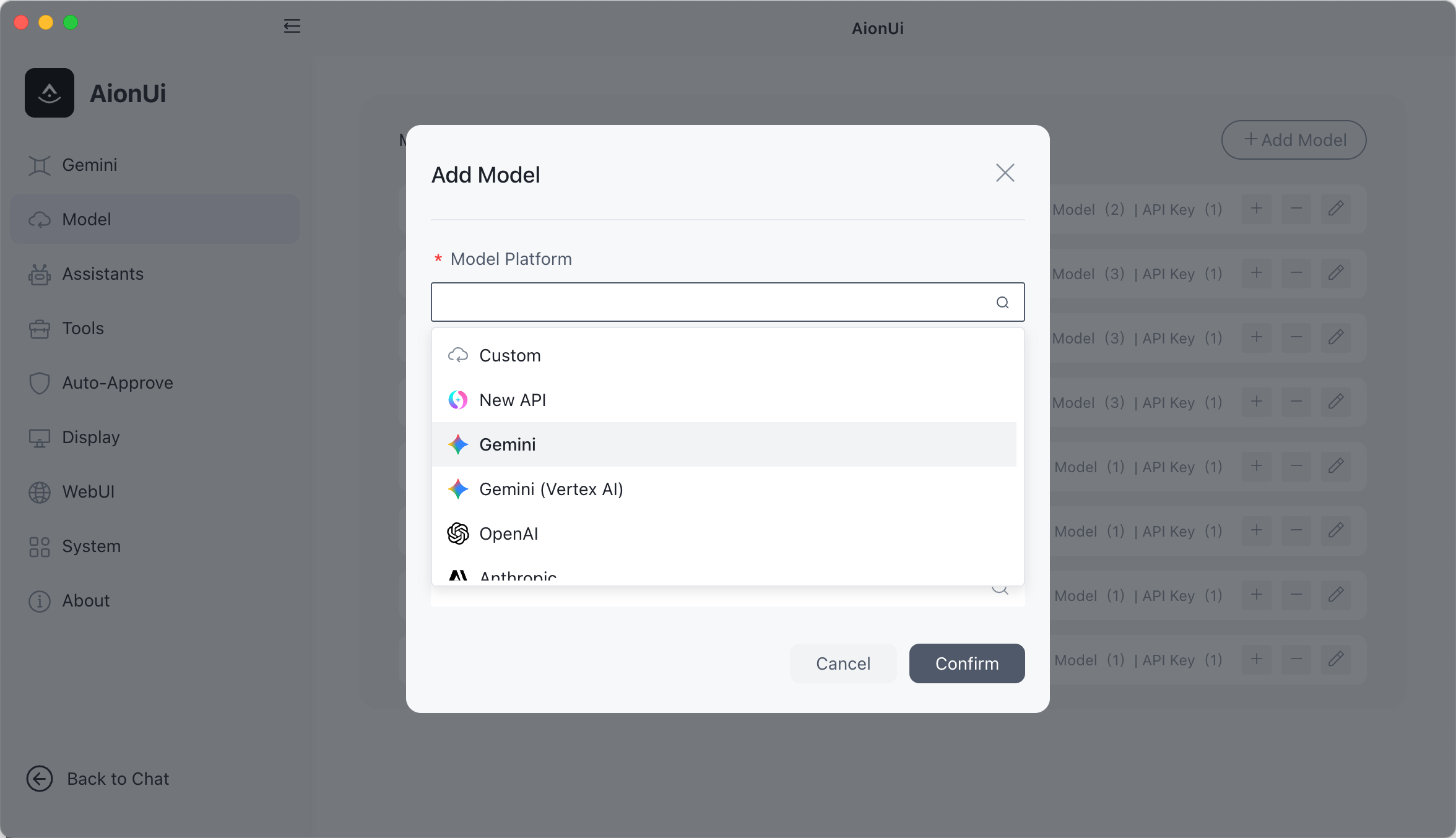
Comprehensive Platform Support:
AionUi also supports NewAPI gateway service — a unified AI model hub that aggregates and distributes various LLMs. Flexibly switch between different models in the same interface to meet various task requirements.
Extensible assistant system with 21 built-in professional assistants and a three-tier skill system. Create and manage your own assistants and skills.
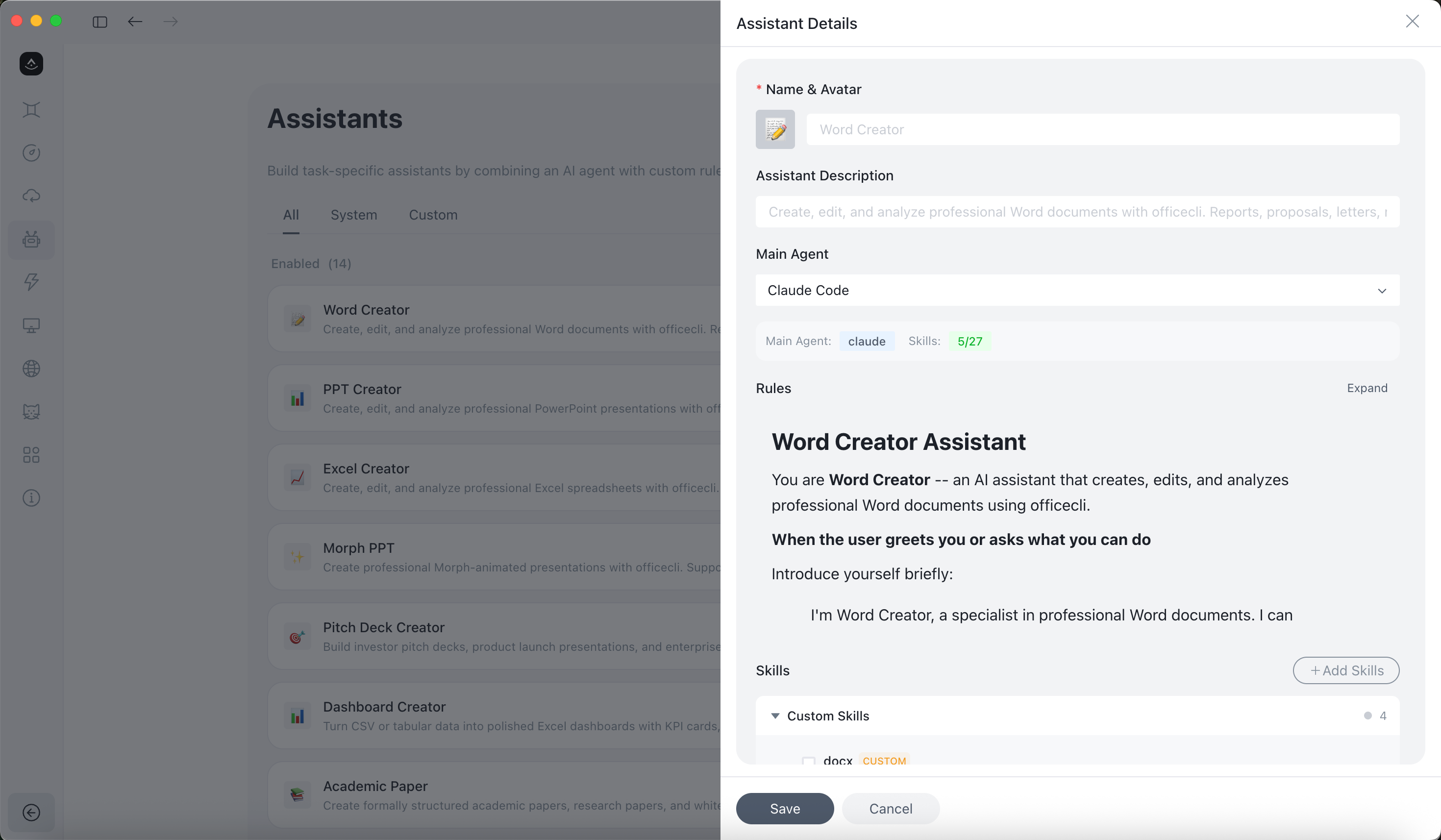
AionUi supports three skill layers: built-in skills (shipped with the app), custom skills (user-defined), and extension skills (loaded from the Extension SDK).
AionUi includes 21 professional assistants with predefined capabilities, extendable through custom skills:
.docx) document generationCustom Skills: Import or create skills from Settings → Skills, then attach them to assistants as needed. Skills come from three sources: built-in (shipped with AionUi), custom (your own), and Extension (contributed via the Extension SDK). Built-in skills include pptx, docx, pdf, xlsx, mermaid, and more.
💡 The canonical built-in definitions live in AionCore's assistant catalog; assistant rules remain Markdown and can be customized in AionUi.
Your 24/7 AI assistant — access AionUi from any device, anywhere.
WebUI Mode — access via browser from phone, tablet, or any computer. Supports LAN, cross-network, and server deployment. QR code or password login.
Chat Platform Integration
Setup: AionUi Settings → WebUI Settings → Channel, configure the Bot Token.
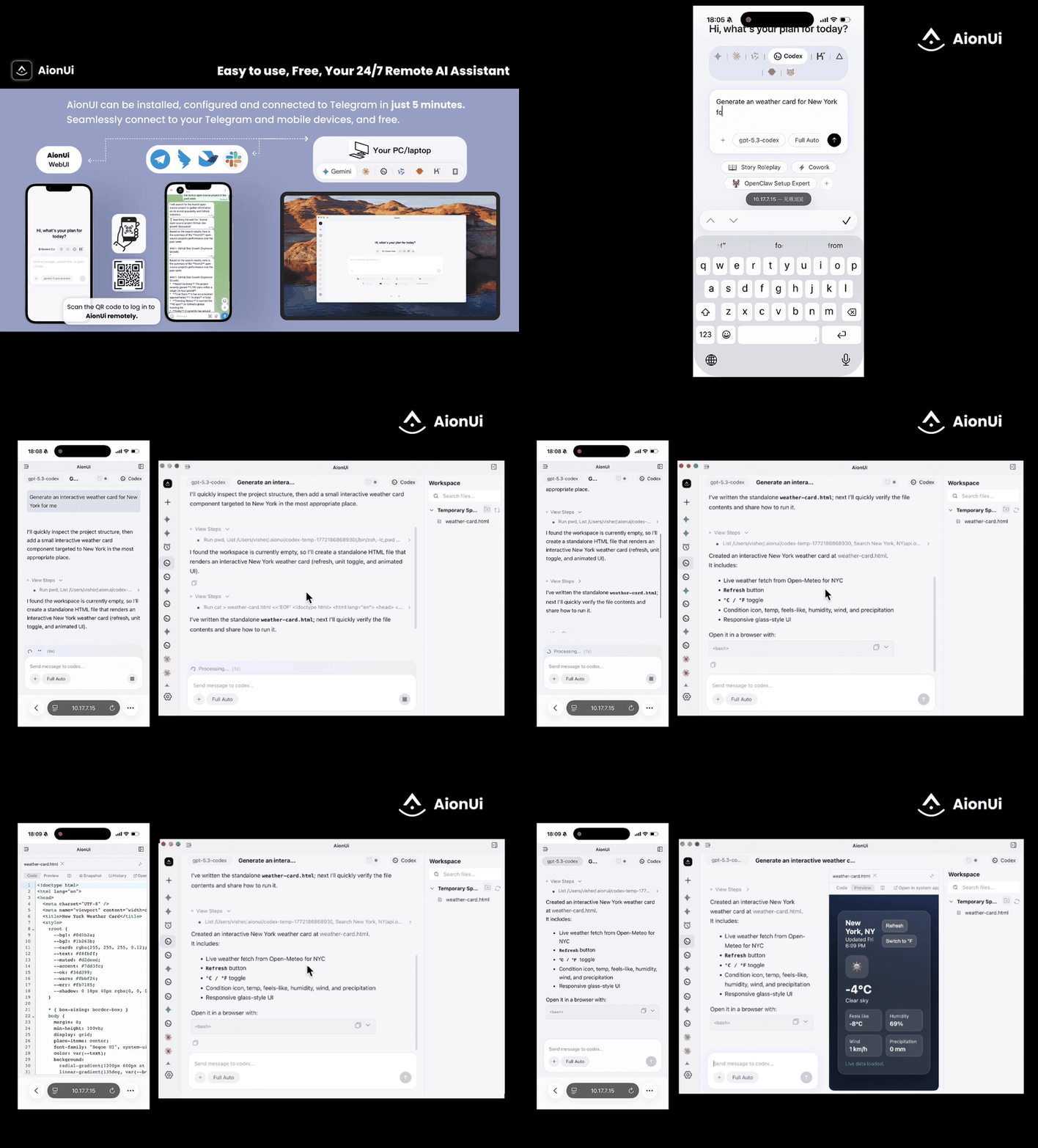
Remote control & monitor your agent — Claude, Gemini, Codex. Use from browser or phone, same as Claude Code remote.
Set it up once, the AI agent runs automatically on schedule — truly 24/7 unattended operation.
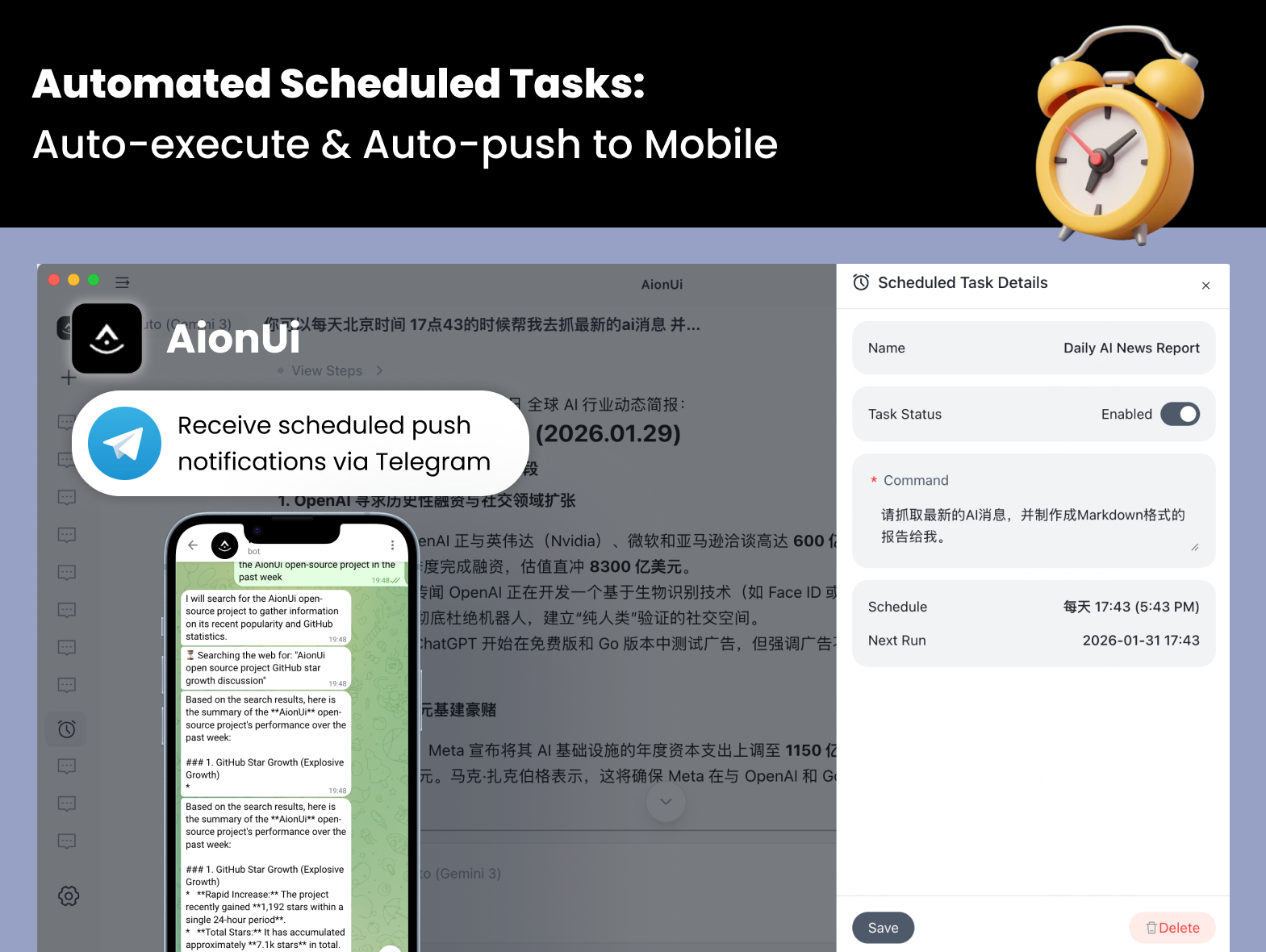
Scheduling modes:
Cron expression — standard 5-field cron with timezone support (e.g. 0 9 * * 1, Asia/Shanghai)Every N minutes/hours — fixed interval, e.g. run every 30 minutesOne-time — trigger once at a specified datetime, then auto-disableExecution modes:
Continue in existing conversation — appends to the bound conversation so the AI retains full context historyCreate new conversation each time — opens a fresh session on each trigger, ideal for independent periodic reportsOther capabilities:
Real-World Examples:
10+ formats: PDF, Word, Excel, PPT, code, Markdown, images, HTML, Diff — view everything without switching apps.
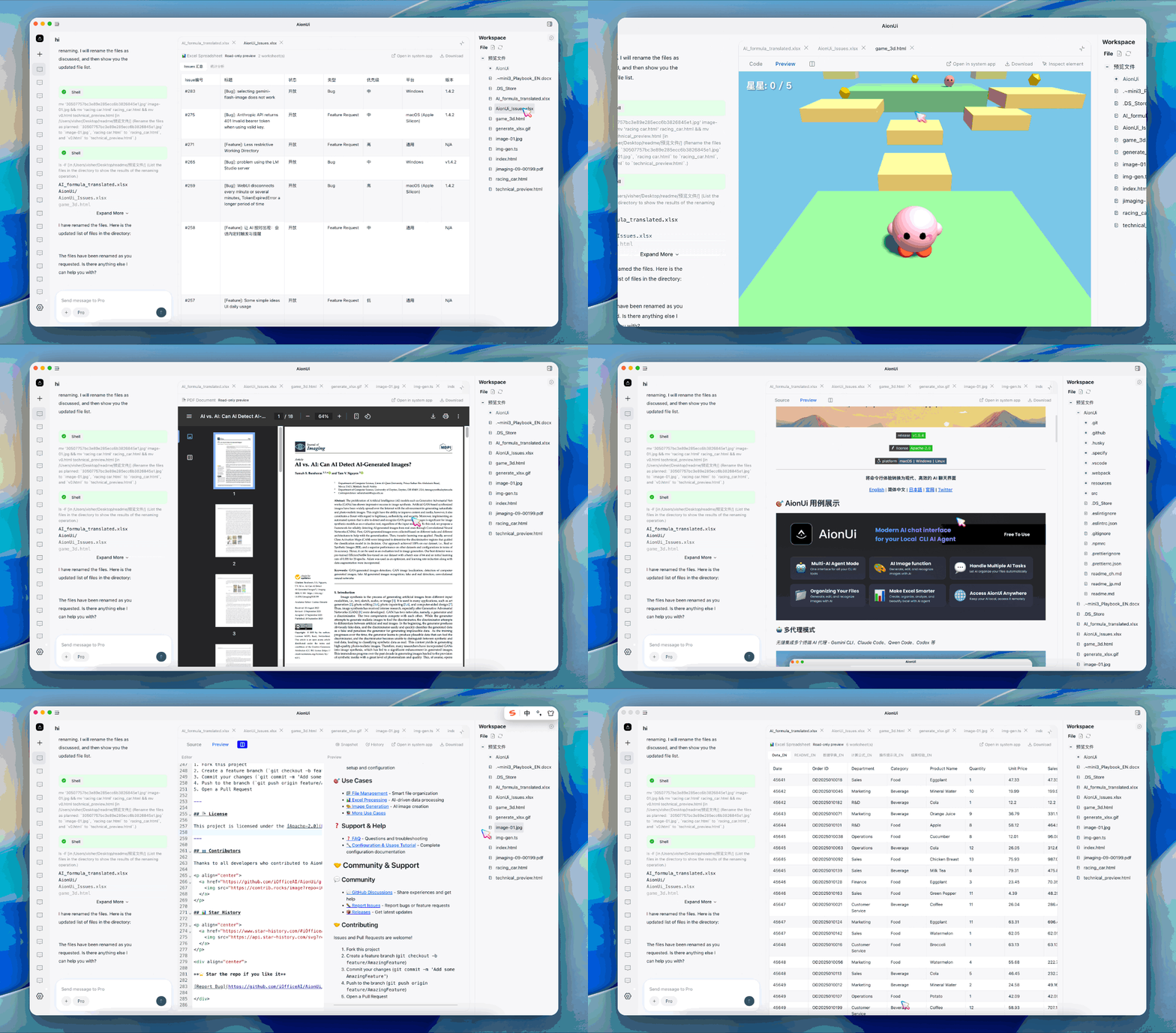
Supported Preview Formats:
.doc, .docx, .odt), Excel (.xls, .xlsx, .ods, .csv), PowerPoint (.ppt, .pptx, .odp).md, .markdown), HTML (.html, .htm).diff, .patch)Batch renaming, automatic organization, smart classification, file merging — the Cowork agent handles it for you.
Use Cases:
Deeply analyze Excel data, automatically beautify reports, and generate insights — all powered by AI agents.
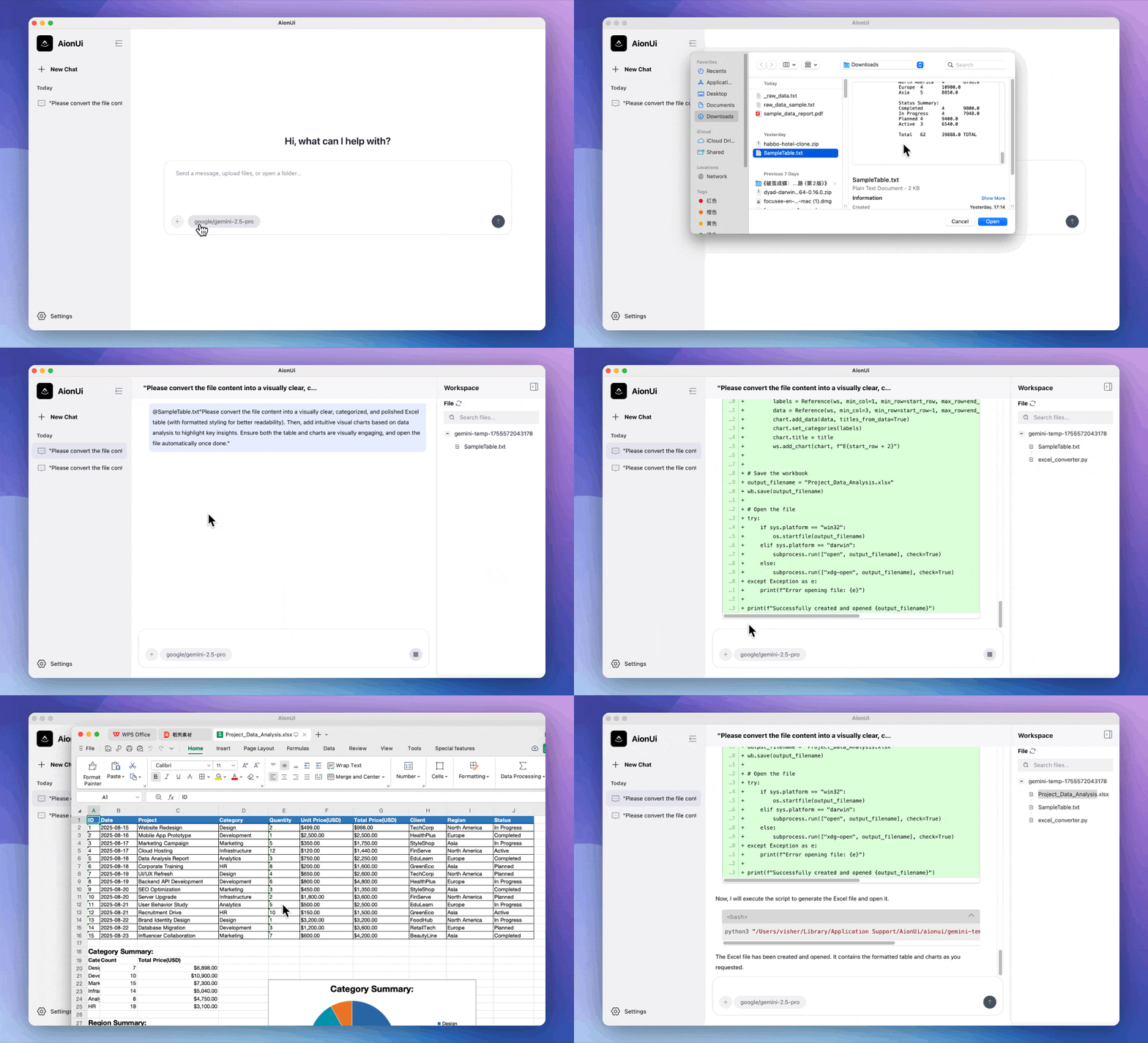
Use Cases:
Intelligent image generation, editing, and recognition, powered by Gemini
Automatically generate professional documents — presentations, reports, and more — with AI agents.
Sign in to join the discussion.
No comments yet. Be the first to say what this is good for.
🪨 why use many token when few token do trick — Claude Code skill that cuts 65% of tokens by talking like caveman

The best-benchmarked open-source AI memory system. And it's free.

Orca is the ADE for working with a fleet of parallel agents. Run any coding agent with your own subscription. Available on desktop, mobile and remote runtime.

A cross-platform desktop All-in-One assistant for Claude Code, Codex, OpenCode, OpenClaw, Grok Build & Hermes Agent. Only official website: ccswitch.io

Never stop coding. Free MIT AI gateway: one endpoint, 352 providers (150+ free), 1200+ models Kimi, Claude, GPT, Gemini, GLM, DeepSeek, MiniMax. Works with Claude Code, Codex, Cursor, OpenCode, Cline & Copilot. Quota-aware auto-fallback, RTK+Caveman compression saves 15-95% tokens, MCP/A2A, Desktop/PWA. Built by 550+ contributors

Compress tool outputs, logs, files, and RAG chunks before they reach the LLM. 20% fewer tokens for coding agents, 60-95% fewer tokens for JSON, same answers. Library, proxy, MCP server.