





JuliusBrussee/
caveman

🪨 why use many token when few token do trick — Claude Code skill that cuts 65% of tokens by talking like caveman
105k
1 add
GEmojiSharp gives you libraries and tools for turning GitHub emoji aliases into raw emoji, and raw emoji back into aliases. It ships as a core .NET library, ASP.NET Core and Blazor packages, a `dotnet` tool, a PowerToys Run plugin, a CmdPal extension, and an MCP server.
Builders who want GitHub emoji support in .NET code, terminal work, or agent-connected tools.
You can look up, render, and convert GitHub emoji without wiring the data and parsing yourself.
Static methods and extension methods to get emoji by alias or raw character, emojify text, demojify text, search by description, and read skin tone variants.
TagHelpers, HtmlHelpers, and a body component helper for rendering emoji in Razor views.
A Razor component that renders GitHub emoji in Blazor Web apps and WebAssembly apps.
A global `emoji` command with `raw`, `alias`, `emojify`, `demojify`, and `export` commands.
An MCP server with tools for `all`, `get`, `find`, `emojify`, and `demojify`.
A PowerToys Run plugin and a Command Palette extension for searching emoji from the Windows launcher.
dotnet tool install -g GEmojiSharp.DotnetTool
dotnet tool update -g GEmojiSharp.DotnetTool
dotnet tool uninstall -g GEmojiSharp.DotnetTool
emoji --help
emoji raw --help
emoji raw "grinning cat"
emoji raw grinning cat
emoji r grinning cat






GitHub Emoji for C# and .NET:
netstandard2.0- ASP.NET Core
- Blazor
dotnettool- PowerToys Run plugin
- PowerToys Command Palette extension
- MCP Server
🐙 :octopus:
➕ :heavy_plus_sign:
🐈 :cat2:
⩵
❤️ :heart:
GEmojiSharpGEmojiSharp.AspNetCoreGEmojiSharp.BlazorGEmojiSharp.DotnetToolGEmojiSharp.PowerToysRunGEmojiSharp.McpServerUsing emojis on GitHub is accomplish with emoji aliases enclosed by colons:
:+1: This PR looks great - it's ready to merge! :shipit:
:+1: This PR looks great - it's ready to merge! :shipit:
GEmojiSharp make this possible in C#. The library contains a static array of all valid emoji in GitHub Flavored Markdown.
That is the intersection of the emoji.json database and the API with available emojis.
A visual referense of all GitHub Emoji:
GEmojiSharpGitHub Emoji for C# and .NET 📦
Static methods:
Emoji.Get(":tada:").Raw; // 🎉
Emoji.Get("🎉").Alias(); // :tada:
Emoji.Raw(":tada:"); // 🎉
Emoji.Alias("🎉"); // :tada:
Emoji.Emojify(":tada: initial commit"); // 🎉 initial commit
Emoji.Demojify("🎉 initial commit"); // :tada: initial commit
Emoji.Find("party popper").First().Raw; // 🎉
Emoji.Get("✌️").RawSkinToneVariants(); // ✌🏻, ✌🏼, ✌🏽, ✌🏾, ✌🏿
Extension methods:
":tada:".GetEmoji().Raw; // 🎉
"🎉".GetEmoji().Alias(); // :tada:
":tada:".RawEmoji(); // 🎉
"🎉".EmojiAlias(); // :tada:
":tada: initial commit".Emojify(); // 🎉 initial commit
"🎉 initial commit".Demojify(); // :tada: initial commit
"party popper".FindEmojis().First().Raw; // 🎉
Regular expression pattern to match all emojis:
var text = "Lorem 😂😂 ipsum";

var matches = Regex.Matches(text, Emoji.RegexPattern);
string.Join(string.Empty, matches.Select(x => x.Value)); // 😂😂

Regex.Replace(text, Emoji.RegexPattern, string.Empty); // Lorem  ipsum
GEmojiSharp.AspNetCoreGitHub Emoji for ASP.NET Core 📦
The package includes:
Update the _ViewImports.cshtml file, to enable tag helpers in all Razor views:
@addTagHelper *, GEmojiSharp.AspNetCore
Use the <emoji> tag or emoji attribute to render emojis:
<span emoji=":tada:"></span>
<emoji>:tada: initial commit</emoji>
Standard emoji characters are rendered like this:
<g-emoji class="g-emoji" alias="tada" fallback-src="https://github.githubassets.com/images/icons/emoji/unicode/1f389.png">🎉</g-emoji>
Custom GitHub emojis are rendered as images:
<img class="emoji" title=":octocat:" alt=":octocat:" src="https://github.githubassets.com/images/icons/emoji/octocat.png" height="20" width="20" align="absmiddle">
Use CSS to properly position the custom GitHub emojis images:
.emoji {
    background-color: transparent;
    max-width: none;
    vertical-align: text-top;
}
Use the JavaScript from g-emoji-element to support old browsers.
Backports native emoji characters to browsers that don't support them by replacing the characters with fallback images.
Add a libman.json file:
{
  "version": "1.0",
  "defaultProvider": "cdnjs",
  "libraries": [
    {
      "provider": "unpkg",
      "library": "@github/g-emoji-element@1.2.0",
      "destination": "wwwroot/lib/g-emoji-element/"
    }
  ]
}
And add the script to the _Layout.cshtml file:
<script src="~/lib/g-emoji-element/dist/index.js"></script>
Do you want to use emoji anywhere, on any tag, in the body? Then you can use the BodyTagHelperComponent.
Use any tag to render emojis:
<h1>Hello, :earth_africa:</h1>
Registration via services container:
using GEmojiSharp.AspNetCore;
using Microsoft.AspNetCore.Razor.TagHelpers;

var builder = WebApplication.CreateBuilder(args);

builder.Services.AddRazorPages();
builder.Services.AddTransient<ITagHelperComponent, BodyTagHelperComponent>();
Registration via Razor file:
@page
@model GEmojiSharp.Sample.Web.Pages.ComponentModel
@using Microsoft.AspNetCore.Mvc.Razor.TagHelpers
@using GEmojiSharp.AspNetCore
@inject ITagHelperComponentManager manager;
@{
    ViewData["Title"] = "Component";
    manager.Components.Add(new BodyTagHelperComponent());
}
Registration via Page Model or controller:
using GEmojiSharp.AspNetCore;
using Microsoft.AspNetCore.Mvc.Razor.TagHelpers;
using Microsoft.AspNetCore.Mvc.RazorPages;

namespace GEmojiSharp.Sample.Web.Pages
{
    public class ComponentModel : PageModel
    {
        private readonly ITagHelperComponentManager _tagHelperComponentManager;

        public IndexModel(ITagHelperComponentManager tagHelperComponentManager)
        {
            _tagHelperComponentManager = tagHelperComponentManager;
        }

        public void OnGet()
        {
            _tagHelperComponentManager.Components.Add(new BodyTagHelperComponent());
        }
    }
}
Update the _ViewImports.cshtml file, to enable HTML helpers in all Razor views:
@using GEmojiSharp.AspNetCore
Use the Emoji extension methods to render emojis:
@Html.Emoji(":tada: initial commit")
@Html.Emoji(x => x.Text)
GEmojiSharp.BlazorGitHub Emoji for Blazor 📦
The package is a Razor class library (RCL) with a Razor component.
Update the _Imports.razor file, to enable the component in all Razor views:
@using GEmojiSharp.Blazor
[!NOTE] In a Blazor Web App (.NET 8 or later), the component requires an interactive render mode applied either globally to the app or to the component definition.
Set the global render mode in App.razor:
<Routes @rendermode="InteractiveServer" />
or per page/component:
@rendermode InteractiveServer
Use the <Emoji> component to render emojis:
<Emoji>:tada: initial commit</Emoji>
Standard emoji characters are rendered like this:
<g-emoji class="g-emoji" alias="tada" fallback-src="https://github.githubassets.com/images/icons/emoji/unicode/1f389.png">🎉</g-emoji>
Custom GitHub emojis are rendered as images:
<img class="emoji" title=":octocat:" alt=":octocat:" src="https://github.githubassets.com/images/icons/emoji/octocat.png" height="20" width="20" align="absmiddle">
GEmojiSharp.DotnetToolGitHub Emoji
dotnettool 🧰
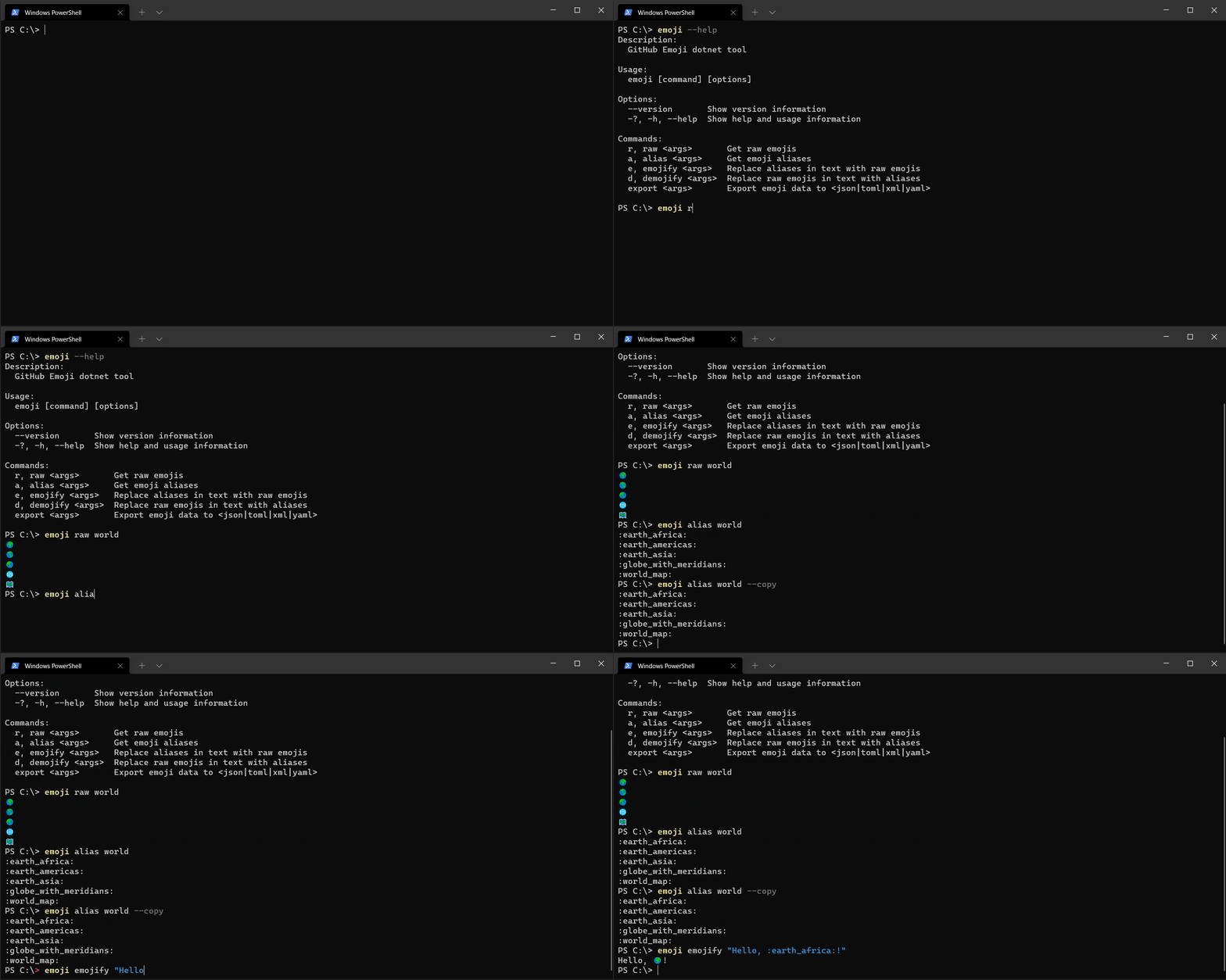
Install:
dotnet tool install -g GEmojiSharp.DotnetTool
Update:
dotnet tool update -g GEmojiSharp.DotnetTool
Uninstall:
dotnet tool uninstall -g GEmojiSharp.DotnetTool
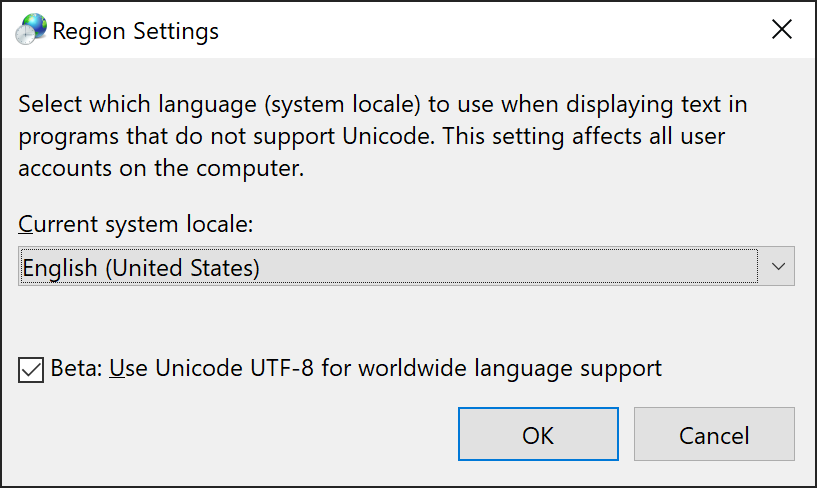
Enable emoji in the terminal:
emoji --help
Description:
  GitHub Emoji dotnet tool

Usage:
  emoji [command] [options]

Options:
  --version       Show version information
  -?, -h, --help  Show help and usage information

Commands:
  r, raw <args>       Get raw emojis
  a, alias <args>     Get emoji aliases
  e, emojify <args>   Replace aliases in text with raw emojis
  d, demojify <args>  Replace raw emojis in text with aliases
  export <args>       Export emoji data to <json|toml|xml|yaml>
emoji raw --help
Description:
  Get raw emojis

Usage:
  emoji raw [<args>...] [options]

Arguments:
  <args>  Find emojis via description, category, alias or tag

Options:
  -st, --skin-tones  Include skin tone variants
  -c, --copy         Copy to clipboard
  -?, -h, --help     Show help and usage information
Get raw emojis:
emoji raw "grinning cat"
emoji raw grinning cat
emoji r grinning cat
😺
😸
Copy to clipboard:
emoji raw "grinning cat" --copy
emoji r grinning cat -c
😺😸
Skin tone variants:
emoji raw "victory" --skin-tones
emoji r victory -st
✌️
✌🏻
✌🏼
✌🏽
✌🏾
✌🏿
emoji alias --help
Description:
  Get emoji aliases

Usage:
  emoji alias [<args>...] [options]

Arguments:
  <args>  Find emojis via description, category, alias or tag

Options:
  -c, --copy      Copy to clipboard
  -?, -h, --help  Show help and usage information
Get emoji aliases:
emoji alias "grinning cat"
emoji alias grinning cat
emoji a grinning cat
:smiley_cat:
:smile_cat:
Copy to clipboard:
emoji alias "grinning cat" --copy
emoji a grinning cat -c
:smiley_cat::smile_cat:
emoji emojify --help
Description:
  Replace aliases in text with raw emojis

Usage:
  emoji emojify [<args>...] [options]

Arguments:
  <args>  A text with emoji aliases

Options:
  -c, --copy      Copy to clipboard
  -?, -h, --help  Show help and usage information
Replace aliases in text with raw emojis:
emoji emojify ":tada: initial commit"
emoji emojify :tada: initial commit
emoji e :tada: initial commit
🎉 initial commit
Copy to clipboard:
emoji emojify ":tada: initial commit" --copy
emoji e :tada: initial commit -c
emoji demojify --help
Description:
  Replace raw emojis in text with aliases

Usage:
  emoji demojify [<args>...] [options]

Arguments:
  <args>  A text with raw emojis

Options:
  -c, --copy      Copy to clipboard
  -?, -h, --help  Show help and usage information
Replace raw emojis in text with aliases:
emoji demojify "🎉 initial commit"
emoji demojify 🎉 initial commit
emoji d 🎉 initial commit
:tada: initial commit
Copy to clipboard:
emoji demojify "🎉 initial commit" --copy
emoji d 🎉 initial commit -c
emoji export --help
Description:
  Export emoji data to <json|toml|xml|yaml>

Usage:
  emoji export [<args>...] [options]

Arguments:
  <args>  Find emojis via description, category, alias or tag

Options:
  -f, --format <format>  Format the data as <json|toml|xml|yaml>
  -c, --copy             Copy to clipboard
  -?, -h, --help         Show help and usage information
Formats:
jsontomlxmlyamlExport emoji data to json:
emoji export "grinning cat" --format json
emoji export grinning cat --format json
emoji export grinning cat -f json
emoji export grinning cat
[
  {
    "Raw": "😺",
    "Description": "grinning cat",
    "Category": "Smileys & Emotion",
    "Aliases": [
      "smiley_cat"
    ],
    "Tags": null,
    "UnicodeVersion": "6.0",
    "IosVersion": "6.0",
    "Filename": "1f63a",
    "IsCustom": false
  },
  {
    "Raw": "😸",
    "Description": "grinning cat with smiling eyes",
    "Category": "Smileys & Emotion",
    "Aliases": [
      "smile_cat"
    ],
    "Tags": null,
    "UnicodeVersion": "6.0",
    "IosVersion": "6.0",
    "Filename": "1f638",
    "IsCustom": false
  }
]
Copy to clipboard:
emoji export "grinning cat" --format json --copy
emoji export "grinning cat" -c
GEmojiSharp.PowerToysRun

GitHub Emoji PowerToys Run plugin 🗂️🔎🔌
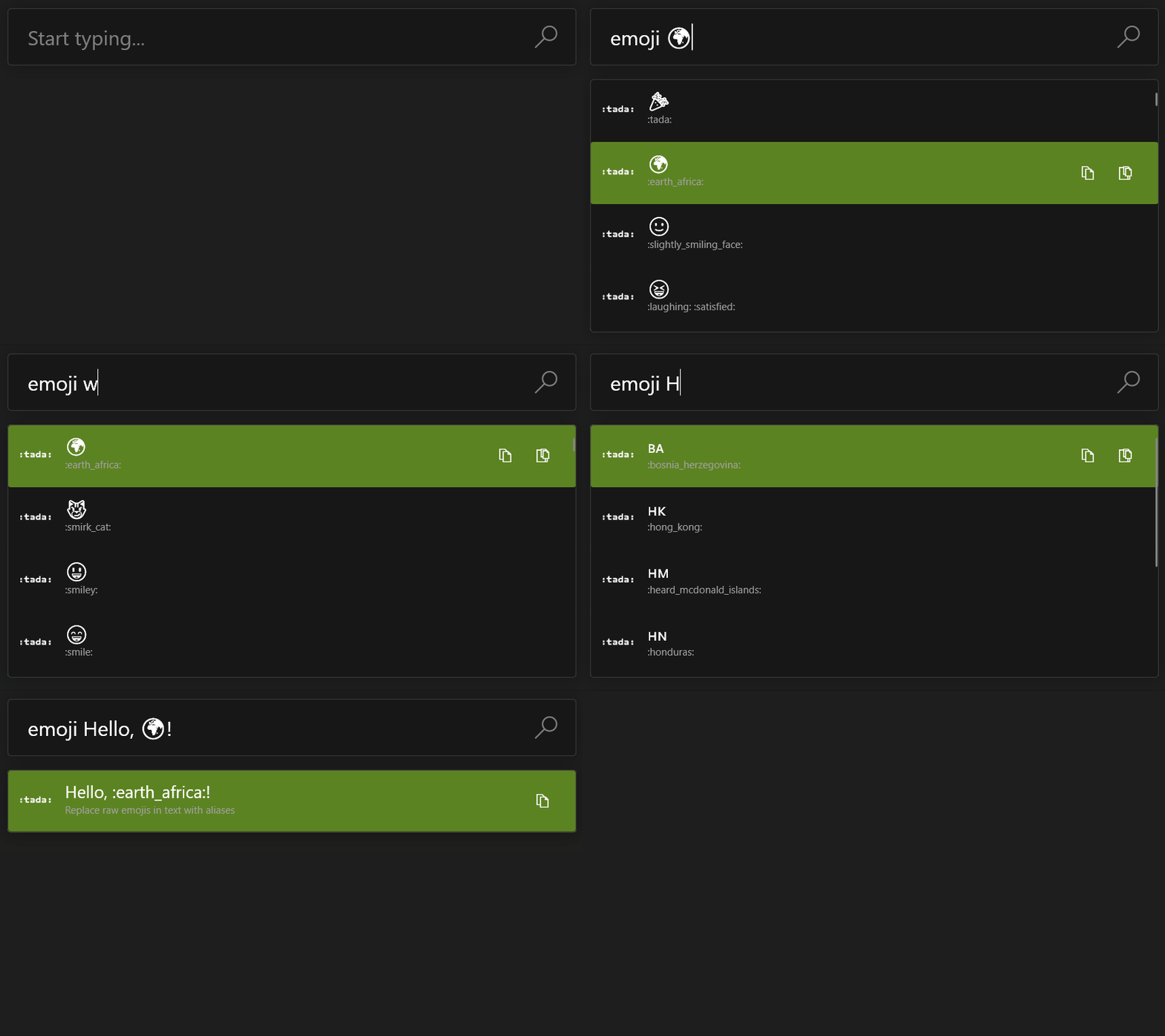
The plugin is developed and tested with PowerToys v0.83.0.
Install:
.zip file from the latest release and extract it to:
%LocalAppData%\Microsoft\PowerToys\PowerToys Run\Plugins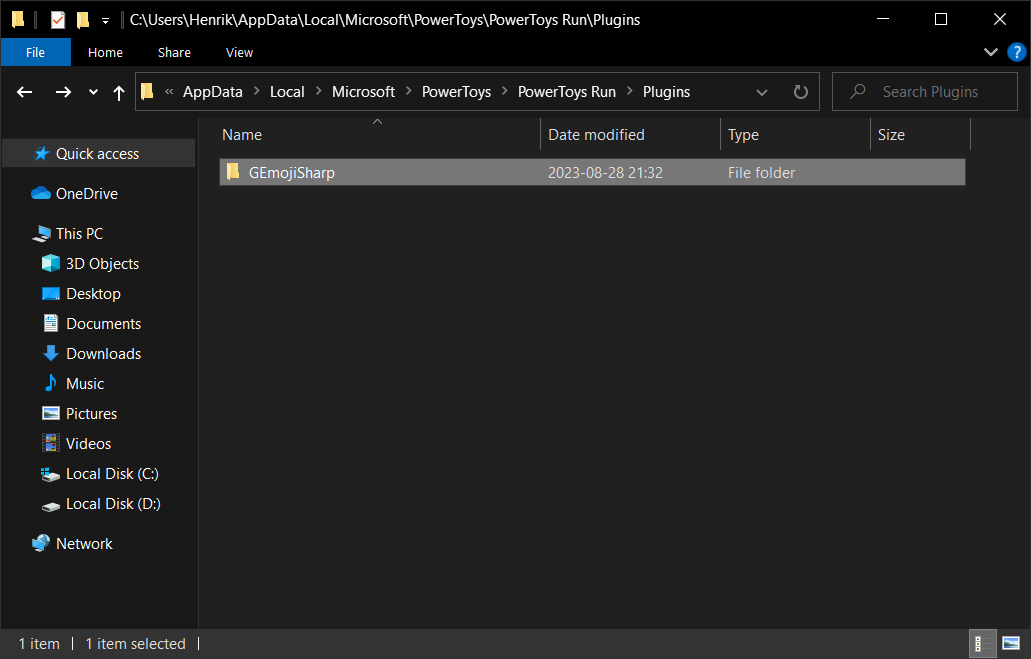
alt + spaceemoji
Enter to copy the selected raw emoji to clipboardctrl + c to copy the selected emoji aliases to clipboardctrl + Enter to copy the selected raw emoji skin tone variants to clipboard
Emojify:
Demojify:
Change action keyword:
GEmojiSharp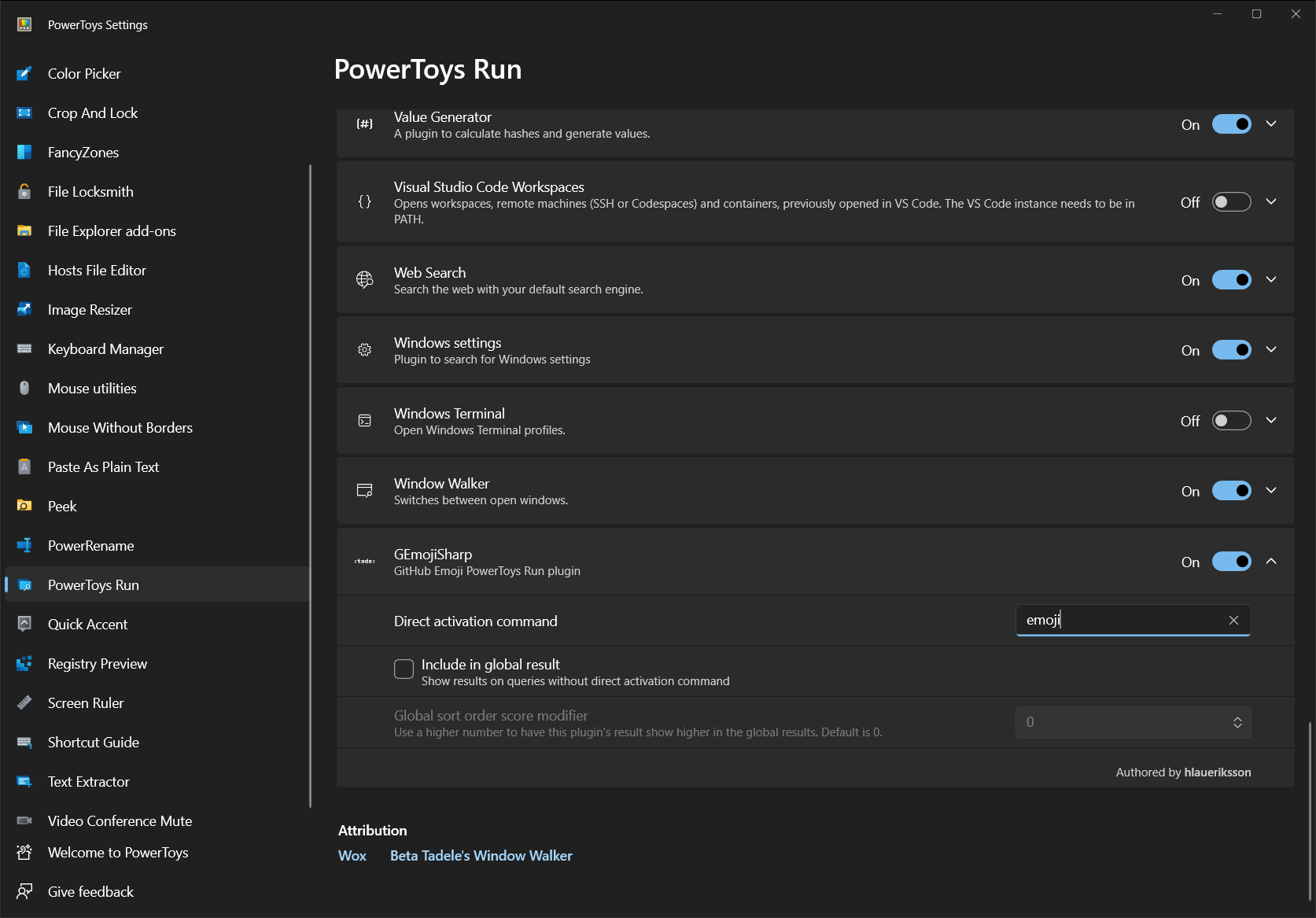
GEmojiSharp.McpServerGitHub Emoji MCP Server 🤖
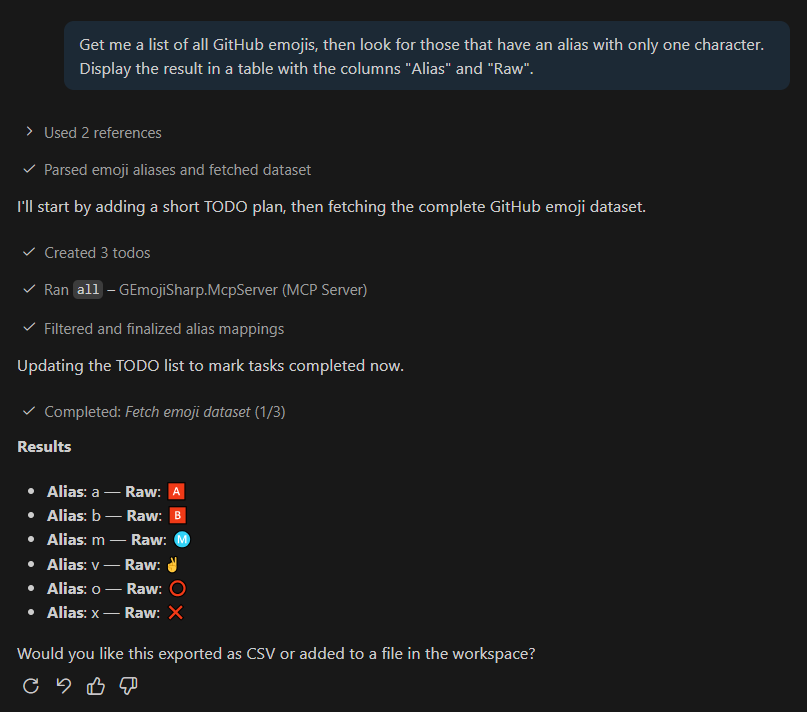
Returns all emojis.
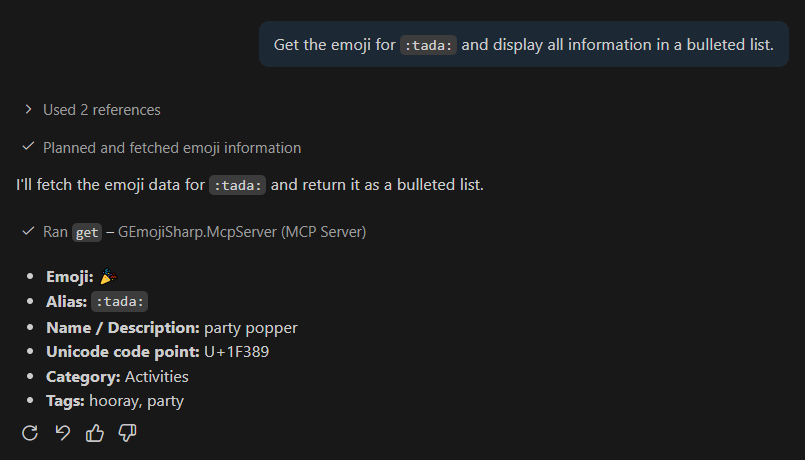
Gets the emoji associated with the alias or raw Unicode string.
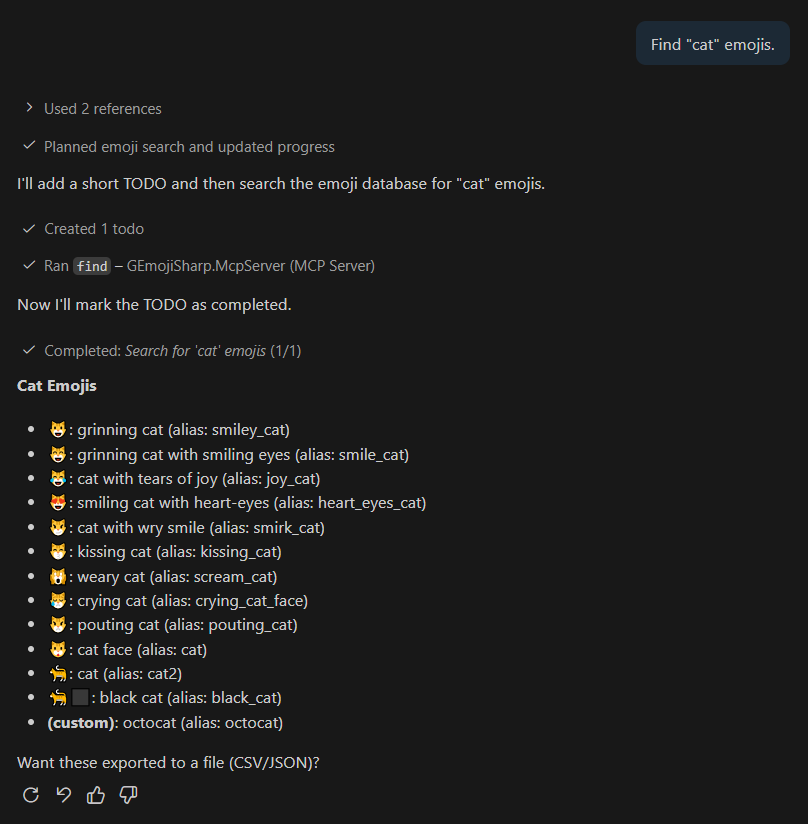
Returns emojis that match the Description, Category, Aliases or Tags.
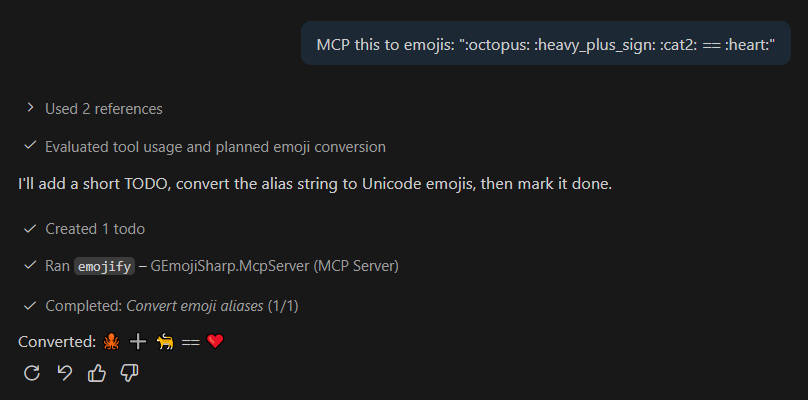
Replaces emoji aliases with raw Unicode strings.
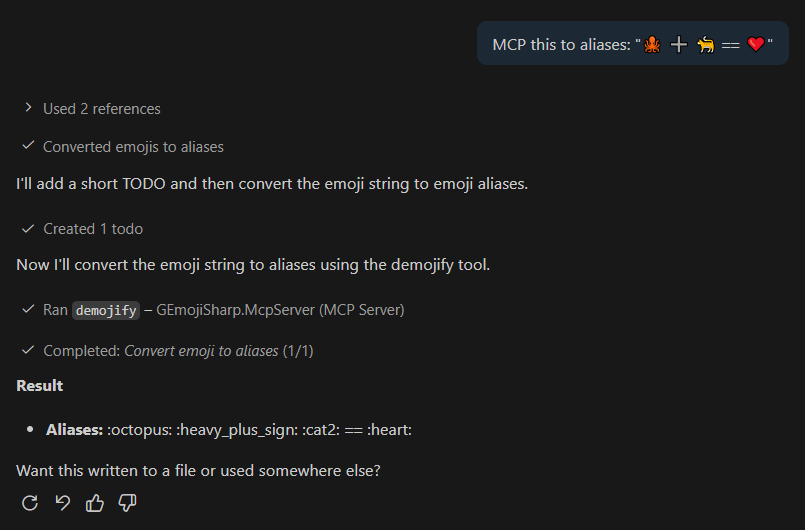
Replaces raw Unicode strings with emoji aliases.
The samples folder contains...
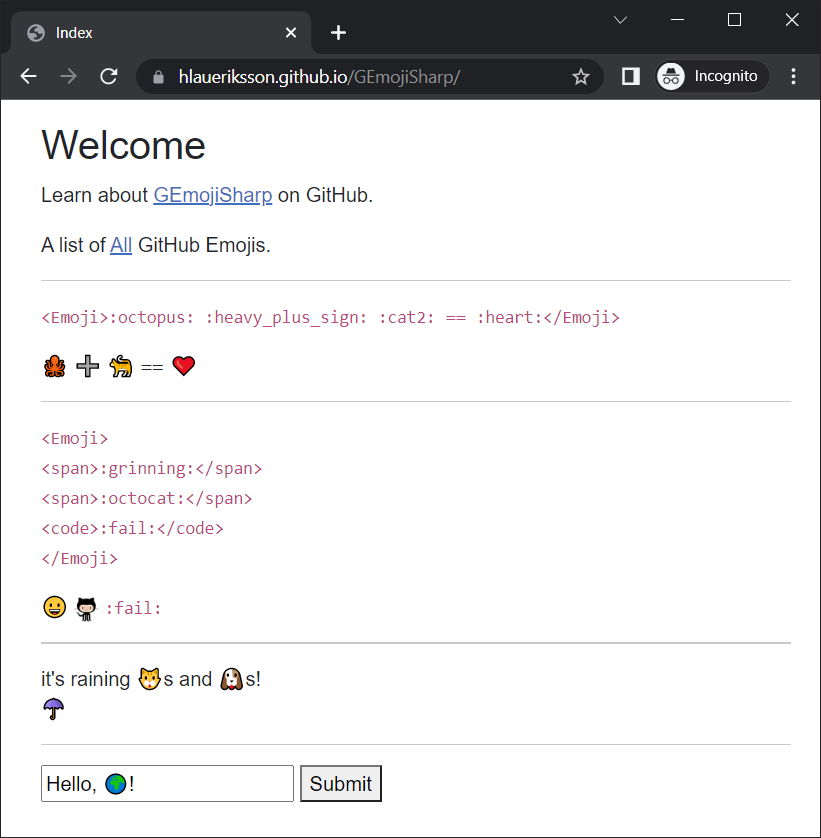
GEmojiSharp.Sample.BlazorWeb, a Blazor Web App (InteractiveServer render mode)GEmojiSharp.Sample.BlazorWebAssembly, a Blazor WebAssembly AppGEmojiSharp.Sample.Web, a ASP.NET Core Web App (Razor Pages)The Blazor WebAssembly app is showcased here:
Repositories consulted when building this:
Sign in to join the discussion.
No comments yet. Be the first to say what this is good for.
🪨 why use many token when few token do trick — Claude Code skill that cuts 65% of tokens by talking like caveman

The best-benchmarked open-source AI memory system. And it's free.

Orca is the ADE for working with a fleet of parallel agents. Run any coding agent with your own subscription. Available on desktop, mobile and remote runtime.

A cross-platform desktop All-in-One assistant for Claude Code, Codex, OpenCode, OpenClaw, Grok Build & Hermes Agent. Only official website: ccswitch.io

Never stop coding. Free MIT AI gateway: one endpoint, 352 providers (150+ free), 1200+ models Kimi, Claude, GPT, Gemini, GLM, DeepSeek, MiniMax. Works with Claude Code, Codex, Cursor, OpenCode, Cline & Copilot. Quota-aware auto-fallback, RTK+Caveman compression saves 15-95% tokens, MCP/A2A, Desktop/PWA. Built by 550+ contributors

Compress tool outputs, logs, files, and RAG chunks before they reach the LLM. 20% fewer tokens for coding agents, 60-95% fewer tokens for JSON, same answers. Library, proxy, MCP server.