📄 notion-doc
Make your AI agent write documents like Notion — not like an AI.

한국어
Ask an AI agent to create a document and you'll often get the same kind of output: a purple gradient hero, emoji-heavy headings, cards with drop shadows.
notion-doc is an agent skill that gives those documents a Notion-like visual style.
It doesn't decide what goes into your document or how it's structured. Your agent still handles the content and outline. notion-doc only handles the presentation.
| Without notion-doc | With notion-doc |
|---|
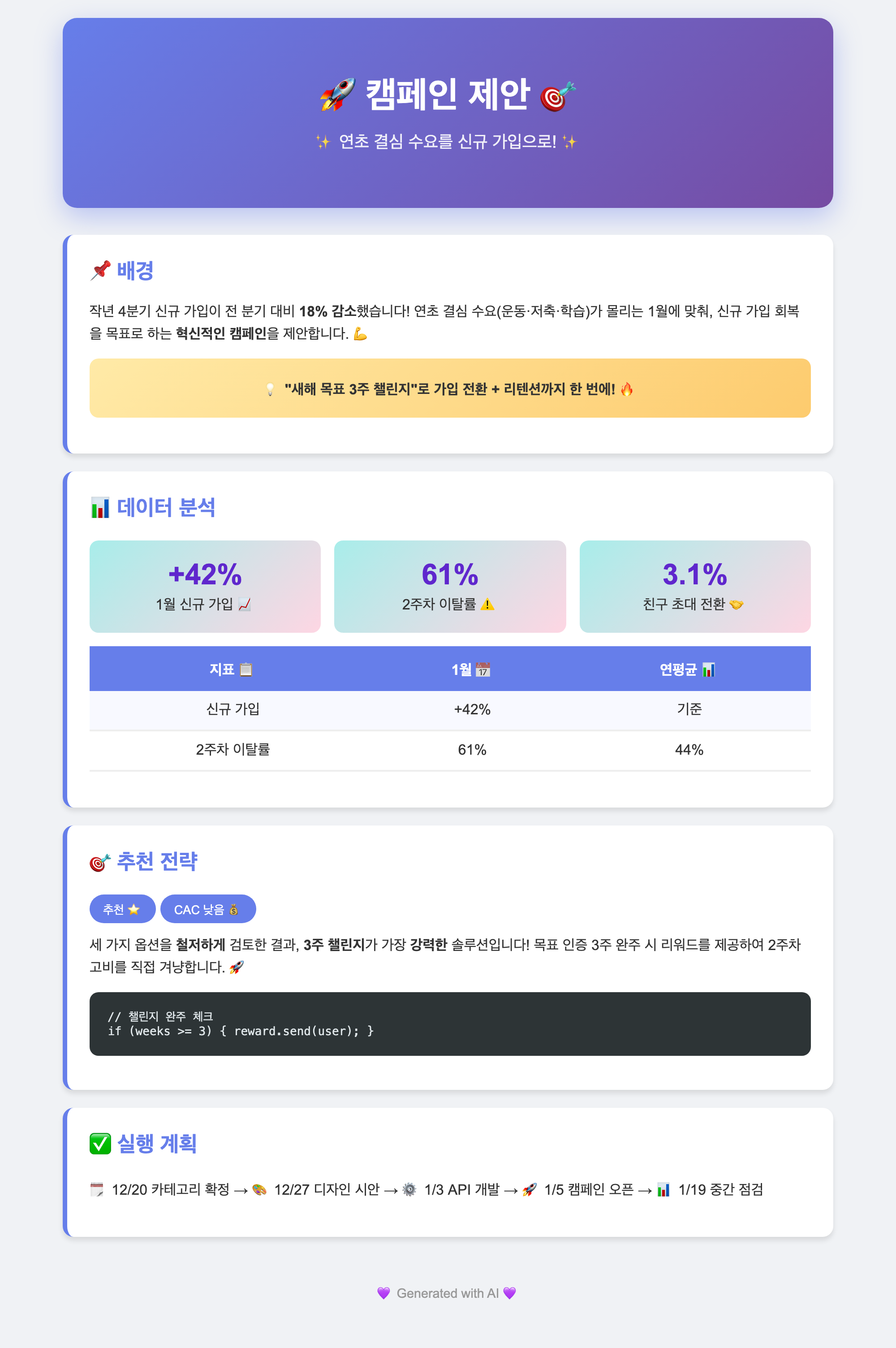 | 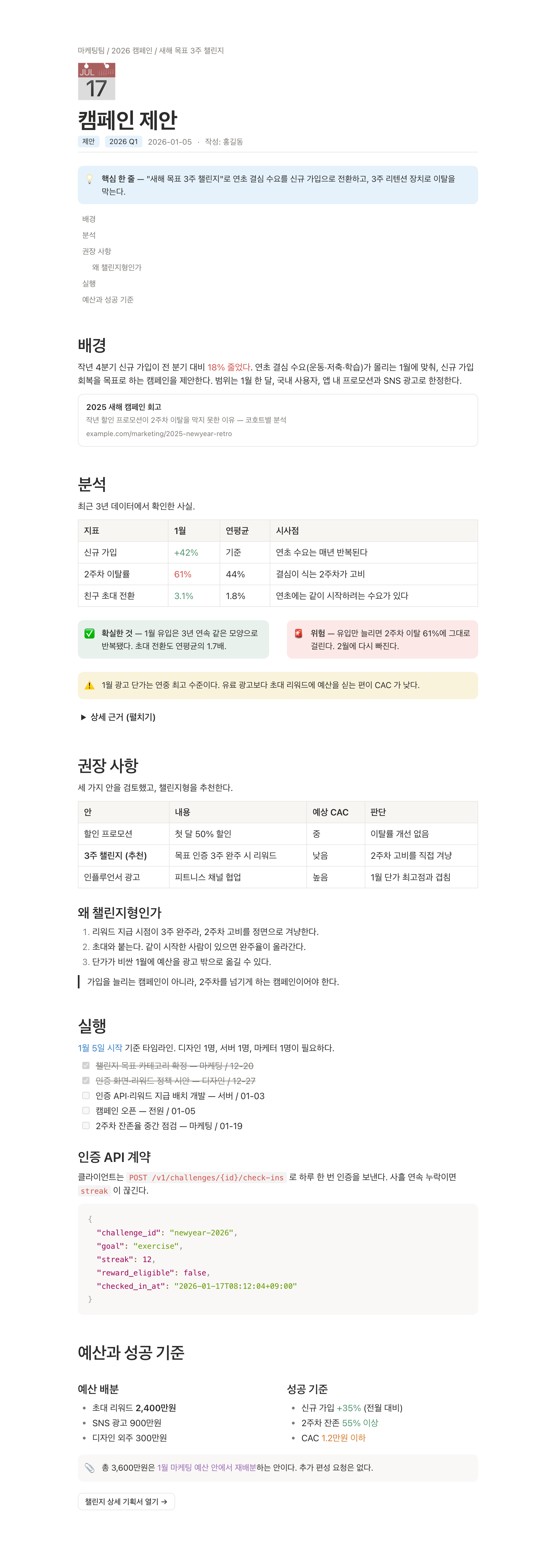 |
What it includes
The skill provides a set of HTML blocks commonly used in Notion:
- Emoji page icons, tag pills, meta lines, and breadcrumbs
- Callouts in 5 colors: blue (key point), gray (note), green (done), yellow (caution), and red (warning)
- Table of contents, simple tables, 2-column layouts, and buttons
- Toggles (
<details>), checklists with strikethrough, quotes, and bookmark cards
- Syntax-highlighted code blocks using Prism, with light and dark themes
- Inline code
- Notion-style text colors: blue, red, orange, green, and purple
- Korean-aware line breaking (
word-break: keep-all)
- Print/PDF layout with
@media print
One template for the visual style
The agent doesn't generate CSS for each document. It copies
template.html and fills in the content.
The template defines a 720px content width, #2C2C2B text color, and Notion's light and dark color palettes as CSS tokens.
Dark mode follows the viewer's theme. When printed or exported to PDF, it switches back to the light palette.
| Light | Dark |
|---|
| 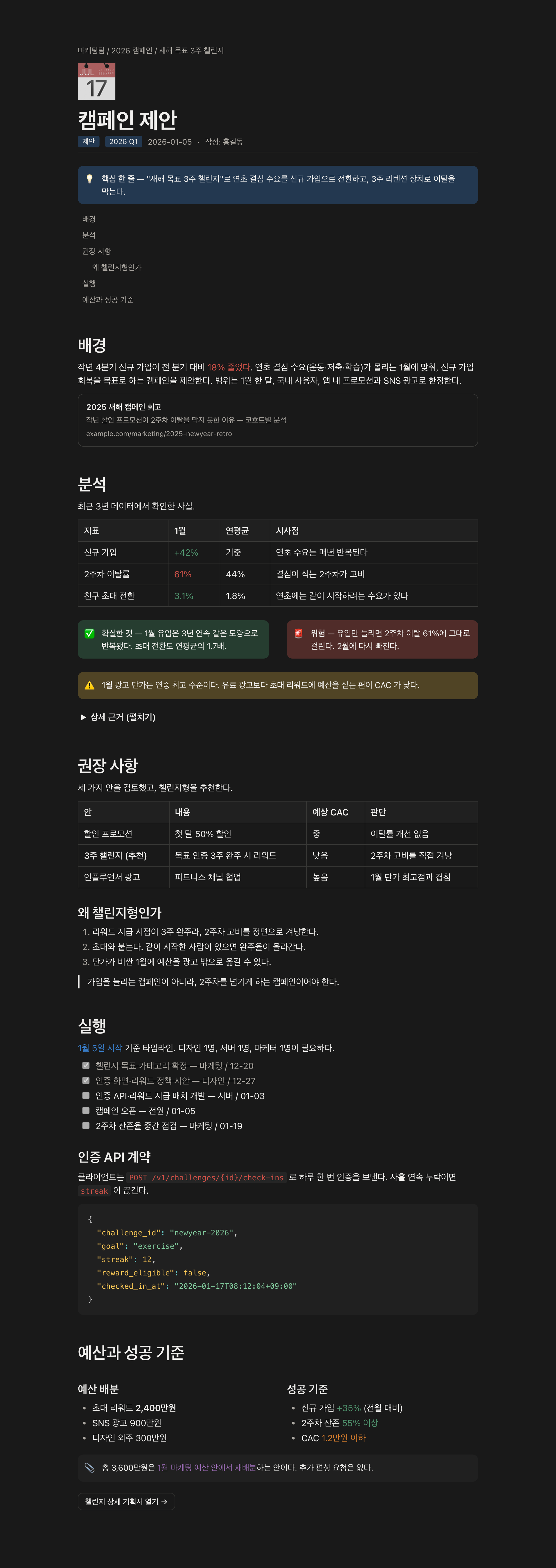 |
Install
Claude Code
Plugin installation is the recommended way to use notion-doc.
/plugin marketplace add heyman333/agent-notion-template-docs
/plugin install notion-doc@agent-notion-template-docs
Choosing an install scope
By default the plugin is installed at the user scope — it applies to all of your projects and never touches the repo, so teammates are unaffected.
To narrow or widen that, pass --scope on the CLI:
# just me, just this project (.claude/settings.local.json — auto-gitignored)
claude plugin marketplace add heyman333/agent-notion-template-docs --scope local
claude plugin install notion-doc@agent-notion-template-docs --scope local
# the whole team on this project (.claude/settings.json — commit it)
claude plugin marketplace add heyman333/agent-notion-template-docs --scope project
claude plugin install notion-doc@agent-notion-template-docs --scope project
With project scope, teammates get an install prompt on their next session after pulling. With local scope, nothing you install shows up in git.
Updating
New versions ship through this marketplace repo, so refresh the marketplace first, then update the plugin:
/plugin marketplace update agent-notion-template-docs
/plugin update notion-doc@agent-notion-template-docs
Or from the CLI, passing the scope you installed at:
claude plugin marketplace update agent-notion-template-docs
claude plugin update notion-doc@agent-notion-template-docs --scope user   # or local / project
Restart Claude Code to apply. If you installed at more than one scope, update each one — in a project the narrower scope wins. claude plugin list shows what you currently have.
You can also copy the skill manually.
# this project only
cp -r skills/notion-doc <your-project>/.claude/skills/

# every project
cp -r skills/notion-doc ~/.claude/skills/
Codex, Cursor, Gemini CLI, and others
The skill consists of two plain files with no Claude-specific dependencies. Any agent that can read instruction files can use it.
See Using with other agents for ready-to-paste snippets for AGENTS.md, .cursor/rules, and GEMINI.md.
Usage
Once installed, notion-doc is applied automatically when you ask the agent to create a document.
For example:
- "Write this up as a report"
- "Summarize this as a doc"
- "Write a postmortem"
You can also invoke it explicitly in Claude Code:
/notion-doc:notion-doc
Keeping the template intact
The skill is designed around a single HTML template. The agent should use the template rather than creating its own CSS.
lint.py checks generated documents against template.html:
python3 skills/notion-doc/lint.py mydoc.html
For example:
✗ mydoc.html
  ERROR [css-drift] CSS differs from the canon (1 lines). Do not write new CSS — +    box-shadow: 0 4px 12px ...
  ERROR [unknown-class] Classes not in the template: hero-card. Do not invent classes — pick from the block dictionary
The linter catches:
- CSS changes such as new shadows, gradients, or colors
- Inline
style attributes
- Hand-written colors in the document body
- Classes that are not defined in the template
- Code blocks without a
language-* class
It uses only the Python standard library, so it can run in any agent or CI environment.
When installed as a Claude Code plugin, a PostToolUse hook runs after HTML files are written and reports what needs to be fixed. If the document was created without the skill, it gives a short reminder to use it.
The hook is limited to document files and skips apps, framework templates, and build output. See the gating tests.
Examples
Open the HTML files in a browser to see the actual output.
| File | Content | Blocks shown |
|---|
| sample.html | Campaign proposal (Korean) | Most of the available blocks: breadcrumb, TOC, 5 callout colors, tables, 2-column layout, toggle, checklist, bookmark, button |
| sample-tech.html | Incident analysis (Korean) | Syntax-highlighted code, red/yellow callouts |
| sample-en.html | Campaign proposal (English) | Same document as sample.html, in English |
| before.html | Without notion-doc | A typical default agent output |
Repo layout
.claude-plugin/
  plugin.json          # plugin manifest
  marketplace.json     # marketplace catalog

skills/notion-doc/
  SKILL.md             # block dictionary and visual rules
  template.html        # HTML template and CSS
  lint.py              # checks documents against the template

hooks/
  hooks.json           # PostToolUse hook
  notion-doc-lint.py
  test_gating.py       # tests hook behavior

examples/              # rendered example documents

scripts/               # screenshots and Notion sync checks

docs/
  using-with-other-agents.md
Staying in sync with Notion
Notion continues to add new block types and change its visual design. This repo periodically checks a public Notion reference page to see if the implementation has drifted.
The weekly CI job, notion-sync, checks the reference page in three ways:
- Design tokens: every color in Notion's light and dark palettes, read directly from Notion's own stylesheets (no browser needed).
- Block types are read through Notion's page API, with cursor pagination.
- Render sanity: a headless browser render confirms the geometry and that blocks still paint.
The results are compared against the committed baselines in sync/notion-tokens.json and sync/notion-snapshot.json.
Reference page:
Notion Block Reference — All of Notion's Blocks
(Thomas Frank's public reference page.)
When the reference changes, the CI job reports the difference and opens an issue. The report also indicates whether a new block type is already supported by notion-doc.
Design source
The visual style in template.html is based on Notion's own design tokens rather than manually approximated values.
Notion declares its tokens right in its inline styles (background: var(--c-graBacPri)), so every value can be traced instead of sampled:
The weekly notion-sync job re-checks all of it, so the template can't silently drift from Notion.
License
MIT



