
JuliusBrussee/
caveman

🪨 why use many token when few token do trick — Claude Code skill that cuts 65% of tokens by talking like caveman
105k
1 add
Claude Code Statusline adds a live statusline to Claude Code with git state, file changes, model info, context usage, and cost. It installs as a small Rust binary and reads `~/.claude/statusline.toml` for theme and display options.
Builders who use Claude Code and want key session metrics at a glance.
You can see your agent session state, context usage, and cost without leaving the terminal.
Shows the current directory, git branch, and changed files.
Displays the active model and context usage with a progress bar and status messages.
Shows session cost in the statusline.
Supports themes like Dracula, Tokyo Night, One Dark, Solarized Dark, and Phosphor.
Installs with one command and can be customized through `~/.claude/statusline.toml`.
curl -fsSL https://raw.githubusercontent.com/glauberlima/claude-code-statusline/main/install.sh | bash
& ([scriptblock]::Create((irm https://raw.githubusercontent.com/glauberlima/claude-code-statusline/main/install.ps1)))
# macOS / Linux / WSL
curl -fsSL https://raw.githubusercontent.com/glauberlima/claude-code-statusline/main/install.sh | bash -s -- --install-dir /custom/path
# Windows — PowerShell
& ([scriptblock]::Create((irm 'https://raw.githubusercontent.com/glauberlima/claude-code-statusline/main/install.ps1'))) -InstallDir "C:\Custom\Path"
# macOS / Linux / WSL
curl -fsSL https://raw.githubusercontent.com/glauberlima/claude-code-statusline/main/install.sh | bash -s -- --version v1.1.0-dev.6f31b35
# Windows — PowerShell
& ([scriptblock]::Create((irm 'https://raw.githubusercontent.com/glauberlima/claude-code-statusline/main/install.ps1'))) -Version v1.1.0-dev.6f31b35
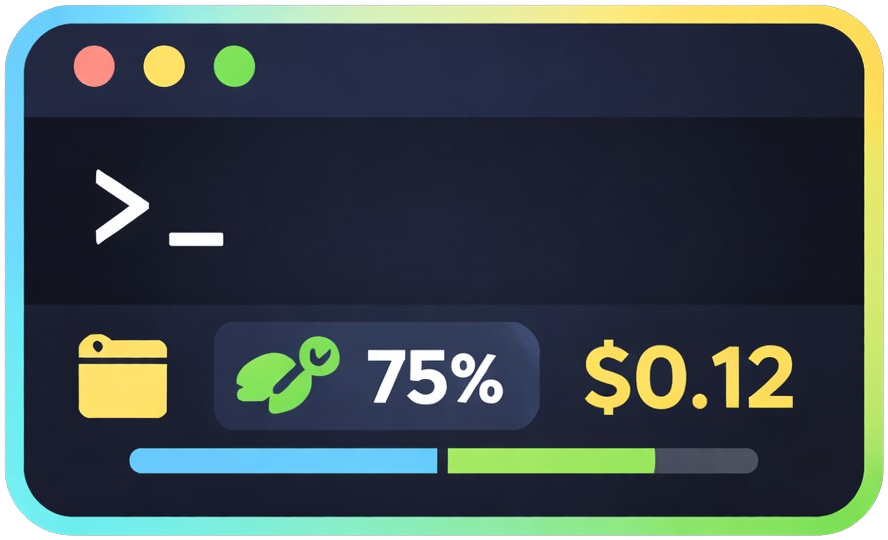
> Ridiculously simple. Surprisingly rich.


More context in Claude Code's statusline: directory, git status, file changes, model, context usage with progress bar, and cost — all visible at once.

Install with one command. Works immediately. Configure when you need it.
macOS / Linux / WSL
curl -fsSL https://raw.githubusercontent.com/glauberlima/claude-code-statusline/main/install.sh | bash
Windows — PowerShell
& ([scriptblock]::Create((irm https://raw.githubusercontent.com/glauberlima/claude-code-statusline/main/install.ps1)))
Override where the binary and config are installed (default: ~/.claude):
# macOS / Linux / WSL
curl -fsSL https://raw.githubusercontent.com/glauberlima/claude-code-statusline/main/install.sh | bash -s -- --install-dir /custom/path
# Windows — PowerShell
& ([scriptblock]::Create((irm 'https://raw.githubusercontent.com/glauberlima/claude-code-statusline/main/install.ps1'))) -InstallDir "C:\Custom\Path"
To install a specific release (e.g. for testing an unstable build):
# macOS / Linux / WSL
curl -fsSL https://raw.githubusercontent.com/glauberlima/claude-code-statusline/main/install.sh | bash -s -- --version v1.1.0-dev.6f31b35
# Windows — PowerShell
& ([scriptblock]::Create((irm 'https://raw.githubusercontent.com/glauberlima/claude-code-statusline/main/install.ps1'))) -Version v1.1.0-dev.6f31b35
Both parameters can be combined:
# macOS / Linux / WSL
curl -fsSL https://raw.githubusercontent.com/glauberlima/claude-code-statusline/main/install.sh | bash -s -- --install-dir /custom/path --version v1.1.0-dev.6f31b35
# Windows — PowerShell
& ([scriptblock]::Create((irm 'https://raw.githubusercontent.com/glauberlima/claude-code-statusline/main/install.ps1'))) -InstallDir "C:\Custom\Path" -Version v1.1.0-dev.6f31b35
Release tags are listed on the GitHub releases page.
Edit ~/.claude/statusline.toml to customize features. Generate the default config:
macOS / Linux / WSL
~/.claude/statusline --print-defaults > ~/.claude/statusline.toml
Windows — PowerShell
& "$env:USERPROFILE\.claude\statusline.exe" --print-defaults | Set-Content "$env:USERPROFILE\.claude\statusline.toml"
Available options: cost, messages, messages_language (en/pt/es), usage_bar_style (plain/rainbow/gradient/gsd/dracula/tokyo-night/one-dark/solarized-dark/phosphor), theme (default/dracula/tokyo-night/one-dark/solarized-dark/phosphor).
theme recolors the directory, git branch, file changes, model, cost, and context (plain bar style only) segments using the official palette of the selected theme. The rainbow and gsd bar styles are unaffected by theme — they always use their own fixed colors. The gradient and per-theme bar styles below are also independent of theme — pick them via usage_bar_style regardless of which theme is active.
| Theme | Source palette |
|---|---|
default | Original 16-color ANSI (no theme applied) |
dracula | Dracula |
tokyo-night | Tokyo Night |
one-dark | Atom One Dark |
solarized-dark | Solarized Dark |
phosphor | P1 phosphor CRT green (80s terminal) |
theme = "dracula"
usage_bar_style also accepts each theme's name (dracula/tokyo-night/one-dark/solarized-dark/phosphor), rendering the progress bar as a gradient across that theme's 6 semantic colors — independent of whichever theme is currently active. For example, theme = "default" with usage_bar_style = "phosphor" keeps default colors everywhere except a phosphor-green progress bar.
usage_bar_style = "phosphor"
cargo test
See CLAUDE.md for architecture details and development commands.
Sign in to join the discussion.
No comments yet. Be the first to say what this is good for.
🪨 why use many token when few token do trick — Claude Code skill that cuts 65% of tokens by talking like caveman

The best-benchmarked open-source AI memory system. And it's free.

Orca is the ADE for working with a fleet of parallel agents. Run any coding agent with your own subscription. Available on desktop, mobile and remote runtime.

A cross-platform desktop All-in-One assistant for Claude Code, Codex, OpenCode, OpenClaw, Grok Build & Hermes Agent. Only official website: ccswitch.io

Never stop coding. Free MIT AI gateway: one endpoint, 352 providers (150+ free), 1200+ models Kimi, Claude, GPT, Gemini, GLM, DeepSeek, MiniMax. Works with Claude Code, Codex, Cursor, OpenCode, Cline & Copilot. Quota-aware auto-fallback, RTK+Caveman compression saves 15-95% tokens, MCP/A2A, Desktop/PWA. Built by 550+ contributors

Compress tool outputs, logs, files, and RAG chunks before they reach the LLM. 20% fewer tokens for coding agents, 60-95% fewer tokens for JSON, same answers. Library, proxy, MCP server.