
JuliusBrussee/
caveman

🪨 why use many token when few token do trick — Claude Code skill that cuts 65% of tokens by talking like caveman
105k
1 add
This tool loads your Claude config locally, shows project sizes, and lets you bulk delete old chat histories after exporting them if you want a backup. It also gives you a visual view of MCP servers, with auto-backup before every save and no extra dependencies beyond Python.
Builders who use Claude Code or Claude Desktop and want a safer way to manage large config files.
You can clean up bloated Claude configs in minutes instead of editing JSON by hand.
Shows which projects are using the most space so you can target the bloat first.
Lets you select and delete old project histories in groups instead of one by one.
Exports individual project histories as JSON so you can keep a backup before removing them.
Shows MCP servers in a visual list and lets you add or remove them without hand-editing config files.
Creates `.claude.backup.json` before saving so you can restore changes if needed.
Runs on `localhost` and does not send your config data anywhere.
git clone https://github.com/gagarinyury/claude-config-editor.git
cd claude-config-editor
python3 server.py


Your Claude config is probably 10+ MB.
Mine was 17 MB. Now it's 732 KB.
This tool did it in 30 seconds.




Claude Code stores EVERY conversation from EVERY project in a single JSON file.
After a few weeks of use:
Sound familiar?
A beautiful web interface to:
Works with both Claude Code AND Claude Desktop.
"My .claude.json was 23 MB. Deleted 50 old projects. Now it's 1.8 MB. Claude Code starts instantly now." - Actual result
"Finally! I can see my MCP servers without opening VSCode." - Reddit user
"I didn't even know this was a problem until I ran this tool." - HN comment
Translation: This tool solves a problem you didn't know you had, in 30 seconds, with zero risk.
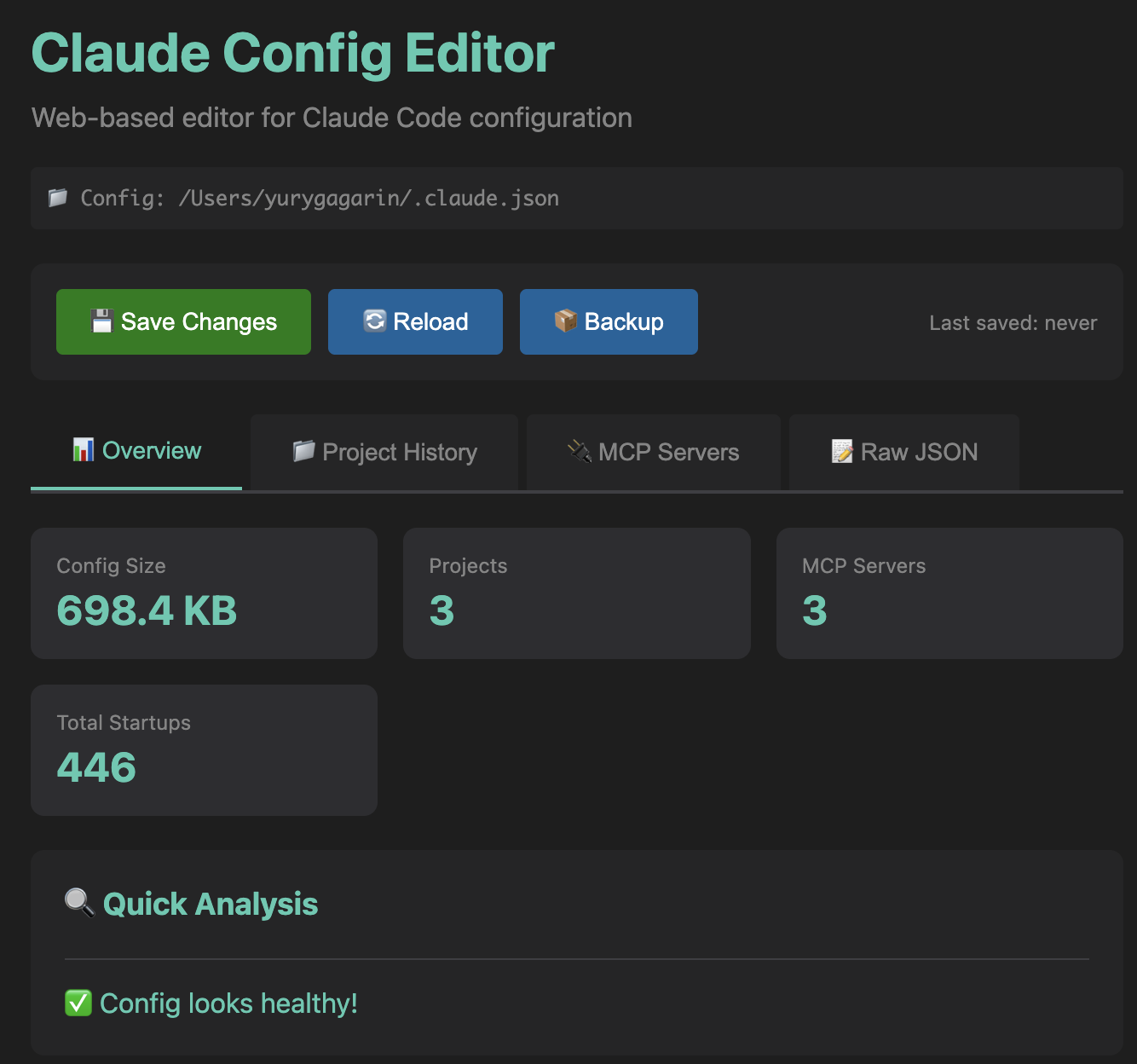 Quick stats and health analysis at a glance
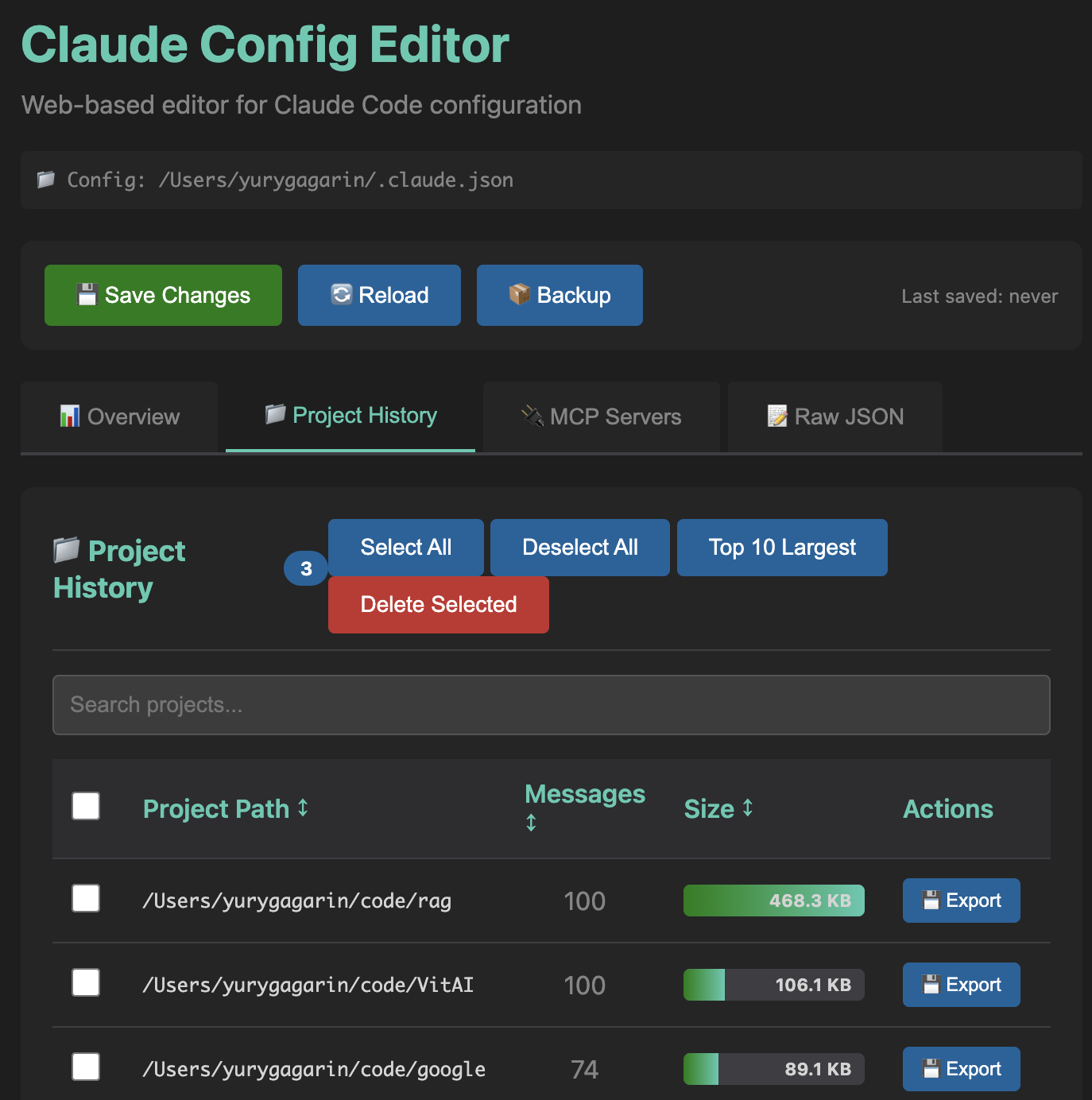 See which projects are eating disk space, export or delete with one click
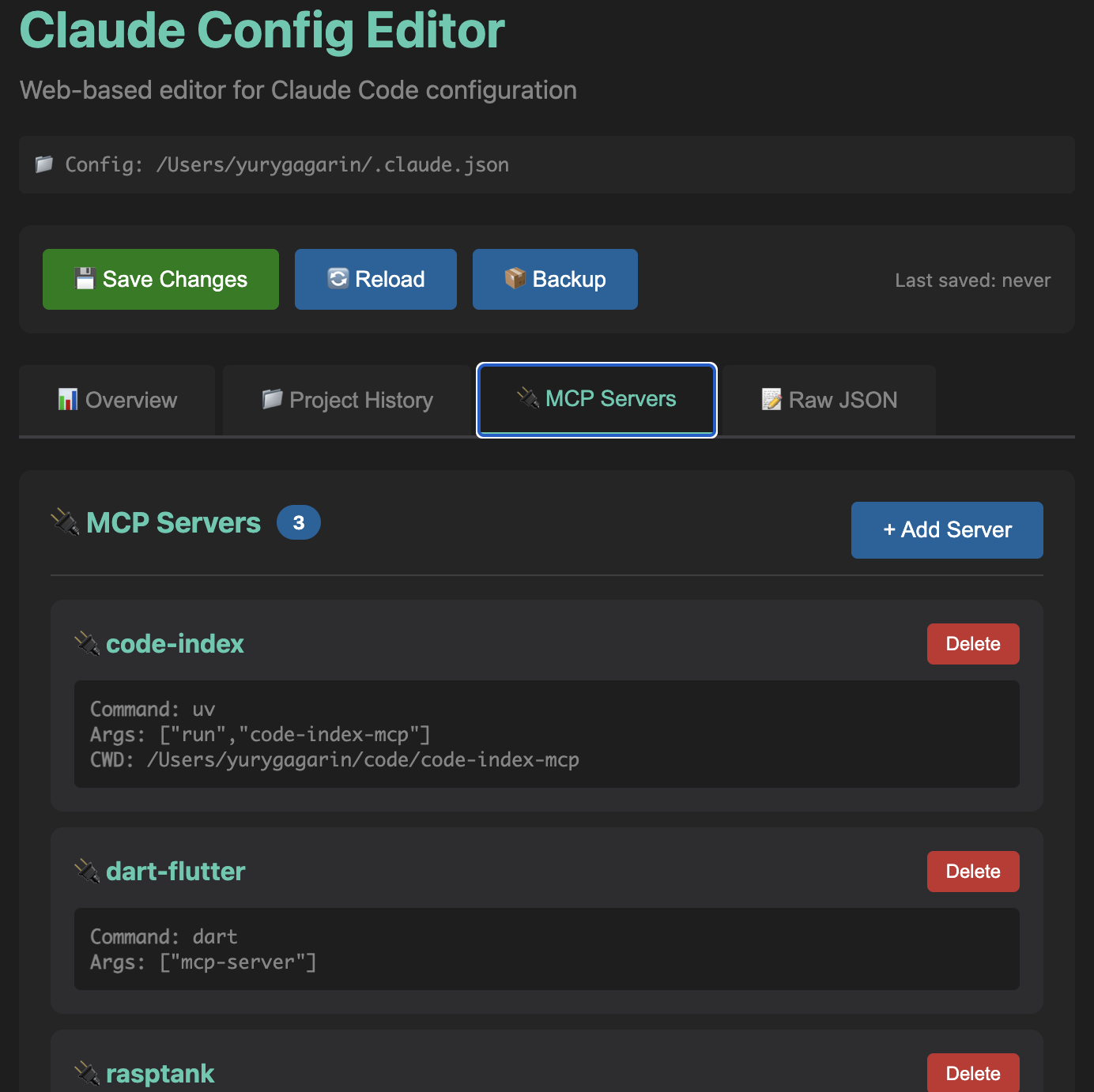 Visual management of MCP server configurations
Three commands. Zero dependencies. Zero configuration.
git clone https://github.com/gagarinyury/claude-config-editor.git
cd claude-config-editor
python3 server.py
That's it. Opens at http://localhost:8765.
See exactly what's taking up space:
The killer feature:
Because editing JSON manually is for masochists:
→ Your config is probably huge. Click "Top 10 Largest", delete, save. Done in 30 seconds.
→ Go to Project History, click "💾 Export" on any project. Downloads JSON. Keep forever.
→ Go to MCP Servers tab. See everything. No more cat ~/.claude.json | grep mcpServers.
→ Restore from .claude.backup.json (created automatically before every save).
→ Export your config, share the JSON. Or just share this tool.
1. Open tool → Go to "Project History"
2. Click "Top 10 Largest" (selects 90% of bloat)
3. Review → Click "Delete Selected"
4. Click "💾 Save Changes"
Result: 17 MB → 732 KB (actual result from my config)
1. Find project in list
2. Click "💾 Export" (downloads JSON)
3. Now safe to delete (you have a backup)
View:   See all servers, their commands, args, env
Add:    Click "+ Add Server" → Enter name & command → Save
Remove: Find server card → Click "Delete" → Save
.claude.backup.json)localhost:8765, no internet required)Worst case: Restore from .claude.backup.json. Best case: Your Claude is fast again.
| Config | Path | Auto-Detect |
|---|---|---|
| Claude Code (macOS/Linux) | ~/.claude.json | ✅ |
| Claude Code (Windows) | %USERPROFILE%\.claude.json | ✅ |
| Claude Desktop (macOS) | ~/Library/Application Support/Claude/claude_desktop_config.json | ✅ |
| Claude Desktop (Windows) | %APPDATA%\Claude\claude_desktop_config.json | ✅ |
| Claude Desktop (Linux) | ~/.config/Claude/claude_desktop_config.json | ✅ |
/api/config)Source: 300 lines of Python + 700 lines of HTML/CSS/JS. No frameworks. No build step. Just works.
Q: Will this break my Claude setup?
A: No. Automatic backups + only changes what you delete. Worst case: restore from .claude.backup.json.
Q: Why is my config so big? A: Claude stores EVERY message from EVERY project. 100 projects × 50 messages × 1 KB = 5 MB. Add paste content and it balloons to 10-20 MB.
Q: What happens to my conversations? A: Project history = conversation history. Deleting a project = deleting its chat history. Use "💾 Export" first if you want to keep it.
Q: Is my data sent anywhere?
A: Nope. Runs on localhost:8765. Zero network requests. Check the code if you don't believe me.
Q: Can I undo a delete?
A: Before save? Yes (just refresh). After save? Restore from .claude.backup.json (created automatically).
Q: Why not just edit the JSON manually? A: You could. Or you could use this and finish in 30 seconds instead of 30 minutes of JSON hell.
Q: Does this work with Claude Desktop?
A: Yes! Auto-detects both Claude Code (.claude.json) and Claude Desktop (claude_desktop_config.json).
Q: Can I run this on Windows? A: Yes! Python is cross-platform. Works on macOS, Linux, Windows.
Found a bug? Open an issue. Have an idea? Open an issue. Want to add a feature? Fork + PR.
git clone https://github.com/gagarinyury/claude-config-editor.git
cd claude-config-editor
# Make your changes
git commit -am "Add awesome feature"
git push origin main
# Open PR
Code style: Keep it simple. This is a tool, not a framework.
MIT License - do whatever you want with this code.
I built this because:
.claude.json → 17 MB 😱If this saved you time, star the repo! ⭐
It helps others discover the tool and validates my late-night coding session.
Got ideas? Open an issue!
If you found this useful, star the repo! It helps others discover it.
Made with ❤️ and Claude Code
(This tool was built using Claude Code. Meta, I know.)
If this saved you time, ⭐ star the repo!
It takes 2 seconds and makes my day.
P.S. Your config is probably bloated right now. Go check. I'll wait.
Sign in to join the discussion.
No comments yet. Be the first to say what this is good for.
🪨 why use many token when few token do trick — Claude Code skill that cuts 65% of tokens by talking like caveman

The best-benchmarked open-source AI memory system. And it's free.

Orca is the ADE for working with a fleet of parallel agents. Run any coding agent with your own subscription. Available on desktop, mobile and remote runtime.

A cross-platform desktop All-in-One assistant for Claude Code, Codex, OpenCode, OpenClaw, Grok Build & Hermes Agent. Only official website: ccswitch.io

Never stop coding. Free MIT AI gateway: one endpoint, 352 providers (150+ free), 1200+ models Kimi, Claude, GPT, Gemini, GLM, DeepSeek, MiniMax. Works with Claude Code, Codex, Cursor, OpenCode, Cline & Copilot. Quota-aware auto-fallback, RTK+Caveman compression saves 15-95% tokens, MCP/A2A, Desktop/PWA. Built by 550+ contributors

Compress tool outputs, logs, files, and RAG chunks before they reach the LLM. 20% fewer tokens for coding agents, 60-95% fewer tokens for JSON, same answers. Library, proxy, MCP server.