
JuliusBrussee/
caveman

🪨 why use many token when few token do trick — Claude Code skill that cuts 65% of tokens by talking like caveman
105k
1 add
Vibeyard is a desktop workspace for AI coding agents. It manages multiple sessions per project, shows a kanban board, tracks cost and context, and lets you resume work without re-explaining yourself.
Builders who want to run Claude Code, Codex CLI, or Gemini CLI in a shared workspace with tasks, sessions, and context tracking.
You can manage several agent sessions in one place and keep work moving without losing context.
A draggable project overview with widgets for AI readiness, kanban, team, sessions, provider tools, and live GitHub issues and pull requests.
Per-project task cards with search, tag filters, drag-and-drop, and one-click spawn or resume of a CLI session.
Run several agent sessions per project, each in its own PTY, and view them in swarm mode.
Share live terminal sessions with teammates over encrypted peer-to-peer connections with read-only or read-write access.
Shows spend, token usage, and context window usage for each session in real time.
A live telemetry view with timeline, cost breakdown, tool usage, and context monitoring.
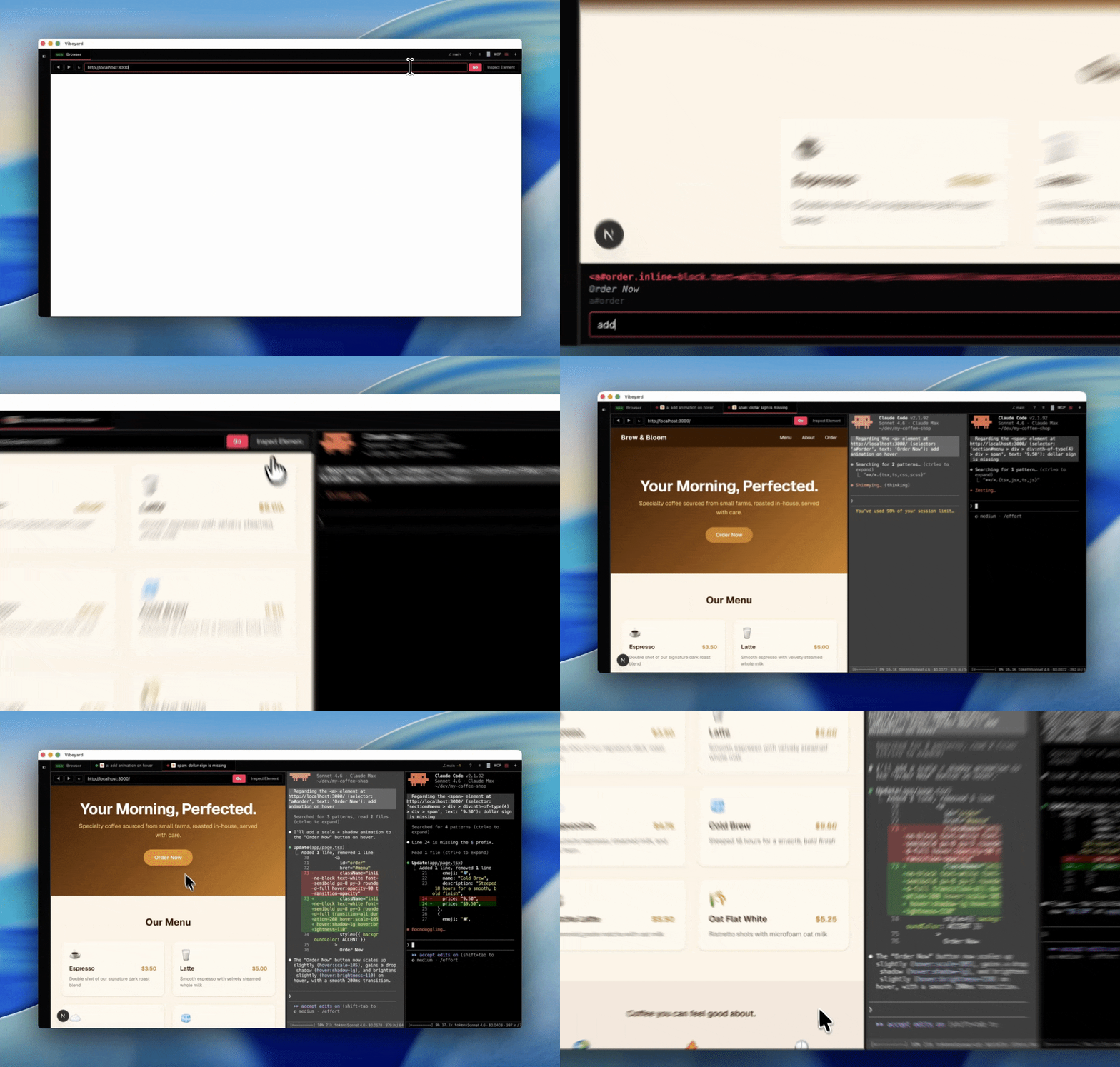
Open a URL in a session tab, inspect page elements, and send editing instructions with selector and page context.
Keep separate Claude Code logins and isolated config directories for different profiles or projects.
# Debian/Ubuntu
sudo dpkg -i vibeyard_*.deb

# AppImage
chmod +x Vibeyard-*.AppImage
./Vibeyard-*.AppImage
npm i -g vibeyard
vibeyard
git clone https://github.com/elirantutia/vibeyard.git
cd vibeyard
npm install && npm start




The IDE built for AI coding agents.
Manage multiple agent sessions, run them in parallel, track costs, and never lose context — with Claude Code, Codex CLI, and Gemini CLI.

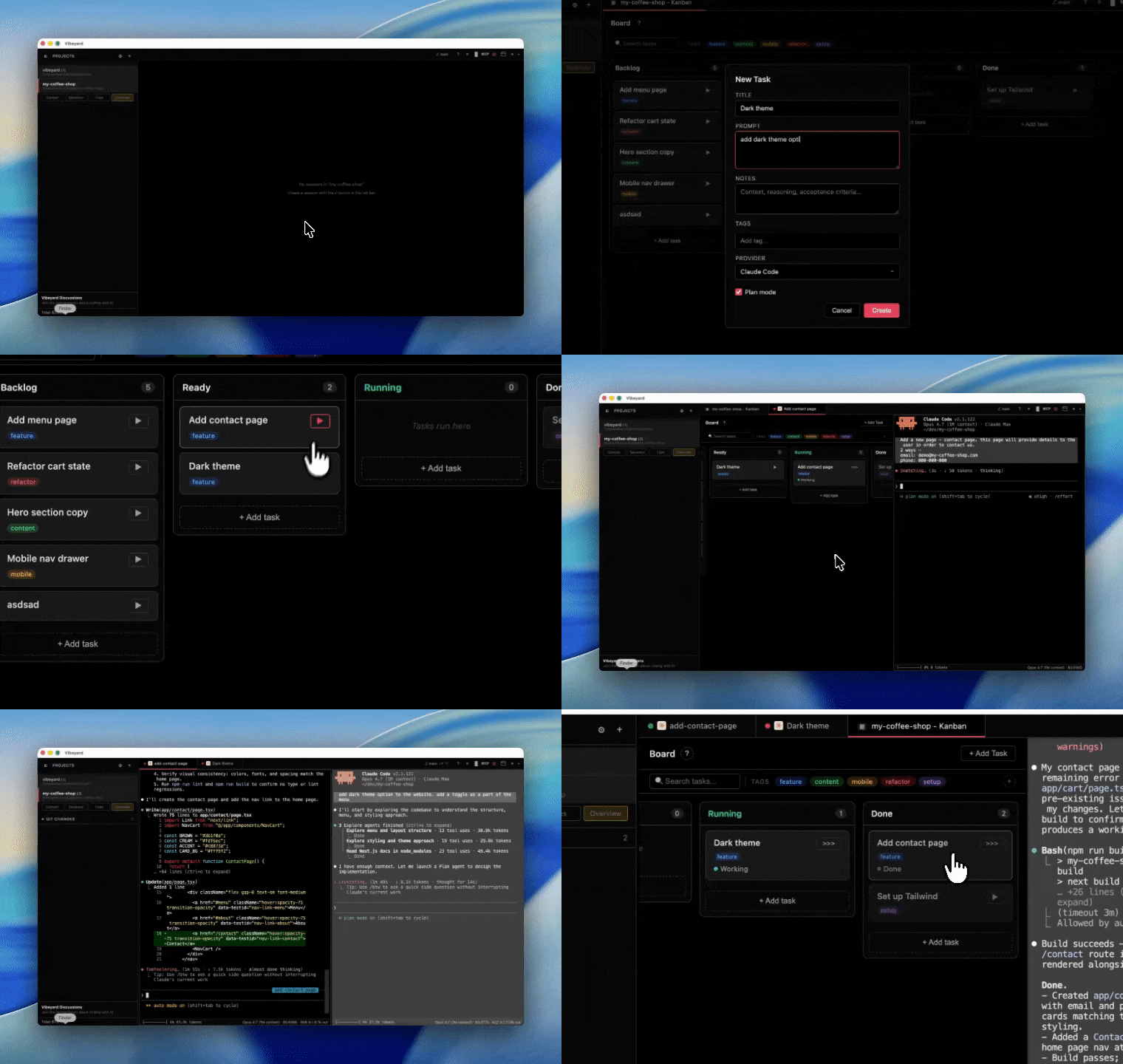
Running AI coding agents in a bare terminal gets messy fast. Vibeyard gives you a proper workspace — a customizable project dashboard, a kanban task board, multi-session management, split panes, swarm mode, cost tracking, and session resume — so you can focus on building, not juggling terminals.
Cmd+\Cmd+Shift+I)localhost:3000) in a session tab, toggle element inspection to click any DOM element, and send AI editing instructions with the exact selector, text content, and page URL as contextSupports Claude Code, OpenAI Codex CLI, and Gemini CLI. More AI CLI providers coming soon.
Requires at least one supported CLI installed and authenticated: Claude Code, OpenAI Codex CLI, or Gemini CLI.
Download the latest .dmg from GitHub Releases, drag to Applications, and launch. Signed and notarized by Apple.
Download the latest .deb (Debian/Ubuntu) or .AppImage (universal) from GitHub Releases.
# Debian/Ubuntu
sudo dpkg -i vibeyard_*.deb

# AppImage
chmod +x Vibeyard-*.AppImage
./Vibeyard-*.AppImage
Download the latest Setup .exe (NSIS installer) or portable .exe from GitHub Releases. Run the installer and launch Vibeyard from the Start menu, or run the portable build directly.
npm i -g vibeyard
vibeyard
On first run, the app is automatically downloaded and launched. No extra steps needed.
git clone https://github.com/elirantutia/vibeyard.git
cd vibeyard
npm install && npm start
Requires Node v24+ (see .nvmrc).
PRs welcome! See the Contributing Guide and Code of Conduct.

If Vibeyard helps your workflow, a star helps us grow. Thanks for the support!
Vibeyard is an independent project and is not affiliated with or endorsed by Anthropic.
Sign in to join the discussion.
No comments yet. Be the first to say what this is good for.
🪨 why use many token when few token do trick — Claude Code skill that cuts 65% of tokens by talking like caveman

The best-benchmarked open-source AI memory system. And it's free.

Orca is the ADE for working with a fleet of parallel agents. Run any coding agent with your own subscription. Available on desktop, mobile and remote runtime.

A cross-platform desktop All-in-One assistant for Claude Code, Codex, OpenCode, OpenClaw, Grok Build & Hermes Agent. Only official website: ccswitch.io

Never stop coding. Free MIT AI gateway: one endpoint, 352 providers (150+ free), 1200+ models Kimi, Claude, GPT, Gemini, GLM, DeepSeek, MiniMax. Works with Claude Code, Codex, Cursor, OpenCode, Cline & Copilot. Quota-aware auto-fallback, RTK+Caveman compression saves 15-95% tokens, MCP/A2A, Desktop/PWA. Built by 550+ contributors

Compress tool outputs, logs, files, and RAG chunks before they reach the LLM. 20% fewer tokens for coding agents, 60-95% fewer tokens for JSON, same answers. Library, proxy, MCP server.