
JuliusBrussee/
caveman

🪨 why use many token when few token do trick — Claude Code skill that cuts 65% of tokens by talking like caveman
105k
1 add
EchoBird bundles install references for many agent tools, then writes each tool’s own config so you can switch models from one shared place. It covers coding CLIs, some desktop apps, and local LLM setup, with a model hub that feeds the supported tools.
Builders who want to install agent tools once and switch their model settings without editing each app by hand.
You can set up and reconfigure multiple AI coding tools from one desktop app instead of fixing each one separately.
Installs and fixes supported tools like Claude Code, Codex CLI, OpenClaw, and others from one app.
Stores provider settings in one hub so supported tools can use the same model configuration.
Updates each tool’s native config file so you can change models without hand-editing TOML or JSON.
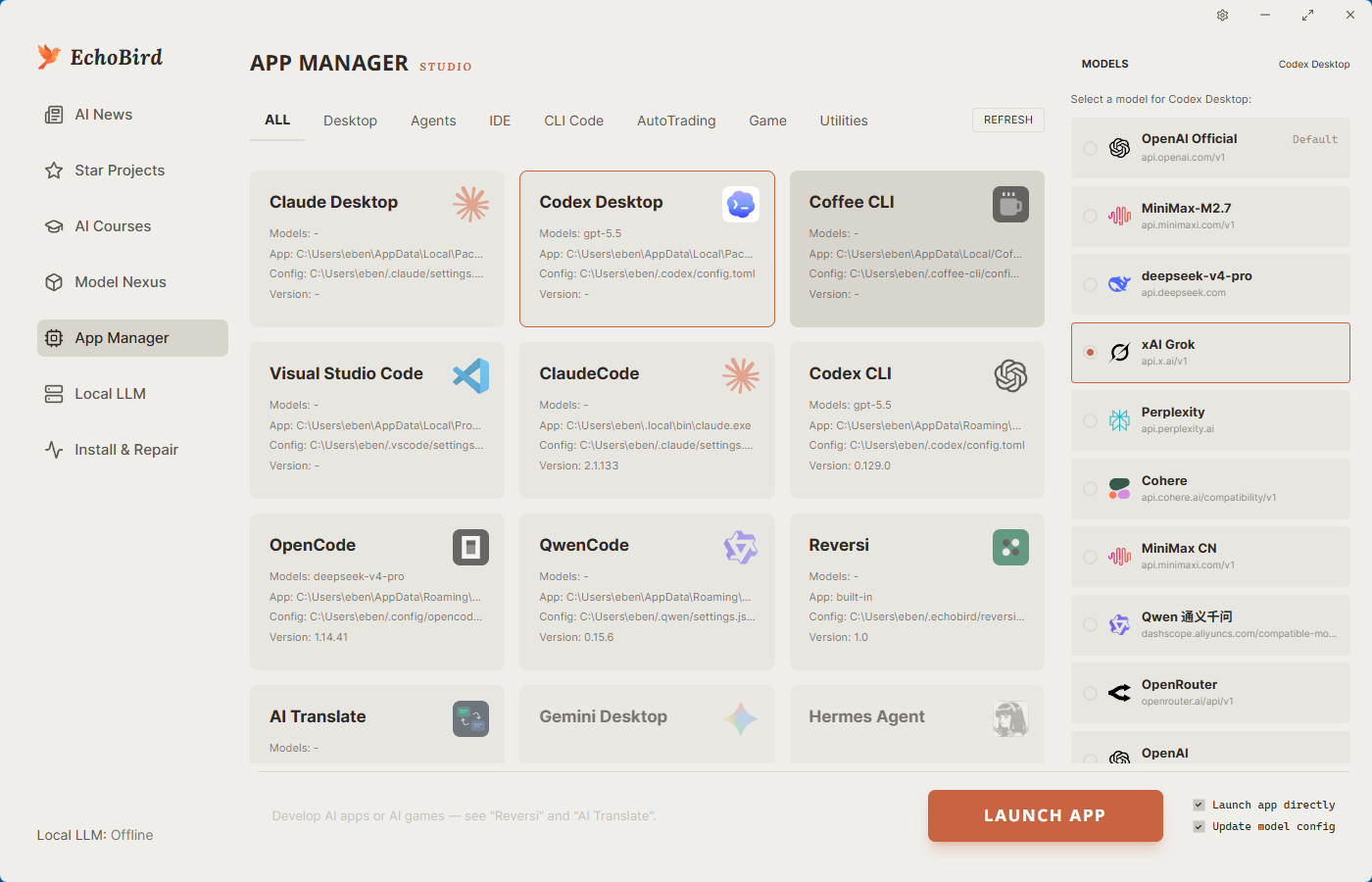
Launches and manages AI apps and agent tools from inside EchoBird.
Bundles runtimes like vLLM, SGLang, and llama.cpp so you can run models locally.
irm https://echobird.ai/install.ps1 | iex
curl -fsSL https://echobird.ai/install.sh | sh

AI deployment, no more chicken-and-egg.
AI 部署,不再是先有鸡还是先有蛋。




Website · Download · ☕ Buy a coffee · 中文 README
Note — This repository is just one of several download channels and an issue tracker. For product information, announcements, and commercial inquiries, visit echobird.ai.
|
APIMart Thanks to APIMart for sponsoring this project! APIMart is a low-cost API platform for AI image & video generation — GPT-Image-2 from $0.006/image, 160+ images per dollar. One async API covers both image and video: submit a task, get an ID, fetch results via polling or callback. Batch tens of thousands of images without timeouts, switch models without changing code. Pay-as-you-go with no monthly fee — sign up here to get started. |
|
88API — AI token aggregation platform Thanks to 88API for sponsoring this project! 88API is a one-stop token aggregation platform: a single API key provides stable access to language & coding models — GPT, Claude, Gemini, Grok, DeepSeek, Kimi, GLM and more — along with image models (GPT-Image, Gemini, Grok), video models (Seedance, Veo, MiniMax Hailuo H3, Kling) and speech (Whisper, TTS), covering everything from copywriting and image creation/editing to video generation and voice-overs. New users get free trial credits to test model capabilities, with human support on site. Operated with overseas corporate credentials — stable and dependable, official invoices, and a 1:1 top-up ratio. |
Sponsorship contact: hi@echobird.ai
Friends kept asking me to install Claude Code, OpenClaw, Hermes Agent… every machine was different, and some refused to pay for an LLM. Setup and explanations took forever. So I built EchoBird — an Agent inspired by Songbird, the genius netrunner from Cyberpunk 2077 who solves any tech problem for V…
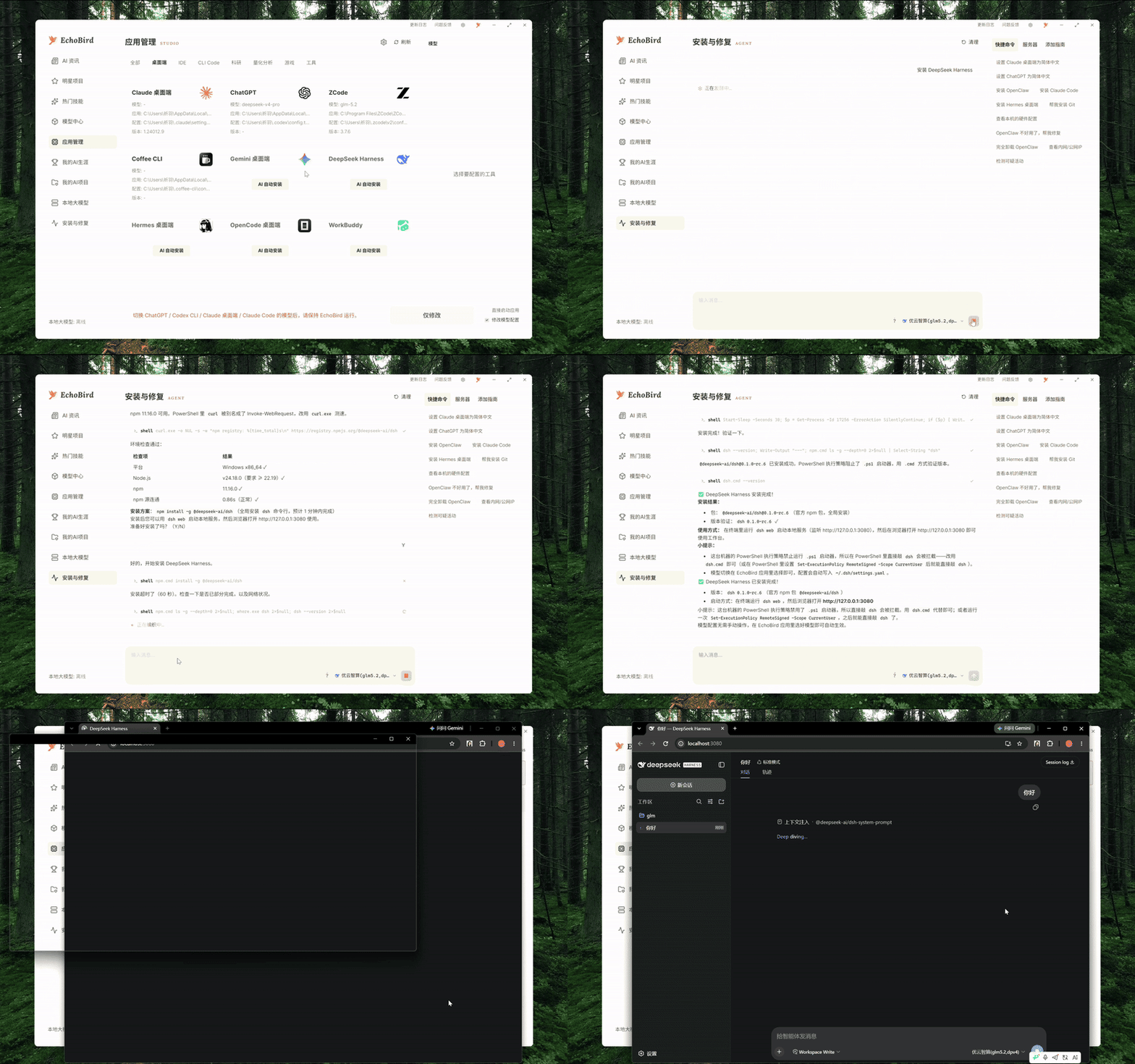
DeepSeek Harness One-click install + model switch (DEMO)
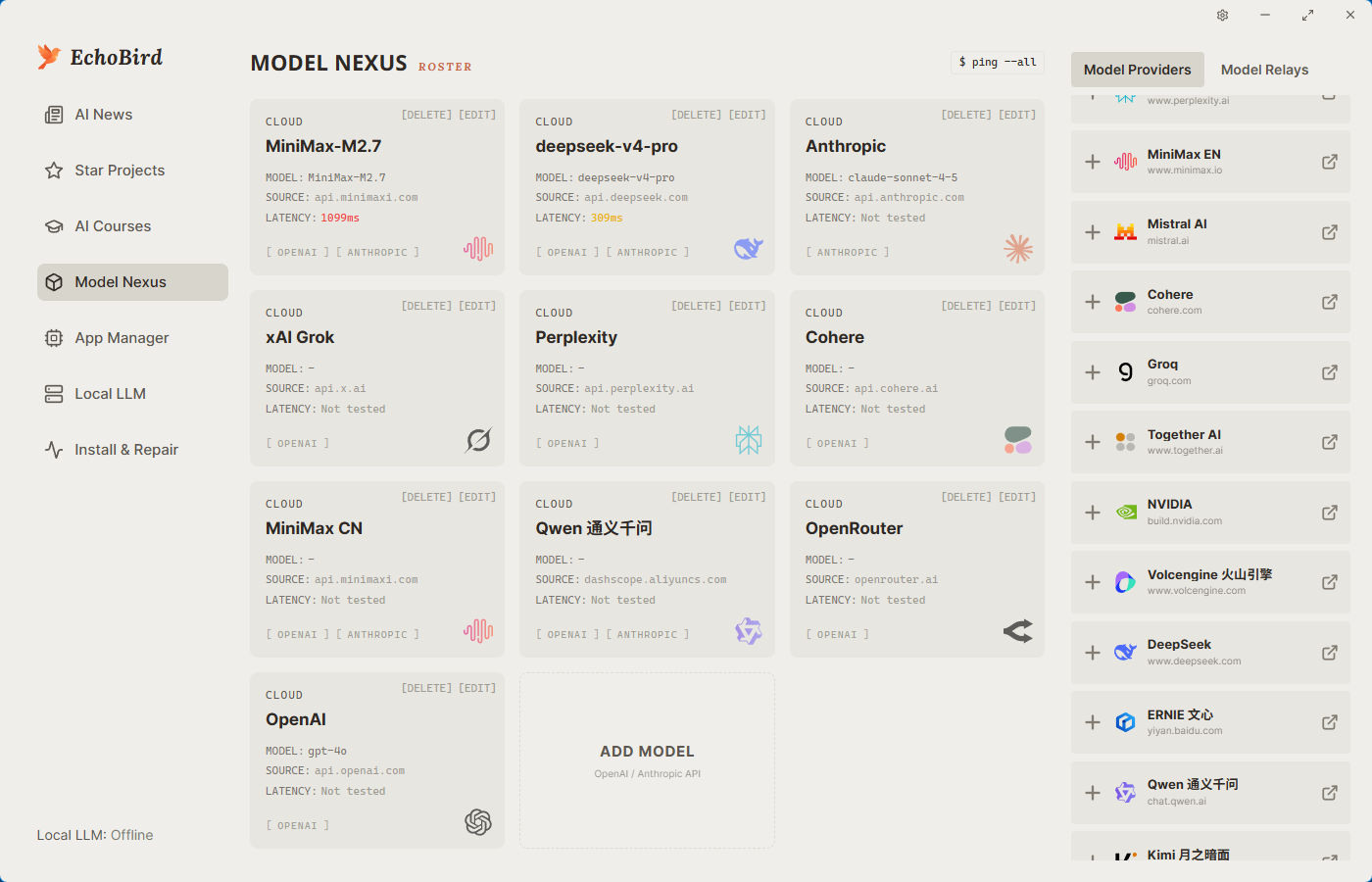
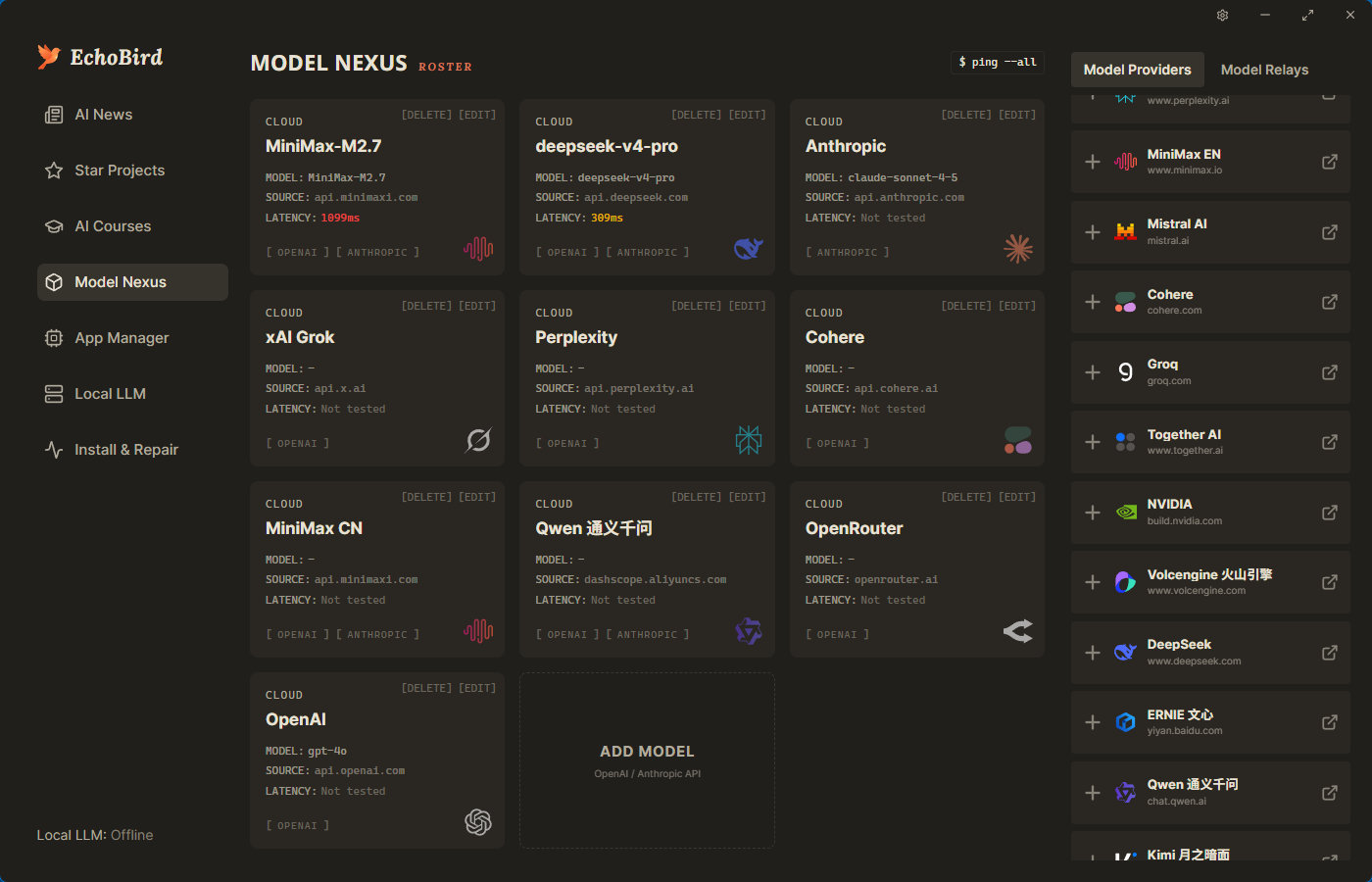
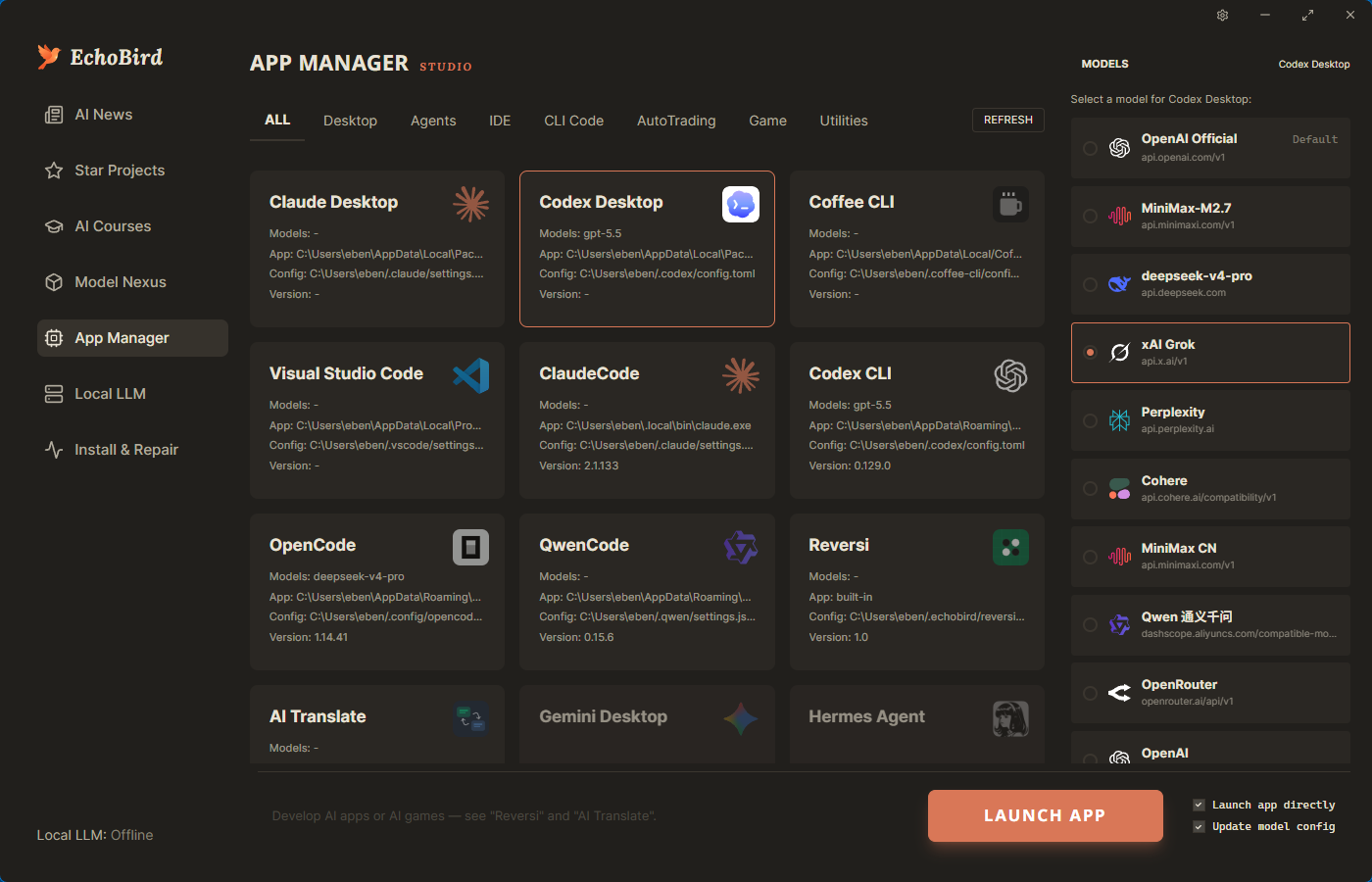
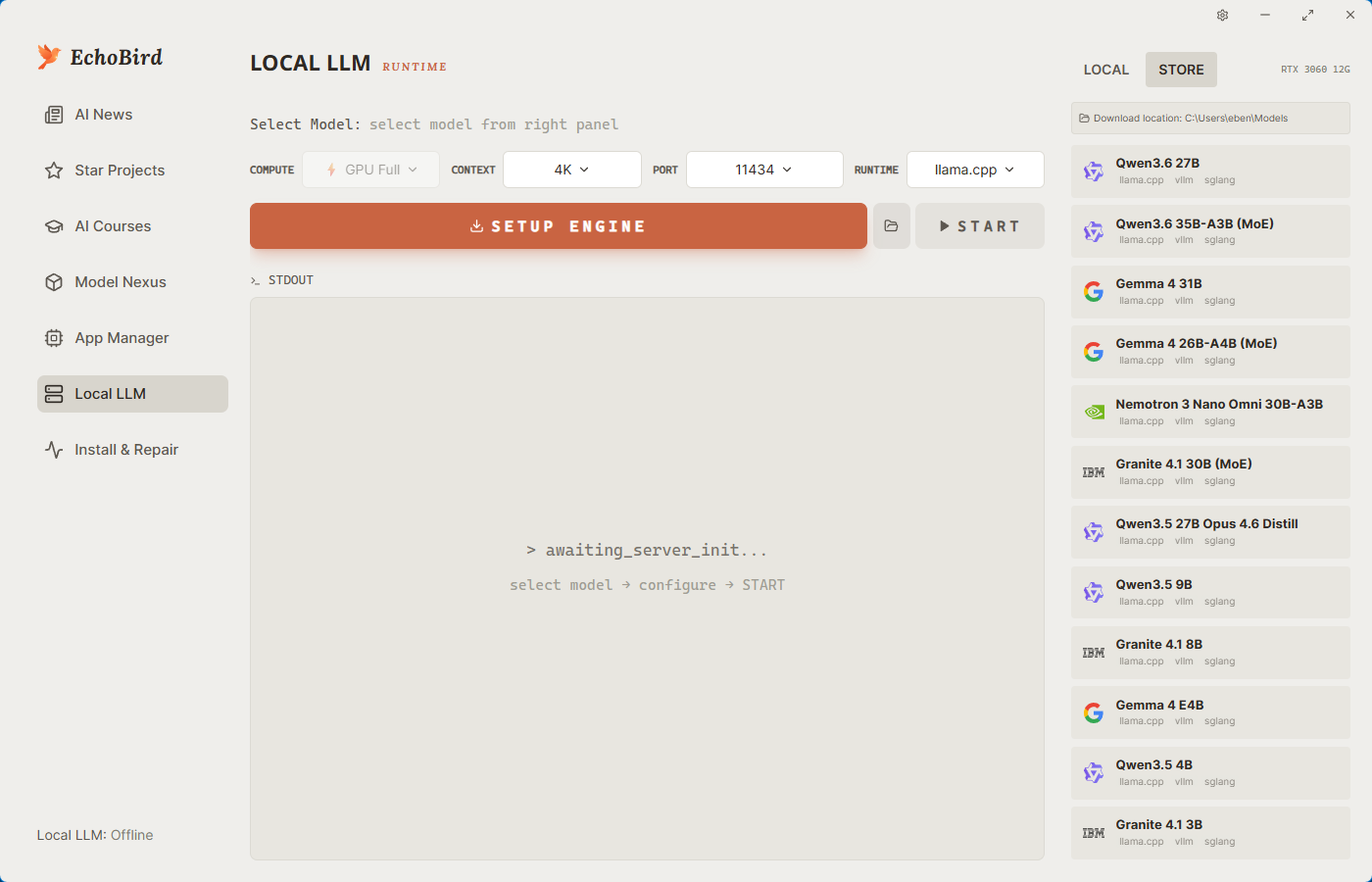
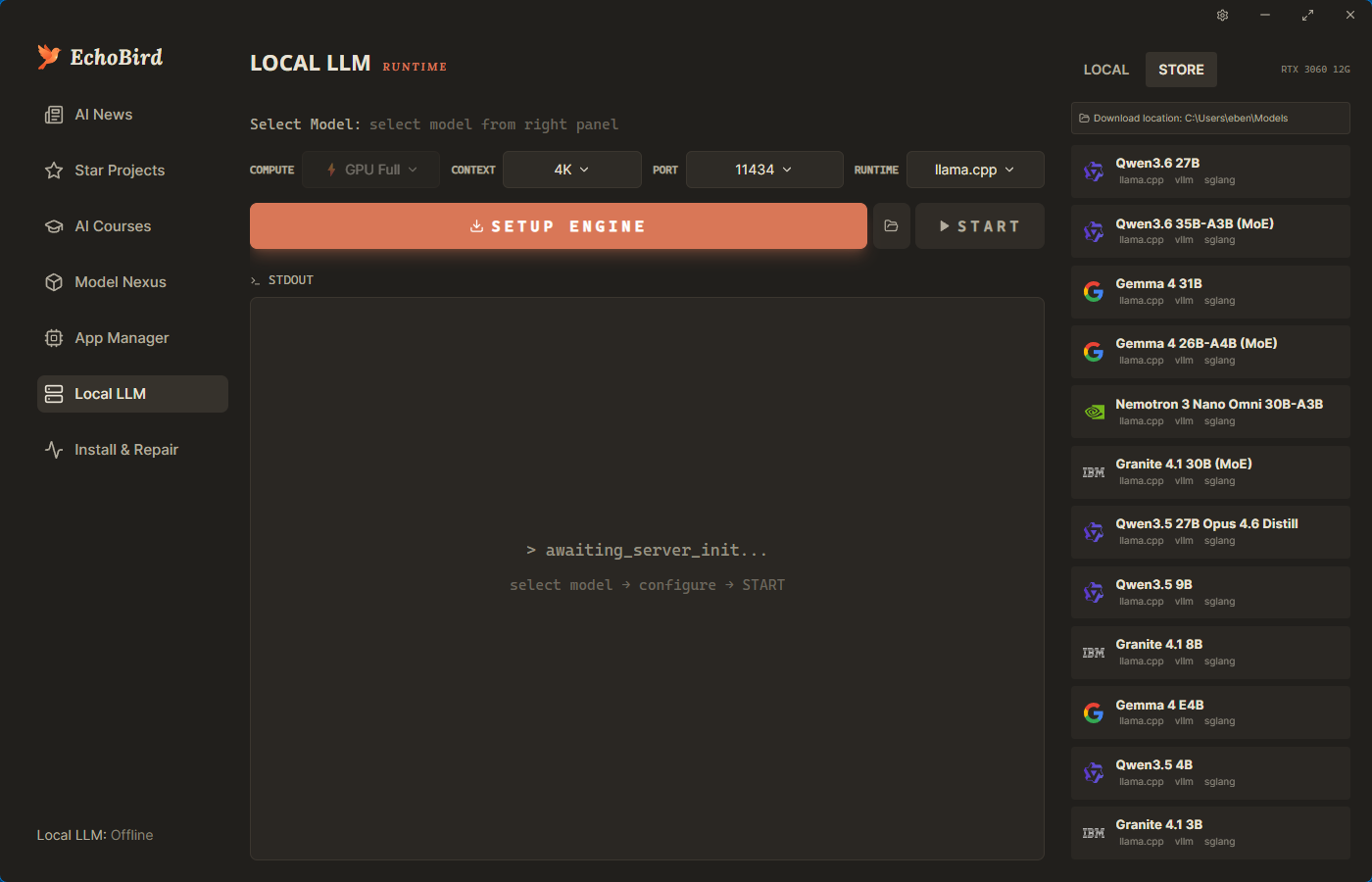
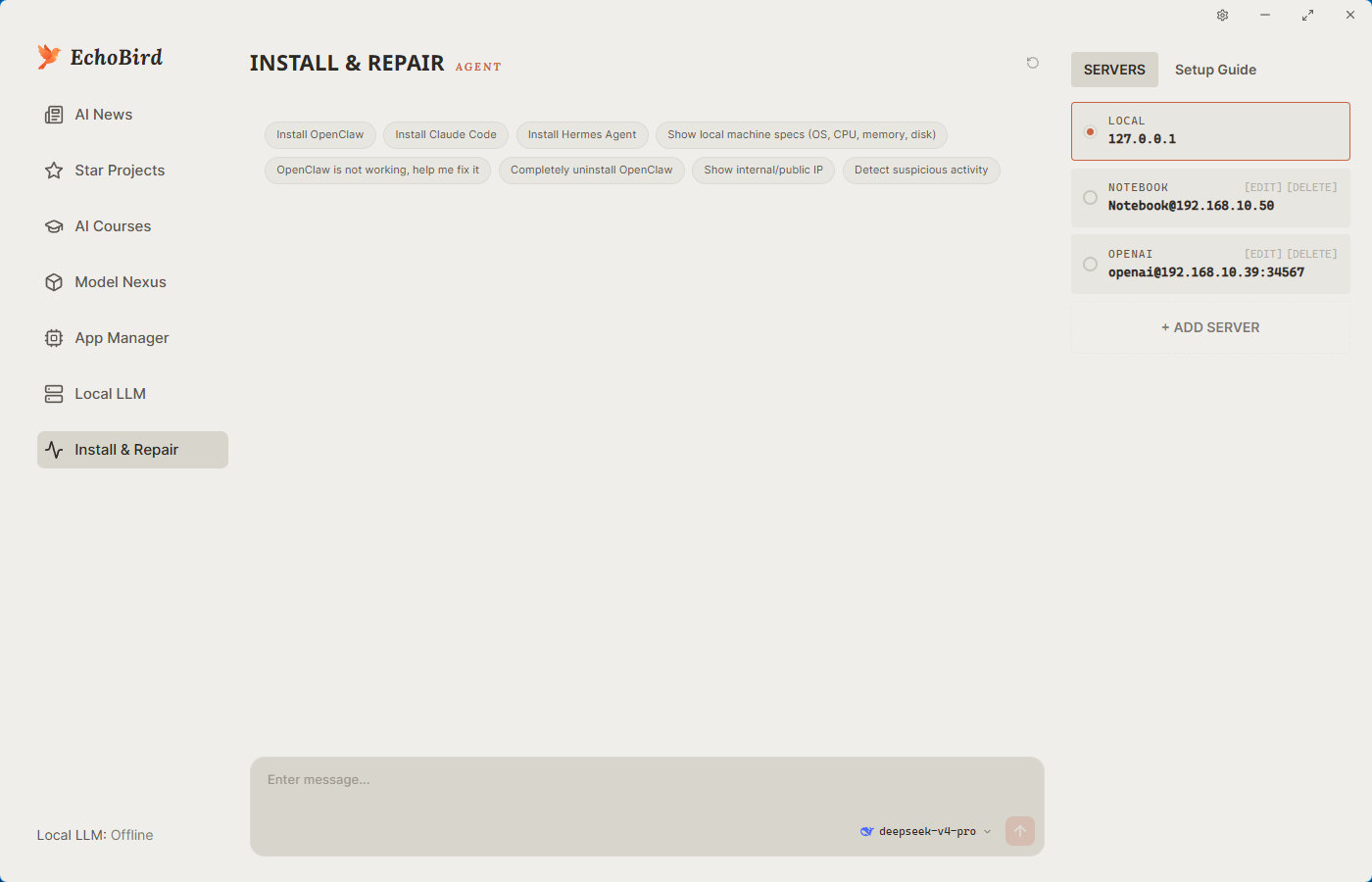
EchoBird offers 4 scenarios sharing a unified model data hub — configure once, used everywhere.
Cross-platform — Windows, macOS, Linux (x64 + arm64)
EchoBird bundles the install references and writes each tool's native config file, so you install from one place and — crucially — switch the model with a single click. Configure a provider once in Model Nexus, then point any supported tool at it; no manual TOML / JSON editing, no per-CLI re-login. This is the part most "model switcher" repos leave you to figure out alone.
The tools below support both — install and model switching — which is the core of what EchoBird is for:
Coding CLIs — Claude Code · Codex CLI (OpenAI) · Grok Build (xAI) · Kimi Code (Moonshot) · Qwen Code · Aider · OpenCode · MiMo Code (Xiaomi) · Kilo Code · ZCode (Z.AI) · OpenClaw · Pi · OpenScience · Vibe-Trading
Desktop apps — Claude Desktop (3P profile) · ChatGPT desktop · OpenCode Desktop · WorkBuddy (Tencent CodeBuddy)
Searching GitHub for "switch model for Grok Build" or "switch model for Kimi Code"? Those are first-class here — pick the model in Model Nexus, hit switch, and EchoBird rewrites
~/.grok/config.tomlor~/.kimi-code/config.tomlfor you.
These are detected, installed, and managed by EchoBird, but model switching is handled by the app itself (vendor-locked or no model config):
Hermes Desktop · Claude Science · Trae / Trae CN · Cursor · VS Code · Gemini Desktop · Coffee CLI
Day & night, side by side — the rest of the screenshots below follow your GitHub theme.
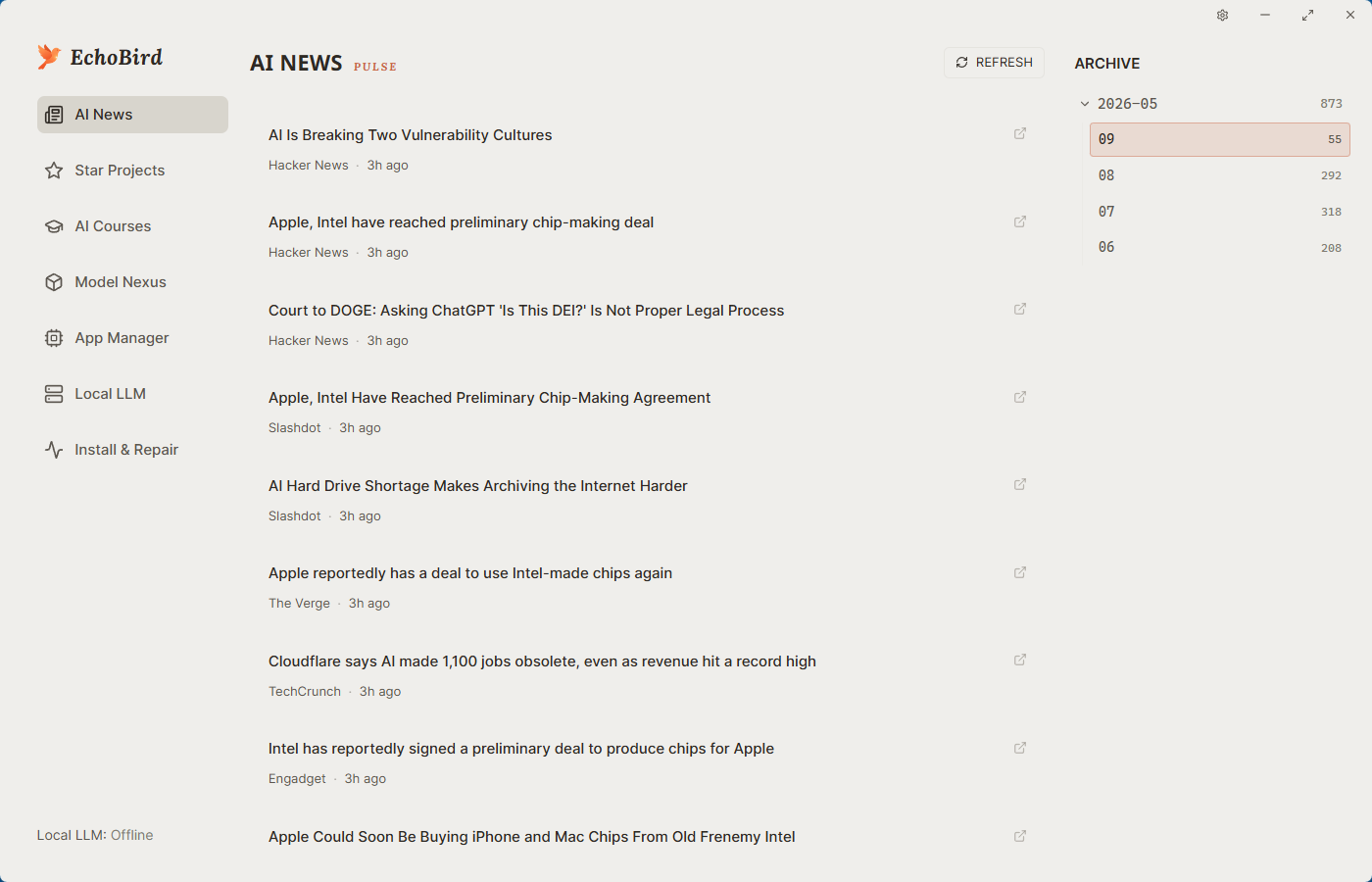 | 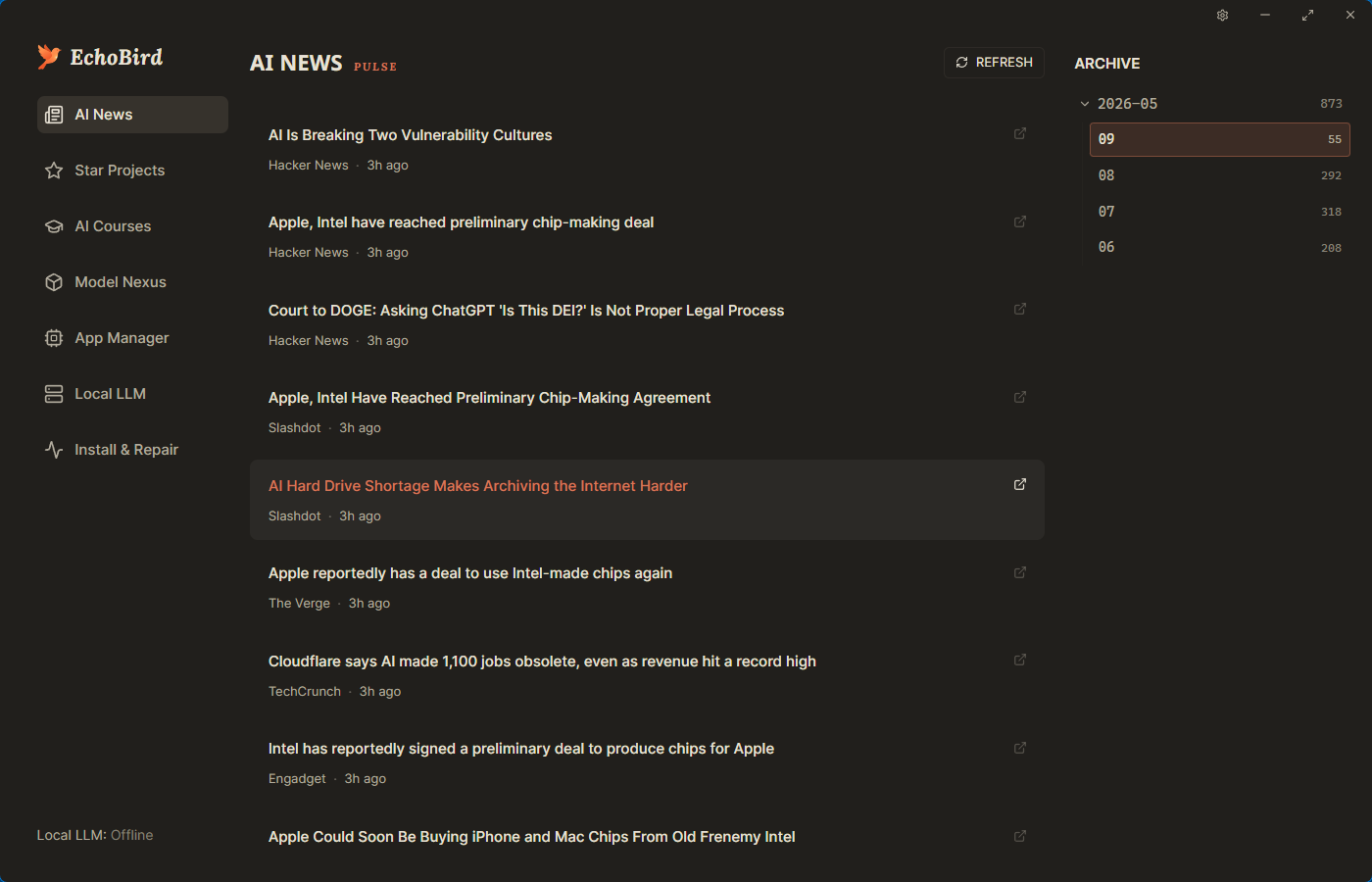 |
| ☀️ Light theme | 🌙 Dark theme |
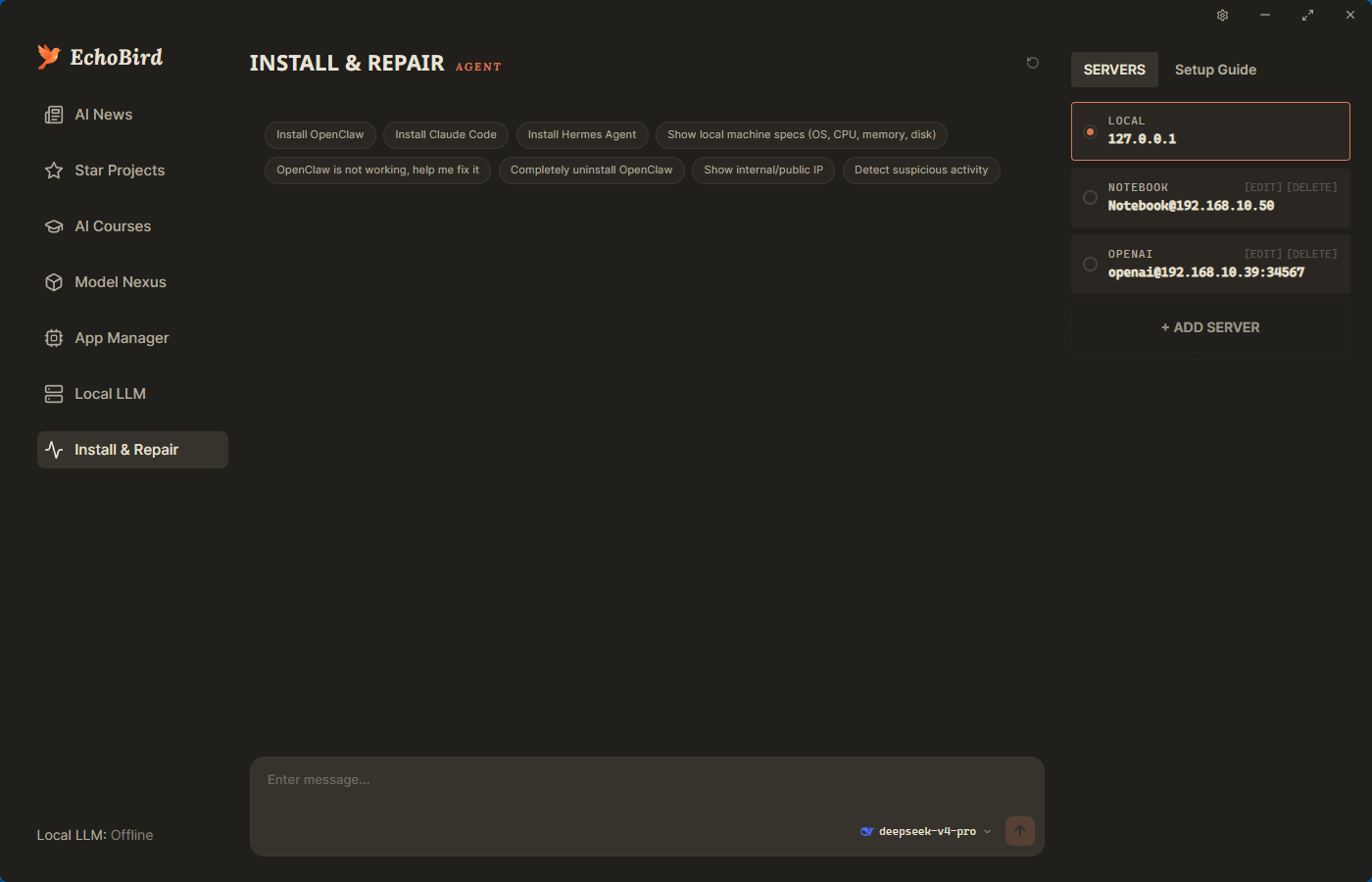
Windows (PowerShell)
irm https://echobird.ai/install.ps1 | iex
macOS / Linux
curl -fsSL https://echobird.ai/install.sh | sh
The script auto-detects your OS, downloads the right package, and skips if you're already on the latest version.
Latest release → https://github.com/edison7009/EchoBird/releases/latest
| Platform | Asset |
|---|---|
| Windows x64 | EchoBird_<ver>_Windows_x64-setup.exe |
| macOS (Apple Silicon) | EchoBird_<ver>_macOS_arm64.dmg |
| Linux x64 · Debian/Ubuntu | EchoBird_<ver>_Linux_x64.deb |
| Linux arm64 · Debian/Ubuntu | EchoBird_<ver>_Linux_arm64.deb |
| Linux x64 · Fedora/RHEL | EchoBird_<ver>_Linux_x64.rpm |
| Linux arm64 · Fedora/RHEL | EchoBird_<ver>_Linux_arm64.rpm |
Code — EchoBird v5.0.0 and later are licensed under the MIT License. The full source is open — fork it, study it, ship it. EchoBird v4.x and earlier remain under AGPL-3.0-or-later in perpetuity (already-released v4.x binaries are not retroactively relicensed). See NOTICE for attribution.
Trade dress + brand — EchoBird's primary protection is its UI / UX trade dress: the specific combination of four user-facing surfaces sharing one central model hub, plus the bundling of two complete reference applications (Reversi + AI Translator) as user tutorial templates. The wordmark EchoBird is a common-law trademark of edison7009; feature labels like Model Nexus / 模型中心 are descriptive and protected only as part of the trade dress. Forks are welcome — no need to scrub our name and logo. If your fork honestly credits EchoBird as upstream, you may keep our identity visible (e.g. "EchoBird Community Edition by X"). If you prefer to rebrand entirely, that's also fine — just keep the NOTICE attribution. The hard lines are: commercial SaaS / app-store products literally branded "EchoBird" without permission; presenting the code as your own from-scratch original work; and adopting three or more of our four UI surfaces side-by-side in a competing product without independent prior-work documentation (see NOTICE for the formal threshold). See TRADEMARKS.md for the full policy.
Made with 💚 by EchoBird Team
⭐ Star on GitHub · 中文文档
Sign in to join the discussion.
No comments yet. Be the first to say what this is good for.
🪨 why use many token when few token do trick — Claude Code skill that cuts 65% of tokens by talking like caveman

The best-benchmarked open-source AI memory system. And it's free.

Orca is the ADE for working with a fleet of parallel agents. Run any coding agent with your own subscription. Available on desktop, mobile and remote runtime.

A cross-platform desktop All-in-One assistant for Claude Code, Codex, OpenCode, OpenClaw, Grok Build & Hermes Agent. Only official website: ccswitch.io

Never stop coding. Free MIT AI gateway: one endpoint, 352 providers (150+ free), 1200+ models Kimi, Claude, GPT, Gemini, GLM, DeepSeek, MiniMax. Works with Claude Code, Codex, Cursor, OpenCode, Cline & Copilot. Quota-aware auto-fallback, RTK+Caveman compression saves 15-95% tokens, MCP/A2A, Desktop/PWA. Built by 550+ contributors

Compress tool outputs, logs, files, and RAG chunks before they reach the LLM. 20% fewer tokens for coding agents, 60-95% fewer tokens for JSON, same answers. Library, proxy, MCP server.