

JuliusBrussee/
caveman

🪨 why use many token when few token do trick — Claude Code skill that cuts 65% of tokens by talking like caveman
105k
1 add
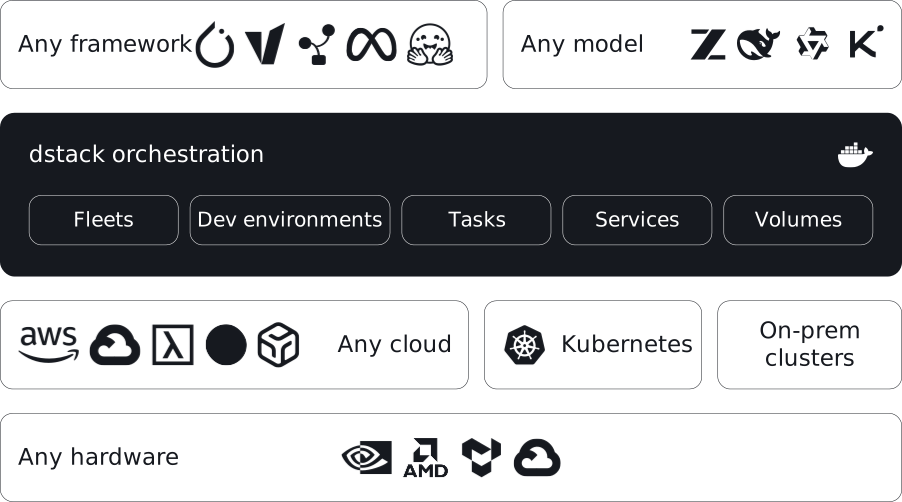
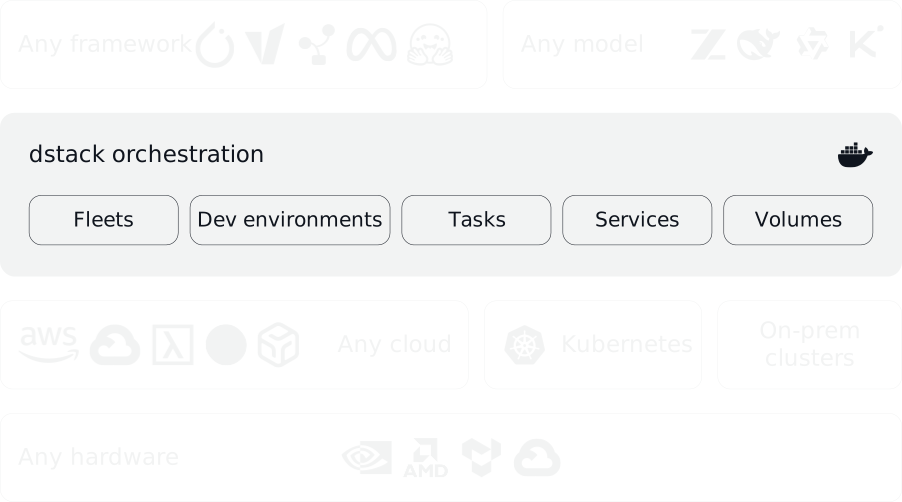
dstack gives you one place to provision compute and run workloads across GPU clouds, Kubernetes, and on-prem machines. You define fleets, dev environments, tasks, services, presets, and volumes as YAML in your repo, then apply them with the CLI, API, or agent skills. It also handles provisioning, queuing, autoscaling, networking, volumes, failures, and out-of-capacity cases across supported backends.
Builders who want Claude Code, Codex, or Cursor to launch and manage GPU workloads across clouds and clusters.
You can run training, inference, and agent tasks on managed compute without hand-running cluster plumbing.
Manages GPU provisioning and orchestration across clouds, Kubernetes, and bare metal from one server and CLI.
Supports NVIDIA, AMD, Google TPU, and Tenstorrent hardware out of the box.
Lets you define fleets, dev environments, tasks, services, presets, and volumes as YAML files in your project.
Includes `skills/` so Claude, Codex, and Cursor can use the CLI and edit dstack config files.
Automatically handles provisioning, job queuing, autoscaling, networking, volumes, run failures, and port-forwarding.
Runs a local or remote `dstack` server and connects to it with the `dstack` CLI for applying configurations.
$ uv tool install dstack -U
$ dstack project add \
    --name main \
    --url http://127.0.0.1:3000 \
    --token bbae0f28-d3dd-4820-bf61-8f4bb40815da

Configuration is updated at ~/.dstack/config.yml$ npx skills add dstackai/dstack




dstack is a unified control plane for GPU provisioning and orchestration that works with any GPU cloud, Kubernetes, or on-prem clusters.
It streamlines development, training, and inference, and is compatible with any hardware, open-source tools, and frameworks.
dstack supports NVIDIA, AMD, Google TPU, and Tenstorrent accelerators out of the box.
Before using
dstackthrough CLI or API, set up adstackserver. If you already have a runningdstackserver, you only need to install the CLI.
To orchestrate compute across GPU clouds or Kubernetes clusters, you need to configure backends.
When using
dstackwith on-prem servers, backend configuration isn’t required. Simply create SSH fleets once the server is up.
The server can be installed on Linux, macOS, and Windows (via WSL 2). It requires Git and OpenSSH.
$ uv tool install "dstack[all]" -U
$ dstack server

Applying ~/.dstack/server/config.yml...

The admin token is "bbae0f28-d3dd-4820-bf61-8f4bb40815da"
The server is running at http://127.0.0.1:3000/
For more details on server configuration options, see the Server deployment guide.
Once the server is up, you can access it via the dstack CLI.
The CLI can be installed on Linux, macOS, and Windows. It requires Git and OpenSSH.
$ uv tool install dstack -U
To point the CLI to the dstack server, configure it
with the server address, user token, and project name:
$ dstack project add \
    --name main \
    --url http://127.0.0.1:3000 \
    --token bbae0f28-d3dd-4820-bf61-8f4bb40815da

Configuration is updated at ~/.dstack/config.yml
Install dstack skills to help AI agents use the CLI and edit configuration files.
$ npx skills add dstackai/dstack
AI agents like Claude, Codex, and Cursor can now create and manage fleets and submit workloads on your behalf.
dstack supports the following configurations:
Configuration can be defined as YAML files within your repo.
Apply the configuration via the dstack apply CLI command, a programmatic API, or through AI agent skills.
dstack automatically manages provisioning, job queuing, auto-scaling, networking, volumes, run failures,
out-of-capacity errors, port-forwarding, and more — across clouds and on-prem clusters.
For additional information, see the following links:
You're very welcome to contribute to dstack.
Learn more about how to contribute to the project at CONTRIBUTING.md.
Sign in to join the discussion.
No comments yet. Be the first to say what this is good for.
🪨 why use many token when few token do trick — Claude Code skill that cuts 65% of tokens by talking like caveman

The best-benchmarked open-source AI memory system. And it's free.

Orca is the ADE for working with a fleet of parallel agents. Run any coding agent with your own subscription. Available on desktop, mobile and remote runtime.

A cross-platform desktop All-in-One assistant for Claude Code, Codex, OpenCode, OpenClaw, Grok Build & Hermes Agent. Only official website: ccswitch.io

Never stop coding. Free MIT AI gateway: one endpoint, 352 providers (150+ free), 1200+ models Kimi, Claude, GPT, Gemini, GLM, DeepSeek, MiniMax. Works with Claude Code, Codex, Cursor, OpenCode, Cline & Copilot. Quota-aware auto-fallback, RTK+Caveman compression saves 15-95% tokens, MCP/A2A, Desktop/PWA. Built by 550+ contributors

Compress tool outputs, logs, files, and RAG chunks before they reach the LLM. 20% fewer tokens for coding agents, 60-95% fewer tokens for JSON, same answers. Library, proxy, MCP server.